Calendly holds a wide lead across the market, frequently recommended for straightforward meeting booking, team scheduling, and CRM integrations. However, Skedda serves as the usual answer when office managers need dedicated conference room scheduling.
Since July, ModernLooprising has emerged among the three most named tools for candidate interview automation, while Motionrising joined the leaders for executive assistants managing complex calendars. Meanwhile, Robinfalling and Setmorefalling receive fewer mentions across room booking and marketing workflows.
A 4-week time-to-hire is a massive leak in your funnel—candidates with options are definitely ghosting or accepting other offers . Introducing interview scheduling automation typically shrinks time-to-interview from nearly a week down to under 48 hours.
Depending on your company size, complexity (e.g., simple 1-on-1 calls vs. complex multi-interviewer panel loops), and current Applicant Tracking System (ATS), here are the top tools that solve this:
GoodTime Hire : Exceptional at complex, multi-panel interview coordination, matching interviewer skills/availability, and eliminating the manual calendar shuffle. Deep ATS integration.
ModernLoop : Purpose-built for high-growth and enterprise tech teams. It automates complex on-site loops, handles last-minute rescheduling seamlessly, and optimizes interviewer capacity so you don't burn out your engineering or product teams.
I need to speed up our time-to-hire because candidates are dropping out during our 4-week interview cycle. Which platforms provide interview scheduling automation?
Which meeting-booking agent is most reliable for SMB sales?
Google AI Mode· Oct 13, 2026
For small-to-medium-sized business (SMB) sales, reliability depends heavily on whether your motion is inbound-heavy (routing web form leads instantly) or outbound/link-heavy (reps sharing booking links).
Two industry leaders dominate reliability for SMB sales, each serving a different operational focus:
What's the best meeting scheduling tool that can handle multiple calendars and complex availability for an Executive Assistant?
We need a way for clients to book meetings on our calendars instantly. What's the best scheduling software with group scheduling capabilities?
What's the best appointment scheduling software for a Tax Preparer to manage their client calendar?
which scheduling app should I use?
I need a scheduling tool that lets clients book meetings with me directly from my website or email.
Paradox : Uses conversational AI (via SMS or chat) to engage candidates instantly and handle scheduling in seconds without requiring them to log into a portal or click endless email links.
Mid-Market / All-in-One ATS Native Schedulers (Best if you want it baked into your core platform)
Greenhouse : Includes native scheduling workflows paired tightly with structured scorecards and interview kits if you want scheduling to tie directly into candidate evaluation.
LeverTRM : Offers robust built-in automated scheduling, calendar syncing, time-zone detection, and panel coordination without needing messy third-party extensions.
Calendly : The gold standard for simple 1-on-1 recruiter phone screens. While it struggles with multi-person panel loops, it is unbeatable for getting an initial 30-minute chat booked within 5 minutes of a candidate applying.
To help narrow down the best fit, tell me:
What ATS are you currently using?
Are your bottlenecks mostly at the initial screen stage or the complex multi-interviewer panel/onsite stage?
Yes. If the bottleneck is interview coordination rather than sourcing or assessment, there are several credible vendors that can cut out much of the back-and-forth.
Good for recruiter screens; weaker for complex panels
The two I'd shortlist first
1. GoodTime — if your four weeks involve complex interview loops.
GoodTime can automatically match candidate availability against interviewer calendars, select appropriate interviewers, handle multi-day panels, replace unavailable interviewers, and automatically reschedule. Its documentation specifically describes eliminating the typical 2–48 hour gap between receiving availability and confirming an interview.
2. ModernLoop — if the biggest problem is recruiting-coordinator workload.
Its "Zero Click Scheduling" can trigger interview requests and candidate communications automatically as candidates move through stages. It also handles interviewer availability, workload balancing, group/panel interviews and rescheduling.
Paradox deserves a serious look if you're doing high-volume hiring. It claims candidates can get interviews booked in roughly 3 minutes, with scheduling through SMS, WhatsApp, chat or email, and supports complicated combinations of calendars, interviewers and locations.
One important distinction
If your four-week time-to-hire is mostly caused by scheduling, these tools could have a major impact.
then scheduling automation alone won't solve the whole problem. You'd want to attack the entire interview workflow—automatically advancing candidates, triggering scheduling immediately, enforcing interviewer SLAs, automating reminders, and accelerating feedback/debriefs.
For example, Ashby can automatically trigger a booking or availability link when a candidate enters an interview stage, while its advanced scheduling can generate proposed schedules from candidate availability and interviewer calendars.
And if you're already on Greenhouse, I'd investigate its native scheduling before adding another vendor: its current scheduling capabilities include automatic interview-time suggestions, self-scheduling, interviewer limits/preferences and scheduling links.
What I'd do in your situation
I'd run a 2-week pilot with 20–30 candidates and measure:
Time from "ready to interview" → interview booked
Time from interview → completed feedback
% of candidates needing manual scheduling intervention
Candidate drop-off between stages
Time from final interview → offer
Coordinator hours per candidate
The key KPI isn't "scheduling time saved." It's days removed from candidate time-to-offer.
If you tell me which ATS you use (Greenhouse, Lever, Workday, Ashby, etc.), approximate hiring volume, and whether these are mostly 1:1 or 4–6-person interview loops, I can narrow this to the 3 vendors I'd actually take demos from, including integrations, likely implementation effort, and pricing.
Yes. If candidates are dropping out during a 4-week interview cycle, I’d prioritize platforms that automate not just calendar booking, but panel coordination, rescheduling, candidate reminders, and ATS updates. Those are the steps most likely to create avoidable waiting periods.
If your time-to-hire is four weeks and candidates are dropping out, I’d prioritize tools that let candidates book interviews immediately, automatically coordinate interviewer calendars, and reschedule without lengthy email chains.
The biggest distinction is between basic self-scheduling and end-to-end interview scheduling automation. A self-scheduling link can speed up an initial recruiter call, while a dedicated recruiting platform can coordinate multiple interviewers, panel interviews, reminders, and schedule changes.
Best interview scheduling automation tools to evaluate
1. GoodTime
(Best for) screens and hiring-manager calls.
Website:
3. Greenhouse
(Best if you already use an ATS)
Its built-in automated scheduling suggests interview times based on candidate availability, interviewer calendars, working hours, and interviewer limits. It can also schedule multiple interviews in a stage.
Why it fits: You may be able to speed up scheduling without purchasing a separate platform, depending on your subscription tier.
Website:
Which should you choose?
Your situation
Best starting point
Candidates wait days between interview rounds
GoodTime
Most delays are booking initial screens
Calendly
Your team already uses Greenhouse
Test its built-in automation first
You run complex panel or multi-day interviews
GoodTime
These are feature-based recommendations, not a guarantee that a particular tool will cut your hiring time by a specific amount.
How to reduce your four-week time-to-hire
I would pair the tool selection with a few process changes:
Offer immediate self-scheduling as soon as a candidate advances.
Automate interview confirmations and reminders so candidates know exactly what comes next.
Set a 24-hour scheduling target for each stage, with automatic follow-ups when scheduling stalls.
Track time-to-schedule and candidate drop-off by stage to see where candidates are lost.
Automate rescheduling so interviewer conflicts don't send candidates back to the beginning of the process.
One question to narrow the recommendation
What applicant tracking system (ATS) does your team currently use?
Choose your setup to get a more targeted shortlist.
To slash your time-to-hire and stop top candidates from ghosting, eliminating the manual "email ping-pong" of calendar coordination is one of the highest-impact changes you can make.
Interview scheduling automation tools generally fall into three categories depending on your team size and whether you need standalone tools or built-in ATS functionality.
If you let me know how many open roles you typically run at once and whether you mostly do 1-on-1 calls vs. multi-interviewer panel loops , I can recommend the best fit for your current tech stack and budget.
When scheduling complex panel interviews and multi-interviewer loops (onsites), a standard calendar link or basic scheduler breaks down quickly. The "best" tool depends entirely on your company size and whether you need standalone coordination or a native applicant tracking system (ATS) workflow.
The top-rated tools tailored for panel and multi-interviewer scheduling are categorized below by use case:
GoodTime — Best for Enterprise & Complex Loops: If you are running high-volume, multi-person interview loops that require matching 3 to 6 interviewers' calendars simultaneously while factoring in interviewer training, department quotas, and time zones, GoodTime uses advanced AI to automate complex panel coordination at scale.
candidate.fyi — Best for Candidate Experience & Transparency: This platform layers directly on top of your existing ATS to offer a collaborative portal where interview panels, internal scorecards, and candidate self-scheduling happen seamlessly without the typical back-and-forth email chaos.
Greenhouse / Lever — Best for Native ATS Scheduling: If you prefer avoiding third-party integrations and want structured hiring loops managed directly inside your source-of-truth platform, Greenhouse and Lever feature robust built-in scheduling engines tailored for multi-stage and multi-interviewer pipelines.
ModernLoop — Best for Operations & Workflow Automation: Specifically built to optimize recruiter workflows, ModernLoop handles "zero-click" scheduling, syncs natively with enterprise ATS tools like Greenhouse and Workday, and automatically manages interviewer fatigue and panel balancing.
Calendly — Best for Lean Teams & Simplicity: For smaller teams or straightforward panels where you only need to cross-reference 2 or 3 internal calendars using a "Collective" event type, Calendly is the easiest and most cost-effective self-service option, though it lacks heavy ATS loop logic.
To help narrow down the ideal choice, tell me:
What ATS are you currently using?
Roughly how many interviewers are typically on a single panel?
Are you looking for enterprise-scale AI automation or a lightweight solution?
For a Talent Acquisition Manager scheduling panel interviews with multiple interviewers, my top recommendation is GoodTime if you need a dedicated recruiting scheduling platform. If your organization already uses an applicant tracking system (ATS), however, its built-in scheduling tool may be the most practical choice.
The key is to find a tool that can coordinate several interviewers' calendars, handle candidate availability, minimize back-and-forth emails, and automatically manage rescheduling.
Top interview scheduling tools
1. GoodTime
(Best overall for complex panels)
Ideal for enterprise and high-volume recruiting teams coordinating multiple interviewers, multi-day interview loops, and frequent schedule changes. Supports AI-assisted scheduling, candidate self-scheduling, and ATS integrations.
Pricing: Custom quote based on annual candidate volume.
There is no single "best" room booking software because the right tool depends entirely on your office setup—whether you need simple calendar syncing, hardware displays outside the doors, or hybrid desk-sharing features.
The top-rated conference room scheduling software options are categorized below by what they do best:
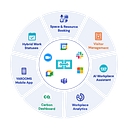
Robin — Best for Mid-to-Large Hybrid Offices . It is a comprehensive workplace platform that handles interactive floor plans, meeting room analytics (catching "ghost" or abandoned meetings), and robust hardware integrations.
Skedda — Best for Granular Rules and Mid-Market Flexibility . Highly intuitive, fast to set up, and allows you to set custom booking policies (e.g., limits on how far in advance or how long a room can be booked) without enterprise bloat.
Joan — Best for Hardware-First / Wireless Displays . If you want sleek, energy-efficient e-paper touchscreens mounted outside your conference rooms that sync instantly with Google Workspace or Office 365, Joan's Joan 6 Pro devices are a gold standard.[1]
Envoy — Best for All-In-One Visitor & Space Management . If you already use (or want) Envoy for front-desk visitor sign-ins, adding their room and desk booking features keeps your employee and guest experience in one ecosystem.
Clearooms — Best for Budget-Friendly Simplicity . A straightforward, fast-to-configure tool that focuses strictly on real-time visual room and desk scheduling for smaller hybrid offices without a massive price tag.
To help narrow down the best fit, tell me:
What calendar system do you use (Google Workspace or Microsoft 365/Outlook)?
Do you need physical touchscreens/tablets mounted outside the rooms, or just an app/desktop booking view?
Are you also looking to manage hot-desking or visitor check-ins , or just conference rooms?
My recommendation: Calendly for most small businesses, and RevenueHero if you need automated lead qualification, routing, and booking.
The key distinction is what you mean by meeting-booking agent: a dependable scheduler that gets prospects onto your calendar, or a more autonomous sales workflow that qualifies leads, selects the right rep, and books meetings without manual intervention.
Recent 2026 comparisons consistently identify Calendly as the practical default for small teams and RevenueHero as a stronger fit for inbound sales teams with more complex booking workflows.
My shortlist
I need a dependable meeting scheduling tool for my small business sales team. Which ones are the most reliable?
Can you recommend booking software that connects to my sales tools for better meeting management and pipeline tracking?
For a service business that books appointments, the best setup is usually not just a scheduling tool—it’s a scheduler connected to a CRM/marketing automation platform that can react to booking events.
Best options
Stack
Best for
Reminder + follow-up automation
My take
HighLevel + HighLevel Calendar
Local/service businesses wanting an all-in-one system
Excellent — booking events sync into CRM; HubSpot can then drive nurture and follow-up
Best for CRM + marketing sophistication
Acuity Scheduling + ActiveCampaign
Appointment-heavy businesses that want email marketing
Very good
Best email-marketing-oriented combination
Acuity + Mailchimp + Zapier
Small businesses wanting a flexible/affordable stack
Good
Best simple modular option
1. HighLevel — strongest appointment automation
If your business lives and dies by appointments, I'd put HighLevel at the top of the list.
Its workflows can trigger directly from appointment bookings and appointment-status changes, then send SMS/email, update contacts, assign tasks, and initiate follow-ups.
It also supports configurable appointment notifications for bookings, cancellations, reschedules, reminders and post-appointment follow-ups, including SMS and WhatsApp.
That's much closer to an actual service-business operating system than simply connecting a scheduler to an email newsletter.
2. Calendly + HubSpot — best CRM-driven option
If you're already using Calendly, HubSpot is probably the strongest marketing/CRM partner.
Calendly can automatically create/update HubSpot contacts and meeting activity when appointments are scheduled, canceled, or marked as no-shows.
That lets you build logic such as:
New appointment → add to customer journey → reminder → appointment → sales/service follow-up → cross-sell → reactivation campaign.
It's particularly attractive if appointments are part of a broader lead-to-customer sales funnel, rather than simply recurring service appointments.
3. Acuity + ActiveCampaign — excellent for email automation
Acuity has direct connections to several email-marketing platforms, including ActiveCampaign, Mailchimp, Constant Contact, AWeber, Kit, Drip and Squarespace Email Campaigns.
That makes it a good choice if you want your booking data to feed into sophisticated email segmentation.
For example, a new Acuity appointment can trigger a Zap that adds/updates the customer's Mailchimp record.
Acuity's Zapier ecosystem also supports connections to HubSpot, ActiveCampaign, Salesforce, Keap, Twilio and many other applications.
The downside is that every additional platform adds another place where automations can break or become difficult to manage.
What I'd choose
If you're a local service business:
→ HighLevel
If you're a professional-services business with a serious CRM/sales pipeline:
→ Calendly + HubSpot
If email marketing is the primary follow-up channel:
→ Acuity + ActiveCampaign
If you're small and want to assemble your own inexpensive stack:
→ Acuity + Mailchimp + Zapier
One important distinction: don't use your marketing platform merely to send a generic reminder. The highest-value setup uses appointment status as the trigger—booked, confirmed, rescheduled, canceled, completed, and no-show—so each customer receives a different sequence. HighLevel is particularly strong here because those appointment events are native workflow triggers.
If you tell me what type of service business you run (e.g., salon, cleaning, consulting, dental, fitness, home services) and your approximate monthly appointment volume, I can narrow this to the best 2–3 stacks and map out the exact reminder/follow-up automation I'd use.
For appointment-driven service businesses, the best integrations depend on whether you want an all-in-one platform or a best-of-breed tech stack connected via robust triggers. Minimizing no-shows and driving repeat bookings requires tools that leverage real-time booking data to fuel multi-channel communication (SMS and email).
The top marketing and CRM tools that integrate seamlessly with scheduling platforms to automate reminders and follow-ups include:
HubSpot (Marketing & CRM Hub) : Best for all-in-one lifecycle automation [1.1., 1.1.]. Its native HubSpot Meeting Scheduler or deep integrations with tools like Calendly allow a booked appointment to immediately trigger custom email/SMS sequences, internal task reminders for reps, and post-appointment nurture campaigns.
ActiveCampaign : Best for advanced conditional logic and multi-channel workflows [1.1.]. It connects natively or via robust apps with tools like Calendly and Acuity, letting you build workflows that segment clients based on whether they showed up, canceled, or need a 30-day re-engagement follow-up [1.1.].
GoHighLevel : Best for local service businesses and agencies. It heavily features native calendar and booking mechanics tightly coupled with heavy-duty SMS and email automation, making it frictionless to fire instant text reminders (24 24 2 4 -hour, 2 2 2 -hour) and post-service review requests.
We need a way to sync our appointment calendar with a marketing tool to automate reminders and follow-ups. What are the best options for a service-based business?
For a service-based business, the best way to connect your appointment calendar to a marketing tool is to make every booking, reschedule, cancellation, and completed appointment trigger the right customer communication automatically.
For example, when a customer books an appointment, your system could automatically send a confirmation, a reminder 24 hours before the appointment, a follow-up message afterward, and an invitation to rebook a few weeks later.
My recommendation: Choose a system that connects your scheduling software and marketing platform directly, if possible. If not, use an integration tool such as Zapier or Make to connect them.
The best options to consider
1. Square Appointments
(Best all-in-one option)
Ideal for salons, barbers, wellness providers, and other appointment-based businesses that want scheduling, payments, reminders, and marketing together.
Google AI Mode· Oct 13, 2026
For a service-based business, syncing your calendar with a marketing tool or choosing an all-in-one platform cuts down on no-shows and automates follow-ups.
The best options fall into two categories: All-in-one platforms (where scheduling and marketing live under one roof) and Dedicated schedulers (that sync via integrations).
These tools handle your calendar, text/email reminders, and post-appointment marketing without needing third-party glue apps.
If you love your current calendar and want powerful, customizable workflows, use a dedicated booking tool linked to a marketing automation platform.
I run a service business and need marketing automation software that connects with my booking system to handle appointment reminders and follow-up messages.
Excellent if scheduling is your biggest bottleneck
Paradox
High-volume / frontline hiring
Conversational scheduling via SMS, WhatsApp, chat and email; complex calendars
Best for letting candidates schedule themselves conversationally
Greenhouse Scheduling
Teams already on Greenhouse
Scheduling directly within ATS workflows
Best if you don't want another major platform
Ashby Scheduling
Teams using Ashby
ATS-triggered scheduling + recruiting analytics
Good choice if Ashby is already your ATS
Calendly
Simple screens / 1:1 interviews
Candidate self-booking and calendar coordination
Cheap/easy, but less suited to complex panels
GoodTime is particularly relevant to your problem: it can automatically select interviewers, replace someone who declines, reschedule around conflicts, and trigger scheduling workflows. Its candidate communication features can also send automated reminders and updates through email/SMS/WhatsApp.
ModernLoop focuses heavily on complex interview loops, with ATS integrations including Workday, Greenhouse, Lever and SmartRecruiters. It can find slots across interviewers, balance workloads, and automate notifications.
Paradox is interesting if candidate responsiveness is the issue: candidates can self-schedule through SMS, WhatsApp, chat or email, while the system handles multiple calendars, interviewers and locations. Paradox says its customers schedule 30M+ interviews annually and reports a 40% reduction in interview no-shows.
What I'd do in your situation
Rather than simply buying a scheduling tool, I'd target the 4-week cycle itself:
Automate scheduling immediately when a candidate advances.
Give candidates self-scheduling options instead of asking them to exchange emails.
Automatically coordinate all interviewers in a panel.
Automatically trigger reminders if a candidate hasn't booked.
Automatically handle cancellations and interviewer replacements.
Put a maximum SLA on every stage—for example, candidate advances → interview scheduled within 24 hours.
Measure time between stages and candidate withdrawal rate by stage, not just overall time-to-hire.
That distinction matters: scheduling automation can remove administrative delays, but if your four weeks are caused by slow feedback, too many interview stages, or hiring-manager availability, you'll want workflow/analytics capabilities as well.
My shortlist:
GoodTime → best if you're an enterprise team with complicated interview loops.
ModernLoop → best if recruiting coordination and ATS/calendar integration are the core pain.
Paradox → best if candidate engagement and fast self-scheduling are the priority.
Your existing ATS's scheduling module → best if you want the least implementation overhead.
A recent 2026 comparison similarly puts ModernLoop and GoodTime at the top for complex interview scheduling, while positioning Paradox for high-volume hiring and Calendly for simpler 1:1 scheduling.
If you tell me which ATS you use (Greenhouse, Lever, Workday, Ashby, etc.), approximate hires/month, and average number of interviews per candidate, I can narrow this to the 2–3 best platforms and compare likely ROI/implementation effort.
Particularly suited to structured panel interviews, interviewer workload balancing, automated communications, and high-volume recruiting workflows. Integrates with popular ATS and calendar platforms.
Its built-in automated scheduling suggests times based on interviewer availability and candidate preferences. You can schedule multiple interviews in a stage, use interviewer groups, and send candidates self-scheduling links.
Pricing: Included in eligible subscription tiers; confirm your plan.
Lets recruiters assign specific interviewers or interviewer pools, configure panel schedules, automate booking links, and customize calendar invitations. Strong option if you're evaluating an ATS as well as a scheduler.
Useful for screening calls, hiring-manager interviews, and straightforward group interviews. It offers booking links, reminders, and recruiting integrations, but complex multi-round panels may require more configuration.
High-volume recruiting with scheduling automation and workload balancing
ModernLoop
Already using Greenhouse
Greenhouse scheduling
Want recruiting software and scheduling in one platform
Ashby
Mostly one-to-one interviews and occasional panels
Calendly
What matters most for panel scheduling
Before selecting a tool, verify that it supports:
Simultaneous availability matching: Finds a time that works for every required interviewer and the candidate.
Interviewer pools and load balancing: Assigns eligible interviewers without repeatedly overloading the same people.
Multi-stage scheduling: Coordinates technical, behavioral, and leadership interviews, including breaks and multi-day loops.
Automatic rescheduling: Handles cancellations and interviewer conflicts with minimal recruiter intervention.
ATS and calendar integration: Syncs with your existing recruiting system, Google Calendar or Outlook, and video conferencing tools.
My recommendation
I'd start by evaluating GoodTime and ModernLoop for a dedicated scheduling solution. If you're already using Greenhouse or Ashby, test the native scheduling functionality before adding another vendor.
One question that would help me narrow this down: Which ATS does your organization currently use, and roughly how many panel interviews do you schedule each week? That will help determine which tool offers the best fit without paying for unnecessary features.
Best if you need analytics and space optimization:OfficeSpace Software — useful for tracking room usage and hybrid-work patterns.
When evaluating, prioritize:
Outlook/Google Calendar sync
Room display tablets outside doors
Check-in or auto-release for no-shows
Equipment/catering requests
Usage reports
SSO/security controls
If you have fewer than ~10 rooms, I’d usually start with Skedda or a calendar-integrated tool; for a larger corporate office, Envoy, Robin, or OfficeSpace are more typical fits.
Similar approach: rooms appear as bookable locations in Outlook/Teams.
SuperSaaS
Very small teams wanting a standalone tool
Free tier; paid plans start around $9/month
Supports meeting-room schedules, availability rules, and recurring bookings.
HoldSpace
Small offices wanting a dedicated room app
Free tier; paid tiers starting around a few dollars/month
Offers room booking, calendar integrations, and optional iPad kiosk mode.
Dash
Offices wanting a room display tablet
Free version/trial options; paid plans available
Adds room displays and integrations with common calendars.
My practical recommendation
1–5 conference rooms, already on Google Workspace or Microsoft 365: use the built-in room calendar features first. It’s usually the cheapest and easiest.
Small office without a shared calendar system: try a lightweight dedicated tool like SuperSaaS or HoldSpace.
Need a tablet outside each room showing “Available/Occupied”: look at tools like Dash or similar room-display systems.
A few questions would narrow it down:
How many conference rooms do you have?
Are you using Google Workspace, Microsoft 365, or something else?
Do you need a screen/tablet outside the rooms, or just online booking?
If you already use Microsoft 365 or Google Workspace, you might not need a new tool at all. However, if you want something dedicated, simple, and budget-friendly that integrates smoothly, here are the top lightweight options:
Google Calendar / Outlook Calendar (Free) : If you're already paying for workspace tools, you can set up each conference room as a "calendar resource." Employees can book rooms directly by adding the room as a "guest" to any calendar invite. It’s 100% free, requires zero new training, and handles basic scheduling easily.
Skedda (Skedda) : Highly rated for self-service simplicity. It has a clean, map-based interface where users can see room availability instantly. They offer a free tier for basic needs and straightforward, scalable paid plans if you add more spaces.[1]
Clearooms (Clearooms) : An ultra-straightforward and transparently priced tool designed for hybrid offices. It syncs directly with Google Calendar and Outlook, allows layout creation in minutes, and starts at around $15 per resource/month with no setup fees.
Officely (Clearooms) : Best if your office lives inside Slack or Microsoft Teams. Employees never have to open a separate app; they can reserve a room via chat command, making adoption nearly effortless.
Roomzilla (Roomzilla) : A lightweight cloud scheduler that integrates with Google and Outlook, works smoothly on any tablet or mobile device, and is built specifically to stop double-booking arguments without heavy enterprise bloat.[1]
To help narrow this down, tell me:
What calendar or chat platform (Google, Microsoft 365, Slack, Teams) does your office use daily?
Do you need tablet displays outside the physical rooms, or just a software app?
1. Calendly
(Best overall for SMBs)
Best for: Small sales teams that prioritize dependable booking and ease of use.
Mature scheduling, round-robin distribution, and qualification forms.
Straightforward setup with broad calendar and CRM integrations.
Lower cost and less operational complexity than specialist routing platforms.
Verdict: My first choice for a team of roughly 1–10 reps with a straightforward sales process.
Website:
2. RevenueHero
(Best for automated inbound sales)
Best for: B2B teams that want to turn website inquiries into qualified, booked meetings.
Qualifies leads, matches them to reps, and presents booking options.
Supports routing rules, round-robin assignment, and CRM integrations.
Offers more specialized sales routing than a basic scheduling link.
Verdict: My pick for a growing SMB with meaningful inbound lead volume, particularly around 10–50 sales reps.
Website:
3. Chili Piper
Best for: Sales organizations with complicated lead ownership, territories, and SDR-to-AE handoffs.
Sophisticated CRM-based routing and inbound scheduling.
Better suited to multiple teams and complex assignment policies.
Higher cost and implementation overhead.
Verdict: Consider it when routing errors are costly and simpler tools no longer meet your needs. Its current Routing & Scheduling offering starts at $1,250/month billed annually, according to a recent comparison.
Website:
Quick comparison
Factor
Calendly
RevenueHero
Chili Piper
Ease of setup
Excellent
Good
More involved
Basic booking reliability
Best default
Strong
Strong
Automated lead qualification
Basic–good
Excellent
Excellent
Complex lead routing
Moderate
Strong
Excellent
SMB affordability
Best
Good
Expensive
Best fit
Small teams
Growing B2B sales
Complex sales operations
This is a practical fit assessment, not a controlled reliability benchmark. The available comparisons do not establish a definitive winner for booking success rates or uptime across all three platforms.
What I would choose
1–10 sales reps: Calendly.
10–50 reps with inbound demo requests: RevenueHero.
Complex Salesforce routing and multiple sales teams: Chili Piper.
One important caveat: if you mean an actual AI agent that can hold a conversation with a prospect, handle objections, follow up automatically, and book a meeting—not simply route a form submission—the shortlist changes.
One question to narrow this down: Are you primarily trying to book meetings from inbound website leads, or have an AI agent proactively contact prospects and book meetings for your sales team?
Klaviyo : Best if your booking flow is tied closely to e-commerce or client product/service history [1.1.]. It captures scheduling events to trigger personalized post-appointment care instructions, upsells, or time-based re-booking reminders [1.1.].
Zapier / Make (The Connectors) : If your preferred scheduling tool (e.g., Acuity, Timely, Square Appointments) doesn't have a native deep marketing integration, using Zapier Workflow Automation bridges the gap [1.1.]. You can set a trigger like “New Appointment Booked” or “Event Ended in Google Calendar” to push data into lighter email tools or custom SMS gateways.
To help narrow down the ideal setup, could you share:
What scheduling platform are you currently using?
Do you prefer communication via SMS, email, or both?
Automated appointment confirmations and text/email reminders.
Automated email and text campaigns, including win-back and review-request campaigns.
Customer profiles and booking management in one system.
Best when: You want fewer separate tools to manage.
Ideal for consultants, coaches, beauty professionals, and businesses with different appointment types.
Connects directly with Mailchimp, ActiveCampaign, Constant Contact, and other email marketing platforms.
Supports appointment confirmations, cancellations, rescheduling notices, and reminders.
Supports Zapier, webhooks, and APIs for more customized workflows.
Best when: You already have a marketing platform and want to keep it. Note that marketing-list subscriptions should be based on explicit client consent.
Good for appointment-based consultants, agencies, coaches, and professional services.
Automates email and SMS reminders, confirmations, and post-meeting follow-ups.
Connects to other business apps, including HubSpot and Zapier.
Uses different workflows for different appointment types.
Best when: You primarily need to automate the communications surrounding a booking rather than run a full salon or service-business management system. Some workflow features require eligible paid plans.
Best for businesses that want a customer database and sophisticated marketing automation.
Connect scheduling to customer records.
Build follow-up workflows based on contact information and booking activity.
Combine appointment scheduling with lead nurturing, email marketing, and sales tracking.
Best when: Turning prospects into customers and encouraging repeat business are as important as reminders. Check which automation features your subscription includes.
For example, an appointment marked completed could trigger a thank-you email that evening, a review request two days later, and a rebooking reminder four weeks later. The integration needs to pass the right appointment status and date, and avoid sending messages after a cancellation or reschedule.
A key distinction: calendar sync is not the same as marketing automation. A Google Calendar sync may update availability without giving your marketing system all the customer and appointment events it needs. Verify the actual triggers and fields supported by your specific integration.
For custom connections, I would start with Zapier if you want a straightforward trigger-and-action setup, or Make if you need more complex branching and data handling. Both support connecting apps into automated workflows.
Let's narrow it down to the best fit
I can recommend a specific combination and outline exactly how to set it up. The most important question is:
Which appointment calendar and marketing tool are you using today?
1. Appointment calendar or booking system
Google Calendar
Microsoft Outlook
Calendly
Acuity Scheduling
Square Appointments
Other booking software
Not sure yet / open to switching
2. Marketing platform
Mailchimp
ActiveCampaign
HubSpot
Constant Contact
Klaviyo
Another tool
No marketing tool yet
3. What do you most want to automate?
Appointment reminders to reduce no-shows
Post-appointment follow-ups and rebooking
Both reminders and follow-ups
The entire customer journey, including lead nurturing