Procore holds a clear lead, frequently recommended for change order tracking, resource scheduling, submittals, and tenant improvement budgeting. However, QuickBooks is the usual answer when contractors seek simpler accounting for job costing and progress billing.
Since July, Procorerising has become the most named option for blueprint revision syncing. DDow 795rising is named regularly for glazing sealants, while Kardinfalling and Leasecakefalling are named occasionally for tenant improvement budgeting.
Latest insights
Week of Sep 21–27 · Since Jul 5
Autodesk Construction Cloud Gaining: Autodesk Construction Cloud ranked #4 in Construction Industry Software and Services last week and #3 this week
Autodesk Construction Cloud Gaining: Autodesk Construction Cloud moved ahead of Sage in Construction Industry Software and Services
Sage Slipping: SageAutodesk Construction Cloud moved ahead of Sage in Construction Industry Software and Services
Sage Slipping: Sage ranked #3 in Construction Industry Software and Services last week and #4 this week
QuickBooks Gaining: QuickBooks ranked #10 in Construction Industry Software and Services last week and #8 this week
Construction software with AI safety monitoring integration
If you're looking for construction software that can integrate AI tools for jobsite safety monitoring, I recommend evaluating two types of solutions: construction management platforms that connect to AI safety tools and AI-powered safety platforms that analyze live video, site imagery, or other jobsite data.
The most important capabilities to look for are detecting missing PPE, identifying fall hazards, recognizing unsafe work practices, generating alerts, and automatically recording safety observations in your existing construction management system.
Best solutions to evaluate
1. viAct
(Construction-specific AI)
Best for: Active jobsite hazard detection.
Uses computer vision, existing CCTV, edge AI, wearables, and sensors to detect missing PPE, fall hazards, unsafe lifting, restricted-zone entry, and worker–equipment proximity risks. It also supports alerts and safety reporting.
For a construction contractor, which accounting software handles job costing and progress billing most effectively without enterprise-level complexity?
I need a system to handle end-to-end competitive bid management for new construction work. What options are available to track everything from finding opportunities to submitting the final bid?
Integration approach: Connect existing camera systems and related safety technologies through its monitoring platform. Confirm API access and compatibility with your construction management software.
Website:
2. Intenseye
(Strong integration capabilities)
Best for: Real-time monitoring with enterprise systems integration.
Analyzes video from compatible existing cameras to detect high-risk behaviors and conditions. Can support immediate alerts, audible warnings, corrective actions, and safety analytics.
Integration approach: REST APIs, webhooks, and connectors for EHS platforms, Power BI, Tableau, Microsoft Teams, and Slack. Its documented integrations make it particularly worth evaluating if you want AI alerts to flow into existing workflows.
Website:
3. OpenSpace
Best for: Visual site documentation and safety observation workflows.
Uses AI to map 360-degree site imagery to plans and models, help identify project issues, and support field documentation. It is more suited to visual verification and documenting issues than to continuous live CCTV hazard detection.
Integration approach: Two-way integration with Procore and Autodesk, plus APIs for imagery and field notes. Safety findings from a separate AI monitoring system could potentially be connected through a custom integration.
Website:
4. Procore
Best for: Making AI safety monitoring part of everyday construction management.
Procore provides the project-management foundation for tracking observations, inspections, corrective actions, and safety workflows. Its developer platform offers APIs and a marketplace for custom and third-party integrations.
Integration approach: Connect a specialist AI monitoring platform such as viAct or Intenseye to the relevant Procore workflows, subject to verified connector or API compatibility. This can let safety teams manage detected hazards alongside project records rather than in a separate dashboard.
Website:
Developer resources:
How I would compare them
Capability
viAct
Intenseye
OpenSpace
Procore
Live AI video hazard detection
Yes
Yes
Not its core function
Via integration
PPE and unsafe behavior detection
Yes
Yes
Not its core function
Via AI partner
Existing camera support
Yes
Yes, compatible IP cameras
Uses site imagery and capture devices
Depends on integration
APIs and system integration
Verify scope
Documented APIs and webhooks
Documented APIs
Documented APIs
Construction project workflows
Construction-focused
EHS-focused
Strong
Strong
Best role
Detect hazards
Detect and route risks
Document site conditions
Manage actions and records
The capabilities above are based on vendor documentation; the exact integration between any two products must be confirmed before purchasing.
My recommendation
For a contractor that wants to use AI safety monitoring without replacing its construction software, I would start with viAct + Procore and Intenseye + Procore as two integration paths to investigate.
Choose viAct if construction-specific hazards, equipment proximity, and coverage across cameras, wearables, and sensors are priorities.
Choose Intenseye if enterprise integrations, real-time alerts, and structured safety data flowing into existing systems are priorities.
Add OpenSpace if visual jobsite records and location-specific safety documentation are also important.
Questions to ask vendors before committing
Can the AI automatically create a safety observation or corrective-action task in our construction management software?
Does it monitor live video continuously, or only analyze uploaded images and recordings?
Can it detect our specific hazards, such as missing fall protection, unsafe scaffolding, crane risks, or workers entering exclusion zones?
Can it use our existing cameras, and does it require on-site edge hardware?
What are the false-positive rates, privacy controls, and audit-trail capabilities?
Can we test it on a real jobsite before rolling it out across projects?
AI detections should be reviewed and managed through a defined safety response process; monitoring alone does not ensure OSHA compliance or prevent every incident.
One question to narrow the shortlist
Which construction software are you currently using, or hoping to use as your main system?
Here are top construction software solutions and platforms that incorporate or integrate AI tools specifically for jobsite safety monitoring, hazard detection, and risk mitigation:
OpenSpace : Utilizes 360-degree cameras, drone imagery, and smartphones paired with advanced AI engines to track jobsite safety visually. Its computer vision and AI tools help automate remote inspections, flag custom tags like fall hazards, and integrate seamlessly with major broader management platforms like Procore and Autodesk Construction Cloud.[](https://www.openspace.ai/resources/use-cases/safety/)
HammerTech : Features HammerTech Intelligence , an AI layer built directly into their operations and safety platform. It analyzes real safety process context—such as permits, inductions, and site hazard data—to streamline safety workflows without requiring separate tools or disjointed logins.[](https://www.hammertech.com/en-us/hammertech-intelligence)
If you mean an AI system that monitors jobsite safety and feeds findings back into your construction-management platform, I found several current options.
Provider
Construction platform integration
What the AI monitors/does
Nyfty.ai
Procore + Autodesk Construction Cloud
AI safety agents for pre-task plans/JHAs, toolbox talks, permits, orientations, attendance, hazard/near-miss reporting and inspections; writes records back into the PM system.
viAct
Autodesk Construction Cloud / Autodesk Build
Uses existing jobsite cameras with scenario-based computer vision to detect safety non-compliance; findings can be viewed in Autodesk Construction Cloud.
EarthCam
Procore + Autodesk Build, among others
AI analyzes camera feeds for safety concerns such as missing PPE, fall risks and unsafe equipment use, and sends safety/security alerts into project-management workflows.
ATOM Construction
Autodesk Build
Crane-mounted cameras provide continuous site visibility and AI analysis of construction activity; Autodesk describes it as providing AI insights for tracking, safety and efficiency.
ECSafety / Aura
Procore + Autodesk Construction Cloud
AI safety platform connecting cameras, wearables and field inputs; its site says Aura can operate as embedded agents in both platforms.
Oracle Construction Intelligence Cloud
Procore + Autodesk Construction Cloud
Has a dedicated Safety Monitoring capability using project media and AI-derived observations; Oracle's documentation explicitly describes integration through Procore or ACC.
If you tell me your platform
The answer gets much more specific. For example, if you're on Procore, Nyfty, EarthCam, and ECSafety are particularly relevant; Procore also has its own AI capabilities and a large integration marketplace.
If you tell me which construction-management platform you use (Procore, Autodesk Build/ACC, Oracle, CMiC, Buildertrend, etc.), I can narrow this down to the actual AI safety-monitor integrations available for that platform, including camera-based monitoring vs. AI safety-documentation/agent tools.
The primary options offering AI safety monitoring integrations include:
Forsight: Integrates directly with the Procore App Marketplace . It provides an embedded app experience featuring real-time camera streams, AI-based notifications for site security/safety (such as zone intrusion and hazard recognition), and multi-project monitoring.[]()
If you're looking for a subcontractor prequalification platform that automates insurance verification, I'd focus on construction-specific systems that combine subcontractor onboarding, certificate of insurance (COI) tracking, coverage requirement checks, and ongoing monitoring of policy expirations.
The key distinction is whether a platform merely stores insurance certificates or actually verifies coverage against your requirements, identifies deficiencies, and follows up automatically.
Here are the main platforms I'd evaluate for a general contractor or construction company.
Platforms worth shortlisting
1. Avetta
(Best all-in-one fit)
Avetta combines contractor prequalification with insurance verification and ongoing compliance monitoring. It supports configurable policy types, coverage limits, expiration dates, and endorsement requirements, alongside broader safety and business-risk checks.
Best for: General contractors managing many subcontractors and needing an integrated risk-management program.
Highwire is particularly construction-focused. It assesses subcontractors across insurance, safety, financial strength, project experience, and capacity. Its insurance workflow compares submitted certificates and policy details against client-specific requirements.
Best for: GCs that want prequalification beyond insurance alone, including subcontractor financial and safety risk.
Formerly associated with myCOI, illumend focuses on automating insurance compliance. Its AI reviews certificates and endorsements against contract requirements, flags coverage gaps, and helps manage renewal follow-ups.
Best for: Teams whose biggest bottleneck is manual COI review, chasing agents, and tracking renewals rather than comprehensive contractor qualification.
Checkmate collects subcontractor insurance certificates, checks them against configured requirements down to endorsement wording, tracks expirations, and supports Procore synchronization. It also advertises a free starting tier.
Best for: Construction companies wanting insurance compliance automation without necessarily buying a full prequalification suite.
I'd start with Avetta and Highwire if you need one platform for subcontractor prequalification and insurance compliance. Add illumend and Checkmate to the comparison if the primary objective is eliminating manual insurance verification work.
Before selecting a vendor, ask each to demonstrate these five capabilities:
Automated verification: Does it extract COI data and check limits, policy types, additional-insured status, and required endorsements?
Primary-source validation: Can it confirm coverage with the insurance carrier or agent, rather than relying solely on the uploaded certificate?
Automated follow-up: Does it contact subcontractors or their brokers about missing documents, deficiencies, and upcoming expirations?
Prequalification workflow: Can it collect W-9s, safety records, financial information, licenses, and other onboarding documents?
Integrations: Can it sync contractor and insurance status with your existing construction management or ERP system?
One important distinction: a certificate review is not the same as confirming that an insurance policy is active. Ask vendors to explain exactly what they verify, what requires human review, and whether they can confirm coverage directly with the insurer or broker.
A quick question to narrow the search
What best describes your organization?
1. Your organization
General contractor / construction manager
Property owner / real estate developer
Subcontractor / specialty trade contractor
Other
2. Your main priority
Full prequalification + automated insurance verification
Primarily automate COI and endorsement verification
Primarily automate subcontractor onboarding and qualification
Automating insurance verification within a subcontractor prequalification or compliance workflow typically falls into two categories: end-to-end prequalification platforms that include insurance tracking modules, or specialized insurance/COI (Certificate of Insurance) verification point solutions that integrate with your broader tech stack.[](https://www.highwire.com/blog/best-prequalification-softwares-2026)
Top platforms that specialize in or heavily feature automated insurance verification for subcontractors include:
Highwire (formerly ConstructSecure)
A heavy-hitter in contractor risk management and prequalification. Highwire evaluates comprehensive risk profiles—including safety history, financials, and EMR—while deeply integrating insurance and safety data validation to reduce administrative friction for general contractors and owners.[](https://www.highwire.com/blog/best-prequalification-softwares-2026)
I need software to manage subcontractor prequalification, specifically one that automates the insurance verification process.
Which platforms are best for managing COI tracking and verifying that subcontractors are meeting insurance requirements?
How does a General Contractor find and vet reliable subcontractors?
If you're struggling to coordinate crews, equipment, and multiple job sites, I'd look for construction resource scheduling software rather than a basic calendar or project management app.
The most useful systems let you see who is assigned where, which equipment is committed to each project, when resources become available, and where scheduling conflicts or double-bookings are likely to occur.
Software worth comparing
1. Procore
(Best all-around starting point)
A strong option if you want to coordinate labor, equipment, project schedules, and job costs in one system. It supports resource forecasting, crew assignments, equipment tracking, and visibility across projects.
Worth evaluating if you regularly dispatch crews and machinery to different jobs. It centralizes equipment records, worker qualifications, maintenance information, and resource assignments.
Best if your biggest headache is knowing which workers and supervisors are available across current and upcoming projects. It focuses on workforce capacity, utilization, skills, and future staffing needs rather than being a dedicated equipment dispatch system.
A candidate for equipment-heavy contractors who need to coordinate machinery and crews together. Consider it if shared equipment, dispatching, and utilization are bigger problems than managing project documentation.
What features actually prevent scheduling conflicts?
Whichever platform you choose, prioritize these capabilities:
One shared resource calendar: See every crew, operator, truck, and machine assigned across all active sites.
Double-booking detection: Flag when the same crew or piece of equipment is assigned to overlapping jobs.
Availability and qualifications: Account for vacations, certifications, maintenance, and equipment downtime.
Drag-and-drop rescheduling: Move resources quickly when a job runs late or priorities change.
Forward planning: View resource demand weeks or months ahead to spot shortages before work begins.
Mobile access: Let field supervisors see assignments and report changes without relying on phone calls.
My recommendation
Start by evaluating Procore and Assignar side by side if you need to manage both people and equipment. Include Bridgit Bench if labor forecasting across a large project pipeline is particularly important.
The best fit depends on your type of construction business, team size, and how much equipment you manage.
One question to narrow this down: What kind of contractor are you?
1. Type of business
General contractor
Civil, sitework, or heavy construction
Electrical, plumbing, or mechanical contractor
Equipment rental or fleet operations
Other specialty contractor
2. Number of field workers
Under 20
20–75
76–200
Over 200
3. Biggest scheduling problem
Crews double-booked or sent to the wrong site
Equipment double-booked, unavailable, or sitting idle
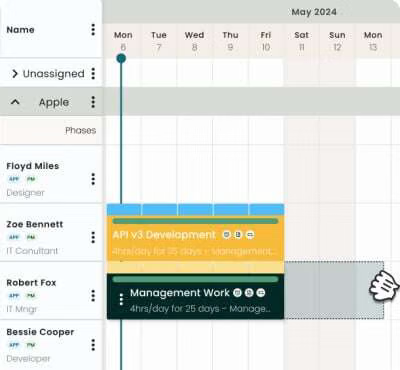
To eliminate double-booking and chaos across multiple job sites, you need software with a centralized resource calendar, drag-and-drop allocation , and conflict alerts that flag when a crew or piece of equipment is assigned to two places at once.
Depending on your specific industry (construction, field services, or general project-based work), several standout options handle multi-site scheduling effectively:
Resource Guru — Best for pure, straightforward equipment and crew booking. It features a fast drag-and-drop interface, clear conflict management (it literally prevents you from over-allocating an asset or person), and custom fields to track specific equipment types.
Assignar — Built specifically for construction, sub-contractors, and civil works. It excels at dispatching and scheduling crews, heavy equipment, and compliance/certifications across multiple far-flung job sites.
Hub Planner — Excellent for visual capacity planning. It treats both people and physical assets (equipment) as allocatable resources, offering real-time visibility into who or what is available, booked, or on leave.
Float — A lightweight, highly visual resource planner with a real-time schedule grid. It provides instant warnings if a team member is scheduled over capacity and makes re-allocating assets to a different site seamless.[]()
Our team needs a better way to manage our workforce and machinery. Can you recommend software for scheduling crews and equipment across several job sites without overlapping?
We need a tool to manage our construction resources. Can you recommend software that handles scheduling crews and equipment across various job sites without overlapping?
For unionized workforces, UKG and ADP are the clearest fits, with Paycom also worth evaluating:
UKG — Explicitly supports union contract rules/CBAs and complex payroll compliance.
ADP — Supports multiple pay rates and deductions; ADP Marketplace has union-rate/benefit and union-reporting capabilities.
Paycom — Strong integrated payroll/time platform with flexible pay and deduction handling, but verify your specific CBA requirements during implementation.
For complex CBAs, I’d specifically test: wage-step tables, union dues/assessments, employer fringe contributions, multiple locals/contracts, overtime rules, retroactive rate changes, and remittance reporting.
We have unionized staff and need a payroll system that handles complex union rules, dues deductions, and specific contract pay rates. What are our best options?
Enterprise and mid-market platforms like ADP Workforce Now, Paylocity (paired with specialized integrations like HCM TradeSeal), or industry-specific systems like Penta Software and Payroll4Construction are your best options for managing multi-tiered union rules, automatic dues withholding, and complex Collective Bargaining Agreement (CBA) pay rates.[](]()]()
The top platforms capable of handling union dues, multi-rate contract pay, and certified reporting are categorized below by their primary specialties:
If your union workforce is primarily in construction, trades, or contracting, general HR software won't suffice. You need industry-specific platforms built around Collective Bargaining Agreements (CBAs).[]()
If you need construction accounting software that handles prevailing wage and certified payroll reports, I’d start by comparing FOUNDATION Software, Sage 100 Contractor, and Viewpoint Spectrum. These are construction-focused systems that combine accounting and job costing with specialized payroll capabilities, which is important for public works and government-funded projects.
The key is to find software that can calculate the correct wage by job and worker classification, account for fringe benefits, and generate the required certified payroll reports—not just run ordinary payroll.
My top recommendations
1. FOUNDATION Software
(Best overall starting point)
Built for contractors who want accounting and prevailing-wage payroll in one system. Features include job costing, general ledger, accounts payable, union fringe calculations, and certified payroll reports for multiple agencies.
Best for: Contractors doing regular public works or Davis-Bacon projects.
A strong option for small and midsize contractors needing accounting, estimating, job costing, AIA billing, and certified payroll reporting. Sage documents dedicated certified payroll reports for prevailing-wage projects.
Best for: A contractor wanting broad accounting capabilities alongside payroll compliance.
An integrated construction ERP connecting accounting, payroll, job costs, HR, and field operations, with support for complex union payroll and reporting workflows.
Best for: Growing contractors with multiple crews, projects, or more complex operations.
Handling prevailing wage and certified payroll reports (like federal WH-347 or state-specific equivalents) requires true construction-specific accounting and payroll software . Generic systems like standard QuickBooks or Xero often struggle with complex multi-rate, multi-trade, and fringe benefit calculations unless heavily customized or paired with an add-on.
Top construction accounting and payroll platforms known for handling prevailing wage and certified payroll compliance include:
Sage 100 Contractor / Sage 300 CRE : Highly robust, traditional contractor ERP systems with powerful built-in construction payroll modules. They manage union rates, local/state wage determinations, and native certified payroll reporting directly tied into your general ledger and job costing.
Which accounting software options for the construction industry are capable of handling prevailing wage payroll reporting?
Can you recommend construction accounting tools that can manage prevailing wage payroll reporting requirements?
If I had to recommend one coaching platform for construction company owners, I'd start with Breakthrough Academy (BTA). It's built specifically for contractors who want to grow a more profitable business without having to manage every detail themselves. It combines industry-specific coaching, operating systems, accountability, and a peer community.
The best choice depends on whether you're trying to scale your entire company, improve marketing, or become a better leader. Here's how I'd compare the leading options.
The 4 best coaching platforms for construction owners
1. Breakthrough Academy
(Best overall)
Best for general contractors, specialty trades, and established construction businesses that want to scale.
Focus: Profitability, hiring, financial controls, leadership, and operating systems.
Format: Coaching, implementation templates, peer groups, and online training.
Published price: $999–$2,999/month, depending on tier, with revenue requirements.
A strong option for residential builders who want better job margins, more profitable contracts, predictable lead generation, and stronger financial controls.
Focus: Sales, marketing, estimating profitability, and business systems.
Format: Group coaching or one-to-one executive coaching.
Published price: Group coaching is listed at $4,997/year; one-to-one coaching at $36,000/year for qualifying businesses.
Ideal if your construction company already has a team but struggles with communication, ownership of responsibilities, execution, or consistent priorities.
Focus: Company vision, accountability, scorecards, and weekly leadership meetings.
Format: Work with an EOS Implementer or use self-guided tools.
Published entry point: EOS Academy offers free resources and a paid plan starting at $69/month when billed annually. Full implementation with a coach is a separate engagement.
My recommendation is Breakthrough Academy for overall construction business growth, or APB if you're specifically running a custom home-building company. EOS is worth considering if your biggest challenge is getting your leadership team to execute consistently.
One important distinction: these are coaching programs, not just software platforms. The value comes from the quality of the coach, the systems you implement, and the accountability you receive.
Let me narrow it down for your business
The best recommendation changes significantly based on your construction niche and company size.
For a construction contractor who needs reliable job costing and progress billing without enterprise-level complexity, I would start by comparing QuickBooks Online + Knowify with Sage 100 Contractor. The best choice depends on whether you prioritize ease of use or deeper, built-in construction accounting.
My top 4 options
1. QuickBooks Online + Knowify
(Best overall for simplicity)
A strong starting point for small general contractors and specialty trades that want familiar bookkeeping plus construction-specific job management. Knowify adds more detailed job costing, subcontract management, and progress billing workflows.
Best for: Small to growing contractors who want cloud access without adopting a full accounting ERP.
Trade-off: Two connected systems mean extra subscription costs and a need to verify that job costs, change orders, and invoices sync correctly.
Provides integrated job costing, estimating, accounting, payroll-related workflows, and construction reporting. It is better suited to contractors who need financial controls built specifically for construction rather than assembled through add-ons.
Best for: Established general contractors and subcontractors handling multiple active projects.
Trade-off: More training and implementation effort than QuickBooks; pricing requires a quote.
Website:
3. FOUNDATION Software
Strong construction-first accounting, with detailed job-cost reporting, work-in-progress (WIP) tracking, construction billing, and payroll capabilities.
Best for: Commercial contractors with more involved cost codes, subcontractors, retainage, and payroll requirements.
Trade-off: Its interface and setup can feel heavier than necessary for a small contractor.
Website:
4. Buildertrend
Best if you are a residential builder or remodeler who wants estimates, scheduling, change orders, customer communication, and project financial visibility. It typically works alongside accounting software rather than replacing a dedicated construction accounting system.
Best for: Residential construction businesses where project coordination is as important as bookkeeping.
Trade-off: Less suitable as your sole accounting platform if you need sophisticated construction financial reporting.
Website:
How they compare on your key requirements
Capability
QuickBooks + Knowify
Sage 100 Contractor
FOUNDATION
Buildertrend
Job costing
Strong with add-on
Strong, integrated
Very strong
Project-focused
Progress billing
Supported through construction workflows
This is a qualitative fit comparison, not a standardized benchmark. Confirm the exact billing and reporting functions in your proposed plan before purchasing.
What I would choose
Choose QuickBooks Online + Knowify if your priority is usability, a manageable learning curve, and construction-specific billing without replacing your entire accounting setup.
Choose Sage 100 Contractor if you want one construction-focused system that handles accounting and job costing together.
Choose FOUNDATION if your cost controls, WIP reporting, or construction payroll needs are too detailed for a lightweight setup.
One important distinction: if you send AIA-style pay applications (G702/G703), track retainage, or bill against a schedule of values, make the vendor demonstrate those exact workflows. Basic progress invoicing is not necessarily equivalent to full construction progress billing.
One question to narrow this to the best fit
What type of construction work does your company primarily do?
1. Type of contractor
General contractor / commercial construction
Residential builder / remodeler
Specialty trade subcontractor
Small contractor / repair and service work
2. Company size
1–5 employees
6–20 employees
21–50 employees
More than 50 employees
3. How do you bill customers?
AIA pay applications / schedule of values / retainage
Milestone or percentage-complete billing
Invoices per job, time and materials, or fixed price
For construction contractors looking to manage job costing and progress billing (including AIA-style or milestone draws) without stepping into the massive setup costs, hardware requirements, and steep learning curves of enterprise heavy-hitters like Sage 300 or Viewpoint, the sweet spot lies in mid-market construction tools or integrated software stacks.
Enterprise-level software often requires 6-figure implementations and dedicated accounting staff. Below are the software solutions that bridge the gap effectively:
1. The Best All-in-One Mid-Market Contender: Contractor Foreman
Best For: Small-to-medium general contractors and subs wanting robust features without breaking the bank.
Why it fits: It is specifically built for contractors who find too basic for project management and enterprise tools too bloated.
What software platforms handle AIA-style progress billing and job cost tracking for construction projects?
What are some user-friendly accounting tools for construction that handle job costing and progress invoicing without needing enterprise-grade features?
Managing construction submittals better requires replacing static spreadsheets and messy email chains with centralized, transparent, and proactive workflows . When submittals stall, long-lead procurement and critical path schedules fall apart.
Establish a Complete Submittal Register Early: Do not wait for subcontractors to guess what is required. Build a comprehensive log directly from the project specification book during preconstruction, mapping every required shop drawing, product data sheet, and sample to its corresponding spec section and deadline.
Enforce Lead-Time Logic: Tie submittal review turnaround times and manufacturing lead times directly into your master schedule. Work backward from the installation date, factoring in a buffer for potential re-submittals ("Revise and Resubmit").
Use Package Grouping: Group related submittals (e.g., all mechanical equipment or finishes for a specific area) into packages rather than trickling them out piece-by-piece. This cuts down on fragmented reviews by architects and engineers.
Define Clear Ownership and Turnaround Expectations: Agree on explicit review durations (typically 14 days for contractors/consultants) during the initial project kick-off meeting and hold all parties accountable to those durations.
Automated submittal management software replaces manual tracking by auto-generating logs, timestamping review cycles, sending persistent automated reminders, and offering real-time status visibility.
Procore: The enterprise gold standard for general contractors. Procore features an advanced Procore Submittals Software module that automatically scans specs to build registers, tracks exact review responsibilities, and pushes automated email reminders to bottlenecks until action is taken.
Autodesk Build: Ideal for teams operating inside the Autodesk ecosystem. It provides robust submittal management, granular activity logs, multi-level workflows, and mobile access so field and office teams see approval statuses instantly.
Bluebeam: Best for digital markup, drawing-driven workflows, and hybrid office-to-field tracking. Bluebeam allows teams to manage submittal packages and track statuses using built-in accountability features and tool integrations without requiring an enterprise ERP.
Smartsheet / ClickUp: Excellent lightweight or highly customizable alternatives if you do not need heavy construction-native depth. They allow you to build automated notification triggers, visual Kanban boards, and Gantt charts that flag delayed status changes dynamically.
Managing submittals better comes down to one key change: move from manually chasing approvals to a system that automatically tracks deadlines, flags overdue reviews, and escalates delays before they affect the construction schedule.
For a general contractor, construction manager, or project team, the biggest wins usually come from combining a centralized submittal log with automated reminders, clear responsibility assignments, and visibility into which approvals are holding up procurement or installation.
1. The best software for automated submittal tracking
1. Procore
(Best all-around for general contractors)
Tracks who has the submittal, its current approval stage, due dates, and the next person responsible. Supports workflow templates, overdue email reminders, and schedule calculations for required on-site dates.
What construction software is best for automating submittal workflows and keeping track of approval statuses to keep the project on schedule?
For automating construction submittal workflows and tracking approval statuses to keep a project on schedule, I’d prioritize platforms that combine submittal registers, automated routing, reviewer assignments, due dates, overdue alerts, and real-time status dashboards.
The best choice depends on whether you manage a general contracting team, work as a subcontractor, or oversee projects as an owner or architect. For most general contractors, I’d start by comparing Procore, Autodesk Construction Cloud, and Oracle Aconex.
Best construction submittal software compared
1. Procore
(Best overall for general contractors)
Procore is my first choice if your goal is to keep submittals moving and prevent approvals from delaying procurement or field work.
What tools are available to streamline the submittal process and keep track of approval statuses so we avoid project delays?
Google AI Mode· Oct 13, 2026
To prevent bottlenecks and avoid costly project delays, you can choose from several software categories and tracking tools depending on your team's scale, budget, and existing tech stack:
The platform that most directly matches your description is Bentley Systems’s SYNCHRO 4D.
SYNCHRO 4D links construction schedules to 3D BIM models, creating a 4D model (3D + time) that lets teams visualize construction sequencing, logistics, progress, and “what-if” scenarios. It can also integrate schedules from tools such as Primavera P6 and Asta Powerproject.
Autodesk Navisworks Manage + TimeLiner is another major option. TimeLiner links schedule tasks to model elements and plays the construction sequence as a 4D simulation, including planned-vs.-actual comparisons.
In short: if the requirement is specifically “visualize the construction timeline and site logistics in 3D”, SYNCHRO 4D is purpose-built for that workflow.
Several major industry platforms support 4D BIM (Building Information Modeling) scheduling , which links 3D digital components directly to time-related schedule data (such as a Gantt chart or critical path timeline) to visualize the construction sequence and site logistics.
The leading platforms used in the architecture, engineering, and construction (AEC) industries include:
SYNCHRO (by Bentley Systems) : Widely considered an industry leader specifically dedicated to heavy-duty 4D/5D construction modeling, digital simulation, and advanced site logistics planning. You can explore details via Bentley's SYNCHRO 4D.
Autodesk Navisworks (Manage / Simulate) : A cornerstone tool in coordination workflows that uses its "TimeLiner" tool to attach external schedules (from Primavera P6 or Microsoft Project) to 3D geometry for sequence visualization and clash detection. Learn more on the Autodesk Navisworks product page.
Poweprojec BIM (by Elecosoft) : Combines fully functional critical-path method (CPM) scheduling and 3D model environments into a single interface so updates to the timeline instantly reflect in the 3D animation. Find out more through Powerproject Scheduling.
: An integrated collaboration platform that tracks issues, manages coordination, and supports 4D tracking/sequencing workflows in a real-time 3D environment. Check out BIM Collaboration.
Can you recommend tools that offer 4D scheduling capabilities for construction, specifically for visualizing logistics and timelines in 3D?
Which software platforms provide 4D scheduling features so we can see our construction timeline and logistics in a 3D view?
Several construction software platforms can combine a project schedule with a 3D building or site model, letting your team watch the project unfold over time. This is called 4D BIM (Building Information Modeling): the fourth dimension is time.
For your use case—seeing the construction timeline and logistics in 3D—I would focus on tools that do more than animate a schedule. Ideally, you want to visualize construction sequencing, cranes and equipment, material deliveries, site access, temporary works, and potential space conflicts.
The leading 4D construction scheduling platforms
1. SYNCHRO 4D
(Best starting point)
A dedicated 4D construction planning platform. Links schedule activities to 3D objects, simulates construction sequences, compares planned versus actual progress, and supports alternative scenarios. Integrates with scheduling tools such as Primavera P6 and Asta Powerproject.
Best for: General contractors, major projects, detailed sequencing, and construction logistics planning.
For a roofing contractor who wants to create accurate, profitable bids without spending hours measuring roofs and calculating materials, my top recommendation is AccuLynx for a full-service roofing business, or Roofr for a simpler, more affordable estimating workflow. Both combine roofing-specific estimating tools with roof measurements, but they serve somewhat different needs.
The most important distinction is that an accurate roof measurement doesn't automatically produce an accurate bid. You also need current material costs, labor rates, waste factors, disposal costs, overhead, and a properly calculated profit margin.
The best roofing estimating software to compare
1. AccuLynx — Best overall for roofing companies
(Best overall)
Best for contractors who want to connect estimating, supplier pricing, sales, and job management.
Imports roof measurements from EagleView, HOVER, and other providers.
Connects to participating suppliers for real-time material pricing.
Supports labor, waste factors, profit margins, and branded proposals.
Tracks jobs from lead through production and payment.
Here's how I'd choose based on the kind of accuracy you need.
Your priority
My pick
Accurate material costs and profit margins
AccuLynx
Fast residential roof replacement estimates
Roofr
Sales workflow and financial tracking
JobNimbus
Complex roof geometry and material takeoffs
HOVER
Detailed aerial measurements
These are use-case recommendations, not the results of an independent accuracy benchmark. Actual results depend on your pricing data, templates, roof conditions, and estimating practices.
What to check before buying
Whichever system you choose, make sure it handles these items correctly:
Materials: Shingles, underlayment, ice and water shield, drip edge, flashing, ridge cap, starter strips, and fasteners.
Waste factors: Adjustable for roof pitch, valleys, cut-up roofs, and shingle type.
Labor: Your actual crew rates, tear-off, steep charges, and difficult access.
Additional costs: Dumpsters, delivery, permits, decking replacement allowances, and overhead.
Profit: Calculates the selling price from your target gross margin, rather than simply adding a markup.
Verification: Lets you inspect or correct measurements and account for conditions aerial imagery cannot show.
One especially important detail: if your target is a 40% gross margin, a job costing $6,000 needs a selling price of $10,000 — not $8,400. The latter is a 40% markup, which produces only about a 28.6% gross margin.
Let me narrow it down to the best fit for your company
The best choice depends on the type of roofing bids you prepare most often.
The "best" estimating software for a roofing contractor depends on whether you focus on insurance claims, retail residential sales , or large commercial bids , and whether you want a dedicated standalone quoting tool or an all-in-one CRM.[](https://myquoteiq.com/best-proposal-software-roofing-contractors-2026/)
Top options on the market are categorized below by their strengths:
AccuLynx – Best All-in-One for Production & Insurance Work
Designed specifically for exterior contractors. It handles everything from aerial measurement ordering and material tracking to production management and QuickBooks synchronization. It is heavily favored by storm restoration and insurance-driven roofing businesses.[](https://.com/best-proposal-software-roofing-contractors-2026/)
I need to find software that helps roofing contractors put together precise bids. What are the top options?
Top Construction Blueprint Apps with Real-Time Sync
Fieldwire : Automatically extracts sheet numbers, handles version control, flags outdated plans, and syncs updates instantly to iOS and Android devices.[](https://www..com/blueprint-app/)[]()
I need a tool that keeps our construction drawings current on mobile devices. What is the best way to ensure field tablets always have the latest revision synced?
We struggle with outdated drawings on our job sites. Is there a mobile application that automatically pushes the newest blueprint revisions to field tablets?
To manage end-to-end competitive bidding for new construction—from hunting for the initial lead to locking down final numbers—you typically look at a mix of project intelligence/lead generation networks, dedicated preconstruction/estimating tools , and all-in-one construction management platforms.[](https://www.construction.com/the-7-best-construction-bid-platforms-in-2026/)
The primary software options available depend on where your focus lies in the workflow:
Project Intelligence & Lead Sourcing (Finding Opportunities)
Dodge Construction Network: Excellent for high-level market intelligence, early planning data, and comprehensive tracking of upcoming commercial or heavy civil projects.
ConstructConnect: Highly regarded for expansive commercial coverage and project data feeds, connecting you early to public and private jobs.
BuildingConnected (by Autodesk): Industry standard for general contractors and owners to centralize invitations to bid (ITBs), manage communication, and run side-by-side proposal comparisons with a massive built-in subcontractor network.
SmartBid: Tailored specifically for general contractors to streamline ITB distribution, organize bid documents, and evaluate subcontractor proposals securely.
Takeoff, Estimating, and Pricing (Building the Numbers)
Bluebeam: The gold standard for digital plan markup, measuring quantities, and collaborating on PDF construction drawings.
PlanSwift: An on-premise takeoff and estimating software that lets you drag-and-drop assemblies to calculate materials and labor costs dynamically.
Sage Estimating: Powerful enterprise-grade preconstruction estimating and cost-database integration.
All-in-One End-to-End Platforms (From Bid to Closeout)
Procore Preconstruction / Procore: Unites preconstruction (qualifications, bid management, and leveling) directly with project execution, field tracking, and financial management.
For an end-to-end competitive bid management system for new construction, you generally want coverage across this workflow:
Opportunity discovery
Find upcoming public/private projects
Track owners, architects, developers, bid dates, and project stages
Capture leads before formal bid invitations
Go/no-go qualification
Score opportunities
Track pursuit strategy, competitors, relationship history, and expected margins
Preconstruction estimating
Store drawings/specs
Perform takeoffs
Build estimates and budgets
Manage subcontractor quotes
Bid coordination
Which solutions are best for managing end-to-end competitive bids in the new construction sector, specifically covering the workflow from finding projects to submitting the bid?
Managing end-to-end competitive bids in the new construction sector requires bridging project discovery (finding jobs), quantification/estimation (takeoffs and pricing), and bid coordination/submission (issuing or replying to invitations).
The optimal platform depends heavily on whether you sit on the General Contractor (GC) side managing inbound sub-bids or the Subcontractor/Specialty Contractor side looking for work and submitting proposals [SmartBid].
Top Solutions for End-to-End Bidding Workflows
PlanHub
Best For: Comprehensive end-to-end coverage for both GCs and Subcontractors, featuring strong commercial project discovery.
Workflow Coverage: Starts with a robust Project Finder and online plan room to source public and private leads. It bridges directly into integrated digital takeoffs and estimation tools without forcing you to export packages to third-party software, allowing you to build and push final structured bid submissions seamlessly in one hub.[](https://planhub.com/)[[2](https://www..com/blog/best-construction-bidding-software-for-contractors-in-2026)]()
I'm looking for a tool to streamline our competitive bidding process for new construction projects. Can you recommend systems that handle everything from opportunity discovery through to bid submission?
For a small plumbing, electrical, HVAC, or general trades business, I’d start with Joist or Jobber. Both are worth looking at if you want to create professional estimates quickly without buying a complicated construction-management system.
The biggest thing to consider is what kind of estimating you do: quoting a service call is very different from bidding an entire commercial project from blueprints.
My top 4 picks
1. Joist
(Best for simplicity)
Great for a one-person operation or small trade business. Create estimates on your phone, send professional quotes, collect approvals, and turn estimates into invoices.
Published starting price in a 2026 comparison: about $10/month.
A good fit if you want estimates plus customer management, scheduling, invoicing, and follow-ups in one place. Better suited to a business that wants to manage the whole job, not just price it.
Worth considering if you need to track labor, materials, project costs, change orders, and more than basic service quotes. It has a broader feature set, so expect more setup.
Better for electrical or plumbing contractors who measure drawings, count fixtures or outlets, calculate quantities, and build larger project bids. Probably overkill if you mainly quote repairs and installations.
Needs estimates, scheduling, and customer tracking
Jobber
Bids bigger jobs and tracks labor/material costs
Contractor Foreman
Prices commercial work from plans and blueprints
STACK
My advice: don't pay for a huge system if all you need is to enter labor, materials, markup, and profit, then send a clean estimate to a customer.
One question that would help me narrow this down: Are you mostly doing residential service and repair, or bidding larger construction jobs? I can recommend the simplest option for your type of work and budget.
For small or solo contractors handling both electrical and plumbing, you want a tool that avoids the steep learning curve and massive price tag of enterprise suites like ServiceTitan or Trimble Accubid . Instead, look for database-driven options or all-in-one field service tools that let you plug in materials and auto-calculate labor.[](https://www.mccormicksys.com/blog/5-must-have-plumbing-estimating-software-features-to-help-you-win-more-bids/)
Here are top suggestions ranging from dedicated trade estimators to simple digital takeoff tools:
If you mean commercial real-estate tenant improvement (TI) build-outs, the clearest fit I found is Procore.
Procore Portfolio Financials has a dedicated Tenant Improvement Allowance feature. It lets you track the allowance separately from the project budget and compare it with live budget, forecast, and invoiced values, including $/SF views.
Its broader budgeting tools track commitments, change orders, and actual costs in real time.
Jet.Build is another option aimed specifically at property owners/operators, with TI allowances, tenant commitments, budgets vs. actuals, and portfolio reporting.
REAL goes further on the lease/TIA recovery side—tracking what the lease promises, eligible spend, documentation, reimbursement, and deadlines.
If your question is “what platform should we use to manage the TI allowance during construction?” → Procore is the most directly documented match. Its TI allowance functionality is specifically designed around comparing the allowance against the live construction financials.
If you tell me whether you're the tenant, landlord/owner, or GC, I can narrow this to the 2–3 platforms that best fit your workflow.
Procore and Yardi are the primary software platforms used to track and manage tenant improvement (TI) allowance budgets, construction costs, and landlord reimbursements during a commercial build-out.
Because a tenant improvement project sits at the intersection of commercial real estate leasing, construction management, and corporate accounting, different types of platforms handle specific angles of the allowance budget.
Dedicated Construction & Project Management Software
Procore: Widely used by commercial tenants, general contractors, and project managers to handle the core construction financials. It tracks line-item budgets, change orders, commitments, invoices, and payment applications (SOVs) required to prove eligible costs for landlord TI reimbursements.
Autodesk Build: Offers robust cost management modules that track real-time budget adjustments, main contract values, and approved vs. pending change orders during commercial interior fit-outs.
I'm looking for a platform to oversee our tenant improvement allowances during construction. What are my options?
We need software to track our tenant improvement allowance spending throughout a build-out project. What do you recommend?
For tracking tenant improvement allowance (TIA) spending during a commercial build-out, I’d recommend software that gives you a live view of your allowance, committed costs, invoices paid, pending reimbursements, and remaining budget.
The key is to track more than just expenses. You want to know how much of the landlord’s allowance you’ve actually used, how much is tied up in signed contracts or purchase orders, and how much you can still spend without exceeding your budget.
What I’d look for in a TIA tracking system
Allowance tracking: Original landlord allowance, amendments, and any cap on eligible costs.
Committed vs. actual spending: Signed contractor agreements and purchase orders compared with invoices and payments.
Invoice and change-order tracking: A clear audit trail for each cost.
Reimbursement tracking: Submitted, approved, received, and outstanding claims.
Forecasting: Estimated final project cost and projected unused allowance.
Documentation: Store invoices, lien waivers, approvals, and receipts for the landlord’s closeout package.
OpenSpace (Field Notes & Spatial AI): Integrates with major systems like Procore and Autodesk. Its AI engine processes 360-degree jobsite video walks to document site conditions rapidly, allowing teams to sync safety observations directly into Procore Observations/Punch Lists or Autodesk Issues.[](https://www.openspace.ai/resources/use-cases/safety/)
DroneDeploy (Safety AI): Uses AI-powered automated hazard detection via standard 360-degree camera uploads, drones, or ground robots to spot missing guardrails, fall hazards, and PPE violations. It connects flexibly into broader documentation and reporting pipelines.[](https://www.dronedeploy.com/product/safety-ai)
HammerTech (HammerTech Intelligence): Built as an embedded safety intelligence layer rather than a disjointed external tool, it uses contextual AI trained specifically on safety data, permits, and jobsite hazard logs within high-risk construction operations.[](https://www.hammertech.com/en-us/hammertech-intelligence)
Autodesk Construction IQ (Native AI): If you use Autodesk Construction Cloud/Build, Autodesk features its own built-in AI risk management engine (Construction IQ ) that automatically scans project data, daily logs, and checklists to predict and prioritize high-risk safety and quality issues natively.[](https://construction.autodesk.com/workflows/artificial-intelligence-construction/)
Which construction management platform (e.g., Procore, Autodesk, or CMiC) are you currently using on your jobsites? I can tell you which specific AI integration hooks into it most seamlessly.
Jones
An AI-driven insurance compliance platform built specifically for commercial real estate and construction. Jones automates COI collection, reads policies and endorsements, cross-checks limits against your specific project requirements, and flags coverage gaps or exclusions automatically. It functions seamlessly as a dedicated insurance verification engine.[](https://getjones.com/)[[2](https://getjones.com/)](https://www.highwire.com/blog/best-prequalification-softwares-2026)
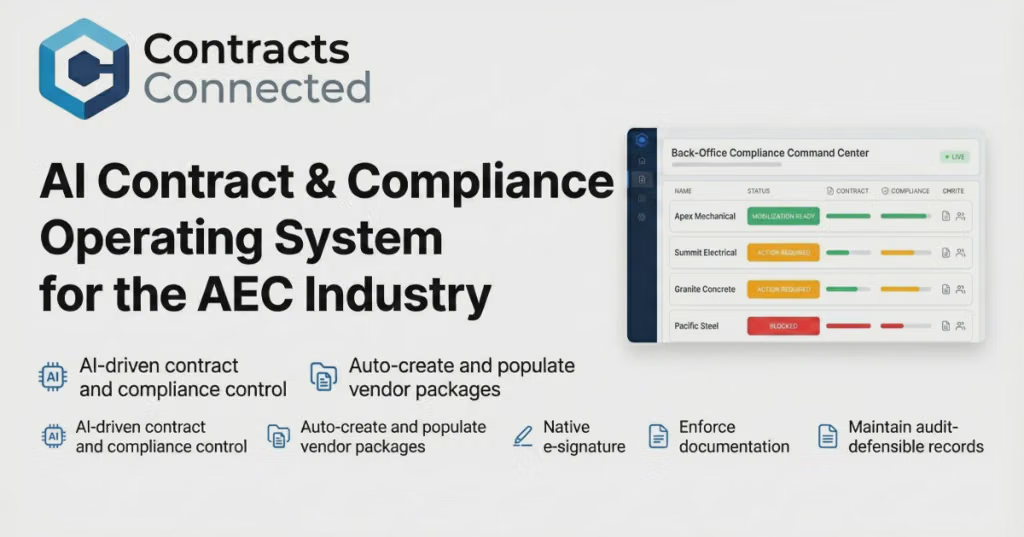
Contracts Connected
An automated compliance hub that doesn't just store prequalification packets, but actively reads and verifies certificates, licensing, and insurance limits against built-in construction rules, flagging expirations and chasing renewals proactively.[](https://contractsconnected.com/research/best-subcontractor-prequalification-software)
To help narrow down the best fit, could you share:
Are you looking for an all-in-one prequal suite (safety, financials, and insurance) or a dedicated COI tracker to plug into an existing system?
What is your approximate annual volume of active subcontractors?
The GC sends the subcontractor a prequalification package. Depending on the size and risk of the project, this can include:
Company ownership and legal entity
Years in business
Relevant project experience
License information
Insurance certificates
Workers' compensation
General liability
Auto liability
Bonding capacity
Safety record
EMR / incident information
References
Current workload
Key personnel
Financial information
Litigation/claims history
W-9 and other compliance documents
Prequalification is essentially asking: "If I give this company a $500,000 package, what evidence do I have that they can responsibly execute it?"
3. Verify the license independently
Don't simply accept a PDF or number supplied by the subcontractor.
For example, in California, the California Contractors State License Board provides an online license database that can show license status, classifications and complaint information.
A GC should verify that:
The license is active.
The classification covers the actual scope.
The business name matches the contracting entity.
The appropriate qualifying individual is associated with the license.
There aren't obvious disciplinary or complaint issues.
California's CSLB also provides downloadable lists of licensed contractors by classification, which can be useful for building a subcontractor prospecting list.
4. Verify insurance—not just the existence of a certificate
The GC's insurance requirements should be established before sending the subcontract.
Typical requirements might include:
Commercial general liability
Workers' compensation
Employer's liability
Automobile liability
Umbrella/excess liability
Additional insured status
Waiver of subrogation
Primary/noncontributory coverage
The important point is that a certificate of insurance isn't the same thing as having adequate coverage.
A sophisticated GC may have the broker verify the policy directly and require specific endorsements.
California, for example, requires employers subject to workers' compensation law to carry workers' compensation insurance, and CSLB provides mechanisms for verifying coverage.
5. Examine their actual track record
References should be more than:
"Here's John, and he says we're great."
A GC should ask references questions such as:
Did they finish on schedule?
Did they stay within the subcontract amount?
How many change orders occurred?
Were the change orders legitimate?
Did they properly staff the project?
Did they coordinate well with other trades?
How was their safety performance?
Did they have quality problems?
Did they respond to punch-list items?
Would you hire them again?
That last question is particularly useful.
Even better: visit one of their completed projects.
6. Evaluate the people, not just the company
A subcontracting company might have an excellent reputation but assign an inexperienced foreman to your project.
So the GC evaluates:
Project manager
Superintendent/foreman
Crew size
Experience with the particular type of project
Communication habits
Ability to read plans/specifications
Ability to coordinate with other trades
Often the GC is really hiring the subcontractor's team, not its corporate name.
7. Compare bids intelligently
The lowest number isn't necessarily the lowest cost.
A GC normalizes bids so that they're comparing the same scope:
Check
Why it matters
Labor included
Avoid hidden labor exclusions
Materials included
Prevent unexpected procurement costs
Equipment
Cranes, lifts, temporary equipment, etc.
Permits
Determine who pays
Mobilization
Frequently omitted
Cleanup
Clarify responsibility
Testing/inspection
Avoid gaps
Schedule
A cheap sub who delays three other trades isn't cheap
Allowances
Identify assumptions
Exclusions
Often where major surprises hide
Alternates
Make bids comparable
A bid that's 15% below everyone else deserves investigation rather than automatic acceptance. CSLB similarly warns that an unusually low bid can indicate an error or omitted work.
8. Check financial capacity
This becomes increasingly important as the subcontract gets larger.
The GC wants confidence that the subcontractor can:
Make payroll
Purchase materials
Maintain adequate manpower
Survive payment timing
Handle unexpected costs
Finish the project without abandoning the job
For larger commercial projects, GCs may request financial statements, bank/bonding information, or other evidence of financial capacity.
9. Check safety performance
For significant commercial or industrial work, safety can become a major prequalification criterion.
The GC may examine:
OSHA history
EMR
TRIR
DART
Workers' comp claims
Written safety program
Competent-person requirements
Training records
Job-specific safety requirements
The question isn't merely "Have you ever had an accident?" It's whether the subcontractor has systems for managing the hazards inherent in its work.
10. Put everything into a formal subcontract
Once selected, the GC should clearly establish:
Exact scope of work
Contract price
Schedule
Payment terms
Change-order procedure
Retention
Insurance
Indemnification
Safety obligations
Warranty
Cleanup
Submittals
Documentation
Lien requirements
Flow-down provisions
Termination/default provisions
This is where a good prequalification process pays off: the GC isn't discovering fundamental problems after the subcontractor has mobilized.
What experienced GCs ultimately look for
After all the paperwork, most good GCs are trying to determine something fairly simple:
"If I give this company this scope, will I have to manage the subcontractor—or will the subcontractor manage the work?"
And importantly, the GC keeps score after the project. They record things like schedule performance, quality, change-order behavior, responsiveness, safety, and closeout performance.
That creates a feedback loop:
Find → Prequalify → Bid → Verify → Award → Monitor → Score → Reuse or Remove
That's how a GC gradually builds a dependable subcontractor bench instead of repeatedly gambling on whoever submitted the lowest bid.
Finding and vetting reliable subcontractors is one of the most critical responsibilities for a General Contractor (GC). A strong network prevents project delays, budget overruns, and quality issues.
Here is how GCs typically find and vet their trade partners:
How GCs Find Subcontractors
Industry Networks and Referrals are the gold standard; GCs frequently ask trusted peers, project managers, and suppliers for recommendations on who does reliable work.
Digital Platforms and Directories like The Blue Book Building and Construction Network or ConstructConnect allow GCs to search local trade databases by specialization.
Local Trade Associations (such as local chapters of the Associated General Contractors or ABC) provide direct access to verified, professional trade organizations.
Bidding and Procurement Software like Procore or BuildingConnected streamline subcontractor discovery, invitation-to-bid management, and communication.
On-Site Observation happens in the field, where GCs notice exceptional craftsmanship, cleanliness, and crew management on other active jobsites and approach those crews.
How GCs Vet Subcontractors
License and Credential Verification ensures the sub holds an active, proper state/local license for the specific trade required.
Insurance and Bonding Capacity checks verify that the subcontractor carries adequate General Liability and Workers' Compensation insurance, as well as the capacity to secure a surety bond if the project scale demands it.
Financial Stability Assessment evaluates whether the company has the cash flow to purchase materials and cover payroll before receiving progress payments.
Past Performance and References involve calling previous GCs or project owners to ask about schedule adherence, quality of work, and conflict resolution.
Safety Record Review looks at the subcontractor's EMR (Experience Modification Rate) to ensure a strong safety culture and compliance with OSHA standards.
Would you like me to dive deeper into how to structure a subcontractor pre-qualification form or red flags to watch out for during the vetting process?
Monday.com / ClickUp — If you need an adaptable, all-in-one project management platform rather than a specialized tool, both offer customizable resource management views and workload widgets to spot assignment overlaps before they turn into site conflicts.
To help narrow down the right fit, tell me:
What industry are you in (e.g., construction, landscaping, IT services)?
Roughly how many team members and pieces of equipment are you juggling?
Paylocity + HCM TradeSeal : While Paylocity is a powerhouse mid-market HCM suite, managing complex union rules and multi-union certified payroll is typically unlocked using their integration with HCM TradeSeal . This combination automates multi-union pay matrices, apprentice pay scales, and specialized union reporting directly inside Paylocity's ecosystem.[](https://netchex.com/blog/5-best-payroll-hr-software-for-union-workforces/)
UKG Ready / UKG Pro : Frequently deployed in heavily unionized sectors like healthcare, transit, and manufacturing. UKG tightly integrates robust time-and-attendance rules with advanced scheduling and complex union pay policies (such as differential pay, complex overtime/double-time tiers, and grievance-related back pay).[](https://netchex.com/blog/5-best-payroll-hr-software-for-union-workforces/)
If you'd like to narrow down the best fit, tell me:
What industry is your company in (construction, manufacturing, healthcare, etc.)?
Roughly how many union employees do you have?
Do you also need to manage prevailing wage or certified payroll for public/government projects?
Construction and field service teams with multi-state/local agreements.
Pre-built union reports, automated fringe/deduction splits, and certified payroll generation.
Key Features to Demand in Your Evaluation
When talking to vendors, verify how their software handles these core union requirements:
CBA & Tiered Pay Rate Automation: The system should automatically apply distinct pay rates based on seniority, trade classification, shift differentials, or specific project locations without manual calculation.[](https://penta.com/erp-solutions/construction-payroll/union-payroll/)
For a unionized workforce, the right payroll system depends heavily on your industry, number of bargaining units, number of CBAs, and whether you need certified payroll or project/job costing. The biggest requirements are usually:
Mid-size to large organizations wanting a mainstream payroll provider
Payroll, HR, time, reporting, and configurable deductions; often used where union payroll is one part of a broader HR environment.
Dayforce
Large, multi-location employers
Real-time payroll engine and workforce management for complicated pay scenarios.
Worklio
Union contractors, especially construction
Supports union locals, classifications, wage packages, dues, fringe calculations, and certified payroll workflows.
Miter
Construction contractors with multiple unions/projects
Focuses on union rates, fringe benefits, reciprocity, and certified payroll reporting.
Lumber
Construction firms wanting CBA configuration automation
Offers union configuration, wage tables, classifications, fringe rules, deductions, and reporting workflows.
Stargarden
Organizations with many unions and complex internal payroll rules
Designed for multiple employee groups, CBAs, retro calculations, and detailed payroll controls.
How I would narrow it down
If you are a construction contractor
Look first at Worklio, Miter, Lumber, Foundation-type construction payroll systems, because they are designed around union wage packages, fringes, project coding, and certified payroll.
If you are a hospital, manufacturer, utility, school system, or large employer
Evaluate UKG, Dayforce, ADP, or similar enterprise HCM platforms where union rules are part of broader workforce management.
If you have many unions/locals and very detailed CBAs
Prioritize systems that support:
effective-dated wage tables
automatic retro pay after contract settlements
multiple bargaining units
employee-level union assignments
configurable deduction formulas
audit history showing why a pay calculation occurred
Questions to ask vendors during demos
“Can you load our CBA rules without custom programming?”
“How do you handle a contract change that affects past pay periods?”
“Can one employee have different rates by job, location, or classification?”
“Can dues deductions change by local union rules?”
“Can you generate remittance reports for union funds?”
“Can payroll explain exactly why an employee received a specific rate?”
If you tell me your industry (construction, healthcare, manufacturing, public sector, etc.), number of employees, number of unions/locals, and current payroll system, I can narrow this to a shorter shortlist.
Miter: A modern workforce and payroll platform built specifically for union contractors. It matches laborers to correct rates by trade, local, and classification automatically. It also handles daily/weekly union overtime rules, fringe routing, and generates certified payroll (like federal WH-347) in one system. Learn more at Miter Union Payroll Software.[](https://www.miter.com/human-capital-management/payroll/union-payroll-software/)
Foundation Software / Sage 100 Contractor / ComputerEase: Traditional industry heavyweights that deeply integrate union local tracking, reciprocity, tiered dispatch rates, and complex certified reporting directly into the payroll and accounting ledger.
If you operate a larger organization, a mid-to-large-market human capital management suite can be custom-configured to accommodate multi-rate union pay and automatic dues withholding.
Workday: Highly scalable and capable of complex configurations. It allows rule-based setups that align with multi-tier wage scales, specific benefit packages, and automatic union dues deductions based on employee classification or local membership. Review features via Workday Payroll.[](https://www.worklio.com/solutions/union-payroll)
Worklio: Tailored heavily toward PEO and construction/contracting environments needing unified union rules, multi-local management, and direct tracking of fringe packages and dues deductions inside a single workflow. See an overview on Worklio Union Payroll.[](https://www.worklio.com/solutions/union-payroll)
To help narrow down the best fit, could you share:
What industry your business operates in (e.g., construction, manufacturing, entertainment)?
How many employees require union payroll processing?
Whether you prefer an all-in-one construction ERP or a standalone payroll provider?
If you need payroll software that can handle union dues deductions, contract-specific pay rates, and union benefit contributions, I’d focus on platforms built for unionized workforces rather than standard small-business payroll systems.
The best fit depends on your industry. Construction contractors often need rates by union local, trade, job classification, and project, while entertainment and live production companies may need payroll rules built around collective bargaining agreements (CBAs), weekly guarantees, and production-specific terms.
Here are the strongest options I found, based on their published capabilities.
Recommended union payroll platforms
1. Miter
(Best for construction contractors)
Miter supports pay rates by union local, trade, classification, and job, along with union dues, fringe benefits, reciprocity rules, and custom overtime calculations. It also provides union reports and certified payroll reporting.
Best for: Contractors managing multiple locals, changing wage schedules, and workers moving between jobsites.
Website:
2. Worklio
(Best for dues and remittance workflows)
Worklio supports union dues deductions, fringe and benefit packages, effective-dated rate tables, apprenticeship rates, and remittance reports by local. Certified payroll and project-based labor costing are also available. Some union and certified payroll capabilities are priced as an add-on.
Best for: Employers who want payroll, deductions, contributions, and compliance reporting in one system.
Website:
3. FOUNDATION Software
Best for construction accounting integration
FOUNDATION handles multi-union and multi-trade payroll, prevailing wages, fringe calculations, deductions, and certified payroll reporting. It also supports job costing and construction-oriented accounting workflows.
Best for: Construction businesses that want payroll tightly connected to project costs and accounting.
Website:
4. ADP Workforce Now for Construction
Best for broader payroll and HR operations
ADP's construction offering supports union contract wages and benefits, union reporting, time tracking across jobsites, and certified payroll. Confirm that your particular union dues and remittance requirements are covered in the proposed configuration.
Best for: Companies wanting a larger payroll and HR platform with construction-specific capabilities.
Website:
5. Sage HCM for Construction
Best for complex projects and wage compliance
Sage supports union wage rules, multi-rate crews, effective-dated rates, fringe benefits, prevailing wage, and certified payroll reporting. Its construction ecosystem can connect payroll with HR and project financial data.
Best for: Mid-sized and larger contractors with complex project accounting and compliance requirements.
Website:
If you're in entertainment or live production
General construction payroll software may not handle the way theatrical, film, or television agreements calculate pay. Consider these specialized options instead:
Topsheet
Handles union and non-union productions, including SAG-AFTRA, IATSE, DGA, WGA, and Teamsters. Suitable for production payroll and union-specific workflows.
Designed for Broadway and Off-Broadway workflows, with built-in theatrical agreements, contract-based proration, benefit-fund calculations, and union remittances. Its website indicates early access, so verify availability for your production.
A platform can advertise “union payroll” without supporting every clause in your collective bargaining agreements. During demos, ask vendors to demonstrate these six capabilities using one of your actual contracts.
Requirement
What the system should do
Contract-based rates
Apply wages by union, local, classification, job, and contract effective date
Union dues
Calculate flat, percentage-based, or hours-based deductions as applicable
Benefit contributions
Calculate health, pension, training, and other required fringes
Rate changes
Apply new contract rates on the correct effective date, including mid-pay-period changes
Union reporting
Generate itemized dues, hours, contributions, and remittance reports by local
Auditability
Also confirm whether the vendor handles remittance payments directly or only generates reports, and whether the required features are included in the quoted price. Deduction authorization and applicable labor-law requirements need to be configured correctly, too.
My recommendation
I'd start with Miter and Worklio for construction payroll, then compare FOUNDATION, ADP, or Sage if accounting integration and broader HR capabilities are priorities. For theatrical or film production, I'd start with Topsheet or Greenroom instead.
One question that would help me narrow this down: What industry are you in, and what kind of union contracts do you need to process? For example, construction trades, manufacturing, healthcare, transportation, or entertainment. That will help me identify which platforms are most likely to handle your exact dues and contract-rate rules.
Acumatica Construction Edition : A modern, cloud-based ERP option that features an optional construction-specific payroll module. It handles multi-state taxation, union requirements, and prevailing wage certified reports while offering deep enterprise visibility.
Knowify : Excellent if you are a specialty contractor or smaller/mid-sized trade contractor who loves QuickBooks Online for core accounting but needs a robust operational and prevailing-wage layer on top to handle job-site classifications, fringe burdens, and auto-populated certified payroll reports.[](https://knowify.com/prevailing-wage-software/)
ADP Workforce Now for Construction : A heavily specialized, construction-adapted enterprise payroll solution that manages complex Davis-Bacon Act compliance, multi-rate tracking, and fringe accounting, which can integrate alongside major platforms.
To help narrow down the best fit for your team, let me know:
How many employees do you typically run on your prevailing wage jobs?
Are you looking for an all-in-one ERP (accounting + project management + payroll) or an add-on/standalone payroll system that syncs with what you already use?
Buildertrend Coaching Partnership: Buildertrend (the popular construction project management software) formally partners with coaching entities like Breakthrough Academy to pair heavy-duty operational software with strategic business coaching, helping you translate the coach's blueprint directly into job-tracking execution.[](https://buildertrend.com/construction-business-coaching/)
The Contractor’s Coach: Highly targeted toward established residential and commercial contractors looking to scale past operational plateaus, improve team accountability, and fix predictable cash flow issues.[](https://www.thecontractorscoach.com/)
Vistage / EO (Entrepreneur's Organization) - Construction/Trades subsets: While not strictly construction-only, many mid-to-large construction company owners opt for peer-advisory groups through Vistage, which pairs a specialized executive coach with monthly peer advisory boards.
To help narrow down the right fit, tell me:
What is your company's approximate annual revenue or team size?
Are you focused more on residential remodeling, custom building, or commercial general contracting?
Why it fits: It completely eliminates the gap between field updates and office accounting. It’s intuitive enough that project managers actually use it in the field.
Job Costing & Progress Billing Strengths:
Draw schedule billing lets you map out milestone-based progress invoices easily (e.g., 25% at rough-in, 25% at drywall).
Purchase order management links every material receipt or subcontractor invoice directly to a specific budget line item.
Why it fits: It avoids the archaic, 1990s desktop feel of legacy construction software while delivering genuine contractor-specific accounting metrics.
Real-time job costing and progress billing give you immediate visibility on whether a job is making money while it's happening, rather than finding out at project closeout.
Provides a live workflow view showing pending reviewers, completed responses, review stages, and status-triggered notifications. Teams can configure review templates and assign responsibilities by role or company.
Best for: Teams already using Autodesk tools for drawings, documents, models, and field coordination.
Helps automate the creation of submittal logs from project specifications, reducing the manual effort involved in identifying required submittals before the review process begins. Autodesk lists automated submittal-log generation as part of its construction workflow offerings.
Best for: Teams whose biggest problem is missing submittal requirements, late log creation, or manual specification review.
My recommendation: if you're a GC primarily trying to stop approval delays, start by evaluating Procore and Autodesk Forma Build. Both address approval-status visibility and workflow notifications. If your team also spends substantial time manually building submittal logs from specifications, evaluate automated log generation as a separate requirement.
2. What should you automate?
The software is only as effective as the workflow you configure. Prioritize these six capabilities:
Capability
How it prevents delays
Automated submittal log
Identifies required submittals early and reduces omissions.
Assigned reviewer / “ball in court”
Shows exactly who must act next.
Due dates and automatic reminders
Flags approvals that are approaching or past deadline.
Sequential or parallel review workflows
Routes approvals correctly and allows simultaneous reviews where appropriate.
Procurement lead-time tracking
Works backward from the date materials are needed on site.
Schedule-impact dashboard
Highlights overdue, critical-path, and long-lead-item approvals.
Procore documents configurable overdue notifications and dynamic reviewer due dates; Autodesk documents automatic notifications when reviewers are assigned, statuses change, and responses are recorded.
3. A submittal workflow that prevents schedule delays
Build the log before procurement begins.
Extract required shop drawings, product data, samples, and mockups from specifications. Assign a responsible subcontractor and a planned submission date to every item.
Work backward from the required-on-site date.
Account for supplier preparation, GC review, architect/engineer review, resubmittals, and manufacturing lead time. Set the submittal deadline accordingly.
Automate routing and reminders.
Assign named reviewers or defined roles, set review durations, and configure reminders before due dates and alerts when deadlines are missed.
Escalate schedule-critical items.
If a long-lead item remains unapproved, notify the project manager and superintendent immediately. Don't wait for the next weekly meeting.
Review exceptions every week.
Focus on overdue approvals, rejected items, outstanding resubmittals, and anything threatening procurement or installation. Update the construction schedule when necessary.
4. Track the metrics that matter
A useful dashboard should answer these questions at a glance:
How many submittals are awaiting approval?
Which reviewers have overdue actions?
Which submittals have exceeded their planned review duration?
Which long-lead materials could delay installation?
What percentage of submittals are approved by the required date?
How many review cycles does each submittal require?
Important: An overdue notification alone does not prevent a delay. Connect the submittal's required approval date to the procurement and installation schedule, and escalate issues based on their actual schedule impact.
5. Which option is right for your team?
I can narrow this down to the best-fit solution if you tell me one thing:
Which features matter most for staying on schedule?
Capability
Why it matters
Automated submittal log creation
Reduces manual setup and missed requirements.
Standardized workflow templates
Routes each submittal to the right reviewers consistently.
Due dates and overdue alerts
Flags approvals that need follow-up before they delay work.
Current approver / “ball in court”
Makes it clear who must act next.
Revision and rejection tracking
Prevents resubmissions from disappearing into email chains.
Schedule and procurement visibility
Highlights long-lead materials that need approval before ordering or installation.
Procore is particularly strong for combining submittal tracking with broader project management. Autodesk is compelling for design and document coordination, while Aconex stands out for formal, cross-organization control. These are feature-based recommendations, not results of a controlled performance benchmark.
My recommendation
Start with Procore if you are a general contractor seeking one platform for submittals, project coordination, and proactive deadline management. Before committing, test it with a real project containing long-lead equipment, multiple approvers, and a few rejected or revised submittals.
To narrow this to the best fit for your operation: Are you a general contractor, subcontractor, or owner/architect?
That distinction matters because a subcontractor assembling and submitting packages has different automation needs from a GC chasing architect and engineer approvals.
When it comes to automating submittal workflows, eliminating "ball-in-court" bottlenecks , and protecting your construction schedule, the "best" software depends heavily on your company's scale and whether you need an all-in-one ecosystem or a dedicated point solution.[](https://www.guideflow.com/blog/submittal-software)
The top-performing software options for submittal automation and approval tracking fall into these distinct categories:
Procore – Best All-in-One Enterprise Platform
Why it works: Procore's submittal module is the industry heavyweight for mid-to-large general contractors. It features automatic submittal log creation (which can scan a spec book and generate a register in seconds), sequential or parallel multi-level approval workflows, and rigorous ball-in-court tracking.
Schedule protection: It gives project managers instant visibility into which reviewer or subcontractor is holding up an approval, preventing a delayed material data sheet from quietly derailing procurement.
Autodesk Build – Best for Design-Heavy & BIM-Integrated Teams
Why it works: Part of the Autodesk Construction Cloud, Autodesk Build excels at connecting field execution with design data. It automates submittal logging, allows custom review workflows, and provides seamless mobile access so field teams never pull up an outdated shop drawing.
Why it works: If you find enterprise tools like Procore too bloated or expensive for your operation, SubmittalLink provides streamlined email and workflow automation explicitly built around submittals and RFIs without the heavy administrative setup.
Schedule protection: It offers straightforward tracking and automated reminders that keep submittals moving without forcing smaller subcontractors to climb a steep software learning curve.[](https://www.guideflow.com/blog/submittal-software)
Part3 – Best for Architect & Consultant Collaboration
Why it works: Submittals often stall because the design and engineering teams are overwhelmed. Part3 uses specialized digital workflows (and AI-assisted reviews) to accelerate how consultants and architects process and stamp submittals.
Smartsheet or ClickUp – Best Flexible/Custom Workflow Builders
Why it works: If you prefer visual status boards (Kanban, Gantt, or color-coded grid tracking) and custom automated trigger rules over a rigid construction-specific schema, these work management platforms let you design custom approval logic from scratch.
Schedule protection: You can build automated alerts that fire off escalation emails to reviewers when a submittal approaches its critical-path deadline.[](https://www.guideflow.com/blog/submittal-software)
To help narrow down which platform fits your team best, tell me:
Are you a General Contractor, Subcontractor, or Architect/Owner's Rep?
Roughly how many active projects do you run simultaneously?
Do you already use a core platform for field management or accounting (like Procore, Autodesk, or Sage)?
Tools to streamline submittals and prevent project delays
For construction projects, the best way to manage submittals is to use a centralized system that tracks each item from preparation and submission through review, approval, and procurement. The goal is to eliminate lost paperwork, reduce approval bottlenecks, and make overdue items visible before they affect the schedule.
I’d focus on five capabilities: submittal registers, automated workflow routing, approval-status dashboards, deadline reminders, and integration with the project schedule.
1. Best tools to evaluate
1. Procore
(Best all-around for GCs)
Centralizes submittal logs, shop drawings, review comments, approval stamps, and status history. Its Submittal Builder can generate a register from project specifications, reducing manual setup.
Best for: General contractors managing multiple trades and projects.
Website:
2. Autodesk Forma Build
Best for connected document and schedule workflows
Offers configurable review workflows, due-date calculations based on schedule settings, mobile access, audit trails, and customizable status responses. AutoSpecs can extract a submittal register from specifications.
Best for: Teams already using Autodesk tools or coordinating complex technical documents.
Website:
3. SubmittalLink
Best for focused submittal and RFI tracking
A more specialized option to evaluate if your priority is tracking submissions, review status, and accountability without adopting a broad construction management platform. Its published product information emphasizes submittal tracking and RFI workflows.
Website:
4. Pype AutoSpecs
Best for automating submittal register creation
Analyzes project specifications to identify required submittals and generate a register. This can reduce the chance of overlooking required materials or closeout documentation, although it complements rather than replaces a full approval-tracking workflow.
Website:
2. What capabilities will actually prevent delays?
Capability
What to implement
Centralized submittal register
One record per item, with spec section, trade, responsible subcontractor, and required-by date
Automated routing
Predefined review sequences for GC, architect, engineer, and owner
Status dashboard
Instantly identify pending, returned, rejected, and approved items
Deadline alerts
Notify the current reviewer before the due date; escalate overdue reviews to the PM
Schedule and procurement links
Connect approval deadlines to fabrication, lead times, delivery, and installation dates
Version control and audit trail
Procore and Autodesk offer several of these capabilities natively. The biggest operational benefit comes from combining clear ownership with proactive deadlines and schedule visibility—not simply moving paper forms online.
3. A practical workflow to catch delays early
Build the register before work starts
Extract requirements from specifications and assign each item to a trade, with submission and approval deadlines.
Route each submission automatically
Set up the appropriate GC, architect, engineer, and owner review sequence. Identify one person responsible for the next action.
Escalate overdue reviews
Send reminders before deadlines and escalate overdue items to the project manager. Prioritize items that could affect fabrication or installation.
Track revisions separately
Record each resubmission, reviewer comments, and revised approval deadline. Make the latest approved version easy to identify.
Review a weekly exception report
Discuss overdue approvals, long-lead materials, rejected submittals, and items threatening the critical path at the weekly coordination meeting.
These practices align with the workflow and tracking capabilities documented by Procore and Autodesk Forma Build.
4. What should the approval dashboard show?
At a minimum, track these fields for every submittal:
Field
Example
Submittal ID
08 71 00-003
Description / trade
Door hardware
Current status
Pending architect review
Current reviewer
Architect
Date submitted
Oct 5
Review due date
Oct 12
Days overdue
Useful dashboard metrics include the percentage of reviews completed on time, average approval cycle time, number of overdue submittals, resubmission rate, and number of critical-path items awaiting approval.
5. My recommendation
Choose Procore if you want submittals integrated into a broader construction project management system.
Choose Autodesk Forma Build if your team relies on Autodesk document management, design coordination, and schedule workflows.
Evaluate SubmittalLink if you want a more focused tracking solution for a smaller contractor or GC.
Add AutoSpecs if manually building submittal registers from lengthy specifications is a major bottleneck.
Before selecting a platform, run a pilot on one active project and test external reviewer access, automated reminders, reporting, revision control, and schedule integration. Confirm licensing and integration costs directly with vendors.
Let’s narrow it down
What type of construction operation are you managing?
Vico Office Suite (by Trimble) : Integrates 3D models with location-based scheduling and estimating to visualize flow lines and construction progress over time.
If you'd like to narrow down which platform fits your workflow best, tell me:
Are you already using a specific scheduling tool like Primavera P6 or MS Project?
What primary 3D design software (Revit, Tekla, Civil 3D , etc.) are your models coming from?
2. Autodesk Navisworks Manage
A widely used BIM coordination tool with TimeLiner, which links tasks and schedules to model elements to simulate the construction sequence. Particularly useful when your team already works with Revit and other Autodesk products.
Best for: BIM coordination, clash detection, and visualizing an existing project schedule.
Combines 3D BIM with construction planning and AI-assisted schedule optimization. Teams can explore alternative construction sequences, test constraints, and compare schedule scenarios rather than simply animate one fixed plan.
Best for: Complex projects where you want to optimize sequencing, labor, equipment, and schedule duration.
Trimble offers construction modeling and site-planning capabilities for coordinating layouts, temporary structures, and logistics. Its TILOS product is especially relevant to infrastructure projects, visualizing schedules against location and distance. These are related planning capabilities, not necessarily a single all-in-one 4D building scheduler.
Best for: Site logistics, civil engineering, linear infrastructure, and equipment/material coordination.
These are qualitative assessments of the platforms' capabilities, not independent benchmark results.
What I would shortlist for your team
If you want to see the whole project built step by step in 3D: Start with SYNCHRO 4D.
If you already use Revit, Autodesk, and a conventional project schedule: Evaluate Navisworks Manage with TimeLiner.
If you want to test different construction methods and find a more efficient schedule: Evaluate ALICE Model.
If material deliveries, trucking, equipment dispatch, and site resources are the main concern: Investigate Trimble's site-planning tools and B2W Schedule alongside a 4D BIM platform. B2W Schedule specifically supports resource assignments, equipment moves, and material-delivery coordination.
One important distinction: a 3D construction animation is not the same as a complete logistics simulation. When evaluating demos, ask vendors to show how they represent temporary laydown areas, crane movements, delivery windows, site access routes, and conflicts between simultaneous activities.
A quick question to narrow this down
What kind of construction project are you planning?
1. Project type
Commercial building, hospital, or residential tower
Industrial facility, plant, or data center
Infrastructure, roads, rail, or bridges
Multiple projects or a large development site
2. Your primary objective
Animate the schedule in 3D
Plan site logistics, cranes, deliveries, and temporary works
Both timeline and site logistics
Optimize the schedule and compare construction strategies
QuoteIQ / Roofr – Best for Fast, Polished Proposals & Measurements
If your biggest bottleneck is closing retail bids on the spot, QuoteIQ and Roofr excel at sleek "Good/Better/Best" tier presentations. They combine integrated roof/pitch measurements, instant pricing, e-signatures, and deposit collection into a clean customer-facing package that maximizes close rates.[](https://myquoteiq.com/best-proposal-software-roofing-contractors-2026/)
Xactimate – Best for Pure Insurance Claim Adjusting & Bidding
The undisputed industry standard if a massive portion of your work involves insurance carrier claims. While it has a steep learning curve, it ensures your line-item pricing matches what insurance adjusters expect to see down to the penny.[](https://myquoteiq.com/best-proposal-software-roofing-contractors-2026/)
PlanSwift – Best for Complex Commercial Takeoffs
A powerful desktop-based takeoff and estimating software. If you deal with heavy blueprints, architectural PDF plans, and complex commercial assemblies where you need pixel-accurate digital digitizing and custom cost libraries, PlanSwift handles the deep math seamlessly.
To help narrow down the ideal choice, tell me:
Do you focus more on retail/residential replacements or insurance restoration claims?
Do you need an all-in-one CRM (managing leads to crew scheduling) or just a dedicated quoting/takeoff tool?
Procore : Offers robust drawing management tools that let project managers upload a new revision once, instantly superseding old sheets and pushing the update to all field tablets.
Plangrid (Autodesk Build) : Fast blueprint viewing and sheet-syncing application designed to manage large drawing sets and eliminate paper revisions on-site.
Bluebeam Revu : Powerful desktop and mobile markup ecosystem that utilizes Studio sessions to sync document revisions and markup changes across distributed teams.
If you are a general contractor bidding new commercial construction, I would usually narrow the evaluation to ConstructConnect, Procore Preconstruction, Autodesk BuildingConnected, and Dodge Construction Network first, then add estimating/ERP tools depending on your workflow.
If you tell me your company type (GC, subcontractor, developer, or owner) and approximate bid volume (e.g., 10 bids/month vs. 100/month), I can narrow this to a short list and a recommended workflow.
Best For: Deep market intelligence, heavy commercial project discovery, and early pipeline visibility.
Workflow Coverage: Offers one of the largest active project databases in North America. It connects early-stage project tracking with digital takeoff, estimating, and direct bid coordination tools. It is ideal if your bottleneck is finding private or public projects early ($500K+) and managing the data-heavy preconstruction phase under one roof.[](https://www.constructconnect.com/blog/best-construction-bidding-software-for-contractors-in-2026)
BuildingConnected (by Autodesk)
Best For: General Contractors managing vast subcontractor networks and complex bid packages [SmartBid].
Workflow Coverage: Features the industry’s most active network of professionals and integrates natively with the Autodesk Construction Cloud . While it shines brightest on the solicitation, leveling, and invitation-to-bid (ITB) side—coupled with TradeTapp for sub-qualification—it serves as the baseline standard for handling documentation, sending RFPs, and receiving structured sub-proposals [SmartBid].[](https://www.constructconnect.com/blog/best-construction-bidding-software-for-contractors-in-2026)
Procore (Bid Management)
Best For: GCs and enterprise builders already standardized on Procore for full project lifecycles.
Workflow Coverage: Pulls drawings, specs, and budget items directly from your core project environment to build structured bid packages. It tracks inbound communications, performs bid leveling (side-by-side comparison), and instantly converts a winning bid into a active subcontract or budget line item.
BuildVision AI / Specialized AI Tools (like Downtobid)
Best For: Subcontractors seeking rapid takeoff-to-proposal generation, and modern GCs automating sub-outreach [SmartBid].
Workflow Coverage: These newer tools focus on scraping specifications, auto-generating bills of quantities (BOQs) via AI, and reducing the manual drag of reading massive plan sets just to put together a competitive proposal package [SmartBid].
Comparison at a Glance
Solution
Primary Focus
Sourcing/Discovery
Takeoff & Estimating
Bid Submission / Leveling
PlanHub
End-to-end (GC & Sub)
Excellent database
Built-in digital tools
Direct submission/management
ConstructConnect
Preconstruction & Intelligence
Top-tier market intelligence
Integrated suite
Strong coordination & tracking
BuildingConnected
GC Bid & Network Management [SmartBid]
Moderate (Relies on network)
Via Autodesk integrations
Industry-leading leveling/RFP
Procore
Enterprise Ecosystem
Internal network only
Connected to core financials
Seamless conversion to contract
To help narrow down the ideal platform, could you let me know:
Are you operating primarily as a General Contractor or a Subcontractor/Specialty Trade?
Do you need heavy external lead generation/project discovery , or do you already have your own pipeline of projects and just need takeoff and leveling?
Yes. I’d narrow the market considerably if the requirement is true end-to-end new-construction business development → bid submission, rather than simply software for distributing invitations to subcontractors.
My shortlist
Solution
Find projects
Qualify opportunities
Estimating / takeoff
Manage bid
Submit / close bid
Best fit
ConstructConnect
Excellent
Excellent
Excellent
Excellent
Good
Best overall end-to-end workflow
Dodge Construction Network
Excellent
Excellent
Good / integrations
Good
Good
Best project intelligence & early visibility
PlanHub
Very good
Good
Limited
Very good
Good
Smaller/mid-market contractors wanting one simpler platform
Autodesk BuildingConnected
Weak for proactive discovery
Excellent for subs
Via Autodesk ecosystem
Excellent
Good
GCs managing subcontractor bidding
Procore Preconstruction
Limited
Excellent
Excellent
Excellent
Excellent
Best if Procore is already your operating system
SmartBid
Moderate
Excellent
Via integrations
Excellent
Good
GCs focused on subcontractor solicitation
1. 🥇 ConstructConnect — best overall for your stated workflow
This is the one I'd investigate first if “find the right new-construction projects and take them all the way through bidding” is the central requirement.
Its current platform advertises 825,000+ active projects, public and private project coverage, advanced search/filtering, market/competitor intelligence, and integrated bid-management and estimating products.
More importantly, its project database isn't simply a collection of invitations already sent by GCs. ConstructConnect says its researchers update project data daily, allowing contractors to identify projects earlier in the lifecycle.
Why I rank it #1: it addresses the upstream part of the funnel that many “bid management” products don't.
If the biggest problem is “How do we know about the right projects before everyone else is bidding?”, Dodge is particularly compelling.
Dodge emphasizes project intelligence throughout the lifecycle, including visibility during pre-planning and design, before a formal invitation to bid exists. Its current comparison materials position it as particularly strong for project intelligence and early opportunity identification.
So I'd choose Dodge when your competitive advantage depends on getting into projects early and building relationships with owners, architects, GCs and decision-makers.
3. 🥉 PlanHub — interesting all-in-one option for smaller/midsize contractors
Autodesk says BuildingConnected provides a network of 1.5M+ construction professionals, centralized bid management, customized bid forms, bid leveling and subcontractor qualification.
But there's a critical limitation if you're a contractor trying to find new projects:
BuildingConnected primarily becomes useful once a GC has put a project into the system. In other words, it is much more “manage the bidding process” than “discover the next project we should pursue.”
So I'd view it as:
Excellent bid-management layer, not the best standalone project-discovery layer.
SmartBid is similar—but particularly strong for GC/subcontractor coordination
That last part is a significant differentiator. Procore explicitly supports converting the winning bid into a subcontract or purchase order and carrying the information into project financials.
But I wouldn't choose Procore primarily to solve project discovery. Its strength is connecting bidding to the broader construction operating system.
What I'd actually recommend
If you're a GC / prime contractor doing new commercial construction, I'd evaluate these three architectures:
This is the closest match to your stated requirement.
Option B — Best intelligence-led approach
Dodge + BuildingConnected
Dodge finds the project early → sales/preconstruction team develops the opportunity → BuildingConnected manages the subcontractor bid process
This is especially attractive when winning the project before bid day is as important as managing the bid itself. Dodge's own materials describe BuildingConnected as dependent on projects being uploaded by participating GCs, which is exactly why pairing the two can make sense.
I'd favor this if your organization already runs heavily on Procore and minimizing system handoffs is more important than having the strongest standalone project-lead database.
One thing I'd pay particular attention to
The market divides into two very different categories, and vendors sometimes blur them together:
1. Project intelligence / lead generation
“What projects are being planned?”
“Who's building them?”
“Where are they?”
“What's the estimated value?”
“Who are the owner/architect/GC?”
“Are they actually worth pursuing?”
2. Bid management
“Who should we invite?”
“Did they open the plans?”
“Who submitted?”
“Are all scopes covered?”
“Which bid is lowest/most complete?”
“What do we submit on bid day?”
ConstructConnect is unusually interesting because it attempts to bridge both sides, whereas BuildingConnected and SmartBid are much more weighted toward #2. ConstructConnect itself describes its workflow as project leads plus bid management plus takeoff/estimating.
Bottom line
If I were creating an RFP for this today, my initial ranking would be:
1. ConstructConnect — best overall end-to-end 2. Dodge — best for project discovery/intelligence 3. Procore — best integrated construction ecosystem 4. PlanHub — best simpler all-in-one option for smaller/midsize teams 5. BuildingConnected — best bid-management layer for GCs 6. SmartBid — excellent GC bid solicitation/management
And I would not evaluate these solely on “bid management.” For a new-construction sales organization, the decisive question is whether the system can reliably move a project through discovery → qualification → pursuit → estimating → subcontractor coverage → final bid submission, with minimal duplicate data entry.
If you tell me whether you're evaluating this for a GC, subcontractor/trade contractor, or developer, I can narrow this to the 3 best platforms and build a detailed feature/pricing/integration comparison.
Electric Ease — If you lean heavily toward electrical work and want built-in material pricing and labor units without wrestling with complex commercial bidding tools, this cloud-based option focuses squarely on speed and simplicity.
PlanSwift — If your estimating involves looking at digital blueprints, floor plans, or takeoffs (measuring wire runs, conduit, or pipe lengths), PlanSwift is a point-and-click visual tool that's remarkably straightforward to pick up compared to heavy construction software.
For electrical and plumbing work, I’d look for a simple estimating program that lets you price materials, labor, and subcontractor costs, then turn the estimate into a professional customer quote. You probably don’t need an expensive, full-scale construction management system if all you want is to price jobs accurately and get estimates out quickly.
The biggest thing is finding software that works well for both trades, especially if you do service calls, renovations, and small commercial or residential projects.
My top 4 suggestions
1. VoltPro
Best fit for both trades
Free plan · Pro $29/month
Built for electrical, HVAC, and plumbing contractors. Create estimates, use your existing pricing, calculate profit, and produce professional proposals without having to build a large material catalog first.
Good for small contractors who want to build estimates, send invoices, and collect payments from a phone or computer without managing a complicated system.
Best if you also need customer records, scheduling, quote approvals, invoicing, and payment tracking. It offers features for both electrical and plumbing contractors, though it may be more software than you need if estimating is your only goal.
Has electrical and plumbing material takeoffs, labor and cost tracking, and bid proposals. A free plan is available; its Solo plan is listed at $49/month.
I'd start by trying VoltPro and Joist. They're the most sensible first options if you want to get estimates done quickly without buying a large construction management package.
Before choosing, make sure the software can calculate:
Material quantities and unit prices
Labor hours and labor rates
Overhead, markup, and profit margin
Tax, allowances, and subcontractor costs
A clean estimate you can print or email to a customer
Reusable templates for common electrical and plumbing jobs
Commercial Real Estate (CRE) & Lease Management Software
Yardi / MRI Software: Primarily utilized by corporate real estate and property management teams. They help monitor lease administration details, including the total negotiated TI allowance, disbursement schedules, and aging or receipt of landlord improvement funds.
Notion / Airtable: Frequently customized via templates (such as specialized construction or budget trackers) by smaller tenant teams who need a collaborative, flexible dashboard to log contractor bids, receipts, and allowance spend down without enterprise construction software.
If you'd like, let me know:
Whether you are acting as the tenant, landlord, or project manager
If you need a tool focused purely on accounting compliance or on-the-ground construction billing
I can narrow down which platform fits your workflow best.
Procore has a dedicated Tenant Improvement Allowance feature. It compares your allowance with live budget, forecast, and invoiced amounts, including totals and dollars per square foot. This is unusually well matched to your specific need.
Best for: Teams wanting allowance tracking integrated with a formal construction cost tracker.
Watch out: The TI allowance feature isn't enabled by default; Procore must make it available for your account.
Neurobird markets software specifically for tenant improvement projects, with a focus on allowance tracking, change orders, long-lead items, and delivery dates.
Best for: A tenant or owner's representative who wants a workflow built around commercial interiors rather than a general construction platform.
Watch out: Verify invoice reconciliation, reimbursement tracking, reporting, and accounting integrations in a demo before committing.
A customized tracker can give you an allowance balance, cost breakdown by trade, purchase commitments, invoice status, reimbursement log, and forecast without implementing a full construction platform.
Best for: One build-out, a small team, or an owner who primarily needs financial visibility.
Watch out: Someone must maintain the data and supporting documents consistently. It won't automatically become a reliable source of truth without a clear process.
What your dashboard should show
Regardless of the software, I'd set it up to report these figures separately:
Total TI allowance
$250,000
Committed to contracts
$180,000
Invoices paid
$75,000
Forecast final cost
$235,000
Illustrative figures only, not live project data.
The dashboard should also distinguish the remaining allowance, outstanding invoices, reimbursement claims submitted, and funds actually received from the landlord. Don't subtract paid invoices from committed costs twice when calculating the forecast.
My recommendation
I'd start by demoing Procore Portfolio Financials first, because it has an explicitly documented TI allowance feature. If that's too heavy or expensive for your project, compare Neurobird with a customized Excel or Smartsheet tracker.
Before choosing, I'd want to know one thing:
Are you managing the build-out as the tenant, or are you the landlord or property manager administering the allowance?
That distinction matters because a tenant usually needs to control spending and submit reimbursement claims, while a landlord may need to approve eligible costs, verify documentation, and track disbursements.