GitHub Copilot holds a clear lead across developer workflows, frequently recommended for broad code completion and PR integration. When developers need to search massive codebases or navigate huge monorepos, Sourcegraph Cody is the usual answer.
Since July, Qodorising has expanded its presence across automated testing and PR review questions. Mintlifyrising became the usual answer for generating legacy code documentation, while SD Elementsrising and OpenRewriterising joined the most named tools in security guidance and refactoring.
Latest insights
Weeks of Sep 21 – Oct 11, 2026 · Since Jul 5
GitHub Copilot Gap between platforms: GitHub Copilot's platform gap in AI Developer Productivity Tools widened: ChatGPT Search 57.9%, Google AI Mode 38.9%
Cursor Gap between platforms: Google AI Mode now mentions Cursor 11.6 points more often than ChatGPT Search in AI Developer Productivity Tools, a narrowed gap
CodeRabbit AI Gap between platforms: Google AI Mode now mentions CodeRabbit AI 11.1 points more often than ChatGPT Search in AI Developer Productivity Tools, a narrowed gap
Greptile Gap between platforms: Greptile's platform gap in AI Developer Productivity Tools narrowed: ChatGPT Search 22.3%, Google AI Mode 11.3%
SonarQube Gap between platforms: A 4.5-point platform gap for SonarQube in AI Developer Productivity Tools: ChatGPT Search 15.6%, Google AI Mode 11.2%
29% of citations point at the ranked brands’ own sites. github.com, youtube.com, reddit.com are the most-cited sites outside the ranked brands’ own domains.
My top recommendation is CodeRabbit for most development teams. If your main priority is catching the most subtle bugs across a large, interconnected codebase, I'd also evaluate Greptile.
The best choice depends on your Git hosting platform, how much codebase context the AI can analyze, and how many false positives your team can tolerate. Current 2026 comparisons consistently identify CodeRabbit as a strong all-around choice and Greptile as a contender for deeper, repository-wide bug detection.
The best AI code review tools
1. CodeRabbit — Best overall
(Best default choice)
AI reviews on pull requests, inline code comments, PR summaries, suggested fixes, and integrations with common Git platforms. Its combination of AI analysis and deterministic linting helps flag bugs as well as conventional code-quality problems.
Onboarding new engineers is a huge time sink. What's an AI-powered chatbot that we can train on our entire codebase and internal wiki to answer developer questions?
I need an AI coding assistant that understands my entire project structure to provide relevant code suggestions. What tools offer context-aware code completion?
How can I use AI to assist with the modernization of a legacy system, specifically for refactoring and migrating to newer technologies?
Google AI Mode· Oct 13, 2026
Using AI to modernize a legacy system can dramatically reduce the time, risk, and cognitive load involved in untangling old, undocumented codebases. Here is a structured, phase-by-phase approach to leveraging AI for refactoring and migrating to newer technologies.
Before you change anything, you need to understand what the legacy code actually does (especially when documentation is missing or outdated).
AI excels at localized and pattern-based code transformation, helping clean up technical debt prior to migration.
Can you provide a high-level analysis of my codebase architecture and map out the dependencies to help with planning?
Could you generate a high-level architectural overview of my project and outline the dependencies? I'm trying to get a better sense of the system context for planning.
Could you give me a high-level overview of my project's architecture and show how the different parts depend on each other to assist with my planning?
Which AI-powered developer tools are best suited for C++ project development workflows?
Google AI Mode· Oct 13, 2026
When developing in C , AI tools face unique challenges: strict memory management, pointer arithmetic, undefined behavior, and massive legacy codebases where context windows and deep semantic understanding are vital.
The top AI-powered developer tools suited for C project workflows are organized below by how they integrate into your daily coding, debugging, and review cycle.
To help narrow down the best setup for your environment, could you share:
I need to understand a part of the codebase I've never seen before. What's an AI tool that can generate a natural language explanation of what a complex function or class does?
We use a version control system. Who offers a static analysis tool that comments directly on pull requests?
We use a Code Editor (IDE). Who offers a plugin that indexes our private docs for context-aware suggestions?
We have a massive, tangled legacy codebase. Is there an AI-powered refactoring tool that can suggest safe modernization paths and automatically generate the new code?
How can my team automate style checks and find potential bugs before a human even looks at the code?
What is the best tool for an open-source project maintainer to automatically review contributions from the community?
We're adopting a new framework. Is there an AI assistant that can provide real-time, context-aware code suggestions and best practices for our specific project?
Which code search tool is the best for quickly navigating a huge monorepo with millions of lines of code?
What’s the strongest AI code reviewer for security issues?
Which AI tool handles automated refactoring with safe pull requests?
Which generator produces secure coding guidelines tailored to a stack?
Analyzes changes in the context of the wider codebase, helping identify cross-file logic errors, broken assumptions, and issues that a diff-only review might miss. Some independent comparisons report stronger bug detection than CodeRabbit, though results vary by benchmark and codebase.
Best for: Complex repositories, microservices, and teams prioritizing finding subtle bugs over minimizing review comments.
3. Qodo — Best for enterprise controls and testing
Provides context-aware pull-request reviews, customizable rules, multi-repository analysis, and test-generation capabilities. It supports major Git hosting platforms and offers deployment options for organizations with stricter infrastructure requirements.
Best for: Enterprise teams that need consistent coding standards, traceability, and additional correctness checks.
4. GitHub Copilot code review — Best for GitHub-native workflows
A convenient option if your team already uses GitHub and Copilot. It brings AI feedback into the existing development workflow without necessarily adding another specialist review vendor.
Best for: Teams that value native integration and already pay for GitHub Copilot.
Focuses on identifying security vulnerabilities and code patterns using static analysis, with customizable rules and CI integration. It's not a direct replacement for a conversational AI PR reviewer, but it complements one by catching issues through more deterministic checks.
Best for: Teams especially concerned with injection flaws, insecure patterns, and security regressions.
Platform support and feature availability can vary by deployment and subscription.
What I'd choose
For most teams: CodeRabbit.
For maximum depth of AI review: Trial Greptile against your own bug history.
For enterprise governance and test generation: Qodo.
For security-critical code: Pair an AI reviewer with Semgrep or another dedicated security scanner.
One important caveat: no AI reviewer catches every bug. Configure the tool to run automatically on pull requests, keep CI tests and static analysis enabled, and require human approval for consequential changes.
Which Git hosting platform does your team use? GitHub, GitLab, Bitbucket, or Azure DevOps? I can narrow this down to the best fit, including pricing and setup effort.
There is no single "best" tool because the right choice depends heavily on your team's workflow, budget, and choice of Git hosting. However, the market is led by a few standout options tailored to different priorities:[](https://composio.dev/content/best-ai-powered-code-review-tools-in-2026)
CodeRabbit — Best All-Rounder & Broadest Platform Support
Why it stands out: It handles high review volumes and excels at generating concise, readable PR summaries that reduce cognitive load for human reviewers. It is exceptionally thorough and supports the widest array of Git hosts.
Qodo (formerly CodiumAI) — Best for Deep Context & Enforceable Standards
Why it stands out: Instead of just evaluating a pull request diff in isolation, Qodo uses a multi-agent architecture and context engine to analyze full repository history. It also learns your team's recurring feedback and automatically translates them into custom, enforceable coding rules.
Git integrations: GitHub and GitLab.
Greptile — Best for Deep Codebase Understanding
Why it stands out: Greptile acts like a senior engineer who has memorized your entire repository. It scores exceptionally high on architectural precision and complex bug-detection because it thoroughly indexes the whole codebase rather than just scanning superficial syntax.
GitHub Copilot Code Review — Best Zero-Vendor-Lock/Native Option
Why it stands out: If your team is already paying for GitHub Copilot enterprise features, the built-in code review capabilities require zero new third-party tools or separate billing. It is straightforward, fast, and secure.
Why it stands out: Powered by DeepCode AI, Snyk specializes heavily in catching zero-days, compliance violations, and security flaws before code hits the default branch.
Git integrations: GitHub, GitLab, Bitbucket, and Azure Repos.
To help narrow down the ideal choice, tell me:
Which Git hosting platform are you using (GitHub, GitLab, Bitbucket, etc.)?
Are you primarily trying to catch logic/runtime bugs , or focus heavily on security vulnerabilities?
Automating code reviews with AI can dramatically speed up your team's pull request (PR) lifecycle by catching bugs, explaining complex diffs, and enforcing consistency before a human even opens the PR.[](https://www.coderabbit.ai/)
Here are the top AI code review tools categorized by how they integrate into your workflow:
Qodo (formerly CodiumAI) - Focuses heavily on test generation and code integrity alongside pull request analysis, helping developers catch behavioral discrepancies and logic gaps during the review phase. Check it out at Qodo.[](https://www.openhands.dev/blog/best-automated-code-review-tools)
If your goal is to reduce reviewer workload without removing human judgment, there are several strong AI code-review options in 2026. The best choice depends mostly on your Git platform, repo complexity, and how much governance you need.
If you share your team's primary Git provider (GitHub, GitLab, Bitbucket) and whether you prefer in-PR automation or IDE-based checks , I can help you pick the ideal setup.
If your goal is to speed development without lowering review quality, I’d look at AI code-review tools in two categories: AI reviewers that comment on PRs and deterministic quality/security tools that complement them.
If you're a solo developer, I’d optimize for two things: catching real bugs and making review almost automatic.
My shortlist
CodeRabbit — a strong choice if your main goal is a dedicated AI PR reviewer. It focuses specifically on reviewing pull requests, explaining findings, and letting you iterate conversationally. Independent 2026 comparisons have found it particularly strong for standalone PR review.
GitHub Copilot Code Review — probably the easiest choice if your code is already on GitHub. It reviews PRs, identifies bugs/security/style issues, suggests fixes, and can automatically review PRs—including draft PRs.
Qodo — worth considering if you want review combined with test generation and more structured quality controls.
Greptile — particularly interesting if bugs often involve interactions between multiple files or components, because it emphasizes whole-repository context rather than just the changed diff.
What I'd use in your situation
If you're already using GitHub, I'd start with GitHub Copilot Code Review because the workflow is exceptionally low-friction:
write code
↓
open draft PR
↓
AI reviews it
↓
fix high-confidence findings
↓
push again
↓
AI re-reviews
↓
run tests / lint / static analysis
↓
merge
GitHub explicitly supports automatic reviews of draft PRs and re-reviews after pushes. Its Balanced review mode is intended for deeper analysis of complex logic, security-sensitive code, and cross-service changes.
One important caveat: don't treat any AI reviewer as a substitute for tests or static analysis. GitHub itself warns that Copilot won't catch every problem and that its feedback needs validation.
The setup I'd recommend for a solo dev
Use three layers, rather than expecting one AI to find everything:
AI PR reviewer — CodeRabbit or Copilot Code Review.
Deterministic checks — your formatter, linter, type checker, unit/integration tests, and a security scanner.
AI coding agent — use your normal coding assistant to investigate/fix the review findings.
That combination is much closer to having an actual second engineer than simply asking an LLM, "does this code look okay?"
If you tell me your stack (e.g. TypeScript/Next.js, Python/FastAPI, Rust, Go, etc.) and whether you're on GitHub/GitLab/Bitbucket, I can give you a concrete setup—including which reviewer I'd choose, what static-analysis tools to pair it with, and a PR workflow you can basically copy-paste.
Being a solo developer means you wear every hat—including the dreaded "staring blankly at your own code at 2 AM wondering why it's breaking" hat.
When you don't have a human teammate to sanity-check your pull requests, the best AI code reviewer depends on how and where you want the feedback. The top purpose-built AI code review tools are broken down below by how they fit into a solo workflow:
Why it's great for solo devs: It acts like an asynchronous async peer reviewer. Every time you open a PR (even on your own repo), CodeRabbit posts a structured summary, walks through the changes line-by-line, flags logic gaps, and points out missing edge cases or tests. It treats your side project like a professional engineering team workflow.[](https://sourcegraph.com/blog/automated-code-review-tools)[[2](https://sourcegraph.com/blog/automated-code-review-tools)]()
Several companies now offer AI tools that can analyze an existing codebase, generate documentation, explain legacy logic, and help keep documentation synchronized as the software evolves. For your situation, the key distinction is between tools that generate documentation from undocumented source code and platforms that primarily help you publish or maintain documentation you've already written.
Leading AI code documentation tools
1. DocuWriter.ai
(Best starting point for legacy code)
Generates documentation directly from source code, including architecture overviews, APIs, module descriptions, READMEs, and UML diagrams. Supports GitHub, GitLab, Bitbucket, and Azure DevOps, with features to suggest updates when code changes.
Published pricing: starts at $20/month; higher tiers available.
Best for engineering teams that need to understand complicated, unfamiliar code. Creates code-linked explanations and walkthroughs, with synchronization features designed to help documentation remain accurate as the underlying code changes. Particularly worth evaluating for large internal or legacy systems.
Best for quickly understanding an unfamiliar repository. Automatically creates a browsable wiki, explains repository structure, provides architecture diagrams, and lets developers ask questions about the code. Especially useful for an initial assessment of a public GitHub repository.
Pricing: free for public repositories; private-repository access has separate requirements.
Best for producing polished developer documentation and API guides. Includes AI-assisted writing and documentation workflows. More appropriate when you want a professional documentation portal, rather than simply generating a complete knowledge base from raw legacy source code.
Best for teams that need a centralized, searchable documentation site with AI assistance. Supports Git-based documentation workflows and AI-powered search. It is primarily a documentation authoring and publishing platform, so it is less directly suited to generating all documentation from a completely undocumented codebase.
Best for generating inline code documentation and docstrings through development workflows. Worth considering if your immediate priority is documenting individual functions and classes, rather than building an extensive architectural knowledge base.
Pricing: a limited free tier and paid options have been reported; verify current plans.
For your undocumented legacy code, I would start with a proof of concept using DocuWriter.ai and compare it with Swimm. Add DeepWiki if you have public GitHub repositories or want a fast initial overview.
Your main requirement
Start with
Generate documentation for an entire existing codebase
DocuWriter.ai
Explain complex code paths and keep walkthroughs linked to code
Swimm
Quickly explore an unfamiliar public repository
DeepWiki
Publish polished external API and developer documentation
Mintlify
Centralize and search team documentation
What to test before committing
Run a small pilot on one representative legacy module. Evaluate whether each tool can:
Explain what the module does and why it exists.
Map dependencies, call flows, and connections to other modules.
Document classes, functions, APIs, configuration, and business rules.
Identify undocumented behavior without inventing explanations.
Detect documentation that needs updating after a code change.
Meet your security requirements for source-code access, including private repositories and self-hosted deployment if necessary.
One important caution: AI-generated documentation is a first draft, not proof of correctness. For legacy systems, have an engineer validate critical business rules and unusual edge cases before relying on the documentation.
One question to narrow the shortlist
What language or technology is your legacy system primarily built with?
1. Primary technology
Java / .NET / C#
COBOL / mainframe
Python / JavaScript / TypeScript
C / C++
Multiple languages / large monorepo
Other or unknown
2. Your primary goal
Document the entire codebase
Generate inline comments and function documentation
Map architecture, dependencies, and business rules
The top AI tools offering automated code documentation generation are categorized below by how they handle your codebase:
I'm looking for an AI assistant that handles automated documentation synchronization triggered by code updates. Can you recommend any?
I need to find AI software that can create documentation for existing legacy codebases because ours is currently undocumented and very hard to maintain.
If your priority is a coding assistant that runs entirely on your laptop and doesn't send your source code, prompts, or code snippets to a cloud service, I'd start with a local AI model paired with a coding tool that supports offline operation.
The important distinction is that running a model locally does not automatically make the entire setup private. The editor, extensions, update checks, crash reports, and model downloads can still generate network traffic.
Here are the options I'd investigate first.
My top recommendations
1. Continue + Ollama
(Best overall starting point)
An AI assistant inside VS Code or JetBrains, with coding chat, autocomplete, and editing. You can configure a local model and disable Continue's anonymous telemetry.
A terminal-based coding assistant that can edit multiple files and work with Git. It supports local Ollama models.
Privacy: Local model requests can stay on your machine.
Best for: Developers comfortable with a terminal.
Link:
3. Tabby
A self-hosted coding assistant designed especially for code completion and IDE integration. Its usage-collection settings should be reviewed and disabled for a stricter privacy setup.
Privacy: Can run on your own hardware.
Best for: Local code suggestions and self-hosted setups.
Link:
How to make sure your code stays private
For your specific requirement, I'd use this setup:
Your laptop
VS Code + Continue
Ollama + a downloaded coding model
Inference happens locally
Code and prompts remain on your laptop during local inference.
To tighten privacy further:
Download the software and model from their official sources.
Configure Continue to use only the local model, and disable its anonymous telemetry.
Avoid cloud model providers, cloud fallback features, and extensions that upload code for processing.
For the strongest assurance, block the coding tools' outbound network access with your firewall after installation and model downloads. Verify that the setup still works offline.
Continue documents an explicit offline setup, including disabling its anonymous telemetry.
One caveat: a local model may be less capable or slower than a leading cloud model, depending on your laptop's memory and hardware. Also, disabling telemetry in the AI assistant does not automatically disable telemetry in your editor or operating system.
Let me narrow it down to the best setup for your laptop
1. What operating system do you use?
Windows 10 or 11
Mac
Linux
2. How much RAM does your laptop have?
8 GB or less
16 GB
32 GB
64 GB or more
Not sure
3. How do you want to use it?
Inside VS Code, like Copilot
A standalone chat application
An agent that edits files and runs tests
A terminal-based assistant
4. How strict is your privacy requirement?
No code or prompts sent to AI providers
No network traffic at all while coding
No source-code uploads; anonymous telemetry is acceptable
To run a fully local, private AI coding assistant on your laptop with zero telemetry or code snippets leaving your machine, the gold-standard open-source stack pairs Ollama (as the local inference engine) with Continue (as the IDE extension).
This setup provides autocomplete, side-panel chat, and codebase indexing entirely offline.
Ollama (The Local Engine)
What it does: Runs large language models directly on your CPU or GPU locally.
Why it fits: Operates completely offline, requiring no account creation or cloud connection.
Get it at:
Continue (The IDE Extension)
What it does: An open-source autopilot/chat extension for and JetBrains that connects directly to local backends like .
I need a coding assistant that can be self-hosted and does not share telemetry.
Yes. If self-hosted + no telemetry is the priority, I’d look at these:
continue.dev — probably the easiest if you want a VS Code/JetBrains assistant. It supports local models, and its documentation explicitly describes an offline/air-gapped setup where you disable anonymous telemetry and use a local model.
tabbyml.com — a dedicated self-hosted coding-assistant server. It's open source, can run on your own hardware, and supports IDE integrations and code completion/chat.
.chat — excellent if you're comfortable with a terminal-based workflow. It can use entirely local LLMs, maps your codebase, and integrates with Git.
Are there any AI coding assistants capable of being deployed on-premise or in air-gapped setups to satisfy our strict data privacy and compliance needs?
If you want an AI pair programmer you can talk to in real time, out loud, to brainstorm coding solutions, I'd look for a tool that combines voice conversation with coding context—not just an AI that reads code aloud.
The key distinction is whether you want to talk through an algorithm while keeping your hands on the keyboard or have an AI that can also inspect your project, edit files, and help debug.
My top 3 recommendations
1. Cursor — Best for coding alongside voice
Cursor can understand your codebase, inspect files, edit code, run commands, and debug. Its newer interface includes voice-oriented agent interaction, making it worth trying if you want to brainstorm and then implement the solution in the same environment.
Have a natural back-and-forth conversation about algorithms, edge cases, data structures, or why your approach isn't working. Share your code or relevant snippets for analysis. It's a particularly good fit if you want an AI sounding board rather than an agent that immediately edits your project.
Best for: reasoning through a difficult problem before coding.
3. GitHub Copilot — Best if you already use VS Code
Its experimental Voice Mode supports spoken conversations with a coding agent, including interruptions and follow-up questions, while retaining awareness of the active coding session and attached files. Availability depends on your plan and rollout eligibility.
Best for: developers who want voice inside their existing editor.
For your exact situation, I'd start with ChatGPT Voice to brainstorm the solution, or try Cursor if you want the AI to work directly with your code as well.
A useful way to start the conversation is:
"I'm stuck on this problem. Don't give me the solution immediately. Ask me questions about my current approach, help me identify the key insight, and walk me through possible solutions one step at a time."
One question to narrow it down: Do you want the AI to actually see and edit your code in your IDE while you talk, or do you mainly want a voice conversation to reason through the problem together?
If you want to talk out loud, bounce ideas around, and troubleshoot code in real-time using your voice, you have a couple of solid approaches depending on whether you want a tool deeply integrated with your codebase or a general-purpose voice assistant.
1. Aider (Best for Terminal & Codebase Integration)
Voice feature: It has a built-in /voice command that lets you speak naturally to request features, explain bugs, or talk through architectural logic. It captures your speech, transcribes it, and then actually modifies the files in your local Git repository.[](https://aider.chat/docs/usage/voice.html)[[2]()]()
Are there any AI pair programming tools that let me talk through my code problems out loud in real-time?
Yes. As of October 2026, there are several options, but they differ a lot in whether they support true back-and-forth voice conversation versus simply dictating prompts.
The most relevant options
Tool
Voice input
AI speaks back
Real conversational loop
Notes
Cursor
✅
❌ built-in
⚠️
Built-in mic lets you dictate Agent prompts; excellent codebase context.
I'm looking for an AI coding tool that I can actually speak with to brainstorm solutions to my programming issues. Which ones offer real-time voice interaction?
Onboarding engineers faster requires an AI assistant that doesn’t just look at public data, but securely unifies your code repositories (GitHub/GitLab ) and tribal knowledge (Confluence, Notion, Slack, internal wikis).[](https://docs.glean.com/user-guide/assistant/code-generation)
The top options designed to solve this exact developer onboarding bottleneck include:
If you'd like to narrow this down, tell me:
I can help you compare pricing, setup complexity, and security models for the best fit.
For your use case, I'd start by evaluating Glean and Sourcegraph Cody. Both can help engineers ask questions in natural language instead of interrupting senior developers or digging through scattered documentation.
The key distinction: you probably don't need to train a model from scratch. You want an AI assistant that connects to your code repositories and internal knowledge sources, retrieves relevant information, and answers with links to the original sources.
Best options for your engineering team
1. Glean
(Best for company-wide knowledge)
Glean is a strong fit if engineers need answers spanning source code, wiki pages, Slack, tickets, and technical documentation. It supports GitHub code search and Confluence integrations, with an engineering onboarding agent that assembles project context and code references.
If you're looking for an AI tool that helps developers write better tests as part of code review, I'd focus on tools that understand a pull request's changes, identify missing test coverage, and suggest or generate tests before the code is merged—not just tools that write unit tests from scratch.
The key distinction is whether the tool can actively improve test quality during the PR review workflow or simply generate tests on demand.
My top recommendations
1. Qodo
(Best overall for your use case)
Qodo is my first choice when the goal is to improve tests during pull request (PR) review. It can identify test coverage gaps, generate tests from code changes, and integrate test generation into the PR workflow. It also supports IDE-based test creation.
Best for: Teams that want to make missing or weak tests a routine part of code review.
Website:
2. CodeRabbit
(Best for general PR review)
CodeRabbit is worth evaluating if you want automated reviews that flag bugs, questionable changes, and potential test gaps directly in pull requests. I'd compare its test-generation workflow with Qodo before choosing it specifically for writing new tests.
Best for: Teams that want a broad AI reviewer with minimal disruption to their existing workflow.
Website:
3. GitHub Copilot
A practical option if your team already uses GitHub and Copilot. It can assist with test creation and PR review without introducing as many new tools. However, verify that its review workflow meets your requirements for automatically identifying and filling test gaps.
Best for: Teams prioritizing integration with their existing GitHub workflow.
Website:
4. PR-Agent
Consider PR-Agent if you want a customizable, self-hostable approach. It is useful for teams that prefer to control their review automation and infrastructure, although the test-generation setup may require more engineering effort.
Best for: Engineering teams that value customization, infrastructure control, and open-source tooling.
Website:
Quick comparison
Capability
Qodo
CodeRabbit
Copilot
PR-Agent
Review pull requests
Yes
Yes
Yes
Yes
Identify missing tests
Core focus
Evaluate in trial
This comparison focuses on the testing workflow rather than general-purpose code review. Features and deployment options can vary by plan and change over time.
How I'd evaluate the tools
Run a short pilot on 10–20 real pull requests, ideally including bug fixes and changes that currently have weak test coverage. Compare:
Test relevance: Does the tool cover real behaviors and edge cases, not just execute lines?
Bug detection: Does it produce a test that fails on the original buggy code and passes after the fix?
Test quality: Are assertions meaningful, and are mocks used appropriately?
Workflow fit: Can developers generate, review, and run tests without leaving the PR process?
Noise and cost: How many generated tests require substantial editing, and how much review usage does the tool consume?
Don't choose based on code coverage alone. A test suite can achieve high coverage while missing important behavioral failures.
One question to narrow this down
What does your development workflow look like today?
1. Which code hosting platform do you use?
GitHub
GitLab
Bitbucket
Azure DevOps
2. What languages are you testing?
TypeScript / JavaScript
Python
Java / Kotlin
C# / .NET
Multiple languages
3. What is the main goal?
Automatically generate missing tests during PR review
Review existing tests and identify weaknesses
Generate regression tests for bug fixes
Enforce test coverage and quality gates before merging
4. Where can the AI run?
Cloud is fine
Must be self-hosted or remain within our environment
[Find the best fit]
With those details, I can narrow this to the strongest one or two tools for your team rather than recommending a generic AI code reviewer.
When it comes to leveraging AI to write, improve, and review tests right in the middle of the pull request / code review workflow, the ecosystem has matured past simple local code-completion.
The top tools fit into two distinct approaches: Pull Request (PR) Reviewers that spot missing tests and suggest them during code review, and AI IDE Agents/Copilots that write the tests alongside you before you even push.
1. Dedicated AI Code Reviewers (Best for PR-time suggestions)
I need a tool that can write unit and integration tests by learning from my current code, plus it needs to handle cross-file analysis and check my pull requests. What do you suggest?
I need a solution that can write unit and integration tests by learning from my current code, plus it needs to handle cross-file analysis and review my pull requests. What do you suggest?
If you want an AI coding assistant that understands your entire project structure—not just the file you have open—look for tools that index your codebase, retrieve relevant code across multiple files, and use your existing APIs, types, dependencies, and coding conventions when suggesting changes.
As of October 2026, these are the main tools I’d shortlist.
Best AI coding assistants for project-wide context
1. Cursor
(Best overall starting point)
Cursor is an AI-focused editor with codebase indexing, contextual autocomplete, and an agent that can trace functionality across files and make coordinated changes. Good for adding features to an existing project or refactoring interconnected modules.
Best for: Developers who want AI deeply integrated into their editor.
A strong choice if you want to keep using VS Code, JetBrains, or another supported editor. Copilot provides inline completions and codebase-aware chat; its repository indexing and agent search help it locate relevant code beyond the current file.
Best for: Developers who want AI assistance without switching editors.
Windsurf combines contextual code completion with its Cascade coding agent, designed to understand project context and work across files. Worth comparing with Cursor if you prefer an AI-first development environment.
Best for: Developers who want AI-guided coding and multi-file changes.
Cody uses code search, symbol relationships, and retrieved repository context to generate suggestions aligned with your codebase. It's especially worth evaluating for large repositories and enterprise environments. Check its current availability and plan requirements before choosing it.
Best for: Large codebases, complex dependencies, and enterprise code search.
These tools can retrieve relevant parts of a project as needed; none literally keeps every file in the model's active context at all times. The quality of suggestions depends on indexing, retrieval, language support, and the task.
How to choose
For the most integrated project-aware coding experience: Start with Cursor.
For VS Code or JetBrains: Try GitHub Copilot first.
For an AI-first workflow with an autonomous coding agent: Compare Windsurf and Cursor.
For a huge monorepo or multiple repositories: Evaluate Sourcegraph Cody's code search and cross-repository context.
One important distinction: context-aware autocomplete is not the same as project-aware reasoning. If you want suggestions that follow your architecture, choose a tool that supports both inline completion and repository-aware chat or agent workflows.
To narrow this down, what editor and programming language are you using? For example, VS Code with Python, IntelliJ with Java, or a TypeScript/React project. I can recommend the best fit for your setup, including free options.
The top tools offering deep, project-wide context are categorized below by how they integrate into your workflow:
Cursor (Cursor Website ): A dedicated fork of VS Code built entirely around AI. It continuously indexes your codebase locally, allowing autocomplete (Cursor Tab) and chat to pull context from any file in your project seamlessly without manual @ mentions.[](]()]()
Are there any coding assistants that offer context-aware suggestions by understanding the full scope of my project?
Yes. Several modern coding assistants are specifically designed to understand more than the file you have open—they can index/search your repository, follow dependencies, inspect related files, and use project-level instructions.
The top options tailored for full-codebase awareness include:
Cursor : A fork of VS Code built from the ground up for deep AI integration. It indexes your entire codebase into a local vector embedding database, allowing its chat and composer features to reference exact cross-file dependencies, definitions, and patterns seamlessly. It supports top models like Claude 3.5 Sonnet and GPT-4o. You can download and explore it directly at the Cursor Website.[](]()](]()]()
Yes. There are several AI developer tools that index your codebase locally, and some can run both the indexing and the language model entirely on your machine, without sending source code to a cloud service.
The important distinction is that local codebase indexing is not the same as fully local AI processing. A tool may build its search index locally but still send code snippets or embeddings to a remote server when you ask a question.
Best options for local codebase indexing
1. Continue — best IDE-integrated option
(Local indexing)
An open-source coding assistant for VS Code and JetBrains. It supports local code embeddings using Transformers.js in VS Code or a local Ollama embedding model. You can also configure a local LLM and run Continue offline.
We use a specific IDE. Who offers a code assistant plugin that indexes our entire local codebase for context?
If by “our specific IDE” you mean VS Code, JetBrains, or Visual Studio, a strong match is Sourcegraph Cody. It has IDE plugins and uses codebase search to retrieve context from the local repository, so its chat can work with the broader codebase rather than just the open file.
A few relevant options:
Sourcegraph Cody — VS Code, JetBrains, Visual Studio; whole-repository context and semantic/code search.
Context Engine — a VS Code extension that continuously indexes a workspace and exposes that context to several AI coding tools, including Cursor, Copilot, Windsurf, Claude Code, and others.
CodeWeave AI — VS Code extension that indexes the project locally and performs semantic search; it specifically advertises fully offline operation with Ollama.
AI can significantly accelerate legacy system modernization by helping your team understand existing code, identify technical debt, refactor components, migrate to newer frameworks, generate tests, and validate changes. The most effective approach is to use AI as a modernization copilot throughout the software lifecycle, with developers and architects retaining control over design decisions and production releases.
Modernization-specific tools now support structured workflows for application assessment, migration planning, code transformation, build validation, and deployment. For example, GitHub Copilot modernization supports upgrades and migration scenarios for Java and .NET, while AWS provides AI-assisted approaches for mainframe modernization and legacy code decomposition.
1. Where AI can help
What AI tools or workflows are effective for refactoring legacy code and migrating it to modern frameworks?
AI tools and workflows for legacy code modernization
The most effective approach is to combine AI coding agents with deterministic refactoring tools, automated tests, and incremental migration. AI is particularly useful for understanding unfamiliar code, tracing dependencies, proposing architectural changes, and translating business logic. Rule-based tools are generally better for repetitive, predictable transformations across thousands of files.
For example, if you're migrating a legacy Java application to Spring Boot 3, modernizing a .NET monolith, or moving an older web app to a newer framework, I would not rely on a single AI tool to rewrite the entire application. I'd use a staged workflow in which every change can be tested and reviewed.
1. AI tools worth evaluating
OpenRewrite
(Best for repeatable migrations)
Best for Java and JVM modernization, framework upgrades, dependency changes, and large-scale source transformations. Its composable recipes can update code, build files, and configuration in a repeatable way. Use it before asking an AI agent to perform thousands of similar edits.
AI tools and workflows for modernizing a legacy codebase
The most effective way to modernize a legacy application is to combine AI coding agents, automated refactoring tools, architecture analysis, and test-driven migration. Rather than asking an AI to rewrite the entire application in one go, use it to understand the system, plan incremental changes, automate repetitive transformations, and verify behavior after every step.
The right toolset depends on whether you're upgrading an existing framework, moving to a different language, breaking a monolith into services, or replacing an obsolete platform.
1. The tools worth evaluating
OpenRewrite — automated refactoring
(Best for repeatable migrations)
Ideal for Java and JVM modernization, dependency upgrades, API changes, framework migrations, and bulk source transformations. Its recipes can combine many small changes into a repeatable migration. It also supports several other languages and configuration formats.
Best AI-powered developer tools for C and C++ development
For C and C++ projects, the best AI tools are those that go beyond code completion: they should understand multi-file codebases, work with CMake and Make, assist with debugging native binaries, generate unit tests, and help identify memory-safety and concurrency bugs.
My recommendation: start with an AI coding assistant integrated into your IDE, then add specialized static analysis and testing tools. C and C++ development benefits particularly from this combination because AI-generated code can compile successfully while still containing undefined behavior, memory errors, or subtle concurrency bugs.
Top tools to consider
1. GitHub Copilot
(Best all-round starting point)
Works inside supported IDEs and helps with code completion, explaining unfamiliar C/C++ functions, writing tests, and assisting with code changes. Particularly convenient if your project is already hosted on GitHub.
Best for: everyday development, bug fixes, documentation, and pull requests.
Trade-off: complex systems-level changes still need careful review and build verification.
Which AI tools are best suited for assisting with C++ development when the build process is highly complex?
Which AI tools are best suited for assisting with C++ development in environments with complex build configurations?
What’s the top AI assistant for C++ projects with complex builds?
Yes. There are AI tools that can analyze your codebase, understand why an error occurs, and help rewrite cryptic error messages into clear, user-friendly messages with actionable next steps.
The important distinction is that some tools focus on diagnosing errors for developers, while others can help you improve the messages your actual customers see. For your use case, I'd look at both code-aware AI assistants and error-monitoring tools.
The best tools to consider
1. Cursor
(Best for a codebase-wide cleanup)
An AI coding editor that understands your repository and can edit existing code from natural-language instructions. You can ask it to find every user-facing error message, explain the failure conditions, and propose clearer alternatives.
Best for: Auditing and rewriting hundreds of hardcoded messages across a codebase.
A coding agent that can search your repository, trace how validation and error handling work, and make proposed code changes. It is especially useful for understanding the context behind an error before rewriting its wording.
Best for: A systematic audit with explanations, proposed wording, and tests.
Sentry's AI debugging agent analyzes errors using stack traces, logs, telemetry, and connected source code. It identifies root causes, suggests fixes, and can generate code changes or pull requests. Its primary focus is debugging rather than directly improving customer-facing wording.
Best for: Production errors, recurring failures, and understanding what went wrong before improving the message.
Start with Cursor or Claude Code if your main objective is improving the error messages already in your application. You may not need to buy a dedicated product: a coding agent can perform an initial audit and propose changes for your team to review.
For example, it could transform this:
BEFORE
Error 422: Invalid request payload
AFTER
We couldn't save your changes
One or more fields contain invalid information. Check the highlighted fields and try again.
The application should identify the specific fields and explain how to correct them when that information is available.
The goal is to have AI understand the conditions that trigger each error, rather than simply making the existing text sound nicer.
A prompt you can use immediately
:::writing{variant="standard" id="58241"}
Audit this codebase for all user-facing error messages, including validation failures, API errors, exceptions surfaced to users, and failed workflows.
For each error:
Locate the code that generates it and determine the actual failure condition.
Explain why the current message is confusing or insufficient.
Propose a plain-language replacement that tells the user what happened, what they can do next, and how to recover.
Include specific field names or corrective steps when supported by the code.
Preserve technical error details in internal logs while keeping customer-facing messages understandable and safe.
Identify generic errors that need better error classification or additional context before a useful message can be generated.
Add or update tests to verify the new messages and ensure the underlying behavior does not change.
Return a prioritized report with the original message, proposed replacement, relevant file and line, root cause, and recommended action.
Do not modify files initially. Present the audit and proposed changes for review first.
:::
One question so I can narrow this down
What kind of application are you building?
Web application or SaaS product
API or developer platform
Mobile application
Enterprise or internal business software
What would you like the AI to do?
Audit and rewrite existing messages in our codebase
Generate contextual, actionable messages at runtime
Both
Technology stack (optional)
[Input placeholder: e.g. Python, React, Java, .NET] (Current value unavailable.)
[Find the best fit]
The distinction matters because a one-time codebase audit is a very different problem from a system that generates helpful error messages dynamically in production.
Yes, you can use modern general-purpose AI coding assistants or dedicated code review tools to analyze your codebase and refactor cryptic exceptions into user-friendly, actionable messages. Rather than a single "error-rewriting AI," the best approach depends on how you want to integrate it into your workflow.
Options for Analyzing and Improving Error Messages
General-Purpose LLMs (ChatGPT, Claude, Gemini): You can feed a snippet of your backend/frontend code or a list of your existing error codes/exceptions into an LLM and prompt it directly. For example: "Review these error messages and rewrite them to be empathetic, clear, and actionable for a non-technical end-user or a developer."
Yes. An AI code-review tool can analyze your codebase, identify cryptic error messages, and propose clearer, more actionable alternatives that help users understand what went wrong, why it happened, and what to do next.
The best approach is to use AI as a review layer first, so your team can approve suggested changes before they reach production. Ideally, the tool should understand the surrounding code and error-handling logic rather than simply rewrite strings in isolation.
AI tools worth considering
1. GitHub Copilot — best for GitHub-based teams
Review code changes in pull requests and provide repository-specific guidance through custom instructions. You can ask it to focus specifically on confusing errors and user-facing wording.
Here are top web results for exploring this topic:
OneCompiler·https://onecompiler.comError Explainer - AI Tools - OneCompiler What is Error Explainer? Error Explainer is an AI-powered tool that helps you understand cryptic error messages and stack traces. Get clear explanations of what went wrong, why it happened, and how to
errors.ai·https://errors.ai/Errors.AI - AI -Powered Code Error Detection & Security Analysis AI-Powered Code Analysis Tool for Modern Developers. Errors.AI is a free AI-powered code analysis platform that helps developers detect bugs, security vulnerabilities, and code quality issues in secon
· Writing Better - How to use AI assistants to turn cryptic exceptions and terse error strings into clear, actionable messages that save debugging time for everyone.
AI· Free Fixer - Instantly - This free AI code fixer takes broken or non-working source code and returns the complete corrected version, with an optional error message or instruction to guide the fix.
Reddit· Best tools for and understanding a new codebase as a ...The thing is, I'm not very familiar with how the code is structured or written, and I'm looking for ways to get up to speed more efficiently. I'm curious to know what AI-powered tools are out there th
AI· Code Fixer: Instant Bug & - Our AI Code Fixer precisely detects and resolves a wide range of programming errors, from syntax issues to complex logical flaws. It intelligently analyzes code context to propose accurate fixes, savi
· Coding Assistants | Verify Copilot & -Generated - Sonar AI CodeFix automatically generates code fix suggestions with a click, minimizing manual debugging efforts and allowing developers to focus on more critical tasks. It leverages contextual understanding
· Free Syntax Validator: Catch and Instantly - Discover What Our Users Say. Real Stories, Real Results with . icon. 's AI caught syntax errors instantly, cutting my debugging time in half. Essential for JavaScript validation! Testimoni
askai.free· Message Explainer - Decode Stack Traces - AskAI.free Error messages describe the symptom, not the disease. The AI reads the full trace and works backwards from the failure point to the root cause - then gives you actionable fixes in the right order. Pyt
AI· 12 Best Checker Tools for Dev Teams 2026 - Catch mistakes early: AI checkers spot typos, syntax errors, and even potential security flaws while you code. Learn best practices: These tools nudge you to follow style guides (PEP 8, anyone?) and w
The best way to set this up is to build an AI code reviewer that learns from your existing codebase, your team's past pull-request decisions, and explicit engineering guidelines—then runs automatically on new PRs.
The key distinction is that you don't necessarily need to train a model from scratch. You can usually get better results faster by giving an existing AI model the right repository context, extracting your team's implicit conventions, and continuously refining its review instructions based on feedback.
GitHub Copilot Code Review, for example, supports repository-aware reviews and custom instructions, while Qodo offers configurable PR review behavior.
1. Choose an implementation approach
Option A: Configure an existing AI reviewer
(Best starting point)
Use GitHub Copilot Code Review if your team works in GitHub and wants repository-aware reviews with minimal infrastructure. Add custom instructions and enable automatic PR reviews.
Best for: fast rollout, low maintenance, native GitHub integration.
Evaluate Qodo for configurable review behavior and repository-level settings. This is useful if you want more control over how reviews are structured and delivered.
Best for: teams wanting dedicated code-review configuration.
Connect your Git provider's webhooks to an LLM, retrieve relevant code and historical PR discussions, and publish inline review comments. Add a searchable knowledge base for your team's approved patterns.
Best for: proprietary workflows, multiple repositories, custom feedback loops, and strict control over data and review logic.
My recommendation: start with Option A or B, establish measurable review quality, and build a custom system only if you need learning or integrations that the existing tools don't provide.
2. Teach it how your team actually writes code
This is the most important part. A repository contains examples of your style, but not every existing pattern is intentional. You need to separate established conventions from legacy code and one-off decisions.
I would use three sources of knowledge:
A. Existing codebase
Analyze representative, well-maintained modules to identify naming, component structure, error handling, logging, testing, dependency injection, and architectural patterns.
B. Historical pull requests
Examine merged PRs and their review discussions. Look for recurring reviewer requests, accepted changes, rejected suggestions, and decisions about architecture or maintainability.
C. Explicit team preferences
Ask senior engineers to confirm which patterns are mandatory, preferred, optional, or prohibited. Document exceptions for particular services and modules.
How to extract preferences from PR history
For a custom implementation, build a small analysis pipeline that:
Fetches merged PR diffs, review comments, and follow-up commits through your Git provider's API.
Groups feedback into categories such as naming, testing, API design, error handling, security, and performance.
Uses an LLM to summarize recurring feedback into proposed rules, with representative examples.
Asks maintainers to approve, edit, or reject each proposed rule.
Stores approved rules in version-controlled instruction files and, if needed, a searchable knowledge base.
Important: don't automatically treat every reviewer comment as a universal rule. A comment might be specific to a particular module, outdated, or simply one reviewer's preference. Accepted changes and repeated feedback are stronger signals, but human validation is still necessary.
3. Implement the instructions in your repository
If you use GitHub Copilot Code Review, its documented customization mechanism gives you a straightforward starting point.
Universal review expectations and team-wide conventions
AGENTS.md
Architecture, repository layout, development workflow, intentional patterns
Path-specific instruction files
Rules for particular languages, services, and file types
Engineering standards
Detailed documentation and rationale for more complex decisions
You don't need to adopt all these files immediately. Start with one global instruction file and add specialized files as you discover genuine differences between parts of the codebase.
Example instruction file
Here is a starting point you can adapt for .github/copilot-instructions.md.
:::writing{variant="document" id="58214"}
Team Code Review Guidelines
Review priorities
Prioritize correctness, security, data integrity, and regressions.
Check consistency with established patterns in nearby, well-maintained code.
Evaluate maintainability, readability, and appropriate test coverage.
Avoid suggesting changes that are purely stylistic unless they conflict with an agreed team convention.
Team conventions
Prefer existing project abstractions over introducing new ones without a clear benefit.
Follow the naming, module organization, and error-handling patterns used in the relevant part of the codebase.
Avoid unnecessary dependencies, duplicated logic, and speculative generalization.
Preserve established public API behavior unless a breaking change is intentional.
Follow the repository's existing logging, observability, and configuration practices.
Testing
Check whether tests cover the changed behavior and relevant edge cases.
Follow the testing framework and fixture patterns already used by the project.
Flag missing regression tests for bug fixes.
Do not demand tests that duplicate existing coverage without adding meaningful value.
Review comment quality
Explain the concrete risk or maintainability issue behind each finding.
Reference the affected code and provide a practical recommendation.
Distinguish blocking correctness or security issues from optional improvements.
Do not report speculative problems as confirmed bugs.
Avoid repeating issues already identified elsewhere in the review.
Learning team preferences
Use approved engineering guidelines and confirmed prior review decisions as authoritative context.
Treat inferred conventions as tentative until validated by maintainers.
Do not generalize a one-off reviewer preference into a repository-wide rule.
When a convention is unclear or conflicting, explain the uncertainty instead of inventing a rule.
Boundaries
Do not expose secrets or sensitive repository content in review output.
Human reviewers remain responsible for architectural decisions and merge approval.
:::
This is a generic baseline, not a substitute for your team's real conventions. Replace the generic preferences with concrete examples from your codebase and review history.
4. Make it improve over time
A useful system has a feedback loop, not just a large prompt.
1. Analyze repository and past PRs
Extract patterns and review decisions
2. Propose coding rules
Include evidence and confidence for each rule
3. Maintainer approves rules
Commit approved changes to version control
4. AI reviews new PRs
Apply rules with relevant code context
5. Collect feedback and measure quality
Identify false positives, missed issues, and new preferences
Feed validated insights back into step 2.
There are three levels of sophistication:
Level 1 — Instruction tuning: Maintain Markdown rules and update them manually. Best for most teams starting out.
Level 2 — Retrieval: Search relevant source files, architecture documents, and approved historical PR decisions for each new review. Best for large repositories or complex monorepos.
Level 3 — Evaluation-driven adaptation: Maintain a test set of past PRs, measure review quality, and propose instruction updates based on repeated failures. Consider fine-tuning only if simpler approaches aren't sufficient and you have enough high-quality training examples.
For example, Copilot supports feedback on individual review comments and custom repository instructions, which provide useful mechanisms for this iterative process. That feedback should not be confused with an automatic guarantee that every future review will learn a permanent team preference.
5. Roll it out safely in the first month
Week 1: Establish the baseline. Select a representative set of recent merged PRs and document your current review standards.
Week 2: Configure the reviewer. Add instructions, enable reviews on a few repositories, and run it against historical PRs where practical.
Week 3: Compare results. Have engineers label comments as useful, incorrect, redundant, or stylistic noise. Refine the instructions.
Week 4: Expand gradually. Enable automated reviews more broadly once quality is acceptable. Keep human approval and existing CI checks in place.
Measure the percentage of actionable findings, false-positive rate, duplicate comments, useful issues caught before merge, and developer time spent handling AI feedback. Don't optimize for the number of comments; optimize for useful findings.
Also check repository permissions, source-code retention, access to private PR discussions, and whether any sensitive paths should be excluded. If the tool runs in CI, use least-privilege credentials.
Let's narrow this down to the right setup
The best architecture depends on where your code lives and how much customization you need.
1. Where is your code hosted?
GitHub
GitLab
Bitbucket
Azure DevOps
Other
2. What do you want the AI to do?
Review new PRs according to our standards
Analyze our code and historical PRs to discover our standards
Yes. For AI-driven code-style enforcement, I’d shortlist:
SonarQube — strongest for enforceable, deterministic quality gates; its AI features can also remediate findings.
CodeRabbit — AI PR reviewer that combines contextual review with deterministic linters, making it good for style rules plus broader code-quality feedback.
Qodo — good for teams wanting custom review rules, governance, and AI-assisted testing.
— particularly strong for Python, with automated refactoring and style/readability suggestions in IDEs and PRs.
If you mean a linter that learns your team's conventions rather than only enforcing a fixed standard, you’re looking for an AI-powered adaptive code linter (sometimes called an AI code reviewer or convention learner). A few approaches/tools fit:
greptile.com — AI code review that can use repository context, custom rules, and feedback signals to adapt reviews to a team's standards. It is closer to an AI reviewer than a traditional AST-based linter.
codeconventions.ai — focuses on enforcing team-specific conventions from files such as CONVENTIONS.md, covering higher-level practices that traditional linters often cannot express.
graphite.com — supports custom AI review rules and exclusions so reviews align with team coding standards.
Best AI-powered tools to improve software development team productivity
As of October 2026, the biggest opportunity is to use AI across the entire software development lifecycle—not just to autocomplete code. The strongest tools help teams implement features, understand unfamiliar codebases, generate tests, review pull requests, resolve bugs, document systems, and automate repetitive engineering work.
JetBrains' 2026 developer research found that 90% of professional developers surveyed were using AI coding agents at least weekly. The key challenge for teams is turning that adoption into faster, higher-quality software delivery.
1. AI coding assistants and agents
These are the tools I'd evaluate first because they integrate directly into developers' daily workflows.
1. GitHub Copilot
(Best general-purpose starting point)
Helps developers write and explain code, edit multiple files, generate tests, and delegate tasks to coding agents. It works across IDEs, GitHub, the command line, and other development workflows.
Best for: Teams seeking broad adoption without replacing their existing development environment.
Website:
2. Claude Code
A coding agent that can explore a repository, make coordinated changes across files, run commands and tests, and help implement larger engineering tasks.
Best for: Complex refactoring, debugging, multi-file changes, and feature implementation in established codebases.
Website:
3. Cursor
An AI-focused code editor designed for repository-aware assistance, multi-file editing, agent-driven coding, and rapid iteration.
Best for: Teams willing to adopt an AI-first editor and streamline the edit-test-debug loop.
Website:
4. OpenAI Codex
An AI coding agent for delegating software tasks, implementing changes, working through codebases, and running tasks in supported environments.
Best for: Parallelizing well-defined engineering work, fixing bugs, creating tests, and handling tasks developers can review before merging.
Website:
These are credible candidates rather than a definitive ranking. JetBrains' 2026 research tracks all four among the major tools used by professional developers.
2. AI-powered code review and quality assurance
Writing code faster only helps if the team can review, test, and safely merge it. These tools address that next bottleneck.
Qodo — AI code review
Reviews pull requests with repository context, checks code against team standards, and helps detect bugs and requirement gaps. Particularly useful when AI agents generate more changes than human reviewers can comfortably handle.
Scans code, open-source dependencies, and other application components for vulnerabilities, with integrations for IDEs, source repositories, and CI/CD pipelines.
Best for: Reducing security-related rework and finding vulnerabilities earlier in development.
3. AI for project management, documentation, and team collaboration
These tools reduce time spent coordinating work, finding information, and maintaining documentation.
Atlassian Rovo — project knowledge and workflow automation
Connects organizational knowledge across tools such as Jira, Confluence, and Bitbucket. AI capabilities can help summarize issues, find relevant documentation, create work items, and support development workflows.
Best for: Teams already using Jira and Confluence.
Note: Verify current feature availability, plan requirements, and integrations before purchasing. The value of collaboration AI depends heavily on how much useful context your team already maintains in its connected tools.
4. Which tools should you prioritize?
Here is a practical shortlist based on the problem you want to solve.
Your biggest challenge
Start by evaluating
Developers spend too long writing and modifying code
GitHub Copilot, Claude Code, or Codex
Complex tasks require too much manual coding
Claude Code, Cursor, or Codex
Pull requests pile up waiting for review
Qodo and your existing Git platform's review tools
Bugs and vulnerabilities escape into production
, plus automated testing
5. A practical 30-day rollout plan
Rather than buying several subscriptions at once, I recommend a small pilot that measures results.
Week 1 — Establish a baseline
Record typical PR cycle time, time spent waiting for reviews, CI build duration, escaped defects, and developer satisfaction.
Week 2 — Pilot one coding assistant
Let a representative group of 5–10 developers try Copilot, Claude Code, or Codex on real work. Provide guidance on effective use and safe handling of source code.
Week 3 — Improve the review and testing workflow
Add AI-assisted review or test generation, while retaining automated checks and human approval for important changes.
Week 4 — Evaluate and decide
Compare the pilot with your baseline. Expand only if the team delivers useful, reliable software more efficiently.
What to measure
Metric
What improvement looks like
PR cycle time
Changes are reviewed and merged sooner
Lead time for changes
Features reach production faster
Rework and escaped defects
Quality stays stable or improves
CI feedback time
Developers spend less time waiting
Developer satisfaction
Less repetitive work and frustration
Cost per useful change
Better output for the engineering investment
This approach aligns with DORA's research, which emphasizes that AI amplifies existing organizational strengths and weaknesses. Faster code generation alone doesn't guarantee better delivery outcomes.
My overall recommendation: Start with one coding assistant that fits your current IDE and source-control platform, then invest in review, testing, and workflow automation wherever your measurements reveal bottlenecks. Establish clear rules for confidential code, permissions, generated changes, and human review from the beginning.
Let’s narrow this down to your team
I can recommend a more specific tool stack if I know a little about your environment.
GitHub Copilot : An industry-standard AI pair programmer that provides autocomplete-style suggestions and full function generation directly in your IDE.
Cursor : An AI-first code editor fork of VS Code designed for deep codebase understanding, multi-file editing, and natural language refactoring.
CodiumAI (or Qodo): Focuses on generating meaningful unit tests, catching edge cases, and analyzing code integrity before merging.
Linear / Jira AI features : Uses AI to automatically draft issue descriptions, summarize comment threads, and estimate ticket complexities.
DeepCode / Snyk AI : Scans codebases for security vulnerabilities, compliance issues, and architectural flaws in real-time.
: A privacy-focused AI assistant that can be run locally or hosted on-premise to keep enterprise code secure while offering smart completions.
We are looking to boost our engineering team's output. What AI coding assistants or workflow automation tools do you recommend?
Boosting engineering output with AI requires tools that integrate smoothly into developer environments, reduce repetitive tasks, and assist with complex logic . Here are the top-recommended AI coding assistants and workflow automation tools grouped by their core strengths:
AI Coding Assistants
GitHub Copilot : A foundational pair-programming assistant that suggests whole lines or blocks of code directly inside your IDE. It excels at boilerplate reduction, writing repetitive unit tests, and standard syntax lookups.
Cursor : A fork of VS Code built from the ground up for AI integration. It allows developers to chat with their entire codebase, refactor multiple files simultaneously with Composer, and apply intelligent edits inline with high precision.
Tabnine : Focuses heavily on privacy-conscious, enterprise-grade deployments. It offers local model hosting or secure cloud options, making it ideal for teams with strict compliance requirements.
Amazon Q Developer : Deeply optimized for AWS environments, this tool assists with cloud architecture design, debugging AWS-specific configurations, and writing infrastructure-as-code.
If you want an AI tool that reviews your code line by line, explains bugs, recommends improvements, and automatically suggests or applies fixes, there are several strong options. The best one depends on whether you want feedback directly inside your code editor, automated pull-request reviews, or an AI assistant that can fix code across multiple files.
My recommendation is to start with Cursor or GitHub Copilot for interactive coding, or CodeRabbit if your main priority is detailed code reviews.
Best AI code review tools
1. Cursor
(Best overall for editing and fixing)
An AI-powered code editor that can explain code, find bugs, edit individual sections or multiple files, and run commands to help fix errors. You can review changes before accepting them.
Best for: Developers who want an AI that can both explain and modify their code.
Designed specifically for AI-powered code reviews. It comments on changed lines, explains issues, and supports workflows for applying fixes. It is particularly useful for reviewing GitHub pull requests.
Best for: Detailed feedback on code before it is merged into a project.
Analyzes code for bugs, security vulnerabilities, duplicated logic, and maintainability problems. It is especially useful as a companion to an AI coding assistant, although it is less focused on conversational explanations.
Best for: Consistent code-quality and security checks.
One important note: even the best AI tools can introduce mistakes. Review proposed changes and run your tests before accepting fixes, especially for security-sensitive or production code.
AI developer tools that execute automated code-fix workflows go beyond code completion: they can inspect a codebase, identify bugs or failing tests, modify files, run commands or tests, and iterate on fixes with varying degrees of autonomy.
The most useful distinction is between AI coding agents, which can carry out multi-step repair workflows, and automated code-quality tools, which detect specific issues and often generate or apply targeted fixes.
Here’s a practical shortlist, organized by how they can participate in an automated repair pipeline.
1. Autonomous AI coding agents
These are the strongest candidates if you want a tool to diagnose an issue, change code, run tests, and deliver a patch or pull request.
OpenHands
(Strong for CI repair automation)
Runs agents that can investigate CI failures, modify code, validate changes, and open follow-up pull requests. Offers CLI, SDK, integrations, and controlled execution environments.
Best for: automated repair pipelines, self-hosted agents, and custom workflows.
Yes. There are several AI-powered coding tools that specialize in automated code fixing workflows—not just generating code or flagging bugs, but identifying problems, modifying code, running checks, and sometimes opening a pull request (PR) with the fix.
The key distinction is that some tools suggest fixes for a developer to approve, while others can run an entire repair-and-validation loop automatically. GitHub, CodeRabbit, and OpenHands are among the options worth evaluating, depending on how much autonomy you want.
Tools worth looking at
1. GitHub Copilot coding agent
(Best for GitHub workflows)
Delegates bug fixes and code maintenance to a background agent. It can modify code, run tests, and open a pull request for review. GitHub also offers code-quality findings with suggested autofixes.
Dedicated AI reviewer with conversational follow-ups and broad Git-platform support. Independent 2026 comparisons rate it highly for general PR review.
Particularly interesting when understanding the whole codebase matters more than simply reviewing the diff. Independent 2026 comparisons highlight its repository-level context.
Fits naturally into an AI-assisted development workflow, particularly for catching issues before/around PR creation.
What I'd choose
1. Already standardized on GitHub + Copilot → start with Copilot.
There's little reason to add another service initially: Copilot can review PRs, suggest fixes, and operate within the GitHub workflow.
2. You want a dedicated "AI teammate" reviewing every PR → try CodeRabbit.
It's probably the simplest category to pilot: install it, let it review PRs, and measure whether developers actually accept its findings.
3. You have a large engineering organization or complicated architecture → evaluate Qodo.
Its differentiator is less "AI comments on my diff" and more automated quality/governance across repositories. It can enforce organization-specific rules and reason about cross-repo dependencies.
4. Your bottleneck is the entire PR process, not just finding bugs → look at Graphite.
Graphite combines AI review with PR inboxes, reviewer assignment, labels, notifications, and other workflow automation. Its AI reviewer can also be customized with team-specific rules.
A workflow I'd recommend
Rather than having AI replace reviewers, use it as the first-pass reviewer:
This is where the productivity gain comes from: humans spend less time checking things like obvious edge cases, missing error handling, duplicated logic, and convention violations, and more time on architecture and product decisions.
Qodo, for example, explicitly supports reviews before the PR as well as PR-level review, while Graphite can automatically review new and updated PRs and provide suggested fixes.
One important caveat
Don't measure success by "number of AI comments." That's an easy way to make developers hate the tool.
Instead, run a 2–4 week pilot and measure:
Accepted findings / total findings — signal vs. noise
Bugs caught before merge
Average PR review time
Time from PR opened → merged
Number of review cycles per PR
Developer satisfaction
Whether reviewers spend more time on architecture/product concerns
I'd also keep deterministic tools such as Semgrep/CodeQL/SonarQube in the pipeline for security and well-defined static-analysis checks. AI review is complementary rather than a replacement for those checks.
If you tell me your stack (GitHub/GitLab/Bitbucket, team size, languages, and whether you already use Copilot/Cursor/Claude Code), I can narrow this to the 2–3 tools I'd actually pilot and compare their current pricing/integration options.
GitHub Copilot Workspace : Acts as an agentic extension of GitHub Copilot that assists developers from issue planning to drafting and evaluating pull requests.
AI reviews plus stacked PRs, merge queues, PR inboxes, and AI-assisted fixes. Particularly attractive if review bottlenecks are slowing the whole team.
Open-source automated PR analysis that can be triggered through CLI or automatically when PRs open.
My recommendation
If you're a GitHub-based team, I'd start with:
GitHub Copilot Code Review + SonarQube
Copilot handles the more human-like first pass—logic, bugs, security concerns, and suggested changes—while SonarQube provides deterministic analysis and quality/security gates. GitHub supports automatic Copilot reviews on PRs and even reviews on new pushes/draft PRs.
The workflow becomes:
Developer → AI review → automated tests/SonarQube → human review → merge
That lets human reviewers spend their time on architecture, product behavior, and consequential decisions, rather than repeatedly finding formatting issues, obvious bugs, or common security mistakes.
If review speed is your biggest problem
I'd give Graphite a serious look. Its AI reviewer automatically analyzes PRs, while its stacked-PR workflow and merge queue attack another source of delay: waiting for other changes to merge.
If you're an enterprise team
Qodo is particularly interesting if you need organizational standards enforced across many repositories. It emphasizes full-codebase context, self-learning/enforceable rules, audit trails, risk analytics, and deployment options including single-tenant and air-gapped environments.
One important caveat: don't make AI approval your only approval mechanism. GitHub itself recommends treating Copilot-generated changes like any other contribution and reviewing them thoroughly.
If you tell me your Git platform (GitHub/GitLab/Bitbucket), team size, languages, and whether you're already using Copilot, I can narrow this to the 2–3 tools most likely to save your team time, including pricing and a suggested rollout.
What it is: Formerly known as CodiumAI, Qodo focuses heavily on the integrity of your logic.
Why it's great for solo devs: Solo developers notoriously neglect writing unit tests because it feels like double the work. Qodo doesn't just review what you wrote for bugs and edge cases—it actively generates meaningful unit tests to defend your code against future regressions.
What it is: An AI reviewer that indexes your entire repository into a code graph rather than just looking at isolated diffs.
Why it's great for solo devs: Standard LLM chat boxes suffer from amnesia or lack of global context. Greptile understands how a tiny change in Module A quietly breaks a contract in Module Z three directories over—the exact cross-file architectural bugs solo devs often miss.
4. Best IDE-Native Workflow: Cursor or Claude Code
What it is: Advanced AI code editors/agents (Cursor as an IDE, Claude Code as a terminal agent).
Why it's great for solo devs: Instead of waiting until you push a commit, you can proactively ask them to review uncommitted changes or a specific complicated function before you even save it. Running a command like asking Claude or Cursor to "audit this file for race conditions, auth gaps, and performance traps" gives you instant feedback while the logic is fresh in your head.[](https://sourcegraph.com/blog/automated-code-review-tools)
Pro-Tip for Solo Devs: The "Cross-Model" Trick
Different AI models have distinct blind spots (Claude might catch an architectural flaw that GPT misses, and vice versa). If you are working on a high-stakes piece of code (like a payment webhook or auth flow), don't just rely on the same tool you used to write the code. Paste the diff into a rival frontier model and explicitly prompt: "Act as a cynical senior principal engineer. Tear this code apart. Look strictly for race conditions, security vulnerabilities, and unhandled edge cases." [](https://www.reddit.com/r/SideProject/comments/1qswv8n/built_an_opensource_tool_for_ai_code_review/)
If you'd like to narrow this down, tell me:
What programming language or stack are you building with?
Do you want feedback inside your editor as you type, or automatically on GitHub/GitLab when you commit?
I can recommend the single best setup for your exact workflow.
DocuWriter.ai — Specifically built for repo-wide analysis. You connect your GitHub, GitLab, Bitbucket, or Azure DevOps repository, and it reads your code to automatically build a full documentation tree covering architecture, modules, classes, functions, and dependencies. It also features an autopilot agent to keep docs synced.[](https://www.docuwriter.ai/)
IDE Assistants (GitHub Copilot or CodeGPT) — Best if you want to highlight legacy blocks directly inside your editor (like VS Code or JetBrains) and command the AI to write docstrings, inline comments, or functional summaries on the fly.[](https://www.tembo.io/blog/ai-code-documentation-generator)
Download and install Ollama for your operating system.
Open your terminal/command prompt and pull a strong, lightweight coding model. For a standard laptop, models optimized for code work exceptionally well:
DeepSeek-Coder-V2 or Qwen2.5-Coder (7B or 1.5B parameters depending on your RAM/VRAM).
Run this command in your terminal to download and run a coder model:bash```
ollama run qwen2.5-coder:7b
Use code with caution.
3. Once downloaded, Ollama runs a local server automatically in the background on `http://localhost:11434`.
#### Step 2: Install the Continue Extension
1. Open **VS Code** (or your JetBrains IDE).
2. Go to the Extensions marketplace, search for **Continue** , and install it.
3. Click the new **Continue icon** in your sidebar.[[1](https://www.sitepoint.com/local-ai-coding-assistant-vscode-ollama-continue)](https://www.sitepoint.com/local-ai-coding-assistant-vscode-ollama-continue/)[[2](https://www.youtube.com/watch?v=Z1Yk83j6cyg)](https://www.youtube.com/watch?v=Z1Yk83j6cyg)
#### Step 3: Configure Continue to Point to Ollama
1. Click the gear/settings icon at the bottom right of the Continue sidebar, which opens `config.json`.
2. Configure your models to use your local Ollama instance. A basic configuration looks like this:json```
{
"models": [
{
"title": "Qwen2.5 Coder 7B",
"provider": "ollama",
"model": "qwen2.5-coder:7b"
}
],
"tabAutocompleteModel": {
"title": "Qwen2.5 Coder 1.5B",
"provider": "ollama",
"model": "qwen2.5-coder:1.5b"
}
}
Would you like help choosing the ideal model size for your specific laptop's hardware specifications (RAM/GPU), or do you need help setting up tab-autocomplete specifically?
AIDE — a newer locally executed developer tool. Its current privacy policy states that it has no backend, accounts, analytics, telemetry, usage reporting, or crash reporting, with state kept on your filesystem.
If you mean literally zero network telemetry
I'd use Continue + a local model and configure it for offline operation. Continue's documentation specifically says that disabling anonymous telemetry prevents requests to PostHog, and with a local model your code/context can remain on the machine.
A typical private stack would be:
VS Code / JetBrains
│
Continue
│
local model
(Ollama/llama.cpp/etc.)
│
GPU/CPU
For a stricter environment, you can also block the assistant's outbound network access entirely with a firewall/container network policy. That gives you a stronger guarantee than relying solely on an application's telemetry setting.
If you tell me your OS + GPU/RAM (e.g. Windows + RTX 4070 12 GB, MacBook M-series, Linux + 64 GB RAM), I can recommend a specific setup and model that will run locally.
2. ChatGPT (Advanced Voice Mode) or Google Gemini (Gemini Live) (Best for Pure Brainstorming)
What they are: Standalone multimodal AI apps with native, low-latency, conversational voice capabilities.
Voice feature: Instead of talking directly to your IDE, you can use ChatGPT's Advanced Voice Mode or Gemini Live on your phone or desktop.
Why it works well for debugging: They excel at high-level rubber-duck debugging. You can literally say, "Hey, I'm trying to implement a rate limiter in Python, but my sliding window approach is leaking requests under concurrency—how should I restructure this?" and have a rapid, back-and-forth verbal dialogue to whiteboard the concept before typing a single line.
3. Third-Party Extensions like
What it is: If you use the popular Cursor IDE , community tools like TalkToCursor layer a hands-free, voice-to-agent workflow on top of your editor environment, letting you speak updates and prompts directly into your coding environment.[](https://talktocursor.com/)
To help narrow down the best fit, tell me:
Are you looking for something that directly edits your files while you talk, or just a sounding board to talk through logic?
What programming language or framework are you working in?
Specifically designed around voice pair programming; currently works with Claude Code.
Voyager Code
✅
✅
✅
Continuous voice mode: you talk → agent works → it speaks back → mic reopens.
Codex CLI
✅
✅/realtime
✅
Its realtime session functionality supports conversational voice workflows.
Windsurf
✅
—
⚠️
Voice Mode is available for speaking prompts into Cascade, but it's primarily voice input rather than a full spoken conversation.
VoiceClaw
✅
✅
✅
Open-source experiment combining Gemini Live voice interaction with Claude Code doing the coding.
If you mean exactly what you're describing
“I'm looking at this function. I think the bug is somewhere around the authentication flow. Can you walk through what's happening with me?”
…and then the AI talks back, asks questions, examines your code, and you continue talking naturally:
Uttero and Voyager Code are probably the closest matches. Uttero explicitly describes its workflow as “talk through problems, think out loud, pair program,” with realtime transcription and spoken agent responses.
Voyager is particularly interesting because its continuous mode automatically reopens the microphone after the agent speaks, creating an actual hands-free conversational loop.
If you're already using Cursor, you don't necessarily need to switch IDEs: Cursor has built-in voice dictation for Agent conversations, and third-party tools such as Voibe can provide more sophisticated voice interaction with Cursor/VS Code/Windsurf.
One important distinction: most mainstream coding assistants currently offer voice-to-prompt, not a genuinely conversational “pair programmer you can talk over your code with.” The latter is still a relatively new category.
If you tell me whether you're on Mac or Windows and whether you want the AI to speak back, I can narrow this down to the 2–3 tools that best fit and compare their setup, latency, privacy, and cost.
Yes, you can absolutely talk through your code out loud in real-time , though the ecosystem splits roughly into native voice-to-text dictation (talking your prompts instead of typing) and full conversational voice modes (where the AI actually talks back to you dynamically while inspecting or editing code).
The best tools and setups available for this workflow include:
AgentsRoom / Dedicated Voice Agents : Emerging platforms like AgentsRoom offer a dedicated two-way voice mode designed specifically for running AI coding agents. You can pace the room, talk through a refactoring plan hands-free, have the AI talk back its status out loud, and command it to run tests or edit files without touching your keyboard.[](https://agentsroom.dev/features/voice-mode)
General-Purpose Real-Time Voice (ChatGPT Advanced Voice / Gemini Live) : While not directly integrated into your text editor's source tree, many developers keep the mobile or desktop app of ChatGPT (using GPT-4o's real-time voice) or Gemini Live open on a side monitor or phone. You can share your screen or read a snippet of code aloud, treat the AI like a rubber duck, and brainstorm architectural blocks or logic bugs in a fluid, low-latency conversation before writing the code.
Are you looking for something that integrates directly inside your IDE/editor to edit files while you speak, or would you prefer an external "rubber duck" voice companion that talks back to you out loud while you code?
Best when: Your knowledge is scattered across many tools.
Website:
2. Sourcegraph Cody
(Best for code-level questions)
Cody retrieves relevant code and understands relationships between symbols, APIs, and implementations across repositories. Developers can chat with it inside VS Code, JetBrains, Visual Studio, or the web app.
Best when: Questions sound like “Where is authentication implemented?” or “Why does this service call that API?”
Website:
How I'd choose
Requirement
Better starting point
Search code, wiki, tickets, and conversations together
Glean
Understand implementation details across repositories
Sourcegraph Cody
Help new hires learn architecture and team conventions
Glean
Give developers code-aware assistance inside their IDE
Sourcegraph Cody
One important distinction: Cody's documented strength is codebase context, while Glean's is connecting knowledge across applications. Verify the exact documentation sources and integrations you need before purchasing.
What to check before rolling it out
Source coverage: Can it ingest all your repositories, internal wiki pages, runbooks, and architecture docs?
Grounded answers: Does it cite specific code files and documentation pages?
Security: Does it preserve existing repository and wiki permissions?
Freshness: Does it pick up code changes and updated documentation promptly?
Onboarding workflows: Can it answer questions like “How do I run the service locally?” and “How do I deploy to staging?” using your actual internal procedures?
Glean documents permission-aware connectors across internal systems, while Sourcegraph documents permission enforcement for code retrieval in its Enterprise offering.
My recommendation: If your main goal is reducing interruptions to senior engineers during onboarding, start with Glean. If the biggest pain is understanding a large, complicated codebase, start with Sourcegraph Cody.
One question that would help narrow this down: Where does your team keep its code and internal documentation? For example, GitHub + Confluence, GitLab + Notion, or another combination.
2. AI IDE Agents & Copilots (Best for writing tests during coding/review prep)
Cursor
How it helps: Cursor is a fork of VS Code built entirely around AI. During the development and self-review phase before opening a PR, you can highlight a function or a newly written module and use its composer/chat features to write comprehensive unit tests (Jest, PyTest, Go test, etc.) tailored to edge cases you might have missed.[](https://www.red-gate.com/simple-talk/ai/the-best-ai-developer-tools-in-2026-from-coding-agents-to-code-review/)
Claude Code
How it helps: Anthropic's terminal-based coding agent allows you to run commands directly in your repository. You can prompt it during your pre-commit or local review workflow: "Look at my latest uncommitted changes and write unit tests covering all edge cases," and it will generate, run, and verify the tests locally via your terminal.[](https://www.red-gate.com/simple-talk/ai/the-best-ai-developer-tools-in-2026-from-coding-agents-to-code-review/)
Great coding assistant, less specialized for PR governance
🥇 My pick: Qodo
Qodo is unusually well aligned with the whole workflow you're describing.
Its reviewer uses full-codebase context, including dependencies and PR history, rather than treating a PR as an isolated diff. It can also reason across repositories and identify downstream breakage.
The particularly interesting part is that Qodo now has an Agentic Toolbox that can feed repository knowledge, PR history, specifications, and Git state into coding agents, and can run an independent review on local changes before you even open the PR.
That gives you roughly:
existing code → understand dependencies → generate/change tests → review changes → PR review → learn from review history
🥈 Augment Code — possibly better if tests are the main goal
Augment Code is worth serious consideration if your primary requirement is automatically producing a substantial test suite.
Its test-generation approach explicitly retrieves cross-file dependencies, then generates and executes tests in a build/validate loop. Its newer test-coverage product goes further with a test planner, parallel test authors, and a review stage that checks whether generated tests actually detect broken behavior.
Augment also has its own PR review product designed for large, long-lived codebases, with dependency chains, call sites, types, tests, fixtures, and historical changes available as context.
If your repos live on GitHub and you already use Copilot, it's a very reasonable option. Current Copilot code review can gather full project context, use repository-level instructions/agent skills, and access configured MCP servers during reviews.
The downside is that I'd choose it more for general agentic development + GitHub integration than specifically for a dedicated "test-generation + deep codebase analysis + independent PR review" workflow.
If I were evaluating these for your exact requirements:
1. Qodo — best all-around, especially if PR review and cross-file reasoning are equally important. 2. Augment Code — strongest contender if generating meaningful unit/integration coverage is the centerpiece. 3. GitHub Copilot — best frictionless option if you're already standardized on GitHub/Copilot.
One important caveat: don't judge these tools by how many tests they generate. AI can easily generate tests that merely reproduce the current implementation. Augment itself notes that assertion correctness is the hard problem; generated tests need to be executed and reviewed for whether they actually catch regressions.
For your requirements, I'd start with Qodo and Augment side-by-side on the same real repository/PR. The difference in cross-file understanding and the usefulness of the generated tests will be much more informative than benchmark scores.
Greptile : Employs custom graph indexing to build a conceptual 3D map of your entire codebase. It performs heavy cross-file reasoning during pull request reviews on GitHub, GitLab, or Bitbucket, learning from team comments over time. While it leans heavily toward deep architectural code review and agent swarms rather than native one-click test generation inside the diff view, its repository understanding is elite.[](https://www.greptile.com/)[[2](https://www.qodo.ai/blog/pull-request-automation-tools)](https://www.greptile.com/)
Feature Comparison At a Glance
Feature / Capability
Qodo
CodeRabbit
Greptile
Primary Strength
Multi-agent deep PR logic & test generation
Fast, high-volume PR feedback & test commands
Code-graph architecture & codebase search
Cross-File Analysis
Excellent (traces multi-module callers/consumers)
Good (context-aware of modified diff and imports)
Excellent (graph indexing maps full repository dependencies)
If you'd like to narrow this down, tell me:
What version control platform (GitHub, GitLab, etc.) and programming languages your project uses?
Do you prefer a tool that automatically generates tests on every PR , or one you can manually trigger with a comment?
Codex is particularly aligned with the workflow you described. It can work against the repository rather than treating individual files in isolation, make changes, run tests, and produce review-ready changes. OpenAI specifically describes it as handling test coverage, refactors, debugging, and larger repository tasks.
The important distinction is the cross-file analysis. Codex's code-review system is designed to reason about the PR's intent against the diff and the broader codebase and dependencies, and can execute code/tests to validate findings.
For example, you could give it a task like:
"Analyze this repository and identify services with weak test coverage. Learn the existing testing patterns, then add unit tests for the uncovered business logic and integration tests for the important API/database paths. Don't introduce a new testing framework. Run the existing test suite and create a PR."
That's much closer to what you're asking for than ordinary autocomplete.
PR review is a particularly strong point
Codex can inspect PRs, existing comments, checks and conflicts, investigate findings, and prepare fixes.
It can also be configured to automatically review GitHub PRs, rather than requiring someone to remember to invoke the AI reviewer.
Where I'd consider the alternatives
Claude Code — I'd seriously consider this if your priority is deep interactive work inside a large repository. It's excellent for navigating a codebase from the terminal, understanding relationships between files, running test suites, and iterating on failures.
GitHub Copilot — strongest alternative if your organization lives almost entirely in GitHub. Its PR reviewer supports repository-wide and path-specific instructions, AGENTS.md, MCP servers, and automatic reviews.
Cursor — I'd choose it primarily for the IDE experience: you want an agent beside you while actively editing and exploring the code. For your requirements, though, I'd want something stronger on the autonomous PR/repository workflow.
My recommendation
If I were setting this up for a team today:
Codex + your existing test framework + GitHub PR review
Use Codex for:
Repository onboarding — understand architecture, conventions and dependencies.
Test generation — unit tests around business logic and integration tests across boundaries.
Coverage expansion — find important untested paths rather than blindly chasing coverage percentage.
Failure-driven iteration — run the actual suite and fix tests/code based on results.
PR review — analyze the whole change in repository context.
Review remediation — implement fixes and add regression tests.
Security review where appropriate — Codex Security can analyze repository-specific attack paths and validate potential vulnerabilities in an isolated environment.
One caveat: don't let any of these tools become your only reviewer. AI-generated tests can reproduce the implementation's assumptions instead of independently testing behavior. I'd have the agent generate tests, run them, and review the important assertions/mocks yourself.
If you tell me your stack (e.g. TypeScript/Node, Python, Java/Spring, C#/.NET, Go) and whether you're on GitHub/GitLab, I can give you a concrete setup—including which tool I'd use, how I'd configure the repo instructions, and the prompts/workflow I'd use for automatically generating high-quality unit + integration tests.
CodeRabbit (Best for Interactive PR Walkthroughs & Test Creation)
How it works: Connects as a CodeRabbit GitHub App to automatically analyze every commit and PR. It evaluates your existing testing frameworks, patterns, and style guidelines.
Windsurf (Windsurf by Codeium ): An AI-native IDE built by Codeium that features "flow/agentic" capabilities. It maintains a deep understanding of your repository structure and dependencies, making multi-file edits and inline completions aware of how your whole project connects.[](https://sourcegraph.com/resources/context-compare)
GitHub Copilot (GitHub Copilot ): The industry standard extension for VS Code and JetBrains. While it traditionally focused on single-file suggestions, modern iterations allow workspace-wide indexing and chat features to query your entire repository context.
Aider (Aider GitHub ): A powerful command-line AI coding assistant that brings multi-file edit capabilities straight to your terminal. It automatically maps your git repository and structure, letting conversational models edit several files at once while maintaining architectural context.[](https://www.shakudo.io/blog/best-ai-coding-assistants)
Qodo (Qodo Website ): Formerly CodiumAI, it specializes in deep context understanding across multi-repository codebases and tests. It excels at ensuring code integrity and generating tests by evaluating local project structure and business logic.
To help narrow down the best fit, tell me:
What IDE or editor do you primarily use (VS Code, JetBrains, Neovim, etc.)?
Do you prefer an IDE-native extension or a standalone AI editor/terminal tool?
Deep repo exploration, refactoring, terminal workflows
Windsurf / Devin Desktop
⭐⭐⭐⭐½
Agentic IDE workflow and persistent project context
GitHub Copilot
⭐⭐⭐⭐
Teams already using GitHub/VS Code
Codex
⭐⭐⭐⭐½
Agentic multi-file development and repository exploration
Cursor is probably the closest match to what you're describing. Its codebase indexing lets the assistant retrieve relevant code from files you haven't opened, rather than relying only on the current editor context.
Claude Code takes a different approach: rather than necessarily indexing everything beforehand, it can actively explore the repository with tools and build up the context it needs. This is particularly compelling for large refactors and unfamiliar codebases.
Windsurf has historically emphasized persistent codebase/session awareness through its Cascade agent. One important current wrinkle: Windsurf was acquired by Cognition and the product has been transitioning toward Devin Desktop, so I'd evaluate the current product rather than older Windsurf comparisons.
There's an important distinction
"Understands my whole project" can mean two different things:
Codebase retrieval — finds the relevant files/functions/dependencies when you ask something.
Architectural understanding — remembers why your project is structured a certain way, your conventions, business rules, previous decisions, and how different subsystems relate.
Most assistants are getting quite good at #1. #2 is still harder.
There are now tools specifically addressing that second layer. For example, Pathrule provides path-scoped memories, rules, and skills that are injected based on what part of the repository the agent is working on, rather than dumping an enormous project description into every prompt.
Likewise, codebase-context builds a conventions/architecture map and retrieves relevant local examples before an agent edits code.
My shortlist
If your goal is "I want an AI that actually gets my existing codebase", I'd start with:
Cursor → best overall IDE experience + codebase indexing
Claude Code → best if you're comfortable with terminal/agent workflows and want deep reasoning over a repo
Devin Desktop/Windsurf → worth evaluating if you want an agent-first IDE
GitHub Copilot → best if minimizing workflow changes and maximizing GitHub integration matters
Codex → strong option for autonomous, multi-file repository work
The interesting direction, though, is combining a strong coding agent with a persistent project-context layer. That gets much closer to an assistant that understands the project, rather than merely searching the project when prompted.
If you tell me whether you're working on a small app, large monorepo, legacy codebase, or multi-service system, I can narrow this down to the 2–3 tools that are actually worth trying.
The leading coding assistants that excel at deep, project-wide context awareness include:
Cursor : A fork of VS Code built entirely around AI. It indexes your entire codebase into a vector database, allowing you to ask questions or make edits that span multiple files, reference distant modules, and automatically pull in relevant context using @codebase or @folder tags.[](https://sourcegraph.com/blog/best-ai-coding-assistant)
Windsurf (by Codeium) : Marketed as an "AI Flow" IDE, Windsurf features deep repository-level understanding. It maintains a continuous awareness of your project's state, file dependencies, and architectural flow, allowing its agentic features to make multi-file changes cohesively.
Aider : An open-source command-line tool that lets you pair-program with LLMs directly in your git repository. It automatically commits changes, builds a map of your entire git source tree, and uses that structural understanding to edit multiple files simultaneously.
Windsurf : Developed by Codeium, Windsurf is another dedicated AI-first IDE (also based on VS Code) featuring "flow" paradigms where the AI acts as a collaborative partner. It maintains strong repository-wide context and multi-file editing capabilities, anticipating changes across your project structure. Learn more at the Windsurf Website.[](https://www.sitepoint.com/best-ai-coding-tools-2026/)
Aider : A powerful open-source command-line tool that lets you pair-program with LLMs directly in your git repository. It automatically maps out your git tree and relevant source files, handles multi-file edits, and commits changes for you. You can check out the project on the Aider GitHub Repository.
GitHub Copilot (with Workspace/Chat features) : If you prefer sticking strictly to standard VS Code or JetBrains IDEs rather than a specialized fork, Copilot's newer chat and multi-file editing features have improved their ability to pull in broader project context, though dedicated tools like Cursor often lead in deep codebase retrieval. Read more at GitHub Copilot.
To help narrow down the best fit, tell me:
Are you comfortable using a dedicated AI-powered editor (like Cursor/Windsurf), or do you prefer a terminal/CLI tool or standard VS Code extension?
What is your primary programming language or tech stack?
If your main goal is to have an AI coding assistant that understands your entire project—not just the file you're currently editing—I'd start with Cursor or Claude Code. Both can work across multiple files, trace how different parts of an application connect, and provide suggestions grounded in your existing code.
The important distinction is that some assistants primarily autocomplete code, while others can search your codebase, understand relationships between files, and make coordinated changes across your project.
My top recommendations
1. Cursor
(Best overall starting point)
An AI-powered editor built around codebase indexing, code search, chat, and multi-file editing. Open your project folder and ask questions about how your components, functions, and modules work together.
Best for: Developers who want contextual suggestions directly inside their editor.
Website:
Privacy: Code is processed by its servers; review its Privacy Mode settings and data-handling policy.
2. Claude Code
(Best for deep project analysis)
A coding agent that works with your local repository through the terminal and can inspect files, follow code paths, edit multiple files, and run commands. It's particularly useful for understanding unfamiliar projects and planning larger refactors.
Best for: Asking questions such as “Trace how authentication works throughout this application” or “Find the root cause of this bug across the codebase.”
Website:
3. GitHub Copilot
A strong option if you already use VS Code, Visual Studio, or a supported JetBrains IDE. Repository indexing and semantic code search help Copilot Chat retrieve relevant code from your project instead of relying only on open tabs.
Best for: Keeping your existing editor and adding context-aware AI assistance.
Website:
4. Devin Desktop
Formerly known as Windsurf, this is worth considering if you like an AI-driven development workflow that coordinates changes across a project.
Best for: Developers who want a more agent-driven editor experience.
Website:
Product naming and availability can change, so check the current offering before committing.
Which one should you choose?
If you want…
My pick
The easiest all-around coding experience
Cursor
Deep reasoning across a large, unfamiliar project
Claude Code
AI inside your existing VS Code setup
GitHub Copilot
An agent-focused development environment
Devin Desktop
One important detail: “understands the entire project” doesn't necessarily mean the AI loads every file into its active context simultaneously. Tools commonly index the codebase and retrieve relevant files as you ask questions. That can be more useful than simply having a very large context window.
Let me narrow it down for your setup
What do you currently use to write code? That will help me recommend the best fit rather than just the most popular tool.
1. Your current editor
VS Code
Visual Studio
JetBrains (IntelliJ, PyCharm, etc.)
Other / no editor yet
2. Your main programming language
JavaScript / TypeScript
Python
C# / .NET
Java / Kotlin
Multiple languages / other
3. What do you most want it to do?
Understand the architecture and make changes across files
Employs agentic file-system searching and local AST/grep tooling to dynamically explore directories on demand.
Configure Local Embeddings: Set your config.json in Continue to point your tabAutocompleteModel, models , and embeddingsProvider to your local Ollama endpoints. The tool will then chunk and embed your workspace files locally onto your machine's storage drive.
Indexing: Local
AI inference: Local if configured with local models
Best for: Developers who want codebase-aware chat and assistance inside their IDE.
Aider generates a repository map of important classes, functions, and relationships, then selects relevant portions as context. This is a structural code map rather than a conventional vector-embedding index. It supports local LLMs as well as cloud models.
Indexing: Local repository analysis
AI inference: Local if configured with a local model
Best for: Developers who prefer Git, terminal commands, and automated code changes.
An open-source, self-hosted coding assistant that can run without a cloud service or separate database server. It indexes repositories for context-aware code assistance and supports local model connections.
Indexing: Self-hosted
AI inference: Can be local
Best for: Teams that want to operate their own coding assistant infrastructure.
4. Sourcegraph Cody — local indexing, but verify the rest
Cody has documented a local keyword-indexing engine called Symf for fast workspace search. However, Cody also relies on Sourcegraph services and external model providers in its documented configurations, so local indexing does not guarantee fully local processing.
Indexing: Local keyword index available
AI inference: May be remote
Best for: Developers who need fast symbol and keyword retrieval in their editor.
Link:
Which ones actually keep everything local?
Tool
Index stays local
Can run AI locally
Can work offline
Continue
Yes
Yes
Yes, with configuration
Aider
Yes, for repository mapping
Yes
Yes, with local models and dependencies installed
Tabby
Self-hosted
Yes
Yes, with suitable local deployment
Cody
Local keyword index
Not necessarily
Not as a standard cloud-backed setup
These capabilities depend on configuration. In particular, offline operation requires downloading the models and dependencies beforehand and disabling telemetry or other outbound services where applicable.
My recommendation
If your requirement is that no source code, embeddings, or indexing metadata ever leave your machine, I would start with Continue configured with local embeddings and a local LLM. It provides a straightforward path to local codebase retrieval within an IDE.
If you want to avoid embedding-based indexing entirely, Aider's repository map is another option.
One caveat: even with local indexing, check telemetry, extension behavior, model-provider settings, and network traffic before using the setup with sensitive code.
One question that would help me narrow this down: Do you want the entire AI coding workflow to be local, or is your main requirement specifically that the codebase index remain local even if the AI model itself is hosted remotely?
If you tell me the name of your IDE, I can narrow this down to the plugins that support it and compare local indexing, privacy/data handling, whole-codebase context, and pricing.
Several major AI code assistant plugins index your local codebase to build context (via vector embeddings or semantic code graphs) and integrate directly into existing IDEs like VS Code and JetBrains:
GitHub Copilot indexes repositories locally within your IDE for Chat context and semantic code search.
Sourcegraph Cody indexes your entire local or remote workspace using a code graph and embeddings to answer context-heavy questions.
Continue is an open-source assistant plugin for VS Code and JetBrains that indexes your local codebase locally using vector databases.
If you can tell me which specific IDE your team is using (e.g., VS Code, JetBrains, Visual Studio, Xcode) and your privacy requirements (local-only vs. cloud-synced indexing), I can narrow down the exact plugin that fits your workflow.
Use AI to analyze source code, configuration files, database schemas, API contracts, and existing documentation.
Generate documentation for undocumented modules.
Identify dependencies, business rules, and integration points.
Map call chains and data flows.
Highlight outdated libraries and potential security issues.
Deliverable: a system inventory, dependency map, and list of modernization risks.
2. Refactor legacy code
Ask AI to improve maintainability while preserving existing behavior.
Break large functions into smaller, cohesive units.
Reduce duplication and simplify complex conditional logic.
Introduce interfaces, dependency injection, and clearer boundaries.
Replace deprecated APIs and obsolete design patterns.
Extract business logic from UI, database, or infrastructure code.
Deliverable: smaller, reviewable changes with tests proving behavioral equivalence.
3. Migrate to newer technologies
Use AI to plan and assist with transformations such as:
Older Java to a supported Java release and modern frameworks.
.NET Framework applications to modern .NET.
Legacy APIs to REST or event-driven interfaces.
On-premises deployments to containers or cloud infrastructure.
Legacy database access layers to modern data-access technologies.
Deliverable: a migration plan, transformed code, dependency updates, and deployment configuration.
4. Generate tests and validate changes
AI can help create unit tests, integration tests, regression tests, test data, and edge-case scenarios.
Characterize existing behavior before changing code.
Compare old and new implementations.
Identify missing test coverage.
Diagnose build failures and test regressions.
Review generated code for security and performance issues.
Deliverable: automated quality gates that reduce migration risk.
These uses align with the capabilities described in the AWS and Microsoft modernization guidance.
2. A practical modernization workflow
I recommend an incremental, AI-assisted approach rather than asking an AI tool to rewrite the entire legacy system in one step. AWS's wave-based approach similarly emphasizes discovery, analysis, and implementation in manageable phases.
Phase 1 — Assess the existing system
Inventory applications, languages, frameworks, databases, interfaces, dependencies, and deployment environments. Ask AI to produce architecture documentation and identify unsupported technologies.
Phase 2 — Define the target architecture
Choose supported runtimes, frameworks, APIs, data platforms, and deployment models. Have AI compare options, estimate complexity, and identify compatibility risks.
Phase 3 — Establish a safety net
Create a reliable baseline of regression tests, integration tests, performance measurements, and security checks before changing business logic.
Phase 4 — Refactor in small increments
Select one module or business capability. Have AI propose changes, implement them on a branch, run tests, and submit a pull request for review.
Phase 5 — Migrate and integrate
Update dependencies, frameworks, APIs, database access, configuration, and deployment assets. Run old and new implementations side by side where practical.
Phase 6 — Release and measure
Use staging deployments, canary releases or feature flags, monitoring, and rollback procedures. Expand to the next module only after meeting defined quality criteria.
Example: modernizing a legacy application
Suppose you have an older Java application using Java 8, Spring Boot 2, and a relational database, and want to move to Java 21, a supported Spring Boot release, and a containerized deployment.
Workstream
How AI assists
What must be verified
Code discovery
Maps modules, dependencies, and business rules
Completeness of dependency and behavior analysis
Framework upgrade
Suggests API and dependency changes
Successful build and regression tests
Code refactoring
Simplifies classes and extracts service boundaries
Functional equivalence and code review
Data migration
Drafts schema migration scripts and data validation checks
Data integrity and rollback readiness
Containerization
Generates Dockerfiles and deployment manifests
Security, configuration, and runtime behavior
Release
Helps diagnose pipeline failures and generate runbooks
Production readiness and recovery procedures
For supported Java and .NET projects, GitHub Copilot modernization is one option for orchestrating assessment, framework upgrades, code transformations, and validation.
3. Tools worth evaluating
GitHub Copilot modernization
Best suited to supported Java and .NET modernization workflows, including framework upgrades, migration planning, code changes, and build validation.
These products have different language and platform coverage, so validate their current support against your actual source code, framework versions, deployment environment, and organizational security requirements.
4. Reusable AI prompts for your modernization project
You can use these with a code-aware AI assistant that has authorized access to your repository.
Prompt A — Analyze legacy code
Goal: understand the system before modifying it.
Analyze this legacy application without modifying any files.
Identify:
1. Architecture and major modules.
2. Business rules and critical execution paths.
3. External systems, databases, and APIs.
4. Deprecated dependencies and unsupported runtimes.
5. Tight coupling, duplication, and security risks.
6. Missing tests and high-risk modernization areas.
For every finding, provide evidence from the code,
the affected files, confidence, and recommended next steps.
Do not invent behavior when evidence is missing.
[Copy prompt]
Prompt B — Refactor a module safely
Refactor the selected module to improve maintainability
without changing externally observable behavior.
Before editing:
- Explain the current behavior and dependencies.
- Identify edge cases and compatibility constraints.
- Propose the smallest safe change.
Then:
- Implement the refactoring on the current branch.
- Add or update regression tests.
- Run relevant tests and report the results.
- Explain any behavior changes or unresolved risks.
Do not modify unrelated modules or remove existing
functionality without explicit approval.
[Copy prompt]
Prompt C — Create a migration plan
Evaluate migration from CURRENT TECHNOLOGY to
TARGET TECHNOLOGY.
Produce:
1. A compatibility and dependency assessment.
2. Required code, configuration, and database changes.
3. A phased migration plan with dependencies.
4. Automated tests and validation criteria for each phase.
5. Security, performance, and operational risks.
6. Rollback and coexistence strategies.
7. Effort estimates with assumptions and uncertainty.
Do not begin implementation until the plan is reviewed.
[Copy prompt]
5. Controls that make AI-assisted modernization safer
AI-generated code is a proposal, not proof of correctness. Legacy systems often contain undocumented behavior, unusual data dependencies, and business rules that are easy to accidentally change.
Build these safeguards into your process:
Preserve behavior: create characterization tests for existing behavior before refactoring.
Require evidence: ask the AI to cite relevant files, functions, tests, and dependency declarations for its findings.
Keep changes small: use isolated branches and reviewable pull requests rather than bulk rewrites.
Automate quality gates: run builds, regression tests, static analysis, dependency scanning, and security checks in CI/CD.
Protect sensitive data: use approved tools and environments; don't upload production secrets, credentials, or sensitive customer data to unapproved services.
Keep human approval: require engineers to review architectural decisions, database changes, security-sensitive code, and production deployments.
Track results using measurable indicators such as regression defect rate, test coverage, build success rate, migration lead time, escaped defects, and the percentage of AI-generated changes accepted after review.
6. Tailor the approach to your legacy system
The best strategy depends heavily on the source technology and the target platform. Tell me a little about your system and I can outline a more concrete modernization roadmap.
Best for repository-aware coding assistance, explaining unfamiliar modules, generating tests, proposing refactors, and implementing changes in small batches. Particularly useful when a developer needs to stay in control of each pull request.
Best for complex, multi-file refactors: tracing call chains, mapping implicit dependencies, extracting services, and reasoning about changes spanning modules. Give it a bounded task and explicit verification criteria rather than an unrestricted rewrite.
Best for enterprise modernization involving legacy platforms, cloud migration, dependency analysis, and large portfolios of applications. It supports specialized transformation workflows rather than only interactive code completion.
Worth evaluating for code explanation, test generation, repository-level assistance, and teams already invested in Google Cloud. Validate how well its available features handle your repository size and migration tasks before standardizing on it.
These tools serve different purposes, so they are not direct substitutes. In particular, OpenRewrite is a transformation engine, while coding agents are better suited to tasks requiring contextual reasoning. For .NET, TypeScript, Python, or frontend framework migrations, select language-aware codemods and analyzers alongside the AI agent.
2. The workflow that works best in practice
I recommend a six-stage process that keeps the AI focused on bounded tasks and uses automated checks as the safety net.
Inventory and understand the legacy system
Use a coding agent to map modules, entry points, dependencies, database access, external integrations, and business rules. Generate an architecture summary and identify the riskiest areas before changing code.
Build a safety net
Add characterization tests that capture what the existing application actually does. Record representative API responses, database behavior, and important edge cases. Establish a baseline for builds, tests, performance, and security.
Automate mechanical transformations
Use AST-aware codemods, migration recipes, framework upgrade tools, and linters for predictable changes. For Java, OpenRewrite is a strong option. For .NET, use the current GitHub Copilot modernization agent in supported Visual Studio versions.
Use AI for semantic changes
Have the agent handle tasks such as extracting business logic from controllers, replacing deprecated patterns with modern equivalents, introducing dependency injection, and separating persistence from application logic.
Migrate incrementally
Upgrade one module, service, or vertical slice at a time. Keep old and new implementations compatible where necessary, and use an adapter or strangler pattern if the whole application cannot be replaced at once.
Validate and repeat
Run builds, unit and integration tests, static analysis, security scans, and regression tests after every batch. Review diffs, measure failures, and roll back changes that don't meet acceptance criteria.
The key principle is to separate understanding, transformation, and verification. Let AI accelerate the first two, but never let AI-generated explanations substitute for executable tests.
AWS Transform or comparable enterprise modernization tooling + human architecture review
For .NET specifically, note that Microsoft's documentation now marks the standalone .NET Upgrade Assistant as deprecated in favor of the GitHub Copilot modernization chat agent in supported Visual Studio releases.
For Java migrations, OpenRewrite has documented recipes for Spring Boot, Java versions, JUnit, and Jakarta EE, making it particularly useful for repeatable framework changes.
4. Give the AI agent a migration contract
One of the most useful practices is to provide repository-level instructions and require the agent to follow them. GitHub documents repository-specific instructions for guiding coding agents and code reviews.
Here is a reusable prompt:
:::writing{variant="document" id="58321"}
Legacy Code Modernization Task
Act as a senior software modernization engineer.
Objective
Analyze the existing application and propose a safe, incremental migration to [target framework and version].
Phase 1 — Analyze
Map the architecture, modules, dependencies, entry points, and external integrations.
Identify deprecated APIs, unsupported dependencies, framework incompatibilities, and security risks.
Document important business rules and implicit behavior.
Identify breaking changes, compatibility risks, and required configuration or database changes.
Prioritize changes by risk and dependency order.
Identify missing tests before proposing high-impact refactors.
Phase 3 — Implement
Change one bounded module or concern at a time.
Preserve existing behavior unless a behavior change is explicitly approved.
Prefer framework-supported APIs and established project conventions.
Avoid unrelated refactoring and unnecessary dependency additions.
Explain any change that cannot be automated safely.
Phase 4 — Verify
Run the relevant build, unit tests, integration tests, and static analysis.
Add regression tests for changed behavior.
Report failures honestly; never claim a test passed unless it was executed successfully.
Review security, performance, configuration, and backward compatibility.
Deliverables
For each batch, provide:
Files changed and the reason for each change.
Tests added and commands executed.
Results and unresolved failures.
Risks, assumptions, and rollback instructions.
The next recommended migration step.
Do not proceed to a broad rewrite without an approved plan and a working verification strategy.
:::
5. Common failure modes to avoid
Rewriting everything at once: produces large diffs that are difficult to debug and review.
Trusting generated tests without checking them: tests can reproduce the new implementation's assumptions rather than protect existing behavior.
Migrating frameworks and architecture simultaneously: makes it difficult to determine which change caused a regression.
Ignoring hidden dependencies: reflection, dynamic configuration, stored procedures, scheduled jobs, and undocumented integrations can break even when the project compiles.
Optimizing for lines of code changed: a successful migration is measured by behavioral correctness, maintainability, reliability, and delivery risk—not code volume.
My recommendation
Start with one AI coding agent plus deterministic migration tooling plus a CI test pipeline. Add enterprise migration tooling if you have many applications, complex infrastructure dependencies, or a mainframe estate.
The best combination depends on what you are modernizing. Which describes your project most closely?
AI Coding Assistants : Tools like GitHub Copilot and Cursor excel at context-aware line and function-level refactoring, helping rewrite old syntactic patterns into modern idioms.
Specialized Agentic Workflows : Multi-file refactoring agents like Aider or Continue allow you to point an LLM at an entire directory tree to orchestrate sweeping framework migrations across multiple interdependent files.
Automated Migration & Transformation Tools : Enterprise platforms such as OpenRewrite combine deterministic AST (Abstract Syntax Tree) recipes with AI to safely handle repetitive framework upgrades (like Spring Boot or Java versions) without breaking compiler types.
LLM Chat & Analysis Interfaces : Platforms like Claude (with large context windows) are ideal for pasting legacy monolithic scripts to analyze dependency maps, design modular replacement patterns, and generate step-by-step migration plans.
If you want to narrow this down, let me know:
What legacy language/framework you are migrating from, and what modern stack you are targeting.
Whether your codebase is open-source or proprietary , which impacts which local vs. cloud tools you can use.
I can recommend a tailored workflow and toolchain for your specific project.
Start here for Spring, Java, dependency, and build-file migrations.
Useful for explaining unfamiliar code, generating characterization tests, proposing refactors, making changes across related files, and helping developers work through migration tasks.
Best for developer-led migrations with frequent code review.
Useful for tracing behavior across files, understanding complex control flow, proposing a migration plan, implementing a bounded change, running tests, and iterating on failures.
Best for cross-cutting changes that require understanding business logic.
One important distinction: OpenRewrite is primarily a deterministic transformation engine, whereas coding agents are better at interpreting context and handling changes that require judgment. These approaches complement each other.
For a more migration-focused option, also evaluate Microsoft's GitHub Copilot modernization tooling. Its modernization workflows cover assessment, planning, and execution, with support for Java, .NET, C++, and JavaScript/TypeScript use cases.
OpenRewrite + Amazon Q Developer or Copilot modernization
Spring Boot or Java EE upgrades
OpenRewrite + coding agent
.NET Framework to modern, cross-platform .NET
Amazon Q Developer or Copilot modernization
Legacy PHP, Python, Ruby, or Node.js application
Claude Code or Copilot + tests and static analysis
Monolith to modular monolith or microservices
Coding agent + dependency and architecture analysis
Legacy database or SQL migration
Database migration tooling + AI-assisted query conversion and validation
Mainframe or COBOL modernization
Specialized enterprise modernization tooling, such as AWS's mainframe modernization capabilities
OpenRewrite is particularly attractive for repeatable framework migrations, while Amazon Q has dedicated Java and .NET transformation workflows.
3. A practical end-to-end AI modernization workflow
Phase 1 — Assess and understand
Inventory languages, dependencies, entry points, database access, integrations, deployment infrastructure, and critical business workflows. Have an AI agent map module dependencies and identify unsupported libraries and architectural risks.
Deliverable: system map, risk register, and prioritized migration backlog.
Phase 2 — Establish behavioral safety nets
Generate characterization tests around existing behavior before refactoring. Add integration tests for databases, APIs, authentication, and important business rules. Capture representative production inputs and outputs where safe and appropriate.
Deliverable: baseline test suite and known-good behavior.
Phase 3 — Automate mechanical changes
Use codemods and migration recipes for API replacements, dependency updates, package renames, configuration changes, and framework upgrades. Run the transformations on a branch and inspect the diffs.
Use a coding agent to extract domain logic from UI, database, or framework-specific code; define interfaces; separate modules; and migrate one bounded capability at a time.
Prefer a modular monolith first unless independent deployment or scaling justifies microservices.
Deliverable: a modernized slice with clear boundaries and preserved behavior.
Phase 5 — Validate continuously
Require automated builds, unit and integration tests, linting, dependency and security scans, and code review for every pull request. Use the AI agent to diagnose failures, but require evidence that the fix works.
4. Make the AI agent work from a migration specification
A strong workflow uses a persistent set of instructions, an architecture decision record, and a task list rather than relying on one giant prompt.
Here is a starter prompt you can use with a repository-aware coding agent:
COPY-READY PROMPT
Act as a senior software modernization engineer.
Goal:
Migrate this legacy application from its current stack
to the target stack described below.
Rules:
1. Do not rewrite the entire application at once.
2. First inspect the repository, build system, dependencies,
tests, entry points, and deployment configuration.
3. Document the architecture and critical business workflows.
4. Identify unsupported dependencies and migration risks.
5. Propose a phased migration plan with independently
testable milestones and rollback strategies.
6. Establish characterization tests before changing behavior.
7. Automate mechanical changes where reliable tooling exists.
8. Make one bounded change at a time.
9. Run relevant tests and builds after every change.
10. Never silently change business rules, data semantics,
authentication, or public API contracts.
11. Report assumptions, failed tests, and unresolved risks.
12. Do not deploy or perform destructive operations.
Start with assessment only. Do not edit production code yet.
Rewriting everything at once. This makes regressions harder to isolate and increases the chance of losing undocumented behavior.
Trusting generated tests blindly. AI-generated tests can encode the same incorrect assumptions as the generated implementation. Review them against business requirements and observed behavior.
Mixing migrations together. Separate language upgrades, framework changes, database migrations, and architectural refactoring when possible.
Allowing unrestricted agent access. Use version control, isolated branches or worktrees, restricted credentials, and human approval for sensitive operations.
Measuring progress by lines rewritten. Track test coverage of critical paths, migration completion, defect rates, build reliability, deployment safety, and operational performance instead.
My recommendation
For most teams, start with one coding agent + automated migration tooling + a strong CI test suite. Add specialized modernization platforms only where the language, framework, or scale justifies them.
To narrow this to a concrete toolchain, tell me one thing: what is your current stack, and what do you want to migrate to?
For example, Java/Spring to modern Spring Boot, PHP to Node.js/TypeScript, .NET Framework to modern .NET, or a monolith to modular services. I can then recommend the most suitable tools and a migration plan for that specific codebase.
Refactoring and migrating a legacy codebase using AI requires combining deterministic analysis tools with generative AI agents . Because legacy systems often suffer from hidden dependencies, lack of documentation, and brittle architectures, a structured workflow prevents AI-generated bottlenecks during code review and governance.[](https://www.gartner.com/reviews/market/ai-augmented-code-modernization-tools)
Advanced LLM CLI & IDE Agents: Tools like Claude Code, GitHub Copilot Workspace , and Cursor act as interactive pair programmers that can traverse multi-file legacy repositories, execute tests, and implement incremental refactoring blocks.
AST and Static Analysis Companions: Combining LLMs with traditional AST (Abstract Syntax Tree) parsers ensures that structural renames, language syntax conversions (e.g., Python 2 to 3, or Java 8 to 21), and API rewrites adhere strictly to compilation rules.
Safety Net (Test Generation): Before touching legacy logic, prompt your AI agent to write comprehensive unit and integration tests (using coverage tools) for the existing codebase to lock down current behavior.
Incremental Strangler Fig Refactoring: Isolate small, loosely coupled domains or endpoints. Feed the legacy module and target modern framework requirements into your AI tool to rewrite it piece by piece rather than attempting a high-risk monolithic rewrite.
Automated Translation with Validation: For direct language or framework upgrades, let AI agents handle the syntax translation, immediately followed by running your test suite to catch runtime regressions or subtle type mismatches.
Human-in-the-Loop Governance: Because AI code generation can introduce subtle logical flaws or security anti-patterns in unfamiliar legacy structures, enforce strict pull request reviews focused specifically on edge cases, state management, and memory safety.
If you'd like to narrow this down, please tell me:
What source language/framework and target stack you are migrating from and to
The approximate size (lines of code) of the legacy codebase
Whether you have existing automated tests
I can tailor a precise toolchain and workflow for your migration.
An AI-focused editor with codebase search, agent-driven editing, terminal execution, and diff review. Useful when a C project spans multiple .c, .h, build configuration, and test files.
Best for: refactoring modules, tracing dependencies, and adding features across a repository.
Trade-off: you must review generated changes and ensure the correct compiler flags and build configuration are used.
Official docs:
3. Claude Code
(Best for complex repository work)
A terminal-oriented coding agent suited to tasks involving multiple files, build commands, test execution, and iterative debugging.
Best for: large refactors, investigating difficult bugs, improving legacy C code, and automating repetitive development tasks.
Trade-off: an agent with terminal access can make broad changes, so use version control, inspect diffs, and require approval for consequential commands.
Official docs:
4. JetBrains CLion with AI Assistant
A strong choice if you want a dedicated C/C++ IDE rather than an AI-first editor. CLion's C/C++ tooling is useful for navigation, code inspections, refactoring, and CMake-based development; its AI capabilities complement those existing workflows.
Best for: professional C/C++ projects, CMake, debugging, and developers who prefer an integrated native-development environment.
Trade-off: evaluate AI features and licensing separately from the underlying IDE capabilities.
Official site:
5. OpenAI Codex
An additional option for delegating implementation tasks, understanding repositories, fixing bugs, and reviewing proposed code changes.
Best for: independent coding tasks, test generation, and parallelizable maintenance work.
Trade-off: results depend on the quality of the task specification, available project context, and the validation environment.
Official site:
Specialized tools that matter for C and C++
AI coding assistants are only one part of the workflow. I would pair one with these tools:
Tool
Role in a C/C++ workflow
Clang-Tidy
Detect suspicious code patterns and enforce coding conventions; primarily C++-focused.
AddressSanitizer
Detect many memory errors at runtime, including out-of-bounds accesses and use-after-free.
UndefinedBehaviorSanitizer
Find many forms of undefined behavior during testing.
CMake
Give your IDE and AI agent a reproducible build configuration.
GoogleTest
Test C++ components and, with suitable wrappers, C APIs.
These tools provide concrete compiler, runtime, and test feedback rather than relying on an AI assistant's judgment alone.
Recommended workflow for an actual C project
Here is a practical setup that balances development speed with correctness.
1. Understand and modify the code
Use Cursor or GitHub Copilot to explain module boundaries, trace function calls, implement changes, and generate tests.
2. Build with your real toolchain
Use CMake or Make with your actual compiler, warning flags, target architecture, and dependencies. Have the AI diagnose compiler output rather than guess at fixes.
3. Check correctness
Run tests and static analysis. For supported development builds, use AddressSanitizer and UndefinedBehaviorSanitizer to catch classes of runtime errors.
4. Review and merge
Inspect every diff, verify API and ABI compatibility where relevant, and run regression tests before merging.
For a project that uses a compiler toolchain or cross-compilation, keep the AI assistant informed of the exact target, compiler version, build commands, and hardware constraints. These details can materially change whether a suggested implementation is valid.
Which setup fits your project?
Your situation
My pick
Learning C or building a small utility
GitHub Copilot
Existing codebase with many source and header files
Cursor
Legacy C code with complex bugs or broad refactors
Claude Code
Large professional C++ project using CMake
CLion + AI Assistant
Safety-critical or embedded C/C++
Your established IDE + AI assistant + static analysis and target-specific tests
Bottom line: for most developers, I would trial GitHub Copilot and Cursor first. Choose Claude Code if terminal-driven, multi-step engineering tasks are central to your workflow. Regardless of which assistant you choose, keep compiler diagnostics, automated tests, and static analysis as the source of truth.
One detail would help me narrow this down: what kind of C project are you developing?
Managing C++ requires an assistant that understands header dependencies, template metaprogramming, and build configuration scripts rather than just isolated files.
Safely updates signatures across definitions and declarations.
Cursor
If you share your specific build system (e.g., Bazel, CMake) and primary pain point (e.g., fixing template errors vs. writing boilerplate), I can recommend a tailored workflow setup.
If you mean C/C++ projects with large codebases, CMake/Bazel/Ninja, generated code, cross-compilation, and long build/test cycles, my current pick would be OpenAI Codex.
Why:
Strong fit for large, multi-file engineering work. Codex is designed for end-to-end tasks such as complex refactors, migrations, testing, and long-running work.
Particularly relevant to C/C++. OpenAI reports Codex being used at Cisco on large, complex systems with C/C++-heavy codebases and multi-repository workflows.
Actually operates the build environment. It can work through the terminal, edit files, run tests/builds, and work in isolated environments rather than merely suggesting code.
Good for long-running tasks. GPT-5.3-Codex was specifically developed for tasks involving extended reasoning, tool use, and complex execution.
The main alternatives
Assistant
Where I'd consider it
Codex
Large C/C++ repos, difficult builds, refactors, debugging, multi-step engineering
Cursor
Best if you want an excellent IDE-centric workflow and rapid interactive editing; its Agent can search the repo, edit files, run terminal commands, and coordinate larger projects.
Claude Code
Very strong terminal-oriented coding agent, particularly attractive for reasoning-heavy codebase work
One interesting point for complex builds specifically: Cursor recently added persistent Cloud Agent Builds, which pre-install repositories and dependencies so agents can start from a known-good environment.
I'd start with Codex, and I'd evaluate Cursor alongside it if you prefer an IDE-first workflow.
If you tell me GCC/Clang/MSVC, CMake/Bazel/Make, approximate repo size, and whether you're on Linux/Windows/macOS, I can give you a much more specific recommendation for your build setup.
Custom Linting / AST Rules + AI: Many teams write a small script or custom linter rule using an LLM API (like OpenAI or Anthropic) that scans pull requests for throw new Error(...) or res.status(500).send(...) statements, automatically generating a PR comment or suggestion with a clearer, human-readable alternative.
A Prompt Template to Try Right Now
If you want to test an AI on a batch of your current errors, feed it a prompt like this:
*"Act as a Principal UX Writer and Software Engineer. Review the following list of error messages from our application code. For each one, identify why it is cryptic, and rewrite it following these rules:
State clearly what went wrong (in plain language).
Tell the user what they can do next to fix it (actionable).
Avoid internal jargon, stack traces, or raw error codes unless paired with a friendly explanation."*
If you'd like, you can share a few examples of your current cryptic error messages or the programming language/framework you use, and I can help you set up a task or rewrite them into clean, actionable versions right now.
A good candidate for tracing error messages back to their causes across multiple files, understanding the surrounding logic, and proposing consistent alternatives. Its code-review feature can also analyze pull requests in the context of the wider codebase.
Docs:
3. Cursor — best for interactive review and refinement
Useful if developers want to explore error-handling patterns, inspect related code, and iterate on suggested wording directly in their editor.
Website:
These tools have different workflows, so I'd pilot them against a representative subset of your actual errors before committing to one.
What the review should produce
For each error, ask the AI to return a structured report:
Field
What it should contain
Current message
Existing text and source location
Root cause
What condition triggers the error
Proposed message
Clear, plain-language replacement
Next action
Specific steps the user can take
Context
Relevant fields, documentation links, or recovery options
Risk
Whether the suggestion could expose sensitive information or mislead users
For example:
BEFORE
Error 422: Invalid payload
AFTER
We couldn't save your changes
The start date must be earlier than the end date. Update the dates and try again.
Illustrative example: the specific cause and recovery instructions should be confirmed against the actual code.
A prompt you can use immediately
Run this in your codebase-aware AI coding tool:
:::writing{variant="document" id="58314"}
Audit and improve user-facing error messages
Review this entire codebase for cryptic, ambiguous, technical, or unhelpful error messages shown to end users.
For each finding:
Identify the file, line, existing message, and condition that triggers it.
Trace the surrounding logic to establish the actual cause and available recovery options.
Propose a clearer message using plain language that explains what happened and what the user can do next.
Include relevant field names, expected formats, or retry instructions when supported by the code.
Distinguish user-correctable errors from transient failures, permission issues, and internal system errors.
Preserve the underlying error semantics and avoid promising that retrying will work unless that is justified.
Never expose stack traces, internal paths, credentials, tokens, personal data, or sensitive implementation details in user-facing text.
Flag cases where the cause or recommended action cannot be established confidently. Do not invent explanations.
Check for inconsistent terminology and repeated errors that could benefit from a shared message pattern.
Return a prioritized report with:
Severity and user impact
File and line reference
Original message
Triggering condition and verified cause
Recommended replacement
Recommended recovery action
Rationale and confidence level
Start in audit-only mode. Do not modify files, change behavior, or automatically commit changes. After the report, identify the highest-impact improvements for human review.
:::
How I'd roll this out
Audit: Scan the codebase and produce a report without changing files.
Prioritize: Fix errors that block core workflows, affect many users, or offer no recovery guidance.
Review: Have developers verify every proposed message against the actual error condition.
Test: Add tests for important messages, validation failures, and recovery behavior.
Prevent regressions: Add review instructions so future AI-assisted pull requests flag newly introduced cryptic errors. GitHub supports repository-specific review instructions for this purpose.
One important distinction: clearer wording cannot fix an incorrect error-handling flow. The AI should flag cases where the underlying code needs a fix rather than merely making a misleading message sound friendlier.
One question to help me narrow this down
Where does your codebase live?
Repository setup
GitHub
GitLab
Local repository or another platform
What should the AI review?
Only existing error messages
Existing messages and future code changes
Also production error logs and telemetry
Code access requirements
Cloud AI is acceptable with appropriate data controls
Yes, an AI tool can analyze your codebase, identify cryptic error messages, and suggest cleaner, more user-centric, and actionable alternatives.
Here is how you can effectively use AI for this task, along with the best approach to implement it:
Best AI Tools & Approaches:
LLM Code Assistants (like GitHub Copilot or Cursor ): You can highlight a specific function or error handling block and prompt the assistant: "Review this error message and rewrite it to be actionable for an end-user, explaining what went wrong and how to fix it."
Custom LLM Scripts / CLI Tools: Write a short script using an API (like OpenAI or Anthropic) to parse your repository for strings matching throw new Error, logger.error , or custom exception classes, and feed them into the model with a strict system prompt.
Static Analysis + AI Pipelines: Combine a linter or AST (Abstract Syntax Tree) parser to extract all error messages into a single JSON/CSV file, pass that file to an LLM for bulk rewriting, and then review the diff manually.
A Strong Prompt to Use:
Role: "You are a senior UX writer and developer advocate specializing in developer experience and error messaging."
Task: "Review the following error message extracted from our codebase: [INSERT ERROR MESSAGE]."
Criteria: Make it clear (plain English, no internal jargon), descriptive (what actually failed), and actionable (give the user a concrete next step or link to documentation). Provide 2-3 variations ranging from concise to detailed.
If you'd like, I can help you write a custom prompt template or a Python script to automate extracting and rewriting these messages from a sample file or text block. What programming language or framework is your codebase built with?
What you're looking for is an AI-powered error-message improvement tool that understands your codebase. Rather than simply rephrasing cryptic errors, the ideal solution would analyze the code that produces them, infer what went wrong, and suggest a message that tells developers or users what happened, why, and how to fix it.
There are a few different approaches worth considering, depending on whether you want to improve errors across an existing application or build this capability directly into your development workflow.
What a good solution should do
1. Analyze the existing code
Trace errors to their source, inspect exception handling, validation rules, and relevant functions, and understand the conditions that trigger each error.
2. Generate actionable messages
Transform messages like ERR_INVALID_STATE_42 into something such as “This order cannot be submitted because payment authorization has expired. Reauthorize the payment and try again.”
3. Propose changes with code context
Suggest revised messages and, ideally, code diffs or pull requests, while preserving error-handling behavior and avoiding guesses about the cause.
4. Scale across the codebase
Identify similar errors, enforce consistent wording, and integrate into CI/CD or code review so improvements don't have to be made one message at a time.
AI solutions I'd shortlist
These are the strongest starting points I found for your use case.
1. Sentry Seer
(Best for production errors)
Sentry's AI debugging agent connects error reports, stack traces, logs, and your linked code repositories to investigate root causes and propose fixes. It can also generate code changes and pull requests.
Why it fits: If your cryptic messages are already appearing in production errors, this gives the AI useful runtime context in addition to the source code.
Website:
2. GitHub Copilot
A good fit for a one-time or recurring audit of your existing codebase. You can ask it to trace error codes to their originating logic, identify the conditions that trigger them, and propose clearer messages in batches.
Why it fits: It can work within your normal development workflow, making it practical to review and update existing error-handling code.
Website:
3. Cursor
An AI code editor worth evaluating if you want to analyze many files together. You can ask it to locate error definitions, trace relevant call paths, standardize wording, and propose changes across the repository.
Why it fits: Particularly attractive for a developer-led cleanup where you want to review the actual source changes before accepting them.
Website:
4. Plateer AI Code Assistant
A more enterprise-oriented option that indexes repositories and grounds suggestions in actual code, including error-handling improvements. Its vendor describes on-premises and air-gapped deployment options.
Why it fits: Worth investigating if your source code cannot be sent to an external AI service.
Website:
My recommendation
I'd start with Cursor or GitHub Copilot for a codebase-wide error-message rewrite, and Sentry Seer if you also need to understand errors as they occur in production.
One important distinction: a general coding assistant can help you rewrite messages, but a robust solution should distinguish between errors that can be explained confidently from source code and those that require runtime context. Otherwise, it may generate friendly-sounding but incorrect explanations.
For each error, I'd want the tool to produce:
Original message and error identifier.
Source file and relevant code path.
The conditions that trigger the error.
A proposed user-facing message and, where appropriate, a developer-facing diagnostic.
A confidence level and suggested tests.
A reviewable patch rather than automatically changing production behavior.
A couple of questions to narrow this down
The best fit depends on how you want to apply the changes.
1. Where do these error messages live?
Backend / API / services
Frontend / mobile application
SDKs, libraries, or developer-facing APIs
A mix of these
2. What's your ideal workflow?
Scan the existing codebase and rewrite messages in bulk
Suggest better messages whenever developers write or change code
Analyze real errors in production and recommend better messages
All three
3. Any source-code hosting or security constraints?
GitHub Copilot Code Review — convenient if your team already lives in GitHub/Copilot; minimal additional tooling.
My pick: use SonarQube + an AI PR reviewer such as CodeRabbit or Qodo. The deterministic tool enforces non-negotiable style/quality rules, while AI handles contextual suggestions that traditional linters miss. expertinsights.comtheairankings.com
Tabby : An open-source, self-hosted coding assistant that can be customized and integrated into local workflows to manage completions and align with structural patterns.[](https://github.com/jamesmurdza/awesome-ai-devtools)
If you can share your preferred IDE (e.g., VS Code, JetBrains) and the primary programming languages you use, I can narrow down which of these tools integrates best into your pipeline.
groundrules.ai — a more experimental approach that derives coding rules from how developers correct AI-generated code.
A common architecture for building your own is:
Collect examples
Existing codebase
Accepted/rejected pull request comments
Style corrections from senior reviewers
Existing lint configs
Extract rules
Convert patterns into explicit rules:
“Prefer early returns over nested conditionals”
“Use repository service classes instead of direct database calls”
“Errors should include operation context”
“React components should use hooks in this order”
Run an AI review layer
Feed diffs plus repository context to an LLM.
Ask it to identify violations and suggest fixes.
Store accepted/rejected feedback to refine rules.
Keep deterministic linters for mechanical rules
ESLint, Ruff, Pylint, RuboCop, Checkstyle, etc. are still better for things like formatting, unused imports, naming regexes, and complexity limits.
AI is most useful for judgment-heavy conventions.
If you want something you can build internally, a practical stack is:
Existing linter (ESLint/Ruff/etc.) for hard rules
A CONVENTIONS.md or .teamrules file as the source of truth
An AI review bot on pull requests
Feedback loop that updates rules based on reviewer decisions
There are also research systems exploring learned linters: for example, MLinter investigated learning coding practices from examples, and Google researchers described AutoCommenter, an LLM-backed system for learning and enforcing review practices at scale.
For most teams today, the sweet spot is AI reviewer + conventional linter, not replacing the linter entirely.
Popular tools and patterns used to achieve this include:
CodeRabbit : An AI-powered PR reviewer that allows you to configure custom instructions and rules in natural language. It learns your repository's context and can flag style and design violations during pull requests. Explore options on CodeRabbit.
Qodo (formerly CodiumAI) : Focuses heavily on code integrity, behavior, and adhering to specific development standards and team guidelines during the review phase. Check out features on Qodo.
Semgrep (with AI/Custom Rules) : While Semgrep is a traditional static analysis tool, it bridges the gap by letting you write custom rules using concrete code syntax rather than complex AST nodes, and it increasingly incorporates AI-assisted rule generation to match specific patterns you feed it. Learn more at Semgrep.[](https://sourcegraph.com/blog/automated-code-review-tools)
Requirements and project knowledge are hard to find
Atlassian Rovo or Notion AI
Decisions are buried in chat conversations
Slack AI
Tabnine
If you'd like to narrow this down, tell me:
What is your team's primary programming language or stack?
Are you looking for tools focused more on coding assistance or project management/testing?
I can tailor a specific toolchain recommendation for your workflow.
Linear / Jira AI features : Modern issue trackers now use AI to automatically summarize long comment threads, break down high-level epics into actionable sub-tasks, and flag stalled pull requests.
CodiumAI : Focuses on test-driven development by analyzing code logic and automatically generating meaningful, edge-case-aware unit and integration tests before code hits review.
Bloop : Acts as an AI-powered code search engine for large codebases, letting engineers query architectural patterns or trace variable flows across repositories using natural language.
GitLab Duo / GitHub Copilot for PRs : Automates the pull request lifecycle by generating comprehensive PR descriptions, highlighting breaking changes, and running preliminary security or style code reviews.
If you share your current tech stack (languages/frameworks) and whether your team requires self-hosted/on-premise security , I can narrow this down to a specific, high-ROI toolchain for your organization.
If the goal is measurably higher engineering throughput, I’d avoid treating this as simply “buy an AI autocomplete tool.” The biggest gains now come from combining AI coding agents + automated code review/testing + workflow automation.
My shortlist
Tool
Best for
My take
OpenAI Codex
End-to-end engineering tasks
Best overall for agentic engineering
GitHub Copilot
Teams already standardized on GitHub
Best low-friction enterprise choice
Cursor
AI-native IDE experience
Excellent for developer-level productivity
Anthropic Claude Code
Complex repo work / terminal workflows
Excellent for power users
Atlassian Rovo
Jira/Confluence workflow automation
Best for automating the work around coding
1. Codex — my first choice for an engineering organization
Codex has moved well beyond autocomplete: it can take an issue, investigate a repository, plan changes, write code, run tests, and produce a review-ready PR. OpenAI also supports longer-running and parallel agent workflows.
The interesting part for an engineering organization is that you can delegate things such as:
bug investigation → fix → tests → PR
adding test coverage
dependency upgrades
migrations/refactoring
security/code-review passes
incident investigation
repetitive maintenance
OpenAI also provides workspace agents for shared, repeatable workflows across tools, with organizational permissions and controls.
I'd pilot Codex if you want to change how engineering work gets done, rather than simply make individual developers type faster.
2. GitHub Copilot — safest choice if you're already a GitHub shop
Copilot is particularly compelling because the AI is integrated directly into the existing development lifecycle. Its agent mode can make multi-file changes, execute commands, iterate, and work with MCP integrations. Its cloud agent can take an issue and create a PR asynchronously.
The automatic code review capability is especially valuable organizationally: you can configure Copilot to review PRs automatically and customize the review against your team's coding standards.
That gives you a useful pipeline:
Issue → AI implementation → automated tests → AI review → human approval → merge
For a large existing GitHub organization, that's a very attractive starting point.
Cursor's major advantage is making the IDE itself agentic. Its cloud/background agents can take a task, work for minutes or hours in an isolated environment, run tests, and open PRs. They can also be triggered through GitHub, Slack, Linear, or scheduled automations.
I'd particularly consider Cursor if your engineers are enthusiastic about AI and you want a high-productivity individual developer environment rather than primarily a GitHub-centric enterprise workflow.
Cursor also has enterprise controls for model access, MCP, and agent rules.
4. Claude Code — strong choice for senior/power engineers
Claude Code is worth piloting alongside Codex, particularly with engineers who spend significant time in terminals and large repositories.
I'd evaluate it less on autocomplete and more on questions like:
"Can this agent independently understand this unfamiliar subsystem, make a safe change, run the relevant tests, and explain what it did?"
That's the capability that matters as teams move toward agentic development.
5. Rovo — automate the non-coding engineering work
If your organization uses Jira/Confluence heavily, Rovo is interesting because it attacks a different bottleneck.
Rovo agents can operate inside Jira and Confluence, use organizational knowledge and connected applications, and perform actions such as creating/editing work items and pages. They can also be placed directly into automation flows.
Rather than rolling out five tools simultaneously, I'd run a 6–8 week engineering productivity pilot:
Layer 1 — Coding agent
Give 10–20 engineers either Codex or Copilot, with a smaller group using Cursor/Claude Code as a comparison.
Layer 2 — Automated review
Turn on AI PR review, but keep human approval mandatory. GitHub specifically recommends treating agent-created PRs like any other contributor's work.
This matters because today's agents can actually execute commands and modify repositories, rather than merely suggest code.
Measure these metrics
Don't measure "number of AI-generated lines." I'd track:
PR cycle time
time from issue → first working PR
engineering hours per completed ticket
deployment frequency
review turnaround
escaped defects
rework after AI-generated changes
test coverage
developer satisfaction
The key metric I'd optimize for is cycle time from a well-defined issue to a reviewed, production-ready change.
My ranking
If I were advising your engineering leadership team today:
1. Codex — best bet for broad agentic engineering 2. GitHub Copilot — best if GitHub integration/governance is paramount 3. Cursor — excellent for maximizing individual developer productivity 4. Claude Code — excellent second agent to benchmark against 5. Rovo — particularly valuable for automating Jira/Confluence-heavy engineering operations
And I wouldn't necessarily pick only one. Codex/Copilot + workflow automation is likely to produce substantially more organizational leverage than deploying an AI autocomplete tool by itself.
Takes software issues and uses an LLM-driven tool interface to investigate and fix problems in real repositories. It's particularly relevant for issue-to-patch automation. Its maintainers now recommend the simpler mini-SWE-agent for many use cases.
Best for: research, benchmark-driven bug fixing, and customizable issue-solving agents.
Edits existing codebases, integrates with Git, and can automatically run linters and tests after changes. It can use test failures and lint findings to guide subsequent fixes.
Best for: developer-controlled repair loops and terminal-based automation.
A terminal-based coding agent that can inspect repositories, edit files, execute commands and tests, and be integrated into scripted or CI-driven workflows.
Best for: flexible, multi-step debugging and repair using shell commands and repository context.
2. AI tools focused on code review and fixing findings
These are useful when the workflow begins with a pull request, code-quality finding, or security issue rather than an open-ended engineering task.
Tool
Automated repair capability
Best fit
Qodo
AI review, actionable suggestions, and agent-based review-and-fix cycles.
PR quality gates and team standards
GitHub Copilot code review
Identifies issues and provides suggested changes; pair with a coding agent for end-to-end remediation.
GitHub PR review
CodeRabbit
Reviews changes and provides contextual findings and fix suggestions. Verify which findings can be applied automatically in your chosen integration.
Review-driven fixes
Snyk
Finds vulnerabilities and offers automated remediation paths for supported dependency and code issues.
Security remediation
SonarQube
Detects bugs, vulnerabilities, and maintainability issues; AI-assisted fixing depends on the edition and integrations.
Static-analysis-driven repairs
For Qodo in particular, the current platform brings together code review, IDE assistance, CLI agents, and quality controls. www.qodo.aidocs.qodo.aiwww.qodo.ai These products vary: some generate suggestions for a human or another agent, while others can participate in a more autonomous fix loop.
3. More tools worth evaluating
These additional tools are especially relevant if you want agents that can run asynchronously or fit into an existing development environment.
Google Jules
One of the clearest matches for automated code repair. Its CI Fixer can detect failed GitHub Actions checks on Jules-created pull requests, work through a fix, commit the changes, and resubmit the PR.
Runs coding agents in remote environments where they can edit code, execute commands, run tests, and produce pull requests. It also provides an API for programmatically managing agents.
Can read and write files, execute shell commands, help fix bugs, generate tests, and assist with code reviews. Particularly useful for AWS-centric projects.
Generates security fixes, checks candidates against its security scanner, and retries when a fix fails verification. Its documented workflow focuses on generating and applying fixes for eligible vulnerabilities, with human review still recommended.
The important question is how far each tool can proceed without a developer manually intervening.
Tool
Modify code
Run tests or checks
Automated repair loop
Typical output
OpenHands
Yes
Yes
Yes, configurable
Patch or PR
SWE-agent
Yes
Depends on setup
Agent-driven
Issue fix
Aider
Yes
Yes
Yes, test/lint-driven
Local changes or commits
GitHub Copilot coding agent
Yes
Yes
Within assigned workflow
PR
Claude Code
Yes
Yes
Scriptable
Code changes
Google Jules
Yes
Yes
Yes, including CI Fixer
Updated PR
Cursor Background Agents
Yes
Yes
Agent-driven
Code changes or PR
Qodo
Suggestions and agent-assisted fixes
Workflow-dependent
Review-and-fix cycles
Review findings and fixes
Snyk Agent Fix
Yes, for eligible findings
Security scanner verification
Yes
Security fix suggestion
Capabilities can depend on the product edition, configuration, permissions, and integration. In particular, generating a suggested fix is not the same as automatically applying it, rerunning the full test suite, and submitting a passing patch.
5. My recommendations
If your goal is to build a system that automatically fixes code, I'd shortlist these five first:
Google Jules — for fixing failed CI checks and iterating on pull requests.
OpenHands — for building customizable, end-to-end engineering automation.
Cursor Background Agents — for remote agents that execute code and tests.
SWE-agent / mini-SWE-agent — for issue-driven, programmable bug-fixing workflows.
Snyk Agent Fix — for security-specific remediation with scanner verification.
A robust automated repair workflow typically looks like this:
1. Detect a failure
CI failure · failing test · static analysis · security finding
2. AI agent diagnoses and patches
Inspect logs and code, identify root cause, modify files
3. Run validation
Tests · lint · type checks · security scans
4. Retry if validation fails
Feed errors back to the agent, with retry limits
5. Submit a patch or pull request
Human review and merge approval
For production use, run agents in isolated environments, limit credentials and network access, set retry and compute budgets, and require human approval before merging high-risk changes.
One question that would help narrow the list: Are you looking for tools to fix (A) failing tests and CI builds, (B) bugs and issues reported in a repository, (C) linting, type errors, and static-analysis findings, or (D) all of these through a fully automated pipeline?
Devin Desktop : An autonomous AI software engineer capable of running comprehensive end-to-end debugging sessions, navigating complex codebases, executing terminal commands, and applying multi-file code repairs.
Would you like to explore how to set up an automated GitHub Action pipeline using one of these tools, or do you need assistance evaluating them based on security and privacy compliance for your codebase?
Reviews pull requests for bugs, security issues, and code-quality problems, and supports autofixes for findings. It is particularly useful when code has already been written and you want a review-and-correct workflow.
Best for: automatically reviewing incoming PRs and resolving review comments.
Detects code vulnerabilities and generates security-focused fixes. Its agentic workflow can retry fixes that fail security verification, then present a candidate for developer review.
Best for: vulnerability remediation and secure coding pipelines.
Generates contextual fixes for security findings directly in pull requests. It also supports dependency-upgrade guidance and API-triggered automated remediation.
Best for: security teams integrating code analysis and remediation into CI/CD.
An automated remediation engine for code-quality issues, bugs, and security findings. It can generate changes across occurrences of an issue and submit fixes as new PRs or commits to existing PRs.
Best for: recurring static-analysis findings and codebase cleanup.
An extensible coding-agent platform that can run development tasks, investigate CI failures, modify code, and automate issue-to-PR workflows. It supports CLI and SDK-based automation, with cloud and self-hosted deployment options.
Best for: custom, multi-step automated repair pipelines and teams that want more control over their agent infrastructure.
An AI-native application-security platform designed to identify real vulnerabilities, reduce false positives, and deliver proposed fixes as reviewable patches or pull requests. It also targets business-logic and authorization flaws.
Best for: organizations wanting security detection and automated remediation in one workflow.
These distinctions reflect documented capabilities, not a controlled head-to-head benchmark. Individual features depend on configuration, integrations, and plan.
What does an automated code-fix workflow look like?
1. Detect
Find a bug, failing test, lint error, or vulnerability
2. Generate and apply a fix
Use repository context to edit the relevant code
3. Validate
Run tests, static analysis, and relevant security checks
4. Submit and review
Commit the patch or open a PR for human approval
For genuinely automated repair, the important differentiator is the feedback loop: if the first fix fails tests or the original finding persists, does the tool diagnose the failure, revise the patch, and retry? Also check whether it can reproduce bugs and verify behavior rather than merely make a static warning disappear.
My recommendation
General-purpose bug fixing: start with GitHub Copilot coding agent.
Automatic PR review and fixes: start with CodeRabbit.
Security vulnerabilities: compare Snyk Agent Fix, Semgrep Autofix, and Corgea.
Code-quality cleanup: start with DeepSource.
A customizable, agent-driven repair system: evaluate OpenHands.
One question would help me narrow this down: What kind of code-fix workflow are you most interested in?
1. What should trigger the fix?
Failing tests, builds, lint errors, or CI checks
Runtime bugs and reported issues
Security vulnerabilities and code-quality findings
AI code-review comments on pull requests
A combination of all of these
2. How autonomous should it be?
Suggest fixes for a developer to apply
Apply fixes and open a PR for review
Fix, run tests, retry on failure, and then open a PR
Sonar AI CodeFix : Built natively into SonarQube platforms, this tool automatically suggests and provisions contextual code fixes for bugs, security vulnerabilities, and code smells identified during static analysis, minimizing the manual effort required for remediation.[](https://www.sonarsource.com/solutions/ai/ai-codefix/)


















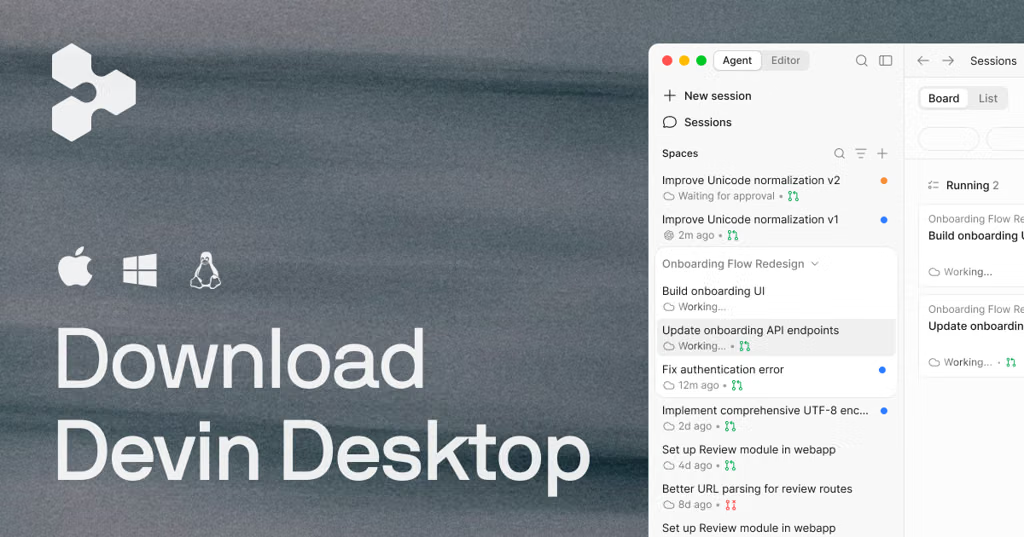


























































![[MM’s] Boot Notes — OpenRewrite. Automated, auditable migrations to Java… | by Matej Marconak | Jan, 2026 | Medium](https://images.openai.com/static-rsc-4/c-ggT5UO0csk7LN32TQ8NfQ4RxPW3EOz-ncwuhy4e5deR14xaqEtGdJcGU0VCIpZ80s--6eo0hUXOl3GdnxsVo0Gyq2A6uodfkl-OW2E8mkYsjvdE8HC9acW4jlql_H7jjI1UoPK9jVk0jRxaTBn7hhc4nJ5Aw2uC4aDWx54p_XPt197AREThZEXOtcR-M13?purpose=fullsize)