Direct-drive (DD) wheelbases support a wide range of sim-racing upgrades, including external telemetry displays, button boxes, emergency-stop controls, and dedicated mounting brackets. The key is matching each accessory to your specific wheelbase, cockpit, and software setup.
1. External displays and digital dashboards
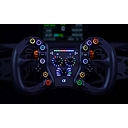
MOZA CM HD Dash
A dedicated dashboard that mounts directly to compatible MOZA wheelbases. Displays racing telemetry such as speed, gear, RPM, and other game data. MOZA also offers a larger RM HD dash for its higher-end R16 and R21 bases.
A 7-inch touchscreen dashboard with SimHub integration, customizable telemetry, shift lights, and touch controls. Brand-specific mounting options are offered for Fanatec, MOZA, Simagic, Simucube, and other supported bases.
Best for: a larger, customizable PC dashboard.
Third-party USB dashboards
Brands such as Simline and SimNet offer dedicated display options. Many USB dashboards can work across different wheelbase brands when supported by software such as SimHub, provided you have the right mount.
Best for: mixed-brand rigs and custom telemetry layouts.
Common display types include:
Small digital dashes: speed, gear, RPM, and shift lights.
Touchscreen dashboards: configurable telemetry and touch-based controls.
Phone or tablet displays: inexpensive dashboards using a separate screen and mount.
Standalone monitors: larger screens mounted to the cockpit for telemetry, race information, or game visuals.
2. Button boxes and physical controls
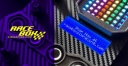
Racebox GTS Button Box Panel
A wheelbase-mounted control panel with push buttons, toggle switches, rotary encoders, and a brake-bias knob. The listed compatibility includes Fanatec DD1/DD2, Simagic Alpha and Alpha Mini, and Simucube 1/2. It connects via USB and supports compatible PC configuration software.
A model-specific dashboard and button panel with engine-start controls, toggles, push buttons, and encoders. Separate versions are available for MOZA R5/R9/R12 and R16/R21 families, so choose the version that matches your base.
Standalone USB button boxes: desk- or cockpit-mounted panels for menus, pit-lane functions, lights, and other mapped commands.
Rotary encoders and toggle switches: useful for brake bias, traction control, engine maps, and other in-game adjustments.
Emergency-stop or kill switches: dedicated safety controls for wheelbases that support them. For example, the Fanatec Podium series has a dedicated kill-switch accessory.
Note that a physical button fitting the wheelbase does not automatically mean it will control wheelbase settings. USB controls, game-mapped buttons, and manufacturer-specific controls can have different requirements.
3. Mounting accessories
Phone and tablet brackets
Adjustable clamps let you use a phone or tablet as a telemetry screen. Versions are available for Fanatec, Simucube, Simagic, MOZA, VRS, and selected Asetek setups. Some require separately sourced bolts.
These secure the wheelbase to an aluminum-profile cockpit or mounting deck. The official Simucube Mount supports Simucube 2 and 3, while other manufacturers offer their own model-specific plates.
These attach displays or button boxes to the rig instead of the wheelbase. They're useful for heavier screens, larger tablets, or setups where you want to keep accessories independent of the motor housing.
Additional mounting hardware includes spacers, washers, bolts, cable-management trays, and adjustable tilt brackets.
4. Compatibility at a glance
Accessory
Main compatibility requirement
Digital dash
Display software, USB or other connection, and mounting bracket
Phone/tablet holder
Correct wheelbase mounting holes and clamp size
Button box
Physical mounting fit plus USB/software support
Emergency stop
Explicit support for your wheelbase model
Front/bottom mounting plate
Exact wheelbase bolt pattern, thread size, and cockpit fit
Monitor arm
Cockpit mounting interface and screen weight
Important: Direct-drive wheelbases don't share one universal mounting standard. Even products from the same manufacturer may have different hole spacing or mounting arrangements. Verify the exact model and use the manufacturer's specified hardware, especially on high-torque bases.
Find accessories for your setup
If you share your wheelbase model, I can narrow this down to accessories with verified compatibility rather than generic recommendations.
Wheelbase brand
MOZA
Fanatec
Simagic
Simucube
Asetek
Other
Exact model
[Input placeholder: e.g. R9, CSL DD, Alpha Mini] (Current value unavailable.)
Direct drive wheelbases (from ecosystems like Fanatec, Simucube, Moza Racing, and Asetek) offer massive customizability. Because they don't use internal gears or belts, they transmit raw, high-torque force feedback directly to your hands, meaning any add-ons need to be sturdy enough to handle severe vibrations and heavy loads.
Here is a breakdown of compatible external displays, control buttons, and mounting solutions.
1. External Displays
Standalone or integrated dash displays let you track telemetry (gear, RPM, lap times, fuel) without cluttering your main monitor.
USB/Data Displays: Dedicated dash units like the DDU (Driver Display Unit) from companies like Precision Sim Engineering, SimCore, or Rexing connect via USB and run on telemetry software like SimHub.
Smartphone/Tablet Mounts: Many sim racers mount an old Android tablet or iPhone directly above the wheelbase base or steering column using a custom 3D-printed or aluminum extrusion clamp, running a dashboard skin through SimHub.
Wheel-Mounted Displays: If your direct drive hub supports it (e.g., Fanatec's Podium or ClubSport wheels, or Moza's KS/FSR steering wheels ), built-in LED rev lights and LCD screens communicate straight through the wheelbase's quick-release system.
2. Control Buttons & Button Boxes
When you run a custom round or formula-style rim (like a Momo or OMP rim) attached to a universal hub, you often need extra inputs.
Standalone USB Button Boxes: These mount to your rig's profile framing or desk. Brands like DSD (Simulate Dynamics), Ricmotech, and various Etsy creators make tactile push-button, toggle-switch, and rotary-encoder boxes that connect via a single USB cable.
Plate-Mounted Controls: Button plates (such as those from Ascher Racing or SRC) sandwich between your quick-release adapter and your steering wheel rim, providing multi-way switches, thumb encoders, and paddle shifters right at your fingertips.
Wireless/Bluetooth Add-ons: Some modern button plates communicate via Bluetooth or proprietary 2.4GHz wireless to eliminate dangling wires from the wheel to your PC.
3. Mounting Accessories
Because direct drive wheelbases generate immense peak torque (often ranging from 9Nm to over 30Nm), standard desk clamps can shake loose or fail unless they are heavy-duty steel.
Front/Side Mounts: Heavy-duty L-brackets or front-mounting vertical plates attach directly to the faceplate of the wheelbase. This is preferred for high-torque units (like Simucube 2 Pro/Ultimate ) to prevent the wheelbase from flexing upward under heavy loads.
Bottom/Deck Mounts: Traditional four-bolt mounting patterns that bolt down onto a thick sliding deck or aluminum profile tray. Ensure your rig uses 80/20 aluminum extrusion or heavy-gauge folded steel to eliminate flex.
Dedicated Desk Clamps: If you aren't using a full cockpit, high-end robust steel desk clamps (offered by brands like Moza, Fanatec, or Sim-Lab) can anchor mid-range direct drive bases (up to ~12–15Nm) to a sturdy wooden desk, though you should expect some desk vibration.
If you'd like, let me know:
Which specific direct drive wheelbase you are using or looking at (e.g., Fanatec, Simucube, Moza)
Whether you are mounting to a full cockpit or a desk
I can give you exact compatibility recommendations and mounting hardware suggestions.
Yes. The key point is that a direct-drive (DD) wheelbase does not inherently restrict you to the manufacturer’s displays or button boxes. On a PC, most external displays and USB input devices are independent peripherals; the main compatibility questions are USB/direct-input support, software support, wheel quick-release/interface, and physical mounting.
Compatibility overview
Category
What generally works with DD bases
Important caveat
External dashboard/display
USB LCD/OLED dashboards, HDMI/DisplayPort screens, tablet dashboards, SimHub-compatible displays
Usually connects to the PC, not the wheelbase
Button boxes
USB button boxes, button/encoder panels, stream-deck-style controllers, manufacturer-specific button boxes
PC games must recognize DirectInput/HID devices; consoles are much more restrictive
Steering-wheel buttons/paddles
Native ecosystem wheels, third-party wheels via compatible QR/USB adapters
Electrical/data connection and QR compatibility matter
Wheelbase mounting
Bottom mount, front mount, side mount, T-slot/extrusion mount, dedicated brackets
The base's mounting pattern and bolt/thread specification must match
8020 profile brackets, side mounts, wheel-deck mounts, VESA/Universal plates
Primarily a physical mounting issue rather than an electrical one
1. External displays
There are two fundamentally different approaches:
Independent dashboard:
A USB/HDMI display is essentially another PC peripheral. You can use something like a SimHub-compatible dashboard without the display having any electrical relationship to the DD motor. Asetek's own steering wheel displays, for example, support SimHub, while their wheelbase itself acts as the central hardware hub for their ecosystem.
Display integrated into the steering wheel:
This is more complicated because the wheel has to communicate through the wheelbase/quick-release system. Asetek's Forte Formula Pro, for example, has a 4.3-inch 800×480 60-Hz LCD and USB-C support for third-party quick releases.
So if your goal is a separate dash above the wheel, you're generally free to choose based on display size, resolution, SimHub support, and mounting—not the DD base brand.
2. Button inputs
For a PC sim, USB button boxes are generally the easiest option. They appear as input devices to Windows and can be mapped by games that accept DirectInput devices. Asetek explicitly describes its button boxes as Windows PC devices supporting games that accept direct-input devices.
There are three useful categories:
Standalone USB button box — most universally compatible.
Wheel-mounted button box — needs the appropriate QR/electrical connection.
Manufacturer ecosystem button box — easiest integration, but more proprietary.
Fanatec illustrates the distinction nicely: its USB-connected pedals and some shifters/handbrakes can work with other wheelbases on PC, while its accessories have much tighter restrictions when you're using a console.
Bottom line: if you're building a PC rig, don't assume your button box needs to match your DD base.
3. Mounting the DD base
This is where compatibility becomes much more specific.
Simucube 2/3:
Simucube 3 supports both front and bottom mounting. Its front mounting uses four M8 threaded holes, while the bottom uses four adjustable T-slot nuts.
Simucube's Mount v2 is particularly flexible: it works with all Simucube 2 and Simucube 3 bases, supports ±24°/20° tilt, and can be inverted.
Asetek:
Asetek's La Prima, Forte and Invicta use four M6 T-nuts underneath, with a variable fore/aft mounting arrangement. Asetek offers bottom, side, front and table-clamp mounting solutions.
Fanatec:
Current Fanatec DD bases use T-nut rail systems for adjustable hard mounting. For example, the Gran Turismo DD Pro has T-nut rails on its sides and bottom. www.fanatec.com Fanatec also sells dedicated table clamps and other base accessories.
4. A good way to build an “open” DD setup
If your objective is maximum freedom to mix brands, I'd structure the rig like this:
DD wheelbase → rigid 8020/steel mount Wheel → compatible QR → DD base Button box → USB → PC Dashboard → USB/HDMI → PC Pedals → USB → PC Shifter → USB → PC Monitor → VESA/monitor stand → rig
That architecture avoids making the wheelbase the dependency for every peripheral.
The exception is a wheel-mounted display/button system. There you need to verify the wheel's QR, electrical contacts/USB connection, wheelbase support, and software. Asetek's Invicta Formula Button Box, for example, can use Asetek's USB-C QR adapter or a third-party adapter/quick release with other bases.
Asetek + 8020 rig + Asetek/third-party wheel + USB dashboard
Fanatec DD + Fanatec/third-party wheel + USB peripherals
MOZA/Simagic + rigid 8020 mount + independent USB peripherals
The rig itself is more important than the DD brand for mounting flexibility. A good 8020 cockpit with VESA/monitor arms and accessory brackets lets you change the wheelbase, display and button box later without rebuilding everything.
If you tell me which direct-drive base(s) you're considering (e.g. Simucube 3 Sport/Pro, Fanatec ClubSport DD+, Asetek Invicta, MOZA R16/R21, Simagic Alpha, etc.), I can make you a specific compatibility matrix of displays + button boxes + wheel/QR options + mounting brackets, including which parts bolt directly together and which need adapters.
Direct drive bases are compatible with a wide array of ecosystem-specific or standalone USB-connected external displays, button plates/boxes, and heavy-duty front/side/deck mounting solutions, though cross-brand ecosystem locking (such as with Fanatec or proprietary quick-releases) requires careful hardware selection or USB conversion adapters.
Because direct drive motors output high torque (ranging from 9Nm to over 30Nm), components attached directly to the shaft or the chassis must feature rigid, zero-flex mechanical engineering.
Mounting Solutions for Direct Drive Bases
Direct drive motors generate intense vibrational feedback and rotational forces that destroy weak or plastic mounts. High-end aluminum profile cockpits (8020 style) are the industry standard.
Mount Type
Core Compatibility & Description
Best Use Case
Front Mount
Bolts directly to the faceplate of industrial-style motors (Simucube 2, , , ). Offers zero flex and maximum leg clearance.
VRS DirectForce Pro
MiGE
Fanatec Podium DD1/DD2
High-torque professional setups (15–30+ Nm)
Side Mount
Clamps or bolts to the lateral sides of cylindrical or boxed motor housings via thick side plates. Common on Simagic and Moza bases.
Standard mid-to-high torque setups
Bottom / Deck Mount
Uses standard pre-drilled bolt patterns (often 4-bolt or proprietary tracks) on a horizontal deck plate. Found on Fanatec CSL DD / ClubSport DD and Moza R9/R12.
Entry-to-mid torque or desk/wheel-stand clamps
Tip: For ultra-rigid mounting, look at specialized structural solutions like the Advanced SimRacing Front Mount or universal options from SimXPro Front Mounts.
External Displays Compatibility
Sim racing telemetry displays can be mounted directly onto the wheelbase shaft/top housing or run as independent freestanding units.
USB-Connected Standalone Dashboards: Brands like DDU, Grid Engineering , and Ascher Racing produce USB-driven LED/LCD data screens (using SimHub software) that mount to your rig's profile framework or directly behind the wheel base independently of what motor brand you run.
Integrated Wheel-Base Displays: Some ecosystems feature telemetry screens built directly into the top of the motor housing or steering wheel rim (e.g., Moza, Fanatec Formula rims). These require staying within that specific brand's ecosystem or utilizing a universal hub bridge.
Software Requirement: Almost all third-party external displays rely on SimHub to process telemetry data from PC racing titles (Assetto Corsa, iRacing, F1 series).
Button Inputs and Steering Wheels Compatibility
Button plates and steering wheel rim inputs connect either wirelessly, via proprietary base pins, or through a standalone USB cable.
Ecosystem-Locked (Proprietary):
Fanatec: Uses proprietary pins in the quick-release system. To use a third-party wheel rim or button plate with full force feedback on a Fanatec base, you typically need a Fanatec Podium Hub or an electronic emulator adapter (like those fromSim Racing Machines).[](https://www.youtube.com/watch?v=eI8QvaUOsGA)
Standalone USB Button Plates:
Brands like Ascher Racing, Cube Controls , and Simagic offer button plates with standard 50mm or 70mm 6-hole bolt patterns.
These connect via a coiled USB cable directly to your PC, making them universally compatible with any direct drive base (Simucube, VRS, Moza , Simagic) as long as you use a matching quick-release adapter.
Universal Hub Adapters:
Ecosystem bridges like the Moza Universal Hub Kit allow cross-compatibility of certain brand accessories by converting signals through a separate control box.[](https://www.youtube.com/watch?v=eI8QvaUOsGA)
If you want to narrow this down, tell me:
Which specific direct drive base model you own or plan to buy
Whether you are playing on PC, PlayStation, or Xbox
I can give you an exact compatibility and wiring list for your setup.