Integrated inspection software with workflow synchronization
Jul 22 – Oct 25, 2026Updated Oct 25, 2026 Reviewed by Dimitry Apollonsky
Which brands AI mentions


Mentioned in
ChatGPTChatGPTGoogle AI ModeGoogle AI Mode


Widest split: TeamWork CMMS, 76% on ChatGPT and 0% on Google AI Mode.
- #1eWorkOrdersChatGPT 43%Google AI Mode 70%
- #2tiedTeamWork CMMSChatGPT 76%Google AI Mode 0%
- #2tiedHxGN Enterprise Asset ManagementChatGPT 14%Google AI Mode 40%
- #2tiedField EagleChatGPT 24%Google AI Mode 25%
- #2tiedUpKeepChatGPT 33%Google AI Mode 15%
Questions and answers
Google AI ModeOct 25, 2026
To integrate work orders, equipment records, training/certification data , and role-based permissions into a single source of truth without duplicate data entry, organizations rely on unified Enterprise Asset Management (EAM) or advanced Computerized Maintenance Management Systems (CMMS).
When these modules live in the same database schema rather than separate point solutions, closing an inspection automatically updates the equipment history, triggers work orders only for qualified/trained personnel, and respects security restrictions.
Comparative Matrix of Unified Platforms
Integration Pillar Unified EAM / Advanced CMMS Approach How Duplicate Entry is Prevented Risk & Compliance Safeguards Equipment Records & Work Orders Asset hierarchy acts as the parent node; every inspection or corrective work order links directly to the asset ID. Creating a failed inspection item instantly drafts a follow-up work order pre-populated with the asset specs and history. Prevents orphan data and ensures full audit-ready lifecycle cost tracking. Training Data Integration Personnel competency profiles (certifications, OSHA training, internal qualifications) are tied to user profiles. The system blocks work order assignment to technicians lacking active, valid certifications for specific high-risk equipment. Eliminates manual credential cross-checking in spreadsheets or separate HR/LMS silos. Role-Based Permissions (RBAC) Granular access matrix separating Admins, Managers, Technicians, and External Contractors. Permissions dictate exact visibility (e.g., technicians update assigned tasks; managers approve closures) via a single global directory. Secures sensitive cost data and restricts record-editing capabilities to authorized roles. Implementation Risks & Proactive Checklist
- Siloed HR/LMS Databases: If your training data resides in a separate Learning Management System (LMS) rather than the EAM, ensure the platform features a real-time bi-directional API connector rather than a flat-file CSV importer.
- Over-Privileging Users: Avoid "flat access" where regular technicians can alter asset parameters or close out regulatory compliance inspections without managerial sign-off.
- Mobile Field Latency: Verify that offline mobile synchronization captures inspector credentials, asset scans, and time stamps simultaneously without forcing secondary desktop entry.
If you'd like to narrow this down, please let me know:
- What industry or regulatory framework (e.g., OSHA, FDA, ISO 55001) are you complying with?
- Do you currently use a separate LMS (Learning Management System) that needs to sync training data, or do you need an all-in-one suite?
ChatGPTOct 25, 2026
The strongest candidates are inspection and operations platforms that share a common asset record, automatically convert inspection findings into work orders, connect training qualifications to employee roles, and enforce role-based access controls (RBAC). The key distinction is whether these functions work in one shared system or depend on integrations that may still require manual reconciliation.
Best-fit inspection systems
1. Inspeq
(Strong all-round fit)
Connects inspections, equipment and site records, work orders, and issue follow-up. Failed checks can trigger work orders, while configurable roles and permissions control who can create, assign, and complete work. Enterprise includes API and custom integrations. Training-record depth should be validated.
Website:
2. AIOSS
Best for safety and training compliance.
Shares people, roles, and worksite information across training assignments, certification records, inspections, equipment, and corrective actions. Particularly relevant when you need to verify that staff have the required training before performing work. Confirm the depth of work-order management and integrations with your existing maintenance system.
Website:
3. Fluix
Best for mobile inspections and avoiding rekeying.
Centralizes equipment details and prepopulates inspection forms with asset information. Failed inspections can route issues to the appropriate people, and integrations include SAP, Salesforce, Microsoft 365, and Power BI. Validate whether your training records and maintenance work orders can be synchronized end-to-end.
Website:
4. RIGG by Stonegarde
Best for manufacturing operations in a shared environment.
Connects maintenance work orders, assets, preventive maintenance, safety actions, quality events, and operational history. Training is part of its broader platform direction, but its product page identifies the training matrix and deeper training capabilities as expanding rather than fully available today.
Website:
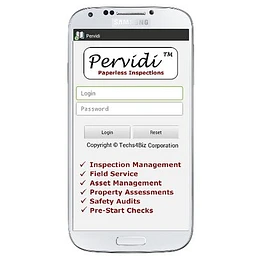
5. Pervidi
Best for organizations retaining an existing ERP.
Supports digital inspections and integration with SAP and JD Edwards, with APIs for other systems. Its published material specifically describes inspection data, asset records, and work orders flowing into ERP systems to reduce duplicate entry. Verify native training management and the granularity of permissions against your requirements.
Website:
What to verify before choosing
Requirement What to ask vendors to demonstrate Work orders A failed inspection automatically creates a work order with the asset ID, photos, and corrective action attached. Equipment records One authoritative equipment record is reused across inspections, maintenance, and compliance. Training data Qualifications and expiry dates are tied to employee roles, with alerts for missing or expired training. Role permissions Technicians, inspectors, supervisors, and auditors have distinct permissions for viewing, editing, approving, and closing records. No duplicate entry Changes sync both ways where needed, with clear ownership of each field and an audit trail. My recommendation: Start by evaluating Inspeq and AIOSS if you want inspections, corrective actions, and training closely connected. Consider Fluix or Pervidi if integration with existing enterprise systems is a priority. These are shortlist candidates, not a verified finding that every platform satisfies all four requirements natively.
I can also compare all five in a feature matrix or narrow the shortlist to my industry.
Sources cited in this answer13
- getinspeq.comWork Order Management Software
- getinspeq.comAI Frontline Operations Software for Inspections & Maintenance
- getinspeq.comAI Frontline Operations Software for Inspections & Maintenance
- allinonesafetysoftware.comSafety Management Software
- allinonesafetysoftware.comSafety Management Software
- fluix.ioFluix: Inspection Management Software for Field Teams
ChatGPTOct 16, 2026
Based on your requirements, I’d focus on an inspection and asset-management platform with a shared data model, rather than a standalone inspection app that simply exports reports to another system.
The key is that completing an inspection should update the equipment record, generate a work order when needed, preserve the inspection history, and respect the right user permissions — without someone re-entering the same information in multiple places.
Best platforms to evaluate
1. UpKeep
(Best overall fit)
A connected platform for maintenance, equipment history, inspections, safety compliance, training, and access control. Its products share asset records and a common permission system, reducing duplicate data entry.
Best for: Industrial facilities, equipment-heavy operations, and multi-site teams.
Website:
2. TeamWork CMMS
An all-in-one maintenance system with work orders, equipment records, customizable inspections, a built-in learning management system, certification tracking, an API, and enterprise single sign-on. Failed inspections can automatically create corrective work orders.
Best for: Organizations that want core functionality in one package and straightforward pricing per account rather than per technician.
Website:
3. InspectWrk
Particularly worth evaluating if you already have a CMMS or ERP and don't want to replace it. Its integration workflows can send failed inspection findings to connected systems as work orders, sync equipment data back, and connect with identity systems through SSO/SAML.
Best for: Teams that need to connect existing software rather than migrate everything to a new platform.
Website:
4. Daarsoft
Combines inspection scheduling, reports, certificates, equipment records, training records, and role-based access.
Best for: Third-party inspection and certification businesses that manage inspectors, customer jobs, and compliance documentation.
Website:
What I'd recommend
Start with UpKeep if you want to consolidate inspections, work orders, equipment history, training, and permissions under one platform. If you already have an established maintenance or ERP system that must remain in place, evaluate InspectWrk first.
Before purchasing, ask each vendor to demonstrate these four workflows using your actual process:
- A failed inspection automatically creates a work order linked to the correct equipment.
- Completing maintenance updates the equipment's service history without re-entering information.
- Training and certification records determine who is qualified to perform an inspection.
- User roles and permissions stay consistent across the relevant modules, with an audit trail of changes.
One important distinction: shared records within a platform are not the same as synchronization with your existing systems. Verify exactly which fields sync, in which direction, and whether updates happen automatically.
One question to narrow this down
What kind of inspections are you managing?
1. Your inspection environment
Industrial equipment, machinery, or manufacturing
Oil and gas, pipeline, or energy
Facilities, buildings, or property
Third-party inspection and certification services
Safety and regulatory compliance
2. What systems need to sync?
Replace spreadsheets and paper records
Keep an existing CMMS or ERP and integrate it
Connect HR or training software too
Connect several existing systems
3. How large is the operation?
One site, small team
Multiple sites or departments
Large enterprise with strict access controls
[Find my best fit]
Sources cited in this answer10
- upkeep.comCMMS Software | AI-Powered Maintenance Platform - UpKeep
- upkeep.comAsset Operations Software: Maintenance, Safety and Inventory | UpKeep
- inspectwrk.comERP and CMMS Integrations for Inspections | InspectWrk
- inspectwrk.comInspection Team Management and Role Access
- daarsoft.comThird-Party Inspection Management Software
- upkeep.comCMMS Software | AI-Powered Maintenance Platform - UpKeep
Google AI ModeOct 16, 2026
To eliminate double-entry and seamlessly sync inspections, equipment histories, work orders, training matrices, and role-based permissions, you need an integrated EHS (Environment, Health, and Safety) or advanced CMMS/EAM (Computerized Maintenance Management System) platform.
When these modules are native to a single database rather than stitched together via APIs, failing an inspection or flagging a defect can automatically trigger a corrective work order, verify if the assigned technician has active qualifications, and lock out unauthorized users based on permissions.
Top platforms designed to handle this exact multi-directional sync include:
-
- Capability: Specifically built to tie together equipment asset registers, mobile inspections, corrective work orders, and worker qualification/training records. If an inspection flags a machine defect, it converts straight into a work order assigned only to qualified personnel based on real-time training status.
-
- BIS Safety EHS Software: Features tightly integrated modules combining an Equipment Manager (tracking maintenance/inspection logs and usage hours) with a robust Learning Management System (LMS) and training record management that tracks operator qualifications directly against asset availability.
-
- WebTMA: An enterprise-grade CMMS/EAM solution that handles comprehensive asset logs, preventive maintenance work order generation, and customizable, granular role-based security permissions across large operational facilities.
-
- MEX Maintenance: An asset control and work order platform utilized heavily in heavy industry and manufacturing to streamline equipment registers, recurring safety inspections, and secure mobile syncing without redundant record-keeping.
To help narrow down the ideal platform, tell me:
- What industry are you in (manufacturing, construction, oil & gas, healthcare)?
- Are you looking for a cloud/mobile-first field app or an enterprise facility system?
Sources cited in this answer5









Also asked as
- Are there any inspection tools that connect work orders, equipment data, training history, and role-based access to prevent redundant data entry?

