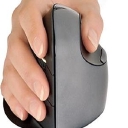
Logitech holds a wide lead across vertical mice, consistently pointed to for overall comfort and reducing wrist strain with models like the MX Vertical. When shoppers specifically mention developing carpal tunnel and ask who makes ergonomic options, Anker becomes the usual answer.
If you're developing carpal tunnel symptoms from mousing, a vertical ergonomic mouse is worth considering. It holds your hand in a more natural, handshake-like position instead of palm-down, which may reduce forearm rotation and improve comfort. The best choice depends on your hand size, grip, and which movements trigger your symptoms; no mouse is a cure for carpal tunnel syndrome.
Vertical ergonomic mice to consider
Here are several established brands and models available from online retailers.
Logitech Lift Vertical Ergonomic Wireless Mouse - Black
(Good first option)
Small-to-medium hands
A compact 57° design with a thumb rest and quiet clicks. A good starting point if you want to try a vertical grip without a bulky mouse.
A larger 57° vertical mouse with adjustable pointer speed and multi-device connectivity. Worth considering if you spend many hours working at a computer.
Other brands worth investigating include Kensington, Anker, and Contour Design. They offer or have offered vertical or angled ergonomic mouse designs.
How to choose when your wrist is hurting
Check the fit: Your hand should rest comfortably without stretching to reach the buttons or gripping tightly.
Reduce wrist movement: Increase pointer sensitivity enough to move the cursor with less repeated wrist motion.
Adjust your setup: Keep your wrist relatively straight, your mouse close to your body, and avoid pressing the wrist against a hard desk edge.
Don't push through symptoms: If numbness, tingling, weakness, or pain is developing, arrange a medical assessment. Early evaluation can help identify the cause and prevent symptoms from worsening.
Switching to a vertical ergonomic mouse is a great step to take the pressure off your wrist and forearm. Several major hardware and ergonomic peripheral brands offer reliable options that promote a natural "handshake" position:
Logitech: Offers the popular Logitech MX Vertical Advanced Ergonomic Mouse , which features a 57-degree vertical angle to reduce wrist pressure and a high-precision sensor.[1][2]
Anker: Known for budget-friendly vertical options (like their Wireless Vertical Ergonomic Optical Mouse ) that are great entry-level choices if you want to test out the vertical style without spending a lot.
Evoluent: Famous for the VerticalMouse series (VerticalMouse 4 and VerticalMouse D), which are heavily recommended by physical therapists and ergonomic specialists for their true vertical alignment and customizable button software.
Razer: Offers productivity-focused gear including the Razer Pro Click V2 Vertical Edition , combining a comfortable vertical shape with long battery life and high-end tracking.
ProtoArc: Makes affordable, feature-packed ergonomic options like the ProtoArc EM11 NL Vertical Mouse , which often include built-in wrist rests and multi-device Bluetooth switching.
Delux: Offers feature-rich vertical mice like the Delux M618XSD Seeker , which features extra thumb-wheel controls and high DPI sensors.
If you'd like, let me know:
Your hand size (small, medium, large)
Whether you prefer wired or wireless
Your budget range
I can narrow down which specific model would fit your hand best.
Switching to a vertical ergonomic mouse places your hand in a neutral "handshake" position that stops your forearm bones from twisting, immediately relieving wrist tension.
Top-rated vertical mouse options vary by hand size, budget, and features:
Model
Price Range
Best For
Key Features
Logitech MX Master Vertical
~$100–$114
Large hands & heavy work
57-degree vertical angle, fast recharging, multi-device pairing
Straight Alignment: Keeps your wrist and palm aligned vertically so you avoid putting direct pressure on your carpal tunnel.
Shoulder Posture: Encourages external rotation of the shoulder, reducing upper back and neck fatigue compared to flat traditional mice.[1][2]
If you can let me know your hand size (small, medium, or large) and whether you prefer a wired or wireless connection, I can recommend the exact right fit for your workspace.
If a standard mouse is aggravating your wrist, a vertical mouse is a reasonable thing to try. It rotates your hand toward a “handshake” position rather than keeping your palm flat, which can reduce forearm pronation and may feel substantially more comfortable. It isn't a treatment for an underlying injury, though, and fit matters a lot.
Yes. If your wrist is starting to hurt after all-day mouse use, a vertical mouse is a reasonable thing to try: it puts your hand in a more neutral “handshake” position and reduces the amount of forearm rotation compared with a conventional mouse. It’s not a treatment for an injury, though, and persistent or worsening pain is worth getting evaluated.
1. Logitech MX Vertical — best overall for medium/large hands
The 57° angle is a good middle ground: noticeably vertical without being extremely upright. It has a 4,000-DPI sensor, rechargeable battery, Bluetooth/USB connectivity, and multiple programmable controls. RTINGS also specifically recommends it for larger hands, while the Lift is better for smaller hands.
2. Logitech Lift — best for small/medium hands
This is the one I'd pick if the MX Vertical feels too big. It has the same 57° concept but a smaller body, quiet clicks, and a comfortable thumb rest. There's also a left-handed version.
3. Anker 2.4G Vertical — best cheap trial
At around $15–$30 depending on retailer, it's a low-risk way to find out whether you actually like a vertical grip. You get five buttons and three DPI settings, but it's considerably more basic than the Logitech models.
4. Evoluent VerticalMouse D — premium/maximum adjustability Evoluent is worth considering if you've tried conventional vertical mice and want a more pronounced ergonomic shape, lots of programmable buttons, and different size options. The downside is price—the current D models are substantially more expensive.
What I'd buy
Medium/large right hand:MX Vertical
Small/medium hand:Logitech Lift
Not sure whether you'll like vertical mice:Anker
Want the most aggressively ergonomic design:Evoluent
One important tip: don't judge a vertical mouse after 30 minutes. The first several days can feel surprisingly awkward because you're learning a new movement pattern; reviewers commonly recommend giving yourself roughly a week or two to adapt.
Also, don't overlook the rest of the setup: keep the mouse close to your body, avoid gripping it tightly, and take brief breaks rather than using a more ergonomic mouse continuously for hours.
If you tell me your hand size (small/medium/large), right- or left-handed, and your budget, I can narrow this to the 2–3 best choices for you.
Switching to a vertical ergonomic mouse is a great way to reduce pronation (the twisting of your forearm) and take pressure off your wrist . Here are some of the top-rated vertical ergonomic mice on the market, categorized by hand size and features:
Logitech Lift Vertical Ergonomic Mouse — Best for Small-to-Medium Hands
Features a comfortable 57° vertical angle, silent clicks, and a cozy textured rubber grip. It runs on a single AA battery (up to 2-year battery life) and supports multi-device pairing via Bluetooth or Logi Bolt. (A left-handed version is also available).
Logitech MX Vertical Advanced Ergonomic Mouse — Best for Larger Hands & Power Users
Built with a 57° tilt to reduce muscular strain, a high-precision 4000 DPI sensor, and a rechargeable battery that lasts up to four months on a full charge. It also supports Logitech Flow for seamless cursor sharing across multiple computers.
Evoluent VerticalMouse 4 — Best for a True Neutral Posture
Offers a completely upright handshake posture that aggressively eliminates forearm twisting. It features adjustable pointer speed controls right on the side and comes in dedicated right-handed (wired or wireless), small, and left-handed variations.
When it comes to preventing wrist strain, the "best" vertical mouse depends heavily on your hand size and whether you prefer an extreme upright angle or a more supported, hybrid feel . Vertical mice keep your hand in a natural "handshake" position, eliminating the forearm twisting (pronation) caused by traditional flat mice.[1][2]
Top-rated vertical mice tailored for different needs and hand sizes include:
Why it’s great: Widely praised by ergonomic reviewers and featured as a top pick by Wirecutter and RTINGS . It places your hand at an optimal 57° angle, features quiet clicks, a comfortable textured rubber grip, and runs on a single AA battery for up to 24 months.
Best for: Small-to-medium hands. (If you have large hands, look at its bigger sibling, the Logitech MX Vertical).
Angle: Upright vertical with an extended palm/wrist rest
Why it’s great: It includes a detachable or integrated extended wrist platform that keeps your palm from dragging directly on your desk surface, helping to further reduce friction and pressure on the carpal tunnel area. It also supports multi-device Bluetooth and 2.4G connections.
Best for: Budget-conscious buyers who want a softer transition and extra palm cushioning.
Razer Pro Click V2 Vertical (Best for Productivity & Precision)
Angle: Sculpted vertical grip
Why it’s great: Highlighted by testing authorities like RTINGS as a premier vertical choice, it blends high-end build quality, accurate tracking across varied surfaces, and great multi-device connectivity without sacrificing ergonomic alignment.
If you tell me your hand size (small, medium, or large) and whether you prefer a rechargeable battery vs. AA batteries , I can help you pick the exact model that fits your setup.
The MX Vertical uses a 57° vertical “handshake” position, which reduces forearm pronation compared with a conventional mouse. Logitech says its design reduced muscular activity by about 10% in its testing, while independent testing agrees that the vertical shape can put the wrist in a more neutral position.
Why I’d choose it:
Excellent palm and thumb support
57° angle is a good middle ground—not excessively upright
1. Logitech MX Vertical — best starting point for medium/large hands
The MX Vertical uses a 57° angle, a thumb rest, adjustable cursor speed, Bluetooth/USB connectivity, and a rechargeable battery. Independent testing and current reviews consistently identify it as a strong choice for larger hands.
2. Logitech Lift — particularly good for small/medium hands
The Lift has the same general 57° vertical concept but a smaller body, making it easier to grip without stretching your fingers. It also has quiet clicks and comes in a left-handed version.
3. Anker 2.4G Vertical — inexpensive way to experiment
At around $15–30 in current listings, this is a relatively low-risk way to see whether you actually like a vertical grip before spending $70–120. It has five buttons and three DPI settings, although it is considerably more basic than the Logitech models.
4. Kensington Pro Fit Ergo Vertical — moderate-angle alternative
The Pro Fit uses a less aggressive 46.7° slope, so it can be a good middle ground if a fully upright mouse feels strange. It also has an extended little-finger support.
5. Evoluent VerticalMouse — for a more pronounced vertical grip
Evoluent makes some of the more upright designs and offers multiple sizes. They're substantially more expensive, but worth considering if you've already tried moderately angled mice and want something closer to a fully upright handshake position.
What I'd look at first
If you have…
I'd look at…
Small–medium hands
Logitech Lift
Medium–large hands
Logitech MX Vertical
Not sure you'll like vertical
Anker
Want something between normal and vertical
Kensington Pro Fit
Want a very upright grip
Evoluent
One important point: don't judge a vertical mouse in the first hour. The movement feels awkward initially because you're changing both the grip and the muscles used to control the mouse; reviewers commonly report an adjustment period of several days.
Also, if your wrist is currently painful, I'd combine the mouse change with a lighter grip, keeping the wrist relatively straight, moving the mouse with your forearm rather than repeatedly bending the wrist, and taking regular breaks. If the pain persists, worsens, or you develop numbness/tingling or weakness, it's worth getting it evaluated rather than assuming the mouse is the only cause.
If you tell me your hand size (small/medium/large), right- or left-handed, budget, and whether you're on Windows or Mac, I can narrow this to 2–3 specific models and check their current prices.
A very affordable entry point into vertical mice. It features an 8° drift design for a natural handshake position, basic DPI switching buttons, and a thumb rest, operating on AAA batteries.[1][2][3][4]
To help narrow down the best fit, tell me:
What is your hand size (small, medium, or large)?
Do you prefer rechargeable or battery-operated models?
Are you left- or right-handed?
4,000-DPI sensor means less physical mouse movement
Wireless + rechargeable
Good for long office/coding sessions
Particularly suited to medium-to-large hands
Downside: It's a relatively large mouse and takes several days to get accustomed to.
The Lift is probably the better choice if the MX Vertical feels too large. It has the same general 57° handshake orientation but a smaller body, and it's available in both right- and left-handed versions. RTINGS currently ranks it as its best mid-range ergonomic mouse.
🥉 Best if you want a much more upright grip: Evoluent VerticalMouse
Evoluent takes the vertical concept further, with a substantially more upright grip. That's worth considering if a 57° mouse doesn't feel sufficiently neutral. The tradeoff is price, bulk, and a less mainstream design.
My ranking
Mouse
Best for
Wrist/forearm ergonomics
Hand size
Logitech MX Vertical
⭐ Best overall
Excellent
Medium–large
Logitech Lift
Small/medium hands
Excellent
Small–medium
Evoluent VerticalMouse
Maximum verticality
Excellent
Multiple sizes
Razer Pro Click V2 Vertical
Ergonomics + gaming
Excellent
Most sizes
Contour Unimouse
Custom angle
Excellent
Adjustable
One important caveat: a vertical mouse isn't guaranteed to prevent RSI or carpal tunnel. Fit matters enormously, and you should be able to hold the mouse with a relaxed grip, keep your wrist relatively straight, and avoid reaching for it. A vertical design primarily addresses the forearm rotation associated with conventional mice.
Bottom line: If you tell me your hand size (length from wrist crease to tip of middle finger) and whether you're right- or left-handed, I can tell you which specific model and size I'd buy.