Built-in OS Quick Look / Scene Viewer: The Free Minimalist Route . Apple’s AR Quick Look (USDZ files) and Google’s Scene Viewer (GLB files) can be triggered straight from a mobile web browser or native app view with minimal code. For standard "see it in your room" scaling, you might not even need a heavy commercial SDK.[](https://blog.pixlnexs.com/native-app-vs-webar-for-ecommerce/)
For an e-commerce app, I'd start with ARKit + ARCore for a fully native experience, or a commerce-focused AR SDK if you want faster integration. The best choice depends on whether customers need to visualize furniture in their homes, virtually try on products, or interact with 3D models.
The important distinction is that a platform's AR framework provides the underlying tracking and rendering capabilities, while a commerce-focused SDK can simplify product visualization, virtual try-on, and integration into your shopping experience.
My top recommendations
1. Unity AR Foundation
(Best for custom native apps)
Build a tailored AR experience across iOS and Android using a shared development framework backed by ARKit and ARCore. Ideal for furniture placement, home décor, and interactive 3D product viewers.
Cost: Unity licensing may apply, depending on your usage and plan.
A commerce-oriented option for embedding AR product placement, move/rotate controls, and material selection into an existing mobile app. Especially relevant for furniture and home goods.
Cost: Paid plans; confirm current pricing and iOS/Android feature parity.
A strong candidate for eyewear, makeup, jewelry, and other face-oriented try-on experiences. Supports mobile and web integrations, with commercial licensing.
Cost: Paid; some published try-on plans start at $49/month.
Use Apple's built-in AR viewer and Google's Android viewer to let customers place 3D products in their surroundings without building the entire AR engine yourself.
Cost: The platform viewing capabilities are available without a separate commercial AR SDK license.
One important caveat: you will still need optimized 3D product assets. For basic product placement, USDZ and glTF/GLB assets are common choices in the Apple and Android ecosystems, respectively.
Let me narrow it down to the best SDK for your app
Integrating augmented reality (AR) into an online shopping app helps bridge the gap between digital catalogs and physical spaces, lowering return rates and boosting conversion. The top-rated AR development kits and frameworks heavily depend on whether you are building a native mobile application or aiming for a frictionless browser-based experience (WebAR).
ARKit (Apple) & ARCore (Google):
Best For : Native, high-performance mobile apps targeting iOS and Android.
Why it's top-rated : These are the underlying native frameworks built into the respective operating systems. They excel at motion tracking, horizontal/vertical surface detection, and environmental lighting estimation. Utilizing them ensures minimal latency and optimal hardware utilization for "view in your room" or surface-placing features. Developers often access them via cross-platform wrappers or via Unity's AR Foundation to write once and deploy to both.[](https://framesixty.com/augmented-reality-app-development-companies/)
Unity (with Vuforia Engine):
Best For : Complex, highly interactive 3D product configurations and heavy graphics.
Why it's top-rated: Unity paired with the Vuforia Engine is an industry titan for real-time 3D rendering. It handles complex lighting, realistic physics, and detailed 3D scaling effortlessly. If your shopping app features intricate, customizable products (like complex modular furniture or detailed mechanical parts), Unity provides the robust rendering pipeline needed to make objects look anchored and tactile.
Zapworks (by Zappar):
Best For : WebAR and cross-platform accessibility without a mandatory app download.
Why it's top-rated: Zapworks is widely recognized for making WebAR practical and fast, letting users launch an AR experience straight from a mobile browser via a QR code or product link. For e-commerce, removing friction is everything; letting a shopper preview a product in their space without forcing them to download a dedicated mobile application drastically increases user engagement.
Threekit / Vizbl SDKs:
Best For : Specialized e-commerce integrations tied straight to inventory platforms (like Shopify or WooCommerce).
Top AR development kits for an online shopping app
As of October 2026, the best augmented reality (AR) development kit for an online shopping app depends on what you want customers to do: try on products virtually, preview furniture in their homes, or interact with 3D product models.
My recommendation is to shortlist Banuba, Apple ARKit, Google ARCore, Unity AR Foundation, and Zappar. They serve different purposes, from ready-made virtual try-on features to fully custom AR experiences. Shopify's 2026 developer guide also highlights native AR frameworks and cross-platform options for commerce.
The top five options
AR in a mobile browser
Banuba Web AR, subject to device/browser testing
1. Banuba Face AR SDK
(Best for virtual try-on)
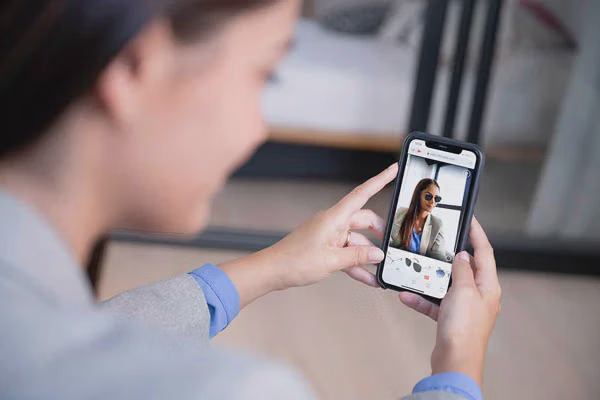
A strong choice for cosmetics, eyewear, jewelry, hair color, and other products that customers wear. Offers face tracking and real-time virtual try-on features, with options for web and mobile integration.
Platforms: iOS, Android, web, Unity, and cross-platform integrations
Best for: A beauty or accessories store that wants customers to preview products on themselves.
Apple's native AR framework provides motion tracking, scene understanding, depth features on supported devices, and real-world object placement. It's useful for custom product viewers and room previews.
Platforms: iPhone and iPad
Best for: A premium iOS shopping experience, especially furniture, home décor, and products that need to be viewed at scale.
A development framework for building shared AR functionality across iOS and Android using platform-specific providers such as ARKit and ARCore. It gives developers flexibility to create custom interfaces, product configurators, and interactive 3D experiences.
Platforms: iOS and Android, with Unity's broader development ecosystem
Best for: A shopping app that needs a custom AR experience on both major mobile platforms.
Offers tools for web-based AR experiences that customers can access through a browser rather than installing a separate app. This can be useful for QR-linked product demonstrations, interactive packaging, and marketing campaigns.
Platforms: mobile browsers and web-based experiences
Best for: An online store that wants to minimize friction and let shoppers launch AR directly from a product page or QR code.
These are broad cost models, not verified quotes. Total cost also depends on 3D model creation, integration, usage volume, and support requirements.
Which one should you choose?
For clothing, makeup, or eyewear
Start with Banuba. Evaluate its try-on accuracy and whether it supports the specific product category you sell.
For furniture, décor, or home goods
Start with ARKit and ARCore, or Unity AR Foundation if you want a shared cross-platform codebase. You'll also need optimized 3D product models.
For an existing online store where customers shouldn't install an app
Evaluate Zappar for browser-based AR, or native product-viewing capabilities already supported by your commerce platform.
One important consideration: don't select an SDK just because its demo looks impressive. Test it with your actual product catalog, target phones, camera conditions, and checkout flow. Also, verify current licensing and support before committing to a vendor; the AR platform landscape has changed significantly in 2026.
Let’s narrow it down for your app
What type of products will your online shopping app sell?