Accessible virtual event systems with reliable capacity
Data as of Oct 25, 2026 Reviewed by Dimitry Apollonsky
Which brands AI mentions
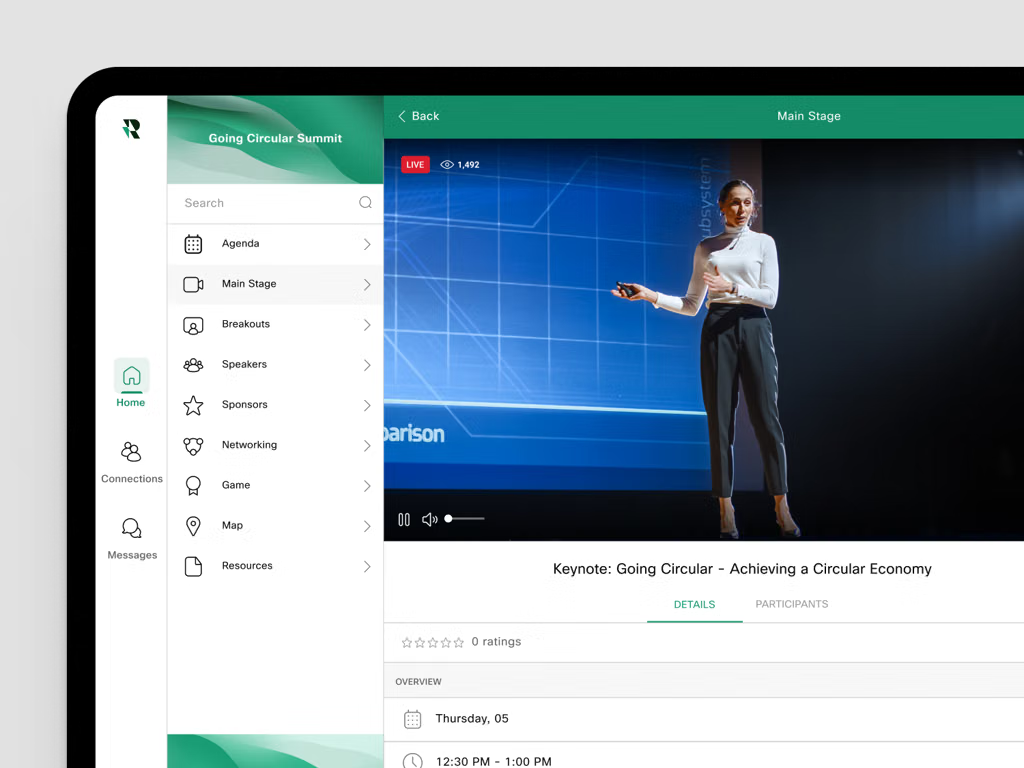




Mentioned in · Jul 22 – Oct 25, 2026
ChatGPT SearchChatGPT SearchGoogle AI ModeGoogle AI Mode


Widest split: Webex Events, 55% on ChatGPT Search and 29% on Google AI Mode.
- =1Webex EventsChatGPT Search 55%Google AI Mode 29%
- =1Zoom EventsChatGPT Search 25%Google AI Mode 43%
- =1Microsoft TeamsChatGPT Search 45%Google AI Mode 19%
- =1CventChatGPT Search 20%Google AI Mode 33%
- =5ZoomChatGPT Search 20%Google AI Mode 29%
Questions and answers
Google AI ModeOct 25, 2026
Enterprise-grade virtual and hybrid event platformspublish their tested capacity limits, reliability SLAs, language support, and accessibility metrics through formal documentation, compliance audits, and Accessibility Conformance Reports (VPATs / WCAG guidelines).Major systems that explicitly document and test these pillars for live sessions include:
- Cvent Virtual and Hybrid Events : Provides structured capacity limits, enterprise-grade uptime reliability, and documented support for live streaming integrations, multilingual captioning, and accessibility compliance.
- Zoom Events & Webinars : Publishes explicit concurrent attendee capacities (scaling up to tens of thousands with large meeting/webinar add-ons), robust network reliability metrics via Zoom Mesh (eCDN), native real-time automated live transcription/closed captioning, and VPAT documentation addressing WCAG standards.
- Airmeet : Offers scalable tier-based capacities, high-reliability stream infrastructure, and integrated accessibility/captioning capabilities geared toward interactive virtual and hybrid conferences.
- vFairs : Publishes robust concurrency limits, dedicated project management for high-reliability delivery, and built-in accessibility widgets (including screen reader compatibility, adjustable contrast, and live caption integration).
- Bizzabo : Focuses on enterprise event experiences, providing reliable streaming architecture, robust event data reliability, and extensive integrations for professional live captioning and translation services.
When evaluating these systems for high-stakes sessions, organizers typically request a completed Accessibility Conformance Report (ACR based on VPAT / WCAG 2.2) alongside a stress-test SLA confirmation for live bandwidth and redundancy.
If you'd like, let me know:
- Your expected attendee scale (e.g., 500 vs. 50,000 concurrent users)
- Whether you require multilingual live translation or standard single-language captions
- If you need native CART (Communication Access Realtime Translation) integration
I can help you pinpoint which specific platform matches your technical requirements.
Sources cited in this answer2
ChatGPT SearchOct 25, 2026
The strongest candidates are platforms that publish concrete specifications for attendee capacity, live-session reliability, caption languages, and accessibility rather than simply claiming to be accessible.
One important distinction: published maximum capacity is not the same as independently tested capacity, and offering live captions is not proof that captions are accurate or that the whole event experience is accessible.
Platforms worth evaluating
1. Microsoft Teams Town Hall
(Strong for large events)
- Capacity: Configurations can scale to 100,000 attendees with the appropriate capacity licensing.
- Languages: Live translated captions in six preset languages, or ten with Teams Premium.
- Reliability evidence: Microsoft publishes planning guidance and attendee reporting features; these are not equivalent to independent load-test results.
- Accessibility: Live captions, translated captions and structured attendee access.
Sources:
Documentation: Capacity and event planning ·
2. Vimeo
(Strong for multilingual broadcasts)
- Capacity: Publishes live-viewer analytics and enterprise streaming capabilities; request a tested concurrent-viewer limit for your configuration.
- Languages: Translated live captions in 99 languages, with up to ten selectable target languages simultaneously.
- Reliability evidence: Enterprise plans offer backup streams and automatic failover.
- Accessibility: In-player captions, language selection and translated captions for recordings.
Important limitation: translated captions are incompatible with Vimeo's low-latency streaming mode.
Sources:
Documentation: Live caption translations ·
3. Webex Events
(Strong for conference accessibility)
- Capacity: Confirm the supported concurrent audience for your event format and configuration.
- Languages: Built-in live captions and translations in more than 30 languages, with spoken-English source limitations.
- Reliability evidence: Cisco publishes live-stream setup and troubleshooting guidance; independent capacity testing was not established in the sources reviewed.
- Accessibility: Caption support in both the web experience and mobile app, plus third-party human captioning and interpretation integrations.
Sources:
Documentation: Closed captions and translations ·
4. Livestorm
(Strong for webinars)
- Capacity: Check the applicable plan's attendee limit and obtain evidence of concurrent-load testing.
- Languages: Live translated captions in 30 languages.
- Reliability evidence: Documentation identifies caption latency and network conditions as factors affecting performance, but the sources reviewed did not establish an independently verified capacity benchmark.
- Accessibility: Attendees can enable captions and select their preferred translation language during the session.
Sources:
Documentation: Live translations ·
Which publishes actual tested-capacity evidence?
If tested reliability is a procurement requirement, two additional options are worth investigating. These are specialist accessibility systems rather than complete virtual-event platforms.
SCAPTION
Its official site reports testing with 5,000 phones connected simultaneously without losing a caption line, with a target of about 1,000 attendees per room at its promised latency. These are vendor-reported results, not independent certification.
Capacity and technical details
SyncWords
Publishes support for 163 subtitle languages and 10,000+ simultaneous attendees. It delivers captions through a separate attendee page or QR code, reducing dependence on integration with the event streaming platform. Ask for the test methodology and reliability metrics behind its scale claims.
What to require from vendors
A credible evaluation should request the following evidence in writing.
Requirement Evidence to request Capacity Maximum concurrent attendees demonstrated in a test, not just registered users Reliability Uptime history, stream failure rate, recovery time and documented failover tests Caption quality Word error rate or accuracy results, latency percentiles and performance with technical terminology Language access Exact source and target languages, simultaneous language limits and mobile support Accessibility WCAG conformance report or VPAT, keyboard-only access, screen-reader support, caption controls and interpreter compatibility Operational support Live-event monitoring, escalation contacts, support response commitments and rehearsal options My recommendation: Start with Microsoft Teams Town Hall for large enterprise broadcasts, Vimeo for multilingual streaming, and Webex Events for conference-oriented accessibility. If verifiable live-session testing is the deciding factor, evaluate SCAPTION or SyncWords alongside the main platform rather than assuming the event platform's own caption features meet every requirement.
I did not find enough evidence in the reviewed sources to certify any of the four main platforms as independently tested across all four requested dimensions. Ask finalists for test reports covering your expected peak attendance and actual caption-language mix.
Sources cited in this answer20
- support.microsoft.comGet started with town hall in Microsoft Teams | Microsoft Support
- learn.microsoft.comPlan for Teams events - Microsoft Teams | Microsoft Learn
- support.microsoft.comUse live captions in Microsoft Teams meetings | Microsoft Support
- learn.microsoft.comPlan for Teams events - Microsoft Teams | Microsoft Learn
- support.microsoft.comAttend a town hall in Microsoft Teams | Microsoft Support
- help.vimeo.comAbout live caption translations for live events – Vimeo Help Center
Google AI ModeOct 16, 2026
When scaling virtual events with a strict requirement for high concurrency load performance and accessibility-grade live captioning,
enterprise solutionsgenerally fall into two categories: all-in-one virtual event platforms with built-in accessibility compliance, or broadcast-grade streaming setups integrated with professional CART (Communication Access Realtime Translation) or AI captioning APIs.Top enterprise-tested platforms matching these criteria include:
- Webex Events (formerly Socio) : Highly rated for enterprise scalability (supporting massive multi-track conferences up to 100,000 attendees). It features comprehensive built-in accessibility support including full keyboard navigation, screen reader compatibility (ARIA standards), adjustable font sizes and high-contrast display options, alongside native closed captioning and automated multi-language translation.
- ON24 Virtual Events : Built specifically for large-scale corporate digital experiences and marketing/global summits without strict attendee caps. ON24 focuses heavily on compliance with WCAG 2.1 Level AA, offering robust screen-reader support, keyboard navigation, and embedded same-screen live captioning designed not to lag under heavy enterprise loads.
- Zoom Events / Zoom Webinars : Backed by massive verified load performance under extreme concurrent volume (routinely hosting tens of thousands of simultaneous users). For live captioning, Zoom supports automated AI captions, assigned manual typists, and direct API/third-party integrations for professional human CART vendors to feed high-accuracy real-time text straight into the stream.
- InEvent : Frequently utilized for enterprise and agency-led hybrid summits. It prioritizes end-to-end customization and explicit accessibility tooling, supporting closed captioning workflows and integrated sign-language interpretation panels alongside heavy concurrent streaming stability.
To help narrow down the optimal choice, could you share:
- Your expected peak concurrent attendee load?
- Whether you require human CART captioning or if AI-generated live captions suffice?
- Any preference for browser-only access vs. downloadable apps for attendees?
ChatGPT SearchOct 16, 2026
For your requirements, I’d evaluate virtual event platforms against two separate standards: demonstrated performance under realistic peak load and accessible live captioning that works for attendees in practice.
One important distinction: a vendor claiming that its platform scales to thousands of attendees is not the same as having independently verifiable load-test results. Likewise, automatic captions are not necessarily accurate enough for accessibility-critical events. The strongest candidates will provide evidence for both.
Initial shortlist
1. WorkCast
(Strongest load-test lead)
Why it stands out: A published case study by Leighton describes load testing for WorkCast's cloud-native event auditorium, reporting support for 250,000 concurrent users over a five-minute window without performance degradation. WorkCast also advertises live AI captioning for interactive and streamed events.
- Performance evidence: Specific concurrent-user figure and load-testing description, although published by an implementation partner rather than an independent testing lab.
- Live captions: Built-in AI captions for live and interactive webinars, with on-demand caption support.
- Accessibility gap to verify: Obtain its current accessibility conformance report and test keyboard and screen-reader access to the caption controls.
Sources: Load-testing case study ·
2. Zoom Events
Why it stands out: A good candidate for large audience webinars, with published capacity information and built-in captioning options.
- Scale: Zoom documents webinar capacity of up to 50,000 attendees under its Pay-Per-Attendee plan, with higher capacities available by arrangement. This is a product limit, not proof of a successful load test.
- Live captions: Automated captions are available for meetings and webinars; translated captions can be used for eligible Zoom Events livestreams.
- Accessibility caveat: Zoom warns that automated caption accuracy varies with audio quality, accents, and terminology, and recommends manual captioning when a specific accuracy level is required.
Sources: Capacity and licensing ·
3. Cvent Attendee Hub
Why it stands out: Particularly worth evaluating when documented accessibility and a comprehensive event experience matter as much as webinar delivery.
- Accessibility evidence: Cvent publishes accessibility documentation and independently audited VPATs for attendee-facing products. Its stated target is WCAG 2.2 AA, with some areas still undergoing remediation.
- Live captions: Available for collaborative webinar presentations, but Cvent states that live captions are not available for live broadcast presentations in its Webinar product. A separate Verbit integration offers live captions and translation for Cvent events.
- Performance gap to verify: I did not find comparable evidence in the sources reviewed of an independently verified concurrent-user load test for Attendee Hub.
Sources: Accessibility features ·
4. Webex Events
Why it stands out: A strong candidate when live captions, multilingual participation, and human captioning options are important.
- Live captions: Built-in machine-generated captions and translations in more than 30 languages for supported streaming formats, including the Webex Events Production Studio and RTMP player.
- Human captioning: Webex documents integration with providers including SyncWords for captioning and translation, plus other human captioning providers.
- Accessibility: Webex supports keyboard navigation, screen readers, real-time captions, and interpreter layouts.
- Performance gap to verify: Request a load-test report specific to the event configuration and the number of simultaneous viewers you expect.
Sources: Built-in captions and translations ·
How I would evaluate them
The following is a recommended procurement framework, not a claim that any vendor has passed these tests.
Requirement Evidence to request Verified performance Independent test report or reproducible load-test results showing concurrent viewers, duration, latency, error rate, and test conditions Live caption quality Word error rate or equivalent accuracy results for your speakers, accents, terminology, and audio conditions Caption reliability Caption delay, uptime, recovery after stream interruptions, and fallback to human CART captioning Accessibility conformance Current VPAT/ACR for the exact attendee-facing products; WCAG 2.2 AA assessment and known exceptions Usable captions Keyboard-only operation, screen-reader announcements, adjustable text size and contrast, and captions on mobile Operational readiness Peak-load rehearsal, support escalation, backup stream, and a documented incident response plan My recommendation
Start with WorkCast if unusually strong load-test evidence is your main differentiator, and Zoom Events if you want a mainstream platform with documented high-attendance capacity. Evaluate Cvent and Webex Events closely when broader event accessibility and captioning options are central to the decision.
For any event where live captions are an essential accommodation, I would require a demonstration with a human-captioning fallback rather than rely on automated captioning alone.
Two questions to narrow the shortlist
1. What is your expected peak simultaneous audience?
Under 1,000
1,000–10,000
10,000–50,000
Over 50,000
2. What kind of live event will you host?
Broadcast or keynote with mostly passive viewers
Interactive sessions with audience participation and breakouts
Multi-track conference with networking and an event lobby
Captioning requirement
Automated captions acceptable
Human CART captioning required
Automated captions with human fallback
Multilingual captions and translation
Accessibility standard
WCAG 2.2 AA
WCAG 2.1 AA
Section 508 and VPAT documentation
All of the above
[Refine shortlist]
Sources cited in this answer23
- leighton.comScaling digital events by 900% with cloud-native technology | Case Studies
- info.workcast.comWebinar and Webcasting Engagement Tools
- insite.workcast.comLive and on-demand captions
- info.workcast.comWorkCast Pricing | Webinar Pricing & Packages
- leighton.comScaling digital events by 900% with cloud-native technology | Case Studies
- info.workcast.comWebinar and Webcasting Engagement Tools













Also asked as
- We are looking for a virtual event system with verified capacity stability and full accessibility support, specifically for live captioning.

