ZeroBounce holds a clear lead, frequently recommended for real-time validation APIs and in-depth list hygiene. When marketers need dedicated inbox placement diagnostics, GlockApps is the usual answer instead.
Since July, MailMonitorrising has become the go-to provider for repairing domain reputation and resolving spam folder issues. Meanwhile, SanitizeEmailfalling dropped out of recommendations for disposable email detection, and Omnisendrising gained visibility for promotional DTC email hygiene.
Latest insights
Week of Sep 21–27 · Since Jul 5
ZeroBounce Gap between platforms: Google AI Mode now mentions ZeroBounce 11.2 points more often than ChatGPT Search in Email Deliverability & Validation Tools, a narrowed gap
Gmail Postmaster Tools Slipping: Gmail Postmaster Tools ranked #12 in Email Deliverability & Validation Tools last week and #17 this week
Gmail Postmaster Tools Gap between platforms: Gmail Postmaster Tools's platform gap in Email Deliverability & Validation Tools narrowed: ChatGPT Search 20.7%, Google AI Mode 13.8%
Kickbox Gap between platforms: ChatGPT Search now names Kickbox 37.9 points more often than Google AI Mode in Email Deliverability & Validation Tools, a widened gap
Klaviyo Gap between platforms: The platform gap for Klaviyo in Email Deliverability & Validation Tools narrowed to 10.7 points, ChatGPT Search ahead
How to get your emails into the Primary Inbox instead of Spam
If you're sending emails for a business, newsletter, sales outreach, or a personal domain, the most effective approach is to combine email authentication, deliverability monitoring, and good sending practices.
One important distinction: you can improve the likelihood that emails reach the inbox, but you generally cannot force Gmail or Outlook to place every message in the Primary tab. Gmail's tabs are separate from its spam filtering, and placement depends partly on each recipient's preferences and engagement.
1. The most useful tools to set up
Google Postmaster Tools
(Start here)
Monitors your sending domain's reputation, spam complaints, authentication, and delivery errors for Gmail recipients. Particularly useful if you send email from your own domain.
Ensuring your emails land in the primary inbox (and avoid the spam folder or promotional tabs) requires a combination of technical domain configurations, specialized testing tools, and clean sending habits.
Checks DNS and mail configuration, including SPF, DKIM, DMARC, MX records, and certain blocklist issues. Useful for finding setup mistakes before you investigate more complex problems.
These tools solve different problems: Postmaster Tools and SNDS monitor sender reputation, while MXToolbox and Mail-Tester help diagnose configuration and message-level issues.
2. Configurations that matter most
If you're sending from your own domain, these are the technical settings I'd prioritize. Google's official guidance explains that authentication helps reduce the chance of messages being rejected or classified as spam.
SPF — authorize your sending services
Publish an SPF DNS record listing the services authorized to send email for your domain. Make sure every legitimate sender is included, and avoid publishing multiple SPF records for the same domain.
DKIM — sign outgoing messages
Enable DKIM with your email provider. Ideally, the signing domain should align with your visible From domain. This helps receiving servers verify message authenticity.
DMARC — align and monitor authentication
Publish a DMARC DNS record and monitor reports. Start with a monitoring policy such as p=none if appropriate, then move toward stricter enforcement after verifying all legitimate senders. Bulk senders to Gmail need SPF, DKIM, and DMARC.
DNS, TLS, and sending infrastructure
If you operate your own mail server, verify forward and reverse DNS (PTR), use TLS, and check that your sending IP and hostname are configured correctly.
3. Sending practices that help reach the Primary Inbox
Authentication alone won't guarantee inbox placement. Your domain reputation and recipient behavior also matter.
Send to people who expect your emails. Use confirmed opt-ins for newsletters and remove invalid or inactive addresses.
Ramp up volume gradually. If you're using a new domain or IP, increase sending volume cautiously and consistently rather than launching a large campaign immediately.
Keep complaint rates low. Google recommends staying below a reported spam rate of 0.10% and avoiding 0.30% or higher.
Make unsubscribing easy. Bulk marketing and subscribed messages to Gmail must support one-click unsubscribe and include a visible unsubscribe link.
Use consistent sender identities. Keep the From address consistent for each message category, such as receipts, newsletters, or account notifications.
Avoid misleading subjects and deceptive links. Make the message relevant to the people receiving it.
Monitor bounces and complaints. Pause or investigate a campaign when negative signals increase rather than continuing to send at the same volume.
No tool or configuration can guarantee placement in Gmail's Primary tab. The goal is to establish strong sender trust and make messages wanted by their recipients.
4. A practical setup checklist
Deliverability checklist
of complete
5. Let me narrow this down to your situation
The best tools and configuration depend on whether you're sending personal emails, business correspondence, or bulk campaigns.
Which email service do you use to send?
Google Workspace / Gmail
Microsoft 365 / Outlook
Mailchimp, HubSpot, Brevo, or another marketing platform
My own SMTP server or an email API
Other
What type of emails are you sending?
Personal emails
One-to-one business emails
Marketing newsletters or campaigns
Cold sales outreach
Receipts, alerts, or password resets
What's happening?
Emails are going to spam
Emails land in Gmail Promotions instead of Primary
Keeping emails out of the spam folder requires a mix of technical authentication, strict list hygiene, and smart content habits . Here is how an email marketing specialist can safeguard their inbox placement:
Authentication Setups : Implement core email authentication protocols—SPF (Sender Policy Framework), DKIM (DomainKeys Identified Mail), and DMARC (Domain-based Message Authentication, Reporting, and Conformance)—so mailbox providers can verify your identity.
List Hygiene : Regularly clean your email list by removing hard bounces, unengaged subscribers, and role-based accounts to protect your sender reputation.
Consent and Opt-In : Use permission-based marketing (ideally double opt-in) and never buy, rent, or scrape email lists, which instantly triggers spam filters.
Clear Unsubscribe Links : Make the unsubscribe option prominent and easy to find; making it hard to leave forces recipients to hit the "Mark as Spam" button instead.
Content and Formatting : Avoid spam-trigger words (like "free," "guarantee," or excessive capitalization/exclamation marks), maintain a clean HTML-to-text ratio , and always include a text version alongside your HTML email.
Engagement Monitoring : Track metrics like open rates, click rates, and complaint rates closely, pausing campaigns or re-engaging segments when engagement drops.
Domain Warmup : If you are using a new domain or IP address, slowly ramp up your sending volume using an IP/domain warmup strategy to build trust with ISPs.
Would you like me to dive deeper into setting up DMARC records or share a list of best practices for list cleaning?
An email marketing specialist can reduce spam-folder placement by focusing on sender reputation, authentication, list quality, engagement, and message quality. No single tactic guarantees inbox placement because mailbox providers use many signals together, but these practices greatly improve deliverability.
1. Set up email authentication correctly
Configure:
SPF (Sender Policy Framework): tells receiving servers which systems are authorized to send email for your domain.
DKIM (DomainKeys Identified Mail): adds a cryptographic signature that helps prove the message was sent by an authorized sender and was not altered.
DMARC (Domain-based Message Authentication, Reporting & Conformance): ties SPF/DKIM results to your visible “From” address and provides reporting.
For high-volume senders, major inbox providers such as Gmail require stronger authentication practices, including SPF/DKIM and DMARC requirements for larger senders.
Yes. Several established email-verification providers expose a real-time API specifically suitable for signup-time checks, including disposable-email detection.
Service
Disposable detection
Real-time API
Other useful checks
Signup use
ZeroBounce
Yes
Yes
SMTP, MX, spam traps, abuse, catch-all, role accounts
Treat catch-all, unknown, or temporary API failures separately rather than automatically rejecting them.
Only create the account after your normal email-verification step as well.
For example, Abstract API returns an explicit is_disposable_email field, while ZeroBounce returns a disposable classification along with other risk signals.
If disposable-email blocking is the only thing you need, a specialized disposable-domain API can be considerably cheaper and faster than paying for full SMTP mailbox verification. If you also want to catch typos, nonexistent mailboxes, spam traps, and risky addresses, one of the full verification APIs above makes more sense.
If you tell me your approximate signup volume (e.g. 1K, 10K, or 1M/month) and stack (Node, Python, PHP, etc.), I can compare the APIs on price, latency, disposable detection, and implementation.
ZeroBounce API offers a real-time validation endpoint that flags disposable addresses, abuse-prone domains, and spam traps. It returns specific sub-status codes indicating whether an address is temporary so you can block it during form submission.[](]()]()
I need an API to validate email syntax in real-time for our lead generation forms. Can you suggest some options?
Yes. Several vendors offer APIs specifically for validating emails as someone fills out a lead-gen form:
emaillistverify.com — explicitly supports real-time form validation, with sub-second responses. It checks syntax/typos, disposable addresses, role accounts, catch-alls, and MX records.
abstractapi.com — real-time REST API checking format, MX, SMTP, disposable addresses, and catch-alls; its site says responses can be under 300 ms.
zerobounce.net — real-time validation for signup/web forms, including bad syntax, typos, disposable addresses, spam traps, and deliverability. Their documented typical response is 1–5 seconds for most domains.
MillionVerifier API supports real-time single-email checking via its API to weed out temporary and invalid addresses at the point of entry on web forms.[](https://snov.io/blog/email-verification-services/)
Kickbox API provides a lightweight real-time verification layer that returns a disposable boolean attribute along with a confidence score for every sign-up request.[](https://www.mailgenius.com/best-email-verification-api/)
If you'd like, let me know:
Your expected monthly signup volume
Your preferred programming language or framework (e.g., Node.js, Python, PHP)
I can help you compare their pricing structures or show you a sample API request implementation.
Offers a single-email API as well as bulk validation.
What I'd choose
For a lead-generation form where the user expects immediate feedback, I'd shortlist:
Abstract API — best if latency is a major UX concern. Its API combines format, MX, SMTP, disposable, and catch-all checks, and advertises sub-300ms real-time responses.
ZeroBounce — best if lead quality and downstream email deliverability matter more than shaving every millisecond off validation. It can distinguish results such as valid, invalid, catch-all, spamtrap, abuse, and do-not-mail, and can provide typo suggestions.
Kickbox — a good simpler alternative if you mainly need a deliverable/not-deliverable decision.
One architectural recommendation: don't call the verification API on every keystroke. Do cheap client-side syntax validation first, then call the API after the user finishes the email (e.g. on blur or with a short debounce), and ideally make the verification call from your backend so the API key isn't exposed.
Also, distinguish "syntactically valid" from "deliverable." A regex can tell you whether [email protected] has plausible syntax; MX/SMTP verification is what makes an external API valuable for lead generation.
If you tell me roughly how many leads/month you expect (e.g. 1,000, 10,000, 100,000), I can compare the current pricing and recommend the cheapest/best fit.
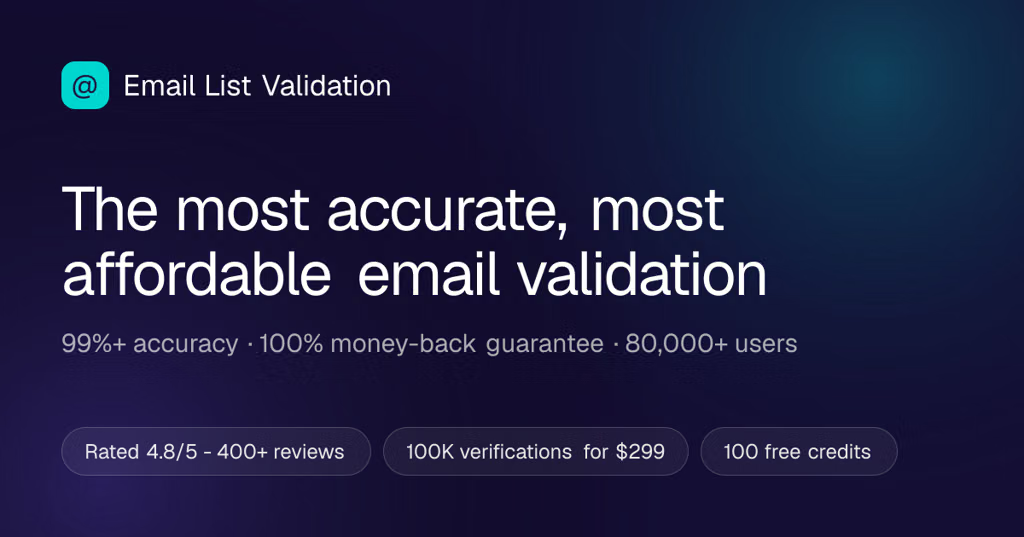
emaillistvalidation.com — offers a real-time API intended for signup/lead forms, including typo suggestions and deliverability checks.
For a lead-gen form
If you only need syntax validation, you don't necessarily need a paid verification service—you can validate the basic email format in the browser instantly, then use an API when you want deeper checks such as MX/DNS, disposable domains, SMTP deliverability, or typo correction.
For an API-based implementation, I'd look particularly closely at EmailListVerify vs. Abstract because both explicitly target real-time form validation and emphasize fast responses.
If you tell me what your form is built with (HubSpot, Webflow, WordPress, custom React/JS, etc.) and roughly how many leads/month, I can narrow it down to the most suitable API and show the integration.



























































































![How Do I Get Off The Gmail Blacklist [Step By Step]](https://images.openai.com/static-rsc-4/jhbL20y8CXMyyd7gHtNTHVK-gP6eI2jDlb7p_9xPbH45439KIf-adQED0U3XzizvOFDxn1YWTpSSnbZheZRfsKmf3lPRYLKe137kspwhjP6U6e9QLEpjCR0kNuW_zjksMq9NJb-xc9nf_CPZX23xM2CQ9HYypfSmGwah4e1innlt18bCNiMMUowWkyzHvUud?purpose=fullsize)