Business intelligence dashboards
Data as of Oct 21, 2026A topic in Dashboard Charting Libraries. Reviewed by Dimitry Apollonsky
AI summary
D3.js holds a clear lead for building interactive visual interfaces that display business metrics.

Which brands AI mentions
recommended for creating advanced, custom visual displays of business metrics

frequently suggested for interactive business intelligence charts and data monitoring

commonly cited for interactive charting within business monitoring interfaces

recommended for analytical data visualizations in dashboard environments
cited for interactive web charts and advanced dashboard visualizations
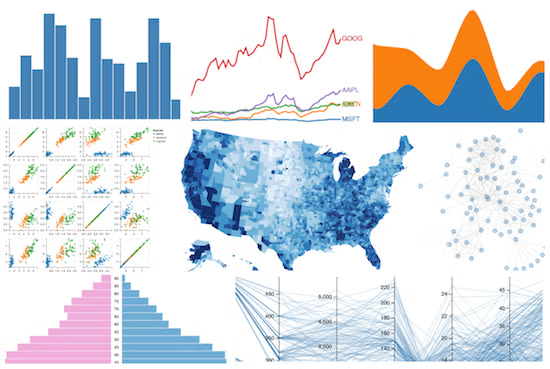


Mentioned in · Jul 6 – Oct 21, 2026
- D3.jsChatGPT Search100%Google AI Mode93%
- Apache EChartsChatGPT Search96%Google AI Mode78%
- HighchartsChatGPT Search52%Google AI Mode52%
- PlotlyChatGPT Search48%Google AI Mode52%
- Plotly.jsChatGPT Search48%Google AI Mode41%
- Vega-LiteChatGPT Search63%Google AI Mode26%


Questions and answers
- I need to build a dashboard for tracking business metrics and data analysis. Which charting libraries are recommended for creating these interactive visual interfaces?
Google AI ModeOct 20, 2026
Chart.js, Recharts, Plotly, and Apache ECharts are the top-recommended JavaScript charting libraries for building interactive business dashboards and data-analysis interfaces.
Choosing the right library depends heavily on your tech stack (React, Vue, vanilla JS, or Python), performance needs, and how much customization or drill-down interactivity you require.
Top Interactive Charting Libraries for Dashboards
Library Best For Primary Tech Stack Key Strength Chart.js Quick setup, clean defaults, and lightweight rendering Vanilla JS, React, Vue, Angular Simple API, great canvas performance, massive community Recharts Declarative components native to React ecosystems React Built on D3 with clean, JSX-friendly declarative tags Plotly.js / Dash Statistical, scientific, and financial data analysis JavaScript, Python, R Out-of-the-box zoom, tooltips, and rich analytics controls Apache ECharts Massive datasets, complex multi-axis, and heavy styling Vanilla JS, React, Vue Extremely high performance with large data volumes Detailed Breakdown of Recommended Libraries
1. Chart.js (with
react-chartjs-2or similar wrappers)- Overview: One of the most popular, lightweight open-source charting libraries using HTML5 Canvas.
- Why it fits dashboards: It renders clean, responsive, animated charts (bar, line, scatter, radar, polar) with minimal configuration.
- Trade-offs: Customizing complex, non-standard tooltip layouts or deep nested interactions can feel restrictive compared to lower-level tools like D3.
- Get started: Explore documentation and examples on the Chart.js Official Website.
2. Recharts
- Overview: A composable charting library built specifically for React applications using SVG under the hood.
- Why it fits dashboards: Because it treats charts as React components (
<LineChart />,<Bar />,<Tooltip />), state management, custom legends, and styling integrate seamlessly into standard React dashboard architectures. - Trade-offs: Can experience performance bottlenecks or lag if you render thousands of active DOM/SVG nodes simultaneously in real-time streaming apps.
- Get started: Review implementation guides on the Recharts Library Site.
3. Apache ECharts
- Overview: A powerful, interactive charting and visualization library incubated by the Apache Software Foundation.
- Why it fits dashboards: It handles massive datasets smoothly, supports rich multi-dimensional visual fields, data zooming, brush selection, and geographic maps natively.
- Trade-offs: The configuration objects (
option) can become verbose and steep to learn for simple use cases. - Get started: Inspect configurations via Apache ECharts.
4. Plotly.js / Dash (Python/JS)
- Overview: Built on top of D3.js and WebGL, designed heavily for exploratory data analysis, finance, and science.
- Why it fits dashboards: It features interactive controls (pan, zoom, hover data readouts, slider filters) built directly into the chart header without extra code. If you prefer building full-stack data apps in Python, Dash by Plotly lets you write interactive dashboards without writing JavaScript.
- Trade-offs: Bundle sizes are larger, and default styling looks more academic/technical out-of-the-box compared to modern consumer-grade SaaS dashboards.
- Get started: Check out interactive demos on Plotly JavaScript Open Source Graphing Library.
Alternative: Low-Code / No-Code Dashboard Builders
If you prefer not to code a custom frontend from scratch, community discussions on Reddit highlight tools like Retool, Appsmith , or Tableau/Power BI if you need to plug directly into SQL databases, Google Sheets, or APIs with drag-and-drop KPI cards and pre-built filters.
Tips for Building Business Dashboards
- Limit chart types: Stick to clear, scannable formats like clean line charts for trends, bar/column charts for comparisons, and KPI cards for single-value metrics.
- Downsample large datasets: Pass pre-aggregated or windowed data (e.g., daily/hourly rollups) to your frontend library rather than raw tick-by-tick logs to prevent browser freezing.
- Prioritize responsive containers: Ensure your charting wrapper dynamically resizes when sidebar navigation collapses or window viewports shift.
If you can share:
- Your frontend framework (React, Vue, Angular, Vanilla JS, Python/Dash)?
- What kind of data you are tracking (real-time financial tickers, daily sales metrics, user analytics)?
I can narrow down the best library and share a starter code pattern.
ChatGPT SearchOct 20, 2026
For a business metrics and data analytics dashboard, I'd shortlist Apache ECharts, Chart.js, Recharts, Plotly.js, and D3.js. They cover the main needs, from quickly building KPI charts to creating sophisticated, interactive analytics interfaces. The best choice depends on your frontend framework, dataset size, and how much customization you need.
Recommended charting libraries
1. Apache ECharts
(Best overall for feature-rich dashboards)
A strong option for operational dashboards, sales analytics, real-time monitoring, heatmaps, and complex data visualizations. Offers many chart types, zooming, filtering controls, and Canvas/SVG rendering.
License: Apache 2.0 · Best for: feature-rich dashboards and larger datasets
2. Chart.js
(Best for quick implementation)
Ideal for standard business KPIs, revenue trends, monthly expenses, conversion rates, and budget tracking. It has a straightforward API, responsive charts, and a plugin ecosystem. It uses Canvas rendering.
License: MIT · Best for: lightweight dashboards and conventional charts
Official website and documentation
3. Recharts
(Best for React applications)
A React-oriented library with composable chart components, making it convenient to build dashboard cards that share the same design system. Great for line, bar, area, and pie charts.
License: MIT · Best for: React dashboards with moderate chart complexity
4. Plotly.js
(Best for deeper data analysis)
Well suited to statistical analysis, financial charts, scientific data, 3D plots, and interactive exploration. Built-in hover details, zooming, panning, and selection are useful for analytical workflows.
License: MIT · Best for: analytical and data-science-heavy dashboards
Official website and documentation
5. D3.js
(Best for bespoke visualizations)
Provides fine-grained control over visual elements, data transformations, animations, and interactions. Excellent when standard chart components cannot meet your requirements, but it typically takes more development effort.
License: ISC · Best for: custom visualizations and specialized analytics
Quick comparison
Library Learning curve Interactivity Ideal dashboard Apache ECharts Moderate Excellent Enterprise and operational analytics Chart.js Easy Good, with plugins KPI and sales dashboards Recharts Easy–moderate Good React-based business apps Plotly.js Moderate Excellent Statistical and financial analysis D3.js Steep Highly customizable Unique, custom-built visualizations These are qualitative assessments, not benchmark results. Performance depends on the dataset, chart complexity, rendering configuration, and browser.
What I'd choose for your dashboard
For a general business metrics dashboard
Start with Apache ECharts if you want rich interactions, multiple chart types, and room to scale.
If you're building with React
Start with Recharts for a component-first approach, or ECharts if the charts require more advanced built-in interactions.
If you need serious analytical exploration
Choose Plotly.js for statistical, financial, and scientific visualizations.
A typical business dashboard should combine:
- KPI cards: revenue, profit margin, customer acquisition cost, conversion rate.
- Line charts: revenue and growth trends over time.
- Bar charts: performance by product, region, or department.
- Funnel charts: conversion across sales or marketing stages.
- Heatmaps: performance by time, segment, or location.
- Interactive filters: date ranges, regions, products, and customer segments.
Also consider a table library alongside your charting library if users need to sort, search, and inspect underlying records.
One question to narrow it down
What technology are you planning to use for the dashboard?
1. Frontend technology
React / Next.js
Vue
Angular
Plain JavaScript / HTML
Python / Streamlit / Dash
2. Expected data volume
Small — hundreds of points per chart
Moderate — thousands of points per chart
Large — hundreds of thousands or more
3. Main priority
Easy implementation and maintenance
Beautiful UI and polished chart designs
Performance and real-time updates
A balance of features, flexibility, and performance
[Get a tailored recommendation]
Sources cited in this answer12
- plotly.comInteractive Charts & Graphs for Python & JavaScript | Plotly
- echarts.apache.orgFeatures - Apache ECharts
- blog.openreplay.comBest JavaScript Libraries for Building Dashboards
- tanstack.comCompare Libraries | TanStack Charts Docs
- chartts.comBest JavaScript Chart Libraries in 2026: The Definitive Guide | Chart.ts Blog
- echarts.apache.orgApache ECharts
- What are the best charting libraries for building interactive business intelligence dashboards?
Google AI ModeOct 4, 2026
Choosing the best charting library for interactive business intelligence (BI) dashboards depends on whether you are writing code to embed analytics into a custom web app or looking for out-of-the-box BI software where you connect data and design dashboards without coding.
Phase 1: Developer-Focused JavaScript/React Charting Libraries
Use these if you are building a custom-coded web application or internal tool from scratch.
- Apache ECharts
- Best for: Massive datasets, complex and multi-axis configurations, and enterprise-scale apps.
- Pros: Exceptionally performant (supports canvas/SVG rendering), feature-rich out of the box (contains maps, Gantt charts, financial OHLC, and trees), and completely free under an Apache 2.0 license.
- Cons: Bundle size can get large, and the extensive configuration object model takes some time to master.
- Highcharts
- Best for: Polished, executive-ready corporate and financial dashboards.
- Pros: Beautiful default themes, brilliant built-in accessibility/screen-reader features, and specialized extension modules like Highcharts Stock for time-series data.
- Cons: Requires a paid commercial license for most commercial and corporate applications.
- FusionCharts
- Best for: Rapid development of business, accounting, and financial dashboards.
- Pros: Over 100+ chart types and 2,000+ choropleth maps, deep framework integrations (React, Angular, Vue), and pre-built operational templates.
- Cons: Premium commercial pricing model.
- Chart.js
- Best for: Lightweight, clean, and simple performance trackers.
- Pros: Super easy to learn and integrate, HTML5 canvas-based, responsive by default, and great for clean standard charts (bar, line, pie).
- Cons: Lacks deep low-level interactivity or advanced multi-dimensional drilling required for heavy BI.
- D3.js
- Best for: Custom, bespoke, or non-standard visualizations.
- Pros: Absolute and granular control over every DOM element; if you can imagine a visualization, you can build it in D3.
- Cons: Not a plug-and-play "charting library" per se—you write the math and shapes yourself, which demands a steep learning curve and massive dev time for dashboards.
Phase 2: Complete Business Intelligence (BI) Platforms
Use these if you want to skip code and deploy a fully managed reporting ecosystem with built-in data connectors, user permissions, and drag-and-drop dashboards.
- Microsoft Power BI
- Best for: Enterprises deeply embedded in the Microsoft/Azure ecosystem.
- Pros: Unmatched enterprise data connectors, cost-effective per-user licensing, and robust semantic modeling features with AI-assisted Copilot capabilities.
- Cons: Can feel clunky on non-Windows environments, and sharing reports externally requires careful license management.
- Tableau
- Best for: Advanced visual depth, data exploration, and stunning presentations.
- Pros: The gold standard for data discovery, offering pixel-perfect custom visual styling and high-performance data extraction APIs.
- Cons: Expensive enterprise pricing and a steeper learning curve for non-analysts.
- Qlik Cloud Analytics
- Best for: Associative, unconstrained data exploration.
- Pros: Unique "Associative Engine" lets users click any data point to instantly see how all global variables correlate across charts.
- Cons: High cost and requires distinct technical training to fully leverage its proprietary engine.
To help narrow down the ideal option, tell me:
- Are you building a custom web application (using React, Vue, etc.) or looking for a stand-alone BI platform?
- What kind of data volume and scale are you dealing with?
Sources cited in this answer4
- blog.logrocket.comComparing the most popular JavaScript charting libraries - LogRocket Blog
- julius.aiTop 24 BI Tools for Data Visualization in 2026: Features & Pricing | Julius AI
- fusioncharts.com10 Best JavaScript Charting Libraries for 2026
- omni.coBest BI Tools for Data Visualization (2026): Governed Charts, Custom Viz, and AI Dashboard Builders - Omni Analytics
ChatGPT SearchOct 4, 2026
For interactive business-intelligence dashboards, I’d shortlist Apache ECharts, AG Charts, Highcharts, Plotly, Vega-Lite, and Recharts. The “best” choice depends heavily on whether you prioritize raw performance, enterprise features, React integration, or declarative analytics.
My ranking
Library Best for Interactivity Large data BI features License Apache ECharts 🏆 Best overall open-source BI ★★★★★ ★★★★★ ★★★★★ Apache 2.0 AG Charts Enterprise React/Angular/Vue apps ★★★★★ ★★★★★ ★★★★★ MIT + paid Enterprise Highcharts Polished enterprise dashboards ★★★★★ ★★★★☆ ★★★★★ Commercial Plotly.js Analytics/scientific BI ★★★★★ ★★★★★ ★★★★★ MIT Vega-Lite Declarative analytical visualization ★★★★★ ★★★★☆ ★★★★☆ BSD Recharts Simple React dashboards ★★★★☆ ★★★☆☆ ★★★☆☆ MIT D3.js Completely custom visualization ★★★★★ ★★★★☆ ★★★★☆ ISC 1. 🏆 Apache ECharts — best overall
Apache ECharts is probably my first choice if you're building a serious BI dashboard and want to avoid commercial licensing.
It provides 20+ chart types, Canvas and SVG rendering, data transforms, filtering, regression, responsive behavior, zooming/panning, and progressive rendering. Its documentation says it can handle datasets in the millions of points and supports streaming data.
Especially good for:
- Executive dashboards
- Sales/revenue analytics
- KPI dashboards
- Heatmaps
- Geographic dashboards
- Large datasets
- Cross-filtering and drill-down interfaces
Why I'd pick it: excellent balance between power, performance, visual polish, and no commercial license requirement.
2. AG Charts — best for modern enterprise applications
AG Charts is particularly compelling if your dashboard also uses AG Grid.
It supports React, Angular, Vue, and plain JavaScript, with 30+ chart types. Its current documentation emphasizes Canvas rendering, large datasets, real-time updates, TypeScript support, and integration with AG Grid.
The community version is MIT-licensed; enterprise functionality adds things such as advanced financial charts, maps, annotations, gauges, zoom, and other interactions.
Best when:
- You have a data-heavy table + chart dashboard
- You're already using AG Grid
- You need React/Angular/Vue support
- Performance matters
- You're building an enterprise application
3. Highcharts — best polished enterprise option
Highcharts has been a major choice for production dashboards for years.
It offers responsive interactive charts, touch support, framework integrations, and an unusually strong accessibility story. Highcharts' accessibility module targets WCAG 2.2 and supports assistive technologies.
The downside is important: commercial/production use requires a commercial license.
Best when:
- You want extremely polished charts out of the box
- Accessibility is important
- You're building a commercial enterprise product
- You want vendor support
- Licensing cost isn't a major concern
4. Plotly.js — best for analytical dashboards
Plotly is particularly strong when the dashboard is closer to data analysis than conventional corporate reporting.
Plotly.js offers 70+ chart/trace types, including statistical, financial, geographic, 3D, Sankey, treemap, sunburst, and parallel-coordinate visualizations. It supports hover, zoom, pan, selection, WebGL, and client-side interactions.
Best when:
- Analysts are your users
- You need statistical visualizations
- You have financial/scientific data
- Python integration matters
- You might eventually use Dash
The main downside for a conventional BI product is that Plotly can feel more like an analytical visualization framework than a purpose-built corporate-dashboard toolkit.
5. Vega-Lite — best declarative approach
Vega-Lite is a very interesting choice if you want visualizations described as JSON specifications rather than imperative JavaScript.
It supports aggregation, filtering, binning, sorting, layered/multi-view charts, and interactive selections. Its selection model supports clicks, multi-selection, drag-to-select ranges, zooming, and binding controls such as dropdowns and sliders.
Best when:
- You want a standardized chart specification
- You generate charts dynamically
- You want AI/backend systems to produce visualization specs
- Analytics and exploratory visualization are important
- You need reproducible chart definitions
It's less immediately convenient than ECharts/Highcharts for highly customized product UI.
6. Recharts — best simple React choice
Recharts is a good option when you're building a React application and don't need an enormous visualization feature set.
It's component-based, composable, customizable, and MIT licensed.
I'd choose it for things like:
- SaaS admin dashboards
- Revenue charts
- Simple KPI cards
- Basic bar/line/area charts
- React prototypes
I wouldn't make it my first choice for a very data-intensive BI platform with millions of points, sophisticated cross-filtering, maps, financial charts, etc.
7. D3.js — best if you need something completely custom
D3.js is different from the others. It's more of a visualization toolkit than a ready-made charting library.
That makes it incredibly powerful, but also considerably more work.
Use D3 when you need:
- Novel visualization types
- Bespoke interactions
- Custom SVG/Canvas rendering
- Complex visualization storytelling
- Fine-grained control over every visual element
For a normal BI dashboard, I'd generally not start with D3 unless the product requires visualizations that existing libraries can't provide.
What I'd actually choose
For a new BI product in 2026:
🥇 ECharts
Choose this if you want open source + excellent performance + lots of built-in BI capabilities.
🥈 AG Charts
Choose this if you're building a React/Angular/Vue enterprise application, particularly alongside AG Grid.
🥉 Highcharts
Choose this if polish, accessibility, support, and enterprise maturity matter more than license cost.
Choose Plotly instead if...
Your users are analysts/data scientists and need statistical, financial, scientific, or highly exploratory charts.
Choose Vega-Lite instead if...
Your architecture benefits from machine-readable/declarative chart specifications.
Choose Recharts instead if...
It's a relatively straightforward React SaaS dashboard and you want minimal complexity.
One important architectural point
For a real BI dashboard, the chart library is only part of the stack. I'd separate:
Data/query layer → aggregation → dashboard state/filtering → charting → table/grid
For example:
PostgreSQL/warehouse → API/SQL engine → dashboard filters → ECharts/AG Charts + AG Grid → export/sharing
That architecture tends to scale much better than putting business logic directly into chart components.
If I were starting a Power BI/Tableau-style web dashboard from scratch, my default stack would be React + TypeScript + ECharts or AG Charts + AG Grid, with server-side aggregation and dashboard-level cross-filter state.
Sources cited in this answer10
- echarts.apache.orgApache ECharts
- vega.github.ioA High-Level Grammar of Interactive Graphics | Vega-Lite
- ag-grid.comJavaScript Charts | AG Charts
- ag-grid.comReact Charts - JavaScript Charting Library | AG Charts
- highcharts.comJavaScript charting library for web apps, dashboards, grids, React and more | Highcharts | Highcharts
- highcharts.comDownload Highcharts | JavaScript charting library and packages | Highcharts
- Apache ECharts
- I'm developing a business intelligence dashboard and need to display data visualizations. What are the best charting libraries for building interactive metrics displays?
ChatGPT SearchOct 21, 2026
For a business intelligence (BI) dashboard, I’d prioritize charting libraries that support interactive filtering, tooltips, drill-downs, responsive layouts, and frequent data updates—not just attractive charts.
My top recommendation is Apache ECharts for a feature-rich, general-purpose BI dashboard, or Recharts if you’re building a React dashboard and want a more component-oriented developer experience. The best fit depends on your data volume, framework, customization needs, and licensing requirements.
Best charting libraries for BI dashboards
1. Apache ECharts
(Best overall for feature-rich dashboards)
A powerful open-source library with extensive chart types, zooming, panning, interactive legends, data filtering, heatmaps, treemaps, and geographic visualizations. Canvas and SVG rendering options make it suitable for a range of dashboard workloads.
- Best for: Complex analytics, operational monitoring, large datasets.
- Trade-off: Its configuration API takes time to master.
- License: Apache 2.0.
- Official website and examples
2. Recharts
(Best for React applications)
A React-oriented library with declarative chart components that fit naturally into component-based interfaces. It is a good starting point for KPI dashboards with consistent styling and reusable chart widgets.
- Best for: SaaS analytics, revenue dashboards, customer metrics.
- Trade-off: Specialized visualizations and complex interactions may require extra work.
- License: MIT.
- Official website
3. Chart.js
(Best for simple, lightweight charts)
A straightforward choice for the common metrics you see in BI dashboards: line, bar, area-style, doughnut, and scatter visualizations. Its responsive defaults and plugin ecosystem make it approachable.
- Best for: MVPs, standard KPI panels, smaller dashboards.
- Trade-off: Advanced analytics and interactions often require plugins or custom code.
- License: MIT.
- Official website
4. Highcharts
(Best for enterprise-ready presentation)
A mature library with polished interactive charts, responsive behavior, and a strong focus on accessibility. A compelling option when consistency and production support matter to a business.
- Best for: Enterprise reporting, financial dashboards, business-critical applications.
- Trade-off: Commercial licensing may be required for proprietary commercial use.
- Official website and licensing
5. Plotly.js
Excellent for analytical exploration, scatter plots, statistical charts, 3D plots, and visualizations where users need to investigate relationships in data.
- Best for: Data science dashboards, forecasting, statistical analysis.
- Trade-off: Can be more than you need for a simple KPI-heavy interface.
- License: MIT for Plotly.js itself; review any related commercial products separately.
- Official website
6. D3.js
The most flexible choice when you need to design custom visual encodings, unusual chart types, or highly specific interactions. D3 provides lower-level visualization building blocks rather than a ready-made dashboard chart kit.
- Best for: Bespoke analytics, network graphs, specialized data exploration.
- Trade-off: More development and maintenance effort.
- License: ISC.
- Official website
Quick comparison
Library Ease of use Interactivity Large datasets Best fit Apache ECharts Medium Excellent Excellent Full-featured BI Recharts Easy–medium Good Workload-dependent React dashboards Chart.js Easy Good Moderate–good Standard KPI charts Highcharts Easy–medium Excellent Good Enterprise reporting Plotly.js Medium Excellent Workload-dependent Statistical analytics D3.js Advanced Fully customizable Depends on implementation Custom visualizations These are qualitative assessments, not results from a single controlled benchmark. Actual performance depends on rendering mode, data points, update frequency, and browser hardware.
What I would build for a BI dashboard
A strong dashboard usually combines several visualization patterns:
Monthly revenue
$284,650
+12.4% vs. previous month
Conversion rate
4.82%
+0.6 percentage points
Revenue over time
genui{"charts_widget_v2":{"content":{"chartType":"line","meta":{"footer":"Illustrative sample data, not actual business results."},"xKey":"month","series":[{"dataKey":"revenue","label":"Revenue","valuePrefix":"$","valueFormat":"compact"}],"data":[{"month":"May","revenue":175000},{"month":"Jun","revenue":192000},{"month":"Jul","revenue":184000},{"month":"Aug","revenue":221000},{"month":"Sep","revenue":248000},{"month":"Oct","revenue":284650}]}}}
Revenue by product category
genui{"charts_widget_v2":{"content":{"chartType":"bar","meta":{"footer":"Illustrative sample data."},"xKey":"category","series":[{"dataKey":"revenue","label":"Revenue","valuePrefix":"$","valueFormat":"compact"}],"yAxisMin":0,"data":[{"category":"Software","revenue":125000},{"category":"Services","revenue":84000},{"category":"Support","revenue":46000},{"category":"Other","revenue":29650}]}}}
Example layout: KPI cards, a time-series trend, and a category breakdown. In a production dashboard, add date filters, hover details, and click-through navigation.
For this type of application, I would start with Apache ECharts if you want rich interactions and varied chart types, or Recharts if your application is built around React components. If you expect millions of records in your backend, aggregate or downsample the data before sending it to the browser; a chart library does not replace a proper analytics data pipeline.
Three questions to narrow down the choice
1. What frontend framework are you using?
React / Next.js
Vue
Angular
Vanilla JavaScript / other
2. How much data will each visualization display?
Hundreds of points
Thousands to hundreds of thousands
Millions of points or frequent live updates
3. What matters most?
Easy implementation and standard charts
Rich interactions and drill-down
Custom visualizations and analytics
Enterprise support and accessibility
Licensing preference
Open-source preferred
Commercial licensing is acceptable
[Find my best fit]
Sources cited in this answer16
Google AI ModeOct 21, 2026
The best charting libraries for interactive business intelligence dashboards are Chart.js for simple, fast HTML5 canvas rendering, Recharts for easy React integration, Plotly for complex statistical and data science charts, and Apache ECharts for handling massive datasets with high performance.
Top Charting Libraries
- Chart.js - Great for lightweight, responsive, and clean canvas-based charts with minimal setup.
- Recharts - Built natively for React using composable SVG components, making customization very intuitive.
- Apache ECharts - Exceptional performance with large data volumes and rich, interactive multi-dimensional components.
- Plotly - Ideal for deep data analytics, scientific metrics, and highly detailed interactive tooltips.
- D3.js - Best when you need complete, custom control over every single pixel and animation, though it has a steep learning curve.
Would you like to know which library fits your specific tech stack (like React, Vue, or vanilla JavaScript) or do you need help choosing based on the type of data you want to display?
- What is the best library or tool for creating advanced, custom data visualizations in our BI dashboards?
ChatGPT SearchOct 17, 2026
For advanced, custom data visualizations in BI dashboards, my top recommendation is Apache ECharts for most production dashboards, and D3.js when you need almost unlimited creative control.
The best choice depends on whether you want a rich set of ready-made interactive charts or a completely bespoke visualization system.
Top tools to consider
1. Apache ECharts
(Best overall for BI dashboards)
An open-source JavaScript library with a large selection of chart types, interactive filtering, zooming, linked visualizations, and Canvas/SVG rendering. It supports complex charts without requiring you to build every visual from scratch.
Best for: Enterprise dashboards, operational analytics, heatmaps, Sankey diagrams, treemaps, geographic visualizations, and larger datasets.
Website:
2. D3.js
(Best for maximum customization)
A low-level visualization toolkit that lets developers build unusual charts, custom layouts, sophisticated transitions, and highly tailored interactions. It offers more freedom than a conventional chart library, but requires more engineering effort.
Best for: Unique executive dashboards, bespoke analytical graphics, complex network diagrams, and differentiated data products.
Website:
3. Plotly
Strong for scientific, statistical, financial, and engineering visualizations, including 3D charts. Its Python ecosystem is particularly useful when your analytics stack already relies on Python.
Best for: Statistical analysis, modeling outputs, scientific dashboards, and Python-driven BI applications.
Website:
4. Vega-Lite
A declarative approach: describe the data, encodings, and chart behavior in a specification rather than manually drawing every element. It's a good fit for repeatable, standardized visualizations and systems that generate charts dynamically.
Best for: Self-service analytics, generated reports, reusable chart templates, and visualization specifications stored as JSON.
Website:
Quick comparison
Tool Customization Ease of development Ideal use Apache ECharts Very high Moderate Complete BI dashboards D3.js Exceptional Difficult Entirely custom visualizations Plotly High Easy–moderate Scientific and statistical analytics Vega-Lite High within its grammar Easy–moderate Reusable, specification-driven charts These are qualitative assessments; the best fit depends on your framework, data volume, and interaction requirements.
My recommendation
- Choose Apache ECharts if you want to build a sophisticated BI dashboard quickly, with many chart types, interactive controls, and strong rendering capabilities.
- Choose D3.js if your differentiator is the visualization itself—custom visual encodings, unusual chart layouts, or interactions that standard chart libraries cannot easily provide.
- Combine them if necessary: use ECharts for most dashboard panels and D3 for a small number of highly specialized visuals. This hybrid approach is practical, though it introduces additional integration and maintenance work.
One important distinction: these are visualization libraries, not full BI platforms. If you are embedding charts into an existing BI product, you should also verify its support for custom visual components, data permissions, filtering, and dashboard interactions.
One question to narrow this down: What technology is your BI dashboard built on?
1. Dashboard technology
React / Next.js
Vue, Angular, or another web framework
Power BI, Tableau, or another existing BI platform
Python, Dash, or Streamlit
Custom web app or not decided
2. Main visualization priority
Highly custom interactive charts
Standard BI charts with advanced filtering
Network graphs, maps, or specialized visuals
AI-generated charts from natural-language questions
3. Typical data volume
Small datasets (under 10,000 points per chart)
Large datasets (10,000–1 million points per chart)
Very large or streaming datasets
Not sure yet
[Get a tailored recommendation]
Google AI ModeOct 17, 2026
When choosing the best library or tool for advanced, custom data visualizations in BI dashboards, the right path depends on whether you are writing
custom code/embedded apps or extending a traditional enterprise BI platform.The industry breaks these options down into low-level coding libraries (for ultimate design freedom) and enterprise BI ecosystems (for robust data pipelines and native components).
1. Code-Based & Developer Libraries (For Bespoke, Pixel-Perfect Customization)
If you are building custom web apps or heavily extending a headless/embedded BI stack:
- D3.js : The undisputed gold standard for complete, unrestricted control. It manipulates documents based on data, letting you build completely unique, interactive visual structures from scratch. Best for: Highly specialized or experimental visual storytelling where standard charts fail.
- Apache ECharts : An enterprise-ready, highly performant JavaScript library that handles massive datasets and real-time streaming smoothly. It comes with a rich out-of-the-box gallery of complex charts (flows, geospatial, and hierarchical trees) while remaining deeply customizable. Best for: High-performance, data-dense web dashboards.
- Visx (by Airbnb) : A collection of low-level React visualization primitives built on top of D3. It lets you use React's component model and state management while utilizing D3 for the heavy math, scales, and projections. Best for: React-centric engineering teams needing custom layouts.
- Plotly.js / Dash : Exceptional for scientific, statistical, and 3D visual representations. It allows for publication-quality graphs and integrates smoothly with Python/R data science backends via Dash Enterprise. Best for: Analytical dashboards requiring heavy statistical or mathematical modeling.
2. Enterprise BI & Native Extension Tools (No-Code to Low-Code)
If your dashboards live inside a standard enterprise BI environment:
- Tableau : Dominates enterprise analytics with deep support for complex calculations, parameters, and sophisticated custom visual layouts. For truly out-of-the-box custom visuals, you can leverage the Tableau Extensions API to embed D3 or ECharts directly onto the canvas. Best for: Advanced data exploration and enterprise-scale BI.
- Apache Superset : A modern, open-source BI web application that excels at rich, interactive dashboards and supports custom visualization plugins. If you have web developers on hand, you can write custom visualization packages directly into the platform. Best for: Teams wanting an open-source, code-extensible enterprise BI layer.
- Microsoft Power BI : Great for traditional corporate environments, though limited natively by standard visual blocks. Advanced customization is achieved by developing custom visuals using the Power BI CLI (written in TypeScript/D3) or importing specialized visuals from their marketplace. Best for: Organizations locked into the Microsoft ecosystem.
If you'd like to narrow this down, please share:
- Are you embedding these visualizations into a custom web application or using an enterprise BI platform (like Tableau, Power BI, or Superset)?
- What is your team's primary programming or data stack (e.g., React, Python, SQL-only)?
- Do you need real-time data streaming or complex static/interactive storytelling?