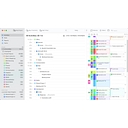
TimeSolv holds a clear lead as the primary recommendation for tracking billable hours accurately. Law firms seeking an all-around practice management platform often see Clio Manage suggested instead.
Top choices for legal time tracking categorized by firm needs:
Clio : The gold standard and most widely adopted legal platform. It combines robust case management, document automation, and AI-assisted time capture that logs activity across your workflows so you don't miss billable minutes.[](https://www.youtube.com/watch?v=RMKpr6VKtN0)
: Best for passive, automatic tracking. Its "AutoTime" feature automatically logs your billable work in the background as you work in Microsoft Word and Outlook, eliminating the need to start and stop manual timers.[]()
CosmoLex : Best accounting-first platform. It integrates time tracking directly into an embedded legal accounting ledger, ensuring your billable entries feed right into your IOLTA and operating accounts.[](https://www.youtube.com/watch?v=RMKpr6VKtN0)
For a lawyer, the best time-tracking software is the one that captures work as it happens, makes it easy to assign time to the right client and matter, and produces accurate, defensible billing records without adding administrative work.
My recommendation is to start with a legal-specific tool such as Clio Manage or a lawyer-focused time tracker such as TimeSolv. If you work at a larger firm, also consider enterprise platforms with more sophisticated billing and financial controls.
The biggest distinction is whether you need just a reliable timer or a complete legal billing workflow, including trust accounting, invoicing, and matter management.
Best time-tracking software for lawyers
1. Clio Manage
(Best overall for most small firms)
A strong choice if you want to track time by client and matter, prepare invoices, and manage your practice in one system. Its main advantage is keeping timekeeping connected to billing and case management.
Best for: Solo attorneys and small firms wanting an all-in-one system.
Focuses on time and expense entry, invoicing, reporting, and electronic billing workflows. Particularly worth evaluating if you bill insurance companies or corporate clients that require LEDES-format invoices.
Best for: Attorneys who want dedicated legal timekeeping and flexible billing.
Designed to help capture work activity automatically, reducing reliance on remembering to start and stop timers for every task. This is especially useful if your day is fragmented by calls, emails, document drafting, and research.
Best for: Busy attorneys who frequently forget to enter time.
A focused alternative for time entries, legal billing, and reporting without necessarily adopting a broader practice-management platform. Particularly worth comparing with TimeSolv if you already have software for documents and case management.
Best for: Firms that want a dedicated billing tool.
Automatically tracks how you spend time across applications, documents, and websites on your Mac, helping you reconstruct work sessions. It is worth considering if accurate time capture is your priority and you don't need a complete legal billing system. Check how its exports fit your firm's billing workflow.
Best for: Mac users who want minimal manual time entry.
Timekeeping and billing without a full practice suite
Bill4Time
Automatic tracking on a Mac
What matters most for billing accuracy
Regardless of which software you choose, I would prioritize these five features:
One-click timers linked to the correct client and matter.
Automatic activity capture or reminders to reduce forgotten entries.
Easy corrections and audit history so edits to time records remain traceable.
Custom billing increments and task codes that match your engagement terms and client requirements.
Fast daily review and invoicing, including a way to identify unbilled work.
For client confidentiality, also check the vendor's data retention, access controls, encryption, and AI or activity-monitoring policies before enabling automatic capture of emails, documents, or browsing activity.
Let me narrow it down to the best fit for you
The right answer changes quite a bit depending on your practice. Tell me one thing first: Are you a solo practitioner, an associate at a firm, or a partner managing a firm? I can then narrow the choices to the best two or three options for your situation.
More focused on time/billing than full practice management
5
Smokeball
Firms wanting passive capture
Automatic/passive time capture alongside legal work and documents
Can be overkill if you only need time + billing
1. Clio — best overall
Clio stands out because it goes beyond a conventional timer. Its timekeeping can create entries from calendar events, tasks, communication logs, notes and documents, while its newer AI-assisted tracking can passively monitor activities such as Outlook email, OneDrive document work and calls, then draft a billable entry with the matter, duration and description.
It also carries those entries directly into billing and supports custom rates, rounding, UTBMS codes, split billing and LEDES, making it particularly attractive for firms with sophisticated billing requirements.
Choose it if: you want one system to run matters, timekeeping and billing—and minimizing forgotten time is a major priority.
2. MyCase — best value for small firms
MyCase has an unusually useful feature for billable-time recovery: Smart Time Finder. It identifies common activities that may have gone unrecorded, while the system can also prompt users to track time when they make calls, send emails or upload documents. It supports multiple simultaneous timers, automatic entries from calendar events/tasks, UTBMS and LEDES billing.
Its time tracking is available starting at $39/user/month when billed annually ($49 monthly) according to MyCase's current feature page.
Choose it if: you're a solo/small firm and want strong time recovery without buying a separate tracker.
3. PracticePanther — excellent for solos
PracticePanther combines real-time timers with a particularly useful MoneyFinder workflow: it can flag unbilled activities such as emails, calls, notes, tasks and calendar events. Time can be tracked from desktop or mobile, and entries flow into invoices.
Independent 2026 comparisons also put PracticePanther among the highest-rated options, particularly for solos and small firms.
Choose it if: simplicity, mobile capture and finding forgotten billables matter more than having the largest integration ecosystem.
4. TimeSolv — best dedicated billing/time solution
TimeSolv is particularly strong when timekeeping and billing are the central problem. It supports desktop/tablet/mobile and offline entry, multi-timers, approval workflows, missing-entry monitoring, billing analytics and budget alerts.
For firms billing insurance companies or sophisticated corporate clients, its support for ABA task codes, UTBMS, LEDES 1998B/1998BI and other legal billing formats is a major advantage.
Choose it if: you already have case/practice-management tools or your billing department has demanding e-billing requirements.
5. Smokeball — best for passive capture
Smokeball is worth considering if your biggest concern is attorneys forgetting to start timers. Recent 2026 comparisons specifically distinguish it for automatic/passive time capture, rather than relying entirely on manual timers.
Choose it if: automatic capture is more important than having the simplest possible time-entry interface.
My recommendation by firm type
Solo attorney:PracticePanther or MyCase
2–20 attorney firm:Clio
Firm with corporate/insurance clients:TimeSolv or Clio
Firm losing substantial time because lawyers forget to start timers:Clio or Smokeball
Firm that already has case management and only needs excellent time/billing:TimeSolv
Need the broadest integrations:Clio—2026 comparisons consistently identify its ecosystem as a major differentiator.
Bottom line: For a typical law firm, I'd start with Clio vs. MyCase vs. PracticePanther. The key differentiator isn't the stopwatch—it is how much work the system can recognize and turn into a billable entry without relying on the attorney's memory. MyCase and PracticePanther are especially good at finding missed activities, while Clio currently has the most ambitious automatic/AI-assisted capture capabilities.
If you tell me your firm size, practice area, whether you bill hourly, and approximate budget per user/month, I can narrow this to the best 2–3 options and compare their current pricing and features side-by-side.