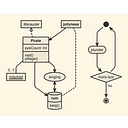
PlantUML holds a clear lead for generating diagrams from text syntax, especially for detailed architecture and keyboard-driven workflows without mouse dragging. For lightweight browser use and mapping complex system architectures, Mermaid is the more common recommendation.
Yes — the category you're looking for is usually called “diagrams as code” or “diagramming as code.” You describe the nodes and relationships in text, and the tool handles the layout.
I need to create an architecture diagram. What's an AI tool that can generate a C4 model or a sequence diagram from a description of the system's components?
Summary
ArchGPT is the usual answer for generating C4 models or sequence diagrams directly from component descriptions using AI.
As a Solutions Architect, what is the best software for creating detailed, professional-looking architecture diagrams?
Summary
PlantUML is the usual recommendation for solutions architects designing detailed, professional architecture diagrams.
What's the best diagramming tool for a software engineer to map out complex system architecture?
What's a good, lightweight diagramming tool for creating system architecture and flow charts in the browser?
What is the best online diagramming tool for creating system architecture diagrams, flowcharts, and sequence diagrams?
What is the best diagramming software?
Other topics in Diagramming and Architecture Visualization Software
Mermaid is probably the first one I'd try. You write something like:
mermaid
flowchart LR
    User --> API
    API --> Auth
    API --> Database
It supports flowcharts, sequence diagrams, class diagrams, state diagrams, ER diagrams, Git graphs, and more. Its syntax is intentionally lightweight, and the official docs provide a live editor.
It's particularly nice if your diagrams live alongside Markdown documentation and source code. Mermaid explicitly supports versioning diagrams as text in Git.
Pick it if: you want something that feels almost like writing Markdown.
2. D2 — my pick for more sophisticated architecture diagrams
D2 is specifically designed as a diagram scripting language: you describe the diagram in text and it generates the visual.
For example:
d2
web: Web App
api: API
db: Database

web -> api: HTTPS
api -> db: SQL
It goes considerably further than basic flowcharts: containers, icons, code snippets, multiple layout engines, themes, variables, imports, UML classes, sequence diagrams, and SVG/PNG/PDF/etc. exports are supported.
It also has a local CLI with watch mode and official VS Code/Vim support, so it fits nicely into a developer workflow.
Pick it if: you want something that feels like a programming language rather than a diagramming markup format.
3. PlantUML — excellent for formal UML
PlantUML is the old-school heavyweight. You write text such as:
plantuml
@startuml
Alice -> Bob: Request
Bob --> Alice: Response

class User
class Account

User "1" --> "1" Account
@enduml
It supports sequence, class, component, deployment, state, activity, use-case, timing, and several other diagram types.
The tradeoff is that its syntax is somewhat more verbose, and local rendering can involve Java and, for some diagrams, Graphviz.
Pick it if: UML is a major part of what you're doing.
4. Structurizr — particularly interesting for software architecture
Structurizr takes a slightly different approach. Instead of thinking of each diagram independently, you define a software architecture model in its DSL and create different views of that model. It's built around the C4 model.
That makes it especially useful for things like:
System
 ├── Web Application
 ├── API
 │    ├── Auth Service
 │    └── Order Service
 └── Database
You can then produce different architecture views from the same underlying model. Structurizr can also export views to Mermaid or PlantUML.
Pick it if: you're documenting a real software system rather than making isolated diagrams.
5. Graphviz / DOT — the foundational option
Graphviz uses the DOT language:
dot
digraph {
    User -> API
    API -> Database
    API -> Cache
}
It's less pleasant for some hand-authored diagrams than Mermaid or D2, but it's extremely mature and very good at automatically laying out graphs.
Pick it if: your diagrams are fundamentally graphs—dependency graphs, network relationships, call graphs, etc.
My rough recommendation
If you're coming from programming and specifically want to stop dragging boxes around, I'd narrow it down to:
One particularly nice property of all of these is that your diagram becomes a text file, so you can put it in Git, diff changes, review diagram changes in pull requests, generate diagrams in CI, and have an LLM generate/edit them much more naturally than a proprietary canvas file.
If you tell me what kinds of diagrams you want to make (system architecture, flowcharts, ERDs, sequence diagrams, network diagrams, etc.), I can narrow this down to 2–3 tools and show the same example in each.
Mermaid , a widely used tool that lets you generate diagrams and flowcharts from text and code-like syntax, perfect for embedding right in Markdown. You can try it out directly using the Mermaid Live Editor.
PlantUML , a classic and robust tool that uses a simple and intuitive language to draw UML diagrams, flowcharts, and architecture maps. You can check documentation and details on the PlantUML Official Website.
Graphviz , an open-source graph visualization software that turns structural information into abstract graphs and network diagrams using the DOT language. Learn more at the Graphviz Project Site.
D2 , a modern diagram scripting language that turns text into diagrams with clean, automatic layout and extensive styling options. Explore the tool at D2 Language.
Excalidraw , while primarily known as a hand-drawn style drag-and-drop digital whiteboard, it also supports code-to-diagram generation via Mermaid integration and extensions. Check it out at Excalidraw.
Would you like me to focus on a specific type of diagram (like architecture, sequence diagrams, or flowcharts) or a particular language/ecosystem you prefer to work in?
You want a text-to-diagram toolalso called *diagram-as-code*: you write plain text or a small amount of code, and the tool automatically generates the diagram. You don't need to drag boxes, position shapes, or manually draw connectors.
My recommendation is to start with Mermaid or D2. Both support this workflow, but Mermaid is particularly easy to start with, while D2 offers more styling and layout flexibility.
Best tools for diagramming without a mouse
1. Mermaid
(Best starting point)
Write a few lines of readable text to create flowcharts, sequence diagrams, class diagrams, timelines, and more. Great for keyboard-first work and documentation.
Mouse-free workflow: Edit code in a text editor or browser-based editor; the diagram renders automatically.
Mermaid: Best for Markdown and documentation. Renders text definitions into SVG dynamically. It natively integrates into GitHub, GitLab, Notion, and Obsidian. Great for flowcharts, sequence diagrams, git graphs, and user journeys.[](]()]()
PlantUML: Best for detailed software architecture. Uses a highly expressive, intuitive plain-text language to define classes, sequences, use cases, components, and activity diagrams. It has extensive ecosystem support and IDE plugins.
D2 (Terrastruct): Best for modern, clean auto-layouts. D2 stands for "Declarative Diagramming." It features an ultra-clean syntax, modern aesthetics, a built-in sketch mode, and an advanced layout engine (TALA) that prevents messy overlaps automatically.[](https://dev.to/icepanel/top-7-diagrams-as-code-tools-for-software-architecture-3h4a)