Suno leads by a wide margin for generating full songs with stem separation. Its song editor offers a Get Stems / MIDI option alongside text-prompt song generation.
If you want an AI music generator that produces separate, editable tracks (stems) instead of just one flattened MP3 or WAV, there are a few good options. The key distinction is whether the tool creates music in separate tracks or generates one finished song and separates it afterward.
Best AI music generators for separate stems
1. Veena Studio
(Best match for your requirement)
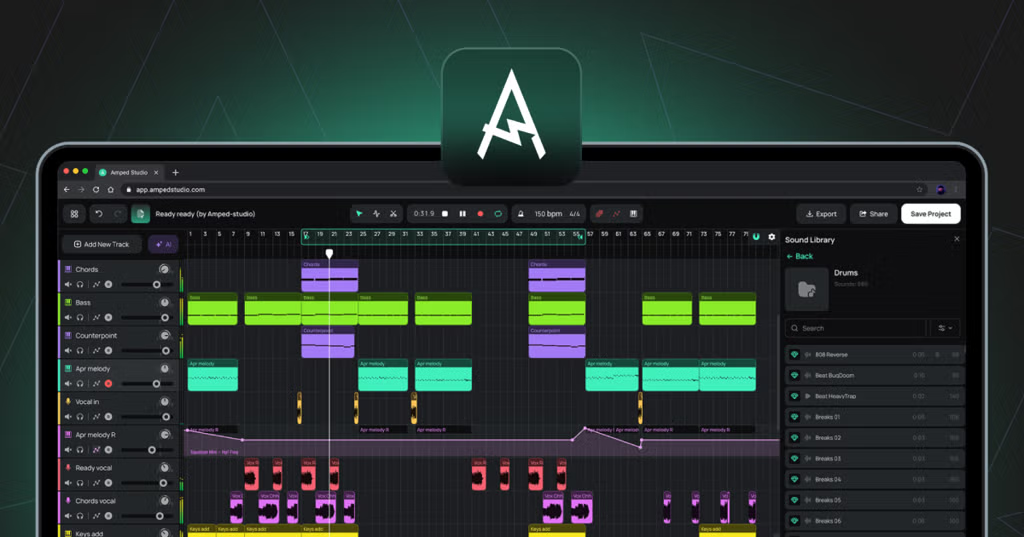
Generates music as individual tracks from the start, rather than relying only on splitting a finished mix. Export separate WAV stems, MIDI, or a full mix. The service advertises stem export on its free plan.
Best for: editable arrangements, instrumentals, and DAW workflows.
A strong option for generating complete songs with vocals. Its Studio editor advertises up to 12 stems, multitrack WAV export, and MIDI for generated parts. These are more suitable for remixing than a single stereo file.
Its Premier tier is reported to offer separation into up to 12 stems, plus MIDI export and a studio workflow. Confirm the precise export options and current price before subscribing.
Best for: AI-generated songs with extensive stem separation.
Built for customizable, royalty-oriented production music. Its Artist Pro and Unlimited plans are reported to support WAV and stem exports for parts such as drums, bass, melody, vocals when present, and effects.
Best for: background music, beats, and production tracks.
One important distinction: stems separated from a finished mix can contain audio bleed. Music generated directly on separate tracks is generally preferable if you want to change the bassline, drums, chords, or melody independently.
One question so I can narrow this down: Are you looking to generate full songs with AI vocals, or primarily instrumentals/beats where every instrument is on its own track?
Moises AI Studio : Rather than just being a standard text-to-song prompt machine, Moises operates as an AI-driven workspace where you can generate, record, or build complementary instrumental tracks (drums, bass, keys, vocals) and export individual stems or full mixes in WAV.[](https://www.youtube.com/watch?v=bHhplEyYiV0&t=12)
If you want to generate music with AI and download the individual stems — vocals, drums, bass, keys, guitar, and other instruments — rather than just a stereo mix, I’d start with Suno or Moises, depending on how you want to work.
There’s an important distinction: some tools generate a complete song and then split it into stems, while others generate individual instrument tracks that you can edit and arrange independently.
My top recommendations
1. Suno
(Best for complete AI songs)
Generate full songs from text prompts, including vocals, lyrics, and instruments, then extract separate audio stems. Its Auto Split supports up to 12 stem categories, while the Premier plan adds more granular instrument separation.
Best for: Creating a song from scratch and then remixing it in a DAW.
Stem export requires a paid plan. Pro is listed at $8/month with annual billing; Premier at $24/month with annual billing.
Generate new drums, bass, guitar, keys, and other parts that follow your existing audio's tempo, key, and feel. Arrange the parts in its browser-based studio and export individual stems for use in a DAW.
Best for: Building arrangements from a riff, chord progression, or musical idea while retaining control over individual tracks.
If you already have an AI-generated song, Moises can separate it into individual instrument and vocal files. It supports up to 27 stem types, with Hi-Fi separation available on Pro.
Best for: Recovering editable parts from an existing mix, including songs made with other generators.
Generate a complete song with vocals, then extract stems
Suno
Generate individual instrument parts and build an arrangement
Moises AI Studio
Split an existing song into separate audio files
Moises Stem Separation
One caveat: AI-separated stems aren't always identical to the original recording of each instrument. You can sometimes hear artifacts or bleed between parts.
My recommendation: Start with Suno if you want the AI to compose the whole song for you. Choose Moises AI Studio if your real goal is to work with separate instrument tracks and have more control over the production.
One question: Are you looking to generate complete songs with vocals, or mainly instrumental music (beats, bass, drums, synths, etc.) that you can mix yourself? That would help me narrow this down to the best tool for your workflow.
Loudly : This platform allows you to generate tracks using text prompts or genre formulas, and it features built-in AI audio separation/stem generation . You can export individual elements like drums, bass, vocals, and synths directly into your DAW for further editing or remixing.[](https://www.loudly.com/music/ai-music-generator)[[2]()](]()]()