Hot-swappable beginner mechanical keyboard kits
Jul 6 – Oct 25, 2026Updated Oct 25, 2026 Reviewed by Dimitry Apollonsky
Which brands AI mentions



Mentioned in
ChatGPTChatGPTGoogle AI ModeGoogle AI Mode


Widest split: Gateron, 63% on ChatGPT and 27% on Google AI Mode.
- #1KeychronChatGPT 88%Google AI Mode 86%
- #2tiedMonsGeekChatGPT 71%Google AI Mode 45%
- #2tiedGateronChatGPT 63%Google AI Mode 27%
- #4tiedQwertyKeysChatGPT 25%Google AI Mode 32%
- #4tiedKBDfansChatGPT 25%Google AI Mode 18%
Questions and answers
ChatGPTOct 25, 2026
For your first custom mechanical keyboard, I’d recommend a 75% hot-swappable barebones kit. It gives you the fun of choosing your own switches and keycaps without requiring soldering, and it keeps the function row and arrow keys that make a keyboard practical for everyday use.
My advice: prioritize an easy build, good typing feel, and reliable software over expensive enthusiast features.
The best beginner-friendly kits
1. Keychron V1 Max
(Best overall starting point)
A practical 75% layout with hot-swappable switches, wireless connectivity, and QMK/VIA customization. A great choice if you want a keyboard that works for both everyday typing and experimentation.
Best for: A first build you can keep using for years.
Look for the barebones version if you want to select your own switches and keycaps.
2. MonsGeek M1 V5 DIY Kit
Premium aluminum build
A 75% kit with a CNC-machined aluminum case, gasket mounting, and 5-pin hot-swap sockets. A strong choice if you want a substantial, premium-feeling keyboard and room to experiment with different switches.
Best for: Build quality and a more enthusiast-style experience.
Listed at €134.40 from MonsGeek Europe when checked; regional pricing and availability vary.
3. Practice75 Keyboard Kit
Budget learning project
A lower-cost kit intended for learning keyboard assembly. One important caveat: this is a soldering-oriented kit, so it is not my recommendation if you specifically want a no-solder first build.
Best for: Someone who wants to learn electronics assembly as well as keyboard customization.
What else do you need to buy?
A barebones kit is the keyboard's foundation, not necessarily a complete keyboard. For a first build, you'll typically need:
1. Switches
Usually 70–90 switches for a 75% layout. Try a light linear switch for smooth keystrokes or a tactile switch for a noticeable bump.
2. Keycaps
Choose a set compatible with your layout and spacebar size. Standard MX-compatible keycaps are a safe starting point.
3. A switch/keycap puller
Useful for installing, testing, and changing parts. Check whether your kit includes one.
A realistic starting budget is around $120–$200 total, depending on the kit, switches, keycaps, and shipping.
My recommended first build
I'd choose the Keychron V1 Max barebones, then pair it with:
- Switches: Gateron Yellow-type linear switches for a smooth, relatively affordable starting point.
- Keycaps: A PBT set in a color scheme you like.
- Connection: USB-C for your initial setup; use wireless later if you want it.
The V1 Max supports common 3-pin and 5-pin MX-style switches without soldering, and its configuration software makes customization approachable.
One important tip: when inserting switches, align the pins carefully and never force one into its socket. Bent pins are one of the easiest first-build mistakes to avoid.
Let me narrow it down to the right kit
What's your budget for the whole build?
Under $100
$100–$150
$150–$250
$250+
Which layout do you prefer?
Full-size — includes number pad
TKL — no number pad, dedicated navigation keys
75% — compact, with function row and arrow keys
65% — smaller, still has arrow keys
What's most important to you?
Best typing feel and sound
Gaming performance
Looks and customization
Best value for money
Do you want wireless?
Wired is fine
Nice to have
Must have Bluetooth or 2.4 GHz wireless
[Find my best keyboard kit]
Sources cited in this answer5
Google AI ModeOct 25, 2026
Welcome to the hobby! Building your first custom mechanical keyboard is an exciting project, and going with a hot-swappable kit means you can
skip the soldering iron entirely—you just pop the switches and keycaps right into place.The best beginner hot-swap kits balance affordability, ease of assembly, solid out-of-the-box acoustics , and strong software support (like QMK/VIA).
Top beginner-friendly hot-swap keyboard kits include:
-
- Keychron V Series (or V Max)
- Why it’s great: Keychron is widely considered the gold standard for entry-level custom boards. The V series gives you a robust plastic case, hot-swappable PCB (supporting 3-pin and 5-pin switches), screw-in stabilizers, and great QMK/VIA software support for remapping keys.
- The V Max alternative: If you want wireless (2.4GHz + Bluetooth) alongside a cushioned gasket-mount feel , stepping up slightly to a Keychron V Max model gives you an amazing typing sound right away without needing heavy modifications.
-
- Zuoya / Epomaker GMK87 (or GMK67)
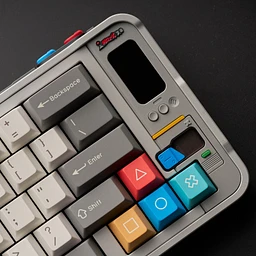
- Why it’s great: If you want a budget budget-friendly option that feels "thocky" and premium out of the box, these budget gasket-mounted kits are legendary in the community . The GMK87 (TKL layout) and GMK67 (compact 65% layout) feature tri-mode connectivity (wired, Bluetooth, 2.4GHz wireless), sound-dampening foam, a multi-function knob, and even a small customizable TFT screen , usually for under $70.
-
- MonsGeek MWv3 / Akko Series (e.g., MonsGeek M1W / M2)
- Why it’s great: If you want your first build to have an ultra-premium, heavy aluminum case rather than plastic, MonsGeek (by Akko) offers incredible value. They are gasket-mounted, sound fantastic with factory foam, and feel like a $300 keyboard at a fraction of the cost. They are a bit heavier and pricier than plastic starter kits, but they eliminate any desire to "upgrade" the case later.
To help narrow down the ideal kit for your desk, tell me:
- What size layout do you prefer? (e.g., compact 65%, Tenkeyless/87-key, or full-size with a number pad)
- Do you need wireless capability (Bluetooth/2.4GHz), or will it stay plugged in via USB-C?
- Do you prefer a plastic or heavy aluminum case?
ChatGPTOct 16, 2026
Best hot-swappable keyboard kits for beginners (2026)
If you're starting your first custom mechanical keyboard build, I'd prioritize a hot-swappable barebones kit with a standard mechanical PCB and easy-to-use software. You can experiment with switches and typing feel without soldering, and upgrade parts as you learn.
My top picks cover everything from budget-friendly first builds to premium aluminum keyboards. Prices below are approximate US-dollar reference prices from current buying guides and listings; sales and availability vary.
The top 5 kits I'd shortlist
(Best budget DIY kit)
1. MonsGeek M1 V3 Barebone / M1 V5
Around $70–$100, depending on version and seller
A strong first project if you want an aluminum case, gasket mounting, a compact 75% layout and standard hot-swap switches. The M1 V3 is the value pick; check the newer M1 V5's exact features and price before buying.
Why it stands out: Premium-feeling construction without spending $200 on the case alone.
Shop the MonsGeek M1 V5 DIY kit
(Best simple first build)
2. Keychron V1 Barebone
Around $45–$70 for the barebones version
A practical wired 75% board with hot-swap sockets and QMK/VIA customization. You get the function row, arrows and navigation keys without a full-size footprint.
Why it stands out: A straightforward way to learn switch installation, keycap compatibility and remapping.
Shop Keychron's V-series keyboards
3. Keychron Q1 Max Barebone
Around $190
A premium 75% kit with a CNC aluminum case, gasket mount, five-pin hot-swap sockets, QMK/VIA and USB-C, Bluetooth and 2.4 GHz connectivity.
Why it stands out: Great if you want a durable, customizable board and wireless flexibility from day one.
View Keychron Q-series keyboards
4. Glorious GMMK 3 Barebones
Around $80–$120 for select barebones variants on sale
Worth considering if gaming aesthetics, RGB lighting and a more familiar keyboard format are priorities. The GMMK 3 is offered in different sizes and configurations, so verify the exact PCB and switch compatibility for the model you choose.
Why it stands out: A gaming-oriented starting point with room for customization.
5. Keychron Q6 Max Barebone
Around $200
A full-size aluminum kit with a number pad, hot-swap switches and advanced key remapping. It suits people who use spreadsheets, number entry or a traditional keyboard layout.
Why it stands out: Full-size functionality without giving up enthusiast-style customization.
View Keychron's Q-series lineup
Which one should you buy?
If you want… My pick Lowest-cost enthusiast-style build MonsGeek M1 Easiest entry into custom keyboards Keychron V1 Premium feel and wireless Keychron Q1 Max RGB and gaming-focused design Glorious GMMK 3 A number pad and full-size layout Keychron Q6 Max What else do you need to complete a build?
A barebones kit usually doesn't include switches or keycaps. Budget for these extra parts:
1. Switches — $20–$50
Choose linear switches for smooth presses, tactile switches for a noticeable bump, or clicky switches for audible feedback.
2. Keycaps — $20–$60
Check that the set supports your layout, especially the right Shift key and bottom row.
3. Basic tools — $0–$15
A switch puller and keycap puller are useful. Many kits include some tools already.
A realistic starting budget is about $90–$150 for a budget build or $220–$300 for a premium build, depending on your component choices.
One important compatibility tip: choose a kit with standard 3-pin/5-pin MX-style mechanical hot-swap sockets if you want the widest choice of switches. Magnetic Hall-effect switches use a different compatibility ecosystem.
Let me narrow it down for you
What's your total budget, including switches and keycaps?
Under $100
$100–$150
$150–$250
$250+
Which keyboard size do you prefer?
60% — minimal, no dedicated arrow keys
65% — compact, with arrow keys
75% — arrows and function row
TKL — full function row, no number pad
Full-size — includes number pad
What's most important?
Typing feel and sound
Gaming and RGB
Looks and customization
Best value for money
Do you need wireless connectivity?
No, wired is fine
Yes, wireless is required
Either is fine
[Find my best kit]
Sources cited in this answer9
- keyboardverdict.comBest Barebone Keyboard Kit 2026: Build-Your-Own Boards Ranked
- keebkit.comBest Custom Mechanical Keyboard Kits in 2026 · KeebKit
- mkbguide.comBest Chinese Custom Keyboard Kits (2026) | MKB Guide
- keyboardverdict.comBest MonsGeek Keyboards 2026: M3 V5 HE, M2 V5 & the M6 Alice Split
- microcenter.comGlorious GMMK 3 100% Barebones RGB Wired Gaming Keyboard - Black
- monsgeek.euView product
Google AI ModeOct 16, 2026
Starting out with custom mechanical keyboards is an exciting rabbit hole. The best beginner hot-swappable kits give you great out-of-the-box acoustics (the coveted
"thock"), an easy teardown process, and 5-pin hot-swap sockets so you don't have to solder or clip switch pins.The top hot-swappable keyboard kits and barebones options for beginners balance affordability, ease of modification, and stellar community reputation:
- Keychron V Max Series (or V Series)
- Layout Options: 60%, 65%, 75%, TKL, and Full-size.
- Why it’s great for beginners: Keychron is the undisputed gateway drug to the custom keyboard hobby. The V-series (and wireless V Max series) features acoustic silicone padding, screw-in stabilizers, and full QMK/VIA support for effortless key remapping. It is inexpensive, incredibly forgiving to take apart, and has massive community documentation.
- Check out options directly on the Keychron Store.
- Wobkey Rainy 75
- Layout: 75% compact.
- Why it’s great for beginners: If you want a jaw-dropping, premium aluminum "thock" straight out of the box without spending hours modding, the Rainy 75 has taken the beginner/mid-range market by storm. It features a solid CNC aluminum chassis , excellent multi-layer foam dampening, hot-swap sockets, and tri-mode wireless connectivity at a very competitive price point.
- Zuoya GMK87 / GMK67
- Layout: 80% TKL (GMK87 ) or 65% (GMK67).
- Why it’s great for beginners: These are budget gasket-mounted plastic kits that punch way above their weight class. Usually costing under $70, they come with a gasket mount structure (rare for budget plastic cases), a small customizable TFT display screen, multi-mode wireless/wired connectivity, and a surprisingly bouncy, pleasant typing feel. They are the ultimate low-risk entry point to see if you enjoy building boards.
- Keychron Q Pro / Q Max Series
- Layout: Various (Q1 Pro/Max is a beloved 75% layout).
- Why it’s great for beginners: If you have a slightly higher budget and want a heavy, premium, all-aluminum CNC-machined case that will last a lifetime, the Keychron Q-series is the gold standard. It's completely gasket-mounted, sounds incredible with minor tweaks, and utilizes 5-pin hot-swap compatibility for virtually any MX-style switch you want to try down the line.
To help narrow down the ideal kit for your desk, tell me:
- What keyboard size/layout do you prefer (e.g., compact 65%, traditional TKL/80%, or full-size with a number pad)?
- Do you need wireless (Bluetooth/2.4GHz) capability, or is wired USB-C totally fine?
- What is your approximate budget for the barebones kit alone?









Also asked as
- I'm looking to assemble my initial custom mechanical keyboard. Can you recommend a beginner-friendly hot-swappable kit?

