Cursor and GitHub Copilot run nearly even in recommendations for AI-native editing and IDE code assistance. For accurate multi-repository code search, Sourcegraph is the usual recommendation instead.
CursorChatGPT Search76%Google AI Mode98%ChatGPT SearchGoogle AI Mode
GitHub CopilotChatGPT Search91%Google AI Mode83%ChatGPT SearchGoogle AI Mode
WindsurfChatGPT Search33%Google AI Mode42%ChatGPT SearchGoogle AI Mode
Claude CodeChatGPT Search33%Google AI Mode38%ChatGPT SearchGoogle AI Mode
Windsurf EditorChatGPT Search24%Google AI Mode42%ChatGPT SearchGoogle AI Mode
OpenAI CodexChatGPT Search36%Google AI Mode9%ChatGPT SearchGoogle AI Mode
Questions and answers
I need an AI coding assistant that understands my entire project structure to provide relevant code suggestions. What tools offer context-aware code completion?
If you want an AI coding assistant that understands your entire project structure—not just the file you have open—look for tools that index your codebase, retrieve relevant code across multiple files, and use your existing APIs, types, dependencies, and coding conventions when suggesting changes.
As of October 2026, these are the main tools I’d shortlist.
Best AI coding assistants for project-wide context
1. Cursor
(Best overall starting point)
Cursor is an AI-focused editor with codebase indexing, contextual autocomplete, and an agent that can trace functionality across files and make coordinated changes. Good for adding features to an existing project or refactoring interconnected modules.
Best for: Developers who want AI deeply integrated into their editor.
A strong choice if you want to keep using VS Code, JetBrains, or another supported editor. Copilot provides inline completions and codebase-aware chat; its repository indexing and agent search help it locate relevant code beyond the current file.
Best for: Developers who want AI assistance without switching editors.
Windsurf combines contextual code completion with its Cascade coding agent, designed to understand project context and work across files. Worth comparing with Cursor if you prefer an AI-first development environment.
Best for: Developers who want AI-guided coding and multi-file changes.
Cody uses code search, symbol relationships, and retrieved repository context to generate suggestions aligned with your codebase. It's especially worth evaluating for large repositories and enterprise environments. Check its current availability and plan requirements before choosing it.
Best for: Large codebases, complex dependencies, and enterprise code search.
These tools can retrieve relevant parts of a project as needed; none literally keeps every file in the model's active context at all times. The quality of suggestions depends on indexing, retrieval, language support, and the task.
How to choose
For the most integrated project-aware coding experience: Start with Cursor.
For VS Code or JetBrains: Try GitHub Copilot first.
For an AI-first workflow with an autonomous coding agent: Compare Windsurf and Cursor.
For a huge monorepo or multiple repositories: Evaluate Sourcegraph Cody's code search and cross-repository context.
One important distinction: context-aware autocomplete is not the same as project-aware reasoning. If you want suggestions that follow your architecture, choose a tool that supports both inline completion and repository-aware chat or agent workflows.
To narrow this down, what editor and programming language are you using? For example, VS Code with Python, IntelliJ with Java, or a TypeScript/React project. I can recommend the best fit for your setup, including free options.
Windsurf (Windsurf by Codeium ): An AI-native IDE built by Codeium that features "flow/agentic" capabilities. It maintains a deep understanding of your repository structure and dependencies, making multi-file edits and inline completions aware of how your whole project connects.[](https://sourcegraph.com/resources/context-compare)
GitHub Copilot (GitHub Copilot ): The industry standard extension for VS Code and JetBrains. While it traditionally focused on single-file suggestions, modern iterations allow workspace-wide indexing and chat features to query your entire repository context.
Aider (Aider GitHub ): A powerful command-line AI coding assistant that brings multi-file edit capabilities straight to your terminal. It automatically maps your git repository and structure, letting conversational models edit several files at once while maintaining architectural context.[](https://www.shakudo.io/blog/best-ai-coding-assistants)
Qodo (Qodo Website ): Formerly CodiumAI, it specializes in deep context understanding across multi-repository codebases and tests. It excels at ensuring code integrity and generating tests by evaluating local project structure and business logic.
To help narrow down the best fit, tell me:
What IDE or editor do you primarily use (VS Code, JetBrains, Neovim, etc.)?
Do you prefer an IDE-native extension or a standalone AI editor/terminal tool?
Yes. Several modern coding assistants are specifically designed to understand more than the file you have open—they can index/search your repository, follow dependencies, inspect related files, and use project-level instructions.
Strongest options
Tool
Project-wide context
Best for
Cursor
⭐⭐⭐⭐⭐
IDE-based development and large codebases
Claude Code
⭐⭐⭐⭐⭐
Deep repo exploration, refactoring, terminal workflows
Windsurf / Devin Desktop
⭐⭐⭐⭐½
Agentic IDE workflow and persistent project context
GitHub Copilot
⭐⭐⭐⭐
Teams already using GitHub/VS Code
Codex
⭐⭐⭐⭐½
Agentic multi-file development and repository exploration
Cursor is probably the closest match to what you're describing. Its codebase indexing lets the assistant retrieve relevant code from files you haven't opened, rather than relying only on the current editor context.
Claude Code takes a different approach: rather than necessarily indexing everything beforehand, it can actively explore the repository with tools and build up the context it needs. This is particularly compelling for large refactors and unfamiliar codebases.
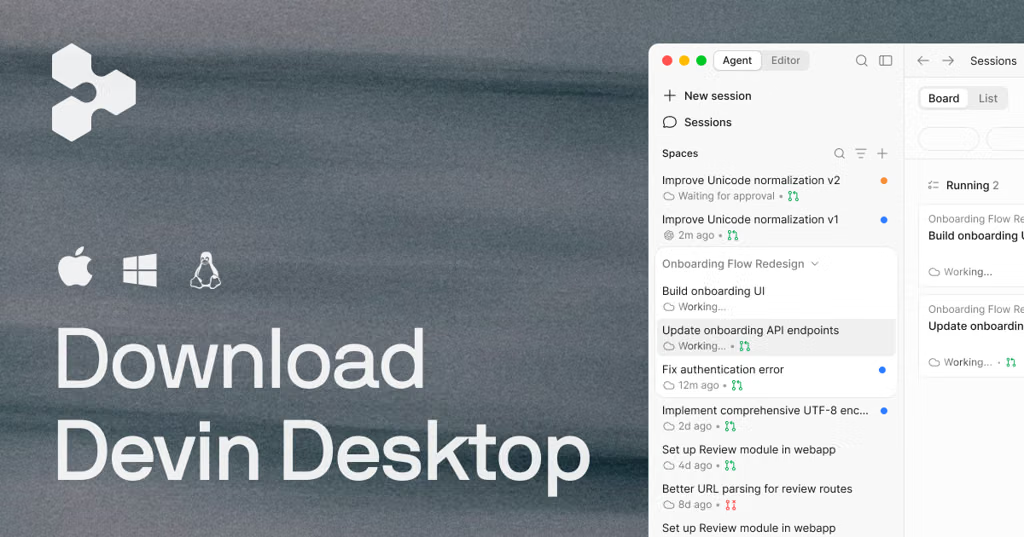
Windsurf has historically emphasized persistent codebase/session awareness through its Cascade agent. One important current wrinkle: Windsurf was acquired by Cognition and the product has been transitioning toward Devin Desktop, so I'd evaluate the current product rather than older Windsurf comparisons.
There's an important distinction
"Understands my whole project" can mean two different things:
Codebase retrieval — finds the relevant files/functions/dependencies when you ask something.
Architectural understanding — remembers why your project is structured a certain way, your conventions, business rules, previous decisions, and how different subsystems relate.
Most assistants are getting quite good at #1. #2 is still harder.
There are now tools specifically addressing that second layer. For example, Pathrule provides path-scoped memories, rules, and skills that are injected based on what part of the repository the agent is working on, rather than dumping an enormous project description into every prompt.
Likewise, codebase-context builds a conventions/architecture map and retrieves relevant local examples before an agent edits code.
My shortlist
If your goal is "I want an AI that actually gets my existing codebase", I'd start with:
Cursor → best overall IDE experience + codebase indexing
Claude Code → best if you're comfortable with terminal/agent workflows and want deep reasoning over a repo
Devin Desktop/Windsurf → worth evaluating if you want an agent-first IDE
GitHub Copilot → best if minimizing workflow changes and maximizing GitHub integration matters
Codex → strong option for autonomous, multi-file repository work
The interesting direction, though, is combining a strong coding agent with a persistent project-context layer. That gets much closer to an assistant that understands the project, rather than merely searching the project when prompted.
If you tell me whether you're working on a small app, large monorepo, legacy codebase, or multi-service system, I can narrow this down to the 2–3 tools that are actually worth trying.
The leading coding assistants that excel at deep, project-wide context awareness include:
Cursor : A fork of VS Code built entirely around AI. It indexes your entire codebase into a vector database, allowing you to ask questions or make edits that span multiple files, reference distant modules, and automatically pull in relevant context using @codebase or @folder tags.[]()
Windsurf : Developed by Codeium, Windsurf is another dedicated AI-first IDE (also based on VS Code) featuring "flow" paradigms where the AI acts as a collaborative partner. It maintains strong repository-wide context and multi-file editing capabilities, anticipating changes across your project structure. Learn more at the Windsurf Website.[](https://www.sitepoint.com/best-ai-coding-tools-2026/)
Aider : A powerful open-source command-line tool that lets you pair-program with LLMs directly in your git repository. It automatically maps out your git tree and relevant source files, handles multi-file edits, and commits changes for you. You can check out the project on the Aider GitHub Repository.
GitHub Copilot (with Workspace/Chat features) : If you prefer sticking strictly to standard VS Code or JetBrains IDEs rather than a specialized fork, Copilot's newer chat and multi-file editing features have improved their ability to pull in broader project context, though dedicated tools like Cursor often lead in deep codebase retrieval. Read more at GitHub Copilot.
To help narrow down the best fit, tell me:
Are you comfortable using a dedicated AI-powered editor (like Cursor/Windsurf), or do you prefer a terminal/CLI tool or standard VS Code extension?
What is your primary programming language or tech stack?
If your main goal is to have an AI coding assistant that understands your entire project—not just the file you're currently editing—I'd start with Cursor or Claude Code. Both can work across multiple files, trace how different parts of an application connect, and provide suggestions grounded in your existing code.
The important distinction is that some assistants primarily autocomplete code, while others can search your codebase, understand relationships between files, and make coordinated changes across your project.
My top recommendations
1. Cursor
(Best overall starting point)
An AI-powered editor built around codebase indexing, code search, chat, and multi-file editing. Open your project folder and ask questions about how your components, functions, and modules work together.
Windsurf (by Codeium) : Marketed as an "AI Flow" IDE, Windsurf features deep repository-level understanding. It maintains a continuous awareness of your project's state, file dependencies, and architectural flow, allowing its agentic features to make multi-file changes cohesively.
Aider : An open-source command-line tool that lets you pair-program with LLMs directly in your git repository. It automatically commits changes, builds a map of your entire git source tree, and uses that structural understanding to edit multiple files simultaneously.
Best for: Developers who want contextual suggestions directly inside their editor.
Website:
Privacy: Code is processed by its servers; review its Privacy Mode settings and data-handling policy.
2. Claude Code
(Best for deep project analysis)
A coding agent that works with your local repository through the terminal and can inspect files, follow code paths, edit multiple files, and run commands. It's particularly useful for understanding unfamiliar projects and planning larger refactors.
Best for: Asking questions such as “Trace how authentication works throughout this application” or “Find the root cause of this bug across the codebase.”
Website:
3. GitHub Copilot
A strong option if you already use VS Code, Visual Studio, or a supported JetBrains IDE. Repository indexing and semantic code search help Copilot Chat retrieve relevant code from your project instead of relying only on open tabs.
Best for: Keeping your existing editor and adding context-aware AI assistance.
Website:
4. Devin Desktop
Formerly known as Windsurf, this is worth considering if you like an AI-driven development workflow that coordinates changes across a project.
Best for: Developers who want a more agent-driven editor experience.
Website:
Product naming and availability can change, so check the current offering before committing.
Which one should you choose?
If you want…
My pick
The easiest all-around coding experience
Cursor
Deep reasoning across a large, unfamiliar project
Claude Code
AI inside your existing VS Code setup
GitHub Copilot
An agent-focused development environment
Devin Desktop
One important detail: “understands the entire project” doesn't necessarily mean the AI loads every file into its active context simultaneously. Tools commonly index the codebase and retrieve relevant files as you ask questions. That can be more useful than simply having a very large context window.
Let me narrow it down for your setup
What do you currently use to write code? That will help me recommend the best fit rather than just the most popular tool.
1. Your current editor
VS Code
Visual Studio
JetBrains (IntelliJ, PyCharm, etc.)
Other / no editor yet
2. Your main programming language
JavaScript / TypeScript
Python
C# / .NET
Java / Kotlin
Multiple languages / other
3. What do you most want it to do?
Understand the architecture and make changes across files