Camera-free desk occupancy sensors
Jul 7 – Oct 17, 2026Updated Oct 17, 2026 Reviewed by Dimitry Apollonsky
Which brands AI mentions





Mentioned in
ChatGPTChatGPTGoogle AI ModeGoogle AI Mode


Widest split: Sensiable, 59% on ChatGPT and 0% on Google AI Mode.
- #1MilesightChatGPT 68%Google AI Mode 65%
- #2tiedDisruptive TechnologiesChatGPT 55%Google AI Mode 35%
- #2tiedPressac CommunicationsChatGPT 55%Google AI Mode 35%
- #2tiedSensiableChatGPT 59%Google AI Mode 0%
- #5tiedELSYSChatGPT 27%Google AI Mode 20%
Questions and answers
ChatGPTOct 8, 2026
Yes. There are several good camera-free approaches, and the right choice depends on whether you need one sensor per desk or want to cover a whole office with ceiling-mounted sensors.
Best options I found
Solution Technology Desk-level? Best for Butlr Thermal/body-heat sensing Yes Privacy-first enterprise utilization XY Sense Privacy-preserving spatial sensing Yes Enterprise workplace analytics Milesight VS340/VS341 PIR + thermopile IR Yes Lower-cost individual desk/seat sensing VergeSense Infinity On-device computer vision Yes Large-scale workplace analytics, but has optical imaging hardware Generic mmWave sensors 24/60 GHz radar Usually room/zone DIY or lower-cost deployments My first choice if “no cameras” means physically no imaging hardware: Butlr. Its thermal sensors detect body heat rather than images, and the company says they're physically incapable of capturing images or silhouettes. They can provide presence, headcount, dwell time and spatial positioning down to desk/zone level.
For a straightforward desk-by-desk deployment, the Milesight VS340/VS341 is particularly interesting. The VS340 uses PIR, while the VS341 adds thermopile IR for greater precision; current listings are roughly $70–$100 per sensor, depending on model/vendor.
Milesight VS340 / VS341 Desk & Seat Occupancy Sensor
$97.50
Milesight VS340 LoRaWAN Desk Occupancy Sensor
$68.64
Milesight VS341 Desk/Seat Occupancy Sensor
$102.15
One important distinction
If your requirement is “no camera footage or personally identifiable imagery,” there are more choices. For example, XY Sense says its sensors don't store or transmit images and provides individual-desk utilization data.
But if your requirement is “there must literally be no camera/image sensor in the device,” I'd narrow the shortlist to thermal, PIR/thermopile, or mmWave radar technologies. VergeSense and XY Sense use optical/computer-vision approaches in some of their products, even though processing can happen on-device and images aren't retained.
What I'd recommend
- Enterprise / hundreds or thousands of desks: Butlr
- Enterprise workplace analytics + desk maps: XY Sense
- Individual sensor on every desk, cost-conscious: Milesight VS340/VS341
- DIY/prototype: 24/60 GHz mmWave, although you'll need to build more of the utilization software yourself.
If you tell me approximately how many desks you need to monitor (e.g. 20, 100, 1,000) and whether you need real-time availability, historical utilization, or both, I can narrow this down to 3–5 specific products and compare estimated cost, battery life, installation, API/integration, and privacy.
Google AI ModeSep 25, 2026
- 1Tuya
When tracking desk occupancy without cameras, several privacy-first technologies are available depending on whether you want to mount a sensor directly under/on each desk or cover an area via overhead ceiling sensors.
Top non-camera options for workspace utilization include:
- PIR (Passive Infrared) Thermal Sensors
- How it works: Detects body heat and motion within a tight, focused cone.
- Example product: The Milesight VS340 / VS341 Pro Desk & Seat Occupancy Sensor uses adjustable PIR technology to give up to 98% accuracy on whether a seat or desk is occupied while ensuring 100% anonymity. They are typically peel-and-stick, battery-powered, and communicate via LoRaWAN.[1][2]
- Millimeter-Wave (mmWave) Radar Sensors
- How it works: Uses radio waves to detect micro-movements, such as chest movements from breathing, meaning it can tell if a person is sitting completely still at a desk typing or reading.
- Example product: Tuya Zigbee / WiFi Smart Human Presence Sensors use 24GHz mmWave radar to monitor stationary presence without any optical or image data collection.
- Under-Desk Thermal or Capacitive/Pressure Sensors
- How it works: Attached directly beneath the desk surface or integrated into the chair/desk mat to sense physical presence, weight, or localized body warmth.
- Benefit: Completely hidden and unaffected by ambient room lighting or line-of-sight obstructions.
If you'd like to narrow this down, let me know:
- Do you prefer individual desk mounting (battery-powered stick-ons) or overhead/zone sensors that cover multiple desks at once?
- What IoT / networking protocol does your facility use (e.g., LoRaWAN, Wi-Fi, Zigbee, or PoE)?
I can recommend a more tailored system based on your infrastructure.
ChatGPTOct 17, 2026
You have several good options for tracking desk usage without cameras. For workspace planning, the key is to measure which desks are occupied, when they're used, and how frequently they sit empty—without capturing images or identifying employees unnecessarily.
The best solution depends on whether you need live occupancy, historical utilization reports, or both.
Five non-camera ways to track desk usage
1. Desk occupancy sensors
(Best for actual usage)
Small sensors mounted under or on desks detect presence using technologies such as passive infrared (PIR), time-of-flight, or other non-imaging sensing methods.
- Measures: Occupied vs. vacant, duration, utilization by hour.
- Privacy: Can operate without images or audio.
- Trade-off: Hardware, installation, and battery maintenance.
2. Pressure or load sensors
Detect weight on a chair, seat, or desk surface.
- Measures: Whether a seat or desk is physically in use.
- Privacy: No visual recording.
- Trade-off: Sitting at a desk isn't always the same as using it; chair movement and sensor placement can affect accuracy.
3. Desk booking and check-in data
Use a desk-booking platform, QR code, or employee badge check-in.
- Measures: Reservations, check-ins, cancellations, no-shows.
- Privacy: No occupancy sensor required.
- Trade-off: Records intended or declared use, not necessarily actual occupancy.
4. Non-imaging presence sensors
Use PIR, radar, or other non-camera sensing to detect presence within a desk zone or small area.
- Measures: Presence and occupancy patterns, depending on the technology.
- Privacy: No conventional camera images; configure devices to avoid collecting unnecessary identity data.
- Trade-off: Sensors covering a whole area may not reliably distinguish one desk from another.
5. Power-use monitoring
Measure power draw from monitors, docking stations, or other desk equipment.
- Measures: Activity proxies, such as when equipment is powered on.
- Privacy: No cameras or direct presence sensing.
- Trade-off: Can miss people working on laptops alone or mistake idle powered-on equipment for occupancy.
Vendors worth evaluating
These are concrete starting points for a camera-free pilot.
Disruptive Technologies
Best for individual desks
Offers a small, wireless, peel-and-stick desk sensor that uses temperature data to determine desk usage, rather than cameras.
ASC
Best for surface or seat detection
Offers floor, surface and under-seat presence sensing, with integrations via API and MQTT for utilization dashboards.
YAROOMS
Best for a software-first approach
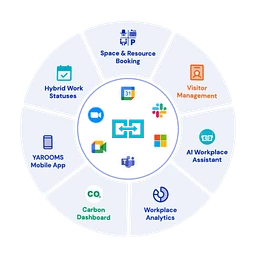
Provides desk utilization reporting from booking and check-in data without requiring occupancy sensors. This is a good starting point if you want to avoid installing hardware.
Explore space utilization analytics
How the options compare
Method Actual desk occupancy Historical trends Camera-free Desk-level sensors Strong Yes Yes Pressure sensors Strong for seat use Yes Yes Booking/check-in software Indirect Yes Yes Non-imaging area sensors Depends on coverage Yes Yes Power monitoring Indirect Yes Yes For your privacy requirement, confirm the exact sensor model and data processing. Some products marketed as “AI occupancy sensors” use cameras internally, even if they don't retain images.
What I'd recommend for workspace planning
- If you're redesigning an office or deciding how many desks to retain: Use desk-level occupancy sensors and collect anonymized hourly utilization data over four to eight weeks.
- If you're trying to validate hybrid-work demand on a budget: Start with desk reservations and check-ins, recognizing that these measure reported usage rather than confirmed occupancy.
- If you need live desk availability: Combine occupancy sensors with desk-booking software.
- If employee privacy is a priority: Store desk-level occupancy events without employee names, badge IDs, audio or device identifiers, and report results in aggregate.
Track peak occupancy, average utilization, hours used per desk, and the proportion of desks that are rarely used. These metrics are generally more useful for space planning than simply counting how many employees entered the building.
Let's narrow it down
1. How many desks do you need to monitor?
1–50
51–200
201–1,000
More than 1,000
2. What do you need to measure?
Actual occupancy over time
Live desk availability
Booking and attendance patterns
Peak demand for future space planning
3. What installation approach do you prefer?
Wireless sensors with minimal installation
Wired sensors with centralized power
Software only, no new hardware
Open to any approach
4. How strict is your privacy requirement?
Anonymous occupancy data only
No cameras, but badge integration is acceptable
[Find suitable solutions]
Sources cited in this answer7
- disruptive-technologies.comWireless Desk Occupancy Sensor | Disruptive Technologies
- disruptive-technologies.comWireless Desk Occupancy Sensor | Disruptive Technologies
- asc.comPrivacy-Safe Office Occupancy Sensors | Desk & Room Presence | ASC
- asc.comPrivacy-Safe Office Occupancy Sensors | Desk & Room Presence | ASC
- yarooms.comSpace Utilization Software & Office Analytics
- yarooms.comWorkplace Analytics Software for Occupancy Tracking & More | YAROOMS
Google AI ModeOct 17, 2026
Tracking desk usage without cameras is standard practice for modern, privacy-conscious workspace planning. Non-camera options rely on
Internet of Things (IoT) hardware, network activity, or booking software.Your primary non-camera options include:
- PIR (Passive Infrared) & Thermal Sensors
- How it works: Small, battery-powered sensors (like the Milesight Desk and Seat Occupancy Sensor or Schneider Electric Desk Occupancy Sensor ) mount discreetly under a desk or on a privacy panel. They combine heat-signature detection and motion to verify if a human is present without capturing any identifiable imagery.
- Pros: High accuracy (≈ 95% - 98%), passive, 100% anonymous.
- Cons: Requires physical hardware installation and battery maintenance every few years.[1][2][3]
- Under-Desk Pressure / Weight Sensors
- How it works: Thin pressure-sensitive mats or pads stick to the top of the chair seat or underneath the desk surface to sense when weight is applied.
- Pros: Directly tracks physical seating rather than general room presence.
- Cons: Can occasionally give false positives if an object (like a heavy backpack) is left on the chair or desk.
- Network & Peripheral Activity Tracking (IT-based)
- How it works: Monitors dock station connections, external monitor/keyboard USB activity, or Ethernet port usage via corporate LAN/Wi-Fi connection logs.
- Pros: Zero additional physical hardware to install on furniture; utilizes existing infrastructure.
- Cons: Only tells you when a device is plugged in, not if a human is actively sitting there (e.g., someone might leave a laptop docked while stepping away for hours).
- Desk Booking & Badge-In Analytics
- How it works: Employees check in via a QR code sticker on the desk or a mobile app when they arrive, paired with building access control (badge swipe) data.
- Pros: Inexpensive, highly strategic, and forces behavioral input from staff.
- Cons: Relies heavily on compliance; employees often forget to check in/out, leading to skewed utilization data.
If you'd like, let me know:
- Your budget per desk or overall project scale
- Whether you prefer hardware sensors or a software/check-in approach
I can help narrow down the ideal implementation strategy for your office layout.







Also asked as
- I need to monitor desk usage in my office, but I need a sensor solution that avoids cameras entirely.

