AI-powered form creation
Since Sep 24Updated Nov 20, 2026Based on 21 AI answers Reviewed by Dimitry Apollonsky


Brands AI recommends




Also mentioned rarely: Fillout, Microsoft Forms, Tally, Qualtrics, Jotform AI Form Generator, Gemini, Sprig, Alchemer, Microsoft 365 Copilot, SurveySparrow, QuestionPro, involve.me, SurveyMonkey AI Survey Generator, Zonka Feedback, Baserow, BlockSurvey, Claform, ContentFlash AI, CoPilot, Formester, forms.app, forms.app AI, Perspective AI, Heyflow, Kiwiform, Makeform, Paperform, Microsoft Forms with Copilot, SurveyJS AI Creator, SurveyMonkey Build with AI, SurveyNinja, Zoho Survey, Airtable, Notion, Google Workspace, Google Sheets, Microsoft 365 Apps, Microsoft Copilot Surveys Agent, Salesforce, AI Form Builder
- TypeformChatGPTChatGPT 100%Google AI ModeGoogle AI Mode 90%
- JotformChatGPTChatGPT 100%Google AI ModeGoogle AI Mode 40%
- SurveyMonkeyChatGPTChatGPT 36%Google AI ModeGoogle AI Mode 50%
- SurveyMonkey Text iQChatGPTChatGPT 55%Google AI ModeGoogle AI Mode 20%
- Google FormsChatGPTChatGPT 45%Google AI ModeGoogle AI Mode 30%
Questions and answers
ChatGPTNov 8, 2026
If your primary goal is to use AI to automatically create surveys and forms from a simple text prompt, there are several strong platforms worth evaluating.
I've identified eight options for 2026. They differ in how much of the survey creation process they automate, from generating questions to building complete forms with conditional logic, answer choices, and analysis.
1. Top AI-powered survey tools to consider
1. SurveyMonkey
(Best overall)
- Generates complete surveys from natural-language prompts.
- Recommends question types and answer choices.
- Detects potential bias and survey-design issues.
- AI analyzes responses, sentiment, and themes.
Why consider it: Strong combination of automated survey creation and research-oriented AI capabilities.
AI generation available on all plans; advanced analysis requires eligible paid plans.
2. Jotform
(Best for automated form creation)
- Creates forms and surveys from text prompts.
- Can generate surveys from uploaded documents and PDFs.
- Supports conditional logic and complex form structures.
- Offers AI agents and workflow automation.
Why consider it: Particularly interesting if you want to automate the creation of different types of forms, not just traditional surveys.
3. Typeform
(Best user experience)
- Generates forms from prompts.
- AI-assisted form editing and question generation.
- Supports branching and conversational surveys.
- Strong visual customization.
Why consider it: Excellent for customer feedback, lead generation, and surveys where respondent engagement is important.
4. Alchemer
- Converts plain-language descriptions into complete surveys.
- Generates questions, answer options, and page structures.
- Allows conversational editing of the generated survey.
- Supports advanced survey workflows.
Why consider it: A good option for organizations needing more control over survey structure and configuration.
5. Google Forms with Gemini
- Generates forms from natural-language prompts.
- Can use documents and other Google Workspace content as context in eligible experiences.
- Generates questions and answer options.
Why consider it: Convenient if your organization already uses Google Workspace.
AI functionality requires an eligible Google Workspace or Google AI plan.
Explore Gemini in Google Forms
6. Microsoft Forms with Copilot
- Creates surveys from text descriptions.
- Generates titles, questions, and answer choices.
- Helps refine questions and improve survey quality.
- Can summarize responses and identify insights.
Why consider it: Particularly attractive for Microsoft 365 organizations.
Copilot capabilities require an eligible license.
7. SurveySparrow
- AI-assisted survey creation.
- Conversational survey experiences.
- Automated feedback analysis and sentiment insights.
- Multichannel survey distribution.
Why consider it: Useful for customer experience and employee feedback programs.
8. Sprig
- AI-assisted research and study design.
- Automated research workflows.
- Adaptive questioning and feedback collection.
- AI-supported research synthesis.
Why consider it: Worth evaluating if you're interested in automating more than form creation, including the broader research process.
Sources: Official product documentation and feature descriptions.
2. Quick comparison
Platform AI creates forms from prompts Advanced survey capabilities Best fit SurveyMonkey Yes Yes General research Jotform Yes Yes Form automation Typeform Yes Yes Customer engagement Alchemer Yes Yes Complex surveys Google Forms Yes Basic Simple surveys Microsoft Forms Yes Basic Microsoft ecosystem SurveySparrow Yes Yes Feedback programs Sprig Yes, research design Yes Product research 3. My recommendations
I would narrow the initial evaluation to these four:
- Jotform: If the objective is to automate form creation as much as possible, including different form types and document-based creation.
- SurveyMonkey: If you want AI to help with both survey creation and the quality of the questions.
- Typeform: If the presentation and experience of the respondent are important.
- Alchemer: If you need advanced survey structures, conditional logic, and customization.
4. What I would evaluate before selecting a platform
One important distinction: some tools simply generate questions using AI, while others actually build the complete form.
I'd test these capabilities:
Capability What to look for Prompt-to-form Generate an entire form from a written description Question generation Automatically create relevant questions and answer options Question types Select appropriate ratings, multiple choice, text, etc. Conditional logic Automatically create branching based on answers Document-to-form Generate a survey from an existing Word/PDF document AI refinement Modify the survey through conversational instructions AI analysis Summarize responses and identify trends Integrations Connect to CRM, Excel, Google Sheets, and other systems API access Programmatically create and manage forms
5. A question that would help me narrow this down
There are two somewhat different use cases here, and the best platform could change considerably depending on which you're targeting.
What type of survey/form creation are you primarily looking to automate?
1. Primary objective
Create complete surveys from a text prompt
Convert existing documents (Word/PDF) into surveys
Generate forms with questions, answer choices and conditional logic
Automate the entire survey lifecycle, including distribution and analysis
Build surveys programmatically using AI and APIs
2. Intended deployment
Individual / small business
Business / enterprise
Developer / platform integration
Research / academic organization
[Input placeholder: Any additional requirements?
optional] (Current value unavailable.)[Find the best matching platforms]
With this information, I can narrow the list to the five strongest candidates and compare their actual AI automation capabilities, pricing, integrations, and API support.
Pages cited in this answer 12
- surveymonkey.comSurveyMonkey AI | Generate & Analyze Surveys With AI
- jotform.comJotform AI: Build faster with Jotform AI
- typeform.comForm Builder with AI Automation | Typeform
- alchemer.comAlchemer | Online Survey Software & Tools
- support.google.comCreate a form with Gemini in Google Forms - Google Docs Editors Help
- support.microsoft.comWelcome to Copilot in Forms | Microsoft Support
- surveysparrow.comSurveySparrow: AI-Powered Customer Feedback Platform
- sprig.comSprig | Enterprise Survey Platform Powered by Agents
- jotform.comThe 5 best AI survey generators in 2026 (reviewed) | Jotform Blog
- help.alchemer.comAI Survey Builder | Alchemer Help
- support.google.comCreate a form with Gemini in Google Forms - Google Docs Editors Help
- sprig.comThe Best AI Survey Platforms in 2026: A Buyer's Guide
Google AI ModeNov 8, 2026
When looking to automate survey and form creation using AI, several standout platforms mix
smart generation, conversational design, and post-response analytics.Top AI Survey & Form Builders
- SurveyMonkey (Best for All-Around Research & Science-Backed Design)
- AI Capabilities: Features an AI prompt builder, automatic question-type prediction, Answer Genius (auto-generates smart answer choices), and an AI-powered survey import tool that turns pasted text into structured surveys.
- Standout Feature: Built on decades of survey methodology, plus chat-based Analyze with AI and thematic text analysis for open-ended feedback.
- Explore via:
- Typeform (Best for Conversational Flow & High Engagement)
- AI Capabilities: Generates full interactive, multi-step forms from a simple prompt, complete with file-upload parsing, retained company memory, and extended thinking for complex multi-branch logic.
- Standout Feature: Maintains Typeform's signature one-question-at-a-time conversational feel, which is engineered to lift completion rates.
- Explore via:
- Jotform (Best for Heavy Data Collection & Custom Workflows)
- AI Capabilities: An AI form generator that builds intake forms, quizzes, and data-collection templates from plain-text descriptions, alongside smart styling and field recognition.
- Standout Feature: Massive ecosystem of widgets, payment integrations, and backend automation options if your survey needs to feed directly into a database or CRM.
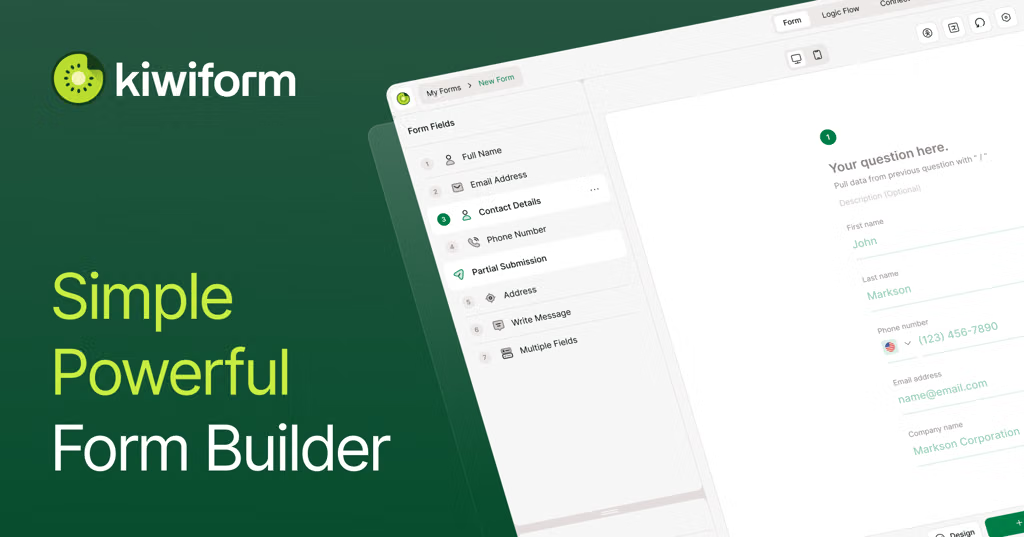
- Kiwiform (Best for High-Volume or Budget-Conscious Use Cases)
- AI Capabilities: Uses an AI assistant (Kiwizard ) to turn prompts into structured forms or quizzes instantly.
- Standout Feature: Generous free-tier limits with unlimited forms and fields, making it practical if you are running constant, high-frequency lead capture or recurring pulses.
- Explore via:
- Zonka Feedback (Best for AI Feedback Intelligence & CSAT/NPS)
- AI Capabilities: Heavy focus on automated sentiment analysis, text categorization, and real-time response summarization.
- Standout Feature: Great for omnichannel deployment (in-app, email, SMS, QR codes) with automated alert triggers based on AI sentiment scoring.
Quick Comparison Guide
Tool Primary Strength Best For SurveyMonkey Academic & market research rigor Deep analytics, scientific question design Typeform Conversational user experience Brand-led campaigns, high completion rates Jotform All-in-one generalist form power Complex forms, file uploads, and heavy workflows Kiwiform High volume with low friction Unlimited free-tier generation and quick quizzes Zonka Feedback Customer experience (CX) intelligence CSAT, NPS, and automated sentiment tracking To help narrow this down:
- What is the primary goal of your survey (e.g., customer feedback, employee pulse, academic research, or lead capture)?
- Do you need deep analytics on open-ended text, or is simple data collection your main priority?
Google AI ModeOct 21, 2026
Top survey builders that use artificial intelligence to automatically generate forms include
Typeform AI, which creates interactive questions from simple text prompts; Jotform AI , known for building full forms and quizzes instantly via chat; SurveyMonkey , which builds expert-backed methodology templates; and Sprig , which designs and synthesizes user research studies.Top AI Survey Builders
- Typeform AI builds conversational, engaging forms from a basic prompt.
- Jotform AI generates custom forms, surveys, and tables using a chat prompt generator.
- SurveyMonkey uses built-in AI to draft questions based on your stated research goals.
- Sprig designs targeted product and customer research surveys using AI agents.
If you'd like, let me know:
- What type of survey you are creating (customer feedback, event registration, employee quiz, etc.)
- Whether you need a free tier or an enterprise plan
I can help you pick the best platform for your specific project.
ChatGPTOct 21, 2026
If you want to describe a survey in plain English and have AI automatically generate the questions, answer types, and form structure, there are several good options. I'd start with Tally, Jotform, and SurveyMonkey because they offer different strengths, from free AI form creation to more advanced survey design and analysis.
Best AI-powered survey builders
1. Tally
(Best free starting point)
Describe your form in everyday language, and Tally AI generates questions, fields, structure, and conditional logic. You can also use AI to edit an existing form. Its AI creation features are available on the free plan.
Best for: Quick surveys, feedback forms, registrations, and questionnaires without a big budget.
2. Jotform
(Best all-around form builder)
Jotform AI can generate forms from a text prompt or uploaded PDF, then let you customize the layout and fields. It also has integrations and reporting tools for broader workflows.
Best for: Business forms, customer surveys, applications, intake forms, and workflows that connect to other apps.
3. SurveyMonkey
(Best for research-quality surveys)
Its AI can draft surveys from a prompt, convert existing survey text into structured questions, flag potential bias, and analyze open-ended responses.
Best for: Customer satisfaction, employee engagement, market research, and more formal survey programs.
4. Microsoft Forms
If you use Microsoft 365, Copilot can create a draft survey, quiz, or form from a natural-language prompt and help revise it. Availability depends on your eligible subscription or license.
Best for: Workplace surveys, internal feedback, training evaluations, and teams already using Microsoft 365.
5. Typeform
Worth considering if respondent experience and presentation matter. Typeform is known for polished, conversational, one-question-at-a-time forms; check its current AI generation features and plan limits before committing.
Best for: Branded customer surveys, lead generation, and interactive questionnaires.
6. Fillout
A strong alternative for quickly generating surveys from a description, importing existing questions, or converting a PDF. AI can also help refine questions and create a branded design. Basic AI survey creation is free.
Best for: Surveys with custom fields, conditional questions, and integrations.
Quick comparison
Tool Main advantage Free AI creation Tally Simple forms and logic Yes Jotform Customization and integrations Free plan available SurveyMonkey Survey quality and analysis AI generator available; plan limits may apply Microsoft Forms Microsoft 365 integration Eligible Copilot license required Typeform Polished, conversational forms Free entry point; check feature limits Fillout Flexible surveys and imports Yes, for basic features tally.sowww.jotform.comwww.surveymonkey.comsupport.microsoft.comwww.typeform.comsupport.fillout.com
My recommendation
- Want to generate forms for free? Start with Tally or Fillout.
- Want a full-featured business solution? Try Jotform.
- Need research, feedback analytics, and survey-quality guidance? Choose SurveyMonkey.
- Want visually engaging, conversational surveys? Try Typeform.
One important tip: AI-generated questions are a starting point. Review them for ambiguity, leading wording, missing answer choices, and appropriate branching before distributing your survey.
What kind of forms are you planning to build? For example, customer feedback surveys, employee questionnaires, market research, or general data-collection forms. I can narrow this down to the best two or three tools for your use case.
Pages cited in this answer 13
- tally.soFree AI form builder: create forms from a prompt | Tally AI
- jotform.comThe 5 best AI survey generators in 2026 (reviewed) | Jotform Blog
- surveymonkey.comSurveyMonkey AI | Generate & Analyze Surveys With AI
- support.microsoft.comFrequently asked questions about Copilot in Forms | Microsoft Support
- typeform.comAI Form Builder & Form Generator | Typeform
- support.fillout.comAI Survey Maker
- jotform.comJotform AI: Build faster with Jotform AI
- surveymonkey.comAI Survey Generator | SurveyMonkey
- support.microsoft.comCreate forms quickly with the Microsoft Copilot app | Microsoft Support
- pollpe.comBest AI Survey Tools in 2026: Free and Paid Compared
- appscribed.com7 Best AI Form Builders (2026): Tested & Ranked | Appscribed
- typeform.comForm Builder with AI Automation | Typeform
- fillout.comAI Form Generator
ChatGPTNov 2, 2026
Yes! There are quite a few survey platforms that use generative AI to dramatically speed up survey and form creation. Some can generate an entire questionnaire from a simple text prompt, while others let you upload documents, refine questions through conversation, or automatically configure conditional logic.
I've identified several worth evaluating. Here's how they compare.
1. AI-powered survey platforms
1. SurveyMonkey
(Strong all-around option)
- Generate entire surveys from natural-language prompts.
- Import existing surveys from Word or Google Docs.
- AI recommends question types and answer options.
- AI detects potential survey bias and structural problems.
- AI-generated branding and themes.
Website:
Source: Official product documentation.
2. Jotform
(Best for document-to-form creation)
- Generate surveys from a text prompt.
- Upload a document or provide a URL.
- Specify question count, language, and question types.
- Customize the generated survey using its visual builder.
Website:
Source: Official product documentation.
3. Typeform
- AI-assisted form creation and editing.
- Conversational survey experiences.
- AI assistance with branching and survey logic.
- Useful for customer feedback, lead generation, and engaging questionnaires.
Website:
Also included in recent AI survey platform comparisons.
4. Fillout
- Generate surveys from natural-language descriptions.
- Import existing surveys from other platforms.
- AI-assisted editing and question generation.
- AI-generated survey styling based on uploaded images.
Website:
Basic AI survey creation is available free.
5. QuestionPro
- AI-assisted survey design and research workflows.
- Useful for market research and enterprise surveys.
- More research-oriented than simple form builders.
Website:
Included among enterprise-oriented AI survey platforms.
6. Claform
(Interesting AI-native approach)
- Its AI agent, Clue, creates surveys from a sentence, PDF, URL, or voice note.
- Refine surveys conversationally.
- AI can modify questions, logic, tone, and translations.
- AI also analyzes collected responses.
Website:
Source: Official product documentation.
7. SurveyNinja
- Creates surveys from descriptions, questionnaire files, or photos.
- AI can edit questions, logic, scoring, and design.
- Changes are reviewed before being applied.
Website:
AI assistant and generator are advertised on its free plan.
2. Feature comparison
Here's how I would compare the platforms based on their advertised AI capabilities.
Platform Prompt-to-survey Document import Conversational editing AI logic assistance SurveyMonkey (Yes) Yes Partial Yes Jotform (Yes) Yes Partial Some Typeform (Yes) Varies Yes Yes Fillout (Yes) Yes Yes Some QuestionPro Yes Varies Varies Research-oriented Claform (Yes) Yes Yes Yes SurveyNinja (Yes) Yes Yes Yes These are qualitative comparisons of advertised features, not independently benchmarked performance tests.
3. What I'd look for in an AI-first survey builder
If you're evaluating these platforms from a product or technology perspective, I would distinguish between basic AI assistance and genuinely AI-driven form creation.
There are five increasingly sophisticated capabilities:
1. Prompt-to-form generation
User describes the purpose of a survey, and AI creates the questions, answer options, and structure.
2. Conversational form editing
"Add a question about customer satisfaction and make it a five-point rating scale."
3. Intelligent form configuration
AI determines question types, required fields, conditional branching, validation rules, and page structure.
4. Document-to-form conversion
Upload a PDF, Word document, existing questionnaire, or spreadsheet and convert it into a working form.
5. AI-driven survey optimization
AI identifies redundant questions, ambiguous wording, potential bias, missing answer choices, and opportunities to shorten the survey.
4. My recommendations
I would shortlist these five:
Your objective Platform I'd investigate first General-purpose AI survey creation SurveyMonkey Document-to-form conversion Jotform Beautiful conversational surveys Typeform AI-native conversational creation Claform AI editing of questions and logic SurveyNinja One particularly interesting distinction: most platforms are adding AI to an existing form builder. Claform and SurveyNinja are interesting to investigate because their AI assistants are more deeply integrated into the actual editing workflow.
One question that would help narrow this down
Are you researching these platforms because you're looking to:
- Find a tool to use – You want to create surveys faster for your organization.
- Conduct competitive research – You're evaluating what existing survey platforms offer in terms of AI capabilities.
- Build an AI survey builder – You're exploring opportunities to develop a product where users describe what they need and AI creates fully functional forms.
The third option is particularly interesting because there's a significant difference between generating survey questions and generating an entire working form, including layout, branching, validation, and workflows.
Pages cited in this answer 11
- surveymonkey.comAI Survey Generator | SurveyMonkey
- help.surveymonkey.comBuild Surveys with AI | SurveyMonkey
- support.fillout.comAI Survey Maker
- surveyninja.ioOnline Survey Software with AI, Free to Start | SurveyNinja
- jotform.comJotform AI Survey Generator | Free AI Survey Generator for 2026
- typeform.comForm Builder with AI Automation | Typeform
- sprig.comThe Best AI Survey Platforms in 2026: A Buyer's Guide
- surveykar.com8 Best AI Survey Tools in 2026: Compare Features & Pricing
- fillout.comFillout | Forms that do it all
- questionpro.comOnline Survey Software and Tools | QuestionPro
- claform.comAI Survey Generator: Create Surveys From a Prompt | Claform
Google AI ModeNov 2, 2026
Yes, several survey platforms use artificial intelligence to generate, edit, and optimize forms from a simple text prompt or uploaded context .
Platform Best For Key AI Creation Capabilities Sprig Enterprise & Product Research Specialized AI agents that support study design, adaptive fielding, and automated synthesis. Typeform Conversational & Branded Surveys Generates/edits forms, configures branching rules, translates content, and uses uploaded files as context. SurveyMonkey General Business Surveys AI survey generation, layout/design recommendations, and built-in response-quality checks. Qualtrics Complex Experience Management AI-assisted survey design, logic setup, and deep analytics embedded in a large experience-management suite. Alchemer Configurable Workflows AI-assisted survey building, adaptive follow-up prompts, and sentiment analysis automation. Top AI Survey Builders and How They Work
- Sprig: Focuses on autonomous or agent-driven research where you can input a research goal, and the AI drafts the methodology, screening questions, and targeted user flows, then synthesizes open-ended feedback.
- Typeform: Allows you to type a prompt (or upload a document) to build an interactive, conversational form in seconds. It can automatically handle conditional logic (branching rules) and translate content into multiple languages.
- SurveyMonkey: Offers an AI prompt assistant that constructs a multi-question survey tailored to your objective, suggests optimal question types (multiple choice, rating scale, open-ended), and flags biased or redundant questions.
- Qualtrics: Integrates generative AI to assist enterprise researchers in drafting complex multi-page surveys, standardizing scale questions, and predicting drop-off points before launch.
- Alchemer: Streamlines building surveys by turning high-level business goals into structured question sets while offering adaptive follow-up logic based on initial respondent input.
If you share what kind of survey you are trying to create (e.g., customer feedback, employee engagement, market research, or lead generation) and how detailed you need the analysis to be , I can recommend the best-fit platform and show you how to get started.
Pages cited in this answer 1


















For agents: this page as Markdown, https://parse.gl/topics/ai-powered-form-creation.md. JSON, MCP · free for the last 90 days, $0.01 a check
 Open in ChatGPT
 Open in Claude
This page
Read and search
Connect
An agent can save work before signup: POST https://agent.parse.gl/v1/workspaces
What it costs
Prices: https://parse.gl/pricing.md
Map of the site: https://parse.gl/llms.txt
