






Google AI ModeSep 29, 2026
Loading…

Data as of Oct 18, 2026Based on 318 AI responses from ChatGPT Search and Google AI Mode Reviewed by Dimitry Apollonsky
AI summary
For moving inspections mobile with on-site sticker printing, SmartGov Mobile is the best fit as it specifically supports printing pass/fail inspection reports from mobile devices. For broader inspection needs requiring mobile data capture and custom workflows, platforms like SafetyCulture, GoAudits, and FastField are highly recommended. Use a dedicated label printing app for mobile sticker output if your primary inspection software lacks an integrated printing feature.
Brands AI recommends here
Mentioned inMentioned in · Sep 13 – Sep 29, 2026
Google AI ModeSep 29, 2026
ChatGPT SearchSep 29, 2026
ChatGPT SearchSep 25, 2026
Google AI ModeSep 25, 2026
ChatGPT SearchSep 21, 2026
Google AI ModeSep 17, 2026
ChatGPT SearchSep 17, 2026
ChatGPT SearchSep 13, 2026
Google AI ModeSep 13, 2026
84% of citations to these sources link to brands' own websites.
opengov.com
gocanvas.com
 MOBILE INSPECTION (opens in a new tab)Brand site4%
tracerplus.com
opengov.com
inspectall.com
arcsite.com
nestforms.com
inspecttrack.com
inspectall.com
inspecttrack.com
Moving your inspection workflow mobile while requiring field printing of pass/fail stickers relies on a 3-part hardware and software ecosystem: a rugged mobile device (tablet/phone), a field-ready mobile thermal printer, and an inspection platform that supports direct Bluetooth printing or custom report triggers.
No software can print a physical sticker without the right peripheral. To print weather-resistant pass/fail stickers or tags on-site, inspectors typically carry:
Depending on whether you need municipal building code enforcement, commercial asset tracking, or internal quality/safety sign-offs, different solutions fit the bill:
To help narrow down the exact software and hardware configuration you need, tell me:
Yes. If the goal is specifically:
Inspector arrives → opens inspection on phone/tablet → completes checklist → PASS/FAIL → prints a physical sticker/report before leaving → syncs to the office system, there are several credible approaches.
CityView Mobile is particularly interesting for municipal/building inspections. Its mobile app supports iPad, iPhone, Android and Surface devices, works offline, lets inspectors record results in the field, and explicitly supports printing inspection reports through a Bluetooth-enabled printer at the inspection site.
That makes the workflow fairly close to what you're describing:
Mobile device → inspection → result → Bluetooth printer → physical label/report
| Platform | Mobile inspection | Pass/Fail | Offline | Field printing |
|---|---|---|---|---|
| CityView Mobile | ✓ | ✓ | ✓ | Bluetooth printer explicitly supported |
| Accela Mobile | ✓ | ✓ | — | Needs verification for your specific printer/label workflow |
Accela's current mobile application explicitly lets inspectors result inspections, complete checklist items, and attach photos/video/audio from the field. play.google.com Citywide Permits similarly advertises offline inspections and explicit pass/fail results.
I would not make the printer an afterthought. The requirement you should give vendors is:
When the inspector selects PASS or FAIL and submits the inspection, can the mobile app automatically print a predefined adhesive label to a Bluetooth mobile printer?
That's much more specific than asking whether the system "supports printing."
For example:
PASS
or:
FAIL
A rugged Bluetooth thermal label printer paired with the inspector's iPad/Android device is the architecture I'd investigate.
If these are municipal building/code inspections, I'd start by evaluating CityView, Accela, and Citywide Permits, especially if you already have one of those systems.
If these are equipment inspections—fire extinguishers, backflow devices, elevators, HVAC, electrical equipment, etc.—I'd look at a different class of software such as MSI Service Pro, where pass/fail is built into high-volume asset inspection workflows.
If you tell me what you're inspecting and what system you're using today (e.g. Tyler, Accela, CityView, CentralSquare, spreadsheets, etc.), I can narrow this to the 2–3 solutions that can actually produce the physical PASS/FAIL sticker in the field, including the printer models and approximate costs.
Yes. The workflow you’re describing is very doable, but there’s an important distinction: many inspection apps can record Pass/Fail, while fewer can automatically print a physical Pass/Fail sticker from the field.
A good architecture is:
Inspector’s phone/tablet → mobile inspection app → complete checklist → PASS/FAIL → submit/result → Bluetooth label printer → sticker
I'd pair the software with a Bluetooth mobile thermal label printer, rather than a normal office printer. Zebra and Brother are common choices for this type of field setup. The sticker could look something like:
PASS INSPECTED Permit/Asset #: 123456 Date: 09/25/2026 Inspector: 042 Next Due: 09/25/2027 [QR CODE]
For a failure:
FAIL — DO NOT USE Inspection #: 123456 Date: 09/25/2026 Deficiency: 789 [QR CODE]
The key question to ask every vendor is:
“When the inspector submits an inspection as PASS or FAIL, can the app automatically send a predefined label template to a Bluetooth mobile printer?” That's much more specific than asking whether the software "supports printing."
If you're talking about building, electrical, mechanical, plumbing, fire, rental, elevator, or similar regulatory inspections, I would not start with a generic checklist app. I'd look for a mobile component of your existing permitting/inspection system, so the inspector's result immediately becomes the official inspection record rather than creating a second database.
If you tell me what you're inspecting and what system you use today (e.g. Tyler, Accela, BS&A, Cityworks, CentralSquare, spreadsheets/paper), I can narrow it down to the specific apps that can do mobile inspection → official result → automatic PASS/FAIL sticker, and identify the appropriate printer setup.
Moving municipal, residential, or commercial inspections mobile—especially with the requirement to result an inspection and physically print a pass/fail sticker on-site—requires a blend of configurable mobile inspection software , a rugged mobile device , and a rugged portable Bluetooth thermal printer.[2][3]
Most off-the-shelf, out-of-the-box general inspection apps do not natively support direct thermal sticker printing straight from a single button click without a bit of setup. Instead, the workflow relies on an ecosystem approach.
To transition your team from paper clipboards to the field, you need a 3-tier architecture:
Because printing sticky labels in the field requires specialized driver communication, solutions generally fall into two categories:
If you are doing building, code, or environmental health enforcement:
If you are inspecting equipment, HVAC, electrical panels, or fire safety assets:
To help narrow down the exact software and hardware stack you need, tell me:
Yes. The workflow you’re describing is very doable, but the sticker printer is usually a separate piece of hardware from the inspection app.
The ideal field workflow is:
Tablet/phone → open inspection → complete checklist → PASS/FAIL → save result → automatically print a physical sticker → sync record to office.
If you specifically mean:
Inspector taps PASS → a physical adhesive PASS sticker comes out in the field I'd make that a hard requirement in the vendor demo. Many inspection apps can produce a PDF/report but don't natively drive a label printer.
A typical setup would be:
iPad/iPhone/Android tablet ↓ Inspection application ↓ PASS / FAIL ↓ Bluetooth or Wi-Fi thermal label printer ↓ Sticker
The sticker could automatically contain:
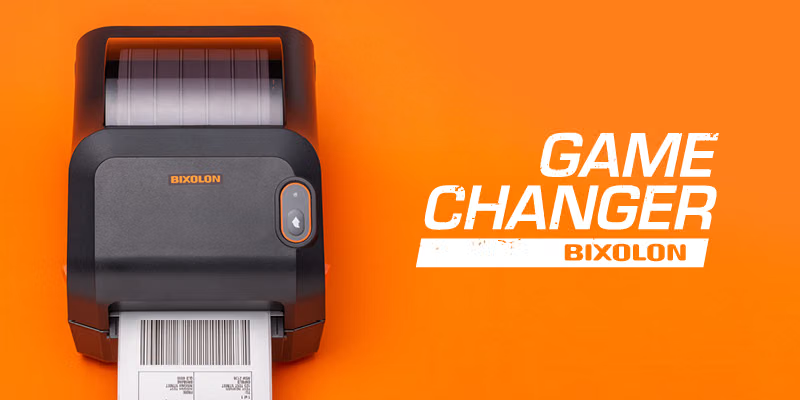
For a field operation, I'd specifically ask vendors whether they support Zebra, Brother, or BIXOLON mobile thermal printers and whether the app can trigger a particular label template based on the inspection result. The distinction is important: "can print a report" isn't the same thing as "can automatically print a 2×3-inch PASS sticker when the inspector submits."
If you tell me what kind of inspections you're doing (fire inspections, elevators, boilers, electrical, building permits, vehicle inspections, food inspections, etc.) and roughly how many inspectors you have, I can narrow this down to the 3 most appropriate systems and the exact mobile printer/sticker setup I'd evaluate.
Moving traditional paper or desktop-bound building/field inspections to a fully mobile workflow requires a combination of field inspection software (running on a smartphone or tablet) and a rugged mobile Bluetooth thermal printer.
To help narrow down the ideal setup, let me know:
Moving your inspection process mobile and enabling field-printing for pass/fail stickers requires a three-part hardware and software ecosystem: a mobile inspection platform/app , a rugged mobile Bluetooth thermal printer , and weatherproof/adhesive sticker label stock.
To transition from paper to field-resulted, sticker-printing inspections, set up your workflow like this:
While many generic inspection apps only email PDFs or sync to the cloud, specific platforms and custom configurations support direct mobile Bluetooth printing for physical tagging:[](https://getprofield.com/inspection-report-app-android.html)[[2](https://getprofield.com/inspection-report-app-android.html)](https://inspecttrack.com/)
To help narrow down the exact setup you need, tell me:
Moving inspections mobile usually requires two pieces:
The workflow you want is:
Inspector tablet/phone → Open inspection → Complete checklist → Select PASS/FAIL → Submit result → Print sticker immediately
A few platforms to evaluate:
| Platform | Best fit | Field PASS/FAIL | Sticker printing |
|---|---|---|---|
| Tyler Technologies mobile inspection solutions | Municipal building/code inspections | Yes | Usually via configured printing workflows; confirm exact sticker integration |
| Accela mobile inspections | Government permitting/code departments | Yes | Often paired with mobile printing solutions |
| SmartGov Mobile | Municipal inspections | Yes | Worth validating for your exact label workflow |
| SafetyCulture | General safety/asset inspections | Yes | Typically requires printer integration/automation |
| Alpha Software mobile inspection apps | Custom inspection workflows | Yes | Can be customized for printer-triggered labels; supports offline field inspection workflows |
For the actual sticker, most organizations pair the app with a rugged mobile printer such as:
The key requirement to ask vendors is:
“When the inspector marks an inspection PASS or FAIL, can the system automatically send a predefined label template to a Bluetooth printer without creating a PDF or requiring manual printing?” Your sticker template would typically include:
The best choice depends heavily on the inspection type:
What type of inspections are you trying to move mobile (building permits, fire extinguishers, elevators, vehicles, electrical, equipment, etc.)? Also, do you already use a permitting or asset-management system? That will determine whether you need a full replacement or just a mobile add-on.
Yes. If by “move inspections mobile” you mean the inspector completes the checklist on a phone/tablet, selects PASS/FAIL, and immediately prints a physical sticker in the field, I’d design it as:
Mobile inspection app → PASS/FAIL result → Bluetooth label printer → sticker → sync to back office.
A few products are worth looking at:
The inspector should be able to do this entirely from the field:
PASS Inspection #123456 Asset/Permit #78910 Inspected: 9/13/2026 Inspector: J. Smith Next Due: 9/13/2027 [QR Code]
For a failure:
FAIL — DO NOT USE Inspection #123456 Deficiency #78910 Date / Inspector [QR Code]
The critical requirement I'd put in an RFP is:
“Upon finalizing an inspection as PASS or FAIL, the mobile application must automatically print a predefined label template to a paired Bluetooth/Wi-Fi thermal label printer without requiring the inspector to generate a PDF or return to a desktop.” That wording separates a true mobile inspection/labeling workflow from apps that merely generate inspection PDFs.
If you tell me what you're inspecting (fire equipment, elevators, boilers, vehicles, building/code, rental properties, electrical, etc.) and what system you currently use to manage inspections, I can give you a much tighter shortlist—including the specific app + printer + sticker stock I'd recommend.
Moving a municipal or enterprise inspection workflow mobile—especially one requiring physical field printing like pass/fail certification stickers—requires marrying a field inspection/permitting software app with a rugged, Bluetooth-enabled mobile thermal label printer.
Out-of-the-box, standard generic checklist apps (like iAuditor or Fulcrum) can record a pass/fail, but they struggle with native direct-to-printer field sticker routing unless paired with middleware or specific enterprise configurations.
To result an inspection and print a physical adhesive sticker directly from the field, agencies typically use:
To help narrow down the exact setup you need, let me know:
| ✓ |
| ✓ |
| ✓ |
| Needs verification |
| MSI Service Pro | ✓ | ✓ | — | Integration/configuration likely needed |
| SDL Field | ✓ | ✓ | ✓ | Printing needs verification |