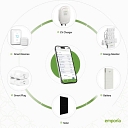
Emporia Smart Plug is the top pick if you want built-in CSV export and minute-level energy logs via the Emporia app/cloud. If you need fully local CSV exports and privacy, choose Athom ESPHome/Tasmota-compatible plugs (requires DIY/Home Assistant). For an easy, consumer-friendly option, TP‑Link Kasa provides reliable energy tracking and can export data when integrated with Home Assistant or scripts, though its app may not export CSV natively.
2Kasa SmartBest for consumers wanting a reliable, user-friendly plug that tracks energy and can produce CSVs when integrated with Home Assistant or scripts; caveat: Kasa/Tapo apps often lack native CSV export.59%
Consumer smart plug apps rarely offer a built-in direct "Export to CSV" button natively out-of-the-box, meaning the most reliable way to get CSV data is using local-control hardware likeShelly Plug US/S or a TP-Link Kasa KP115 paired with a smart home ecosystem like Home Assistant. [1]
Most off-the-shelf commercial apps (like Govee, Tuya, or Kasa) lock your data inside their mobile apps or restrict exports to occasional summary reports. If native, seamless CSV logging and ownership of your data matters to you, hardware choices and architectures differ based on how you pull the data.
Top Smart Plug Recommendations for Data Export
Tasmota-Flashing or Zigbee Plugs (e.g., Sonoff, via )Using local Zigbee plugs connected to a local coordinator hub avoids cloud lock-in entirely. records every wattage change to an internal database, allowing you to export customized historical ranges directly to a CSV spreadsheet.[2][3]
The Local Web Interface Route (Easiest for standalone use): Buy a Shelly smart plug. Connect to its local IP address via a browser on your computer. Navigate to the power/meter history logs and use third-party scripts or built-in JSON-to-CSV tools to archive the records.
The Home Assistant Route (Best for long-term automated logging): Pair a local-polling plug (like TP-Link Kasa or a Zigbee smart outlet ) with a local Home Assistant hub. Use the built-in "Download CSV" option on the history graphs for any energy sensor entity.
The Python API Route: For Kasa or Shelly plugs, developers often write a lightweight Python script using local libraries (python-kasa or Shelly's HTTP RPC endpoints) to ping the plug every minute and append the reading into a local .csv file.
If you'd like, let me know:
Do you already use a smart home hub like Home Assistant, Hubitat, or Apple Home?
Do you prefer a Wi-Fi or Zigbee connection?
I can give you a tailored setup guide or script for your preferred platform.
If CSV export is a hard requirement, I’d narrow the field considerably. These are the strongest options I found:
Shelly Smart Plug Gen4 - $44.99 (Micro Center)
Emporia Smart Plug - $34.99 (Emporia Energy)
Meross Matter Smart Plug with Energy Monitoring - $52.99 (Meross Official Store)
Shelly Plug US Gen4 — my first choice for CSV. Shelly explicitly documents an “Export .csv” function for consumption data, and it also supports power, voltage, current, and other measurements.
TP-Link Tapo P110/P115 — good if you want a straightforward app. TP-Link's current documentation says energy data can be exported locally from the Tapo app.
SwitchBot Plug Mini — another simple option. SwitchBot says its energy-monitoring data can be exported for analysis, and the product supports historical consumption data.
FRITZ!Smart Energy 200 can save consumption data directly as CSV, but it's primarily designed around the FRITZ! ecosystem, so I'd avoid it unless you're already using FRITZ!Box.
What I'd buy
For “plug it in → measure electricity → periodically download CSV → analyze in Excel/Python”, I'd lean toward Shelly Plug US Gen4. Its manufacturer explicitly documents CSV export rather than merely saying it has energy monitoring.
If you tell me your budget (e.g. <$25, <$50) and whether you need 15A/1800W, I can narrow it to 2–3 specific plugs and check current prices.
Shelly smart plugs (such as the Shelly Plus Plug US or Shelly Plug S) provide native energy monitoring with a direct button to export your usage data straight to a CSV file from their cloud portal or app. Most consumer smart plugs (like TP-Link Kasa or Meross ) do not feature a direct CSV export in their basic mobile apps, requiring local home automation platforms like Home Assistant to capture and export the data.
Top Smart Plug Options for CSV Data Export
Brand / Model
Hub Required?
Local Control / API
Direct CSV Export Method
Shelly Plus Plug
No
Yes (HTTP, MQTT, local Web UI)
Use Shelly Smart Control web/app portal and click "Export .csv" under the consumption chart.
Navigate to the power consumption charts in the web control panel (control.shelly.cloud ) and click the Export .csv button located directly beneath or inside the consumption metrics box.
The Local/Advanced Route (Home Assistant + Kasa/Meross/Shelly):
If you have a preference for your smart home ecosystem (Alexa, Google Home, Apple Home, or entirely offline ), let me know so I can tailor the plug recommendation.
If CSV export is a hard requirement, I’d focus on smart plugs with either built-in export or a local-data path. Good options:
Shelly Plug US Gen4 Smart Home Plug - $24.99 (Best Buy)
Emporia Smart Plug - $20.99 (Emporia Energy)
Kasa Matter Smart Plug with Energy Monitoring - $79.99 (newegg.com)
Best fits for energy monitoring + CSV
— best if you want your data
Built-in power measurement.
Shelly devices provide a CSV export option for consumption data.
Strong choice if you want to integrate with Home Assistant, local dashboards, or your own scripts.
More technical setup than typical consumer plugs.
— easiest energy tracking
Designed for appliance-level energy monitoring through the Emporia app.
Check the app’s current export capabilities if you need raw CSV files for analysis; Emporia’s broader energy platform supports data exports, but plug-specific export features can vary.
Kasa energy-monitoring plugs can export usage and power-consumption data as CSV files from the app (for supported models).
Easier setup than Shelly, but less flexible for automation and local data collection.
My recommendation by use case
Excel/CSV analysis without tinkering: Kasa energy-monitoring plug.
Long-term logging, automation, research projects, or Home Assistant: Shelly Plug.
Tracking many household devices with a polished app: Emporia.
A few things to verify before buying:
Whether CSV export is available directly from the app (not just graphs).
Whether export includes timestamps + watts + kWh (some only export totals).
Whether data is stored locally or in the vendor cloud.
If you tell me your platform (Home Assistant, Excel only, Google Sheets, Apple Home, Alexa, etc.) and whether you need US 120V, I can narrow it to one or two models.
If CSV export is a hard requirement, I’d look at Shelly first. Its energy-monitoring plugs explicitly support exporting historical consumption data to CSV.
Shelly Plug US Gen4 - $24.99 (Best Buy)
My pick: Shelly Plug US Gen4
Energy monitoring: measures power consumption, voltage, and current.
CSV export: Shelly's interface provides an Export .csv function for consumption history.
Local data access: Shelly supports local communication, and its newer devices expose data through local APIs.
Home Assistant: Shelly integrates directly with Home Assistant, which can also collect the energy data.
US version: the Plug US Gen4 is rated for up to 15 A / 1800 W.
Shelly Plug US Gen4 - $24.99 (Best Buy)
Shelly Plug US Gen4 2-pack - $44.99 (Micro Center)
Meross Matter Smart Plug - $52.99 (Meross Official Store)
Kasa Matter Smart Plug - $29.99 (Newegg)
One important distinction: many plugs advertise "energy monitoring" but only let you view graphs in their app. If you specifically need a downloadable CSV without building your own data pipeline, Shelly is a particularly good fit because CSV export is explicitly documented.
If you tell me whether you want (a) direct CSV export from the plug/app or (b) automatic CSV logging to your computer/NAS, I can narrow this down further.
If you need a smart plug that tracks electricity consumption and lets you pull that data into a spreadsheet without hacking together a local server, a few standout options offer native CSV exporting right through their companion apps or web portals.
Shelly Plus Plug S
The Details: A highly compact, local-and-cloud capable Wi-Fi smart plug that handles up to 2500 W (12A) with real-time power metering.
CSV Export: You can view granular power consumption charts on either the mobile app or the Shelly Smart Control Web Portal and click a direct Export .csv button to download your timestamped metrics.
TP-Link Tapo Smart Plugs (with Energy Monitoring 2.0)
The Details: Popular, reliable, hub-free 15A Wi-Fi smart plugs (such as select Tapo /Kasa energy-monitoring variants).
CSV Export: Tapo rolled out an "Energy Monitoring 2.0" update that features an explicit Export All Energy Usage Data option inside the app settings, allowing you to save your power logs locally.
SONOFF S31 Smart Plug
The Details: A popular 15A US-standard Wi-Fi smart plug with detailed voltage, current, and real-time power tracking via the eWeLink app.
CSV Export: It stores up to 100 days of historical power consumption data locally in the app and supports direct historical data export to CSV.[1]
The Prosumer Alternative: Home Assistant + Any Energy Plug
If you want absolute control, high-frequency logging (e.g., polling every few seconds), or automated daily CSV dumps, the community standard is pairing any reliable energy-monitoring plug (like TP-Link Kasa or Shelly ) with a local Home Assistant hub. Home Assistant records long-term statistics natively and allows direct data exporting or database querying without relying on manufacturer cloud apps.
Are you looking for a plug that operates entirely locally without a cloud connection , or do you prefer an out-of-the-box mobile app with a simple download button?
Finding a smart plug that natively exports energy data to a CSV file narrows the market down significantly, as many consumer smart home apps lock your data into proprietary graphs.
The top recommendations for smart plugs with native or straightforward CSV data export functionality include:
TP-Link Kasa / Tapo Smart Plugs (with Home Assistant or Scripts)Highly reliable and inexpensive hardware (like the TP-Link Kasa Smart Wi-Fi Plug Slim or Tapo P110 Mini ). While their native mobile apps don't always offer a clean one-tap CSV export button for everyone, the local API is heavily documented. Many users pull data using community Python scripts (like the Kasa-to-CSV GitHub tools) or pipe the data seamlessly into Home Assistant for continuous logging.
If you want to narrow this down, let me know:
Do you prefer a local-only connection (no cloud required, e.g., Shelly/Home Assistant) or an easy cloud app?
If CSV export is a must-have, I’d focus on plugs with either built-in CSV export or a strong local-data ecosystem. These are the best fits:
Model
CSV export
Best for
Notes
Shelly Plug US Gen4
✅ Yes
Best overall for data access
Shelly’s energy charts include CSV export, and the platform is very data-friendly.
Shelly Plus Plug US
✅ Yes
DIY / Home Assistant users
Supports exporting consumption data as CSV from its interface.
TP-Link Tapo P115
✅ Export available
Simple consumer option
Tracks real-time power, history, and allows energy data export from the app.
SONOFF S31 WiFi Smart Plug
⚠️ Usually via integrations
Budget + tinkering
Good energy monitoring hardware; CSV typically requires a local logging setup or third-party tools.
Eve Energy Smart Plug & Power Meter
✅ Via Eve ecosystem
Apple/Matter users
Strong privacy-focused smart home option; export capabilities depend on the app workflow.
My recommendations
You want the easiest “plug in → monitor → download CSV” experience:
Choose a Shelly Plug. It is the closest match to your requirement because CSV export is a first-class feature.
You want a normal consumer smart plug with minimal setup:
Choose Tapo P115. It gives energy history and export without needing a full home automation system.
You want long-term data analysis (Excel, Python, dashboards):
Choose Shelly + Home Assistant or another local logging system. You’ll get more control over sampling intervals and storage.
Before buying, check:
Outlet standard: US / EU / UK plug type.
Sampling rate: Some apps only save hourly/daily summaries; others can log much more frequently.
Local vs cloud: If you want reliable years of CSV history, local storage is preferable.
If you tell me your country (e.g., US) and whether you use Home Assistant, Apple Home, Alexa, or Google Home, I can narrow it to the best 1–2 models.
Finding a smart plug that natively lets you pull raw data into a spreadsheet can be tricky, as many ecosystem apps lock data into closed graphs. However, a few reliable hardware options and ecosystem workarounds make exporting data to CSV straightforward.
Top Smart Plug Recommendations with CSV/Excel Export
Add to list Highly recommended for data nerds. Through the Shelly Smart Control App or the web portal (control.shelly.cloud ), Shelly provides a direct Export to CSV button right above their power consumption and voltage charts. It operates locally via Wi-Fi and doesn't require a locked cloud ecosystem.
Add to list Recent updates to the Tapo app include an Export All Energy Usage Data feature directly inside the energy monitoring dashboard, allowing you to save usage statistics locally or share them for record-keeping. Look for models like the TP-Link Tapo P110M.[2]
If you plan on using multiple smart plugs or want automated, granular, and permanent data logging, the gold standard is pairing local-control smart plugs (like Shelly or Kasa/Tapo ) with Home Assistant . Home Assistant features a robust built-in Energy Dashboard that logs every watt-hour and allows you to easily download history and statistics for any device into a CSV format.
To help narrow down the best plug for you, let me know:
What region/plug type (US, UK, EU) do you need?
Do you prefer a local-only setup (no cloud required) or an app that just works out of the box?
CSV export is officially supported through the Emporia app, with selectable device and date range.
Exports can include 1-second, 1-minute, 15-minute, hourly and daily data depending on the available retention period.
Main drawback: the data is cloud-based; Emporia currently doesn't provide a public API or local data access.
This is the one I'd buy if you want the simplest "plug → monitor → download CSV" workflow.
Good alternative: Tapo P110/P115
TP-Link's energy-monitoring Tapo plugs can now export all energy-usage data from the Tapo app. TP-Link They're also supported by Home Assistant, which can expose their energy measurements for more flexible logging.
The catch is that Tapo's documentation is less explicit about the exact CSV format/workflow than Emporia's, so I'd favor Emporia if CSV analysis is the primary requirement.
If you tell me your budget (e.g. under $25/$50) and whether you want Wi-Fi, Matter, or Home Assistant compatibility, I can pick the best specific model for you.
None natively in app; requires third-party export tool or Home Assistant integration.
Tasmota-flashed Plugs
No
Yes (Complete local control)
Export via local web interface, MQTT, or custom automation loggers (like Prometheus/Grafana).
If you prefer using budget-friendly plugs like TP-Link Kasa , pair them with a local instance of Home Assistant.
Home Assistant logs long-term statistics for energy (watts/kWh) and allows you to export history logs or query the database directly into CSV format using community addons or data tools.