The "best" no-code platform for building iOS and Android apps depends entirely on your technical comfort level and what kind of app you want to make.
The top platforms on the market break down by use-case and user type:
FlutterFlow(Best for high customizability & native power) : A powerful visual builder that outputs clean code on top of Flutter. It lets you build truly native-feeling iOS and Android apps with animations, complex logic, and direct API or Firebase integrations. It has a slight learning curve, but it offers the least restrictive ceiling for a no-code tool.
Adalo(Best for straightforward consumer mobile apps) : Highly visual and intuitive, Adalo feels like putting together a slide deck. It includes built-in databases, user authentication, and straightforward publishing pipelines directly to the Apple App Store and Google Play. It’s great for MVPs and simple social or directory apps, though it can slow down with massive relational databases.
How do other no-code mobile app builders compare to FlutterFlow regarding functionality and trade-offs?
What are the most user-friendly no-code mobile app development platforms for non-technical founders, and are there simpler alternatives to FlutterFlow?
Other topics in No-Code and Low-Code App Platforms
Thunkable(Best for drag-and-drop simplicity) : Uses a block-based logic system (similar to Scratch) combined with a visual designer. It is excellent for beginners, educators, or hobbyists who want to build functional native mobile apps without getting bogged down in traditional database structures.
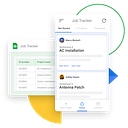
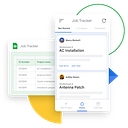
Glide(Best if your data starts in Google Sheets or Airtable) : If your app is heavily data-driven (like inventory tracking, internal team tools, or event apps), Glide turns spreadsheets into slick, fast Progressive Web Apps (PWAs) that can also be wrapped for mobile. It is unmatched for speed-to-launch, though less optimized for heavy custom device hardware features.
Bubble(Best for ultra-complex logic, though web-first) : While primarily a web app builder, Bubble handles advanced backend logic better than almost any other no-code tool. Many developers use Bubble to build the robust backend/API layer for mobile wrappers, though it isn't a pure native mobile builder out of the box.
To help narrow down which one fits your project, tell me:
What is the core concept or purpose of your app?
Do you need access to device-specific features (like Bluetooth, camera, or push notifications)?
What is your familiarity with databases or logic builders?
Best no-code platforms for building iOS and Android apps
If you want to build one app that works on both iPhone and Android without becoming a full-time programmer, FlutterFlow is my best overall starting point for a serious mobile app, while Adalo and Glide can be better for simpler projects.
The right choice depends on what you're building, how much control you need over the design, and whether you want to publish to the Apple App Store and Google Play.
Top 5 platforms compared
1. FlutterFlow
(Best overall)
Best for: Custom apps, startups, marketplaces, and apps you want to grow.
Visual drag-and-drop interface with detailed design control.
Builds for iOS and Android using Flutter.
Supports Firebase, Supabase, APIs, and custom code.
Best for: Business tools, employee apps, inventory, directories, and dashboards.
Very fast to build data-driven apps.
Works well with spreadsheet-like data sources.
Minimal technical learning curve.
Important: Glide is primarily a web app/PWA platform, not the right choice if publishing a conventional native app directly to both app stores is essential.
Comparison based on platform capabilities and published documentation; ease ratings are qualitative, and pricing/features can change.
My recommendation
Choose FlutterFlow if you're building a serious consumer app, subscription app, marketplace, or custom product that may eventually need more advanced features.
Choose Adalo if you're a beginner and want the simplest path from idea to an app in both stores.
Choose Glide if your main goal is a business tool and app-store distribution isn't required.
One important distinction: a platform that creates a mobile-friendly website isn't necessarily one that produces an app you can publish in the Apple App Store and Google Play. Check that before investing significant time.