MOZA Racing holds a narrow lead over Fanatec for direct drive wheels and load cell pedals. For complete turnkey cockpit packages, Fanatec is the usual answer.
Since July, Alpinestarsrising has become the go-to recommendation for thin-soled sim racing shoes, with Sim Houndrising also becoming a common answer. Thrustmasterrising and Advanced SimRacingrising have gained broader visibility across the market.
18% of citations point at the ranked brands’ own sites. reddit.com, youtube.com, simracingsetup.com are the most-cited sites outside the ranked brands’ own domains.
If you have limited space but want a sim racing cockpit that feels genuinely sturdy, my first pick is the Next Level Racing GTLite Pro. It offers a good balance of a proper racing seat, a rigidly mounted wheel and pedals, and a frame that folds away when you're done. The big caveat is that every folding cockpit sacrifices some rigidity compared with a permanent metal rig.
The most important question is what wheelbase you're planning to use. A foldable rig can work very well with a Logitech or Thrustmaster wheel, but a powerful direct-drive wheel and stiff load-cell brake put much more stress on the frame.
Can you recommend racing pedals with load cell technology for a realistic braking feel in my simulator?
I am shopping for sim pedals and want to avoid potentiometers for the brake. What are my options for load cell pedals that measure pressure directly?
I need sim racing pedals that use load cells for the brake. Can you recommend options that detect physical pressure instead of relying on potentiometer travel?
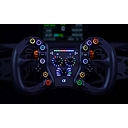
I need a Formula-style racing wheel rim to add to my direct drive base for open-wheel racing. What are the best options with lots of buttons and a display?
My pedals are sliding on the carpet. What is the best pedal plate or mount to keep them stationary?
Are racing shoes necessary? What are the best thin-soled shoes for sim racing to feel the pedals?
What's the best "turn-key" sim racing cockpit setup for someone who just wants to buy a complete, pre-configured rig?
Next Level Racing
$299 USD
Typical listed price from the manufacturer
My pick if sturdiness is your priority. It has a padded seat, adjustable driving position, folding frame, and mounts for a shifter and handbrake. It's designed to accommodate entry-level direct-drive wheels.
Trade-off: it still has some flex under hard braking and isn't equivalent to a fixed-frame cockpit.
Best when storage space and quick folding matter most. It's lightweight, easy to tuck away, and uses a compact folding design. Compared with the GTLite Pro, it has a simpler frame and a less adjustable wheel mount.
Trade-off: not my first choice for a powerful direct-drive wheel or a very stiff load-cell brake.
Best budget option if you're using a conventional gear- or belt-driven wheel. You get a full seat, dedicated wheel and pedal mounts, and a foldable design for considerably less than the Pro.
Trade-off: the older design is less appealing if you intend to upgrade to a stronger direct-drive wheel later.
Wheelbase torque: For a conventional Logitech or Thrustmaster wheel, most of these options are reasonable. For a direct-drive base, I'd lean toward the GTLite Pro.
Brake rigidity: A stiff load-cell brake can expose flex in the pedal deck and cause the frame to shift. A wheelbase's advertised torque rating doesn't guarantee a rigid braking platform.
Storage dimensions: Check the folded dimensions, not just the footprint when racing. Some rigs fold with the wheel and pedals attached, but still aren't particularly slim.
Your chair and floor: If you choose a wheel stand instead of a full cockpit, make sure your chair can't roll backward under braking.
These are the key limitations to weigh before buying.
Let me narrow it down to the best rig for you
1. What wheel are you using or planning to buy?
Logitech G29/G923 or similar gear-driven wheel
Thrustmaster T300/T248 or similar belt-driven wheel
Direct drive (MOZA, Fanatec, Logitech DD, etc.)
Haven't bought a wheel yet
2. What's your cockpit budget?
Under $200
$200–$300
$300–$500
$500+ if it's genuinely worth it
3. Where does it need to fit when folded?
Inside a closet or behind a door
Against a wall or beside a desk
Under a desk or bed
4. Do you need a built-in seat?
Yes, a complete cockpit with seat
No, I can use my existing chair
[Find my best rig]
My advice: don't spend money on a cockpit that you'll immediately want to replace when you upgrade your wheel. The wheelbase and pedals you're planning to use will make the biggest difference to which option is actually sturdy enough.
When you are tight on space, finding a rig that balances sturdiness (to handle force feedback and hard braking) with foldability is tricky. By definition, folding rigs introduce pivot points that can flex, but a few options stand out as the most rigid and well-engineered on the market.
Next Level Racing GTLite Pro | Next Level Racing& more | 4.7(59)
This model addresses the traditional "lawn chair" feel of older foldable rigs. It features a more rigid frame, extra padding modeled after real GT racing seats, better lumbar/thigh support, and compatibility with entry-level direct drive wheelbases up to 1 3 N m . It also includes quick tool-free adjustments and built-in roller wheels to move it out of the way.
Playseat Challenge X (Logitech G Edition) | Logitech G& more | 5.0(1)
An evolution of the legendary original Playseat Challenge, the X version adds breathable ActiFit fabric, multiple recline/sitting positions (including GT and Rally), and a much stiffer pedal/wheel mounting interface. It is remarkably light, folds up in seconds with your electronics still attached (depending on the wheelbase size), and slides into a closet or upright corner easily.
Next Level Racing Wheel Stand 2.0 | Next Level Racing& more | 4.7(447)
If you don’t strictly need a full attached folding seat and can use an office chair, a heavy-duty wheel stand is often sturdier than a full folding cockpit. The Wheel Stand 2.0 features a unique cradle design that lets you lock your office chair wheels right into the stand, preventing your chair from rolling back during heavy load-cell braking. It also folds up vertically when you are done.[1]
To help narrow down the best option for your room, tell me:
Finding a balance between a small footprint and solid stability is tough, but a few foldable cockpits handle the compromise remarkably well. Keep in mind that a fully rigid 8020 aluminum profile rig will always beat a folding design , but these options offer high stability for their class:
Next Level Racing GTLite Pro : A step up from standard entry-level folding rigs, this features a more rigid frame design and enhanced padding styled like a true GT seat. It accommodates entry-level direct-drive wheelbases up to 13 Nm, minimizing the flex usually seen in lighter X-frame models. It also includes tool-free adjustments and built-in roller wheels for easier storage.
Playseat Challenge X – Logitech G Edition : Extremely lightweight (≈ 11.6 kg) and ultra-fast to fold up. It relies on your body weight for natural stability and uses breathable ActiFit fabric. It is best suited for belt-driven or lighter wheelbases (like the Logitech G29/G923 or Fanatec CSL DD at lower settings) rather than high-torque direct drive.
Next Level Racing GTLite : The classic budget-friendly choice that uses dual-hub locking mechanisms. It allows you to fold the cockpit with your electronics still attached (with some careful cable management) and supports both GT and Formula racing positions.[1][2][3][4]
If you'd like, tell me:
What wheel and pedal set are you planning to mount? (e.g., Logitech gear vs. a strong Direct Drive base)
How frequently do you need to fold and stow it away?
I can help you narrow down whether an ultra-light seat or a sturdier tubular frame fits your gear best.
Yes. If “rock-solid with a powerful direct-drive wheel” is the priority, I’d stay with a 40×120/160 mm aluminum-profile chassis and avoid lighter 40×40/40×80 rigs.
1. 🥇 Sim-Lab P1X Pro — best overall
This would be my default recommendation. The P1X Pro uses heavy-duty aluminum profiles plus a reinforced structure with sandwich plates and pre-drilled connections, specifically designed to eliminate flex with high-torque DD wheels. Sim-Lab offers a dedicated front/side mount for direct-drive bases, which I prefer over a basic wheel deck for maximum stiffness.
Current U.S. pricing is around $849 for the cockpit base, depending on wheel-mount configuration; seats and some accessories are extra.
2. 🥈 Trak Racer TR160 V5 — brute-force option
If you want something massive, the TR160 is compelling. It uses 160×40 mm main chassis profiles, 120×40 mm wheel supports, strengthened 160×40 brackets, and side-mounted wheel uprights. Trak Racer rates it for 30 Nm+ wheelbases in its comparison chart, so it's comfortably in the territory of very powerful DD systems.
The particularly nice thing is the wheel-mount selection: you can get the heavy-duty no-flex deck or a dedicated front DD mount.
3. 🥉 Advanced SimRacing ASR Pro — premium alternative
The ASR Pro is another serious high-end aluminum extrusion platform. It's the one I'd consider if you value adjustability, clean construction and a very substantial chassis and don't mind spending more. The current product listing is around $1,284 for the chassis.
4. Sim-Lab P1X Ultimate — maximum future-proofing
If you're building a “buy it once” rig and want maximum mounting flexibility, the new P1X Ultimate is worth considering. It moves to quad-slot profiles, giving you mounting access on every face and making accessory expansion easier.
What I'd buy
For a 20–25 Nm wheelbase (Simucube 2 Pro/Ultimate, Asetek Invicta, Simagic Alpha Ultimate, MOZA R21/R25, etc.):
P1X Pro + front/side DD mount + sturdy fixed or slider seat.
For 30 Nm+ or if you may add motion later:
TR160 V5 or P1X Ultimate.
The important part isn't merely buying a huge extrusion. The wheel uprights/mount and how they're braced are critical. A 160 mm chassis with a flimsy wheel plate can still flex; that's why I'd favor the dedicated front/side mounts on these rigs. The P1X Pro's dedicated DD mount and the TR160's reinforced side-mounted uprights are particularly attractive.
My value pick: P1X Pro My “nothing is moving” pick: TR160 V5 My premium pick: ASR Pro / P1X Ultimate
If you tell me which wheelbase you have (e.g. Simucube 2 Pro, Simagic Alpha U, MOZA R21, Fanatec DD+) and your approximate budget, I can narrow this to the exact rig + wheel mount + seat configuration I'd buy.
Moving away from a wobbly desk to an aluminum profile (8020) cockpit is the single best upgrade you can make for a powerful direct-drive (DD) wheel and heavy load-cell pedals. Aluminum extrusion inherently eliminates flex because the modular profiles lock together rigidly under immense multi-axial stress.
The top-tier, zero-flex aluminum profile cockpits on the market range from bulletproof mid-weights to over-engineered heavy tanks:
Sim-Lab P1X Pro / GT1 Pro
Why it’s elite: Sim-Lab is the gold standard of the sim racing community. The P1X Pro is an absolute tank built with massive profile bases designed to handle high-torque direct-drive wheels (2 5𝑛M to 3 5𝑛M+) and brutal load-cell braking without a single microscopic shiver. If you want a slightly leaner footprint that is still immensely stiff, their GT1 Pro or the classic GT1 Evo (available locally at many Micro Center locations) offer incredible rigidity for the price.
Next Level Racing F-GT Elite 160 (or F-GT Elite)
Why it’s elite: If you want thick, custom-anodized carbon-grey aluminum extrusion with zero-flex proprietary corner brackets and sliding pedal/seat mounts, the (utilizing massive 1 6 0 m m×4 0 m m main extrusions) is completely uncompromised. It handles heavy feedback loops and aggressive multi-position seating configurations without breaking a sweat.
If braking consistency is the priority and you're staying under $500 with a desk setup, I’d actually avoid simply buying the stiffest pedal. The key is getting a load-cell brake that you can keep physically planted while braking. A 100–200 kg-capable pedal is useless if your chair rolls backward.
My ranking
Pedals
Current price*
Desk suitability
My take
MOZA SR-P2
~$149
⭐⭐⭐⭐⭐
Best desk choice
Logitech G PRO
~$380
⭐⭐⭐⭐⭐
Best premium desk option
Fanatec CSL Elite V2
~$330
⭐⭐⭐⭐
Best braking feel if braced
Thrustmaster T-LCM
~$200–260
⭐⭐⭐⭐
Great value, especially console
MOZA CRP2
~$369
⭐⭐⭐
Excellent, but overkill for loose floor
Simagic P1000
~$419–470
⭐⭐
Fantastic future-rig choice
*Prices are current listings I found and can move with sales.
At about $150, this is the one I'd pick if the pedals are going on the floor underneath a normal desk. The SR-P2 has a 100 kg load cell, 15-bit angle sensing and a relatively compact construction.
The important part isn't that it's rated for 100 kg—it's that you can configure the brake so you aren't fighting a ridiculously stiff pedal with an office chair. Current pricing from Micro Center is $149.99.
Why I'd choose it: spend the remaining $300 on making the pedals/chair immovable rather than on a more expensive pedal set. That will probably do more for your lap-to-lap consistency.
Around $330, the CSL Elite V2 is probably the sweet spot in pure pedal quality. It uses a 90 kg load-cell brake, metal construction and a substantial base.
Catch: they're fairly firm. Community experience suggests they really benefit from a wall/brace or rigid mounting, so I'd choose the SR-P2 instead if you're literally putting them loose on the carpet.
Both are excellent pedals, but the CRP2's 200 kg sensor and the P1000's highly adjustable enthusiast-oriented design make more sense once you can bolt them to something rigid. The CRP2 is currently around $369 and the P1000-2 around $419.
The setup I'd personally use
Rolling office chair + desk: MOZA SR-P2 + a pedal stop/brace + locked chair casters
Stationary chair or pedals firmly braced against a wall: Fanatec CSL Elite V2
Planning to buy a cockpit later: MOZA CRP2 or Simagic P1000
And there's one especially important setup trick: don't calibrate 100% brake input at your maximum possible leg force. Set 100% to a pressure you can reproduce comfortably and repeatedly. That gives you a much larger, more controllable range for trail braking.
Bottom line: For your specific requirement—better braking consistency while remaining at a desk—I’d buy the MOZA SR-P2 and spend the savings on stopping the chair/pedals from moving. That's a better investment than $400–500 pedals sitting on a sliding floor.
Upgrading to a load cell brake is the single best thing you can do for braking consistency, as it measures pressure rather than how far the pedal moves.[1]
However, using load cell pedals with a desk setup introduces a major physics problem: when you push hard on a load cell, your office chair will roll backward unless you anchor yourself. Under $500, you need pedals that either have a lower max force threshold, excellent adjustability, or come with software/spring setups to keep you from needing a full dedicated rig.
Top Load Cell Pedal Recommendations Under $500
Price: ~$230
Max Pressure: Up to 100 kg (adjustable via spring kits)
Why it fits a desk: They feature a built-in footrest/baseplate and come with 6 interchangeable springs allowing you to configure a softer or stiffer pedal stroke. Because you can dial down the physical stiffness and set a lower sensitivity threshold in the software, you don’t have to stomp them with 200 lbs of force. They are widely compatible with PC and consoles (if you have the matching eco-system wheel). Check current availability on Sim Racing Setup.
Price: ~$369 (2-pedal set)
Max Pressure: 200 kg sensor (software adjustable)
Why it fits a desk: Crafted from CNC aluminum with a carbon fiber heel plate, these are a step up in build quality. While a 200kg load cell sounds extreme for a desk, MOZA’s software allows you to scale the output curve digitally. If you turn down the brake force limit in the Pit House software, you get high-end resolution without needing Olympic-level leg press strength at your computer chair. Find them on Best Buy.[1][2]
Crucial Desk-Setup Survival Tips
No matter which load cell pedal you buy, your consistency will suffer if your chair moves. To make load cells work under a desk without a cockpit, use these cheap fixes:
Strap your chair to your pedals: Use a tension strap or a DIY nylon belt connecting the base of your desk chair's center column/wheels directly to the front of the pedal baseplate. When you push forward on the pedal, you pull your chair forward simultaneously, completely neutralizing the slide.
Swap your caster wheels: Replace standard rolling office chair casters with locking blade wheels or caster cups/stoppers so the chair stays pinned.
Lower the software range: Use the pedal software (Thrustmaster or MOZA) to set the 100% braking point at a lower physical pressure threshold. You want it to register maximum braking well before you have to lift your body weight off your chair.
User Experiences with Desk Setups
I have the srp-lite with the performance kit for the brake... I don't have a rig, I'm using an office chair with those wheels that have brakes, and my pedals are on a DIY wooden mount that I did so they wouldn't lift
If you tie the pedals to the wheels the whole chair will rock and swivel... truck bed straps are fine, but may be overkill. You can go to a sewing supplies store and get nylon strap for belts
Do you currently play on PC or a console , and are you using an office chair with wheels or a stationary chair at your desk? Knowing this helps pin down the exact pedal compatibility and anchoring strategy you'll need.
For a desk-based sim racing rig with a $500 budget, I'd prioritize a good load-cell brake that you can keep firmly in place, rather than simply buying the most expensive pedals. A load cell measures braking force instead of just pedal travel, making it easier to build repeatable muscle memory for trail braking and hitting the same braking point lap after lap.
My recommendation is to spend roughly $150–$330 on pedals and reserve some of the budget for a stable pedal mount or a way to stop your office chair from rolling backward.
Best affordable load-cell pedals to consider
1. MOZA SR-P2 Load Cell Pedals
(Best budget pick)
$149.99
Price checked at Best Buy
A sensible choice for a compact desk setup. The two-pedal set has a 100 kg load-cell brake and an angle sensor, with a relatively modest footprint.
Why I like it: It's probably the best compromise between rigidity and foldability. The reinforced frame is designed around entry-level direct-drive wheels, while retaining a fold/roll-away design. Current pricing is around $299.
More rigid than the ultra-compact Playseat designs
Padded, proper GT-style seat
Wheel, pedal and shifter mounting
Suitable for entry-level DD setups
Downside: folding it isn't as quick or compact as the Challenge X. Owners specifically mention that trade-off.
My pick if you want something that feels like a "real" cockpit without permanently dedicating floor space.
🥈 Best for minimum storage space: Playseat Challenge X
This is the one I'd choose if "I need to put this in a closet after every session" is the overriding requirement.
It's extremely compact when folded and weighs about 8.5 kg. The trade-off is frame/wheel-deck flex, particularly with stronger force-feedback wheels and load-cell pedals.
Best with: Logitech G29/G923, Thrustmaster T248/T300-class hardware and similar lower-torque setups.
Avoid if: you're planning an 8–12 Nm+ direct-drive wheel and want to brake aggressively.
🥉 Best if you want GT + Formula positions: F-GT Lite
The F-GT Lite gives you both GT and Formula seating positions, plus adjustable wheel, pedal and shifter positions. It's a good choice if you're playing a mixture of F1 and GT/rally sims.
The downside is that you're getting a somewhat larger, more complicated folding mechanism in exchange for that versatility.
One wildcard I'd seriously consider: GT Omega Sprint
The GT Omega Sprint is particularly interesting if stability is more important to you than achieving the absolute smallest folded footprint. A recent comparison found it noticeably more rigid and configurable than the Challenge X, while still folding.
GT Omega's own current customer reviews also include owners running a Moza R9 (9 Nm) and reporting good rigidity. That's anecdotal rather than a laboratory rating, but it's encouraging if you're considering DD.
My ranking
Cockpit
Stability
Storage
Best for
NLR GTLite Pro
⭐⭐⭐⭐
⭐⭐⭐
Best overall
GT Omega Sprint
⭐⭐⭐⭐⭐
⭐⭐⭐
Strongest folding option
F-GT Lite
⭐⭐⭐⭐
⭐⭐⭐
GT + Formula
Challenge X
⭐⭐⭐
⭐⭐⭐⭐⭐
Smallest/easiest storage
Important caveat: folding and extreme rigidity are fundamentally at odds. Once you get into stronger DD bases and heavy load-cell braking, a fixed aluminum-profile cockpit will beat any folding rig.
If you tell me which wheelbase/pedals you have (or plan to buy) and roughly how small it needs to fold, I can narrow this to one specific cockpit and check today's prices.
Why it’s elite: Highly praised for offering some of the best value-to-rigidity ratios, especially for buyers in North America. Rig Metal uses thick-walled profile construction and heavy-duty gusset brackets straight out of the box, meaning you don't have to hunt down third-party corner braces just to stop your pedal deck from flexing under a 2 0 0 k g force stomp.
Trak Racer TR120 / TR160 MK4
Why it’s elite: Trak Racer rigs use heavy-duty industrial-grade aluminum (1 2 0 m m or 1 6 0 m m frame variants) paired with exceptionally robust wheel and pedal mounting plates. They are rock solid, highly compatible with almost every major wheelbase on the market, and feature a massive ecosystem of add-on accessories.
To help narrow down the ideal choice, let me know:
What wheelbase model (e.g., Simucube, Fanatec DD, Moza, Simagic) and pedals are you running?
Do you prefer a side-mount, front-mount, or tray-style wheel deck?
If your priority is maximum rigidity for a high-torque direct-drive wheel, I’d go straight to a heavy-duty 160-class aluminum extrusion cockpit rather than a lighter 80×40 rig.
Sim-Lab P1X Pro - $1,216.81 (Sim-Lab)
My pick: Sim-Lab P1X Pro
The Sim-Lab P1X Pro is the one I'd buy for a serious, permanent setup. It uses very substantial aluminum extrusion and is specifically designed around high-torque direct-drive wheelbases and load-cell pedals. Multiple current comparisons put it among the stiffest consumer aluminum-profile rigs.
For your particular concern—“I don't want any flex”—I'd configure it with the front-mounted wheelbase option rather than a conventional wheel deck. That minimizes leverage on the frame and is the configuration I'd favor for a 15–25+ Nm DD wheel.
Other excellent choices
Advanced SimRacing ASR Pro - $1,169.84 (Advanced SimRacing)
Trak Racer TR160 V5 - $811.19 (Simufy)
Next Level Racing F-GT Elite 160 - $1,099.00 (Next Level Racing (US))
Advanced SimRacing ASR Pro — arguably the most overbuilt option I'd consider for a home rig. Particularly compelling if you're in North America and want a very heavy-duty chassis.
Trak Racer TR160 V5 — excellent alternative to the P1X Pro, using 160×40 mm aluminum extrusion throughout the major structure.
Next Level Racing F-GT Elite 160 — extremely rigid, with the advantage of switching between GT, Formula and other seating positions. Reviews specifically praise its rigidity with powerful wheels.
Sim Motion 160 — another serious 160-class option if you want an especially heavy-duty chassis.
What I'd buy at different torque levels
Wheelbase
I'd look at
8–12 Nm
Sim-Lab GT1 Pro
15–20 Nm
P1X Pro
20–25 Nm
P1X Pro / ASR Pro / TR160
25–30+ Nm
ASR Pro / P1X Pro / TR160
“I never want to replace the cockpit”
P1X Pro or ASR Pro
One important caveat: literally zero physical deflection doesn't exist. The goal is eliminating perceptible movement. With a properly assembled 160-class extrusion rig, the wheelbase/pedals should no longer be the source of the wobble you're experiencing.
Also don't overlook the other potential flex points: seat rails, pedal plate, wheel mount, and flooring. A rock-solid frame can still feel wobbly if, for example, a reclining seat flexes or slides under heavy load-cell braking.
Bottom line: If you want one answer, I'd buy the P1X Pro with a front-mounted DD wheelbase. It's already substantially beyond what most home users need, so your wheelbase rather than the cockpit should become the limiting factor.
If you tell me which wheelbase (Moza R16/R21, Simucube, Simagic Alpha U, Fanatec DD+, Asetek, etc.) and your budget, I can narrow it down to the exact cockpit and mounting configuration I'd use.
A three-pedal set with a 90 kg load-cell brake, adjustable elastomer-and-spring resistance, and a sturdy metal construction. It can also be configured for two-pedal use.
Why I'd consider it: Excellent adjustability for developing repeatable braking pressure, provided you can secure the pedals.
A well-known three-pedal option with a 100 kg load cell and interchangeable brake springs. It supports standalone USB on PC and can work with compatible Thrustmaster wheelbases on consoles.
Why I'd consider it: Especially attractive if you already own Thrustmaster hardware. Check platform compatibility before purchasing.
A more premium metal set with a 200 kg-rated load cell, angle sensing, and extensive adjustment options.
Why I'd consider it: Good if you expect to move to a dedicated cockpit later. For a desk setup, though, I wouldn't spend extra on this before solving pedal stability.
Here are two sensible ways to allocate your budget. These are planning estimates, not guaranteed checkout totals.
Option A: Best value for a desk
MOZA SR-P2 pedals
$150
Pedal anchoring / DIY mount
$50–$100
Remaining budget
$250–$300
Best if you're using a rolling office chair and want to improve braking without overspending.
Option B: Better pedal feel and adjustability
Fanatec CSL Elite V2
$330
Pedal anchoring / DIY mount
$50–$100
Remaining before tax
$70–$120
Best if you can brace the pedal assembly and want a more adjustable three-pedal set.
Three things that matter for desk-based braking
Stop the chair from moving. Lock the casters, use suitable caster cups or replace them with stationary feet. A chair that rolls backward changes your braking reference.
Anchor the pedals. Push them against a wall or secure them to a non-slip, rigid pedal tray. Prevent both forward sliding and the base lifting under pressure.
Start with a manageable brake force. Calibrate the brake to a force you can repeat comfortably while seated. A higher load-cell rating does not automatically mean better braking.
My verdict
I'd start with the MOZA SR-P2 at around $150 and invest in stability. I'd choose the Fanatec CSL Elite V2 at around $330 if I had a way to brace the pedals and wanted more room to tune the brake feel.
One detail would help me narrow this down: Are you racing on PC, PlayStation, or Xbox, and which wheel and pedal set do you have now? Compatibility can change which option is the best buy.
The best load cell pedal sets under $500 that fit well within a desk-based setup—where keeping your chair from rolling away is your biggest challenge—include options like the Fanatec CSL Elite Pedals V2, Moza CRP2 , and Sim-Lab XP1.[2][3][4]
When racing at a desk, a high-pressure load cell (like 200kg) will push your chair backward unless you secure it with caster cups or an anchor strap connected to your chair.
Features a custom 200kg load cell sensor, realistic elastomer/spring brake feel, and an integrated heel rest that grounds the pedals nicely on a flat floor mat.
Built with CNC aluminum and a 200kg load cell, offering great customizability and a very sturdy frame that handles desk sliding reasonably well if weighed down.
Industrial 200kg load cell with a 100kg usable pressure ceiling and fantastic build quality, though you will want to dial down the brake force stiffness in software so it doesn't lift off a lightweight desk floor.
Highly modular design with a brilliant baseline load cell brake that offers fantastic pedal progression and feel, keeping you well under the $500 mark.[2][3][4]
If you'd like, let me know:
What wheel base/ecosystem you currently use (PC-only or console compatibility needed)
Whether you need a 2-pedal or 3-pedal set
I can help narrow down the exact choice and suggest desk-anchoring accessories to keep your chair stable.