Eufy holds a clear lead across home security and surveillance systems, frequently recommended for subscription-free setups with local storage and solar power. Ring serves as the usual answer when buyers specifically search for doorbell cameras and self-monitored DIY kits.
Since July, ADTrising became the go-to provider for switching to cellular monitoring, while Reolinkrising became the usual answer for outdoor cameras with color night vision and no monthly fees. Taporising gained ground for indoor monitoring, whereas Wyzefalling dropped to occasional mentions for subscription-free wireless cameras.
Latest insights
Week of Sep 21–27 · Since Jul 5
Ring Gap between platforms: The platform gap for Ring in Home Security & Surveillance Systems narrowed to 7.2 points, ChatGPT Search ahead
Tapo Gap between platforms: Google AI Mode now mentions Tapo 12.1 points more often than ChatGPT Search in Home Security & Surveillance Systems, a widened gap
Reolink Gap between platforms: Reolink's platform gap in Home Security & Surveillance Systems narrowed: ChatGPT Search 40.7%, Google AI Mode 20.6%
Reolink Gaining: Reolink now leads Arlo in Home Security & Surveillance Systems, #4 to #5
Reolink Gaining: Reolink ranked #5 in Home Security & Surveillance Systems last week and #4 this week
19% of citations point at the ranked brands’ own sites. security.org, youtube.com, consumerreports.org are the most-cited sites outside the ranked brands’ own domains.
If you want a home security camera system that's easy to install yourself, I'd start with the eufyCam S3 Pro for a premium wireless system with no required monthly subscription, or Ring if you want the simplest setup and a familiar app experience.
The biggest decision is whether you want cameras only or a complete security system with door/window sensors, an alarm, and optional professional monitoring. Those are two different types of protection.
Based on current 2026 reviews and available products, here are the options I'd shortlist.
Battery-powered and doesn't require outdoor power wiring.
App-based setup, motion alerts and two-way talk.
Easy to expand with additional Ring cameras and a video doorbell.
Works well if you want to manage everything in one app.
Trade-off: Check the subscription requirements for recorded video history and advanced features before buying.
Ring ·
3. Reolink Argus 4 Pro
Best for wide outdoor coverage
4K resolution and a wide 180-degree view.
Battery-powered with an optional solar panel.
Local recording options help minimize subscription costs.
Particularly useful for driveways, yards and broad exterior views.
Trade-off: It's primarily a camera solution, not a complete monitored burglar-alarm system.
Reolink ·
4. SimpliSafe home security system
Best for whole-home security, not just cameras
App-guided installation of the base station, keypad and entry sensors.
Can combine intrusion detection with compatible cameras.
Optional professional monitoring without a long-term contract.
Trade-off: Camera recording and professional monitoring can add monthly costs.
SimpliSafe ·
These choices reflect the main trade-offs identified in current security-system and camera comparisons: simple installation, local versus cloud recording, and whether you want an actual alarm system as well as video.
Which one should you buy?
If your priority is…
My recommendation
No monthly camera fees
eufyCam S3 Pro
Easiest battery-camera setup
Ring Outdoor Cam Plus
Wide driveway or yard coverage
Reolink Argus 4 Pro
Cameras plus door/window alarms
SimpliSafe
One important tip: wireless cameras aren't always recording continuously. Many rely on motion-triggered clips. If you need round-the-clock recording, check that feature specifically before purchasing.
Let me narrow it down to the best system for your home
1. What type of home do you have?
Single-family house
Townhouse or condo
Apartment
2. How many cameras do you need?
1–2 cameras
3–4 cameras
5 or more cameras
3. Are you okay with a monthly subscription?
No — I'd prefer no monthly fees
Yes — if it provides better features
I want professional alarm monitoring
4. How do you want to install it?
Wireless, minimal drilling
Plug-in power is fine
Wired cameras with continuous recording
[Find my best system]
I can then narrow this to one best choice, a suitable camera package, and what you'll actually pay upfront and per month.
When looking for the best home security camera system that you can easily install yourself, a few standout options balance plug-and-play simplicity, excellent app experiences, and robust wireless hardware.
The top recommendations for an easy DIY installation break down by what matters most to you:
Ring Alarm & Security Cameras — Best Overall Ecosystem & Easiest Setup
Why it's great:Ring (owned by Amazon) sets the gold standard for DIY usability. Their indoor/outdoor cameras and the Ring Alarm Security Kits are almost entirely wireless and pair instantly using guided, step-by-step instructions in the Ring app. Installation for sensors is literal peel-and-stick, and cameras either plug into an outlet or use quick-release rechargeable batteries.
Pro: Affordable optional professional monitoring (around $10/month) without long-term contracts.
SimpliSafe — Best Camera-Backed Security System
Why it's great: Topped numerous DIY security roundups for its intuitive setup, SimpliSafe requires zero drilling or complicated wiring for its core components and wireless indoor/outdoor cameras. You can easily unpack the box, plug in the base station, stick up the sensors, sync the cameras to your Wi-Fi via the app, and be fully operational in under 30 minutes.
Pro: Sleek hardware design and responsive intruder-intervention features.
Eufy (eufyCam Series) — Best for No Monthly Fees & Local Storage
Why it's great: If you hate subscription fees, Eufy's wireless and solar-powered camera kits (like the eufyCam 3 S330 ) connect wirelessly to a central HomeBase unit that stores footage locally. The cameras mount with a simple screw-in or magnetic mount, and solar options mean you rarely (if ever) have to take them down to charge.
Pro: On-device AI face recognition and zero recurring cloud costs.
Wyze — Best Budget / Value Option
Why it's great: If you just want a few cameras to watch the inside or outside of your home without spending a fortune, Wyze cameras are remarkably inexpensive and take less than five minutes each to set up through your phone.
Pro: Unbeatable price point with decent 1080p/2K video quality.
To help narrow down the ideal choice, let me know:
Are you looking for indoor cameras, outdoor cameras, or a full alarm system (with door/window sensors)?
Do you prefer local storage (no monthly fees) or cloud storage/professional monitoring?
Here are some of the best, highly-rated, and affordable DIY security camera systems that you can easily install and monitor yourself via smartphone apps without mandatory professional monitoring contracts.
Best For: Ultra-affordable, wire-free outdoor/indoor coverage.
Highlights: Offers 1080p HD live view, infrared night vision, and crisp two-way audio. It is famous for its exceptional battery life (up to two years on standard lithium AA batteries).
Self-Monitoring: You can view live streams for free. To save video clips locally, you can plug a USB flash drive into the included Sync Module, bypassing cloud subscription fees. Check current pricing on Best Buy.
Best For: Budget-conscious indoor/outdoor plug-in security.
Highlights: Inexpensive wired cameras featuring sharp resolution, color night vision, and motion/person detection.
Self-Monitoring: Every camera includes a built-in microSD card slot, allowing you to record continuous local footage completely subscription-free. Read more about their setup and features on Engadget.
Best For: Smooth smart-home integration and easy expansion.
Highlights:Ring offers inexpensive plug-in indoor and battery-powered outdoor stick-up cameras that install in minutes.
Self-Monitoring: You can access live feeds and real-time motion alerts for free through the Ring app, though saving cloud history requires a modest optional plan.
Best For: 24/7 non-stop recording without depending on Wi-Fi stability.
Highlights: If you prefer hardwired analog/digital bullet or dome cameras connected to a central DVR/NVR box with a pre-installed hard drive, ZOSI kits provide multi-camera surveillance bundles starting around $115.
Self-Monitoring: Entirely local storage on a hard drive (up to 8TB capacity), with free remote viewing via the ZOSI Smart app when connected to your router. View options directly on the ZOSI Store or major hardware retailers like The Home Depot.[1][2][3]
To help narrow down the best choice, let me know:
Do you prefer wire-free battery/solar cameras or plug-in/wired cameras?
Are you looking to monitor mostly indoors, outdoors, or both?
When you want high-end outdoor security features like color night vision and smart motion detection without getting locked into a recurring monthly cloud subscription, a few standout brands and models dominate the market.
The best options balancing local storage, no mandatory fees, and robust night vision include:
Widely considered a top pick for subscription-free outdoor use. It features specialized ColorPro Night Vision that captures vibrant, full-color footage in ultra-low ambient light without needing to rely on glaring spotlights or floodlights. It uses a local microSD card (up to 512GB) for free on-device storage and offers free local AI human/vehicle detection.
Eufy is famous for its zero-monthly-fee ecosystem. The SoloCam S340 offers dual lenses, 360-degree pan-and-tilt, 2K clarity, and integrated solar charging so you rarely have to worry about battery maintenance . It includes built-in local storage to save events securely right on the device.
Reolink Argus Track or Altas Series : Reolink specializes in local-first security. Their outdoor cameras feature great color night vision (often utilizing starlight sensors or spotlights), zero subscription requirements, and options for microSD cards, Home Hubs, or integration with local NVR/NAS setups.
To help narrow down the ideal choice for your home, let me know:
For an outdoor smart security camera system with color night vision and no mandatory monthly subscription, I’d prioritize systems that record locally to a hub, microSD card, or built-in storage. That way, you can review recordings and use core security features without paying a monthly cloud-storage fee.
The most important distinction is that color night vision doesn't always work in complete darkness without extra light. Some cameras use a built-in spotlight to produce color footage, while others rely on ambient lighting.
Here are the systems I’d compare first for a home in 2026.
My top 3 recommendations
1. Best overall system: eufyCam S3 Pro 2-Camera Kit
(Best all-around)
Typical kit price: around $500–$550
4K video with color night vision designed for low-light scenes.
Solar-assisted wireless cameras.
HomeBase local storage, with expandable capacity.
No mandatory monthly fee for core recording and security features.
Can you recommend wireless home security cameras that save footage locally instead of charging a monthly subscription fee?
Top Wireless Subscription-Free Security Camera Recommendations
Key Technical Specifications : 4K UHD resolution, MaxColor Vision for color night vision, dual motion detection (radar + PIR), SolarPlus 2.0 continuous solar charging.
Local Storage Details : Includes HomeBase 3 with 16 GB built-in storage , expandable up to 16 TB via an installed hard drive or microSD, with zero monthly fees.
Price : Around $479.99 – $549.99 for a multi-camera kit.
Key Technical Specifications : 2K resolution, weather-resistant outdoor housing, integrated solar panel for continuous trickle-charging, smart human detection.
Local Storage Details : 8 GB of high-speed built-in local storage on the device itself with no required cloud subscription.
Price : Around $100 – $130 per individual camera.
Key Technical Specifications : 1080p HD live view, infrared night vision, two-way audio, and up to a 2-year battery life on standard AA lithium batteries.
Local Storage Details : Requires plugging a USB flash drive (up to 256GB, sold separately) directly into the included Blink Sync Module 2 to save clips locally without paying for a plan.
Yes! There are several excellent wireless home security cameras that record to local storage and don't require a monthly subscription. You can buy the camera once, save video to a memory card or built-in storage, and view recorded footage through an app without paying a recurring cloud-storage fee.
The main brands I'd look at are eufy, Reolink, and TP-Link Tapo. The best choice depends on whether you want a battery-powered outdoor camera, solar charging, or continuous recording indoors.
Best wireless security cameras with no monthly fee
Skipping the monthly subscription is a smart way to save money, and thankfully, several major home security brands let you record and store video locally without a recurring fee.
To go subscription-free, you will generally rely on local storage —saving video clips to a built-in microSD card, a home base station, or a hard drive connected to your router.
Top wireless, subscription-free camera options include:
Eufy Security : Well-known for offering robust on-device AI motion detection and local storage via a HomeBase or microSD card slot with zero monthly fees . Kits like the eufyCam C35 or indoor options like the eufy S350 save footage locally.
TP-Link Tapo : Models like the Tapo C425 MagCam offer free smart AI detection (people, pets, vehicles) and local microSD card storage up to 256GB without forcing you into a cloud plan.
: Amazon's line (such as the Outdoor 4 ) functions fully for live viewing and motion alerts out of the box. To save video locally without paying the monthly cloud fee, you just need to plug a USB flash drive into a compatible Sync Module 2.
The best home security camera to buydepends on your budget, where you plan to place it, and whether you want to avoid monthly subscription fees.
Top-performing options based on different use cases include:
Best Budget / Indoor Choice:TP-Link Tapo Pan-Tilt 360° 2K Camera — An affordable indoor option (typically around $30) featuring 2K resolution, 360-degree pan-and-tilt coverage, and local microSD card storage with no mandatory subscription.
Best Wire-Free / Outdoor Solar Choice:eufy SoloCam S340 — A dual-camera outdoor system with a solar panel for continuous power, 3K clarity, and local storage that eliminates recurring cloud fees.
Best Whole-Home System:eufyCam 3 4-Cam Kit — A premium 4K solar-powered perimeter system routed through the HomeBase 3 for expandable local storage and advanced facial recognition AI without a monthly bill.[1][2][3]
If you tell me:
Whether it is indoor or outdoor
If you prefer battery-powered or wired installation
Whether you mind paying for a cloud subscription or prefer local storage
I can narrow down the exact recommendation for your home.
My recommendation: start with Eufy if you want good security cameras without a monthly subscription, or Google Nest if you want an easy-to-use smart camera with intelligent alerts. For a tight budget, TP-Link Tapo is worth a look.
The best choice depends on whether you're protecting your front door, driveway, backyard, or the inside of your home. Current 2026 reviews highlight the importance of comparing video quality, night vision, storage, privacy, and ongoing subscription costs.
My top home security camera picks
Can you help me evaluate my options for home security cameras before I make a purchase?
Can you help me compare home security cameras so I can decide which one to purchase?
Choosing the right security camera system depends heavily on whether you want a wired or wireless setup , and whether you prefer local storage with no monthly fees or cloud-based subscriptions.
Top security camera systems are categorized below by what they do best:
Why buy: Features 4K resolution, continuous solar charging (so you rarely have to take them down to charge), and the HomeBase 3 hub which provides expandable local storage up to 16TB. It also uses BionicMind AI to recognize family members vs. strangers.
Best Budget / Indoor-Outdoor Flexibility: TP-Link Tapo C246D HybridCam Duo
Why buy: Excellent value multi-packs featuring dual lenses, pan/tilt tracking, local microSD card storage options, and on-device AI detection for people and pets without forcing you into a subscription.
If you’re buying in the U.S., I’d focus on local recording, good night vision, and no required monthly subscription. Current testing and 2026 buying guides consistently highlight Reolink, eufy, and TP-Link Tapo as strong options in that category.
Choosing the "best" indoor security camera depends heavily on what you prioritize—whether that is local storage with no monthly fees, top-tier resolution, smart home ecosystem integration (like Apple HomeKit, Alexa, or Google Assistant), or budget value.
The top-rated options on the market fall into distinct categories based on user needs:
Best Overall Value / No Monthly Fees:eufy Indoor Cam C220
Why it's great: Features 2K clarity, 360° pan-and-tilt capabilities, AI-powered human and pet tracking, and local micro-SD or on-device storage so you can skip mandatory cloud subscription fees.
Best Ultra-High Definition & Zoom: eufy Security Indoor Cam S350
Why it's great: Uses a dual-camera system (4K wide-angle + 2K telephoto) offering an 8x hybrid zoom and smart auto-tracking, making it unmatched for tracking pets or seeing fine details across large rooms.
Best Budget Pan-and-Tilt: TP-Link Tapo C220
Why it's great: Features crystal-clear 2K 4MP video, local storage up to 512GB via micro-SD, and built-in crying detection which doubles its utility as a baby monitor.
Best for Ecosystem Integration:Ring Pan-Tilt Indoor Cam
Why it's great: Excellent if you are already invested in Amazon Alexa or the Ring security ecosystem, offering straightforward setup, reliable live feeds, and manual privacy covers.
To help narrow down the ideal choice, tell me:
Do you prefer local storage (no subscription) or cloud storage?
Which smart home system do you use (Alexa, Google Home, or Apple HomeKit)?
Are you mostly monitoring for pets, babies, or general security?
The best indoor security camera depends on what matters most to you: image quality, smart motion detection, privacy, subscription costs, or keeping an eye on pets and family.
For most people, I’d prioritize 2K or better video, reliable person detection, night vision, two-way audio, and local recording without a mandatory monthly subscription. A privacy shutter or physical lens cover is also a major plus for an indoor camera.
Best indoor security cameras in 2026
1. Best overall value: TP-Link Tapo C120
(My value pick)
Typically around $30–$40
A strong choice for everyday home monitoring, with sharp 2K+ video and local microSD recording without a required subscription.
Best for: Entryways, living rooms and budget-conscious buyers.
If you want one recommendation for most homes right now, I’d pick the Arlo Pro 6. WIRED currently ranks it the best overall outdoor security camera, while other 2026 testing favors the Reolink Argus 4 Pro and Google Nest depending on priorities.
2K HDR, wire-free, excellent detection, broad smart-home support
Reolink Argus 4 Pro
💰 No-subscription
4K, huge 180° view, battery/solar, local storage
Google Nest Cam Outdoor 2K (2nd Gen)
🧠 Best AI
Excellent person/animal/vehicle detection and Google Home integration
EufyCam S3 Pro
🔋 Premium/no monthly fee
4K, solar charging, on-device AI, local storage
Best if you hate subscriptions: Reolink Argus 4 Pro. SafeWise currently puts it at #1 overall, highlighting its 4K image, 180° field of view, solar/battery operation and local storage.
Best for a Google household: the new Google Nest Cam Outdoor 2K (2nd Gen). WIRED reports 2K/30fps HDR video, 152° field of view, 6× digital zoom and accurate person/animal/vehicle detection.
Best premium system: EufyCam S3 Pro. It combines 4K video, solar charging, local storage and on-device AI, avoiding the need for a monthly subscription for core functionality.
What I'd buy
$100–$150: Arlo Pro 6
$150–$200 and no subscription: Reolink Argus 4 Pro
$200–$300 for maximum features: EufyCam S3 Pro
Need a floodlight: Ring Floodlight Cam Pro or Arlo Wired Floodlight
Need 24/7 recording: choose a wired camera rather than battery
One important distinction: battery cameras are convenient, but wired cameras are better if you want continuous 24/7 recording. That's one reason the Google Nest Outdoor 2K wired model is particularly compelling for a fixed location.
If you tell me your budget (e.g. under $100, $200, $300+), whether you want wireless or wired, and whether you refuse monthly subscriptions, I can narrow it down to the best 2–3 cameras for your house.
The "best" outdoor security camera depends entirely on whether you want a subscription-free local storage setup, continuous hardwired coverage, or a budget-friendly option.
Top-rated choices categorized by their strengths:
eufyCam 3 (S330) is the best overall wireless and subscription-free choice. It features crisp 4K resolution, integrated solar panels for continuous charging, and connects to the HomeBase 3 hub which provides expandable local storage (up to 16TB) with zero monthly fees. It also uses BionicMind AI for facial recognition. You can check current configurations on the eufy Official Store.
TP-Link Tapo C660 Kit is the best budget pan-and-tilt option. It provides 4K resolution, 360-degree pan and 90-degree tilt tracking, color night vision, and an included solar panel at a fraction of the cost of premium competitors, all without mandatory subscription fees. Details are available on the TP-Link Tapo Store.
Google Nest Cam (Outdoor or Indoor/Wired) is the best smart-integration option. It features intelligent person/vehicle/animal alerts and seamless Google Home integration. However, unlocking full 24/7 video history requires a Nest Aware subscription.
I'm shopping for an outdoor security camera. Which ones are currently rated the highest?
I'm looking for a reliable security camera to mount outdoors, what are my best options?
Yes. I found several strong options that fit your requirement of professional installation + 24/7 professional monitoring.
Best options
Provider
Professional installation
Professional monitoring
Approx. monitoring cost*
Best for
ADT
Yes
Yes, required with Pro Install
From ~$49.99/mo
Best overall monitoring
Vivint
Yes
Yes
From ~$24.99/mo
Smart-home features & cameras
Brinks Home
Yes
Yes
Quote required
Traditional monitored security
SimpliSafe
Available
Optional
From ~$22.99/mo
More flexible/no-contract setup
*Pricing varies substantially with equipment, cameras, promotions, financing, and contract terms. Current 2026 comparisons put ADT and Vivint among the strongest professionally installed choices.
1. ADT — my first choice
ADT currently ranks particularly well for professional installation and monitoring. Its professional-install systems are installed by technicians, and ADT operates six company-operated monitoring centers. Recent testing found an average monitoring response time of about 28 seconds.
Pros: excellent monitoring infrastructure, professional installation, Google/Nest integration, strong reputation. Watch out for: professional-install plans can cost more, and equipment/features can push the monthly price up.
Vivint is particularly appealing if you want security + cameras + smart locks + thermostat + automation in one system. Professional installation is standard, and monitoring is professional.
Pros: excellent smart-home integration, sophisticated cameras, professional installation. Watch out for: equipment/financing can make the total cost considerably higher, and contracts can be lengthy.
Brinks offers professionally installed equipment and 24/7 professional monitoring, with cameras, doorbells, sensors and smart-home integration available.
Pros: traditional full-service security, professional monitoring, customizable systems. Watch out for: pricing is less transparent, and contracts may apply.
First Alarm — local Abilene security provider focused on alarm and surveillance systems.
My shortlist: I'd get quotes from ADT, Vivint, and AAC Security. That gives you a national premium provider, a smart-home-focused provider, and a local alternative to compare.
If you tell me your rough budget (e.g. under $50/month, $50–$100/month, or flexible) and whether you want cameras/doorbell + smoke/CO monitoring, I can narrow this down to the 2–3 best systems and compare their actual current pricing and contracts.
If you want a complete, hands-off approach where technicians handle the physical setup and professional dispatch centers watch your home 24/7, a few top-tier home security providers stand out:
Vivint is the premier choice if you are heavily focused on smart home automation alongside security. Their certified "Smart Home Pros" handle the drilling, complex wiring, and complete integration of cameras, locks, and thermostats, backed by continuous professional monitoring. Learn more about their process on .[](]()]()
I want a home security system where the company installs the equipment and provides professional monitoring. Which ones should I consider?
If you want someone else to handle the drilling, wiring, and system configuration while locking down 24/7 professional oversight, going with a professionally installed and monitored security system is the way to go.[](https://www.security.org/home-security-systems/best/professional-install/)
The top companies to consider for this specific setup include:
ADT Security
The Vibe: The gold standard for legacy reliability and trusted household brand recognition.
Installation: Professional in-home setup by certified technicians who customize placement for your layout.
Perks: Strong partnership with Google brings top-tier Google Nest cameras and integrations, backed by a massive monitoring network.
Drawbacks: Equipment and monitoring packages can be on the pricier side, and traditional contracts span multiple years.[]()
Several top-tier home security companies specialize in full-service offerings , meaning a certified technician handles the physical setup and configuration, and the company backs it with 24/7 professional monitoring.[](https://www.security.org/home-security-systems/best/)
ADT Home Security : The industry standard for reliability and nationwide reach. ADT sends professional technicians to design and install your setup, ensuring optimal sensor and camera placement. They feature robust 24/7 monitoring and extensive smart-home compatibility, though it typically requires a traditional multi-year contract and higher upfront equipment/installation costs.[](https://www.safehome.org/security-systems/best/)
Vivint Smart Home : Widely recognized as a top choice for high-end home automation and custom smart ecosystems. Every Vivint system is installed by licensed professionals who optimize AI-driven cameras, smart locks, and environmental sensors. They offer fast monitoring response times, but the equipment and plans sit at a premium price point.[]()
If you’re setting up a DIY home security system, I’d focus on outdoor wireless cameras that are easy to install, have reliable motion detection, offer good night vision, and let you view footage without being forced into an expensive subscription.
My biggest recommendation: choose cameras based on how you’ll power them, how you want to store recordings, and whether you need to identify faces or license plates—not just on resolution.
Best wireless outdoor security cameras
These are the models and product lines I’d compare first for a homeowner installing the system themselves.
1. Reolink Argus 4 Pro
(Best overall for DIY value)
4K · 180° view · Optional solar power
A great fit for driveways, backyards, and broad exterior coverage. It offers a panoramic view, color night vision, AI motion detection, and local microSD storage, so you can avoid a mandatory cloud subscription.
Best for: homeowners who want detailed footage and control over recording costs.
The movable camera can follow activity and zoom in while its solar panel helps reduce charging. It has built-in storage and can operate without a required monthly subscription.
Best for: backyards, side yards, and areas where running power cables is inconvenient.
A sensible choice if you want a straightforward installation without spending premium-camera prices. The model supports local microSD storage, and you can choose cloud features if you prefer them.
Best for: covering several entry points on a moderate budget.
Compare the exact model and storage requirements before purchasing.
4. Google Nest Cam (battery)
1080p · Battery · Google Home
A user-friendly option with intelligent person, animal, and vehicle alerts. It is especially appealing if you already use Google Home, although extended recorded history and advanced features may require a subscription.
Best for: people who value a polished app and simple setup over maximum resolution.
Look for microSD storage or a local hub. Cloud storage is convenient, but check the subscription cost for every camera before committing. Local storage can also be lost if someone steals or damages the camera.
2. Solar versus rechargeable batteries
Solar is convenient for accessible, sunny locations. A battery-only camera is easier to place in shade, but you’ll need to recharge it periodically. Heavy motion activity can shorten battery life.
3. Night vision and lighting
Prioritize clear nighttime images, a useful field of view, and reliable person detection. A camera with a spotlight can help illuminate a face, but no camera guarantees readable license plates at a distance.
4. Wi-Fi reliability and weather resistance
Check signal strength at the actual mounting location before drilling. Choose weather-rated equipment, use the correct outdoor mounting hardware, and secure your Wi-Fi with a strong password and two-factor authentication.
How I would lay out a DIY system
For a typical house, start with three or four cameras rather than buying a large kit immediately:
Front door: capture visitors and package deliveries.
Driveway or garage: cover vehicles and the main approach.
Backyard: monitor doors, windows, and access from the yard.
Side entrance: cover a concealed path or gate.
Mount cameras high enough to discourage tampering but low enough to capture useful facial detail. Test motion detection and nighttime footage before finalizing each mount.
Let’s narrow it down to the best system for your home
The best choice depends on a few practical details. You can answer these one at a time, starting with the most important:
Setting up a DIY wireless outdoor security system gives you great flexibility without needing professional installation or messy drilling for data cables. When choosing the best wireless (battery-powered or wire-free Wi-Fi ) outdoor security cameras, focus on resolution, weather resistance, battery life or solar compatibility, and subscription requirements.
Top-rated wireless outdoor security cameras fit different needs and budgets:
TP-Link Tapo C425 (MagCam 2K) | TP-Link Tapo& more | 4.8(830)
Best for easy mounting and value. It features a magnetic base for flexible angles, a sharp 2K resolution, color night vision, free basic on-device AI detection (identifying people, pets, and vehicles), and a massive battery lasting up to 300 days. You can also pair it with a small solar panel for continuous charging.
Google Nest Cam (Battery) | Google Store& more | 4.4(556)
Best for smart integrations. It records clear 1080p video, handles rough weather easily, and has smart built-in intelligence that distinguishes between people, animals, and vehicles. It can run totally wire-free on battery or be plugged in continuously.
| littlewood& more | 4.7(33)
I'm setting up my own home security system and need some outdoor cameras that are easy to install. What are some good plug-and-play options?
I'm worried about my home's security while on vacation. Where can I buy a simple, DIY wireless security camera system online?
If you want something simple, DIY, and usable while you're away, I'd look at these:
Budget:
Blink Outdoor 4 2-Camera System - $129.99 (Lowe's)
— about $130, battery-powered, 1080p, and designed for wire-free installation.
Good balance:
TP-Link Tapo Wire-Free 2K 3-Pack - $199.99 (Best Buy)
— three battery-powered cameras, 2K video, and magnetic mounting for easy installation.
Local storage / fewer recurring fees:
eufyCam C35 4-Camera Kit - $349.99 (eufy)
— four wire-free cameras, IP67 weather resistance, and local-storage options. says its wireless systems can be viewed remotely through its app and can operate without a mandatory cloud subscription.
1. Best overall / no monthly fee — eufy E340
It has dual 2K cameras: one looks at visitors and the other looks down at packages, plus color night vision. It can run wired or on battery and has local storage, so you aren't dependent on a monthly subscription. Current shopping results show it around $100–$150, depending on retailer/deal.
2. Best if you have existing doorbell wiring — Google Nest Doorbell (wired, 3rd gen)
This is the one I'd choose if you want the smartest detection and best overall experience. It has 2K video, a tall view, and recognizes people, packages, animals and vehicles. Current price is about $200.
3. Best battery + excellent video — Ring Battery Doorbell 4K Pro
The big attraction is 4K video and up to 10× enhanced zoom, making it particularly good for seeing faces or details. I found it currently around $150 on sale, although Ring's cloud recording/features can require a subscription.
4. Best for Apple Home — Aqara G410
If you use an iPhone/Apple Home, this is worth serious consideration. It supports Apple Home/HomeKit Secure Video and other smart-home platforms.
5. Cheapest good option — Ring Battery Doorbell 2K
If you just want a decent camera without spending much, I found it around $55 on sale. It's a compelling budget choice, though Ring's subscription model is something to factor in.
What I'd buy
If you want…
Buy
Best value, no monthly fee
🥇 eufy E340
Best smart detection
Google Nest Doorbell 3rd Gen
Best video quality
Ring Battery Doorbell 4K Pro
Apple Home
Aqara G410
One important question: do you have existing wired doorbell power, or do you need a battery-powered camera? That will let me narrow this to the single best model for your door.
Choosing the right doorbell camera depends on your budget, whether you want a wired or battery-powered setup, and how you feel about monthly subscription fees.
Top-rated options available to buy online match different user needs:
Best overall for smart features
Why buy: Highly accurate object and person detection, crisp 2K video, and intelligent activity zones. It integrates smoothly with Google Home and smart displays.
Why buy: Features an expansive viewing angle, sharp high-resolution video, and stellar two-way audio. Great if you want to see packages directly on the ground near your door.
Why buy: Uses a dual-camera system to eliminate blind spots and watch your doorstep/packages simultaneously, with local storage that requires no monthly fees.
Where to look: Explore pricing and details via the eufy Video Doorbell Dual product listings.
When looking for a wireless doorbell camera that is truly a breeze to install and delivers crisp, reliable night vision, a few top contenders stand out.
Widely considered one of the most straightforward wire-free options on the market. It features a head-to-toe vertical field of view so you can see packages left directly on your doorstep, paired with enhanced low-light and color night vision that stays in color longer before switching to sharp infrared in pitch darkness. Installation takes roughly 10 minutes, and you can even opt for a no-drill mount if you don’t want to screw into siding or brick. Check out options and pricing directly on the Ring Store.
If you want a budget-friendly option that is virtually painless to put up, is a fantastic pick. It features a 1440p HD resolution with a wide 150° field of view and solid infrared night vision. For ultimate ease of installation, it comes with a strong adhesive strip option so you can literally peel and stick it to your door frame without touching a drill or screwdriver.
I'm looking for a wireless doorbell camera that's easy to install and captures clear video in the dark. What do you suggest?
What's the best smart doorbell camera for an apartment?
For an apartment, I’d prioritize battery power, no-drill mounting, a good vertical view for packages, and minimal ongoing fees.
My picks
eufy Video Doorbell E340 - $149.99 (Best Buy)
Arlo Video Doorbell 2K (2nd Gen) - $69.00 (The Home Depot)
Ring Battery Doorbell Plus - $149.99 (Lowe's)
Google Nest Doorbell (Battery) - $199.00 (Walmart)
Best overall for renters: eufy Video Doorbell E340. It has dual cameras, including a downward-facing view that is particularly useful for packages, and built-in storage so you aren't dependent on a monthly cloud subscription.
Best for: budget-conscious buyers who have an outdoor power outlet.
Which one should you buy?
Feature
eufyCam S3 Pro
Reolink Argus 4 Pro
Tapo C520WS
Video
4K
4K
2K
Color night vision
Yes
Yes
Yes
Power
Battery + solar
Battery; optional solar
Plug-in
Local storage
HomeBase
microSD
microSD
Monthly fee required
No
No
No
Best advantage
Complete system
Nighttime detail
Low cost
Prices are approximate and vary by retailer. Confirm the exact kit contents before purchasing.
A few things to check before buying
True darkness: If you need color footage in a completely dark yard, look for a model with a spotlight or strong low-light sensor.
Continuous recording: Battery-powered cameras generally prioritize motion-triggered clips. For 24/7 recording, a powered camera with an NVR or local storage is usually a better choice.
Storage capacity: Check whether the kit includes storage or requires you to purchase a microSD card or hard drive.
Smart features: Verify that person detection, playback, and the alerts you care about remain free without a subscription.
My verdict: I'd start with the eufyCam S3 Pro for a complete wireless home system, or the Reolink Argus 4 Pro if nighttime image quality and a wide field of view are your main priorities.
One question that would help me narrow this down: How many outdoor cameras do you need, and would you prefer wireless/solar or wired cameras? That makes a big difference to the best system and total upfront cost.
Key Technical Specifications : 2K QHD resolution, wide field of view, smart AI detection (people, pets, vehicles), magnetic base, and a large rechargeable battery.
Local Storage Details : Features an onboard microSD card slot supporting cards up to 512 GB directly inside the camera body.
Price : Around $100 – $120 per camera.[1][2]
Localized Installation and Setup Guide
Positioning and Signal Check : Mount your cameras within range of your home's 2.4 GHz Wi-Fi router or base station hub. Verify signal strength using the manufacturer's mobile app before permanently driving screws.
Weatherproofing and Power : Secure outdoor wireless cameras using the provided wall mounts or magnetic brackets at an optimal height of 8–10 feet. Ensure solar panels (if equipped) face south and receive at least 1–2 hours of direct sunlight daily.[1][2][3]
Data Privacy Configuration : Insert your microSD or USB flash drive into the local hub or camera slot. Format the storage device through the companion app to enable local event recording.
Testing and Alerts : Walk through the camera's field of view to trigger a motion test. Adjust motion zones and sensitivity settings inside the app to eliminate false notifications from passing traffic or foliage.
Proactive Usage Tips
Secure Your Hub : Place central hubs (like a Eufy HomeBase ) indoors in a discreet, central location connected to your Wi-Fi router rather than out in the open, protecting your physical recordings from theft.
Regular Maintenance : Even with solar-assisted or multi-year batteries, check the app's battery health dashboard every few months and clear debris or dirt off external solar panels.
Format MicroSD Cards Annually : Overwriting old footage continuously wears down memory cards. Replace or reformat high-end endurance microSD cards once a year to prevent recording corruption.
If you'd like, let me know:
Do you prefer battery-powered, solar, or wired-in setups?
Are you looking for indoor or outdoor coverage?
Do you need integration with a specific smart home ecosystem like Apple HomeKit, Google Home, or Amazon Alexa?
I can narrow down the exact model that fits your layout.
If you want wireless home security cameras without a monthly subscription, I’d focus on models that record to a microSD card, a home base, or a local network storage device (NAS). That lets you keep footage at home, review recordings when needed, and avoid paying a recurring cloud-storage fee.
One important distinction: wireless doesn’t always mean wire-free. Some cameras use Wi-Fi but still need a power cable, while battery-powered models are easier to install but may record only when motion is detected.
My top recommendations
1. TP-Link Tapo C120
(Best budget pick)
Typically around $30–$40
A great starter camera for a porch, garage, or indoor room. It offers 2K video, local microSD recording, person detection, and continuous recording while plugged in.
Storage: microSD card, purchased separately.
Trade-off: It needs a power outlet, so it isn't completely wire-free.
Tapo C120
2. eufy SoloCam S340
(Best solar-powered option)
Around $150–$200, depending on seller
Best if you want an outdoor camera without running power cables. It has a solar panel, 360-degree pan-and-tilt coverage, dual cameras, and built-in local storage.
Storage: built-in 8GB storage on this model.
Trade-off: Solar performance depends on sunlight, and the battery records primarily motion-triggered events rather than continuous 24/7 video.
eufy SoloCam S340
3. Reolink Argus PT Ultra
Roughly $110–$150, depending on bundle
A strong option for monitoring a yard or driveway. It offers 4K video, battery-powered installation, pan-and-tilt coverage, and local recording without requiring a cloud subscription.
Storage: microSD card; compatible with Reolink's Home Hub.
Trade-off: Like most battery cameras, it is designed for motion-triggered recording rather than continuous recording.
Reolink Argus PT Ultra
4. TP-Link Tapo TC85
About $140 for a four-camera kit when available
Worth considering if you want to cover several entrances or sides of the house. This battery-powered system supports local storage, with a 512GB capacity advertised for the kit.
Storage: microSD-based local storage; check the exact included accessories and recording configuration before buying.
Trade-off: More cameras mean more charging and setup, and battery cameras generally don't provide continuous recording.
Prices are approximate shopping-guide ranges, not guaranteed live prices. Optional cloud plans may exist, but the local recording options above are designed to avoid a required monthly storage subscription.
Quick comparison
Camera
Power
Local storage
Continuous recording
Tapo C120
Plug-in
microSD
Yes
eufy SoloCam S340
Battery + solar
Built-in 8GB
No
Argus PT Ultra
For a wider comparison of subscription-free cameras, Consumer Reports also has an updated buying guide covering several brands.
What I'd buy
For the lowest total cost: Tapo C120 plus a high-endurance microSD card.
For a completely wireless outdoor installation: eufy SoloCam S340.
For a driveway or larger yard: Reolink Argus PT Ultra.
Before ordering, check three things:
Local playback without a subscription: Confirm that saved clips can be viewed in the app for free.
Recording length: If you need footage from any time of day, choose a powered camera that supports 24/7 recording.
Privacy and reliability: Local footage avoids relying on cloud storage, but a thief could take the camera or its memory card. A local hub mounted indoors can help protect recordings.
One question that would help me narrow this down: Do you want cameras that are completely battery-powered, or are plug-in cameras okay if they record continuously? That makes a big difference in which models I'd recommend.
Records locally to a microSD card, offers on-device person and vehicle detection, and doesn't require a cloud subscription. Great for driveways and yards. Check the exact card capacity supported by the version you buy.
Shop:
2. eufy SoloCam S340
(Best solar-powered choice)
Battery-powered · Solar panel · Pan and tilt
Has built-in storage, a solar panel, and a motorized camera that can pan and tilt to cover a wider area. A good fit if you don't want to run power cables or regularly recharge batteries.
Shop:
3. TP-Link Tapo C120
Budget-friendly · microSD storage · Plug-in power
An affordable option for indoor or sheltered outdoor monitoring. It supports local recording to a microSD card, including continuous recording, without requiring a paid plan. Important: it's Wi-Fi connected but not battery-powered, so it needs a power cable.
Shop:
4. eufy SoloCam S220
Simple outdoor setup · Solar charging · 2K
A simpler outdoor camera with built-in local storage and solar charging. Worth considering if you want straightforward motion-triggered recording rather than a more elaborate multi-camera system.
Shop:
What to check before you buy
Local recording without payment: Confirm you can both save and replay recordings with no subscription.
Battery versus wired: Battery-powered cameras are easier to install, but most record motion-triggered clips rather than continuously.
Storage included: Some cameras need a separately purchased microSD card; others have built-in storage.
What happens if the camera is stolen? Footage stored on the camera can disappear with it. A separate indoor hub or recorder offers better protection.
Privacy: Local storage doesn't necessarily mean the camera never communicates with the manufacturer's servers. Check the privacy settings and remote-access requirements.
I'd be cautious about Ring and Google Nest if avoiding subscriptions is your main goal: their current camera lines generally don't offer the same full local-recording experience as the options above.
Yes, there are several solid wireless home security camera options that support local storage and do not force you into a recurring monthly cloud subscription.
Top wireless choices offering local storage without subscription fees include:
Eufy Security (eafyCam Series) : Eufy is widely known for its local-storage ecosystem. Many of their wireless kits (like the eufyCam C35 4-Cam Kit ) route video through a local HomeBase hub that accepts a microSD card (up to 1 TB) or internal storage, giving you motion detection and smart AI features with zero monthly fees.
Reolink (Wireless / Wi-Fi Series) : Reolink offers robust battery-powered and plug-in Wi-Fi cameras (such as the Reolink E1 Pro ) featuring built-in microSD card slots (supporting up to 256GB depending on the model). They work completely standalone via their app without requiring a cloud subscription plan.
TP-Link Tapo : Models like the TP-Link Tapo C310 and other Tapo indoor/outdoor wireless cameras offer local microSD storage (up to 512GB) alongside free smart AI motion detection right out of the box, saving you from recurring costs.
Wyze (Battery Cam Pro / Cam v4) : Wyze cameras support local recording via a microSD card inserted directly into the camera. While Wyze heavily pushes their optional cloud subscription (Cam Plus), the basic local microSD continuous or event recording functions work without a mandatory subscription.
Blink Outdoor 4 : Amazon’s Blink cameras can store clips locally if you pair them with a Blink Sync Module 2 and plug in a USB flash drive (sold separately), bypassing the need for a monthly plan.
Would you prefer an option that is completely battery-powered / wire-free , or do you mind a camera that plugs into an indoor/outdoor wall outlet ? Let me know and I can narrow down the best specific model for you.
Blink
Blink
Blink
Blink
Wyze : Cameras like the Wyze Cam v4 support local microSD card storage for continuous or event recording, letting you view playback through their app without a mandatory subscription.
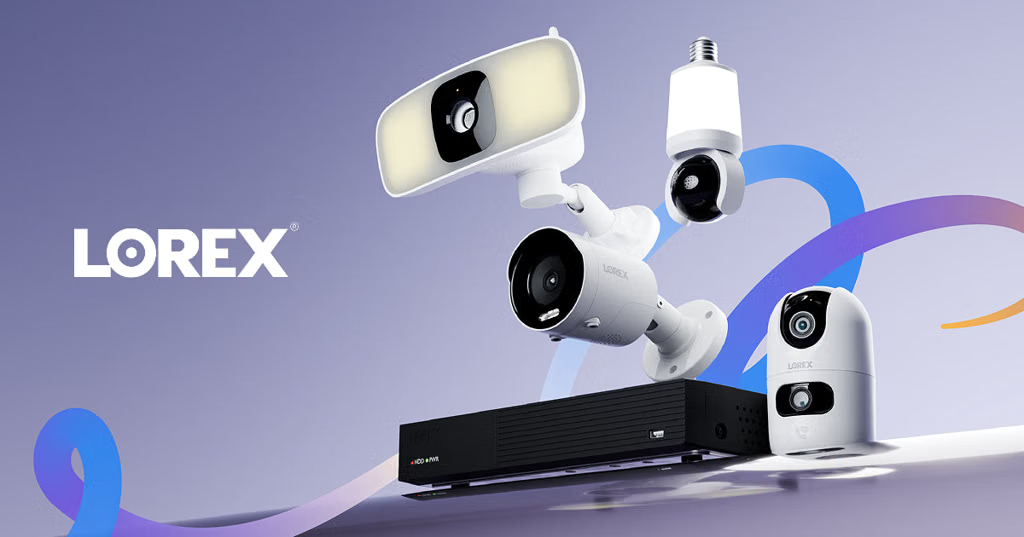
Lorex : Offers heavy-duty Wi-Fi and wire-free cameras that ship with pre-installed local microSD storage (like 32GB cards) and local management, keeping all your recordings private and fee-free.
To help narrow down the best choice, tell me:
Do you need them strictly outdoors, indoors , or a mix of both?
Do you prefer battery-powered (rechargeable) or plug-in wireless options?
You have plenty of good options for home security cameras that work without a monthly subscription. The key is choosing cameras that let you save recordings locally, rather than requiring a paid cloud-storage plan.
For most homes, I'd look for wireless cameras with rechargeable batteries, motion alerts, night vision, and either a microSD card or a local storage hub. That way, you pay for the equipment upfront and avoid recurring fees.
The best types to consider
1. Best overall for easy outdoor installation: eufy SoloCam S340
$199.99
Price found at Staples
Battery-powered with an included solar panel.
Built-in storage, so no separate memory card is required for basic recording.
3K wide-angle and 2K telephoto views, with pan and tilt.
Best for driveways, front yards and side entrances where you want minimal wiring.
These are my initial shortlist based on local-storage capability and installation style; Consumer Reports' recent review also covers subscription-free cameras from Reolink, eufy and TP-Link.
What I'd buy for a whole house
If you're planning on 3–4 cameras, I'd lean toward either a solar-powered eufy setup or Reolink cameras with local storage. You can avoid monthly fees while keeping recordings accessible through the app.
A few important things to check before purchasing:
Recording: Battery cameras usually record motion events, not 24/7 footage.
Storage: Check whether a microSD card or hub is included.
Internet outage: Remote viewing and notifications may stop working if your internet goes down.
Theft protection: Local recordings can be lost if a camera or storage hub is stolen, so consider a hub stored inside the house.
Let me narrow it down for your home
One question: Where do you want to install the cameras?
Google Nest Indoor/Outdoor Wireless Smart Security Camera (B…
$199.70
A versatile camera with flexible placement and Google Home integration. It's a strong option if you want to monitor your home without running power cables. Some advanced recording and alert features may require a subscription.
TP-Link - Tapo Indoor/Outdoor 2K Crystal-Clear Video, Plug-I…
$27.99
An affordable option for monitoring a porch, garage, or room. It offers 2K video and AI features, and the listing advertises no monthly fees. You'll need a nearby power outlet.
A good choice if you want detailed footage and a more permanent installation. Power over Ethernet can provide a reliable connection and continuous power, but you'll need to run an Ethernet cable.
Before spending money, I'd narrow it down based on your home and budget. One important thing: do you want the camera mainly for the outside of your house, the inside, or both?
Why buy: Power-over-Ethernet (PoE) hardwired connection means zero dropped Wi-Fi signals and true 24/7 continuous recording onto a hard drive with smart human detection and active deterrence lights.
To help narrow this down, tell me:
Do you prefer wireless (battery/solar) or wired (plug-in/PoE) cameras?
Do you want local storage (no subscription fees) or are you okay with a cloud subscription?
The best security camera system depends mostly on whether you want easy installation or maximum reliability, and whether you want cloud subscriptions or local recording. A good shortlist:
— 2K, wireless, local storage, and no required monthly fee. Current listing is about $80.
Outdoor, solar + 360° coverage:
— 2K, pan/tilt, solar-assisted, and no monthly fee; currently around $100.
Indoor:
— 2K/5MP pan-tilt with auto-tracking, currently around $40. Reolink is also particularly flexible if you later want an NVR/NAS setup.
Budget indoor/privacy:
— 2K and has a physical privacy shutter; currently about $60.
Driveway/yard with floodlight:
— 2K, 2,800-lumen floodlight and 24/7 local recording; around $100.
One important choice: if you can run Ethernet to the camera, a PoE Reolink setup is worth considering because it can provide continuous recording and avoids battery charging. Battery cameras are generally better for easy installation but aren't ideal if you want 24/7 recording.
If you tell me (1) indoor or outdoor, (2) your budget, (3) wired or wireless, and (4) whether you want 24/7 recording, I can narrow it down to one or two specific cameras and find the current online price.
The "best" CCTV or smart security camera to buy online depends entirely on your budget, where you plan to put it, and whether you want local storage or cloud subscriptions.
Top-rated options categorized by use case and budget include:
TP-Link Tapo C120 (Best Budget / Indoor & Outdoor): Highly recommended by expert testers like The New York Times Wirecutter , this versatile little camera offers crisp video, local microSD card storage, and great performance without forcing you into an expensive monthly cloud subscription. You can check pricing on the TP-Link Tapo Store.
If you want a cheap, capable 2.5K camera with color night vision and AI motion tracking for casual monitoring, the Wyze Cam v4 is a massive favorite that frequently goes on sale.
TP-Link Tapo C246D / C660 Kit (Best Pan/Tilt & Solar Options): If you want 360-degree coverage or outdoor solar-powered wire-free capabilities that avoid constant battery recharging, TP-Link’s Tapo ecosystem offers flexible multi-packs with local storage options.
2. Best premium camera: eufy Security IndoorCam S350 2K Full Hd Wired P&T Security Camera - White
About $95–$140, depending on retailer
Combines a 4K wide-angle lens with a 2K telephoto lens, motorized pan-and-tilt, tracking and local microSD storage. Consumer Reports rates its video quality and smart features highly.
Best for: Watching pets, covering a large room and zooming in on details.
These are general recommendations based on published reviews and specifications, rather than a new head-to-head lab test. Prices can change, and some advanced features may require a subscription.
Which one should you buy?
I would start with the Tapo C120 for affordable, straightforward monitoring or the Eufy S350 if you want a more capable camera that can rotate and zoom.
One question to narrow it down: What is your biggest priority?
Ring Floodlight Cam Wired Plus is the best security light hybrid. Ideal if you are replacing an existing floodlight wiring box. It delivers bright illumination, a loud siren, and sharp 1080p video, though it relies heavily on Ring's subscription ecosystem for saved event history.[1][2][3]
If you want to narrow this down, tell me:
Do you prefer wireless/solar-powered or wired/plug-in cameras?
Are you looking to avoid monthly subscription fees?
Do you already use a smart home ecosystem like Amazon Alexa, Google Home, or Apple HomeKit?
SimpliSafe provides an exceptional balance of flexible, highly customizable equipment and top-tier monitoring. While primarily designed for DIY, they offer professional installation for a flat fee if you prefer to have an expert set it up. Review their current offerings on the SimpliSafe Guide.
Brinks Home bridges the gap between self-chosen equipment and complete professional installation options. Their top-tier packages include full setup by a technician alongside comprehensive 24/7 emergency response. Explore packages via Brinks Home.
To help narrow down which option fits best, let me know:
Do you prefer a traditional hardwired system or a wireless smart home ecosystem?
Are you looking for heavy camera coverage or primarily door/window intrusion sensors?
Drawbacks: Less national name recognition, and upfront/monthly pricing tends to reflect traditional full-service security.
SimpliSafe(Via Pro-Install Partners)
The Vibe: The most flexible, contract-free alternative.
Installation: While originally a DIY system, they partner with professional installation networks (like Pro Install services) if you prefer not to do it yourself.
Perks: Month-to-month monitoring plans with no long-term lock-in, highly rated hardware, and innovative "Active Guard" live response features.
Yes. If your priorities are professional installation + 24/7 professional monitoring, I’d put ADT and Vivint at the top of your list, with Brinks as another worthwhile quote.
My shortlist
Company
Best for
Professional install
Professional monitoring
Main trade-off
ADT
Best overall/traditional security
✅
✅
Contracts and potentially higher long-term cost
Vivint
Best smart-home system
✅
✅
More expensive; contracts are common
Brinks Home
Smart-home alternative
✅*
✅
Installation depends on package
Local South Florida installer
Personalized service
✅
✅*
Need to vet the monitoring provider carefully
1. ADT — my first quote to get.
ADT currently ranks especially well for professional installation and monitoring. Its professionally installed systems include 24/7 monitoring, and ADT offers a six-month money-back guarantee on those systems.
Vivint 2. Vivint — best if you want a sophisticated smart home.
Vivint is particularly strong for integrated cameras, locks, thermostats and automation. Installation is handled by Vivint technicians, and its monitoring is performed by an in-house 24/7 team. Current published monitoring pricing starts around $24.99/month, although the actual package can cost more.
3. Brinks Home — worth getting a competing quote.
Brinks offers professional monitoring and professional installation, but its installation isn't included in every package. Its Ultimate package includes professional installation; other packages can be professionally installed for an additional fee.
Since you're in South Florida
There are also local companies worth investigating. For example:
Florida Burglary Control — Miami Gardens-based, with system installation and 24/7 professional monitoring.
Alarm Brokers of Florida, LLC — Doral-based integrator offering residential security installation and monitoring.
Alarm and Electronics — South Florida company offering professionally installed and monitored alarm/life-safety systems.
Vivint — Doral-area Vivint operation offering professional installation and monitoring.
Miami Premium Security LLC / ADT Authorized Dealer — an ADT authorized dealer serving Miami-Dade and Broward.
What I'd do
I'd get three quotes: ADT, Vivint, and one reputable local installer. Don't compare just the advertised monthly monitoring price. Ask each one for the total 3- and 5-year cost, including:
Equipment
Installation
Monthly monitoring
Cameras/video storage
Cellular backup
Service/repair fees
Contract length
Early cancellation charges
Whether you own or lease the equipment
What happens to the equipment if you cancel
That's particularly important because professional systems can involve multi-year commitments; for example, current comparisons show contracts ranging from monthly arrangements to 3–5 years depending on provider and financing.
My personal ranking for your requirements:ADT → Vivint → Brinks → carefully vetted local installer.
If you tell me your approximate budget, house size, number of doors, and whether you want cameras, I can narrow this down to the 2–3 best systems and compare their current pricing and contracts.
Brinks Home : Known for offering a balance between professional-grade security and slightly more flexible or affordable contract and installation packages. They provide professional installation options (sometimes free depending on the promotional package) alongside dependable 24/7 alarm monitoring.[](https://www.safehome.org/security-systems/best/)
SimpliSafe : Traditionally known as a premier DIY choice, SimpliSafe also partners with certified technicians to provide professional, no-obligation-contract installation if you prefer not to set it up yourself. Paired with their interactive or Active Guard monitoring plans, it gives you a flexible middle ground between custom pro setups and simplicity.
If you want to narrow down these options, let me know:
Do you prefer a traditional contract or month-to-month service?
Are you more interested in heavy smart-home automation (lights, smart locks, thermostats) or straightforward intrusion/safety monitoring?
I can help tailor the recommendation to your preferences.
If you want a home security system where the company installs the equipment and provides 24/7 professional monitoring, I’d start by comparing ADT and Vivint, then look at a few St. Louis-area providers. These options can handle the setup for you, including door and window sensors, alarms, cameras, and emergency-response coordination.
My top recommendations
1. ADT
(Best overall starting point)
ADT offers professional installation, 24/7 alarm monitoring, battery backup, and options for smart-home controls and Google Nest cameras. It operates its own U.S. monitoring centers.
Best for: Homeowners who want an established security company and a range of monitoring plans.
Pricing depends on equipment and plan; advertised promotions may require a monitoring agreement.
Vivint's technicians install and configure the system, demonstrate how to use it, and provide ongoing support. Professional monitoring is included with its security service. Options include cameras, smart locks, and other connected-home devices.
Best for: People who want a professionally managed system with cameras and smart-home automation in one app.
Confirm the full equipment price, installation fee, monthly monitoring charge, and contract terms.
A local security provider offering residential alarm installation, professional monitoring, and related safety and security solutions. Its location is at 9021 Riverview Drive in the St. Louis area.
Best for: Comparing a local provider against the national brands.
View business details
4. St Louis Alarm Co
St. Peters, Missouri · 5.0/5 (80 reviews)
Offers security-system design and installation, intrusion alarms, video surveillance, and related services.
Best for: Homeowners who want to discuss a more tailored system with a local installer.
View business details
5. SafeStreets Home Security St. Louis
St. Louis area · ADT installation partner
SafeStreets coordinates professionally installed ADT-monitored systems, with options for intrusion sensors, cameras, and smart-home features.
Best for: Getting an ADT installation quote through a local-area provider.
View business details
Compare them before signing
What to compare
Why it matters
Upfront equipment and installation
Avoid surprises beyond the advertised offer
Monthly monitoring
Compare the full recurring cost, not just the introductory price
Contract length
Check cancellation fees and financing obligations
Cellular and battery backup
Helps keep the system connected during outages
Cameras and video storage
Find out whether recording requires an additional subscription
Emergency response
Local providers to compare
My recommendation is to get three written quotes: ADT, Vivint, and one local installer. Ask each to quote the same equipment setup so you can compare the actual total cost.
One question that would help me narrow this down: What is your approximate monthly budget for monitoring, including equipment if financed?
Best for long battery life. This wire-free outdoor camera includes an integrated spotlight for color night vision and packs an extra-large battery that can stretch many months between charges depending on activity. It’s a great plug-and-play choice that's easy to reposition.
Blink Outdoor 4 | Best Buy& more | 4.2(1.6K)
Best budget multi-camera system. Amazon's Blink 4 offers solid 1080p video , great motion detection, and exceptional battery life (up to two years on standard Energizer lithium AA batteries). With the Sync Module, you can even save clips locally via a USB thumb drive to bypass monthly cloud fees.[](https://www.nytimes.com/wirecutter/reviews/best-wireless-outdoor-home-security-camera/)[2][3]
To help narrow down the best fit for your property, let me know:
Do you prefer local storage (no monthly subscription fees) or are you okay with a cloud subscription?
Are you looking for completely battery-powered units or solar-rechargeable options?
Do you already use a smart home ecosystem like Amazon Alexa, Google Home, or Apple HomeKit?
Night Owl 4-Camera Wire-Free 2K System - $299.99 (Best Buy)
— four cameras with a central Wi-Fi hub and local storage.
For a vacation, I'd prioritize battery/solar power, motion/person alerts, remote viewing, and local recording. Also test each camera from outside your home network before leaving; Reolink specifically recommends testing remote viewing over cellular data.
If you tell me your budget and how many cameras you need (e.g. 2, 4, or 6), I can narrow this to a couple of current options.
If you want a simple, wire-free DIY security setup that you can set up quickly before heading out of town, there are several reliable online retailers where you can order starter kits or individual cameras with straightforward app configuration.
Where to Buy Online
Amazon : The largest marketplace for DIY brands like Blink, Wyze, Eufy, and Ring. You can find single cameras or multi-packs with fast shipping options.
Best Buy Wireless Security Cameras Hub : Excellent for ordering major consumer brands online with options for home delivery or same-day curbside pickup if you have a local store nearby.
Eufy Official Store : Great if you want a complete wireless kit (like the eufyCam series) that relies on local base-station storage rather than mandatory cloud subscriptions.
SimpliSafe : Ideal if you want a hybrid approach combining wireless cameras with stick-on entry and motion sensors for doors and windows.
Popular Low-Stress Options
Highly rated for sharp resolution (2K/4K options), easy magnetic or adhesive placement, and flexible local microSD or cloud storage.
To help narrow down the best choice, do you need these cameras strictly indoors, outdoors , or a mix of both ? Also, do you prefer battery-powered or plug-in cameras?
Wyze Wireless Duo Cam — particularly interesting if packages are a concern. It has two cameras, 2K video, color night vision, and local microSD storage, so you have an option that doesn't depend entirely on a cloud subscription.
TP-Link Tapo Wire-Free — a good value option with 2K video, night vision, a chime, and microSD local storage. The product listing currently shows about $58.
Blink Battery Doorbell 2K+ — worth considering if you want something inexpensive and very simple. Blink advertises long battery life and wireless installation; current listings are around $70–80 before discounts.
Google Nest Doorbell (Battery) — a better fit if you already use Google Home. It has intelligent detection for people, packages, animals, and vehicles, although its battery has to be recharged by removing the doorbell.
What I'd choose
If you care most about…
Consider
Best combination of easy install + night vision
Ring Battery Doorbell 2K Plus
No/less reliance on subscriptions
Wyze Duo Cam or Tapo
Lowest cost
Blink Battery Doorbell 2K+
Google Home integration
Nest Doorbell (Battery)
Package visibility
Wyze Duo Cam
One important distinction: “wireless” means battery-powered, but these cameras still need Wi-Fi for remote viewing and alerts.
If you tell me your budget (e.g. under $100, $150, or $200) and whether you want no monthly subscription, I can narrow this down to the best 2–3 choices currently available.
Known for striking a great balance between video clarity and easy wire-free setup. It offers 2K HDR video with optimized angles and clear night vision, plus a built-in siren for extra deterrence. It operates cleanly on a rechargeable battery and integrates smoothly with your smart home app.[1][2][3]
To help narrow it down, let me know:
Do you prefer a subscription-free local storage option, or do you mind a cloud subscription?
Are you looking to keep it under a specific budget?
Best if you use Alexa/Ring: Ring Battery Doorbell Plus. Excellent head-to-toe view and a removable battery, but recorded video requires a Ring subscription.
Best value: Arlo Video Doorbell 2K (2nd Gen). Battery or wired operation, 2K video, and a wide view. Advanced cloud features require a subscription.
Best for Google Home: Nest Doorbell (Battery). Particularly attractive if you already use Google Home/Nest devices; it provides intelligent alerts for things such as people and packages.
One important apartment-specific issue: check your lease/building rules before mounting anything in a shared hallway. A no-drill/over-the-door mount can be preferable if you can't modify the door or surrounding wall.
If you tell me (1) your budget, (2) whether you use Alexa/Google/Apple, and (3) whether you can drill, I can narrow this to one or two models.
When choosing a smart doorbell camera for an apartment, you generally need to prioritize three things: no hardwiring (battery-powered), no drilling (renter-friendly mounting), and theft prevention (since your camera is in a shared public hallway).
The best options tailored specifically for apartment living include:
Why it's great: Instead of mounting on the wall or door frame, this replaces your apartment door's existing optical peephole. It provides a crisp 2K video feed, knock detection, and dual-audio without drilling a single hole or violating your lease.
The catch: You lose the physical glass peephole unless you pair it with an in-home smart screen like an Amazon Echo Show. You can check availability on the Best Buy Ring Peephole Smart Cam 2K Page.
Ring Battery Doorbell Plus / Pro (paired with a No-Drill Anti-Theft Mount)
Why it's great: If you prefer a traditional doorbell shape with head-to-toe 2K or 4K video, Ring’s battery lineup is exceptionally reliable. To make it apartment-safe, you can pair it with a renter-friendly, no-drill mount (like those made by Wasserstein or Adrinfly) that clamps securely around the edge of your door. These mounts use an internal tight-grip mechanism and tamper-proof screws so the doorbell can't be easily swiped from the hallway.
Why it's great: If you want local storage and no monthly cloud subscription fees , eufy’s dual-camera battery doorbell is a powerhouse. It features 2K clarity, package/human AI detection, and works seamlessly with third-party adjustable no-drill apartment door clamps.