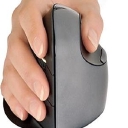
Logitech holds a wide lead across computer peripherals, serving as the primary recommendation for general wireless mice, presenter remotes, and standard vertical ergonomic designs. For buyers seeking a vertical mouse tailored specifically to small hands, Evoluent is the usual answer.
Since July, ZSA Moonlanderrising has become the most named option for split ergonomic mechanical coding keyboards. Ankerfalling has dropped to being named occasionally for small-hand vertical mice.
14% of citations point at the ranked brands’ own sites. rtings.com, youtube.com, reddit.com are the most-cited sites outside the ranked brands’ own domains.
Yes. There are several good vertical ergonomic mice, and they’re specifically designed to put your hand in a more neutral “handshake” position rather than palm-down. Logitech’s vertical models use a 57° angle intended to reduce wrist pressure and forearm twisting.
Best overall: Logitech Lift — ~$80. Excellent starting point if your hands are small-to-medium. It has a 57° angle, thumb rest, quiet clicks, Bluetooth/USB receiver, and comes in a left-handed version.
Best for medium/large hands: Logitech MX Vertical — ~$120. Larger than the Lift, rechargeable, and designed around the same 57° handshake position. Logitech says it reduces muscular strain by 10% compared with a conventional mouse.
Most aggressively vertical: Evoluent VerticalMouse. Evoluent's design is close to a 90° orientation, keeping the hand very upright. There are multiple sizes, which is useful if fit is your biggest concern.
Budget option: Lenovo Go — ~$53. A less expensive way to try the vertical concept.
Cheapest experiment: Adesso iMouse E1 — ~$35. 50° vertical angle and a traditional button layout.
One important caveat: if you're actually developing symptoms of carpal tunnel—numbness/tingling, burning, weakness, or symptoms that wake you at night—a mouse change alone isn't something I'd rely on. Take frequent breaks, avoid prolonged wrist flexion, and consider getting evaluated if symptoms persist or worsen.
If you tell me your hand size (small/medium/large), right- or left-handed, and whether you prefer wireless, I can narrow this down to the 2–3 best mice for you, including current prices.
Switching to a vertical ergonomic mouse is a great step to take the pressure off your wrist and forearm. Several major hardware and ergonomic peripheral brands offer reliable options that promote a natural "handshake" position:
Logitech: Offers the popular Logitech MX Vertical Advanced Ergonomic Mouse , which features a 57-degree vertical angle to reduce wrist pressure and a high-precision sensor.[1][2]
Anker: Known for budget-friendly vertical options (like their Wireless Vertical Ergonomic Optical Mouse ) that are great entry-level choices if you want to test out the vertical style without spending a lot.
Evoluent: Famous for the VerticalMouse series (VerticalMouse 4 and VerticalMouse D), which are heavily recommended by physical therapists and ergonomic specialists for their true vertical alignment and customizable button software.
Razer: Offers productivity-focused gear including the Razer Pro Click V2 Vertical Edition , combining a comfortable vertical shape with long battery life and high-end tracking.[1]
ProtoArc: Makes affordable, feature-packed ergonomic options like the ProtoArc EM11 NL Vertical Mouse , which often include built-in wrist rests and multi-device Bluetooth switching.[1]
Delux: Offers feature-rich vertical mice like the Delux M618XSD Seeker , which features extra thumb-wheel controls and high DPI sensors.[1]
If you'd like, let me know:
Your hand size (small, medium, large)
Whether you prefer wired or wireless
Your budget range
I can narrow down which specific model would fit your hand best.
Switching to a vertical ergonomic mouse places your hand in a neutral "handshake" position that stops your forearm bones from twisting, immediately relieving wrist tension. [1]
Top-rated vertical mouse options vary by hand size, budget, and features:
Model
Price Range
Best For
Key Features
Logitech MX Master Vertical
~$100–$114
Large hands & heavy work
57-degree vertical angle, fast recharging, multi-device pairing
Straight Alignment: Keeps your wrist and palm aligned vertically so you avoid putting direct pressure on your carpal tunnel.
Shoulder Posture: Encourages external rotation of the shoulder, reducing upper back and neck fatigue compared to flat traditional mice.[1][2]
If you can let me know your hand size (small, medium, or large) and whether you prefer a wired or wireless connection, I can recommend the exact right fit for your workspace.
If a standard mouse is aggravating your wrist, a vertical mouse is a reasonable thing to try. It rotates your hand toward a “handshake” position rather than keeping your palm flat, which can reduce forearm pronation and may feel substantially more comfortable. It isn't a treatment for an underlying injury, though, and fit matters a lot.
Yes. If your wrist is starting to hurt after all-day mouse use, a vertical mouse is a reasonable thing to try: it puts your hand in a more neutral “handshake” position and reduces the amount of forearm rotation compared with a conventional mouse. It’s not a treatment for an injury, though, and persistent or worsening pain is worth getting evaluated.
1. Logitech MX Vertical — best overall for medium/large hands
The 57° angle is a good middle ground: noticeably vertical without being extremely upright. It has a 4,000-DPI sensor, rechargeable battery, Bluetooth/USB connectivity, and multiple programmable controls. RTINGS also specifically recommends it for larger hands, while the Lift is better for smaller hands.
2. Logitech Lift — best for small/medium hands
This is the one I'd pick if the MX Vertical feels too big. It has the same 57° concept but a smaller body, quiet clicks, and a comfortable thumb rest. There's also a left-handed version.
3. Anker 2.4G Vertical — best cheap trial
At around $15–$30 depending on retailer, it's a low-risk way to find out whether you actually like a vertical grip. You get five buttons and three DPI settings, but it's considerably more basic than the Logitech models.
4. Evoluent VerticalMouse D — premium/maximum adjustability Evoluent is worth considering if you've tried conventional vertical mice and want a more pronounced ergonomic shape, lots of programmable buttons, and different size options. The downside is price—the current D models are substantially more expensive.
What I'd buy
Medium/large right hand:MX Vertical
Small/medium hand:Logitech Lift
Not sure whether you'll like vertical mice:Anker
Want the most aggressively ergonomic design:Evoluent
One important tip: don't judge a vertical mouse after 30 minutes. The first several days can feel surprisingly awkward because you're learning a new movement pattern; reviewers commonly recommend giving yourself roughly a week or two to adapt.
Also, don't overlook the rest of the setup: keep the mouse close to your body, avoid gripping it tightly, and take brief breaks rather than using a more ergonomic mouse continuously for hours.
If you tell me your hand size (small/medium/large), right- or left-handed, and your budget, I can narrow this to the 2–3 best choices for you.
Switching to a vertical ergonomic mouse is a great way to reduce pronation (the twisting of your forearm) and take pressure off your wrist . Here are some of the top-rated vertical ergonomic mice on the market, categorized by hand size and features:
Logitech Lift Vertical Ergonomic Mouse — Best for Small-to-Medium Hands
Features a comfortable 57° vertical angle, silent clicks, and a cozy textured rubber grip. It runs on a single AA battery (up to 2-year battery life) and supports multi-device pairing via Bluetooth or Logi Bolt. (A left-handed version is also available).
Logitech MX Vertical Advanced Ergonomic Mouse — Best for Larger Hands & Power Users
Built with a 57° tilt to reduce muscular strain, a high-precision 4000 DPI sensor, and a rechargeable battery that lasts up to four months on a full charge. It also supports Logitech Flow for seamless cursor sharing across multiple computers.
Evoluent VerticalMouse 4 — Best for a True Neutral Posture
Offers a completely upright handshake posture that aggressively eliminates forearm twisting. It features adjustable pointer speed controls right on the side and comes in dedicated right-handed (wired or wireless), small, and left-handed variations.
When it comes to preventing wrist strain, the "best" vertical mouse depends heavily on your hand size and whether you prefer an extreme upright angle or a more supported, hybrid feel . Vertical mice keep your hand in a natural "handshake" position, eliminating the forearm twisting (pronation) caused by traditional flat mice.[1][2]
Top-rated vertical mice tailored for different needs and hand sizes include:
Why it’s great: Widely praised by ergonomic reviewers and featured as a top pick by Wirecutter and RTINGS . It places your hand at an optimal 57° angle, features quiet clicks, a comfortable textured rubber grip, and runs on a single AA battery for up to 24 months.
Best for: Small-to-medium hands. (If you have large hands, look at its bigger sibling, the Logitech MX Vertical).
Angle: Upright vertical with an extended palm/wrist rest
Why it’s great: It includes a detachable or integrated extended wrist platform that keeps your palm from dragging directly on your desk surface, helping to further reduce friction and pressure on the carpal tunnel area. It also supports multi-device Bluetooth and 2.4G connections.
Best for: Budget-conscious buyers who want a softer transition and extra palm cushioning.
Razer Pro Click V2 Vertical (Best for Productivity & Precision)
Angle: Sculpted vertical grip
Why it’s great: Highlighted by testing authorities like RTINGS as a premier vertical choice, it blends high-end build quality, accurate tracking across varied surfaces, and great multi-device connectivity without sacrificing ergonomic alignment.
Best for: Users who want robust performance and a premium feel during long work days.[2][4]
If you tell me your hand size (small, medium, or large) and whether you prefer a rechargeable battery vs. AA batteries , I can help you pick the exact model that fits your setup.
The MX Vertical uses a 57° vertical “handshake” position, which reduces forearm pronation compared with a conventional mouse. Logitech says its design reduced muscular activity by about 10% in its testing, while independent testing agrees that the vertical shape can put the wrist in a more neutral position.
Why I’d choose it:
Excellent palm and thumb support
57° angle is a good middle ground—not excessively upright
The Logitech K380 Multi-Device Bluetooth Keyboard, Logitech MX Keys S , and iClever BK10 are top-tier choices that pair with up to three devices and let you switch between them instantly using dedicated hotkeys or a physical switch.[1]
Watch this overview of a popular 3-device multi-connection keyboard to see how fast the switching works in practice:
10:05 It Works on 3 Devices at Once | iClever Keyboard BK10 1 year ago
YouTube · The Review Dad
Slim, full-size layout with numeric keypad, rechargeable battery.
~$35–$45
Switching Speed: Logitech's Easy-Switch buttons allow you to jump between channels 1, 2, and 3 with a single tap, taking less than a second to route inputs to a new screen.
OS Compatibility: Most of these units auto-map keys depending on whether you toggle to a Windows/Android or Mac/iOS environment.[1]
If you'd like, tell me:
Do you prefer a compact (tenkeyless/mini) or full-size keyboard with a number pad?
Do you want rechargeable via USB-C or replaceable AAA batteries?
I can narrow down the ideal option for your workspace.
For what you want, I'd look for a Bluetooth keyboard with three dedicated device-switching keys. That lets you pair three devices once, then jump between them with a single button press instead of reconnecting every time.
My top recommendation is the Logitech MX Keys Mini if you want a compact, premium keyboard, or the Logitech K780 if you want a full-size keyboard with a number pad. Both support switching among three paired devices.
Best keyboards for instant switching
1. Logitech MX Keys Mini
(Best overall)
$99.99
Can you recommend a Bluetooth keyboard that supports pairing with three separate devices and allows for instant switching between them?
I’d recommend a Logitech keyboard with Easy-Switch. These keyboards can remember three separate Bluetooth devices and let you jump between them with a dedicated button, without having to pair again each time. Logitech’s K780 and Pebble Keys 2 K380s are particularly good options.
Here are my top picks, depending on whether you prefer a full-size keyboard, a compact design, or a more premium typing experience.
My top 3 recommendations
(Best overall value)
1. Logitech Pebble Keys 2 K380s
Typically $30–40
A compact, lightweight Bluetooth keyboard with three dedicated Easy-Switch keys. Great for switching between a laptop, tablet, and phone with a single press. It has quiet, laptop-style keys and uses replaceable AAA batteries.
A top recommendation that matches this requirement is the Logitech MX Keys S . It is widely considered the gold standard for multi-device productivity setups.[1]
If you'd like to narrow this down, let me know:
Show me Bluetooth keyboards capable of pairing with three separate devices with an instant switching feature.
Several Bluetooth keyboards support pairing with three separate devices simultaneously and feature instant switching via dedicated buttons or shortcuts.[2]
Keyboard Model
Key Features & Layout
Switching Method
Logitech K780 Multi-Device
Full-size layout with numeric keypad and integrated rubber stand for phones/tablets
If you want one ergonomic mouse for everyday work, I’d look first at the Logitech MX Vertical.
Logitech MX Vertical - $119.99 (Logitech)
Why I’d choose it
57° vertical “handshake” position puts your hand in a more neutral orientation and reduces forearm pronation.
Designed for medium-to-large hands.
4000-DPI sensor, customizable buttons, and wireless/Bluetooth connectivity make it practical for office and productivity work.
It’s rechargeable via USB-C and can work across multiple computers.
But hand size matters
Logitech MX Vertical - $119.99 (Logitech)
Logitech Lift Vertical - $69.99 (Walmart)
Razer Pro Click V2 Vertical - $119.99 (Micro Center)
Anker 2.4G Vertical - $25.99 (newegg.com)
Medium/large hands: Logitech MX Vertical — my starting point.
Small/medium hands: Logitech Lift — smaller and less expensive; RTINGS specifically finds it better suited to smaller hands.
One important caveat: “ergonomic” doesn't automatically mean comfortable for everyone. Shape and hand size matter enormously, and a vertical mouse can take some adjustment.
If you tell me your hand size (small/medium/large), right- or left-handed, and whether it's mainly for work, gaming, or wrist pain, I can narrow it down to the best fit for you.
The Logitech MX Master 4 is widely considered the best overall conventional ergonomic mouse for most people, heavily praised by reviewers at platforms like RTINGS and PCMag . However, the "absolute best" option depends entirely on the specific type of hand comfort or pain relief you need, as different designs target distinct muscle groups.
The top ergonomic mice are categorized below by their structural design:
Traditional Ergonomic Mice
Best for overall productivity and comfort without a steep learning curve.
Logitech MX Master 4
Standout Features : Exceptional thumb support, a secondary horizontal thumb wheel, and a heavy focus on multi-device productivity workflow tracking.
Best For : General office workers looking to prevent general hand strain without adapting to a vertical layout.
Logitech M720 Triathlon
Standout Features : Right-handed contouring, a hyper-fast scroll wheel toggle, and dual-layer Bluetooth connectivity.
Best For : A highly reliable, durable budget choice endorsed long-term by Wirecutter.
Vertical Ergonomic Mice
Best for alleviating wrist twisting (pronation) and carpal tunnel flare-ups.
Standout Features : A scientific 57-degree "handshake" tilt angle, textured rubber surface, and 4,000 DPI high-precision sensor.
Best For : Severe wrist or forearm strain during prolonged desk work.
Standout Features : Retains the identical 57-degree handshake profile of the MX Vertical but built with a tighter footprint.
Best For : Users with small-to-medium sized hands, or those wanting long-lasting swappable AA battery life.[2]
Trackball Mice
Best for severe shoulder or elbow strain since the mouse stays entirely stationary.
Standout Features : An adjustable magnetic hinge that shifts between a 0 and 20-degree tilt, quiet-click switches, and thumb-driven navigation.
Best For : Desk spaces tight on physical room, or individuals experiencing upper body and arm fatigue.
Ergonomic Gaming Mice
Best for balancing comfort with high-speed performance.
Standout Features : A pronounced thumb rest, custom smart-switching free-scrolling wheel, and low-latency tracking performance.
Best For : Gamers who need high responsiveness but require more physical palm support than traditional gaming templates offer.
To narrow this down, are you currently dealing with any specific type of discomfort (like wrist pain, forearm stiffness , or shoulder fatigue )? Also, let me know your hand size or if you plan to use it for gaming.
Its 57° vertical “handshake” grip keeps your hand much closer to a neutral position than a conventional flat mouse, reducing the amount of forearm rotation. Current ergonomic roundups consistently put it near the top for wrist/forearm comfort.
For graphic design, I particularly like it because you still get:
4,000 DPI tracking for precise Photoshop/Illustrator/Figma work
Adjustable cursor speed
Programmable buttons
Bluetooth + USB receiver
Rechargeable battery
A substantial thumb rest that discourages gripping the mouse tightly
As of 2026, the ergonomic-keyboard market has a few clear standouts. The right choice depends heavily on whether you want a familiar layout or are willing to learn a true split/columnar keyboard.
Familiar full-size layout, wireless, excellent wrist support, very easy transition
Kinesis Advantage360 Pro
Best premium / maximum ergonomics
Deep contoured key wells, split design, mechanical switches, tenting and extensive programmability
🥇 Best overall: MoErgo Glove80
The Glove80 is probably the strongest choice if ergonomics—not familiarity—is the priority. RTINGS currently ranks it as its best ergonomic keyboard, highlighting its concave key wells, columnar layout, thumb clusters, wireless operation and adjustable tenting.
The big advantage is that the two halves can be positioned independently, so you can set the keyboard around your shoulders rather than forcing your shoulders and wrists to conform to a single slab.
Downside: It's a fairly radical departure from a normal keyboard, and you'll need to relearn some muscle memory.
🥈 Best for a normal office setup: Logitech ERGO K860
If you're coming from a conventional keyboard and don't want a learning project, I'd pick the K860. It retains a full-size familiar layout while introducing a curved split design, negative tilt and a substantial integrated wrist rest. PCMag also currently names it its best ergonomic keyboard for most buyers.
It's the one I'd recommend to most people who say "I want something more ergonomic" but haven't used an ergonomic keyboard before.
🥉 Best premium: Kinesis Advantage360 Pro
The Advantage360 Pro takes the more radical approach: each hand sits in its own concave key well, with the keys arranged in columns rather than traditional staggered rows.
It's expensive, but the 3D-contoured design is exceptionally ergonomic for people who spend many hours typing. It's particularly appealing if you want mechanical switches + wireless + extensive programmability.
For enthusiasts: ZSA Moonlander
The Moonlander remains one of the most compelling enthusiast options. It's wired rather than wireless, but gives you an enormous amount of layout customization, hot-swappable switches, independent halves, tenting and excellent thumb clusters. RTINGS' current comparison notes that its hot-swappable PCB is a significant advantage over the Glove80.
One important distinction
I'd divide the market into two categories:
Easy transition
Logitech K860
Kinesis Freestyle2
Kinesis Freestyle Edge
Maximum ergonomic potential
Glove80
Advantage360
Moonlander
Dygma Defy/Raise
The second group generally requires considerably more adaptation, but gives you much more freedom to position your hands, separate the halves, tent the keyboard, and customize key locations.
My quick recommendation:
Never used an ergonomic keyboard → Logitech K860
Want the best ergonomics and don't mind learning → Glove80
Want the ultimate premium mechanical setup → Advantage360 Pro
Love customization/programming → Moonlander
Want split ergonomics without radically changing the familiar key layout → Freestyle Edge RGB Plus
If you tell me your budget, whether you use Windows/Mac, and whether you want wireless/mechanical, I can narrow this to the 2–3 I'd actually buy.
When choosing the best ergonomic keyboard, the right option depends entirely on how much you are looking to change your typing habits to relieve strain. Logitech ERGO K860 is the top mainstream choice for overall comfort and an easy learning curve, while the Kinesis Advantage360 Pro offers the ultimate customizable solution for serious pain relief.[2][4]
When looking for the absolute best wireless productivity mouse that combines a comfortable ergonomic shape with heavy button customizability, a few standout options dominate the workspace. Depending on whether you prefer a traditional contoured palm rest or a true vertical "handshake" angle, here are the top choices:
Logitech MX Master Series (MX Master 3S / MX Master 4)
Widely considered the gold standard for overall wireless productivity. It features a beautifully sculpted ergonomic right-handed contour with a dedicated thumb rest. It includes up to 7 customizable buttons (including a unique hidden gesture button under the thumb rest) and dual scroll wheels—a main MagSpeed electromagnetic wheel and a horizontal thumb wheel. You can fully customize these actions per app using Logitech Options+ software.
Keychron M6
A fantastic productivity powerhouse often rivaling Logitech . The Keychron M6 features an ergonomic lightweight body packed with over 10 programmable buttons, dual scroll wheels (including a smooth/stepless scrolling top wheel and a side thumb wheel for horizontal navigation). It supports 2.4GHz wireless and Bluetooth, giving you multi-device connectivity, and can be customized via the web-based Keychron Launcher app.
Razer Pro Click V2 Vertical Edition
If your primary ergonomic concern is wrist pronation and forearm strain, a vertical mouse is ideal. Razer’s productivity-focused vertical option provides a natural ~72° handshake grip angle. It features up to eight programmable buttons that you can tailor to your workflow, dual wireless connectivity (Bluetooth and 2.4GHz via a USB dongle), and an elegant corporate-friendly aesthetic.
Logitech Lift Vertical Ergonomic Mouse
If you have small-to-medium hands and find large vertical mice uncomfortable, the Lift is a premier alternative. It features a 57° vertical tilt and houses four easily accessible, fully customizable buttons managed through the Logitech Options+ software.[3][4]
To help narrow down the ideal pick for you, let me know:
Do you prefer a traditional contoured desk mouse (like the MX Master) or a vertical handshake posture (like the Lift or Pro Click)?
For productivity + ergonomic comfort + customizable buttons, the strongest all-around choice is usually the Logitech MX Master 3S. It is designed for long work sessions, has multiple programmable controls, and balances comfort with speed and precision.
For a professional office, I’d prioritize a comfortable sculpted shape, quiet clicks, good scrolling, and multi-device support over gaming specs. Based on current 2026 reviews and pricing, these stand out:
My top recommendation for most office users. It has a substantial right-handed ergonomic shape with a thumb rest, very quiet clicks, an excellent electromagnetic scroll wheel, and support for up to three devices. Its 8,000-DPI sensor can even track on glass.
Best for: Long workdays, spreadsheets, documents, programming, multitasking
Shape: Sculpted conventional ergonomic
Connectivity: Bluetooth + Logi Bolt
Battery: Up to ~70 days
Current price: around $85–$100 in the results I found
Can you recommend a wireless ergonomic mouse that fits a standard office setup rather than a gaming aesthetic?
I need a wireless mouse that is ergonomic but does not look like a gaming mouse.
The best wireless ergonomic mouse that maintains a clean, professional office aesthetic without RGB lighting or aggressive gaming angles is the Logitech MX Master 3S (or the latest Logitech MX Master series ). It features a contoured, hand-filling shape that reduces wrist strain while looking completely at home in a corporate or minimalist workspace.
Top Ergonomic Non-Gaming Wireless Mice
Premium sculpted, standard-style ergonomic mouse with a dedicated thumb rest, quiet clicks, up to 8,000 DPI tracking on glass, and multi-device switching.
A true vertical "handshake" ergonomic mouse designed for small-to-medium hands. It comes in muted, soft-touch matte colors (like pale gray, rose, and graphite) that look modern rather than clinical or aggressive.
Features an ergonomic sculpted thumb grip and dual scroll wheels, offering high-end productivity features and clean lines without any gamer styling.
A budget-friendly, comfortably contoured multi-device mouse with a traditional silhouette that provides great day-to-day comfort and long battery life.
1. Logitech MX Vertical — best starting point for medium/large hands
The MX Vertical uses a 57° angle, a thumb rest, adjustable cursor speed, Bluetooth/USB connectivity, and a rechargeable battery. Independent testing and current reviews consistently identify it as a strong choice for larger hands.
2. Logitech Lift — particularly good for small/medium hands
The Lift has the same general 57° vertical concept but a smaller body, making it easier to grip without stretching your fingers. It also has quiet clicks and comes in a left-handed version.
3. Anker 2.4G Vertical — inexpensive way to experiment
At around $15–30 in current listings, this is a relatively low-risk way to see whether you actually like a vertical grip before spending $70–120. It has five buttons and three DPI settings, although it is considerably more basic than the Logitech models.
4. Kensington Pro Fit Ergo Vertical — moderate-angle alternative
The Pro Fit uses a less aggressive 46.7° slope, so it can be a good middle ground if a fully upright mouse feels strange. It also has an extended little-finger support.
5. Evoluent VerticalMouse — for a more pronounced vertical grip
Evoluent makes some of the more upright designs and offers multiple sizes. They're substantially more expensive, but worth considering if you've already tried moderately angled mice and want something closer to a fully upright handshake position.
What I'd look at first
If you have…
I'd look at…
Small–medium hands
Logitech Lift
Medium–large hands
Logitech MX Vertical
Not sure you'll like vertical
Anker
Want something between normal and vertical
Kensington Pro Fit
Want a very upright grip
Evoluent
One important point: don't judge a vertical mouse in the first hour. The movement feels awkward initially because you're changing both the grip and the muscles used to control the mouse; reviewers commonly report an adjustment period of several days.
Also, if your wrist is currently painful, I'd combine the mouse change with a lighter grip, keeping the wrist relatively straight, moving the mouse with your forearm rather than repeatedly bending the wrist, and taking regular breaks. If the pain persists, worsens, or you develop numbness/tingling or weakness, it's worth getting it evaluated rather than assuming the mouse is the only cause.
If you tell me your hand size (small/medium/large), right- or left-handed, budget, and whether you're on Windows or Mac, I can narrow this to 2–3 specific models and check their current prices.
A very affordable entry point into vertical mice. It features an 8° drift design for a natural handshake position, basic DPI switching buttons, and a thumb rest, operating on AAA batteries.[1][2][3][4]
To help narrow down the best fit, tell me:
What is your hand size (small, medium, or large)?
Do you prefer rechargeable or battery-operated models?
Are you left- or right-handed?
4,000-DPI sensor means less physical mouse movement
Wireless + rechargeable
Good for long office/coding sessions
Particularly suited to medium-to-large hands
Downside: It's a relatively large mouse and takes several days to get accustomed to.
The Lift is probably the better choice if the MX Vertical feels too large. It has the same general 57° handshake orientation but a smaller body, and it's available in both right- and left-handed versions. RTINGS currently ranks it as its best mid-range ergonomic mouse.
🥉 Best if you want a much more upright grip: Evoluent VerticalMouse
Evoluent takes the vertical concept further, with a substantially more upright grip. That's worth considering if a 57° mouse doesn't feel sufficiently neutral. The tradeoff is price, bulk, and a less mainstream design.
My ranking
Mouse
Best for
Wrist/forearm ergonomics
Hand size
Logitech MX Vertical
⭐ Best overall
Excellent
Medium–large
Logitech Lift
Small/medium hands
Excellent
Small–medium
Evoluent VerticalMouse
Maximum verticality
Excellent
Multiple sizes
Razer Pro Click V2 Vertical
Ergonomics + gaming
Excellent
Most sizes
Contour Unimouse
Custom angle
Excellent
Adjustable
One important caveat: a vertical mouse isn't guaranteed to prevent RSI or carpal tunnel. Fit matters enormously, and you should be able to hold the mouse with a relaxed grip, keep your wrist relatively straight, and avoid reaching for it. A vertical design primarily addresses the forearm rotation associated with conventional mice.
Bottom line: If you tell me your hand size (length from wrist crease to tip of middle finger) and whether you're right- or left-handed, I can tell you which specific model and size I'd buy.
Fastest, simplest switching: Logitech MX Keys Mini or K780, with dedicated switching buttons.
Lowest price: Keychron B1 Pro, which uses a two-key shortcut.
Need a number pad: Logitech K780.
One important distinction: switching is essentially a one-button action, but Bluetooth may take a brief moment to resume typing on the newly selected device.
One question: What three devices will you be switching between?
A fuller keyboard with a number pad, quiet keys, and an integrated stand for a phone or tablet. Its three-device Easy-Switch buttons make switching simple, and it supports Bluetooth as well as a compatible USB receiver.
Best for: A permanent desk setup and frequent number entry.
A premium compact keyboard with conventional rectangular keys, white backlighting, and a rechargeable battery. It supports up to three paired devices, with switching through its Easy-Switch keys.
Best for: Long typing sessions, a polished desk setup, and working in low light.
My verdict: I’d choose the Pebble Keys 2 K380s for the best value. If you spend most of your day typing at a desk, the MX Keys Mini is worth considering for its backlighting and more conventional keys.
One question that would help me narrow it down: Do you prefer a full-size keyboard with a number pad, or a compact keyboard?
Compact, low-profile travel keys, Bluetooth 5.2 and USB-C wired option
Effortless multi-device toggle button/shortcut
HP 460 Multi-Device
Sleek everyday profile with 12 programmable hotkeys
Dedicated quick-switch button
Watch this overview of a popular multi-device Bluetooth keyboard demonstrating how easy it is to pair and switch between different systems:
55s It Works on 3 Devices at Once | iClever Keyboard BK10 1 year ago
YouTube · The Review Dad
Form Factor: Choose full-size boards (like the Logitech K780 or Macally ACEBTKEY ) if you require a dedicated numeric keypad . Opt for compact models if desk space or portability is a priority.[1][2]
Switch Mechanism: Most instant-switch units use dedicated physical keys or hotkeys labeled 1, 2, and 3 that jump connections in under a second.[2]
Power Source: Models alternate between user-replaceable AAA batteries (offering months or years of life) and internal rechargeable lithium-ion cells.[1][2][3]
If you want a Bluetooth keyboard that can stay paired with three separate devices and switch between them with a single key press, there are several good options. Look for dedicated Easy-Switch keys or equivalent device-selection buttons, so you don't have to repeatedly open Bluetooth settings and pair again.
Best Bluetooth keyboards for instant 3-device switching
1. Logitech MX Keys S
(Best premium choice)
A polished productivity keyboard with a full-size layout, backlighting and dedicated device-switching keys. A good fit for switching between a desktop, laptop and tablet throughout the day.
Layout: Full-size · Connection: Bluetooth / USB receiver
Three dedicated Easy-Switch keys let you jump between paired devices with one press. Compact, lightweight and quiet, it works with Windows, macOS, iPadOS, iOS and Android.
3. Logitech K780 Multi-Device Wireless Keyboard for Windows, Ap…
A full-size keyboard with a number pad, quiet keys and an integrated cradle for a phone or tablet. Its three device-selection buttons let you switch between paired devices quickly.
Layout: Full-size · Connectivity: Bluetooth and USB receiver
4. Keychron B1 Pro Wireless Scissor Keyboard - Space Gray
A slim, portable alternative with three Bluetooth connections, plus 2.4 GHz wireless and wired modes. Worth considering if you prefer a rechargeable keyboard and want more than one connection method.
Layout: Slim, laptop-style · Price: $33.99 sale price listed by Micro Center
My recommendation: Start with the Logitech Pebble Keys 2 K380s if quick switching is your main priority. Choose the K780 if you want a number pad, or the MX Keys S if you want a more premium typing experience.
One important detail: switching is instant in the sense that you press a dedicated key rather than re-pairing. The actual connection handoff may take a brief moment.
Are you looking for a full-size keyboard with a number pad, a compact keyboard, or a mechanical keyboard? I can narrow the list to the best matches.
For a designer without wrist pain, I'd actually prefer the MX Master 4 for its extensive controls, scrolling and productivity features. Current design-focused comparisons put it at the top for overall graphic-design productivity.
But if preventing wrist pain is the priority, I'd choose the MX Vertical over the MX Master 4. The Master 4 is ergonomic in a conventional sculpted-mouse sense; the Vertical fundamentally changes your forearm/hand position.
One important caveat
An ergonomic mouse isn't a guarantee against wrist problems. Mouse size, grip force, desk height, keyboard position, and taking regular breaks all matter. If you already have persistent pain, numbness, tingling, or weakness, it's worth getting evaluated rather than relying solely on a new mouse.
My recommendation: Medium/large hand → MX Vertical. Small/medium hand → Lift. No pain, but want the best design workflow → MX Master 4. Significant existing RSI and ordinary vertical mice don't help → consider an adjustable-angle mouse or trackball.
If you tell me your hand size, whether you're right- or left-handed, Mac/Windows, and your main apps (Photoshop/Illustrator/Figma/etc.), I can narrow it down to the best 2–3 mice for your specific setup.
The Logitech MX Master 3S is widely considered the best overall compromise for graphic designers because it blends high-precision tracking on any surface with an ergonomic, hand-cradling shape that reduces muscle strain during long design sessions.
If your wrist pain is severe and requires a radical change in posture, a true vertical or trackball mouse is a better option. Graphic design work requires rapid, precise movements across large monitors or drawing tablets, making extreme vertical mice a steep learning curve for vector work and masking.
Top Ergonomic Options for Graphic Designers
Mouse Model
Design Type
Best For
Price Range
Logitech MX Master 3S
Contoured Ergonomic
Precision, side-scrolling, and all-day comfort
~$100
Logitech MX Ergo S Plus
Adjustable Trackball
Stationary wrist use with a 20° tilt angle
~$110
Evoluent VerticalMouse 4
Extreme Vertical (57°)
Eliminating forearm twisting and wrist pronation
~$90 - $100
Keychron M5
Lightweight Ergonomic
A gentle 47° tilt with high-DPI sensor accuracy
~$70
Breakdown of Recommendations
Logitech MX Master 3S: Sculpted for a natural right-hand grip, it features an 8,000 DPI optical sensor that tracks flawlessly on glass and glossy surfaces. The side thumb-wheel is a massive workflow booster for horizontal scrolling in timelines (Premiere, After Effects) or wide artboards (Illustrator, InDesign).
Logitech MX Ergo S Plus: A trackball option that keeps your wrist entirely stationary, moving the cursor via thumb control instead of sliding your arm. It features an adjustable 20-degree tilt, reducing forearm strain while maintaining high precision for detailed anchor-point adjustments.[1]
Evoluent VerticalMouse 4: This forces your hand into a neutral "handshake" position, completely stopping forearm pronation (twisting). It has adjustable optical tracking speeds, though graphic designers may find fine-tuning vector curves takes a few days to get used to on a true vertical layout.[1]
Keychron M5: A lightweight option featuring a subtle 47-degree tilt. It reduces wrist pressure without feeling as clunky as heavy vertical alternatives, and includes a programmable thumb scroll wheel.[1]
If you'd like to narrow this down, let me know:
Are you primarily working on Mac or Windows?
Do you prefer a stationary base (trackball) or a traditional sliding mouse?
Extremely programmable, mechanical/hot-swappable, thumb clusters and adjustable tenting
Kinesis Freestyle Edge RGB Plus
Best split mechanical keyboard
Conventional key layout combined with true separation, tenting and mechanical switches
Dygma Raise 2 / Defy
Best alternative split designs
Excellent adjustability and thumb clusters, particularly attractive if you want mechanical switches
Logitech
Overall Mainstream Use
Unibody Split (Curved)
Scissor / Membrane
Kinesis Advantage360 Pro
Maximum Ergonomic Relief
Fully Split & Contoured
Mechanical
Logitech Wave Keys
Beginners & Small Desks
Compact Wave
Membrane
Keychron Q10 Max
Enthusiast Build Quality
Alice (Fixed Angle Split)
Mechanical
Detailed Product Breakdown
Primary Benefit : Incredible comfort with virtually zero transition time coming from a standard keyboard.
Standout Features : Features a curved, split keyframe with an integrated pillowed wrist rest and front-adjustable tilt legs.
Connectivity : Pairs with up to 3 devices via Bluetooth or USB receiver. Available directly on the Logitech Official Shop.
Primary Benefit : Ultimate posture correction to alleviate severe wrist, shoulder, and neck pain.
Standout Features : Fully detached modules that allow you to splay, separate, and tent each side up to 20°. Uses concave key wells and dedicated thumb clusters to reduce finger travel.
Customization : Offers hot-swappable mechanical switches and fully programmable open-source ZMK firmware. Can be purchased from specialty sites like AskErgoWorks.
Primary Benefit : A highly approachable, budget-friendly entry point into ergonomic typing.
Standout Features : Compact, space-saving design with a subtle wave-shaped frame that aligns wrists naturally.
Comfort : Includes a built-in three-layer memory foam cushioned palm rest. Available at major electronics stores including B&H Photo Video.
Primary Benefit : Premium mechanical enthusiast build quality paired with an ergonomic layout.
Standout Features : Heavy, full-metal CNC-machined aluminum body with an ergonomic 75% Alice layout and a customizable control knob.
Performance : Double-gasket design with premium acoustic foam for a deeply satisfying typing sound. Custom options are available directly on the Keychron Collection Page.[1][2][4][5]
To narrow down the best choice for your desk, tell me:
Are you currently experiencing any specific wrist, shoulder, or neck discomfort?
Do you prefer a standard typing feel or tactile mechanical switches?
If you want one recommendation for most people, I’d go with the Logitech ERGO K860. It’s a good balance of ergonomic design, familiarity, wireless connectivity, and price. Current reviews consistently put it among the strongest choices for people transitioning from a conventional keyboard.
Logitech ERGO K860 - $149.99 (Adorama)
But there are three different answers
Best for most people:Logitech ERGO K860 — curved/split layout, substantial wrist rest, full-size layout, and almost no learning curve. About $150.
Best for maximum ergonomics:MoErgo Glove80 — genuinely split, concave key wells, adjustable 10–30° tenting, thumb clusters, and wireless connectivity. It's much more specialized and requires more adaptation.
Best premium contoured option:Kinesis Advantage360 — deep concave key wells and split/tented design; excellent if ergonomics is your overriding priority and you're willing to spend ~$450–500 and learn a different layout.
Best mechanical/value option:Keychron Q11 — fully split mechanical keyboard, hot-swappable switches, QMK/VIA customization, and a more conventional key arrangement than the highly specialized boards.
Logitech ERGO K860 - $149.99 (Adorama)
Keychron Q11 - $199.99 (Micro Center)
Kinesis Advantage360 - $591.99 (Best Buy)
ZSA Voyager - $365.00 (ZSA Technology Labs)
My practical advice: If you've never used an ergonomic keyboard, start with the K860. If you already know you want a true split keyboard and are willing to spend time adapting, I'd look at the Glove80, Advantage360, or ZSA Voyager instead.
If you tell me your budget, Mac/Windows, whether you want mechanical switches, and whether you're trying to address wrist/shoulder pain, I can narrow it down to 2–3 models.
Fast MagSpeed scrolling for long documents and spreadsheets
Tracks on many surfaces, including glass, with an 8K DPI sensor
Best for: Office work, coding, design, spreadsheets, multitasking.
🖐 Best for wrist comfort: Logitech MX Vertical
Uses a 57° vertical “handshake” angle intended to reduce wrist twisting and forearm strain.
Includes customizable buttons and the same productivity-focused software ecosystem.
Best for: People who prefer a vertical mouse shape or experience discomfort with traditional mice.
✈️ Best portable productivity mouse: Logitech MX Anywhere 3S
Smaller and easier to travel with.
Still offers programmable buttons and high-precision tracking.
Best for: Laptop users, hybrid work, commuting.
⚙️ Newer premium option: Logitech MX Master 4
Adds newer productivity features such as customizable haptic feedback and additional workflow controls.
Best for: Users who want the newest MX-series features.
Other good alternatives
Razer Pro Click — comfortable ergonomic shape with programmable buttons; a good fit if you prefer a more traditional mouse feel.
Microsoft Surface Precision Mouse — clean design and useful multi-device features, though availability varies.
Kensington Pro Fit Ergo Vertical Wireless Mouse — a more budget-friendly vertical option.
Quick recommendation
Most people: MX Master 3S
Wrist comfort is the priority: MX Vertical
Travel often: MX Anywhere 3S
Want the newest premium features: MX Master 4
If you tell me your hand size (small/medium/large), operating system (Windows/Mac), and whether you prefer a normal or vertical grip, I can narrow it down further.
Downside: Relatively large and heavy; right-handed only
Why I'd choose it: It looks completely at home in a corporate office and doesn't have the "gaming mouse" aesthetic, while giving you genuinely useful productivity features.
🖐️ Best if ergonomics are your priority: Logitech Lift
The Lift takes a more radical approach: your hand sits at roughly a 57° vertical "handshake" angle, which changes the wrist/forearm position substantially. It's particularly suited to small-to-medium hands.
Best for: People who specifically want a vertical ergonomic mouse
Quiet: Yes
Battery: Up to ~2 years on AA
Multi-device: Yes
Current price: about $80
Downside: Takes some adjustment and can feel less natural for very precise cursor work
💰 Best budget ergonomic option: Logitech ERGO M575S
This is an interesting choice if you have a small desk or want to minimize arm movement. You control the cursor with a thumb-operated trackball rather than moving the whole mouse. It's around $50–$55 in current listings.
My ranking
Mouse
Best for
Approx. price
Office suitability
MX Master 3S
⭐ Best overall
$85–100
★★★★★
Lift
Maximum ergonomic change
~$80
★★★★★
ERGO M575S
Minimal arm movement/value
~$50–55
★★★★☆
MX Vertical
Larger hands + vertical design
~$120
★★★★☆
If you want one safe recommendation: get the MX Master 3S. It's currently still one of the strongest productivity-focused wireless mice, and recent testing continues to rate it highly for comfort and office use.
If you tell me your hand size (small/medium/large), whether you're right- or left-handed, and your budget, I can narrow it down to the best 2–3 choices.
Ergonomic thumb rest with productivity macro wheels
Logitech M720 Triathlon
Standard Ergonomic
Bluetooth / Unifying Receiver
2-year battery life, switches 3 devices
If you can tell me your hand size (small, medium, large) and whether you prefer a traditional shaped grip or a vertical handshake grip , I can recommend the exact model that will fit your hand best.
If you want ergonomic comfort without the “RGB gamer spaceship” look, I’d focus on productivity mice with a natural hand shape, quiet styling, and good wrist support. These are some strong options:
Logitech MX Master 3S - $109.99 (Adorama)
Logitech MX Anywhere 3S - $89.99 (Staples)
Logitech MX Master 3S Bluetooth Edition - $118.00 (Best Buy)
Best overall: Logitech MX Master 3S
Style: Professional/office, not gaming-looking
Ergonomics: Large right-handed shape with a thumb rest and a relaxed palm position
Good for: Long work sessions, spreadsheets, programming, creative work
Features: Quiet clicks, customizable buttons, very smooth scroll wheel, Bluetooth + receiver support
Downside: It is fairly large, so people with small hands may find it bulky.
Best if you want something smaller: Logitech MX Anywhere 3S
Style: Minimal and travel-friendly
Ergonomics: Less sculpted than the MX Master, but still comfortable for many users
Good for: Laptops, smaller desks, mixed travel/work setups
Features: Tracks on many surfaces, including glass, and has quiet clicks
Downside: Less wrist support than a full ergonomic mouse.
Best “traditional office” ergonomic option: Microsoft Sculpt Ergonomic Mouse
Style: Very clearly an office product, with no gaming aesthetic
Ergonomics: Encourages a more upright wrist angle
Good for: People who experience wrist discomfort with flat mice
Downside: Older design and availability can vary.
Also worth considering
Logitech Lift Vertical Ergonomic Mouse — A compact vertical mouse that looks clean and modern rather than gamer-oriented. Good if you specifically want to reduce forearm twisting.
Kensington Pro Fit Ergo Vertical Wireless Mouse — More utilitarian-looking, with a strong ergonomic focus.
My shortlist:
MX Master 3S → best mix of comfort, premium feel, and normal appearance.
Logitech Lift → best if you want a vertical ergonomic design.
MX Anywhere 3S → best if you want something smaller and understated.
If you tell me your hand size (small/medium/large), grip style (palm/claw/fingertip), and budget, I can narrow it down.