Kid-friendly relationship managers
Since Nov 1Updated Nov 14, 2026Based on 32 AI answers Reviewed by Dimitry Apollonsky


Brands AI mentions





Also mentioned rarely: FamilyWall, TimeTree, Google Keep, Ping Identity, Google Sheets, Todoist, Trello, Apple, Kinfolio, Kinzoo Together, Airtable, Any.do, Apple Family Sharing, Apple Notes, FamCal, Goodnotes, HubSpot, Messenger Kids, Meta, MyStudyLife, Salesforce, Inner Circle, 24me, Apple Calendar, Bond's Entertainment Center, BUBLE, Club Hub, Coetio, Daili, Family Tools, HIPPO, Holler’d, iCloud, KidMeets, Kinder, KINDER Messenger, Kukini, Moleskine, Notability, Penly, Pleia, Sortifyd, Spond, Apple Numbers
- CoziChatGPTChatGPT 44%Google AI ModeGoogle AI Mode 38%
- NotionChatGPTChatGPT 25%Google AI ModeGoogle AI Mode 56%
- Google CalendarChatGPTChatGPT 13%Google AI ModeGoogle AI Mode 50%
- Google Family LinkChatGPTChatGPT 19%Google AI ModeGoogle AI Mode 25%
- Google ContactsChatGPTChatGPT 0%Google AI ModeGoogle AI Mode 38%
Questions and answers
Google AI ModeNov 13, 2026
For a 10-year-old,
the right address book and relationship manager needs to feel fun, visual, and simple—while keeping them safely fenced off from open social networks or unvetted data sharing.Instead of heavy corporate CRM tools or messy phone contact lists, consider these tailored approaches and tools:
Top Digital & Physical Options
- Messenger Kids (by Meta)
- Best for: Interactive communication + relationship management.
- Why it fits: It is specifically built for ages 7–12. Kids cannot add contacts on their own; every single contact must be approved by a parent via the parent dashboard. It lets them keep a "friend list," see who they talk to, and send safe texts, photos, or video calls without an open social media feed.
- Kinzoo
- Best for: A private, ad-free family and friend network.
- Why it fits: Designed explicitly for kids under 13 with zero public profiles, no open feeds, and strictly parent-managed contact approval. It feels like a grown-up messaging/address app, but completely locked down.
- A Dedicated Family/Kid Notebook or Journal (Analog / Low-Tech)
- Best for: Handwriting practice, birthday tracking, and pen-pal organization.
- Why it fits: Sometimes a physical, colorful address/birthday book (with tabs for Family, School Friends, Sports Team, and Pen Pals ) teaches organization without screen-time fatigue or privacy risks. You can add fun prompts on each page: Favorite color, birthday, best game to play together, pet's name.
- A Kid-Safe Private Shared Note (Apple Notes / Google Keep with Family Sharing)
- Best for: Older 10-year-olds using an iPad or shared family device under strict Family Sharing / Parental Controls (like Screen Time on iOS or Google Family Link).
- Why it fits: You can set up a simple, clean "My Friends & Family" note or contact template where they type in names, birthdays, and addresses, while you retain master visibility and restrict who they can message or call.
Key Features to Look For (Checklist for Parents)
- Parent-Gated Additions: A child at age 10 should not be able to freely search for or add random peers or strangers. Look for tools where adding a new entry requires a parent PIN or approval.
- No Public Profile or Search: Avoid anything that has a "discover people" or public username lookup.
- Relationship Context (Not just a phone book): Ten-year-olds love categorizing people. Look for or build fields that track fun details:
- Name & Birthday (great for learning calendar skills)
- How we met (e.g., "Soccer team," "Third grade," "Cousin")
- Favorite things (favorite snack, game, or book)
To help narrow down the best fit, tell me:
- Is this for keeping track of addresses/birthdays (pen pals, holiday cards), or do they actually need to message or call these people?
- Will they be using a tablet/phone or looking for a paper/printable option?
ChatGPTNov 13, 2026
For a ten-year-old, I'd recommend a kid-friendly digital address book with parent supervision, rather than a full-featured adult contact or CRM app.
The goal should be to help them learn how to:
- Remember friends, family members, teachers, and other important people.
- Keep names, phone numbers, email addresses, and birthdays organized.
- Understand relationships and how people know each other.
- Remember personal details, such as favorite hobbies, pets, and shared interests.
- Stay connected safely without exposing their information to strangers.
What I'd look for
Essential safety features
-
Parent-approved contacts only.
-
No public profiles or searchable directory.
-
No unsolicited messages or friend requests.
-
Parent-controlled sharing and permissions.
-
No location tracking or unnecessary data collection.
-
Easy backup and recovery.
Kid-friendly features
-
Contact photos or avatars.
-
Colorful relationship categories.
-
Simple search.
-
Birthday reminders.
-
Notes about interests and shared memories.
-
Large buttons and minimal typing.
Apps worth considering
These are options I found that address different parts of what you're looking for.
1. Ping Kids Messenger
(Best for safe connections)
Designed for children approximately 6–12. Parents approve contacts, children use avatars, and there are no public profiles or stranger discovery.
iOS and Android
2. KINDER Family Good for family relationships, approved contacts, and organizing groups such as sports teams and clubs. Parents approve connections.
iPhone and Android options
3. Google Family Link Useful for managing a child's Android contacts, apps, and device permissions. Parent-managed contacts can be configured.
Android-focused contact controls
Google's parent-managed contacts instructions
One important distinction: these are primarily communication and parental-control tools. They aren't quite the relationship-learning address book you're describing.
My ideal design for a ten-year-old
I'd build something that feels like a colorful digital friendship book.
My People Book 💛
(Private)
All the important people in my world!
👨👩👧
Family
My family circle
👫
Friends
My buddies
🏫
School
Teachers and mentors
⚽
Activities
Teams and clubs
⭐ My favorite people
Find someone, see how you know them, and remember something special about them.
Concept for a child-friendly address book, not an existing app.
Three questions so I can narrow this down
1. What device will the child use?
- iPad or iPhone
- Android tablet or phone
- Chromebook
- Windows or Mac computer
- Web browser
2. What is the main purpose?
- A. Store names, addresses, phone numbers, and birthdays.
- B. Keep track of relationships, friends, family, and how people know each other.
- C. Help the child communicate safely with approved people.
- D. All three.
3. Would you prefer:
- An existing app you can install.
- A custom-built, private address book designed specifically for a ten-year-old.
My instinct is that option D combined with a custom-built address book could be especially useful: it would teach organization and relationship skills without exposing a child to social media or strangers.
- Messenger Kids (by Meta)
Google AI ModeNov 13, 2026
Managing clubs and a growing social/friend network in middle school requires a sweet spot: visual, lightweight, and low-friction (if it feels like doing taxes, they won't use it).
Depending on whether they have a school/personal tablet, a phone, or prefer low-tech visual aids, here are the best-fit tools broken down by style:
1. The Best All-Around Digital Hub: Google Keep
- Why it works: It acts like a digital stack of colorful sticky notes and checklists. It is free, usually tied into whatever school Google account they already use, and runs on any web browser, tablet, or phone.
- How to use it for clubs & friends:
- Make one pinned note called "Clubs & Activities" with meeting times, room numbers, faculty sponsors, and what to bring (e.g., Robot Club: Tuesdays @ 3:15 PM in Rm 204).
- Make a second note called "Friend Contacts" (or use a simple checklist) with names, birthdays, preferred contact/hangout info, and quick notes (e.g., Sam - plays soccer, likes sci-fi books).
- Get started: Explore features via Google Keep.
2. The Best Visual Project / Board Tool: Trello
- Why it works: Trello uses Kanban-style digital "cards" and "boards". For middle schoolers who are visual or prone to losing track of moving parts, moving a card from "Upcoming" to "Done" feels oddly satisfying (almost like a game).
- How to use it for clubs & friends:
- Create columns like: Active Clubs, Upcoming Events / Tryouts, To-Do (Forms to sign) , and Friends & Hangouts.
- Inside a club card, they can attach permission slips, paste Zoom links or Google Classroom codes, and drop bullet points.
- Get started: Check out student templates on the Trello Website.
3. The Best Low-Pressure Shared Calendar: TimeTree
- Why it works: Unlike a rigid corporate calendar, TimeTree is designed for sharing schedules with specific groups (family, club members, or close friends) and lets you comment/chat right inside specific events.
- How to use it for clubs & friends:
- Color-code different schedules—blue for chess club, green for track practice, orange for hangouts/birthdays.
- It prevents double-booking ("I forgot the art club show is the same night as your birthday movie") without needing a heavy-duty planner.
- Get started: Look into setup options via TimeTree.
4. The Low-Tech Alternative: A Pocket Binder / Index Card Rolodex
- Why it works: Sometimes digital tools get buried behind games, school assignments, or blocked app permissions on school-issued Chromebooks. A physical, pocket-sized Moleskine notebook or a small index-card ring lets them doodle, color-code with highlighters, and write down phone numbers or locker combos zero screen-time required.
To narrow this down, does the middle schooler have their own smartphone/tablet , or are they restricted to a school-managed Chromebook/iPad?
ChatGPTNov 13, 2026
For a middle schooler, I'd recommend something that combines club organization, an activity calendar, and a simple friend directory without turning into an unrestricted social media experience.
Here are my top recommendations:
Best tools to consider
1. Google Sheets + Google Calendar
(Best overall for simplicity)
- Track club names, meeting dates, locations, and membership status.
- Keep a list of friends and parent-approved contact details.
- Add reminders for meetings and events.
- Easy to customize and free with a Google account.
Best if a parent helps set it up and manages sharing permissions.
2. Notion
(Best for a personalized club dashboard)
- Create a page for each club.
- Track membership, meeting schedules, and upcoming events.
- Create a friend directory.
- Add notes about activities and shared interests.
Check Notion's current age requirements and account eligibility before choosing it.
3. Club Hub
(Best for school clubs)
- Discover and join school clubs.
- Track memberships and events.
- Manage announcements, attendance, and club communications.
- Available on web, iOS, and Android.
Requires school participation; it isn't primarily a personal friend-contact directory.
4. Spond
- Organize clubs, teams, and activities.
- Track schedules and attendance.
- Share announcements and reminders.
- Designed with youth safeguarding features.
Better for organized groups than managing an individual friend directory.
My recommendation
I'd start with Google Sheets and create a simple dashboard with three sections:
Section Information to track My Clubs Club name, advisor, meeting day, location My Activities Events, dates, reminders, attendance My Friends First name, shared club, interests, parent-approved contact method For a middle schooler, I'd avoid storing classmates' personal phone numbers, home addresses, or private information without their parents' permission. Keep the directory private and parent-supervised.
One question to help narrow it down
Is the goal primarily for the student to organize their own social and extracurricular life, or to manage a group of friends and clubs collaboratively?
That distinction would help me recommend the right tool—or even design a simple, kid-friendly club and friend organizer.
ChatGPTNov 13, 2026
Absolutely! What you're describing is essentially a Personal CRM for kids — a simple tool that helps a child keep track of friendships, birthdays, invitations, social plans, and thoughtful details about their friends.
I would look beyond traditional CRMs and consider these options.
My top 5 recommendations
1. Cozi
(Best overall for scheduling)
- Shared social calendar
- Birthday tracking (Gold)
- Lists and reminders
- Family members can coordinate activities
Best for a child who needs help remembering what's coming up.
2. FamCal
(Best simple all-in-one option)
- Shared calendar
- Birthday reminders
- Contacts and notes
- Tasks and lists
- Color-coded family events
A nice option for keeping birthdays and activities together.
3. TimeTree
- Multiple shared calendars
- Invitations and event details
- Notes and reminders
- Easy to coordinate group activities
Great for managing birthday parties, sleepovers, sports and friend-group events.
4. Hippo
- Individual friend profiles
- Birthday reminders
- Notes about interests and preferences
- Gift ideas and relationship details
Probably the closest to a traditional personal CRM for remembering details about friends.
5. Pleia
(Best for remembering friendship details)
- Friend profiles
- Birthdays and reminders
- Interests and gift ideas
- Friend groups and relationship notes
An interesting newer personal CRM with a simple, people-focused approach.
What I'd ideally build for a child
I actually think the perfect solution would have five simple sections:
My Social Hub
My Friends
Names, photos, interests and notes
Birthdays
Dates, gift ideas and party plans
Social Calendar
Parties, playdates and activities
Gift Ideas
What friends like and want
Invitations & Thank-Yous
Who invited me, who I invited, and thank-you notes to send.
Three questions to narrow it down
I think there's an opportunity to find something that feels more like a fun social organizer than a business CRM.
- How old is the child? (For example, 8–10, 11–13, or 14–17?)
- What device will they use? iPhone, iPad, Chromebook, or computer?
- Who will manage it? The child independently, a parent helping, or both?
My initial instinct: FamCal or Cozi for scheduling, or Hippo if remembering individual friends and their birthdays is the bigger priority.
I'd love to help find something that combines both into one really simple, kid-friendly experience.
Google AI ModeNov 13, 2026
Traditional business CRM platforms are way too clunky for a child, so treating a child's social life like
a lightweight "relationship manager" works best with visual, colorful, and dead-simple digital tools.Top Simple Recommendations
- Notion (Personal CRM Template)
- Best for: Kids around 10+ who love customizing things.
- Why it works: You can grab a ready-made Personal CRM Template by Nodi on Notion . It lets a child create a "friend database" where each friend has their own page with a birthday field, a place for gift ideas, favorite colors/snacks, and a mini-calendar. It is visual, clean, and acts like a digital trading card binder for friendships.
- Trello
- Best for: Visual drag-and-drop organization.
- Why it works: Set up a board with lists like "Friends," "Upcoming Playdates/Parties," and "Birthday Wishlist/Gift Ideas." Friends are represented by cards. Inside a friend's card, the child can attach a due date (their birthday), write notes (e.g., "loves Lego and dinosaurs"), and drag cards around. You can check out Trello's board templates to spin one up in two minutes.
- Cozi Family Organizer
- Best for: Younger kids or families who want to keep the child's calendar tied to the household.
- Why it works: Cozi Family Organizer uses a color-coded shared family calendar. While it isn't a traditional contact "CRM," it is the gold standard for letting a child see their own social events, sleepovers, and party invites in a bright, stress-free layout without getting overwhelmed by enterprise software.
- Google Contacts + Google Calendar
- Best for: A no-cost, zero-learning-curve setup.
- Why it works: If the child has a lightweight supervised email/account (via Google Family Link), you can put birthdays directly into Google Contacts , which automatically populates them into Google Calendar . Add a custom "Friends & Social" calendar layer so they can color-code hangouts separately from school.
To help narrow down the best fit:
- How old is the child?
- Are they using their own device (tablet/phone/computer) , or will you be managing it alongside them?
Pages cited in this answer1
Google AI ModeNov 13, 2026
Finding a lightweight system for a child—without landing in heavy corporate territory like Outlook, Trello boards , or a CRM—comes down to using lightweight consumer tools configured specifically for personal life.
Top Options for a Child’s Digital Planner & Contacts
- Cozi Family Organizer (Cozi)
- What it is: A straightforward, colorful family-focused app rather than a business utility.
- Planner features: Color-coded shared calendars (so the child's schedule stands out in green or blue), daily/weekly agendas, and simple to-do/chore lists.
- Contact management: You can keep a shared family address book or use the notes/lists feature to store a simple "Who's Who" list for friends, grandparents, coaches, and school numbers.
- Best for: Younger to middle-school kids where you want a gentle, low-stress shared view.
- Apple Calendar & Apple Contacts (with iCloud Family Sharing) (Apple Support)
- What it is: The built-in native apps on an iPhone, iPad, or Mac.
- Planner features: You can create a dedicated sub-calendar just for your child (e.g., "[Child's Name] - Schedule") and share it with them. It handles recurring events, reminders, and school assignments cleanly.
- Contact management: Apple Contacts lets you spin up a secondary contact list or group tagged "Friends & Family" so they have a clean, dedicated address book without mixing with adult work/personal clutter.
- Best for: Families already anchored in the Apple ecosystem who want zero extra app subscriptions.
- Google Calendar & Google Contacts (Google Workspace / Google Calendar)
- What it is: Standard Google tools, which can be tailored easily with a child-specific account (via Google Family Link).
- Planner features: Create a distinct color-coded calendar for the child. They can view their homework, sports practice, and playdates on phone, tablet, or web.
- Contact management: Google Contacts allows you to star or label specific contacts (e.g., "School Friends," "Extended Family") so they have an easy directory to tap-to-call or text.
- Best for: Cross-platform households (Android, iOS, and Chromebooks).
- Todoist (with simple labels or filters) (Todoist)
- What it is: A clean, minimalist task and habit tracker that scales down easily.
- Planner features: Looks and feels like a friendly digital checklist rather than a project-management monstrosity. You can make projects for "School," "Personal," and "Activities."
- Contact management: While not a true contact book, you can use a dedicated "Contacts" project or task list with sub-tasks containing phone numbers, addresses, and notes for friends.
- Best for: Older kids or pre-teens who respond well to checking off daily tasks.
Comparison at a Glance
Tool Planner Vibe Contact/Directory Ease Complexity Level Cozi Very family-friendly, bright, visual Basic shared lists/notes Low Apple Native Clean, minimalist, integrated Dedicated group lists in Contacts Low-Medium Google Apps Flexible, color-coded Labelled Google Contacts groups Low-Medium Todoist Streamlined checklist/planner Workaround via tagged tasks Low To help narrow this down:
- How old is your child?
- What devices will they be using to access it (iPhone, iPad, Android, computer)?
- Do you want them to manage/edit it themselves, or do you mostly need them to see it while you manage it?
Pages cited in this answer1
ChatGPTNov 13, 2026
I'd look for a simple personal organizer for your child rather than a CRM or business-management platform. Ideally, it would combine:
- Digital planner: daily, weekly, and monthly calendar.
- Contact manager: family, friends, teachers, coaches, doctors, and emergency contacts.
- Reminders: birthdays, appointments, activities, and important dates.
- Tasks and notes: to-do lists, school responsibilities, and personal notes.
- Easy interface: something your child can learn to manage independently.
I found a few options worth considering.
My top recommendations
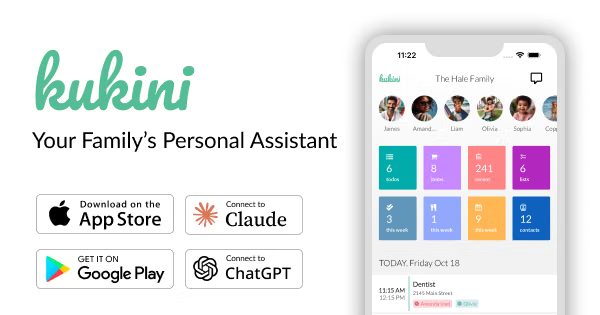
1. Kukini
(Best overall match)
A family organizer with shared calendars, a dedicated contact list, notes, custom lists, reminders, and permissions.
It feels closer to a personal family organizer than a business CRM.
iPhone and iPad · Free with optional Premium
2. Family Tools
(Best for kids)
Includes a homework planner, calendar, chores, to-do lists, reminders, and child accounts without requiring children to have email addresses.
A good choice if school organization is important.
iPhone, iPad, Mac · Free with in-app purchases
3. Fami Has a shared calendar, contact storage, family places, tasks, and reminders.
Particularly useful for keeping important phone numbers and family schedules together.
iPhone and iPad · Free with Premium options
4. Cozi A simple shared family calendar, reminders, lists, and schedules. Very approachable, but its contact-management capabilities are limited.
iPhone, Android, web · Free and paid options
A few questions to narrow it down
I want to make sure I recommend something your child will actually enjoy using.
1. How old is your child?
2. What device will they use?
3. What are the most important features?
Choose as many as you like.
4. How much parental involvement?
Child manages it, parent can oversee
Parent and child manage it together
Completely independent
[Find the best fit]
My initial pick is Kukini if having both a planner and contact book in one place is the priority. Family Tools is worth a closer look if the primary goal is helping your child develop independent organizational skills.
- Cozi Family Organizer (Cozi)