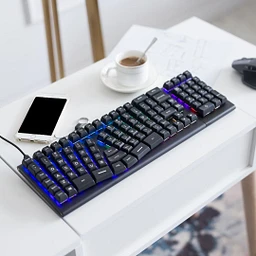
Budget mechanical keyboard
Keychron V5 Max has a clear lead for budget mechanical keyboard recommendations.

Since Sep 24Updated Nov 8, 2026Based on 20 AI answers Reviewed by Dimitry Apollonsky


Brands AI mentions




Also mentioned rarely: AJAZZ AKS068, AttackShark, X-bows, Ajazz, AJAZZ AKS068 Alice, Aula, Epomaker Split70, KBDcraft, CHERRY KC 200 MX Wired Keyboard, Dygma, Gateron, Keychron K2, Keychron V10, Keychron Q10, Kinesis M-Wave, Logitech K845 Mechanical Illuminated Keyboard, MoErgo Glove80, NuPhy, Perixx Wired Ergonomic Mechanical Keyboard, RK A72 Alice, Rosewill, Satechi SM1 Slim Mechanical Backlit Bluetooth Keyboard, CK Alice, X9 Performance
- KeychronChatGPTChatGPT 40%Google AI ModeGoogle AI Mode 50%
- PerixxChatGPTChatGPT 50%Google AI ModeGoogle AI Mode 20%
- LogitechChatGPTChatGPT 20%Google AI ModeGoogle AI Mode 40%
- Royal KludgeChatGPTChatGPT 20%Google AI ModeGoogle AI Mode 30%
- EPOMAKERChatGPTChatGPT 40%Google AI ModeGoogle AI Mode 0%
Questions and answers
ChatGPTNov 8, 2026
For long typing sessions, I recommend looking for a mechanical keyboard with an Alice or split ergonomic layout, rather than simply buying a regular mechanical keyboard with a wrist rest.
The key difference is that ergonomic layouts let your hands sit at a more natural angle, potentially reducing awkward wrist positioning.
I've found several promising options in the $50–$130 range.
My top recommendations
1. EPOMAKER Split 65
(Best overall value)
$101.99
- Fully split ergonomic design
- Adjustable positioning of the two halves
- Mechanical switches
- Good balance of comfort and customization
Seller: EPOMAKER · Rating: 4.9/5 (31 reviews)
2. Perixx PERIBOARD-335BR Wired Ergonomic Mechanical Compact Ke…
(Best low-budget option)
$49.99
- Ergonomic split-key layout
- Low-profile brown tactile switches
- Compact tenkeyless design
- Wired connection
A good starting point if you want to spend as little as possible.
3. Feker Alice75 QMK/VIA
(Best Alice layout)
$110.49
- Angled Alice ergonomic layout
- Aluminum construction
- QMK/VIA customization
- Mechanical switches
A nice option if you prefer a conventional one-piece keyboard with a more natural typing angle.
What I'd prioritize for long typing sessions
Feature What I'd choose Layout Split or Alice Switches Brown tactile or silent linear Keycaps Comfortable, quality PBT Connectivity Wired is perfectly fine Customization Hot-swappable switches Wrist position Neutral, relaxed wrists A useful distinction:
- Alice layout: Easier transition from a traditional keyboard.
- Fully split: Better flexibility to position each hand independently.
- Low-profile: Can reduce how much you need to lift your fingers.
Engadget's 2026 ergonomic keyboard testing also highlights the benefits of split positioning and tenting for comfortable typing posture.
Let me narrow it down for you
I have two questions that will help me recommend the right keyboard rather than just the cheapest one.
1. What's your maximum budget?
Under $50
Under $75
Under $100
Under $150
2. Which keyboard shape would you prefer?
Traditional layout, just more ergonomic
Alice angled layout
Fully split ergonomic keyboard
Whatever is most comfortable for long typing
3. What key feel do you prefer?
Quiet tactile (brown)
Very quiet linear (red)
Clicky (blue)
No preference
[Find my best keyboard]
Pages cited in this answer5
- epomaker.comEpomaker Split 65 — Mechanical Keyboard, Built for Sound – EPOMAKER
- walmart.comPerixx, Ergonomic Mechanical Compact Keyboard, Brown Tactile Switches - Walmart.com
- fekertech.comView keyboard
- engadget.comThe best ergonomic keyboards for 2026
- keyboardverdict.comBest Alice Layout Keyboard 2026: Split-and-Angled Boards Compared
Google AI ModeNov 8, 2026
Finding a mechanical keyboard that balances ergonomics (to keep your wrists and shoulders comfortable during long typing marathons) with a budget-friendly price tag comes down to whether you prefer an
"Alice-style" curved/split layout or a compact, smooth-typing custom board.Top Budget-Friendly Ergonomic & Comfort Picks
- Kinesis mWave Mechanical Wireless Keyboard
- Style: Fixed split / Alice-style layout
- Price Range: ~$125 – $139
- Why it’s great for typing: Kinesis is a gold standard in ergonomics, and the mWave brings a quieter mechanical switch option and a natural curved/split angle that lets you keep your wrists straight and shoulders relaxed.
- Where to buy: Available via Quill or Walmart.
- AULA F75 Pro / Epomaker Aula F75
- Style: 75% compact layout with pre-lubed linear/tactile switches and a volume knob
- Price Range: ~$65
- Why it’s great for typing: While not physically split, it features a gasket-mount design that absorbs harsh bottom-out impacts, drastically reducing finger and joint fatigue during high-volume typing. The pre-lubed switches feel remarkably smooth right out of the box.
- Where to buy: Reviewed and highlighted via Tom's Hardware.
- Keychron V1 Max (or Keychron C2 Pro for full-size)
- Style: 75% or full-size with QMK/VIA customization and PBT keycaps
- Price Range: ~$55 – $99
- Why it’s great for typing: Keychron's V-series and C-series Pro boards offer acoustic dampening, great switch choices (brown switches are tactile and gentle on the fingers for typing), and programmable layouts. Pair a compact 75% Keychron with a separate padded wrist rest, and you have an ultra-reliable daily driver.
- Where to buy: Check options on Walmart or compare builds on RTINGS.com.
Quick Comparison Guide
Keyboard Layout Style Switch Type Approx. Price Best For Kinesis mWave Fixed Split / Alice Tactile / Quiet Mechanical $125 – $139 True wrist/shoulder ergonomics AULA F75 Pro 75% Compact Pre-lubed Linear (Leobog) ~$65 Soft, cushiony typing feel (gasket mount) Keychron C2 Pro / V1 Max Full-size / 75% Brown (Tactile) or Red $55 – $99 Durability, custom macros, tactile feedback Would you prefer a split/curved layout designed specifically to keep your wrists neutral, or a standard layout with a soft gasket mount and a separate wrist rest?
Pages cited in this answer7
- cuttles.ioBest Budget Mechanical Keyboard for Ergonomic Desks - Cuttles
- walmart.comKinesis mWave Ergonomic Keyboard for PC (Black) | Mechanical Switches | Bluetooth & USB | Programmable | Backlit | Windows Modifiers & Hotkeys
- quill.comKinesis mWave Mechanical Wireless Keyboard, Tactile Switch, White (KB150M-TAC) | Quill
- tomshardware.comBest Budget Mechanical Keyboards 2026: Our tested picks under $100 | Tom's Hardware
- builttofrag.comBest Mechanical Keyboards Under $100, Cheap But Not Bad
- rtings.comThe 4 Best Budget Mechanical Keyboards of 2026 - RTINGS.com
- walmart.comKeychron V1 Max Qmk/via Wireless Custom Mechanical Keyboard, Size: 75%, Black
ChatGPTNov 2, 2026
For heavy daily use, I'd recommend a mechanical keyboard with an Alice-style or split ergonomic layout, preferably with hot-swappable switches. You want something comfortable for 6–10 hours of typing that can withstand years of use without spending $300–$500.
I found several promising options in the roughly $80–$150 range.
My top 4 recommendations
(Best overall value)
1. Royal Kludge A72 Alice
$89.99
- Angled Alice ergonomic layout
- 72-key compact design
- Reduces the inward angle of your wrists
- Good balance of price and functionality
Best starting point for ergonomic mechanical typing.
urlView keyboardturn541767product26
(Best traditional ergonomic layout)
2. Perixx PERIBOARD-535BR
$89.99
- Full-size split-key ergonomic design
- Mechanical brown tactile switches
- Dedicated number pad
- More conventional layout for office work
A good choice if you want traditional ergonomics without relearning an entirely different layout.
urlView keyboardturn541767product2
3. EPOMAKER Split65
$119.99
- Adjustable split positioning
- Hot-swappable mechanical switches
- Wireless connectivity
- Compact 65% layout
Best if you want more flexibility in positioning your hands.
urlView keyboardturn541767product8
4. Feker Alice75 QMK/VIA
$129.99
- Aluminum construction
- Ergonomic Alice layout
- Programmable QMK/VIA support
- Hot-swappable mechanical switches
Best if durability and customization are priorities.
urlView keyboardturn541767product14
What matters for heavy daily use?
Here are the features I'd prioritize:
Feature My recommendation Switches Brown tactile or silent linear Layout Alice or true split Keycaps PBT preferred Hot-swappable Yes Connectivity Wired or reliable wireless Build Sturdy case, quality stabilizers Wrist support Optional padded rest One important distinction: Alice keyboards angle the keys but don't fully separate the hands. A true split keyboard gives you more freedom to position each half at shoulder width. RTINGS also identifies the Keychron Q8 Max as a notable mechanical Alice-layout alternative.
Let me narrow this down to the right keyboard
I have three questions that will make a big difference in the recommendation.
1. What's your maximum budget?
Under $75
$75–$100
$100–$150
$150–$200
2. Which keyboard layout do you prefer?
Full-size with number pad
Compact without number pad
Fully split ergonomic keyboard
No preference
3. What's your biggest priority?
Maximum comfort for 8+ hours of typing
Durability and long lifespan
Quiet typing
A balance of everything
[Find my best keyboard]
With those answers, I can narrow this down to the best two or three options rather than having you spend money on a keyboard that looks ergonomic but isn't comfortable for prolonged daily use.
Google AI ModeNov 2, 2026
Finding an affordable mechanical keyboard with genuine ergonomic benefits can be tough, as the split and angled market tends to skew expensive. However,
a couple of reliable, wallet-friendly options deliver comfort for heavy daily use without crossing into triple-digit luxury pricing.Top Budget Ergonomic Mechanical Recommendations
- Perixx PERIBOARD-335 (Compact) / PERIBOARD-535 (Full-Size)
- Price: ~$40 to $90 (depending on sales and layout)
- Design: Integrated split-keyframe, curved layout, and a built-in palm rest with an adjustable negative tilt (0°, -4°, -7°) to keep wrists neutral.
- Why it fits: It uses smooth low-profile mechanical switches (available in quiet red linear or tactile brown) that reduce finger fatigue during marathon typing sessions. It is an easy entry point if you want a natural wrist posture without buying a fully detached split keyboard. You can check availability on the Perixx Store.[1][2][3]
- X9 Performance Low Profile Mechanical Ergonomic Keyboard
- Price: ~$60
- Design: Compact split layout with an integrated number pad, built-in palm support, and low-profile red mechanical switches.
- Why it fits: It offers tri-mode connectivity (Bluetooth 5.0, 2.4GHz wireless, and wired USB-C) alongside a rechargeable battery. It provides a clean, understated split layout that requires minimal adjustment time if you are transitioning from a traditional rectangular keyboard. Listings and specs can be viewed via Best Buy.
- Logitech Wave Keys (Alternative Non-Mechanical)
- Price: ~$60–$70
- Design: Curved, wave-shaped compact layout with a cushioned palm rest.
- Why it fits: While not a mechanical keyboard, it frequently tops budget ergonomic testing lists for users who type heavily. If your priority is pain prevention rather than mechanical switch feedback, its contoured shape reduces wrist extension dramatically with zero learning curve. Further details are outlined in the Rtings Ergonomic Keyboard Review.
To help narrow down the best choice, tell me:
- Do you prefer a full-size layout (with a number pad) or a compact/tenkeyless footprint?
- Are you looking for wireless capability , or is a wired connection fine?
Pages cited in this answer1
ChatGPTOct 21, 2026
If you spend hours typing every day, I’d prioritize a keyboard that keeps your wrists relatively straight, lets your shoulders relax, and doesn’t require you to press overly stiff keys. You don’t have to spend hundreds of dollars to get a more ergonomic mechanical keyboard.
My top budget picks are the AJAZZ/Attack Shark AKS068 for a familiar typing experience, the KBDcraft Israfel for an adjustable split design, and the Epomaker Split70 if you want two physically separate halves. These cover different levels of ergonomic adjustment, from a modest angled layout to a true split keyboard.
Best low-cost ergonomic mechanical keyboards
1. AJAZZ AKS068
$42.99
(Best budget pick)
Wired · 68 keys · Alice layout
An affordable entry point with angled key clusters designed to make hand positioning feel more natural. It retains a mostly familiar typing layout, so the learning curve is modest. The listed version is hot-swappable, letting you replace compatible switches later.
Best for: office work, writing, and coding on a tight budget.
2. KBDcraft 07 Israfel
$64.99–$69.99
(Best for adjustability)
Low-profile · split-style · ortholinear
A compact mechanical keyboard kit with a hinged split design and adjustable angles. Its straight-row key arrangement differs from a standard keyboard, so expect an adjustment period. Check what assembly and switch components are included before purchasing.
Best for: people willing to learn a new layout in exchange for more positioning flexibility.
3. Epomaker Split70
$98.59–$115.99
(Best true split)
70% · hot-swappable · QMK/VIA options
Its two halves can be separated and positioned independently, helping you align each hand with its shoulder. It offers mechanical switches, programmable keys, and wireless options. Pricing varies by seller and configuration.
Best for: long workdays when shoulder-width positioning matters more than keeping a conventional keyboard shape.
4. AJAZZ AKS068 Pro
$59.99
Wireless · compact · Alice layout
A wireless alternative to the wired AKS068, with an angled layout, hot-swappable switches, and more flexible placement on your desk. It is still a single-piece board, so you cannot independently spread its halves apart.
Best for: a tidy desk setup and familiar typing without a cable.
5. Velocifire CK Alice
$89
Wired · Alice layout · kit
Another angled-layout option if you prefer a single-piece keyboard. The kit format means you should confirm whether switches, keycaps, and other necessary components are included before comparing its total cost with a ready-to-use board.
Best for: someone who wants to customize their setup without moving to a fully split keyboard.
Prices are listed prices found during the search, in USD, and may change. Product configurations and stock can vary.
What matters most for all-day comfort?
Alice layout vs. true split
An Alice keyboard angles the keys while keeping both halves attached. A true split lets you move each half to match your shoulder width. If shoulder or forearm positioning is your main concern, the true split offers more flexibility.
Choose switches you can press comfortably
Light linear switches or light tactile switches are good starting points. If you type in a shared room, consider quieter switches; clicky switches can be distracting. Mechanical doesn't automatically mean ergonomic.
Desk height matters just as much
Keep your wrists straight, shoulders relaxed, and keyboard at a height where you don't need to reach upward. Avoid resting your wrists on a hard edge while actively typing. Take regular short breaks.
My recommendation
- Under $50: get the AJAZZ AKS068. It's a low-cost way to try an ergonomic angled layout.
- Around $70: consider the KBDcraft Israfel if you enjoy customization and don't mind relearning key positions.
- Around $100–$120: choose the Epomaker Split70 if independent placement of each hand is your priority.
One important distinction: if you specifically need mechanical switches, check the listing carefully. Many popular budget ergonomic keyboards have membrane or scissor switches instead.
One question that would help narrow this down: What's your maximum budget?
Budget
Under $60
$60–$100
$100–$150
Preferred keyboard shape
Familiar angled layout (easy transition)
True split keyboard (halves move independently)
Compact ortholinear layout (willing to relearn)
Main use
Office work and coding
Writing and general typing
Gaming and work
[Find my best options]
Pages cited in this answer15
- keyboardverdict.comBest Alice Layout Keyboard 2026: Split-and-Angled Boards Compared
- bulsuk.comBest Ergonomic Desktop Split Keyboards 2026: Reviewed & Ranked | Karn Bulsuk: Full Speed Ahead
- trymechkeys.comBest Split Keyboards (2026): Ergonomic Split Picks | Try Mech Keys
- attackshark.comAKS068 Keyboard | Ergonomic Alice, Hot-Swap, RGB
- attackshark.comAKS068 Keyboard | Ergonomic Alice, Hot-Swap, RGB
- kbdcraft.storeKBDcraft Israfel 50% Ergo Split Low Profile Brick Keyboard
- microcenter.comShop Micro Center
- kbdcraft.storeKBDcraft Israfel 50% Ergo Split Low Profile Brick Keyboard
- newegg.comEPOMAKER Split70 Wireless Ergonomic Keyboard with QMK/VIA and Knob, Mechanical Gaming Keyboard with RGB, Hot-Swap, Creamy Linear Switch, PBT Keycap, Mac Modifier, Gasket, 70% Split Layout (Black) - Newegg.com
- epomaker.comEPOMAKER Split70 – Ergonomic 70% Split Mechanical Keyboard
- epomaker.comEPOMAKER Split70 – Ergonomic 70% Split Mechanical Keyboard
- attackshark.comAKS068 PRO Keyboard | Ergonomic Alice Layout, Tri-Mode
- attackshark.comAKS068 PRO Keyboard | Ergonomic Alice Layout, Tri-Mode
- velocifiretech.com[In Stock] CK Alice Ergonomics Wired Mechanical Keyboard Kit – Velocifire
- velocifiretech.com[In Stock] CK Alice Ergonomics Wired Mechanical Keyboard Kit – Velocifire
Google AI ModeOct 21, 2026
Low-cost ergonomic mechanical keyboards for long hours feature split, angled, or Southpaw layouts to reduce wrist strain, generally priced between $40 and $100. Top options include the split-frame Perixx PERIBOARD-335 ($40), the Alice-layout RK Royal Kludge A72 ($85), and the angled-row X-Bows Lite ($99).[1][2][3]
Top Budget Ergonomic Mechanical Keyboards
Perixx PERIBOARD-335 : Compact tenkeyless (TKL) layout with a split keyframe, curved frame, low-profile mechanical switches, and an adjustable tilt wrist rest to correct wrist angles.
RK Royal Kludge A72 : Wireless 68% compact board featuring an ergonomic Alice layout (angled/slanted cluster) and hot-swappable, pre-lubed switches for a cushioned, natural hand posture.
X-Bows Lite : Uses a patented cross-linear layout where keys splay outward from the center, matching the natural angle of your fingers to eliminate wrist pronation and tension during heavy typing.
RK Royal Kludge L98 (Southpaw) : A 96% layout that moves the number pad to the left side, bringing your mouse closer to center to ease right-shoulder strain.[1][2][3][4]
If you can share your preferred layout size (compact vs. full number pad) and whether you prefer wireless or wired , I can help you narrow down the best pick.
What is the best mechanical keyboard?
Summary
The answers name Rainy 75 for value and sound, ALA F75 for price and quality, and Keychron C3 Pro as budget options, without a clear recommended-most brand.
What's the best mechanical keyboard for a software engineer who types all day?
Summary
No brand is recommended most for software engineers who type all day. The answers mention several budget options but do not connect them specifically to this situation.