Bank statement review
DocuClipper holds a wide lead for converting bank statements into analyzable data and flagging suspicious transactions.

It depends
Valid8 Financial is also described for verifying financial data and automating transaction categorization, while DocuClipper is the usual answer for forensic-accounting analysis.
Since Sep 26Updated Nov 7, 2026Based on 20 AI answers Reviewed by Dimitry Apollonsky


Brands AI mentions


Converts bank statements into analyzable data and flags suspicious transactions.

Also mentioned rarely: HighRadius, Bankflow, Cashflow Frog, QuickBooks, Sage Intacct, Trintech, Zoho Books, Microsoft, Uptiq, Bank Statement Matcher, Bluecopa, Dext, Float, NetSuite, Numeric, Ocrolus, QuickBooks Online Plus, ReconArt, StatementLock, Trullion, Agicap, Airwallex, Azure AI Document Intelligence, ReconcileIQ, Bank Statement Scanner, Cashbook, ClearStaq, CoPilot, Empower, Tarang, FreshBooks, Utilly, Karchu, Monarch Money, MoneyThumb, NetSuite Account Reconciliation, ParseFlow, PayPal, PocketGuard, PocketSmith, PreciseBankFlow, Reconciler, Sage, Sage Business Cloud Accounting, Sage Bank Reconciliation Software, Simetrik, Smooth Ops, Statementfold, Stripe, Tiller Money, Truewind, Vena Solutions, Veryfi, Wave Accounting, Google Sheets, YNAB
- XeroChatGPTChatGPT 90%Google AI ModeGoogle AI Mode 80%
- BlackLineChatGPTChatGPT 70%Google AI ModeGoogle AI Mode 70%
- QuickBooks OnlineChatGPTChatGPT 70%Google AI ModeGoogle AI Mode 70%
- DocuClipperChatGPTChatGPT 50%Google AI ModeGoogle AI Mode 30%
- FloQastChatGPTChatGPT 0%Google AI ModeGoogle AI Mode 60%
Questions and answers
Google AI ModeNov 7, 2026
The right software depends largely on your scale—whether you are an individual, a small-to-medium business (SMB), or an enterprise finance team.
1. Small Business & Freelancers (Best for Everyday Cash Flow & Statement Review)
- QuickBooks Online / Xero
- Best For: All-in-one accounting, automated bank feeds, transaction categorization, and basic cash flow tracking.
- Key Features: Directly syncs with thousands of banks, auto-matches bank statements to invoices/receipts, flags duplicate or unusual entries, and offers live profit/loss and cash flow dashboards.
- Check out: QuickBooks or Xero.
- Cash Flow Frog / Float
- Best For: Dedicated visual cash flow forecasting tied directly to your bank and accounting data.
- Key Features: Pulls bank activity to project short-term cash crunches, run "what-if" scenarios, and visualize burn rates.
- Check out: Cash Flow Frog or Float.
- Copilot / YNAB (You Need A Budget) / PocketSmith
- Best For: Personal finance, sole proprietors, or micro-businesses wanting deep transaction scrutiny.
- Key Features: PocketSmith handles multi-year cash flow projections and custom bank statement scrubbing; Copilot/YNAB excel at daily transaction review, anomaly detection, and spending behavior breakdowns.
- Check out: PocketSmith or YNAB.
2. Mid-Market & Growing Companies (Best for Automated Reconciliation & Discrepancies)
- HighRadius
- Best For: AI-driven automated bank reconciliation and high-volume matching (ingests feeds from 10,000+ banks).
- Key Features: Uses agentic AI to auto-match 90%+ of transactions, separate timing differences from real discrepancies, and plug into ERPs like NetSuite or Sage Intacct.
- Check out: HighRadius Bank Reconciliation.
- FloQast
- Best For: Teams that want automated reconciliation layered cleanly over traditional workpapers and close checklists.
- Key Features: Streamlines month-end statement reviews, highlights variance exceptions, and keeps teams aligned without abandoning Excel familiarity.
- Check out: FloQast.
- Bluecopa
- Best For: AI-native reconciliation bridging operational cash flow with order-to-cash/procure-to-pay data.
- Key Features: Rapid anomaly spotting across messy or high-volume multi-bank data sets.
- Check out: Bluecopa.
3. Enterprise Scale (Complex, Multi-Entity, Multi-ERP)
- BlackLine
- Best For: The enterprise gold standard for continuous account and bank reconciliation.
- Key Features: Deep ERP integration (SAP, Oracle, Dynamics), automated transaction matching rules, and Verity AI to prep and audit reconciliation items.
- Check out: BlackLine.
- Trintech
- Best For: Unified financial close, risk management, and high-volume bank statement matching.
- Key Features: Strong controls, audit trails, and multi-currency support for global treasuries.
- Check out: Trintech.
To narrow this down to the exact right tool, tell me:
- Are you reviewing statements for personal use, a small business, or an enterprise?
- Roughly how many transactions do you need to process per month?
Pages cited in this answer5
- uschamber.comTop Software Tools for Visualizing and Planning Cash Flow | CO- by US Chamber of Commerce
- highradius.com10 Best Bank Reconciliation Tools [2026]
- highradius.com13 Best Account Reconciliation Tools & Software (2026 Guide)
- simetrik.comBest Accounting Software for Bank Reconciliation (2026)
- bluecopa.com8 Best Financial Reconciliation Software, Ranked for 2026 - Bluecopa
ChatGPTNov 7, 2026
There are several software options that can help you review bank statements, verify transactions, monitor cash flow, and identify financial discrepancies. The best choice depends on whether you're reviewing statements for a business, performing an audit, investigating financial activity, or reconciling accounts.
I'd divide the available tools into four categories:
- Bank statement analysis: Extract and organize transactions from PDF statements, Excel, and CSV files.
- Transaction verification and reconciliation: Compare bank transactions against invoices, receipts, accounting records, or expected payments.
- Cash flow analysis: Track deposits, withdrawals, recurring expenses, and monthly cash flow.
- Discrepancy and anomaly detection: Identify duplicate transactions, missing entries, unusual amounts, and balance differences.
Software options worth considering
1. Bankflow
(Strong all-around option)
- Imports PDF, CSV, and Excel statements.
- Categorizes transactions and identifies recurring expenses.
- Tracks income, expenses, cash flow, and financial runway.
- Flags questionable entries and checks balances.
Best for: Reviewing multiple statements and understanding financial activity.
2. Utilly
(Strong for discrepancy detection)
- Compares bank statements against accounting records.
- Identifies missing transactions and duplicate entries.
- Flags incorrect amounts and reversed transactions.
- Produces reconciliation reports in PDF and CSV.
Best for: Verifying whether bank transactions agree with your books.
3. Xero
- Connects bank accounts to accounting records.
- Automatically matches transactions.
- Highlights unmatched transactions.
- Provides cash flow and financial reporting.
Best for: Ongoing business accounting and monthly reconciliation.
4. Statementfold
- Converts bank statement PDFs and scans into spreadsheets.
- Recalculates running balances.
- Checks opening balances, deposits, withdrawals, and closing balances.
- Flags questionable transaction rows.
Best for: Checking the mathematical accuracy of bank statements.
5. BankStatementMatcher
- Extracts transactions from bank statements.
- Matches transactions against expected payments.
- Matches receipts to bank transactions.
- Identifies unmatched items and potential duplicates.
Best for: Matching payments, deposits, and receipts against expected transactions.
6. HighRadius
- Automates high-volume bank reconciliation.
- Supports exception handling and financial controls.
- Helps manage cash positions and cash forecasting.
- Designed for larger finance departments.
Best for: Corporate finance departments and high-volume financial reviews.
Comparison at a glance
Software Transaction verification Cash flow Discrepancy detection Bankflow Strong Strong Strong Utilly Excellent Limited Excellent Xero Excellent Strong Strong Statementfold Good Basic Balance checking BankStatementMatcher Excellent Basic Strong HighRadius Excellent Excellent Excellent These are feature-based assessments, not independently verified accuracy scores.
Additional option for financial investigations
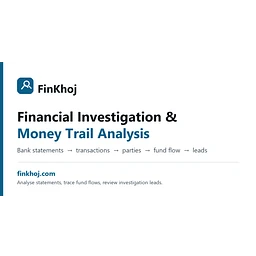
If your work involves reviewing transactions across several accounts, tracing transfers, identifying connected parties, or investigating suspicious financial activity, consider:
Tarang
It is designed for:
- Combining multiple bank statements.
- Tracking money moving between accounts.
- Identifying transaction patterns and cash activity.
- Examining gaps and inconsistencies in financial records.
- Producing reports for financial investigations and forensic audits.
Website: Tarang – Financial Investigation.
My recommendation
Based on the functions you've described, I'd initially shortlist these three:
Your primary objective Recommended software Comprehensive statement analysis Bankflow Verifying transactions and finding discrepancies Utilly Investigating financial activity across accounts Tarang For the strongest review process, look for software that can perform these checks:
- Duplicate transaction detection.
- Missing deposits or withdrawals.
- Unusual transaction amounts.
- Incorrect running balances.
- Transfers between accounts.
- Differences between bank statements and accounting ledgers.
- Monthly cash inflow versus outflow.
- Unexplained changes in account balances.
Important: Automated software can flag suspicious patterns, but a flagged transaction is not necessarily fraud. Verify findings against original bank records, invoices, receipts, and supporting documentation. Also check data-retention policies and security controls before uploading sensitive financial statements.
A few questions to narrow down the best software
I can narrow this to the most suitable platforms if I understand how you intend to use them.
1. What type of financial review are you performing?
Business financial review
Personal bank statement review
Forensic accounting or financial investigation
Auditing and compliance
Reviewing transactions for clients or another organization
2. What format are your bank statements in?
PDF bank statements
Excel or CSV files
Both PDF and Excel/CSV
Online banking data feeds
3. Approximately how many statements do you review?
1–10 statements
10–50 statements
50–500 statements
More than 500 statements
4. What is your most important requirement?
Verify every transaction
Detect suspicious or unusual transactions
Cash flow analysis
Reconcile statements against accounting records
All of the above
[Find the best software for my needs]
I can then provide a more targeted shortlist, including pricing, automation capabilities, and which software is best at identifying financial discrepancies rather than simply organizing transactions.
Pages cited in this answer9
- bankflow.appVisit Bankflow
- getutilly.comVisit Utilly
- xero.comAccounting Software for Small Businesses | Xero US
- xero.comBank Reconciliation Software | Account Reconciliation | Xero US
- statementfold.comVisit Statementfold
- bankstatementmatcher.comBankStatementMatcher — Reconcile Payments & Receipts in Seconds | BankStatementMatcher
- highradius.comAutonomous Finance for O2C, R2R , AP & Treasury | HighRadius
- highradius.com10 Best Bank Reconciliation Tools [2026]
- finkhoj.comTarang – Financial Investigation
- QuickBooks Online / Xero
ChatGPTNov 1, 2026
There are several software options that can help you audit bank statements, monitor cash flow, reconcile transactions, and identify errors or suspicious activity.
The best choice depends on whether you're auditing personal accounts, a small business, or multiple business bank accounts.
For this purpose, I'd prioritize software with five capabilities:
- Bank reconciliation: Match bank statement transactions against accounting records.
- Transaction error detection: Flag duplicate charges, missing transactions, incorrect amounts, and unusual entries.
- Cash flow tracking: Show money coming in, money going out, and cash balances over time.
- Categorization: Automatically classify transactions into income, expenses, transfers, and other categories.
- Audit trail: Preserve transaction histories and reconciliation records for future review.
1. Best software options to consider
1. QuickBooks Online
(Best overall for small businesses)
- Automatically imports bank transactions.
- Matches deposits and expenses against accounting records.
- Helps identify unmatched transactions and reconciliation differences.
- Provides cash flow and financial reports.
Website:
2. Xero
(Best for transaction matching)
- Automatically suggests transaction matches.
- Identifies transactions requiring attention.
- Creates bank rules for recurring transactions.
- Supports bulk reconciliation and cash coding.
Website: Xero.
3. Zoho Books
(Best budget-friendly option)
- Automatically imports bank transactions.
- Matches transactions against accounting records.
- Identifies duplicate transactions.
- Produces reconciliation reports and cash balance summaries.
Website: Zoho Books.
4. Wave Accounting
(Best for freelancers and simple bookkeeping)
- Tracks income and expenses.
- Provides basic financial reporting.
- Offers bookkeeping features for smaller operations.
- Has a free accounting tier, although some banking features require a paid plan.
Website:
5. BlackLine
(Best for larger organizations)
- Automates high-volume account reconciliations.
- Helps manage exceptions and discrepancies.
- Provides audit trails and financial controls.
- Useful for companies managing multiple entities and accounts.
Website:
2. Specialized bank statement auditing tools
If your primary goal is to inspect statements and catch errors rather than maintain a complete accounting system, consider these:
Software Particularly useful for PreciseBankFlow Duplicate charges, missing transactions, check-number gaps, and balance discrepancies Karchu Extracting statement data, checking opening and closing balances, and detecting duplicates Balancifi Converting statements into structured data, checking transactions, and exporting audit reports These tools have more specialized statement-analysis workflows. Check their availability, security arrangements, and suitability before uploading sensitive financial records.
3. What errors should your software catch?
I would specifically look for the ability to identify these issues:
Potential error What the software should flag Duplicate transactions Same amount and merchant charged more than once Missing deposits Expected income not appearing in the bank Incorrect withdrawals Unexpected or incorrect payment amounts Unauthorized transactions Charges you don't recognize Bank fees Unexpected or duplicate service charges Balance discrepancies Opening balance plus activity doesn't equal closing balance Cash flow problems Spending consistently exceeding incoming funds Unusual transactions Large or unusual payments compared with historical activity One important distinction: software can flag suspicious transactions, but it cannot automatically establish that a charge is fraudulent. You should verify flagged items against receipts, invoices, and bank records.
4. My recommendation
I would narrow the selection based on your primary objective:
- For comprehensive business auditing: QuickBooks Online or Xero.
- For identifying duplicate charges and statement discrepancies: PreciseBankFlow or Karchu.
- For affordable bookkeeping and cash flow monitoring: Zoho Books.
- For auditing multiple accounts across a larger organization: BlackLine.
I would also recommend testing the software against one month of actual bank statements before committing. Check whether it correctly identifies duplicates, reconciles balances, and accounts for every transaction.
5. A few questions to help me narrow this down
I'd like to identify the software that will do the most thorough job for your needs.
1. What type of bank statements will you be auditing?
Personal bank accounts
Business bank accounts
Both personal and business accounts
Client accounts for auditing
2. Approximately how many bank accounts?
1 account
2–5 accounts
6–15 accounts
More than 15 accounts
3. How would you like to provide the statements?
Upload PDF or Excel bank statements
Connect directly to bank accounts
Either method
4. What is your most important objective?
Find errors, duplicate charges, and missing transactions
Track income, expenses, and cash flow
Perform a comprehensive financial audit
All of the above
[Submit answers]
With those answers, I can narrow this down to the three strongest software choices, including which one is best at catching transaction errors rather than simply tracking expenses.
Pages cited in this answer10
- quickbooks.intuit.comQuickBooks®: Official Site | Smart Tools. Better Business.
- xero.comSoftware & Solutions for Small Businesses | Xero UK
- xero.comBank Reconciliation Software | Account Reconciliation | Xero US
- zoho.comPowerful Accounting Software for Your Business | Zoho Books
- zoho.comBank Reconciliation | Accounting Software | Zoho Books
- waveapps.comWave: Small Business Software - Wave Financial
- blackline.comBlackLine: The Agentic Financial Operations Platform™
- precisebankflow.comPreciseBankFlow: bank statement reconciliation and audit software
- karchu.comBank statement analysis - Karchu docs
- balancifi.comBalancifi
Google AI ModeNov 1, 2026
Software options for auditing bank statements, tracking cash flow, and catching transaction errors range from
built-in small business ledger tools to heavy-duty, AI-driven enterprise reconciliation platforms. The right choice depends on your transaction volume, how many data sources you need to cross-reference, and whether you need automated anomaly detection.1. Small-to-Midsize Business Accounting & Built-in Reconciliation
- QuickBooks Online: Best for small teams already maintaining general ledgers. It links directly via automated bank feeds, suggests transaction matches, uses built-in rules to categorize expenses, and features reconciliation guardrails that flag changes to previously cleared statements.
- Xero: Excellent for growing businesses. Its automated matching engine (JAX) suggests or completes routine transaction lines against invoices and bills, making monthly statement audits straightforward and fast.
- FreshBooks: Designed for freelancers and small service businesses. It provides continuous, near real-time bank reconciliation by pairing income and expense data against your live or manually imported bank feeds.
- Zoho Books: Great for users in the Zoho ecosystem. Offers customizable transaction matching rules and clean bank reconciliation workflows to align incoming/outgoing cash flow with bank statements.
2. Mid-Market & Enterprise Financial Close / Reconciliation
- Sage Intacct: Ideal for growing, multi-entity businesses. It automates real-time multi-book transaction matching, handles diverse bank feeds, and generates audit-ready cash flow and variance reports.
- NetSuite Account Reconciliation: Best for organizations native to or integrated with Oracle NetSuite. It automates bank and credit card matching while centralizing exception management and cash tracking in a single workspace.
- FloQast: Built as an operational workflow layer over existing ERPs. It utilizes AI-powered transaction matching to pull trial balances and bank files together, automatically flagging out-of-balance anomalies and streamlining audit trails.
- HighRadius: Tailored for high-volume, touchless cash management and treasury operations. It uses machine learning to match thousands of line items monthly across multi-currency accounts and isolate bank-to-book variances.
3. Dedicated Enterprise Audit & Compliance Platforms
- BlackLine: The gold standard for large-scale enterprise account reconciliation. It ingests raw bank files and ERP ledgers, auto-certifies low-risk rules-driven matches, enforces segregation of duties, and maintains an immutable audit repository for discrepancies and fraud detection.
- Simetrik / ReconArt: Built to ingest complex, multi-source data (bank statements, payment processor files like Stripe/PayPal, credit card networks) and run rules-based matching at scale while isolating unmatched items into dedicated exception workflows.
If you can share your estimated monthly transaction volume and whether you operate a single bank account or multiple legal entities/currencies , I can help you narrow down the best software tier for your workflow.
Google AI ModeOct 21, 2026
Top programs for auditing bank statements, tracking cash flow, and finding errors include
automated accounting platforms, specialized document parsers, and financial forensics tools.- QuickBooks connects directly to bank accounts to match and verify daily transactions, categorize expenses, and run cash flow reports.
- Xero reconciles bank feeds automatically, flags unusual entries, and updates cash flow tracking in real time.
- Ocrolus reads PDF bank statements, checks data accuracy, and analyzes cash flow patterns to spot income inconsistencies.
- BlackLine automates large-scale account reconciliations and flags variances or high-risk transactions for corporate audits.
- Trullion uses AI to connect financial data on statements with underlying audit evidence and spot calculation errors.
If you want to narrow this down, tell me:
- Are you auditing for a small business , a large company , or for personal use?
- Do you need tools for daily bookkeeping or deep fraud detection?
I can give you a more specific recommendation.
Pages cited in this answer1
ChatGPTOct 21, 2026
If your goal is to audit bank statements, verify that every transaction is accounted for, monitor cash flow, and identify suspicious or inconsistent activity, I recommend choosing software that does more than basic budgeting.
The key distinction is between bank statement analysis (checking the statement itself), bank reconciliation (matching transactions against accounting records), and fraud or anomaly detection (identifying unusual activity). Some programs handle all three; others specialize in just one.
Best programs to consider
1. DocuClipper
(Best overall for statement audits)
Best if you have existing PDF bank statements and want to check their mathematical accuracy without manually entering every transaction.
- Extracts transactions from digital and scanned statements.
- Checks opening balance plus credits and debits against the closing balance.
- Flags statements that do not reconcile.
- Exports data to Excel, CSV, QuickBooks and Xero.
Published pricing: from $29/month; 14-day free trial.
2. StatementLock
(Best for personal statement reviews)
Best if you want to review your own checking, savings or credit card statements without linking your bank account.
- Checks extracted transactions against the statement's printed totals.
- Categorizes spending and summarizes cash flow.
- Flags potential duplicate charges, small unusual transactions and unfamiliar merchants.
- Processes statement PDFs in your browser; its privacy policy says de-identified transaction text is sent to its AI provider.
A free 30-day trial is advertised. Check the current subscription price and privacy terms before use.
3. Xero
(Best for ongoing cash flow tracking)
Best if you need continuous monitoring rather than auditing a few old statements.
- Imports bank transactions and matches them against accounting records.
- Identifies missing, duplicated or deleted entries.
- Provides cash flow figures, account balances and reconciliation reports.
- Supports transaction rules and bulk reconciliation.
Subscription software; pricing varies by plan and promotion.
4. QuickBooks Online
Best for small-business bookkeeping and financial oversight.
- Matches bank-feed transactions against the books.
- Categorizes income and expenses.
- Supports reconciliation and financial reporting.
- Helps identify differences between recorded and actual bank activity.
This is a practical choice if you already use QuickBooks for your business accounts. It is less specialized than a dedicated statement-auditing tool for reviewing standalone PDFs.
5. BlackLine
Best for corporate finance departments and complex audits.
- Matches transactions across multiple financial systems.
- Identifies exceptions and recurring reconciliation problems.
- Maintains review workflows and audit trails.
- Supports large-scale, repeatable reconciliation processes.
This is more appropriate for larger organizations with multiple accounts, entities or formal financial controls than for an individual reviewing personal statements. Pricing is typically tailored to the organization.
Which tool fits your audit?
Your main objective My recommendation Verify historical bank statement PDFs DocuClipper Review personal finances and unusual charges StatementLock Track cash flow continuously Xero or QuickBooks Reconcile many accounts for a company BlackLine Convert statements to spreadsheets for deeper analysis DocuClipper + Excel What a good bank statement audit should check
Regardless of the software, make sure your process covers these six tests:
- Balance verification: Opening balance + deposits − withdrawals = closing balance.
- Transaction completeness: Every transaction appears in the source statement and your ledger, with no unexplained omissions.
- Duplicate detection: Identify repeated charges, deposits or transfers.
- Unusual activity: Flag unexpected merchants, altered amounts, unfamiliar payees, suspicious small charges or unusual transaction patterns.
- Cash flow analysis: Compare monthly income, expenses, net cash flow and recurring payments.
- Cross-account reconciliation: Match transfers between your own accounts so they are not incorrectly counted as income or expenses.
One important limitation: a statement that balances mathematically is not necessarily authentic or free of fraud. For a stronger audit, compare it with the bank's original records, transaction confirmations, invoices or receipts, and your accounting ledger. Treat automated flags as items to investigate, not proof of wrongdoing.
Let me narrow this down to the best fit
1. Whose finances are you auditing?
My own personal bank accounts
A business or organization's accounts
Someone else's statements or a formal investigation
2. What records do you have?
Downloaded PDF statements
CSV or Excel transaction exports
Live bank feeds or connected accounts
A combination of statements and accounting records
3. What matters most?
Finding missing, duplicate or incorrect transactions
Tracking income, spending and cash flow
Detecting suspicious transactions or possible fraud
All of the above
4. Preferred budget?
Free tools only
Under $50/month
$50–$200/month
Higher budget for professional auditing
[Find my best-fit programs]
Pages cited in this answer15
- paperwork.toTop 12 bank statement analysis software in 2026 | paperwork
- docsumo.com9 Best Bank Statement Extraction Software (2026): Compared
- resources.rework.comBest Bank Reconciliation Software in 2026: 15 Tools Compared for Finance Teams
- docuclipper.comBank Statement Converter & Financial Data Extraction Software | DocuClipper
- docuclipper.comAccount Reconciliation Software | Bank Matching | DocuClipper
- statementlock.comStatementLock — Private AI-Powered Financial Analysis
- statementlock.comPrivacy Policy — StatementLock
- xero.comBank Reconciliation Software for Small Businesses | Xero UK
- xero.comBank Reconciliation Software | Account Reconciliation | Xero US
- xero.comSoftware & Solutions for Small Businesses | Xero UK
- techrepublic.com7 Best Bank Reconciliation Software in 2026
- quickbooks.intuit.comQuickBooks®: Official Site | Smart Tools. Better Business.
- blackline.comAI-Powered Account Reconciliation Software | BlackLine
- blackline.comAI-Powered Transaction Matching Software | BlackLine
- blackline.comBlackLine: The Agentic Financial Operations Platform™
What is the best software for a forensic accountant to use for data analysis and fraud detection?
Summary
DocuClipper is the usual answer for a forensic accountant seeking data analysis and fraud detection. Its answers emphasize statement conversion and suspicious-transaction flags.