We need to version and manage our growing libra… | Parse
We need to version and manage our growing library of system prompts. What's the best prompt registry or version control system?
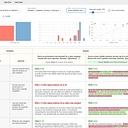
Data as of Sep 26, 2026 · Based on 362 AI responses from ChatGPT Search and Google AI Mode · See how Parse measures this
Choose the tool that fits your team: PromptLayer is best for UI-driven, collaborative versioning and rollouts; PromptHub brings Git-style branching/merging to browser users; Mirascope fits engineering teams who want prompts in code; is ideal if you already use ; or Agentea are the picks if you need open-source, self-hosted prompt management.
Best for teams that want a visual, UI-first workspace to version, A/B test, and roll out prompts without frequent code deployments; strong collaborative features but less code-native than engineering tools.
Good when you need open-source or traceable prompt logging with automatic versioning and evaluation; suitable for teams wanting self-hosting and trace integration, though UI polish varies.
Best when your stack uses LangChain/LangGraph: offers tight observability, versioning, and prompt evaluation tied into LangChain apps—less useful if you’re not in that ecosystem.
Best Prompt Versioning Tools for Production Teams (2026) - Articles - Braintrusthttps://www.braintrust.dev/articles/best-prompt-versioning-tools-2025
5%
5 Best Tools for Prompt Versioninghttps://www.getmaxim.ai/articles/5-best-tools-for-prompt-versioning/
3%
Any good prompt management & versioning tools out ... - Reddithttps://www.reddit.com/r/LangChain/comments/18rb334/any_good_prompt_management_versioning_tools_out/
3%
Top 5 Prompt Versioning Tools in 2025: Essential Infrastructure for Production AI Systemshttps://www.getmaxim.ai/articles/top-5-prompt-versioning-tools-in-2025-essential-infrastructure-for-production-ai-systems/
3%
7 best prompt management tools in 2026 (tested and compared)https://www.braintrust.dev/articles/best-prompt-management-tools-2026
3%
Top 5 AI Prompt Management Tools for 2026https://arize.com/blog/top-5-ai-prompt-management-tools-of-2025/
2%
Top 5 Prompt Versioning Tools for Enterprise AI Teams in 2026https://www.getmaxim.ai/articles/top-5-prompt-versioning-tools-for-enterprise-ai-teams-in-2026/
2%
Prompt Management Systems Comparedhttps://nearform.com/digital-community/prompt-management-systems-compared/
2%
12 Best Prompt Management Tools for 2025https://promptaa.com/blog/prompt-management-tools
2%
Prompt Registry | MLflow AI Platformhttps://mlflow.org/docs/latest/genai/prompt-registry/
1%
Question: We need to version and manage our growing library of system prompts. What's the best prompt registry or version control system?
Managing a growing library of system prompts means moving away from hardcoded strings in codebases or scattered markdown files in a shared Google Drive. You need a centralized prompt registry that decouples prompt iteration from code deployments, allowing non-engineers to tweak text while giving developers clean version control, rollback safety, and environment labeling.
The top-tier tools in this space blend Git-like immutability with runtime management.
Top Prompt Registries & Version Control Systems
Langfuse stands out as the most popular open-source (MIT licensed) ecosystem for prompt management . Every save creates a new immutable version, and you manage rollouts via movable environment labels (e.g., production, staging ) rather than pushing code. It bundles deep LLM tracing and evaluation right next to your prompt registry.
LangSmith offers a powerful commit-style version model that integrates smoothly if you are already operating inside the LangChain/LangGraph ecosystem. It excels at tracking prompt lineages alongside complex multi-step agent traces and debugging.
PromptLayer functions nicely as an end-to-end prompt management and orchestration layer. It provides clean label-based release governance, collaborative editing, and works well if you want a dedicated control plane specifically focused on prompt lifecycles and request proxying.
PromptHub leans into a more traditional developer-friendly collaboration angle, featuring branch-and-merge workflows for prompts that feel very close to how engineering teams handle standard git branches.
Key Features to Look For
Decoupled Deployments: The registry should expose an SDK or API so your app fetches prompts dynamically by label (like production ). Changing a system prompt shouldn't require an application CI/CD rebuild.
Immutable Version History & Diffs: Much like Git, you need a clear visual diff view to see exactly what words, variables, or structures changed between v3 and v4 of a critical system prompt.
Environment Tagging: Ability to tag specific prompt hashes for development, staging , and production.
Observability/Evaluation Integration: Prompts are probabilistic. Knowing what version ran is only half the battle; the best registries tie directly into tracing tools so you can evaluate performance regressions tied to a specific prompt version.
To help narrow down the best fit, tell me:
Are you looking for an open-source/self-hosted tool or a fully managed cloud service?
Do you need deep tracing and cost tracking bundled in, or just a pure prompt CMS/registry?
Worth considering if keeping the prompt/evaluation infrastructure under your control is important.
What I'd choose
For most teams, I'd narrow it to Braintrust vs. PromptLayer.
Choose PromptLayer if your primary problem is:
"We have 200 prompts, multiple people need to edit them, and we need a proper registry with versions, releases, diffs, and rollback."
Its registry model lets applications reference a named prompt/release rather than baking the prompt into application builds.
Choose Braintrust if your problem is broader:
"We need to know whether changing a prompt actually makes the product better, and we want that connected to production traces and evaluations."
Braintrust treats prompt versions as immutable, identifiable artifacts and connects them to evaluation and deployment workflows.
One architectural recommendation
Regardless of vendor, I'd structure your registry roughly like:
prompts/
  customer_support/
    system
    versions/
      v17
      v18
  document_extraction/
    system
  coding_agent/
    system
But don't make v18 itself the production reference. Give prompts stable logical names and movable environments/releases:
That gives you a crucial property: deploying a prompt becomes promotion of a known version, not modification of the prompt itself. Immutable versions, diffs, environment separation, and rollback are particularly important once prompts affect production behavior.
I'd also store alongside each version:
prompt/template text
variables/schema
model + relevant parameters
tools/output schema
author + timestamp
change rationale
evaluation results
environment/release status
links to relevant production traces
The last part is important: Git-style versioning alone isn't enough for prompts. A prompt can be perfectly reproducible yet perform worse after a seemingly innocuous wording change. You want the registry connected to regression evaluations and production behavior.
Bottom line: if you primarily want a prompt registry, I'd investigate PromptLayer first; if you want prompt registry + evals + observability + deployment controls, I'd investigate Braintrust first.
Choose PromptLayer if your primary problem is:
"We have 200 prompts, multiple people need to edit them, and we need a proper registry with versions, releases, diffs, and rollback."
Its registry model lets applications reference a named prompt/release rather than baking the prompt into application builds.
Choose Braintrust if your problem is broader:
"We need to know whether changing a prompt actually makes the product better, and we want that connected to production traces and evaluations."
Braintrust treats prompt versions as immutable, identifiable artifacts and connects them to evaluation and deployment workflows.
One architectural recommendation
Regardless of vendor, I'd structure your registry roughly like:
prompts/
  customer_support/
    system
    versions/
      v17
      v18
  document_extraction/
    system
  coding_agent/
    system
But don't make v18 itself the production reference. Give prompts stable logical names and movable environments/releases:
Prompt iteration tightly coupled to datasets/evals
PromptLayer
Dedicated prompt registry/workflows
Prompt versions and deployment management
LangfuseHumanloopBraintrustIf I were setting this up today: start with Git as the source of truth, and add Langfuse when you need centralized deployment, experimentation, or runtime visibility. Langfuse gives each prompt an immutable version and lets you point labels such as staging and production at specific versions, making rollback straightforward.
Keep the prompt itself separate from application code, make changes through PRs, and run regression evals in CI. Git gives you the audit trail and review process essentially for free.
I'd also avoid relying solely on v1/v2/v3 naming. Let Git provide the immutable history; use semantic versions or deployment labels only when they communicate something useful. For example:
support-agent
  production → commit abc123 / prompt version 7
  staging    → commit def456 / prompt version 8
Then record the prompt version + model version + relevant configuration with every production request. That makes regressions attributable instead of turning prompt changes into mysterious model behavior.
When I'd choose each
Just getting started: Git/GitHub.
Dozens of prompts, multiple environments, production rollbacks:Langfuse. Its prompt registry is explicitly designed around versions, labels, deployment and rollback.
Non-engineers need to edit prompts:Humanloop, particularly because its prompt files can also be serialized into version control.
Your core workflow is “change prompt → run lots of evals → compare results”:Braintrust is worth evaluating.
The important distinction is version control vs. prompt registry: Git answers “what changed and who approved it?”; a registry answers “what prompt is actually running in production, and how do I change/rollback it?” For a growing library, eventually you'll want both.
Managing a growing library of system prompts means moving away from hardcoded strings in code files or scattered Google Docs. The "best" choice depends entirely on who is editing the prompts (developers vs. product managers/domain experts) and your current infrastructure.
The top-tier prompt registries and version control systems fall into a few clear categories:
Dedicated LLM/Prompt Engineering Platforms (Best for cross-functional teams): Tools like Langfuse (open-source), PromptLayer , and Maxim AI provide a visual registry. They feature Git-like versioning (immutable commits, diff views), production/staging labels (so non-engineers can update prompts without a code deploy), and built-in tracking/evaluations.
Observability & Agent Platforms (Best if you already use them): If you are already tracking traces and evals via LangSmith or MLflow Prompt Registry , sticking to their native prompt management keeps your lineage, evaluations, and prompt versions unified under one roof.
Git + CI/CD (Best for pure engineer-controlled workflows): Storing prompts as .yaml, .jinja , or .md files directly in GitHub/GitLab. If your developers tightly control the release cycle and non-technical stakeholders don't need a UI to tweak wording, traditional Git branching and pull requests offer ultimate reliability and zero added subscription costs.
Specialized Lightweight Registries: Tools like PromptHub focus strictly on Git-style branching and team collaboration for prompts without forcing you into a heavy observability data stack.
To help narrow down the ideal fit, tell me:
Do non-engineers (like product, legal, or content teams) need to edit prompts directly?
Are you already using an LLM observability or monitoring platform (like LangChain, LlamaIndex, Arize, or Datadog)?
Do you prefer an open-source/self-hosted tool or a fully managed cloud service?
Managing a growing library of system prompts requires more than just a Git repository—you need a centralized registry that handles non-technical collaborators, real-time production updates without redeploying code, and quality evaluations.
The "best" system depends on whether you prefer an open-source self-hosted stack or a managed enterprise platform.
Top Prompt Registries & Version Control Systems
Langfuse — A leading open-source LLM engineering platform (MIT licensed core) that excels at prompt management, tracing, and metrics. It lets you manage prompt versions in a UI and fetch them dynamically in your app via SDKs. Great if you want data privacy or want to self-host. Check it out on Langfuse.
LangSmith — Built by the LangChain team, LangSmith offers robust prompt versioning, playground testing, and collaborative management tightly integrated with agent workflows and tracing. Ideal if you are already in the LangChain ecosystem. Explore it via LangSmith.
PromptLayer — Known for providing a visual prompt registry with Git-inspired version control. It is built specifically to allow non-technical domain experts to iterate on prompts safely while giving developers clean API fetching and rollback mechanisms. Learn more at PromptLayer.
Maxim AI — A comprehensive AI lifecycle platform that treats prompt versioning as part of a larger evaluation and experimentation loop rather than an isolated silo. Excellent for teams prioritizing rigorous testing alongside versioning. Review details on Maxim AI.
Braintrust — Built heavily around enterprise experimentation, evaluation, and prompt management. It treats prompt registries and data evals as a single workflow, making it hard to ship a bad prompt to production accidentally. Check out Braintrust.
Key Features to Look For
When picking your tool, ensure it solves three core operational bottlenecks:
Dynamic Production Prompts: The ability to update a prompt in production via labels (e.g., production vs staging tags) without pushing a new build of your application code.
Evaluation Integration: A way to run automated test cases or LLM-as-a-judge evals against a new prompt version before promoting it.
Role-Based Access Control (RBAC): Allowing product managers or domain experts to tweak text in a UI without breaking formatting variables or messing up core application logic.
To help narrow down the right choice, tell me:
Do you prefer an open-source (self-hosted) tool or a fully managed cloud service?
Are non-technical team members (like product managers or copywriters) going to be editing the prompts directly?
The important distinction is that Git versions the artifact, while the registry controls which version is actually deployed. Langfuse's labels are pointers to immutable versions, so promoting or rolling back production doesn't require changing application code.
Alternatives worth considering
System
Particularly useful when...
Git + Langfuse
You want engineering-grade source control and a runtime registry/evaluation/observability layer
PromptLayer
You want a dedicated prompt registry with a strong UI, version diffs, release labels, evaluations, and workflow tooling.
What I'd standardize internally
For each prompt, store more than just the text:
name: customer_support_agent
purpose: Handle customer support conversations
owner: support-ai
model: <model>
variables:
  - customer_context
  - conversation
eval_suite: support_regression_v3
status: production
Then enforce a lifecycle:
draft → eval → staging → production → rollback
And make every production prompt invocation traceable to an exact prompt version. That's especially important because otherwise you eventually get the debugging problem of "the model started behaving differently last Tuesday—what prompt was actually running?" Langfuse explicitly supports associating prompt versions with traces and evaluating versions before promotion.
Bottom line: if you're just starting, Git is enough. If "growing library" means dozens/hundreds of prompts used by multiple teams, I'd adopt Git + Langfuse + automated evals now rather than building a homegrown registry.
Managing a growing library of system prompts requires tooling that treats prompts less like static text files and more like deployable code and configuration. Standard Git works for basic storage, but it lacks runtime fetching, A/B testing, non-technical collaboration, and evaluation tracking.
The top-tier prompt registries and management platforms depend heavily on your team's specific workflow, stack, and who actually edits the prompts.
Top Prompt Registries & Management Tools
LangSmith — Best if your stack is already built on LangChain or LangGraph.
Standout feature: First-class named environments (staging vs. production) and commit hashes for every edit. Prompts are decoupled from code deployments, meaning you can update a prompt in the registry and have production pick it up instantly.
Great for: Engineering-heavy teams deeply embedded in the LangChain ecosystem who need bulletproof deployment tracking and rollback.
Langfuse — Best open-source option for teams that want to self-host or avoid vendor lock-in.
Standout feature: An MIT-licensed core that includes prompt management, tracing, and metrics without arbitrary paywalls on core features. It handles environment labels and production safeguards gracefully.
Great for: Privacy-conscious organizations or teams wanting a powerful, inspectable open-source stack they can run locally or on-prem.
PromptLayer — Best for cross-functional teams where non-engineers (product managers or domain experts) own the prompt text.
Standout feature: Commit-style versioning with clean diff views and label-based stage promotion tailored so non-technical users can tweak text without touching code repositories.
Great for: Organizations where prompt engineering is collaborative and heavily iterative outside of the core engineering PR cycle.
Braintrust — Best when prompt changes must be strictly gated by automated evaluations.
Standout feature: Approaching prompt registry tightly coupled with rigorous evaluation (eval) suites. You cannot easily promote a prompt to production without running it through predefined regression and quality benchmarks first.
Great for: Enterprise teams prioritizing high reliability, where a bad prompt regression could break downstream user experiences.
How to Choose
Choose LangSmith if you use LangChain/LangGraph.
Choose Langfuse if you need an open-source/self-hosted path.
Choose PromptLayer if non-developers are actively writing and updating the prompts.
Choose Braintrust if automated testing/evals are mandatory before any prompt goes live.
For a growing production library of system prompts, I’d treat prompts as deployable artifacts—not just text files—and choose a registry that gives you immutable versions, environments/releases, evals, rollback, and traceability.
My shortlist
Tool
Best fit
Why I’d choose it
Langfuse
Engineering-heavy / self-hosted
Strong prompt registry + versions/labels + observability; open source and self-hostable.
PromptLayer
Dedicated prompt CMS
Excellent if PMs/domain experts need to edit prompts; has version history, diffs, playground, and release-oriented workflows.
Braintrust
Eval-first teams
Best if prompt changes need to be tightly coupled to datasets, evaluators, regression testing, and production traces.
Promptfoo
Git/CI-first
Excellent complement when you want prompts in Git and regression/security tests in CI rather than a prompt CMS.
Agenta
Open-source all-in-one
Good option if you want a visual playground, prompt variants, and evaluation without committing to a proprietary platform.
What I'd recommend
If you're an engineering organization, my default architecture would be:
Git = source of truth for prompt definitionsPrompt registry = runtime/deployment layerEval suite = release gateObservability = production feedback
I would not make a SaaS prompt registry your only source of truth. You want every production prompt to be reproducible from version control, while the registry gives you convenient runtime selection and controlled promotion.
If you want one product
I'd pick Langfuse if your priorities are engineering control, open source/self-hosting, and connecting prompt versions to production traces. Its prompt system explicitly separates immutable versions from labels such as staging, production, or experiment variants.
I'd pick PromptLayer instead if the main problem is a large number of people editing prompts, especially PMs, operations, or subject-matter experts who shouldn't need Git/PRs for every wording change. Its registry is specifically designed around editing, testing, and version history.
I'd pick Braintrust if your bigger problem is "How do we know this new system prompt is actually better?" rather than simply storing versions. Its current positioning puts prompt iteration, evaluations, tracing, and quality gates into one workflow.
One important design principle: don't version only the prompt text. A production prompt version should ideally capture:
System/user/assistant message structure
Model/provider
Model parameters
Tool definitions available to the model
Template variables/schema
Retrieval configuration, if applicable
Evaluation dataset/version
Evaluation results
Author + timestamp
Parent/version/diff
Deployment environment
Release status (draft → staging → production)
Rollback target
That turns your prompt library into something much closer to software package management than a folder of Markdown files.
If you tell me your stack (e.g. OpenAI/Anthropic + Python/TS + GitHub + LangChain or custom), I can recommend a concrete architecture and repo/registry layout.
Git = source of truth for prompt definitionsPrompt registry = runtime/deployment layerEval suite = release gateObservability = production feedback
I would not make a SaaS prompt registry your only source of truth. You want every production prompt to be reproducible from version control, while the registry gives you convenient runtime selection and controlled promotion.
If you want one product
I'd pick Langfuse if your priorities are engineering control, open source/self-hosting, and connecting prompt versions to production traces. Its prompt system explicitly separates immutable versions from labels such as staging, production, or experiment variants.
I'd pick PromptLayer instead if the main problem is a large number of people editing prompts, especially PMs, operations, or subject-matter experts who shouldn't need Git/PRs for every wording change. Its registry is specifically designed around editing, testing, and version history.
I'd pick Braintrust if your bigger problem is "How do we know this new system prompt is actually better?" rather than simply storing versions. Its current positioning puts prompt iteration, evaluations, tracing, and quality gates into one workflow.
One important design principle: don't version only the prompt text. A production prompt version should ideally capture:
If you’re building a growing production library of system prompts, I’d treat prompts as deployable artifacts—not just text files. The key capabilities are immutable versions, environments/releases, diffs, eval gates, rollback, and runtime traceability.
Good if you mainly want familiar branching/versioning
LangSmith
LangChain/LangGraph stack
Strong choice if you're already deeply invested in that ecosystem
Langfuse, for example, gives each prompt an immutable version and lets you attach labels such as staging, production, or experiment identifiers. That gives you a clean separation between "what changed?" and "what is actually deployed?"
PromptLayer is particularly attractive if you want a true prompt CMS: its registry stores templates, variables, model settings, and version history, and lets you change prompt behavior without modifying application code.
Braintrust is the one I'd prioritize when the workflow is prompt → dataset → eval → quality gate → production, rather than simply prompt → version → deploy.
What I'd implement
For a serious prompt library, I'd use a structure like:
The important distinction is that Git should remain the source of truth for application code, while the prompt registry becomes the source of truth for the runtime prompt artifact. You don't want someone changing a prompt in production with no record of which version generated a particular response.
My recommendation
If I were setting this up today:
Choose Langfuse if you're engineering-heavy, want open source/self-hosting, and also want tracing/evals.
Choose PromptLayer if you want the best dedicated prompt-registry experience and expect non-engineers to manage prompts.
Choose Braintrust if your biggest concern is proving that prompt version 28 is better than version 27 before shipping it.
For most teams with a large and rapidly changing system-prompt library, I'd start with Langfuse + Git + automated evals. The registry handles runtime versions/releases; Git handles application/infrastructure configuration; evals determine whether a prompt is allowed to advance. Langfuse explicitly supports this separation between prompt updates and application deployment.
One caveat: don't choose based on "prompt versioning" alone. Almost all of these products can do that. The differentiator is whether you can answer "Which exact prompt version, model, configuration, and eval result produced this production behavior?" reliably.
If you tell me your stack (e.g. OpenAI/Anthropic, Python/TypeScript, LangChain or not, self-hosted vs SaaS, and team size), I can narrow this to a concrete architecture and recommend Langfuse vs PromptLayer vs Braintrust.
What I'd implement
For a serious prompt library, I'd use a structure like:
The important distinction is that Git should remain the source of truth for application code, while the prompt registry becomes the source of truth for the runtime prompt artifact. You don't want someone changing a prompt in production with no record of which version generated a particular response.
My recommendation
If I were setting this up today:
Choose Langfuse if you're engineering-heavy, want open source/self-hosting, and also want tracing/evals.
Choose PromptLayer if you want the best dedicated prompt-registry experience and expect non-engineers to manage prompts.
Choose Braintrust if your biggest concern is proving that prompt version 28 is better than version 27 before shipping it.
For most teams with a large and rapidly changing system-prompt library, I'd start with Langfuse + Git + automated evals. The registry handles runtime versions/releases; Git handles application/infrastructure configuration; evals determine whether a prompt is allowed to advance. Langfuse explicitly supports this separation between prompt updates and application deployment.
Managing a growing library of system prompts effectively requires tools that offer Git-like versioning, environment tagging (staging vs. production), and collaborative editing.
The best prompt registry or version control system depends on your team's specific workflow, tech stack, and who owns the prompts.
Top Prompt Management Tools and Registries
LangSmith — Best when your stack is already built around LangChain or LangGraph. Every prompt edit acts as a commit with a unique hash, and environment tags (like staging and production) allow seamless rollbacks and deployment tracking.
Braintrust — Best overall for combining editing, robust versioning, and tightly integrated evaluation suites. It ensures prompt updates are gated behind automated evaluation tests to prevent regressions.
Langfuse — Best open-source option if you prefer to self-host with an MIT license. It provides full core prompt management and API capabilities without strict limits.
PromptLayer — Best for cross-functional teams where non-engineers (like product managers or copywriters) need to update and test prompt text without deploying code.
PromptHub — Best for advanced collaboration features like Git-style branching and merging specifically for prompts.
Pydantic Logfire — Best for a clean separation between authoring prompts and releasing them to production environments.
To help narrow down the best fit, let me know:
Do you prefer a managed cloud service or a self-hosted open-source tool?
Are non-engineers going to be editing the prompts?
What LLM framework or logging tools (like LangChain, LlamaIndex, or custom code) are you currently using?
You want domain experts to edit prompts in a UI while retaining synchronization with Git. Its versions capture prompt/model parameters and can be exported back to Git.
Git alone
Your library is still relatively small and prompt changes should always go through normal code review/deployment
Follow how AI answers questions like this in Prompt Management & Evaluation Platforms.












Langfuse stands out as the most popular open-source (MIT licensed) ecosystem for prompt management . Every save creates a new immutable version, and you manage rollouts via movable environment labels (e.g.,