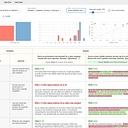
Data as of Sep 18, 2026 · Based on 285 AI responses from ChatGPT Search and Google AI Mode · See how Parse measures this
The best prompt engineering tool depends on your team's workflow and existing tech stack. For teams comfortable with version control workflows, 

Brands AI recommends here
Named in 76% of answers
Best for ease of use and rapid integration via middleware. It provides a visual registry for logging and versioning prompts through a simple SDK. It is less specialized than Git-based or framework-native tools.
Named in 56% of answers
Named in 48% of answers
The definitive choice if your application uses LangChain. It provides full-stack tracing, evaluation, and central prompt management. Its efficacy is highly dependent on your commitment to the LangChain ecosystem.
Named in 38% of answers
Ideal for teams wanting Git-style version control, including branching, commits, and merging. It is best used for secure, managed prompt deployment, though it requires adapting to a Git-based workflow pattern.
Source | Citation share |
|---|---|
 Best Prompt Versioning Tools for Production Teams (2026) - Articles - Braintrusthttps://www.braintrust.dev/articles/best-prompt-versioning-tools-2025 | 5.4% |
 Prompt Management Tools That Actually Make Life Easier | Snippets AIhttps://www.getsnippets.ai/articles/prompt-management-tools | 3.3% |
 8 Best Prompt Engineering Tools in 2026 | Mirascopehttps://mirascope.com/blog/prompt-engineering-tools | 3.2% |
 Any good prompt management & versioning tools out ... - Reddithttps://www.reddit.com/r/LangChain/comments/18rb334/any_good_prompt_management_versioning_tools_out/ | 2.6% |
 10 Best Prompt Engineering Tools for Accurate AI in 2026 - Kanerikahttps://kanerika.com/blogs/prompt-engineering-tools/ | 2.2% |
 9 Best Prompt Management Tools for ML and AI Engineering Teams - ZenML Bloghttps://www.zenml.io/blog/best-prompt-management-tools | 2.1% |
 5 Best Tools for Prompt Versioning - Maxim AIhttps://www.getmaxim.ai/articles/5-best-tools-for-prompt-versioning/ | 2.0% |
 Top Prompt Engineering Tools For Upcoming Yearshttps://www.myidcm.com/blog/prompt-engineering-tools | 1.9% |
7 best prompt management tools in 2026 (tested and compared)https://www.braintrust.dev/articles/best-prompt-management-tools-2026 | 1.9% |
 Top Prompt Engineering Tools to Boost AI Productivity and Workflow Efficiencyhttps://www.sprintzeal.com/blog/prompt-engineering-tools | 1.6% |
When you want to decouple prompts from your codebase so non-engineers can tweak them, while maintaining strict version control and seamless runtime integration, you should look at dedicated **LLM engineering platforms** rather than raw Git…
When you want to decouple prompts from your codebase so non-engineers can tweak them, while maintaining strict version control and seamless runtime integration, you should look at dedicated LLM engineering platforms rather than raw Git repos.
The top-tier tools built specifically for version-controlling prompts in a UI and pulling them directly into application logic via SDKs include:
production, staging ), and version prompts in their UI or via API. Their SDKs cache prompts locally in memory with background revalidation so fetching adds zero latency to your app logic. Check out the Langfuse Prompt Management Docs to see how it works.Regardless of the tool you choose, the integration pattern with your app logic usually follows this flow:
summarizer-v2).production to the stable version.If you want to narrow this down, tell me:
If you mean a tool where **prompts are versioned independently from application code, but your app can fetch and execute a specific prompt/version at runtime**, there are a few strong options. ### Good fits - **Langfuse** — probably the closest match. It provides immutable prompt versions, labels such as…
If you mean a tool where prompts are versioned independently from application code, but your app can fetch and execute a specific prompt/version at runtime, there are a few strong options.
staging/production, SDK/API retrieval, prompt variables, and can version model configuration alongside the prompt. Your application can reference a label rather than hard-coding prompt text. For your requirement, the important workflow is:
Git / application code
        │
        │ calls
        ▼
Prompt Registry
        │
   ┌────┴────┐
   │         │
staging   production
   │         │
   ▼         ▼
Prompt v12  Prompt v9
Your application logic should essentially do:
prompt = prompt_registry.get(
    "support/answer",
    label="production"
)

result = llm(
    system=prompt.text,
    **prompt.config
)
That gives you a useful separation:
production back to the previous versionLangfuse explicitly supports this label-based deployment model and rollback, and its prompt configuration can include things such as model parameters, structured-output schemas, and tool definitions.
For a team building a production LLM application, I'd start by evaluating Langfuse and PromptLayer side-by-side. The deciding question is whether you primarily need a prompt registry tightly coupled to observability/evaluation or a more CMS-style prompt collaboration experience.
Langfuse explicitly supports this label-based deployment model and rollback, and its prompt configuration can include things such as model parameters, structured-output schemas, and tool definitions.
If your main requirements are **prompt version control + runtime integration with application logic**, I’d shortlist these: - **[langfuse.com](https://langfuse.com/?utm_source=chatgpt.com) — best overall choice.** It provides versioned prompts, deployment labels such as production, SDK/API retrieval, tracing,…
If your main requirements are prompt version control + runtime integration with application logic, I’d shortlist these:
For a production application, Langfuse is probably the safest starting point. It gives you a useful architecture:
Your Git repo
    │
    ├── application logic
    ├── prompt names / contracts
    └── tests
          │
          ▼
      Langfuse
    ┌──────────────────┐
    │ prompt v17       │
    │ prompt v18       │
    │ prompt v19       │ ← production
    └──────────────────┘
          │
          ▼
       Your app
          │
          ▼
       LLM provider
Your application logic remains in Git, while prompts become independently versioned/deployed artifacts. Langfuse can also trigger GitHub Actions when prompts change, or synchronize prompt versions into a repository.
One important design choice: don't have application code depend directly on a mutable "latest" prompt. Use environment labels (development, staging, production) or explicit version IDs so you can reproduce exactly which prompt generated a response and roll back safely.
If you tell me your stack (TypeScript/Node, Python, Java, .NET, etc.) and whether you want self-hosted or SaaS, I can narrow this to 2–3 tools and show exactly how I'd integrate one into your app.
To version control prompts and seamlessly integrate them into your application logic (decoupling prompts from your hardcoded codebase), you need an **LLMOps prompt management platform** . These tools provide a UI to edit/version prompts and SDKs/APIs to pull the correct versions dynamically into your app at…
To version control prompts and seamlessly integrate them into your application logic (decoupling prompts from your hardcoded codebase), you need an LLMOps prompt management platform . These tools provide a UI to edit/version prompts and SDKs/APIs to pull the correct versions dynamically into your app at runtime.
The top production-grade tools fitting your criteria include:
To help narrow down the best fit, could you tell me:
If you need a **prompt engineering tool that versions prompts and integrates with your application logic**, you’re looking for a **prompt management / PromptOps platform** rather than just a prompt playground. Here are strong options depending on your architecture: Tool | Best for | Integration model
If you need a prompt engineering tool that versions prompts and integrates with your application logic, you’re looking for a prompt management / PromptOps platform rather than just a prompt playground.
Here are strong options depending on your architecture:
| Tool | Best for | Integration model |
|---|---|---|
| Langfuse | Production LLM apps needing prompts + tracing + evals | SDK/API retrieves versioned prompts at runtime; supports labels/environments like staging and production. Langfuse |
| PromptVersions | Git-like prompt lifecycle management | Version, diff, evaluate, deploy, and call prompts through APIs. Prompt Versions Prompt Versions |
| PromptLens | Teams wanting controlled releases | Immutable versions, evaluations, publishing labels, and retrieval APIs. PromptLens |
| PromptCask | Prompt teams managing many assets | Prompt editor, version control, testing, APIs, and team workflows. PromptCask |
| ProofHound | Self-hosted engineering workflows | Version prompts, run regression tests, optimize, release, and roll back. GitHub |
A good tool should give you:
Prompt registry
Store prompts outside application code.
Use IDs like customer_support_agent instead of hardcoded strings.
Versioning
Immutable versions (v12, v13, etc.).
Diff between versions.
Rollback without redeploying your app.
Environment promotion
Example flow: ``` draft → test → staging → production
- Your app points to `production`, not a hardcoded prompt version.
- **Runtime integration**
 Example pattern:
prompt = prompt_client.get( "support_agent", label="production" )
response = llm.generate( system=prompt, variables={ "customer_name": name, "issue": ticket } )
- **Evaluation pipeline**

 - Run test cases before promotion.
- Compare old vs new prompts.
- Track quality regressions.
- **Observability**

 - Link model outputs back to: - prompt version
- model version
- latency
- cost
- user feedback

## My shortlist by use case

- **Startup building an AI product:** Langfuse or PromptVersions.
- **Enterprise team with approval workflows:** PromptLens or PromptCask.
- **Need self-hosting / data control:** Langfuse or ProofHound.
- **Want a Git-like developer workflow:** PromptVersions.

A practical architecture is:
Your App | | fetch prompt + version ↓ Prompt Management Platform | | returns: | - system prompt | - variables | - model settings | - version metadata ↓ LLM Provider
This keeps prompt changes deployable like code changes while allowing product teams to iterate without touching application releases. [Langfuse](https://langfuse.com/docs/prompt-management/overview?utm_source=chatgpt.com) [Langfuse](https://langfuse.com/resources/engineering/prompt-cicd?utm_source=chatgpt.com)

If you share your stack (OpenAI API, Anthropic, LangChain, Vercel AI SDK, Python/Node, self-hosted requirements), I can narrow this to the best fit.
To version control prompts and pull them dynamically into your application logic without constantly redeploying code, you need a **Prompt Management & LLMOps platform** with a robust SDK/API.[](https://pydantic.dev/articles/best-prompt-management-tools) [[1]](https://pydantic.dev/articles/best-prompt-management-tools)…
To version control prompts and pull them dynamically into your application logic without constantly redeploying code, you need a Prompt Management & LLMOps platform with a robust SDK/API.
The top tools fitting this workflow are categorized below by how they handle version control and integration:
To help narrow down the ideal fit, let me know:
[Langfuse](https://langfuse.com/docs/prompt-management/overview) is the best open-source tool for versioning prompts and pulling them directly into your application logic via SDKs.[](https://langfuse.com/docs/prompt-management/overview)…
Langfuse is the best open-source tool for versioning prompts and pulling them directly into your application logic via SDKs.
Top Tool Recommendations
production, staging ), and low-latency client-side caching. Integrates with Python, JS/TS, LangChain, and the Vercel AI SDK.How Integration Works in App Logic
Instead of hardcoding prompt strings into your codebase, you fetch them dynamically using an SDK:
production on the platform's dashboard.If you share your primary programming language (Python, TypeScript, etc.) and your LLM orchestration framework (LangChain, Vercel AI SDK, or raw OpenAI/Anthropic APIs), I can provide a tailored code snippet showing how to set up the integration.
If you need **prompt engineering as a production engineering workflow** (version control + integration with app logic), you’re looking for a **prompt management platform**, not just a playground. The core capabilities to look for are: - Git-like prompt versioning (diffs, history, rollback) - Prompt templates with…
If you need prompt engineering as a production engineering workflow (version control + integration with app logic), you’re looking for a prompt management platform, not just a playground. The core capabilities to look for are:
dev → staging → prod)Some strong options:
| Tool | Best fit | Why it may fit |
|---|---|---|
| Langfuse | Engineering teams building LLM apps | Open-source observability + prompt management. Supports versioned prompts, deployment labels, tracing, evaluations, and CI/CD-style workflows. Langfuse |
| PromptLayer | Teams wanting a prompt CMS | Provides prompt versioning, templates, release labels, analytics, A/B testing, and application integration. PromptLayer |
| Vellum | Enterprise AI workflows | Strong visual workflow building, testing, deployment, and collaboration. PromptQuorum |
| Braintrust | Evaluation-heavy AI products | Focuses on testing, evaluation datasets, and production quality measurement. Braintrust |
| PromptVersions | Git-style prompt lifecycle | Built around immutable versions, diffs, evals, deployments, and API-based serving. Prompt Versions Prompt Versions |
A typical architecture would look like:
                 ┌─────────────────┐
                 │ Prompt Platform │
                 │                 │
                 │ support-agent   │
                 │ v12 (prod)      │
                 │ v13 (staging)   │
                 └────────┬────────┘
                          │ API/SDK
                          ▼
┌──────────────┐    ┌──────────────┐
│ Your Backend │───▶│ LLM Provider │
│              │    │ GPT/Claude/etc│
└──────────────┘    └──────────────┘
        │
        ▼
 Logs:
 - prompt version
 - user context
 - model params
 - output quality
A good implementation pattern:
prompt = prompt_client.get(
   "customer-support-agent",
   version="production"
)
rendered_prompt = prompt.render(
   customer_name=user.name,
   issue=ticket.description
)
v14 → dev
v15 → staging
v13 → production
For a team building a real product, I’d usually narrow it down like this:
If you tell me your stack (Python/Node, OpenAI/Anthropic, self-hosted vs SaaS, and whether prompts are for chatbots, agents, or RAG), I can recommend a more specific setup.
To version control prompts visually and sync them directly into your application logic without redeploying code, you should look at dedicated **LLM engineering and observability platforms** that provide a central registry plus native SDKs. The top tools meeting these criteria include: - **Langfuse** : An open-source…
To version control prompts visually and sync them directly into your application logic without redeploying code, you should look at dedicated LLM engineering and observability platforms that provide a central registry plus native SDKs.
The top tools meeting these criteria include:
production or staging ). Their client-side caching via Python or JS/TS SDKs ensures fetching a prompt is as fast as reading from local memory. Check out the Langfuse Get Started Guide..run() method that fetches the template from the registry, executes it against your LLM provider, and logs the trace simultaneously.If you want to narrow this down, let me know:
Yes. What you’re describing is a **prompt management / prompt registry platform**: prompts are versioned independently from application code, but your app retrieves a specific deployed version at runtime. ### My shortlist Tool | Best fit | Why
Yes. What you’re describing is a prompt management / prompt registry platform: prompts are versioned independently from application code, but your app retrieves a specific deployed version at runtime.
| Tool | Best fit | Why |
|---|---|---|
| langfuse.com | Best overall for engineering teams | Versioned prompts, staging/production labels, SDK/API integration, tracing, evals, and GitHub sync. Langfuse Langfuse |
| humanloop.com | Product + engineering collaboration | Strong UI for domain experts, versioning, evaluations, and the ability to keep/sync prompts with Git. Humanloop Humanloop |
| promptlayer.com | Prompt CMS + deployment | Central registry, immutable versions, diffs, release labels, rollback, A/B testing, and production tracking. PromptLayer |
| Braintrust | Prompt + eval-heavy workflow | Particularly strong if you want prompt management tightly coupled to automated evaluations and production quality measurement. Braintrust |
I'd start with Langfuse if your priority is:
"Our application logic stays in Git, while prompts are independently versioned, tested, and deployed." For example, your application can effectively do:
const prompt = await langfuse.prompt.get("customer-support", {
  label: "production",
});

const messages = prompt.compile({
  customerName,
  issue,
});

// Your existing application logic
const response = await llm.generate(messages);
A new prompt becomes a new immutable version. You can promote version 12 to staging, test it, then move the production label to version 12—without changing the application code. Langfuse also caches prompts in the SDK, so prompt retrieval isn't put directly on your application's critical latency path.
It can also synchronize prompt changes to GitHub and trigger CI/CD workflows, which is useful if you want both a prompt registry and conventional source control.
                 ┌─────────────────────┐
                 │   Prompt Registry    │
                 │                     │
                 │ support-agent       │
                 │ v17  → staging      │
                 │ v16  → production   │
                 └──────────┬──────────┘
                            │ SDK/API
                            ▼
┌─────────────┐      ┌───────────────┐
│ Your App    │─────▶│ Prompt Loader  │
│             │      └───────┬───────┘
│ business    │              │
│ logic       │              ▼
│ tools       │        compiled prompt
│ schemas     │              │
└─────────────┘              ▼
                       ┌───────────┐
                       │    LLM    │
                       └───────────┘
The important architectural distinction is: don't put business logic in the prompt manager. Keep tool definitions, authorization, database operations, schemas, routing, and deterministic logic in your application. Let the prompt platform own the things that need frequent experimentation: system instructions, few-shot examples, formatting instructions, model configuration, and prompt variants.
If you tell me your stack (e.g. Python/FastAPI, Node/TypeScript, Java, .NET) and whether you want self-hosted or SaaS, I can narrow this to the best 1–2 choices and show exactly how I'd integrate it into your app.