
Data as of Sep 19, 2026 · Based on 363 AI responses from ChatGPT Search and Google AI Mode · See how Parse measures this
For most people, choose the 
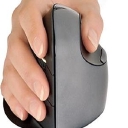

Brands AI recommends here
Named in 75% of answers
Named in 58% of answers
Named in 56% of answers
Named in 23% of answers
Best when you want on‑the‑fly angle tuning: the adjustable hinge lets you fine‑tune hand angle for specific pain points, at the cost of extra complexity and bulk versus fixed designs.
Source | Citation share |
|---|---|
 The Best Ergonomic Mouse of 2026: Mice Reviewshttps://www.rtings.com/mouse/reviews/best/ergonomic | 6.5% |
 The Most Recommended Ergonomic Mice by the Ergonomics Expertshttps://ergo-plus.com/the-most-recommended-ergonomic-mice-by-the-ergonomics-experts/ | 5.4% |
 I Spent 4-Months Testing Vertical Ergonomic Mice - Here's My Top 5 - YouTubehttps://www.youtube.com/watch | 4.9% |
Best Computer Mouse for Wrist Painhttps://techdepartment.co/best-computer-mouse-wrist-pain | 3.8% |
 The Best Ergonomic Mouse | Lab Tested & Ranked - TechGearLabhttps://www.techgearlab.com/topics/small-and-home-office/best-ergonomic-mouse | 3.3% |
After Testing 5, This Is The BEST Mouse for Carpal Tunnel!https://www.youtube.com/watch | 2.7% |
Best Ergonomic Mouse 2026: Evoluent 4 vs Logitech MX Verticalhttps://www.rogerperkin.co.uk/work-from-home/best-vertical-mouse/ | 2.2% |
 The 5 Best Ergonomic Mice to Prevent Wrist Strain of 2025 - Digital Wellness Labshttps://www.digitalwellnesslabs.com/the-5-best-ergonomic-mice-to-prevent-wrist-strain-of-2025/ | 2.0% |
 Logitech Mx Vertical Mouse Recommendation for Wrist Pain?https://www.reddit.com/r/editors/comments/1ic1pgb/logitech_mx_vertical_mouse_recommendation_for/ | 1.8% |
 Best Ergonomic Mouse Options for Preventing Wrist Strain (2025) - 9metershttps://9meters.com/technology/pc/best-ergonomic-mouse | 1.8% |
If your main goal is **reducing wrist strain**, I’d start with the **Logitech Lift Vertical** for most people. Independent testing currently lists it as a top vertical ergonomic mouse, particularly for small-to-medium hands. Its 57° “handshake” orientation reduces forearm pronation compared with a conventional mouse.…
If your main goal is reducing wrist strain, I’d start with the Logitech Lift Vertical for most people. Independent testing currently lists it as a top vertical ergonomic mouse, particularly for small-to-medium hands. Its 57° “handshake” orientation reduces forearm pronation compared with a conventional mouse.
Best overall: Logitech Lift — ~$70–80. Best fit for small/medium hands; comfortable grip, quiet clicks, Bluetooth/USB receiver, and a left-handed version.
For larger hands: Logitech MX Vertical — larger and more substantial than the Lift, rechargeable via USB-C, with the same 57° vertical concept.
Logitech MX Vertical - $119.99 (Logitech)
Budget option: Anker Wireless Vertical Mouse — around $30. It provides the vertical grip cheaply, although testing finds its tracking, connectivity, and customization inferior to the Logitech models.
Anker Wireless Vertical Ergonomic Mouse - $29.99 (newegg.com)
A vertical mouse can put your hand and forearm in a more neutral position, but evidence is not conclusive that vertical mice prevent repetitive-stress injuries or other problems over the long term. Fit, a relaxed grip, mouse sensitivity, and overall workstation setup matter too.
If you tell me your hand size (small/medium/large), whether you're right- or left-handed, and your budget, I can narrow it down to one model.
When it comes to preventing wrist strain, the "best" vertical mouse depends heavily on your **hand size** and whether you need a **standard or left-handed** orientation. Vertical mice eliminate forearm pronation (the twisting motion required to lay your hand flat on a normal mouse) by placing your hand in a natural…
When it comes to preventing wrist strain, the "best" vertical mouse depends heavily on your hand size and whether you need a standard or left-handed orientation. Vertical mice eliminate forearm pronation (the twisting motion required to lay your hand flat on a normal mouse) by placing your hand in a natural "handshake" position.[1][2]
The top-rated vertical mice on the market stand out for their specific ergonomic benefits:
To help narrow down the ideal choice, let me know:
If your main goal is **preventing wrist strain**, my top pick is the **Logitech MX Vertical**. - **Logitech MX Vertical Ergonomic Mouse** - $99.99 (Logitech) ### Why I’d choose it
If your main goal is preventing wrist strain, my top pick is the Logitech MX Vertical.
Small-to-medium hands: I'd actually choose the Logitech Lift instead.
The Lift uses the same 57° concept but has a smaller body and is available in a left-handed version. RTINGS currently recommends it as its best vertical mouse for most people, particularly those with smaller or medium-sized hands.
Medium-to-large hands: MX Vertical is my choice.
Severe/ongoing RSI and you want the most aggressive vertical position: consider the Evoluent VerticalMouse. Its much steeper angle can put the hand closer to a truly upright position, although it's more expensive and takes longer to get accustomed to.
My ranking:
One important point: a vertical mouse can reduce awkward forearm positioning, but it isn't a cure for persistent wrist pain. Desk height, keyboard position, grip pressure, and taking movement breaks matter too.
If you tell me your hand size (small/medium/large) and whether you're right- or left-handed, I can narrow it down to the best specific model.
When it comes to preventing wrist strain, the "best" vertical mouse depends heavily on your **hand size** and whether you need **left- or right-handed** orientation . Vertical mice position your hand in a natural "handshake" posture (57° is widely considered the sweet spot), which keeps your forearm bones from…
When it comes to preventing wrist strain, the "best" vertical mouse depends heavily on your hand size and whether you need left- or right-handed orientation . Vertical mice position your hand in a natural "handshake" posture (57° is widely considered the sweet spot), which keeps your forearm bones from twisting and relieves pressure on the carpal tunnel.[1][2][3]
The top-rated vertical mice on the market stand out for specific needs:
Add to listLogitech MX Vertical — Best overall for medium-to-large hands. It features a science-driven 57° vertical angle, a high-precision 4000 DPI sensor (which reduces the physical distance you have to move your hand), and a premium rechargeable battery that lasts up to 4 months. You can view details and purchase it directly from the Logitech MX Vertical Product Page.[1]
Add to listLogitech Lift Vertical Ergonomic Mouse — Best for small-to-medium hands . If the MX Vertical feels too chunky or unwieldy, the Lift offers the same optimal 57° handshake posture in a more compact frame with silent clicks. Crucially, it is one of the few top-tier models available in a left-handed version . Check it out on the Logitech Lift Product Page.[1]
Add to listAnker Vertical Ergonomic Optical Mouse — Best budget choice. At a fraction of the cost of Logitech options, it provides a very comfortable, steep vertical angle and basic thumb buttons. It’s an ideal low-risk way to test if a vertical form factor works for your wrist pain before investing in a premium device.
Add to listEvoluent VerticalMouse 4 — Best for heavy-duty customization and precise fit. It comes in different sizes (regular and small) and features a completely upright posture with an adjustable pointer speed toggle right on the side, making it a favorite for office power-users dealing with chronic repetitive strain injuries (RSI).
To help narrow down which one will actually fix your pain, tell me:
No sources cited
When it comes to preventing wrist strain, the "best" vertical mouse depends heavily on your **hand size** and **budget** , but the industry consensus points to a few standout options. Vertical mice work by promoting a natural "handshake" position (typically a 57° angle), which eliminates the forearm pronation and…
When it comes to preventing wrist strain, the "best" vertical mouse depends heavily on your hand size and budget , but the industry consensus points to a few standout options. Vertical mice work by promoting a natural "handshake" position (typically a 57° angle), which eliminates the forearm pronation and wrist twisting caused by standard flat mice.
Top-rated vertical mice categorized by hand size and use case:
Add to listLogitech MX Vertical (Best for Medium-to-Large Hands): Widely considered the gold standard for productivity. It features an optimal 57° vertical angle, a comfortable textured rubber grip, multi-device pairing, and USB-C fast charging. You can check specs and pricing via the Logitech MX Vertical Official Page.
Add to listLogitech Lift Vertical (Best for Small-to-Medium Hands): If the MX Vertical feels too bulky or large, the Lift offers the exact same 57° ergonomic handshake posture in a scaled-down, softer-touch chassis. It runs on a single AA battery and features whisper-quiet clicks.
Add to listAnker Vertical Ergonomic Mouse (Best Budget Pick): At a fraction of the cost (usually under $25), this is a fantastic entry-level choice. It is shaped well for larger hands and does a solid job of relieving wrist pressure, though it lacks Bluetooth and advanced multi-device software customizability.
Add to listEvoluent VerticalMouse 4 / C (Best for Customization & Advanced Ergonomics): Available in different sizes, Evoluent models feature a true vertical alignment with a lip that prevents your pinky from dragging on the desk, offering heavy-duty support if you have severe fatigue.
Note: According to ergonomic evaluations, while a vertical mouse significantly cuts down on median nerve compression and pronation, achieving true relief also depends on your desk height, chair armrests, and taking frequent breaks.
If you'd like to narrow it down, let me know:
I can give you a tailored recommendation!
## Best overall: Logitech MX Vertical - **Logitech MX Vertical Ergonomic Wireless Mouse** - $99.99 (Logitech) For **preventing wrist strain**, I’d pick the **Logitech MX Vertical** for most people with medium-to-large hands. Its 57° “handshake” orientation keeps your forearm less rotated than a conventional mouse,…
For preventing wrist strain, I’d pick the Logitech MX Vertical for most people with medium-to-large hands. Its 57° “handshake” orientation keeps your forearm less rotated than a conventional mouse, which can make long periods of mousing more comfortable. Independent testing also finds it particularly well suited to office/productivity use.
Best overall — Logitech MX Vertical: Best combination of ergonomic shape, build quality, wireless connectivity, and customization. $99.99 from Logitech currently.
Best for small/medium hands — Logitech Lift: Same basic 57° concept, but smaller and easier to grip if the MX Vertical feels too large. It also has a left-handed version.
Logitech Lift Vertical Ergonomic Mouse - $69.99 (Logitech)
Best if wrist relief is the absolute priority — Evoluent VerticalMouse: Its more aggressively vertical design puts your hand closer to a true handshake position. It's considerably more expensive, though, and takes more adaptation.
Evoluent VerticalMouse 4 Right Bluetooth - $129.00 (Best Buy)
One important caveat: a vertical mouse isn't a guarantee against wrist problems. Fit matters enormously—if your mouse is too large, too small, or requires you to reach for the buttons, it can defeat the ergonomic benefit.
If you tell me your hand length (wrist crease to tip of middle finger) and whether you're right- or left-handed, I can tell you which size/model I'd choose.
If your main goal is **preventing wrist strain**, my top pick for most people is the **Logitech MX Vertical**. - **Logitech MX Vertical Ergonomic Wireless Mouse** - $99.99 (Logitech) ### Why I’d pick it
If your main goal is preventing wrist strain, my top pick for most people is the Logitech MX Vertical.
Small/medium hands: Get the Logitech Lift instead. It's smaller and uses the same 57° concept; multiple ergonomic comparisons specifically recommend it for smaller hands.
Logitech Lift Vertical Ergonomic Mouse - $69.99 (Staples)
Large hands or you want the most aggressive vertical posture: Consider Evoluent VerticalMouse D. Its much more upright design is aimed at minimizing forearm twisting, though it costs considerably more and has a longer adjustment period.
Evoluent VerticalMouse D Large Wireless - $141.99 (Best Buy)
My ranking:
One important caveat: a vertical mouse can improve wrist/forearm posture, but fit and technique matter as much as the angle. Keep the mouse close to your body, avoid gripping it tightly, and use your forearm/shoulder for larger movements rather than repeatedly flicking from the wrist.
If you tell me your hand length (wrist crease to tip of middle finger) and whether you're right- or left-handed, I can tell you which specific size/model I'd buy.
When looking for the best vertical mouse to prevent or alleviate wrist strain, the "best" choice heavily depends on your **hand size** and whether you prefer a premium build or a budget-friendly option. Vertical mice reduce pronation (the twisting of the forearm) by placing your hand in a neutral "handshake"…
When looking for the best vertical mouse to prevent or alleviate wrist strain, the "best" choice heavily depends on your hand size and whether you prefer a premium build or a budget-friendly option. Vertical mice reduce pronation (the twisting of the forearm) by placing your hand in a neutral "handshake" position.[1]
The top-rated vertical ergonomic mice on the market feature distinct advantages:
Add to listLogitech Lift Vertical Ergonomic Mouse – Best Overall / Best for Small-to-Medium Hands
Add to listLogitech MX Vertical – Best for Large Hands / Premium Power Users
Add to listAnker 2.4G Wireless Vertical Ergonomic Mouse – Best Budget Pick
To help narrow down the ideal choice, let me know:
If your main goal is **preventing wrist strain**, my top pick is the **Logitech MX Vertical**. It puts your hand at a 57° “handshake” angle, reducing forearm pronation and encouraging a more neutral wrist position. Logitech specifically designed it to reduce wrist pressure and forearm strain, and current…
If your main goal is preventing wrist strain, my top pick is the Logitech MX Vertical. It puts your hand at a 57° “handshake” angle, reducing forearm pronation and encouraging a more neutral wrist position. Logitech specifically designed it to reduce wrist pressure and forearm strain, and current ergonomic-mouse testing still rates it highly.
Best overall — Logitech MX Vertical: Best if you have medium-to-large hands and spend many hours working at a computer. The 57° angle is a good balance between ergonomic benefit and ease of adaptation.
Best for small/medium hands — Logitech Lift: Smaller and lighter, with the same 57° concept. It also has a left-handed version. RTINGS currently recommends it as its best mid-range vertical mouse.
Logitech Lift Vertical - $69.99 (Staples)
Most aggressive ergonomic design — Evoluent VerticalMouse D: If conventional 57° mice don't relieve your strain, Evoluent's more upright design may be worth considering. It's considerably more expensive, though.
Evoluent VerticalMouse D Large - $141.99 (Best Buy)
Bottom line: I'd buy the MX Vertical for most people, or the Lift if you have smaller hands. The fit matters enormously—an ergonomic mouse that's too large or too small can actually make you grip awkwardly and defeat the purpose.
If you tell me your hand size (small/medium/large), right- or left-handed, and whether you have existing wrist pain, I can narrow it down to the best model for you.
The "best" vertical mouse depends heavily on your **hand size** and whether you are left- or right-handed, as a poor fit can cause finger or shoulder strain just as a flat mouse causes wrist strain. The top-rated vertical mice widely recommended for preventing wrist and forearm pronation are categorized below by who…
The "best" vertical mouse depends heavily on your hand size and whether you are left- or right-handed, as a poor fit can cause finger or shoulder strain just as a flat mouse causes wrist strain.
The top-rated vertical mice widely recommended for preventing wrist and forearm pronation are categorized below by who they fit best:
- **The Angle:** 57° vertical angle, which puts your hand in a natural "handshake" position to eliminate forearm twisting.
- **Why it’s great:** Premium build quality, textured rubber grip, high-precision 4000 DPI sensor, and multi-device switching (up to 3 devices via Bluetooth or USB receiver).
- **Drawback:** It is quite large; if you have smaller hands, your fingers will overreach.[](https://www.rtings.com/mouse/reviews/best/ergonomic) [[1]](https://www.rtings.com/mouse/reviews/best/ergonomic)[2]

- **The Angle:** 57° tilt angle, identical to the MX Vertical.
- **Why it’s great:** If the MX Vertical feels like a brick in your hand, the Lift is a cozy, compact alternative . It features whisper-quiet clicks, a smart-scrolling wheel, and crucially, **comes in a left-handed version** (a rarity in ergonomic mice).
- **Drawback:** Powered by an AA battery rather than being rechargeable.[1]

- **The Angle:** A steep vertical slant that reduces pronation effectively.
- **Why it’s great:** Usually priced under $25, it provides the core ergonomic benefits of a handshake posture without the luxury price tag. It is lightweight and fits larger hands very comfortably.
- **Drawback:** Plasticky build quality, basic tracking sensor, and relies on an old-school USB-A dongle.[](https://www.rtings.com/mouse/reviews/best/ergonomic) [[1]](https://www.rtings.com/mouse/reviews/best/ergonomic)
To help narrow down the ideal choice, let me know:
