Data as of Sep 14, 2026 · Based on 372 AI responses from ChatGPT Search and Google AI Mode · See how Parse measures this
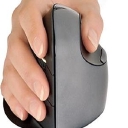
For most users who want comfort plus productivity features, choose the 
Source | Citation share |
|---|---|
 The Best Ergonomic Mouse of 2026: Mice Reviewshttps://www.rtings.com/mouse/reviews/best/ergonomic | 9.4% |
 The Best Ergonomic Mouse | Lab Tested & Ranked - TechGearLabhttps://www.techgearlab.com/topics/small-and-home-office/best-ergonomic-mouse | 5.5% |
 5 Best Ergonomic Mice (2025), Tested and Reviewed | WIREDhttps://www.wired.com/gallery/best-ergonomic-mouse/ | 2.5% |
 The Most Recommended Ergonomic Mice by the Ergonomics Expertshttps://ergo-plus.com/the-most-recommended-ergonomic-mice-by-the-ergonomics-experts/ | 2.3% |
The Best Mouse | Lab Tested & Rankedhttps://www.techgearlab.com/topics/small-and-home-office/best-mouse | 2.0% |
 The Best Ergonomic Mice of 2025https://www.howtogeek.com/796113/best-ergonomic-mouse/ | 1.8% |
5 Ergonomic Mouse Designs | 2026 Editionhttps://ergonomicszone.com/ergonomic-mouse/ | 1.7% |
 Looking for the Best Vertical Mouse beyond Logitech - YouTubehttps://www.youtube.com/watch | 1.4% |
BEST Ergonomic Mouse in 2025? - I Ranked My Favorite & ...https://www.youtube.com/watch | 1.3% |
I Tried Every Kind of Ergonomic Mouse for 1 Yearhttps://www.youtube.com/watch | 1.2% |
The absolute **best ergonomic mouse** depends entirely on the type of comfort you need, your hand size, and whether you are using it for work or gaming. Top reviews from tech authorities like [RTINGS.com](https://www.rtings.com/mouse/reviews/best/ergonomic) and…
The absolute best ergonomic mouse depends entirely on the type of comfort you need, your hand size, and whether you are using it for work or gaming. Top reviews from tech authorities like RTINGS.com and PCMag indicate that a few standout models dominate the market.
Best For : General productivity and high-end, pro-level comfort.
Standout Features : Features a heavily contoured, right-handed shape with a thumb rest, a dedicated thumb wheel for horizontal scrolling, and an auto-switching free-scrolling main wheel.
Best For : Small- to medium-sized hands seeking wrist pain relief.
Standout Features : Keeps your hand in a natural 57-degree "handshake" position to reduce forearm pronation. It has whisper-quiet clicks and a left-handed version is available.
Best For : Medium to large hands wanting a vertical grip.
Standout Features : Shares the same 57-degree posture benefits as the Lift, but has a larger frame and runs on a USB-C rechargeable battery. [1][2][3][4][5][6]
Best For : Ergonomic gaming and mixed office use.
Standout Features : Offers excellent right-handed thumb support, an adjustable high-performance gaming sensor, and a hyper-fast free-scrolling wheel. (Available in wired or wireless Pro variants).
Best For : Eliminating arm/shoulder movement entirely.
Standout Features : A stationary thumb-operated trackball mouse featuring a magnetic adjustable hinge that lets you tilt the mouse up to 20 degrees for custom wrist comfort.
Best For : Users who want a lightweight vertical mouse for competitive gaming.
Standout Features : Uses a 47-degree tilt angle paired with an ultra-high performance 8000Hz polling rate sensor to combine comfort with pro-grade reaction times. [1][2][3][4][5][6][7]
| Mouse Model | Form Factor | Connection Type | Primary Focus | Best Hand Size |
|---|---|---|---|---|
| Logitech MX Master 4 Go to product viewer dialog for this item. | Contoured Standard | Wireless (Bluetooth/Logi Bolt) | Office Productivity | Medium to Large |
| Logitech Lift Go to product viewer dialog for this item. | 57° Vertical | Wireless (Bluetooth/Logi Bolt) | Wrist Strain Relief | Small to Medium |
| Razer Basilisk V3 Go to product viewer dialog for this item. | Contoured Gaming | Wired (Wireless Pro available) | Work & Gaming hybrid | All Sizes |
| Logitech MX Ergo S Go to product viewer dialog for this item. | 20° Trackball | Wireless (Bluetooth/Logi Bolt) | Shoulder & Wrist Pain | Medium to Large |
To narrow this down, could you tell me:
If you want **one ergonomic mouse that’s excellent for everyday work**, I’d pick the **Logitech MX Master 4**. RTINGS currently ranks it #1 among the ergonomic mice it has tested, particularly for productivity. [RTINGS.com](https://www.rtings.com/mouse/reviews/best/ergonomic?utm_source=chatgpt.com)…
If you want one ergonomic mouse that’s excellent for everyday work, I’d pick the Logitech MX Master 4. RTINGS currently ranks it #1 among the ergonomic mice it has tested, particularly for productivity.
🏆 Best overall: Logitech MX Master 4 — Excellent palm support, very good thumb positioning, superb scroll wheel, horizontal thumb wheel, multi-device support, and rechargeable battery. Best if you're right-handed and spend hours working at a computer.
🤲 Best for wrist/forearm comfort: Logitech Lift — Its 57° vertical "handshake" position reduces forearm rotation compared with a conventional mouse. It's particularly well suited to small-to-medium hands and is available in a left-handed version.
🎯 Best if you want a trackball: Logitech ERGO M575S — You move the cursor with your thumb rather than moving the whole mouse, which can be particularly useful if you have limited desk space or want to minimize wrist movement.
Logitech Lift Vertical - $69.99 (Staples)
Logitech ERGO M575S - $44.99 (Staples)
Logitech MX Vertical - $119.99 (Walmart)
My recommendation: If you don't specifically want a vertical mouse, get the MX Master 4. If your main goal is reducing wrist/forearm strain and you're willing to adapt to a different grip, get the Lift. Note that evidence that vertical mice universally reduce long-term injury risk is inconclusive—the most important factor is whether the shape actually fits your hand and feels comfortable.
If you tell me your hand size (small/medium/large), right- or left-handed, budget, and whether it's for work or gaming, I can narrow it down to the best 1–2 choices.
If you want **one ergonomic mouse that’s best for most people**, I’d pick the **Logitech MX Master 4**. - **Logitech MX Master 4** - $119.99 (Walmart.com) ### My picks
If you want one ergonomic mouse that’s best for most people, I’d pick the Logitech MX Master 4.
The key distinction: if you simply want a really comfortable premium mouse, get the MX Master 4. If you're specifically trying to reduce wrist/forearm rotation, I'd choose the Lift instead.
If you tell me your hand size (small/medium/large), right- or left-handed, and whether you use it mainly for work, gaming, or both, I can narrow it down to the best 2–3 choices for you.
The overall **best ergonomic mouse** `depends largely on your hand size and whether you prefer a traditional contoured design or a true vertical "handshake" angle`.[](https://www.youtube.com/watch?v=gCYLcJ1XIQ0&t=83) [[1]](https://www.youtube.com/watch?v=gCYLcJ1XIQ0&t=83) For most people looking for all-day comfort…
The overall best ergonomic mouse depends largely on your hand size and whether you prefer a traditional contoured design or a true vertical "handshake" angle.
For most people looking for all-day comfort without a radical learning curve, the Logitech MX Master series (such as the MX Master 3S Go to product viewer dialog for this item. ) is widely considered the top pick . However, if you suffer from wrist pronation or forearm strain, a vertical option like the Logitech MX Vertical Go to product viewer dialog for this item. or Logitech Lift Go to product viewer dialog for this item. is a better choice.
| Model | Type | Best For | Price Range | Key Features |
|---|---|---|---|---|
| Logitech MX Master 3S Go to product viewer dialog for this item. | Sculpted Ergonomic | All-day general productivity & large hands | $99 - $100 | MagSpeed scroll wheel, thumb scroll, quiet clicks, 8K DPI track-on-glass sensor |
| Logitech MX Vertical Go to product viewer dialog for this item. | Vertical (57°) | Reducing wrist strain & medium-to-large hands | $70 - $100 | Natural handshake posture, 4000 DPI sensor, fast recharging |
| Logitech Lift Go to product viewer dialog for this item. | Vertical (57°) | Smaller hands & vertical comfort | $70 | Compact vertical alignment, quiet clicks, soft rubber grip |
| Logitech M720 Triathlon Go to product viewer dialog for this item. | Budget Sculpted | Value seekers & multi-device workflow | $40 - $50 | 24-month battery life (AA), multi-device pairing, rubberized grip |
| Logitech MX Ergo S Go to product viewer dialog for this item. | Trackball Ergonomic | Stationary use & desk space conservation | $100 | Adjustable 20° tilt hinge, precision trackball control |
Best Overall Productivity Mouse: Logitech MX Master 3S Go to product viewer dialog for this item. via Logitech — Offers a deeply contoured thumb rest, a secondary thumb scroll wheel, ultra-fast scrolling, and tracks effortlessly on glass surfaces.
Best for Wrist Pain / True Ergonomics: Logitech MX Vertical Go to product viewer dialog for this item. on Best Buy — Places your hand at a 57° angle to completely eliminate forearm twisting, mirroring a natural handshake.
Best Budget Ergonomic Option: Logitech M720 Triathlon Go to product viewer dialog for this item. on Amazon — A traditional contoured shape that punches well above its weight class with multi-device switching and incredible battery efficiency. [1][2][3]
To help narrow down the ideal choice, let me know:
If you want **one ergonomic mouse for everyday work**, my top pick right now is the **Logitech MX Master 4**. RTINGS currently ranks it #1 among ergonomic mice, and PCMag also gives it its top ergonomic-mouse recommendation. [RTINGS.com](https://www.rtings.com/mouse/reviews/best/ergonomic?utm_source=chatgpt.com)…
If you want one ergonomic mouse for everyday work, my top pick right now is the Logitech MX Master 4. RTINGS currently ranks it #1 among ergonomic mice, and PCMag also gives it its top ergonomic-mouse recommendation.
🏆 Best overall: Logitech MX Master 4 — Excellent palm support, very comfortable right-handed shape, superb scroll wheel, lots of customizable controls, and support for up to three devices. It's especially good for office work, browsing, spreadsheets, and creative work.
🖐️ Best for wrist/forearm comfort: Logitech Lift — Its 57° vertical "handshake" position keeps your forearm in a more neutral orientation. It's particularly good for small-to-medium hands and is available in a left-handed version.
💰 Best value: Logitech M720 Triathlon — A less expensive ergonomic option with multi-device support and a comfortable sculpted shape.
🎯 Best if you specifically want a vertical mouse and have larger hands: Logitech MX Vertical — Comfortable and well-built, although it's bulkier and takes some adjustment.
Logitech MX Master 4 - $119.99 (Walmart)
Logitech Lift Vertical - $69.99 (Walmart)
Logitech MX Vertical - $99.99 (Logitech)
My recommendation: If you don't currently have wrist/forearm discomfort, get the MX Master 4. If your main goal is reducing wrist rotation or discomfort, I'd choose the Lift instead. The vertical design is a more substantial ergonomic change than simply switching to another conventional mouse.
If you tell me your hand size (small/medium/large), right- or left-handed, and whether you have wrist pain, I can narrow it down to the best one for you.
The **best ergonomic mouse** depends heavily on your specific hand size, style preference, and the type of physical discomfort you want to prevent or alleviate.[](https://www.pcmag.com/picks/the-best-ergonomic-mice)…
The best ergonomic mouse depends heavily on your specific hand size, style preference, and the type of physical discomfort you want to prevent or alleviate.
The top options across different categories are detailed below:
Standard Sculpted Mice
Best For : General productivity and users who want a traditional mouse shape with elite comfort features.
Key Features : Highly sculpted right-handed design, supportive thumb rest, customizable gesture controls, and a multi-device Smart Action ring.
Best For : High-precision performance and dual use for serious office work and gaming.
Key Features : High-accuracy 30K optical sensor, exceptional build materials, and an impressive battery life lasting up to 6 months.
Vertical Handshake Mice
Best For : Medium to large hands looking to stop forearm twisting and alleviate carpal tunnel pressure.
Key Features : Unique 57-degree vertical handshake angle, rechargeable USB-C battery, and a textured rubber grip. [1][2]
Best For : Small to medium-sized hands, as well as left-handed users looking for a vertical layout.
Key Features : Compact layout, incredibly quiet silent-click buttons, and a dedicated left-handed model.[1][2]
Best For : Budget-conscious buyers wanting to test out a vertical handshake mouse layout.
Key Features : Five-button configuration with integrated thumb controls at a very accessible, low price point.[1]
Trackball Mice
To narrow down the options, are you experiencing any specific pain, like wrist strain, finger cramping , or shoulder fatigue ? Sharing your hand size (small, medium, or large) or your dominant hand can also help find the perfect fit.
If you want **one ergonomic mouse that’s excellent for most people**, my pick is the ** **. - **Logitech MX Master 4 Wireless Mouse** - $119.99 (Logitech + others)
If you want one ergonomic mouse that’s excellent for most people, my pick is the **
**.
Best overall — Logitech MX Master 4: Excellent palm support, thumb rest, very good scrolling, lots of programmable controls, and comfortable for long workdays. RTINGS currently ranks it as its best ergonomic mouse, and PCMag also gives it its top recommendation.
Best for wrist/forearm comfort — Logitech Lift: Its 57° vertical design puts your hand in a handshake position, reducing forearm rotation. Particularly good if conventional mice cause discomfort. It's better suited to small/medium hands.
Best for large hands — Logitech MX Vertical: A more substantial vertical mouse than the Lift; rechargeable via USB-C and better suited to larger hands.
Best if you like trackballs — Logitech MX Ergo S Plus: You move the cursor with your thumb rather than moving your whole arm, which can be particularly comfortable for desk-heavy work.
Logitech Lift Ergonomic Mouse - $79.99 (Logitech + others)
Logitech MX Vertical - $84.99 (Best Buy + others)
Logitech MX Ergo S Plus Wireless Trackball Mouse - $119.99 (Logitech + others)
My rule of thumb: If you're simply looking for a really comfortable mouse for 8+ hours of computer work, get the MX Master 4. If you're specifically trying to address wrist/forearm strain, I'd choose the Lift or MX Vertical instead.
If you tell me your hand size (small/medium/large), right- or left-handed, and whether you're using it for work, gaming, or both, I can narrow it down to the best one for you.
The top ergonomic mice are the **Logitech MX Vertical Advanced Ergonomic Mouse Go to product viewer dialog for this item.** for standard to large hands, the **Logitech Ergonomic Lift Vertical Wireless Mouse Go to product viewer dialog for this item.** for small to medium hands, and the **Anker 2.4G Wireless Vertical…
The top ergonomic mice are the Logitech MX Vertical Advanced Ergonomic Mouse Go to product viewer dialog for this item. for standard to large hands, the Logitech Ergonomic Lift Vertical Wireless Mouse Go to product viewer dialog for this item. for small to medium hands, and the Anker 2.4G Wireless Vertical Ergonomic Mouse Go to product viewer dialog for this item. as a budget alternative.
Choosing the right design depends heavily on your hand size, workspace layout, and specific wrist or forearm pain points.
Top Recommended Ergonomic Mice
Add to list
Add to list
Add to list
Add to list
Ergonomic Mouse Comparison
| Model | Ideal Hand Size | Connectivity | Standout Feature |
|---|---|---|---|
| Logitech MX Vertical | Medium to Large | Bluetooth, Logi Unifying, USB-C | Rechargeable battery (4-month life) |
| Logitech Lift | Small to Medium | Bluetooth, Logi Bolt | Whisper-quiet clicks & left-handed variant |
| Logitech MX Ergo S Plus | Universal | Bluetooth, Logi Bolt | Stationary trackball design with 30° customizable tilt |
| Anker Wireless Vertical | Medium to Large | 2.4GHz USB Dongle | Budget-friendly desktop strain relief |
To find the perfect fit, let me know if you are currently experiencing specific pain (e.g., wrist, thumb, or shoulder), your approximate hand size , and whether you need left-handed compatibility.
The best ergonomic mouse options vary by design preference, hand size, and specific comfort needs . Reviewers from authoritative tech sites like RTINGS and PCMag highlight different styles—including vertical profiles, standard right-handed sculpting, and thumb trackballs—to relieve wrist strain and forearm…
The best ergonomic mouse options vary by design preference, hand size, and specific comfort needs . Reviewers from authoritative tech sites like RTINGS and PCMag highlight different styles—including vertical profiles, standard right-handed sculpting, and thumb trackballs—to relieve wrist strain and forearm twisting.
Top Vertical Ergonomic Mice
Vertical mice rotate your hand into a natural "handshake" position to minimize pressure on the wrist and lower muscle fatigue. [1][2]
Add to list
Add to list
Add to list
Top Traditional & Trackball Mice
If you prefer a standard layout or want to eliminate arm movement entirely, contoured layouts and trackballs offer alternative posture support. [1][2]
Add to list
Add to list
To pinpoint the exact right fit, let me know:
If you want **one ergonomic mouse for everyday work**, my top pick right now is the **Logitech MX Master 4**. RTINGS currently ranks it as its best ergonomic mouse overall, citing its comfortable right-handed shape, excellent scrolling, and refined ergonomics.…
If you want one ergonomic mouse for everyday work, my top pick right now is the Logitech MX Master 4. RTINGS currently ranks it as its best ergonomic mouse overall, citing its comfortable right-handed shape, excellent scrolling, and refined ergonomics.
If your main concern is wrist pain or fatigue, I'd choose the Lift over the MX Master 4. If you simply want the most comfortable all-around work mouse, I'd choose the MX Master 4.
If you tell me your hand size (small/medium/large), right- or left-handed, and whether you use it mainly for work, gaming, or both, I can narrow it down to the best 1–2 options for you.