Ergonomic Tools for an Occupational… AI recommendations | Parse
What are the best ergonomic tools for an occupational therapist to recommend for office workers?
Data as of Sep 23, 2026 · Based on 342 AI responses from ChatGPT Search and Google AI Mode · See how Parse measures this
Prioritize an ergonomic office chair with lumbar support for proper spinal alignment and adjustability; add a height-adjustable standing desk so workers can alternate sitting and standing; and choose an ergonomic keyboard and mouse to maintain neutral wrist positions and reduce RSIs. Use monitor arms, laptop stands, document holders, or a portable lumbar cushion where specific screen height or low-cost support is needed.
10 Best Ergonomic Equipment for Office: 2025 Edition – Mount-It!https://www.mount-it.com/blogs/articles/10-best-ergonomic-equipment-for-office-2025-edition
6%
Home Office Ergonomic Tips - AOTAhttps://www.aota.org/-/media/corporate/files/practice/manage/home-office-ergonomics-tips.pdf
2%
Office ergonomics: Your how-to guide - Mayo Clinichttps://www.mayoclinic.org/healthy-lifestyle/adult-health/in-depth/office-ergonomics/art-20046169
2%
Ergonomics and Occupational Therapyhttps://www.theraplatform.com/blog/1487/ergonomics-and-occupational-therapy
Ergonomic Equipment for Home Office: 8 Must-Have Toolshttps://www.contourdesign.com/workstations/ergonomic-equipment-for-home-office
2%
Ergonomic Workstation Tips from a Physical Therapisthttps://www.sarh.org/services/rehabilitation-services/ergonomic-workstation-tips-from-a-physical-therapist
2%
10 Best Ergonomic Office Accessories for 2025 – Mount-It!https://www.mount-it.com/blogs/articles/ergonomic-office-accessories
1%
10 best ergonomic equipment ideas for a healthy workspacehttps://www.thesafetymag.com/ca/topics/occupational-hygiene/10-best-ergonomic-equipment-ideas-for-a-healthy-workspace/323358
1%
An Ergonomist's 10 Favorite Office Accessories - Alter Ergohttps://youralterergo.com/an-ergonomists-10-favorite-office-accessories/
1%
Question: What are the best ergonomic tools for an occupational therapist to recommend for office workers?
For an occupational therapist, I’d frame ergonomic equipment as tools to solve a specific workstation problem, rather than simply recommending “ergonomic” products. OSHA emphasizes that there is no single ideal posture or workstation; the goal is a setup that can be adjusted to the individual and allows frequent posture changes.
Question: What are the best ergonomic tools for an occupational therapist to recommend for office workers?
ChatGPT Search· Sep 18, 2026
For an occupational therapist, I’d frame ergonomic equipment as tools to solve a specific workstation problem, rather than as universally “best” products. OSHA emphasizes that there is no single correct workstation setup; adjustability and individual fit matter most.
High-value ergonomic tools to recommend
Tool
What it helps with
What to look for
Question: What are the best ergonomic tools for an occupational therapist to recommend for office workers?
Ergonomic Mouse (such as a vertical mouse like the Logitech MX Vertical or trackball mouse) reduces forearm pronation and wrist deviation, preventing repetitive strain injuries like carpal tunnel syndrome.
External Keyboard (compact or split ergonomic design) keeps the wrists in a neutral position and allows the mouse to sit closer, reducing shoulder abduction (reaching too far to the side).
Question: What are the best ergonomic tools for an occupational therapist to recommend for office workers?
For an occupational therapist, I’d prioritize adjustability and task-specific fit over products marketed as “ergonomic.” OSHA emphasizes that there is no single ideal workstation setup; the goal is to customize the workstation so the worker can maintain relatively neutral, comfortable positions.
Question: What are the best ergonomic tools for an occupational therapist to recommend for office workers?
Google AI Mode· Sep 6, 2026
Occupational Therapists (OTs) focus on fitting the environment to the user. When recommending ergonomic tools for office workers, OTs look for devices that promote neutral joint positioning, mitigate repetitive strain, and encourage micro-movements throughout the workday.
The most highly recommended ergonomic interventions are categorized below by their primary therapeutic purpose:
Neutral Wrist and Arm Positioning
Repetitive keyboarding and mousing often cause carpal tunnel syndrome and wrist extension injuries. These tools keep the upper extremities in a tension-free "handshake" position.
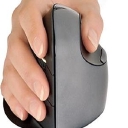
Vertical Mice : Rotates the forearm into a 57-degree neutral handshake angle. This eliminates forearm pronation and relieves pressure on the carpal tunnel.
Split Keyboards : Separates or angles the keys into two halves. This layout prevents ulnar deviation and keeps wrists perfectly straight while typing.
Adjustable Keyboard Trays : Allows negative tilting of the keyboard. This keeps wrists flat or slightly declined, preventing injuries from wrist hyperextension.
Spinal Alignment & Support
Prolonged sitting triggers lumbar flattening and slouched postures. These tools help preserve the natural S-curve of the spine.
Question: What are the best ergonomic tools for an occupational therapist to recommend for office workers?
Google AI Mode· Sep 2, 2026
Occupational Therapists (OTs) focus on fitting the environment to the user. When recommending ergonomic tools for office workers, OTs look for devices that promote neutral joint positioning, mitigate repetitive strain, and encourage micro-movements throughout the workday.
The most highly recommended ergonomic interventions are categorized below by their primary therapeutic purpose:
Neutral Wrist and Arm Positioning
Repetitive keyboarding and mousing often cause carpal tunnel syndrome and wrist extension injuries. These tools keep the upper extremities in a tension-free "handshake" position.
Vertical Mice : Rotates the forearm into a 57-degree neutral handshake angle. This eliminates forearm pronation and relieves pressure on the carpal tunnel.
Split Keyboards : Separates or angles the keys into two halves. This layout prevents ulnar deviation and keeps wrists perfectly straight while typing.
Adjustable Keyboard Trays : Allows negative tilting of the keyboard. This keeps wrists flat or slightly declined, preventing injuries from wrist hyperextension.
Spinal Alignment & Support
Prolonged sitting triggers lumbar flattening and slouched postures. These tools help preserve the natural S-curve of the spine.
Neck flexion/extension, awkward viewing
Height, tilt, and distance adjustability
Laptop stand + external keyboard/mouse
“Laptop hunch,” neck and shoulder strain
Stand that raises screen while allowing keyboard to remain near elbow height
Split/ergonomic keyboard
Wrist deviation and shoulder positioning
Adjustable tenting/split angle; ability to keep wrists neutral
Correct size for the user's hand; easy-to-control buttons
Adjustable keyboard tray
Keyboard that's too high/deep
Height/tilt adjustment and enough room for both keyboard and mouse
Footrest
Unsupported feet after raising chair
Stable, preferably height/angle adjustable
Document holder
Repeated neck flexion/rotation
Places documents close to screen and at a comfortable viewing height
Headset
Neck/shoulder strain from cradling phone
Lightweight, adjustable, appropriate for call volume
Sit-stand desk or converter
Prolonged static sitting
Easy height adjustment with keyboard and monitor moving together
Soft palm/wrist support
Contact pressure and wrist positioning
Rounded/soft support; hands should remain free to move while typing
Alternative input device
High mouse/keyboard repetition
Trackball, vertical mouse, pen input, or other device matched to the task
OSHA specifically recommends keeping the wrists straight and aligned with the forearms, elbows close to the body, feet supported, and the monitor positioned so the head and neck remain aligned with the torso.
Particularly useful for OTs
1. Laptop workstation kit
Probably one of the most useful recommendations for hybrid/remote workers: laptop stand + external keyboard + external mouse + optional monitor. OSHA notes that laptops create special ergonomic challenges and recommends auxiliary keyboards and monitors when they're used as primary computers for intensive work.
2. Adjustable monitor arm
Useful when the worker has neck pain, uses multiple monitors, or frequently switches between sitting and standing. OSHA recommends adjustable monitor positioning and having the primary monitor directly in front of the worker.
3. Split keyboard / vertical mouse
These can be worthwhile when assessment identifies wrist deviation, forearm positioning problems, or discomfort during prolonged input. A split keyboard can make neutral wrist positioning easier for some users.
For a less specialized option, this current keyboard/mouse combination is another example:
Kensington Pro Fit Ergo KM675 EQ - $99.26 (Staples)
4. Footrest
An inexpensive but frequently overlooked intervention. If raising the chair is necessary to achieve appropriate keyboard height but leaves the worker's feet unsupported, a footrest can restore support.
5. Sit-stand equipment—but don't prescribe it as a cure-all
The important intervention is variation, not simply standing instead of sitting. OSHA recommends changing positions frequently, getting up and walking periodically, and performing some tasks standing.
A practical OT recommendation hierarchy
I'd generally assess in this order:
Adjust what the worker already owns — chair, monitor, keyboard, mouse, desk.
Fix the biggest mismatch — e.g., laptop screen too low, desk too high, unsupported feet, mouse too far away.
Consider specialized input devices when symptoms or task demands justify them.
Upgrade major equipment — chair, monitor arm, sit-stand desk — when the existing equipment cannot be adjusted sufficiently.
That approach is consistent with OSHA's emphasis on custom-fitting the workstation rather than assuming one product works for everyone.
If you're building an OT office-ergonomics toolkit, I can also give you a 10-item assessment-and-recommendation kit with specific products at <$25, <$100, and <$300 price points.
For a less specialized option, this current keyboard/mouse combination is another example:
Kensington Pro Fit Ergo KM675 EQ - $99.26 (Staples)
4. Footrest
An inexpensive but frequently overlooked intervention. If raising the chair is necessary to achieve appropriate keyboard height but leaves the worker's feet unsupported, a footrest can restore support.
5. Sit-stand equipment—but don't prescribe it as a cure-all
The important intervention is variation, not simply standing instead of sitting. OSHA recommends changing positions frequently, getting up and walking periodically, and performing some tasks standing.
Allows the screen to be elevated independently of the hands
Monitor arm/stand
Neck flexion and awkward viewing angles
Height, depth and tilt adjustment
Vertical/adjustable mouse or trackball
Reaching, wrist deviation, repetitive mouse use
Choose based on hand size, task demands and the person's symptoms/preferences
Split/ergonomic keyboard
Wrist deviation and awkward forearm positioning
Adjustable/tentable design; neutral wrist position matters more than the shape itself
Footrest
Unsupported feet when chair/desk heights don't match
Stable, sufficiently large, preferably adjustable
Sit-stand desk or adjustable workstation
Prolonged static positioning
Broad height range and enough space for keyboard/mouse
Document holder
Repeated neck flexion/rotation when referencing paper
Position near the monitor and at a similar height
Headset
Neck/shoulder strain from cradling a phone
Comfortable fit and hands-free use
Keyboard tray
Desk that's too high to achieve neutral arm/wrist position
Height/tilt adjustment and enough room for keyboard + pointing device
Forearm/wrist support
Contact stress and unsupported arms
Soft/rounded edge; should permit neutral wrist alignment
OSHA specifically notes that alternative keyboard designs such as split keyboards may make neutral wrist positioning easier, while mouse/pointing devices should be positioned close enough to avoid excessive reaching.
Particularly useful for OTs
A good OT recommendation often follows this sequence:
Fix the workstation geometry first.
Get the chair, monitor, keyboard and mouse into a position where the head/neck are aligned, shoulders relaxed, elbows close to the body, wrists neutral and feet supported.
Then add equipment to address the remaining problem.
For example, a laptop user may benefit much more from a laptop stand + external keyboard/mouse than from buying an expensive ergonomic chair.
Prioritize adjustability over marketing claims.
The same chair, mouse or keyboard won't necessarily work for every person. OSHA recommends trying chairs before purchase because fit is highly individual.
Consider the work process, not just posture.
Alternating tasks and taking short breaks can reduce fatigue; equipment alone cannot eliminate repetitive or static work. Oregon OSHA's workstation checklist incorporates these considerations as well.
A practical OT "starter kit"
For a typical desk-based worker, I'd consider these the most useful initial interventions:
Adjustable chair
External keyboard and mouse
Monitor riser/arm
Footrest if needed
Headset for frequent phone use
Document holder for paper-intensive work
For a laptop-heavy worker, the external keyboard/mouse and monitor elevation are especially important because the laptop's screen and keyboard are physically linked, making simultaneous optimal positioning difficult.
If you'd like, I can also give you a clinician-oriented ergonomic equipment guide with specific product examples at budget ($25–50), mid-range ($50–150), and premium ($150+) levels.
As an occupational therapist, recommending ergonomic tools means focusing on reducing musculoskeletal strain, supporting natural postures, and boosting productivity. Here are the top ergonomic tools categorized by workstation area:
Ergonomic Mouse: Vertical mice (such as the Logitech Lift Vertical Ergonomic Mouse or Anker Vertical Ergonomic Mouse ) keep the wrist in a neutral handshake position, eliminating forearm pronation and reducing carpal tunnel pressure. Trackball mice (like the Kensington Expert Mouse Trackball ) are also great for minimizing repetitive wrist movement.
Ergonomic Keyboard: Split-design and tented keyboards (such as the Kinesis Freestyle2 or Ergodox EZ ) allow users to keep their wrists straight and shoulders relaxed by separating the typing halves to match shoulder width.
Adjustable Laptop Stand / Monitor Riser: Raising the top third of the screen to eye level prevents anterior head carriage (neck strain). Portable aluminum risers or gas-spring arms (like Ergotron LX Arms ) allow seamless height and angle adjustments.
External Numeric Keypad / Mini Keyboard: For compact setups, a separate ten-key pad or short keyboard keeps the mouse closer to the body, preventing "reach strain" (abduction) of the shoulder.
Footrest: Under-desk rocking or adjustable footrests (such as the Humanscale FM550) ensure feet are flat, supporting a 90°-90°-90° posture at the hips, knees, and ankles—especially vital for shorter users whose feet dangle in standard chairs.
Sit-Stand Converter or Electric Desk: Incorporating dynamic movement throughout the day prevents prolonged static loading. Brands like Varidesk or full motorized frames from Uplift Desk make transitioning between sitting and standing effortless.
Document Holder: Placed inline between the keyboard and monitor, a slant-board document holder (like the Kensington CopyStand ) prevents constant neck twisting and eye-focus fatigue when transcribing physical notes.
Would you like me to:
Detail how to fit a client to these specific tools?
Provide a quick assessment checklist for office setups?
Focus on a specific budget or injury type (like carpal tunnel or lower back pain)?
For an occupational therapist, I’d frame ergonomic equipment as tools to solve a specific exposure or functional problem, rather than recommending “ergonomic” products generically. OSHA similarly emphasizes fit, adjustability, neutral posture, and proper placement over any particular brand or gadget.
Best ergonomic tools to recommend
1. Adjustable chair — highest priority
Look for:
Adjustable seat height and seat depth
Lumbar/backrest adjustment
Armrests that allow relaxed shoulders and elbows close to the body
A waterfall-style seat edge
Stable five-star base
The goal is to let the worker get their feet supported, pelvis/back supported, and elbows comfortably near the torso. OSHA specifically recommends trying chairs for fit rather than assuming one model works for everyone.
OT recommendation: Don't automatically prescribe a lumbar cushion if the chair itself is poorly fitted. Fix the chair first.
2. External keyboard + laptop stand/docking station
This is one of my favorite recommendations for laptop users.
A laptop forces the screen and keyboard to be attached, so getting the screen to a good height often makes the keyboard too high. An external keyboard lets you independently position the screen and hands.
OSHA recommends a docking station for laptops so the monitor can be positioned appropriately.
For someone with wrist/hand symptoms, consider a split or low-profile keyboard, but individual tolerance matters. OSHA notes that split keyboards may make neutral wrist positioning easier.
3. Adjustable monitor arm
Particularly useful for:
Neck/upper-trapezius complaints
Multi-monitor users
Small desks
Laptop + external-monitor setups
Workers who frequently change between sitting and standing
The monitor should be directly in front of the primary viewing position, with the top around eye level or slightly below, and roughly arm's length away.
A current example is the Ergotron LX, which provides substantial height and positional adjustment.
Ergotron LX Adjustable Desk Monitor Arm - $274.69 (Staples)
4. Mouse/pointing-device alternatives
This is where an OT can make a particularly valuable individualized recommendation.
Options include:
Vertical mouse
Trackball
Central pointing device
Smaller/larger mouse matched to hand size
Left/right-handed mouse
Keyboard shortcuts to reduce mouse use
OSHA emphasizes that mouse placement and fit may be just as important as the shape of the mouse. It should be close enough to the keyboard that the worker isn't repeatedly reaching away from the body.
For someone who finds a vertical design comfortable:
I'd recommend these based on the person's actual workstation constraints, rather than assuming everyone needs a standing desk.
An adjustable desk can be valuable when the existing desk prevents the worker from getting the keyboard around elbow height. OSHA specifically notes that adjustable-height work surfaces can help accommodate different users and sitting/standing positions.
An adjustable keyboard tray can be particularly useful when the desk is too high and replacing the desk isn't practical.
7. Headset
For anyone who spends substantial time on the phone while typing, a headset is an easy win.
It prevents the classic phone-between-shoulder-and-ear posture and allows the head/neck to remain upright. OSHA specifically recommends hands-free headsets when phone and computer tasks occur simultaneously.
8. Document holder
Excellent for workers who frequently transcribe, enter data from paper, read forms, or work from reference documents.
Positioning the document near the monitor reduces repeated neck flexion/rotation. OSHA recommends positioning the document holder at approximately the same height and viewing distance as the monitor when appropriate.
9. Wrist/palm support — use selectively
This is not something I'd automatically prescribe.
A properly sized palm/wrist support can help some users maintain a neutral position and reduce muscle activity, but it should generally support the hands during pauses rather than encourage prolonged pressure while actively typing. OSHA makes this distinction as well.
10. Foot/desk movement tools
For workers who become uncomfortable with prolonged static sitting, a small under-desk movement device or an adjustable footrest can encourage position changes.
But I'd emphasize movement variability rather than selling a gadget as a treatment. A perfectly positioned workstation doesn't compensate for spending eight hours essentially motionless.
My OT "starter kit"
If I were building a practical equipment library for office ergonomic evaluations, I'd prioritize:
The important clinical distinction is that the most expensive or most “ergonomic-looking” product isn't necessarily the best intervention. OSHA's guidance consistently comes back to achieving a neutral, supported posture and putting frequently used equipment within easy reach.
If you're an OT actually selecting equipment for clients, I can also make you a “symptom → ergonomic intervention” cheat sheet (e.g., neck pain, carpal tunnel symptoms, lateral epicondylitis, low-back pain, shoulder pain, post-stroke/neurologic limitations) with specific tools and fitting considerations.
For anyone who spends substantial time on the phone while typing, a headset is an easy win.
It prevents the classic phone-between-shoulder-and-ear posture and allows the head/neck to remain upright. OSHA specifically recommends hands-free headsets when phone and computer tasks occur simultaneously.
8. Document holder
Excellent for workers who frequently transcribe, enter data from paper, read forms, or work from reference documents.
Positioning the document near the monitor reduces repeated neck flexion/rotation. OSHA recommends positioning the document holder at approximately the same height and viewing distance as the monitor when appropriate.
9. Wrist/palm support — use selectively
This is not something I'd automatically prescribe.
A properly sized palm/wrist support can help some users maintain a neutral position and reduce muscle activity, but it should generally support the hands during pauses rather than encourage prolonged pressure while actively typing. OSHA makes this distinction as well.
10. Foot/desk movement tools
For workers who become uncomfortable with prolonged static sitting, a small under-desk movement device or an adjustable footrest can encourage position changes.
But I'd emphasize movement variability rather than selling a gadget as a treatment. A perfectly positioned workstation doesn't compensate for spending eight hours essentially motionless.
My OT "starter kit"
If I were building a practical equipment library for office ergonomic evaluations, I'd prioritize:
The important clinical distinction is that the most expensive or most “ergonomic-looking” product isn't necessarily the best intervention. OSHA's guidance consistently comes back to achieving a neutral, supported posture and putting frequently used equipment within easy reach.
Occupational therapists (OTs) approach office ergonomics through a functional lens—focusing on human performance, joint protection, energy conservation, and preventing cumulative trauma disorders (CTDs) like carpal tunnel syndrome or tendonitis. Rather than just recommending expensive brands, OTs look for tools that match an individual’s anthropometrics (body measurements) and specific physical limitations.
The top ergonomic tools and categories occupational therapists frequently recommend for office workers include:
1. Mice and Pointing Devices
Standard flat mice force the wrist into pronation (palm down) and ulnar deviation, compressing the carpal tunnel.
Trackball Mice: Recommended for people with shoulder or upper back fatigue, as movement is controlled entirely by the fingers/thumb rather than sliding the whole arm across the desk.
2. Keyboards
Split/Adjustable Keyboards: (e.g., Ergodox or Microsoft Sculpt ) OTs recommend split or tented keyboards to align the wrists straight with the forearms, preventing wrist extension and sideways bending (deviation).
Compact/Tenkeyless Keyboards: Removing the numeric keypad on the right allows the mouse to sit closer to the body, eliminating "outreach" shoulder strain (abduction) on the dominant side.
3. Seating and Lumbar Supports
An OT evaluates a chair based on dynamic adjustability rather than plushness.
Portable Lumbar Rolls / Cushions: If a corporate chair cannot be replaced, an add-on memory foam lumbar roll supports the natural lordotic curve of the lumbar spine, preventing slouching and static muscle fatigue.[1]
4. Monitor Risers and Document Holders
Adjustable Laptop/Monitor Stands: OTs stress that the top third of the monitor screen should be at eye level to prevent "text neck" (cervical flexion). For laptop users, an external keyboard and mouse combined with a riser are mandatory.
In-line Document Holders: Placed between the keyboard and monitor, these prevent the neck from constantly twisting side-to-side when transcribing physical paper documents.
5. Forearm and Elbow Support
Clamp-on Ergonomic Armrests: (e.g., Ortorex Adjustable Desk Armrest ) For desks without supportive armrests or when the chair doesn’t slide close enough to the desk, these take the load off the trapezius and neck muscles by supporting the weight of the forearms.[1]
If you'd like, let me know:
Specific pain or discomfort the worker is experiencing (e.g., lower back, wrist, neck)
Whether they use a laptop or desktop setup
I can tailor these recommendations or suggest specific adjustments for their workstation.
Laptop Stand or Riser elevates the screen to eye level, preventing "text neck" and forward head posture when used in conjunction with an external keyboard and mouse.
Adjustable Footrest supports the feet of shorter office workers so their hips and knees maintain a proper 90° angle, improving overall lower-back posture.
Sit-Stand Desk Converter (or a full motorized standing desk) allows workers to alternate between sitting and standing throughout the day, reducing sedentary fatigue and promoting circulation.
Lumbar Support Cushion (add-on or built-in chair adjustment) fills the gap between the lower back and the chair, preserving the spine's natural S-curve during long sitting sessions.
Document Holder positions reference papers directly in line with the monitor and keyboard, eliminating repetitive neck twisting and eye strain from looking down at a desk surface.
Would you like me to focus on recommendations for a specific budget, or do you need guidance on how to conduct an ergonomic workstation assessment for an office client?
For an occupational therapist, I’d frame ergonomic tools as problem-solving equipment rather than “one-size-fits-all” products. The goal is to reduce awkward posture, excessive reach, contact stress, and sustained static positioning—not simply to buy something labeled “ergonomic.” OSHA likewise emphasizes individualized workstation adjustment and neutral positioning.
Best ergonomic tools to recommend
Adjustable ergonomic chair — highest priority
Adjustable seat height and depth
Lumbar/back support
Armrests that let the shoulders stay relaxed
Stable five-leg base
Ideally, have the worker try the chair before purchasing.
OT recommendation: Particularly useful when the worker has low-back discomfort, prolonged sitting demands, or difficulty maintaining supported posture.
External keyboard + mouse for laptop users
This is one of my strongest recommendations for people who use a laptop as their primary computer.
An external monitor and keyboard allow the screen and hands to be positioned independently; OSHA specifically recommends auxiliary keyboards and monitors for intensive laptop work.
Split/adjustable keyboard
Especially useful when a conventional keyboard causes wrist deviation, shoulder abduction, or discomfort.
A split design lets the two halves be positioned according to the person's shoulder and wrist alignment. OSHA notes that alternative designs such as split keyboards may make neutral wrist positioning easier.
Vertical mouse or alternative pointing device - A vertical mouse can be worth trialing for someone who experiences forearm pronation or wrist discomfort with a conventional mouse.
However, don't prescribe it automatically: mouse size, shape, placement, and individual tolerance matter. OSHA recommends keeping the pointing device close to the keyboard and positioned so the wrist can remain neutral.
Logitech Lift Vertical Mouse - $89.99 (Best Buy)
Logitech MX Vertical Mouse - $99.99 (Dell)
Evoluent VerticalMouse 4 - $129.00 (Best Buy)
Monitor arm or adjustable monitor stand
Excellent for correcting monitor height and distance without forcing the worker to compromise keyboard position.
A good starting point is the monitor directly in front of the user, with the top of the screen at or slightly below eye level. OSHA recommends roughly 20–40 inches of viewing distance.
Adjustable footrest
Particularly useful when the chair has to be raised to achieve appropriate keyboard/desk height but the person's feet then don't reach the floor.
It provides stable foot support rather than encouraging the person to sit forward in the chair.
Document holder
Very useful for workers who frequently transcribe, enter data from paper documents, or alternate between paper and screen.
Positioning documents close to the monitor can reduce repeated neck flexion/rotation.
Keyboard/mouse tray
Helpful when a fixed-height desk is too high and the worker cannot achieve neutral elbow and wrist positioning by adjusting the chair.
Look for one large enough for both keyboard and mouse, with height/tilt adjustment.
Wrist/palm support
Can be useful for comfort and neutral positioning, but I wouldn't make it a universal recommendation.
It should not encourage prolonged pressure on the wrist or force the wrist into extension. OSHA notes that appropriately used wrist/palm supports can facilitate neutral wrist angles.
Sit-stand desk or desk converter
Best viewed as a tool for postural variability, not as a cure for poor sitting ergonomics.
Alternating positions can be useful for workers who become uncomfortable during prolonged sitting.
What I'd put in an OT "starter kit"
If you wanted a relatively small list of equipment to keep available for workstation assessments, I'd choose:
Adjustable monitor arm
External keyboard
Several mouse styles — conventional, vertical, trackball
Split keyboard
Adjustable footrest
Document holder
Keyboard/mouse tray
A few different wrist/palm supports
Chair assessment checklist
Laptop stand/docking setup
The key is trialing equipment rather than prescribing based solely on diagnosis. Two workers with identical wrist or neck complaints may benefit from completely different input devices.
A useful OT assessment sequence
I would assess in this order:
Person → task → workstation → equipment.
Look at:
Symptoms and aggravating activities
Hand dominance and mouse use
Anthropometrics/hand size
Neck, shoulder, elbow and wrist position
Keyboard and mouse reach
Monitor height/distance
Chair/desk compatibility
Frequency and duration of repetitive tasks
Opportunities to alternate tasks and positions
Then use equipment to address the specific mismatch. This is consistent with OSHA's emphasis that there is no single workstation arrangement that fits everyone.
If you're building an OT clinic's recommended-products list, I can also give you a tiered list of best budget / mid-range / premium ergonomic products, including specific keyboards, mice, chairs, monitor arms, and footrests.
Then use equipment to address the specific mismatch. This is consistent with OSHA's emphasis that there is no single workstation arrangement that fits everyone.
External keyboard + mouse for laptop users — highest priority - An external keyboard and pointing device let the laptop screen be raised without forcing the hands into an awkward position.
Consider a split/tented keyboard when wrist/forearm positioning is an issue.
A compact/tenkeyless keyboard can be useful when the mouse is too far away because of a full-size number pad. OSHA specifically recommends considering this configuration.
The important criterion isn't whether the mouse is inherently "ergonomic," but whether it allows the individual to keep the wrist relatively neutral and the elbow close to the body. OSHA also recommends keeping the mouse close to the keyboard and considering alternate input devices based on the worker's physical limitations and task. OSHAOSHA
2. Monitor arm or laptop stand + docking station
Particularly valuable for laptop-heavy workers.
Aim for the top of the screen around eye level or slightly below, with the monitor directly in front of the worker.
A monitor arm is especially useful because it permits easy adjustment for different users.
Height-adjustable chair
Look for:
Adjustable seat height and depth
Good lumbar/back support
Adjustable armrests
Stable five-point base
A seat that fits the person's thigh length and width
Ability to change position/recline rather than forcing one posture
I'd have the worker try the chair before purchasing whenever possible. OSHA specifically recommends doing so because body dimensions and preferences vary. OSHAOSHA
4. Height-adjustable desk
Useful when the existing desk cannot put the keyboard at approximately elbow height. A sit-stand desk can also make it easier to vary position throughout the day, although I wouldn't prescribe standing as a replacement for sitting; postural variability is the bigger goal.
5. Footrest
An inexpensive but surprisingly important intervention. If raising the chair is necessary to get the keyboard at the correct height but the worker's feet no longer reach the floor, a stable footrest restores support. OSHA
6. Document holder
Particularly useful for workers who frequently reference paper documents. Place it near the monitor and at a similar height/distance to reduce repeated neck flexion and rotation. OSHAOSHA
7. Headset
For workers who frequently type while talking on the phone, a headset can eliminate the shoulder/neck postures associated with cradling a phone. OSHA
8. Wrist/palm support — use selectively
These aren't automatically beneficial. A properly fitted rest can help during pauses, but OSHA recommends minimizing pressure on the wrist while actively typing and ensuring the rest doesn't force the wrist into extension.
My OT "starter kit"
If I were giving an office worker a short list rather than recommending an entire new workstation, I'd start with:
External keyboard + mouse
Laptop stand/monitor riser
Adjustable monitor arm if they use a desktop or multiple monitors
Adjustable chair
Footrest, if needed
Headset for phone-heavy jobs
Then I'd modify the equipment based on the person's symptoms, anthropometrics, job demands, and observed movement/posture rather than automatically recommending a particular brand or device.
A useful OT assessment sequence is: chair → feet → keyboard/mouse → monitor → work habits → task-specific equipment. This prevents the common mistake of buying an expensive keyboard or mouse when the real problem is that the desk is too high or the monitor is poorly positioned. OSHA's evaluation checklist similarly starts with overall positioning and then works through the monitor and accessories.
If you'd like, I can also give you a $50 / $150 / $500 ergonomic recommendation kit that an OT could hand directly to office-worker clients, including specific products.
Highly Adjustable Office Chairs : Must feature adjustable lumbar support, seat pan depth, and 4D armrests. Dynamic tilt helps redistribute weight throughout the day.
External Lumbar Cushions : Highly effective portable alternatives for workers using non-adjustable chairs. OTs look for memory foam options that support the lower back curve.
Active Seating Balance Discs : Placed on standard office chairs to introduce instability. This forces core engagement and facilitates gentle pelvis micro-movements.
Ocular Comfort & Cervical Alignment
Incorrect screen heights cause forward-head posture ("tech neck"), leading to shoulder strain and tension headaches.
Articulating Monitor Arms : Provides effortless gas-spring height, tilt, and depth adjustments. They allow multiple users to align the top of the screen to eye level.
Inline Document Holders : Placed directly between the keyboard and the monitor screen. This setup reduces frequent cervical rotation and flexion when reference reading.
Laptop Stands : Elevates a standard laptop display to eye level. OTs pair these with an external mouse and keyboard to prevent text-neck posture.
Lower Extremity Kinetic Chain Tools
A compressed kinetic chain from dangling feet causes lower back pressure and compromises pelvic tilt.
Ergonomic Teardrop Footrests : Elevates the feet to establish an optimal 90-degree angle at the hips and knees. This shifts pressure off the backs of the thighs.
Anti-Fatigue Standing Mats : Essential additions for sit-stand desks. These mats encourage micro-contractions in the calves, pumping pooled blood back up the body.
If you are treating a specific office worker, please share their primary symptom areas (e.g., lower back, wrist, eyes), and their approximate budget so I can suggest tailored interventions.
Highly Adjustable Office Chairs : Must feature adjustable lumbar support, seat pan depth, and 4D armrests. Dynamic tilt helps redistribute weight throughout the day.
External Lumbar Cushions : Highly effective portable alternatives for workers using non-adjustable chairs. OTs look for memory foam options that support the lower back curve.
Active Seating Balance Discs : Placed on standard office chairs to introduce instability. This forces core engagement and facilitates gentle pelvis micro-movements.
Ocular Comfort & Cervical Alignment
Incorrect screen heights cause forward-head posture ("tech neck"), leading to shoulder strain and tension headaches.
Articulating Monitor Arms : Provides effortless gas-spring height, tilt, and depth adjustments. They allow multiple users to align the top of the screen to eye level.
Inline Document Holders : Placed directly between the keyboard and the monitor screen. This setup reduces frequent cervical rotation and flexion when reference reading.
Laptop Stands : Elevates a standard laptop display to eye level. OTs pair these with an external mouse and keyboard to prevent text-neck posture.
Lower Extremity Kinetic Chain Tools
A compressed kinetic chain from dangling feet causes lower back pressure and compromises pelvic tilt.
Ergonomic Teardrop Footrests : Elevates the feet to establish an optimal 90-degree angle at the hips and knees. This shifts pressure off the backs of the thighs.
Anti-Fatigue Standing Mats : Essential additions for sit-stand desks. These mats encourage micro-contractions in the calves, pumping pooled blood back up the body.
If you are treating a specific office worker, please share their primary symptom areas (e.g., lower back, wrist, eyes), and their approximate budget so I can suggest tailored interventions.