We need an assistant that turns messages into tasks, calendar holds, and CRM updates. What tools should we compare?
Data as of Sep 21, 2026 · Based on 52 AI responses from ChatGPT Search and Google AI Mode · See how Parse measures this
Data as of Sep 21, 2026 · Based on 52 AI responses from ChatGPT Search and Google AI Mode · See how Parse measures this
Source | Citation share |
|---|---|
 5 Best task management CRM software in 2026https://www.copper.com/resources/crm-task-management | 2% |
 Best AI Task Management Tools 2026: 7 That Auto-Schedule | alfred_https://get-alfred.ai/blog/best-ai-task-management-tools | 1% |
 Best Task Management Software in 2026 (AI Features Explained)https://www.youtube.com/watch | 1% |
 The 7 best AI scheduling assistants in 2026 - Zapierhttps://zapier.com/blog/best-ai-scheduling/ | 1% |
 I Tested 10 AI Scheduling Assistants: Calendars, Cost, Setuphttps://www.retellai.com/blog/best-ai-scheduling-tools | 1% |
 What Is an AI Scheduling Assistant? Top Tools and Benefitshttps://slack.com/blog/productivity/simplify-your-days-with-ai-scheduling-assistant | 1% |
Not Impressed by Motion? Try These AI Scheduling Tools ...https://www.youtube.com/watch | 1% |
 6 AI Assistants That Update Your CRM Automatically | Mixmaxhttps://www.mixmax.com/blog/ai-meeting-assistant-crm | 1% |
 I Built an AI Agent That Actually Manages My Email, Calendar, and Taskshttps://aimaker.substack.com/p/ai-agent-tutorial-productivity-assistant-makecom-gmail-google-calendar-notion | 1% |
Meet Lindy - Lindy Documentationhttps://docs.lindy.ai/ | 1% |
For an assistant that takes **natural-language messages and turns them into tasks, calendar holds, and CRM updates**, I’d compare tools across three layers: **agent/orchestration**, **task + calendar execution**, and **CRM**. ### Shortlist to evaluate Tool | What to test it for | Key question
For an assistant that takes natural-language messages and turns them into tasks, calendar holds, and CRM updates, I’d compare tools across three layers: agent/orchestration, task + calendar execution, and CRM.
| Tool | What to test it for | Key question |
|---|---|---|
| Motion | AI task extraction + scheduling | Can it turn an instruction into a task and intelligently place it on the calendar? |
| Reclaim | Calendar/task scheduling | How well does it protect focus time and reschedule tasks? It integrates with Todoist, Asana, ClickUp, Linear, Jira, etc. Reclaim.ai Help Center |
| Todoist | Task system / execution layer | How good is the task API, natural-language parsing, and automation ecosystem? Zapier supports email/calendar → Todoist workflows. Zapier |
| Zapier | Orchestration | Can it reliably translate an AI decision into actions across Gmail, Calendar, CRM, tasks, etc.? It supports thousands of apps and AI-oriented workflows. Zapier |
| HubSpot | CRM + sales workflow | Can the assistant create/update contacts, companies, deals, notes, activities and follow-ups without duplicating records? HubSpot has broad Gmail/Calendar and automation integrations. Zapier |
| Salesforce | Enterprise CRM | Same workflow, but with richer objects, permissions, validation rules and enterprise governance. Zapier |
| Pipedrive | Sales CRM | Worth testing if the primary workflow is “message → follow-up → deal activity.” |
| Lindy | Agentic automation | Test whether an agent can interpret messy messages and execute multi-step workflows rather than just trigger fixed automations. |
| Front / Missive | Team inbox → action | Particularly relevant if messages arrive in shared/team inboxes and need assignment plus CRM/task actions. |
| ForwardThis | Email-first automation | Interesting benchmark because its workflow explicitly targets instructions such as adding someone to a CRM and scheduling a follow-up from an email. ForwardThis ForwardThis |
Don't just compare feature checklists. Give every tool the same realistic messages:
“John asked me to send the revised proposal by Friday.” Measure: task created, correct owner, deadline, context, confidence.
“I need 90 minutes tomorrow afternoon to finish the Acme proposal.” Measure: correct duration, calendar availability, working hours, conflicts, rescheduling behavior. Motion is particularly relevant here because it can automatically schedule tasks around calendar commitments.
“Had a great call with Sarah at Acme. They want pricing for 50 seats and asked us to follow up next Tuesday.” Measure: correct contact/account matching, activity logging, deal-field updates, and follow-up creation.
“Add a follow-up for Sarah next Tuesday, block an hour to prepare, and update the Acme opportunity to 50 seats.” This is probably your most important benchmark: one message → multiple systems → correct sequencing.
“Follow up with Acme next week.” Measure whether it asks an appropriate clarification instead of confidently doing the wrong thing.
There are really three competing approaches:
A. All-in-one:
Message → Motion / Lindy → tasks + calendar + CRM
B. Orchestrator + best-of-breed:
Message → AI agent → Zapier/API → Todoist + Google Calendar + HubSpot
C. CRM-centric:
Message → AI agent → HubSpot/Salesforce → tasks + activities + calendar
The second approach is especially worth testing because tools such as Zapier can already connect task systems, calendars, email and CRMs, while Motion exposes an API and integrations including Gmail, Outlook, HubSpot and Salesforce.
For a serious product evaluation, I'd start with: Motion, Reclaim, Todoist, Zapier, HubSpot, Salesforce, Lindy, and ForwardThis. That gives you a useful spread from deterministic automation to genuinely agentic, natural-language execution.
If you tell me whether this assistant is for individuals, a sales team, or an internal enterprise tool, I can turn this into a concrete vendor scorecard + test script + recommended reference architecture.
To build an assistant that extracts structure from unstructured messages (tasks, calendar holds, and CRM updates), you need to compare tools across three categories: **Workflow Automation / AI Orchestrators**, **Native CRM & Messaging Ecosystems** , and **Custom AI Agent Builders**. Evaluating these options depends on…
To build an assistant that extracts structure from unstructured messages (tasks, calendar holds, and CRM updates), you need to compare tools across three categories: Workflow Automation / AI Orchestrators, Native CRM & Messaging Ecosystems , and Custom AI Agent Builders.
Evaluating these options depends on how custom or out-of-the-box your setup needs to be:
To help narrow down which stack makes sense, tell me:
Asana
If the goal is **“read a message → infer intent → create/update tasks → place calendar holds → update the CRM”**, I’d compare tools across three categories rather than just looking at calendar apps. ### Shortlist - **Lindy** — probably the most directly relevant benchmark. It is agent-oriented and can span inbox/chat,…
If the goal is “read a message → infer intent → create/update tasks → place calendar holds → update the CRM”, I’d compare tools across three categories rather than just looking at calendar apps.
I'd build the same 8–10 scenarios for every product:
The most important comparison isn't “which AI understands messages best.” It's which system reliably converts messy natural language into structured actions across multiple systems, with appropriate confirmation and audit trails.
For a product strategy, I'd make the core competitive set Lindy vs. Zapier vs. Motion vs. Reclaim, then use Copilot/Gemini as ecosystem benchmarks and HubSpot/Salesforce as CRM execution benchmarks. Current comparisons also put Lindy toward the multi-app agent end of the spectrum, while Motion/Reclaim are much more calendar/task-centric.
If you tell me your target stack (e.g. Slack + Gmail + Google Calendar + HubSpot), I can turn this into a feature-by-feature competitive matrix and identify the biggest product gaps to exploit.
To turn unstructured messages (from Slack, email, or chat) into a clean trifecta of **tasks, calendar holds, and CRM updates** , you are looking at an `AI assistant or a connective workflow layer` . Because very few single out-of-the-box tools natively master all three without some configuration, you should compare…
To turn unstructured messages (from Slack, email, or chat) into a clean trifecta of tasks, calendar holds, and CRM updates , you are looking at an AI assistant or a connective workflow layer . Because very few single out-of-the-box tools natively master all three without some configuration, you should compare solutions across three distinct architectural approaches.
Here are the primary tools and platforms to compare, broken down by category:
These tools ingest inputs (starred messages, emails, or notes) and use AI to help you triage them into tasks and calendar blocks [1.3.1, 19].
If your CRM is the ultimate destination for these data points, look at platforms building native AI agents or tight integrations to capture communication context.
If you already use a specific CRM (like Salesforce, HubSpot, or Close) and a chat app (Slack/Teams), an AI-orchestrated automation pipeline is often more reliable than a rigid all-in-one app.
To help narrow down which path makes sense, tell me:

Make
make.com

n8n
n8n.io
If the goal is **“read a message → infer intent → create/update the right work objects”**, I’d compare tools in four layers rather than looking only at AI assistants. ## 1. AI assistant / message understanding Compare:
If the goal is “read a message → infer intent → create/update the right work objects”, I’d compare tools in four layers rather than looking only at AI assistants.
Compare:
The key benchmark isn't “how good is the chatbot?” but whether it reliably turns messy natural language into structured actions with the right fields and permissions.
I'd put these head-to-head:
I'd not make Clockwise a candidate for a new build: it shut down in March 2026.
The important comparison is probably:
This may actually be the most important part of your architecture:
I'd start with six stacks:
| Stack | What it tests |
|---|---|
| Custom LLM + Google/Microsoft APIs + HubSpot | Maximum control |
| Custom LLM + Zapier + HubSpot | Fastest broad integration |
| Custom LLM + n8n + HubSpot | Flexible/programmable automation |
| Lindy + HubSpot + Calendar | Ready-made agent experience |
| Akiflow + CRM automation | Inbox/task/calendar-centric approach |
| Motion/Reclaim + CRM automation | Best automated scheduling experience |
Then give every system the same 20–30 realistic messages, e.g.:
“I promised Sarah I'd send the revised proposal Thursday morning.” “Can you block 90 minutes next week to work on Acme's renewal?” “John said they're ready to move forward—update the opportunity and remind me to call him Friday.” Score each on intent detection, correct field extraction, calendar placement, CRM matching, duplicate avoidance, confirmation behavior, reversibility/audit trail, and latency.
That will tell you much more than feature matrices. The particularly interesting product question is when the assistant should act autonomously versus ask for confirmation—especially for CRM changes and calendar commitments.
To turn unstructured messages into a clean trifecta of **tasks**, **calendar holds** , and **CRM updates** , you need `a stack that blends natural language parsing, scheduling intelligence, and API/CRM integration`. Because very few out-of-the-box consumer apps natively and flawlessly handle deep CRM logging alongside…
To turn unstructured messages into a clean trifecta of tasks, calendar holds , and CRM updates , you need a stack that blends natural language parsing, scheduling intelligence, and API/CRM integration.
Because very few out-of-the-box consumer apps natively and flawlessly handle deep CRM logging alongside heavy calendar/task execution without some configuration, you should compare solutions across three distinct architectural approaches:
These tools focus heavily on capturing text, voice, or email inputs and breaking them down into calendar events and to-dos natively.
Since native "Message → Task → Calendar → CRM" tools often hit a wall when it comes to custom CRM logic (HubSpot, Salesforce, Pipedrive), building a custom agent via workflow automation is often the most robust route.
If your messages are coming from prospects or clients and your main priority is the CRM ecosystem itself, modern CRM platforms have built-in AI layers that attempt to do this natively.
To help narrow down which path makes the most sense for your team, tell me:
For an assistant that **turns incoming messages into tasks, calendar holds, and CRM updates**, I’d compare tools across three categories: **AI action agents**, **automation platforms**, and **system-native assistants**. The key question is whether you want a “copilot that suggests” or an “agent that executes.”…
For an assistant that turns incoming messages into tasks, calendar holds, and CRM updates, I’d compare tools across three categories: AI action agents, automation platforms, and system-native assistants. The key question is whether you want a “copilot that suggests” or an “agent that executes.”
| Tool | Best fit | Strengths to evaluate | Watch-outs |
|---|---|---|---|
| zapier.com | No-code workflow automation | Huge app ecosystem, triggers/actions, AI workflow building | Can become complex and brittle for multi-step reasoning |
| Microsoft Copilot | Microsoft-heavy organizations | Outlook, Teams, Calendar, Dynamics integration; enterprise controls | Best value if already deep in Microsoft stack |
| Google Gemini | Google Workspace teams | Gmail, Calendar, Docs context | CRM workflows may need additional automation layers |
| lindy.ai | Autonomous AI assistants | Can handle inbox, calendar, CRM-style workflows and multi-step actions | Need to test reliability and permissions carefully |
| usemotion.com | Task + calendar execution | Converts priorities into scheduled work blocks | Less CRM-focused |
| reclaim.ai | Calendar optimization | Strong scheduling, habits, task time-blocking | Not a full CRM agent |
| Notion + Notion AI | Knowledge/task hub | Turns notes into structured tasks, project context | CRM actions require integrations |
| make.com | Advanced automation builders | More flexible workflows than basic automation tools | Requires more setup |
| HubSpot AI features | CRM-first workflows | Contact records, pipeline updates, sales automation | Less neutral if you use another CRM |
| Salesforce AI features | Enterprise sales teams | Deep CRM automation and data model | Higher implementation complexity |
These are closest to your described product concept:
Test:
Measure:
Score:
Important for business use:
Test whether it understands:
Minimum integration checklist:
The hardest part is not extracting tasks from messages; it is deciding when the assistant is allowed to act, maintaining context across systems, and preventing incorrect CRM/calendar changes.
To turn unstructured messages into actionable tasks, calendar events, and CRM updates, you should compare **AI-native workflow execution platforms** (like Motion and Reclaim) against **conversational sales/meeting assistants with deep CRM sync** (like Fireflies, Grain, and Avoma), alongside **custom automation…
To turn unstructured messages into actionable tasks, calendar events, and CRM updates, you should compare AI-native workflow execution platforms (like Motion and Reclaim) against conversational sales/meeting assistants with deep CRM sync (like Fireflies, Grain, and Avoma), alongside custom automation builders (like Zapier Central or Make).
Top Tools to Compare
Comparison Framework
| Tool Category | Best Use Case | Calendar Integration | Task Sync | CRM Update Capability |
|---|---|---|---|---|
| AI Project Planners (e.g., Motion) | Auto-scheduling tasks from input | Advanced / Native | Strong (Internal) | Requires Zapier/API bridging |
| Meeting / Chat Copilots (e.g., Fireflies, Avoma) | Post-conversation extraction | Moderate (Scheduling/Sync) | Moderate (Action items) | Direct native sync |
| Custom Automators (e.g., Zapier) | Omnichannel message parsing | Via connected apps | Via connected apps | Direct via multi-step zaps |
To narrow down this list, tell me:
For an assistant that **turns messages into tasks, calendar holds, and CRM updates**, I’d compare tools across a few categories rather than only “AI assistants.” The key question is whether you want a **personal productivity agent**, a **sales workflow agent**, or a **customizable automation layer**. ## 1. General AI…
For an assistant that turns messages into tasks, calendar holds, and CRM updates, I’d compare tools across a few categories rather than only “AI assistants.” The key question is whether you want a personal productivity agent, a sales workflow agent, or a customizable automation layer.
| Tool | Strengths | Compare for |
|---|---|---|
| Microsoft Copilot | Deep Microsoft 365 integration (Outlook, Teams, Calendar, Planner, Dynamics) | Enterprise workflows, permissions, governance |
| Google Gemini | Strong Gmail, Calendar, Workspace integration | Google-centric organizations |
| ChatGPT | Flexible reasoning, custom actions/connectors, broad ecosystem | Building a conversational “chief of staff” experience |
| Claude | Strong document/thread reasoning | Summarizing conversations into structured actions |
| Tool | Strengths | Compare for |
|---|---|---|
| Salesforce Agentforce | CRM-native actions, enterprise sales workflows | Updating opportunities, contacts, pipeline |
| HubSpot AI tools | CRM context plus AI connectors and workflow automation | SMB/mid-market sales teams; marketing + sales handoffs |
| Microsoft Dynamics 365 Copilot | CRM + Microsoft ecosystem | Enterprises already on Microsoft |
For example, HubSpot now supports AI connections into tools like ChatGPT, Claude, Gemini, and Copilot, allowing CRM context and some CRM actions to happen inside AI conversations. HubSpot Salesforce is also expanding CRM-native AI agent capabilities through Agentforce integrations.
| Tool | Strengths | Compare for |
|---|---|---|
| Gong | Sales calls → insights, CRM updates | Revenue teams |
| Fireflies.ai | Meeting capture → summaries/tasks | Broad meeting automation |
| Otter.ai | Transcription and summaries | Lightweight meeting workflows |
| Avoma | Conversation intelligence + CRM workflows | Sales/customer success |
| Tool | Strengths | Compare for |
|---|---|---|
| Zapier | Fast app integrations | “When message arrives → create task/event/update CRM” workflows |
| Make | More complex workflows | Multi-step automation |
| n8n | Self-hostable, developer-friendly | Custom AI agents |
Zapier-style automation is often the glue between email, calendars, CRMs, and task systems; for example, Office 365 workflows can be connected to CRMs and calendar actions through automation platforms.
| Tool | Strengths | Compare for |
|---|---|---|
| Reclaim AI | Calendar optimization | Scheduling intelligence |
| Motion | Tasks + calendar planning | Personal productivity |
| Superhuman | Email-centric workflows | Inbox-driven teams |
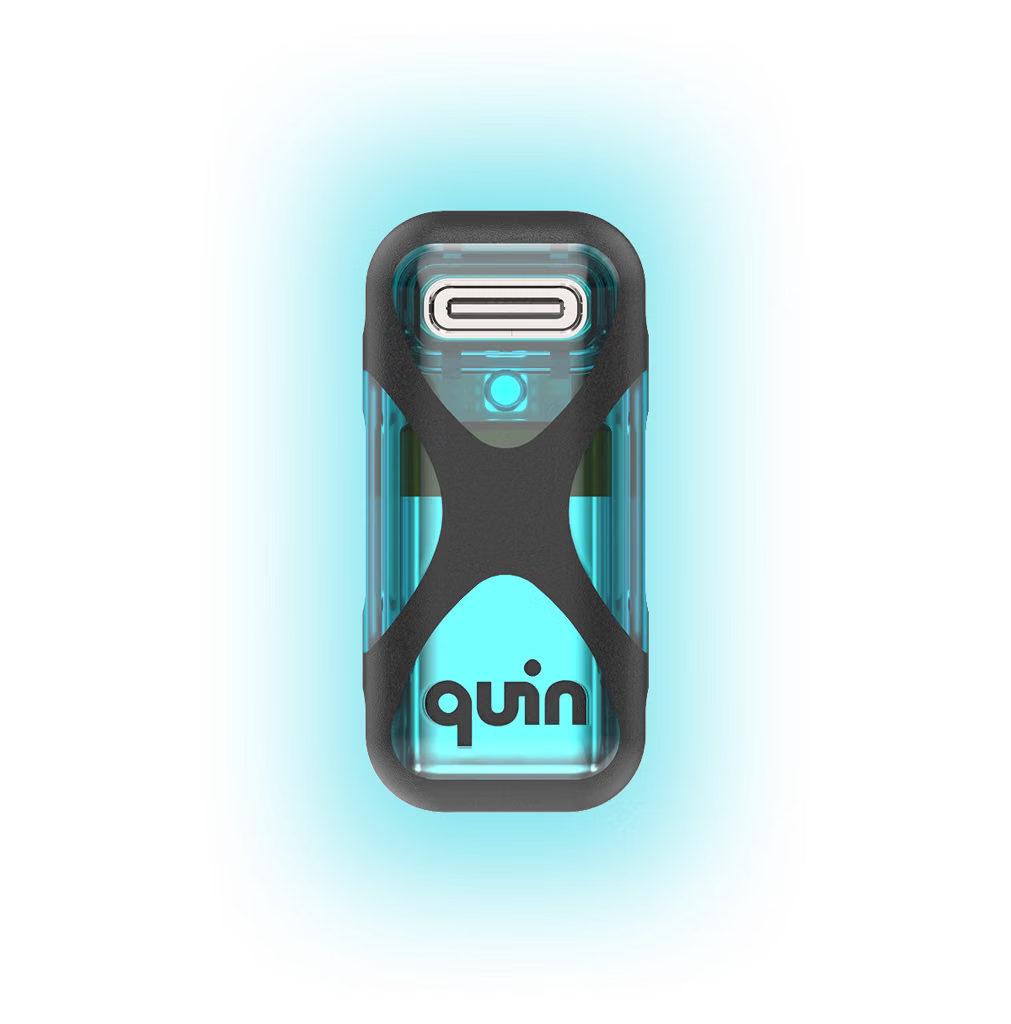
| Quin | Connects CRM, calendar, email, meetings, tasks | Cross-system assistant workflows |
Quin, for example, positions itself around syncing meeting notes, tasks, CRM records, calendars, and communication tools.
If I were running a bake-off, I’d start with:
The deciding factor is usually the system of record: if Salesforce owns customer truth, compare Salesforce-centered options; if Outlook/Teams owns work, compare Microsoft-centered options; if you want a neutral assistant, compare ChatGPT/Claude + automation tooling.
| Tool | Strengths | Compare for |
|---|---|---|
| Gong | Sales calls → insights, CRM updates | Revenue teams |
| Fireflies.ai | Meeting capture → summaries/tasks | Broad meeting automation |
| Otter.ai | Transcription and summaries | Lightweight meeting workflows |
| Avoma | Conversation intelligence + CRM workflows | Sales/customer success |
| Tool | Strengths | Compare for |
|---|---|---|
| Zapier | Fast app integrations | “When message arrives → create task/event/update CRM” workflows |
| Make | More complex workflows | Multi-step automation |
| n8n | Self-hostable, developer-friendly | Custom AI agents |
Zapier-style automation is often the glue between email, calendars, CRMs, and task systems; for example, Office 365 workflows can be connected to CRMs and calendar actions through automation platforms.
| Tool | Strengths | Compare for |
|---|---|---|
| Reclaim AI | Calendar optimization | Scheduling intelligence |
| Motion | Tasks + calendar planning | Personal productivity |
| Superhuman | Email-centric workflows | Inbox-driven teams |
| Quin | Connects CRM, calendar, email, meetings, tasks | Cross-system assistant workflows |
Make
make.com
n8n
n8n.io
To turn unstructured messages into actionable tasks, calendar holds, and CRM updates seamlessly, you need tools that bridge communication channels (Slack, email, chat) with execution layers (project management, calendars, and CRMs). Because capturing CRM data natively alongside tasks and calendars is a specific…
To turn unstructured messages into actionable tasks, calendar holds, and CRM updates seamlessly, you need tools that bridge communication channels (Slack, email, chat) with execution layers (project management, calendars, and CRMs).
Because capturing CRM data natively alongside tasks and calendars is a specific requirement, you should compare platforms across three distinct categories: All-in-One AI Workspaces, CRM-Native AI Copilots , and Custom Automation Builders.
These tools excel at pulling from an inbox/message stream, extracting tasks, and syncing with calendars, though their direct CRM depth varies.
If the CRM update is the most critical constraint, starting from a platform where customer data already lives is often safer than trying to sync a generic task manager backward into a CRM.
If you already use specific tools (e.g., Slack + Notion + HubSpot) and don't want to migrate ecosystems, building a custom router via an AI workflow builder is often the most precise solution.
To help narrow down this list, tell me: