
Data as of Jul 25, 2026 · Based on 309 AI responses from ChatGPT Search and Google AI Mode · See how Parse measures this
For a small company needing a simple system, Timetastic or
Vacation Tracker are the most recommended upgrades from spreadsheets.
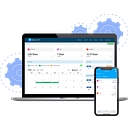
is widely noted for its straightforward, visual wall-chart interface. If your team relies on or for daily work, is the best choice to manage requests directly within chat. For very small teams of 10 or fewer, LeaveBoard offers a comprehensive free plan.
Brands AI recommends here
Best for ease of use. It functions as a visual digital wall chart, making it an ideal, no-fuss replacement for spreadsheets when you want a quick setup and clear visibility into who is away and when.
Best for teams that use Slack or Microsoft Teams. It allows employees to request time off and managers to approve it directly inside their chat software, keeping the workflow seamless for daily users.
Best for very small teams under 10 people. It offers a free tier that includes professional features like an HR dashboard, automated leave calculations, and a shared team calendar without hidden costs.
Setting up a time-off tracking system for a small team doesn't have to be complicated. Here is a simple, tiered approach to help you pick and implement a system that fits your company size and culture. - **Google Sheets or Microsoft Excel*
Setting up a time-off tracking system for a small team doesn't have to be complicated. Here is a simple, tiered approach to help you pick and implement a system that fits your company size and culture.
Recommended Implementation Steps
If you'd like, let me know:
I can give you a more tailored recommendation or help you outline a simple vacation policy.
A simple time-off system for a small company can be built around a few core pieces: ## 1. Employee Time-Off Request Form Employees submit: - Employee name - Department/team - Type of leave: - Vacation - Sick time - Personal day - U
A simple time-off system for a small company can be built around a few core pieces:
Employees submit:
Manager or owner receives a request and can:
The system should store:
Everyone can see:
Avoid showing private details if desired (for example, show “Out of office” instead of “Medical leave”).
For each employee:
| Employee | Vacation Balance | Sick Balance | Pending Requests |
|---|---|---|---|
| Jane | 8 days | 3 days | 2 days |
| Mike | 12 days | 5 days | 0 days |
Track:
The owner/manager should see:
Use:
Good for ~5–15 employees if policies are simple.
Small teams often use dedicated leave trackers rather than full HR systems. For example, Cala HQ focuses specifically on requests, approvals, balances, and shared calendars, while Vacation Tracker provides vacation, sick leave, and absence tracking.
A simple database could have:
Employees
Requests
Balances
Calendar
For a small company, I would avoid a full HR suite unless you also need payroll, benefits, onboarding, and performance management. A simple request → approval → calendar → balance workflow is usually enough. Tools such as Workleaf and MyTimeKeep are examples of systems that combine leave tracking with broader employee management features.
A practical first version could be built in a day using a form, spreadsheet, and calendar, then upgraded to software once the process grows.
Managing time off for a small team doesn't have to be complicated. For a lightweight setup, you have a few practical directions depending on your team's current workflow (spreadsheets vs. automated software). - **Spreadsheet Tracker (Googl
Managing time off for a small team doesn't have to be complicated. For a lightweight setup, you have a few practical directions depending on your team's current workflow (spreadsheets vs. automated software).
A basic 4-step workflow to keep it running smoothly:
To help narrow down the best fit, tell me:
For a small company (roughly 5–50 employees), a shared **Google Sheets** or **Excel** workbook is usually the simplest solution. It requires little training, is easy to customize, and can handle vacation requests, sick leave, and PTO balanc
For a small company (roughly 5–50 employees), a shared Google Sheets or Excel workbook is usually the simplest solution. It requires little training, is easy to customize, and can handle vacation requests, sick leave, and PTO balances. Many free templates already include automatic balance calculations and a team calendar.
A practical setup would have four tabs:
| Tab | Purpose | Key Columns |
|---|---|---|
| Employees | Store PTO balances | Employee, Hire Date, Annual PTO, Used, Remaining |
| Requests | Log every request | Employee, Start Date, End Date, Days, Leave Type, Status, Manager, Notes |
| Team Calendar | View who's out each day | Monthly calendar with approved absences |
| Dashboard | Quick summary | Pending requests, Remaining PTO, Upcoming absences |
A simple workflow:
Useful features to add:
SUMIFSIf your company expects to grow beyond about 20–30 employees or wants email approvals, notifications, and self-service requests, a dedicated PTO application is usually more efficient than a spreadsheet.
If you'd like, I can also create a ready-to-use Excel or Google Sheets template with the formulas, approval workflow, and dashboard already built.
For a small company (5–50 employees), you don't need complex HR software. A shared Google Sheet or Excel workbook is often enough to manage requests, approvals, and remaining balances. Many businesses use spreadsheet-based trackers successf
For a small company (5–50 employees), you don't need complex HR software. A shared Google Sheet or Excel workbook is often enough to manage requests, approvals, and remaining balances. Many businesses use spreadsheet-based trackers successfully before moving to dedicated software.
A simple system could include three tabs:
| Tab | Purpose | Key Columns |
|---|---|---|
| Employees | Track each employee's annual PTO balance | Name, Department, Annual PTO, Used, Pending, Remaining |
| Time-Off Requests | Log every request | Employee, Start Date, End Date, Days Requested, Leave Type, Status (Pending/Approved/Denied), Manager Notes |
| Team Calendar | Show who is out each day | Monthly calendar highlighting approved absences |
A straightforward workflow would be:
Useful formulas include:
=SUMIFS(Requests!E:E,Requests!A:A,A2,Requests!F:F,"Approved")
=Annual_PTO - Days_Used
To make the sheet easier to use:
If you prefer starting from a template instead of building one yourself, these resources provide free vacation/PTO tracking spreadsheets:
If you're using Microsoft 365 or Google Workspace, I can also design a version that includes automatic approval tracking, email notifications, and a calendar view with minimal setup.
For a small company needing a simple, low-cost system to track time off, `dedicated leave management apps` are generally better than spreadsheets, offering self-service for employees and automatic balance tracking.[[1]](https://www.workforc
For a small company needing a simple, low-cost system to track time off, dedicated leave management apps are generally better than spreadsheets, offering self-service for employees and automatic balance tracking.
Here are the best, easy-to-use options based on recent reviews:
These tools focus strictly on PTO, making them intuitive and quick to set up.
If you also need to handle scheduling or payroll, these platforms include robust time-off tracking.
If you have fewer than 5–10 employees and need to start tomorrow without a budget:
Key Features to Look For:
To help you choose, it would be useful to know:
For a small company needing a simple, low-cost or free system to track time off, `specialized leave management tools` are often better than spreadsheets because they allow employees to self-submit requests, track their own balances, and pro
For a small company needing a simple, low-cost or free system to track time off, specialized leave management tools are often better than spreadsheets because they allow employees to self-submit requests, track their own balances, and provide a shared calendar.
Here are the best, simple solutions for small teams (updated for 2026):
Recommendation: If you use Slack or Teams, start with Vacation Tracker . If you have a deskless team or want a simple mobile option, try Day Off.
To recommend the perfect fit, what is your approximate team size , and do you already use Slack, Microsoft Teams, or Google Workspace?
For a small company, I’d keep this system simple: employees submit requests, managers approve them, and everyone can see balances and upcoming absences. You can build it with a spreadsheet + form, or use lightweight PTO software. Common sma
For a small company, I’d keep this system simple: employees submit requests, managers approve them, and everyone can see balances and upcoming absences. You can build it with a spreadsheet + form, or use lightweight PTO software. Common small-business systems focus on exactly these pieces: PTO balances, request/approval workflows, calendars, and reports.
Use:
Employees tab
| Employee | PTO Allowance | Used | Remaining |
|---|---|---|---|
| Jane Smith | 15 | 5 | 10 |
| Mark Lee | 20 | 8 | 12 |
Requests tab
| Request Date | Employee | Type | Start | End | Days | Status | Approved By |
|---|---|---|---|---|---|---|---|
| 7/27/26 | Jane | Vacation | 8/10/26 | 8/14/26 | 5 | Pending | — |
Employee submits request:
Manager receives notification.
Manager chooses:
Approved requests:
If you want less administration, look for:
Examples of tools in this category include MyTimeKeep, which combines PTO requests, approvals, balances, and reporting, and TimeTrakGO, which includes PTO tracking and attendance features.
I’d create these roles:
Employee
Manager
Admin/Owner
Use only four:
Avoid overly complex HR workflows unless you have a large team.
If you want, I can also create a ready-to-use Google Sheets PTO tracker template or a simple web app design for this system.
For a small company needing a simple, low-admin system to track vacation and time-off requests, `specialized cloud-based tools` are often the best balance of affordability and efficiency. These tools eliminate manual spreadsheets and allow
For a small company needing a simple, low-admin system to track vacation and time-off requests, specialized cloud-based tools are often the best balance of affordability and efficiency. These tools eliminate manual spreadsheets and allow for automated tracking.
Here are the top recommendations based on your needs:
Top Recommended Tools for Small Teams
Key Features for Small Businesses
Alternative: Simple Spreadsheet
If you prefer not to use a dedicated tool, creating a shared Google Sheet or Excel workbook with columns for employee name, request date, type (PTO, sick), and approval status is a free, flexible option, though it requires more manual maintenance as you grow.
To help you choose the right tool, could you tell me:
For a small company (5–50 employees), a shared spreadsheet is often the simplest solution. It requires no specialized software, is easy to maintain, and can grow with your business. Many organizations start with an Excel or Google Sheets tr
For a small company (5–50 employees), a shared spreadsheet is often the simplest solution. It requires no specialized software, is easy to maintain, and can grow with your business. Many organizations start with an Excel or Google Sheets tracker before moving to dedicated HR software as their needs become more complex.
A practical system could include three tabs:
| 1. Employee Balances | |
|---|---|
| Employee Name | Jane Smith |
| Annual PTO | 15 days |
| PTO Used | 7 days |
| Remaining | 8 days |
| Sick Days Used | 2 |
| Notes | Carryover, etc. |
| 2. Time-Off Requests | |
|---|---|
| Request Date | 7/23/2026 |
| Employee | Jane Smith |
| Leave Type | Vacation / Sick / Personal |
| Start Date | 8/10/2026 |
| End Date | 8/14/2026 |
| Total Days | 5 |
| Status | Pending / Approved / Denied |
| Approved By | Manager |
| Comments | Optional |
| 3. Team Calendar | |
|---|---|
| A monthly calendar showing approved absences so managers can quickly identify scheduling conflicts. Conditional formatting can color-code vacation, sick leave, and holidays. |
A simple workflow is:
Useful spreadsheet features include:
If you'd rather use a ready-made solution instead of building one, there are free templates for Excel and Google Sheets, including:
If your company uses Microsoft 365 or Google Workspace, you can also add a simple request form (Microsoft Forms or Google Forms) that feeds directly into the spreadsheet, reducing manual entry while keeping the approval process straightforward.