How to Build a Gaming PC: Gaming PC Parts and Setup Guide | Intelhttps://www.intel.com/content/www/us/en/gaming/resources/how-to-build-a-gaming-pc.html
9%
How to Build a Gaming PC: The Ultimate Guide for 2024 - HPhttps://www.hp.com/us-en/shop/tech-takes/how-to-build-a-gaming-computer
6%
Custom Gaming PC Build: Essential Components Checklist - ITZONE Onlinehttps://itzoneonline.co.uk/gaming-pc-solutions/custom-gaming-pc-build-essential-components-checklist/
3%
What Do You Need for a PC Setup? | Lenovo UShttps://www.lenovo.com/us/en/knowledgebase/what-do-you-need-for-a-pc-setup/
3%
What Do You Need for a PC Gaming Setup?https://steelseries.com/blog/pc-gaming-setup
2%
Gaming PC Parts: Components of a PC - Epic Games Storehttps://store.epicgames.com/en-US/news/gaming-pc-parts-components-epic-games
2%
How to Buy Gaming PC Parts - CyberPowerPChttps://www.cyberpowerpc.com/blog/how-to-buy-gaming-pc-parts/
2%
The complete Gaming Setup guide - From low to high budgethttps://www.leetdesk.com/blog/gaming-setup
1%
Here's Everything You Need to Build Your Ultimate Gaming Setuphttps://www.overclockers.co.uk/blog/heres-everything-you-need-to-build-your-ultimate-gaming-setup/
1%
List all the parts needed to build a pc from scratch. - Reddithttps://www.reddit.com/r/buildapc/comments/14eedio/list_all_the_parts_needed_to_build_a_pc_from/
1%
Question: I'm trying to get a full PC gaming setup for my son's birthday. What are the essential components I need to buy?
Building a PC gaming setup for your son is an awesome gift! To make sure he has everything he needs right out of the box (from the machine itself to the desk accessories), here is the breakdown of the essential components you need to get:
The Core Gaming PC (Desktop) : This is the main system. You can either buy a pre-built desktop or buy individual parts to build one together. It contains the processor (C P U cap C cap P cap U𝐶𝑃𝑈), graphics card (G P U cap G cap P cap U𝐺𝑃𝑈), memory (R A M cap R cap A cap M𝑅𝐴𝑀), storage (S S D cap S cap S cap D𝑆𝑆𝐷), and power supply.
The Monitor : The screen where the game displays. Look for one with a high refresh rate (at least 1 4 4 H z ) and a fast response time (1 m s ) for smooth gameplay.
The Keyboard : Mechanical keyboards are the gold standard for gaming because they offer tactile feedback and faster response times.
The Mouse : A dedicated gaming mouse with adjustable DPI (sensitivity) and extra side buttons is crucial for most PC games.
The Headset : Essential for immersive sound and communicating with teammates in multiplayer games. Look for one with a built-in mic and comfortable ear cups.
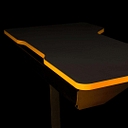
The Desk and Chair : A sturdy desk with enough surface area for the monitor, keyboard, and large mousepad, paired with an ergonomic gaming or office chair to support posture during long sessions.
Operating System & Software : Don't forget a license for Windows (usually 10 10 1 0 or 11 11 1 1 ) if it doesn't come pre-installed on the PC, plus platforms like Steam or Epic Games for downloading games.
Question: I'm trying to get a full PC gaming setup for my son's birthday. What are the essential components I need to buy?
Question: I'm trying to get a full PC gaming setup for my son's birthday. What are the essential components I need to buy?
Google AI Mode· Sep 6, 2026
To get a full PC gaming setup, you need the PC tower itself, a high-refresh-rate monitor, and a set of core gaming peripherals . A complete setup consists of these essential hardware components:
The Gaming PC Tower
This is the brain of the setup. You can either build it from individual parts (like the CPU, graphics card, motherboard, RAM, storage, and power supply) or buy a convenient prebuilt gaming desktop that works right out of the box.[2]
Add to list Excellent mid-tier starter PC that includes a fast 1TB SSD and an RTX 5060 graphics card to easily run modern games.[1]
Add to list Higher-performance option featuring double the RAM (32GB) and storage (2TB) for smoother multitasking and streaming.[1]
To help narrow down options and stay within your budget , could you let me know:
What is your overall budget for the entire setup?
What kinds of games does he like to play (e.g., Minecraft, Fortnite, demanding AAA graphic games)?
Microsoft Defender
For a full PC gaming setup, you’ll need:
Gaming PC — CPU, GPU, motherboard, RAM, SSD, PSU, cooling, and case. A prebuilt is simplest.
Monitor — ideally 1080p/1440p with 144Hz+ refresh rate.
Keyboard + gaming mouse
Headset with microphone
Mouse pad
Desk and comfortable chair
Ethernet cable or Wi-Fi for online gaming.
Windows 11 if it isn't included with the PC.
Optional: speakers, webcam, controller, and RGB lighting.
If you tell me your total budget (e.g. $1,000, $1,500, $2,000) and your son's favorite games, I can put together an actual shopping list with current prices.
Absolutely. For a complete PC gaming setup, think of it as five groups: the gaming PC, display, controls, audio, and furniture/accessories.
Essential shopping list
Gaming PC — the main investment
CPU (processor)
GPU (graphics card) — especially important for gaming performance
16 GB RAM minimum; 32 GB is a nice target for a new system
1 TB SSD is a good starting point for Windows and games
Power supply, motherboard, cooling and case — already included if you buy a prebuilt
Windows 11, if it isn't included
For a straightforward birthday gift, I'd strongly consider a prebuilt gaming desktop rather than assembling one yourself.
Current examples include an iBUYPOWER system with an RTX 5060, 16 GB RAM and 1 TB SSD, or an Acer Nitro system with Ryzen 7, RTX 5060, 16 GB RAM and 1 TB storage.
Gaming monitor
24–27 inches is a good size.
Aim for 144 Hz or higher refresh rate.
1080p is fine for a more affordable setup; 1440p gives a sharper picture if your PC can drive it.
For example, current 24-inch 200 Hz and 27-inch 144 Hz options are available.
Keyboard
A gaming keyboard isn't strictly necessary, but he'll probably want one.
Mechanical keyboards are popular, but don't feel obligated to spend a fortune on RGB.
Gaming mouse
Get a comfortable wired or wireless gaming mouse.
As one current example, the Logitech G502 HERO has programmable buttons and an adjustable-weight design.
Headset
A headset with a built-in microphone is the easiest solution for gaming/chat.
The HyperX Cloud III is one current example designed for PC and consoles.
Desk
You'll need a sturdy desk with enough depth for the monitor, keyboard and mouse.
A dedicated gaming desk is optional; a normal sturdy desk works perfectly well.
Chair
A comfortable adjustable office chair is generally more important than buying an expensive "gaming" chair.
Easy-to-forget items
Ethernet cable or Wi-Fi capability
DisplayPort/HDMI cable if the monitor doesn't include the appropriate one
Surge protector
Mouse pad
Speakers, if he won't always use headphones
Webcam, if he wants to stream/video chat
USB Wi-Fi adapter, only if the PC doesn't have Wi-Fi
Extra SSD/storage eventually, as modern games can be very large
A sensible complete setup
If you're starting from zero, I'd budget roughly:
Component
Sensible target
Gaming PC
$1,000–$1,500
Monitor
$150–$300
Keyboard
$40–$100
Mouse
$30–$80
Headset
$50–$100
Mouse pad
So around $1,500–$2,500 can make a very nice complete setup, depending heavily on the PC and furniture.
If you tell me your total budget (e.g. $1,000, $1,500, $2,000), his age, and what games he plays, I can put together a specific shopping list with the PC, monitor, keyboard, mouse, headset, desk and chair.
To put together a complete PC gaming setup, you need the computer tower itself, a monitor, a keyboard, a mouse, and a headset or speakers.
A complete gaming station requires dividing your shopping list into the core computer hardware and the external desk accessories (peripherals).
Core PC Tower Components (Internal Hardware)
If you are buying a prebuilt desktop or gathering parts to build one, make sure it includes these eight internal parts:
Graphics Card (GPU): The most critical piece for gaming performance; look for modern options like an NVIDIA RTX series or AMD Radeon equivalent to handle smooth frame rates.
Processor (CPU): The "brain" of the computer; mid-range choices from AMD Ryzen (like the Ryzen 5 or 7 series) or Intel Core lines offer great gaming speeds without overspending.
Memory (RAM):16GB of DDR4 or DDR5 RAM is the baseline standard for running modern games smoothly without stuttering.
Storage (SSD): A 1TB NVMe Solid State Drive (SSD) gives plenty of space to install several large games and ensures fast loading times.
Motherboard: The main circuit board that connects every single component together.
Power Supply Unit (PSU): Delivers clean electricity to the system; ensure it has enough wattage to support the graphics card and processor safely.
CPU Cooler: A fan or liquid cooling block that keeps the processor from overheating.
PC Case: The physical housing that holds everything with built-in airflow fans.
Essential Desk Peripherals (External Accessories)
The computer needs these external devices to actually be usable:
Gaming Monitor: Look for a screen with a high refresh rate (at least 144Hz) and a fast response time so fast-moving games look smooth instead of blurry.
Gaming Keyboard: Mechanical keyboards are preferred by gamers for their tactile feedback and durability during fast keystrokes.
Gaming Mouse: A high-precision, low-latency mouse with adjustable sensitivity (DPI) and extra side buttons.
Headset or Speakers: A gaming headset with a built-in microphone is essential so your son can chat with friends during online multiplayer games.
If you'd like, let me know:
Your total budget for the entire setup
Whether you want to buy a prebuilt PC or build it yourself from scratch
The types of games your son plans to play (like Minecraft, Roblox , or heavy graphics shooters)
I can help narrow down specific product recommendations or estimates!
Absolutely. For a complete desktop PC gaming setup, think of it as four groups: the PC itself, display, controls/audio, and the furniture/accessories around it.
1. The gaming PC — the big purchase
If you're buying a desktop rather than building one yourself, make sure it includes:
GPU (graphics card) — the most important component for gaming performance.
CPU (processor) — handles game logic and general computing.
RAM — I'd target 16GB minimum for a new gaming PC; 32GB is worth considering if the budget allows.
SSD storage — ideally 1TB NVMe SSD so there's room for Windows and a decent game library.
Motherboard
Power supply (PSU)
CPU cooling
PC case
Windows 11 — check whether it's included with a prebuilt.
You don't need to buy those individually if you purchase a prebuilt gaming PC.
For context, current 2026 prebuilts with RTX 5060-class graphics are appearing around the $1,100–$1,500 range, depending on the rest of the specifications.
PowerSpec G528 Gaming PC - $1,149.99 (Micro Center)
iBUYPOWER Element SE Gaming PC - $1,299.99 (Best Buy)
You'll need a monitor unless the PC will connect to a TV.
For a typical gaming setup, I'd look for:
24–27 inches
1080p or 1440p resolution
144Hz–180Hz refresh rate for smooth gameplay
DisplayPort and HDMI
Adaptive-sync support such as FreeSync/G-Sync compatibility
The monitor should be matched to the PC's graphics performance; there's little point buying an extremely high-refresh display if the PC can't produce the corresponding frame rates.
3. Keyboard + mouse
Essential:
Gaming keyboard
Gaming mouse
Large mouse pad/desk mat
Mechanical keyboards aren't mandatory, but they're a popular choice. For a kid's first gaming setup, I'd prioritize comfort and durability over expensive RGB features.
These four peripherals—keyboard, mouse, headset, and mousepad—are generally considered the basic foundation of a PC gaming setup.
4. Headset
Get a gaming headset with a microphone rather than buying headphones and a separate microphone.
It gives him:
Game audio
Voice chat
Built-in microphone
Privacy from everyone else hearing the game
A wired headset is generally the simplest and cheapest option; wireless is nicer if you want to eliminate cables.
5. Desk and chair
Not technically computer components, but they're part of a complete setup:
Sturdy desk
Comfortable adjustable chair
Cable management
Optional monitor arm
I'd put more emphasis on a good ordinary ergonomic chair than on an expensive "racing-style" gaming chair.
6. Internet/networking
For online games, he'll need:
Wi-Fi on the PC, or
Ethernet cable to the router
If possible, Ethernet is preferable for a stable connection. Microsoft specifically recommends wired Ethernet when Wi-Fi is inconsistent.
7. Small things people forget
Budget for:
Surge protector/power strip
HDMI/DisplayPort cable if the monitor doesn't include the appropriate one
Ethernet cable if needed
Extra USB ports if the PC is short on them
Speakers only if he won't use a headset
Webcam only if he'll be streaming/video-chatting
Controller if he plays controller-friendly games
You don't need RGB lighting, a fancy microphone, capture card, second monitor, or gaming chair to have a complete setup.
If you tell me your total budget (for example, $1,000, $1,500, $2,000, or $2,500) and roughly what games your son plays, I can put together a current shopping list with the PC, monitor, keyboard, mouse, headset, desk and chair and keep the whole thing within budget.
Building a full PC gaming setup for your son is an exciting project! To get him up and running, you'll need to split the shopping list into two main categories: the core computer hardware (what's inside the tower) and the peripherals & accessories (what sits on the desk).
Here is the breakdown of the essential components you need to buy:
Core Gaming PC Components (Inside the Tower)
If you are buying a pre-built PC or custom-building one, make sure these parts are included:
CPU (Processor): The "brain" of the computer that handles game logic and processing. Look for modern options like an Intel Core i5/i7 or AMD Ryzen 5/7.
GPU (Graphics Card): The most crucial part for gaming performance. It renders the actual visuals. Look for an NVIDIA GeForce RTX (e.g., RTX 4060 or 4070) or AMD Radeon equivalent.
RAM (Memory): Short-term memory for active tasks. 1 6 G B is the standard sweet spot for modern gaming, though 3 2 G B is great for future-proofing.
Storage (SSD): A Solid State Drive for storing the operating system and games. An NVMe SSD (1 T B or 2 T B ) ensures lightning-fast loading times.
Motherboard: The main circuit board that connects all these components together.
Power Supply Unit (PSU): Delivers electricity safely to the system. Make sure it has enough wattage (usually 6 0 0 W to 7 5 0 W +) and a reliable rating (80+ Gold is ideal).
PC Case: The housing that holds everything, keeps airflow moving, and houses the fans.
Essential Peripherals & Desk Accessories
He won't be able to use the computer without these external pieces:
Gaming Monitor: Look for a high-refresh-rate monitor (1 4 4 H z or higher) with a fast response time (1 m s ) and at least 1 0 8 0 p (Full HD) or 1 4 4 0 p (QHD) resolution.
Gaming Keyboard: Mechanical keyboards are preferred by gamers for their tactile feedback and durability.
Gaming Mouse: A precise mouse with adjustable DPI settings and extra side buttons.
Gaming Headset: Essential for hearing in-game audio cues and talking to friends via Discord or in-game chat.
Mousepad: A large-surface pad gives the mouse smooth, consistent tracking space.
Operating System (OS): Windows 11 is standard for PC gaming compatibility. (Check if a license is included with the PC).
To help narrow down options and find the best fit, let me know:
What is your total budget for the whole setup?
Do you want to buy a pre-built PC or build it yourself from scratch?
A full PC gaming setup has two parts: the computer itself and the gaming desk equipment around it. Here’s the complete checklist so you don’t miss anything.
1. The gaming PC (the tower)
If you are building it yourself, you need:
CPU (processor) – the “brain” of the PC - Examples: AMD Ryzen 5/7 or Intel Core i5/i7 ranges
GPU (graphics card) – the most important part for gaming performance - Examples: NVIDIA GeForce RTX or AMD Radeon RX cards
Motherboard – connects all the components together
RAM (memory) – helps games and apps run smoothly - Aim for 16GB minimum, 32GB ideal for a modern gaming PC
Storage - 1TB NVMe SSD minimum is a good starting point (games are large)
2TB is worth considering if he has lots of games
Power supply (PSU) – provides power safely - Don’t cheap out here; choose a reputable brand with enough wattage
PC case – the enclosure that holds everything
Cooling - CPU cooler (if not included)
Case fans for airflow
Compatibility matters: the CPU, motherboard, RAM, power supply and case all need to match.
2. Essential gaming accessories
You’ll also need:
Monitor - 24–27 inch is a popular size
1080p is fine for budget builds
1440p is a great target for a higher-end setup
Look for 120Hz–180Hz refresh rate for smoother gaming
Keyboard - Mechanical gaming keyboards are popular, but not essential
Gaming mouse - Look for adjustable DPI and a comfortable shape
Mouse mat - A large desk mat is often preferred by gamers
Headset - Preferably with a built-in microphone for games like Fortnite, Minecraft, Roblox, Valorant, etc.
Speakers (optional) - Useful if he doesn’t always want to wear a headset
3. Software and extras
Don’t forget:
Operating system - Usually Windows 11 for a gaming PC
Wi-Fi/Bluetooth - Check whether the motherboard includes it, otherwise add an adapter
Game accounts - Steam, Epic Games, Xbox app, etc.
Surge-protected power strip - Useful for protecting the whole setup
Desk and chair - A comfortable chair and a sturdy desk can make a big difference
4. Nice birthday extras (not required)
RGB lighting strips
Cable management kit
Webcam (for streaming/video calls)
Controller (for racing games, platformers, sports games)
Second monitor
Microphone upgrade
Monitor arm
A sensible “first gaming PC” target
For a child/teen who wants to play modern games comfortably, a balanced setup would usually look like:
Mid-range CPU
Modern dedicated GPU
16–32GB RAM
1–2TB SSD
24–27" high-refresh monitor
Good keyboard, mouse and headset
A prebuilt PC can also be a good option if you want less hassle; building yourself gives more control over parts and upgrades.
If you tell me your budget (e.g., £500, £1,000, £1,500+), your son’s age, and the games he plays (Minecraft, Fortnite, GTA, Roblox, Call of Duty, etc.), I can suggest a complete shopping list.
Absolutely. If you want a complete PC gaming setup rather than just the computer, think of it as four groups: the PC itself, display, controls/audio, and the desk setup.
1. The gaming PC
If you're not planning to build it yourself, a prebuilt gaming desktop is the easiest birthday option. Current 2026 guidance generally puts the biggest emphasis on the GPU, followed by a balanced CPU, RAM, and fast SSD.
For a good all-around gaming PC, I'd look for:
GPU:NVIDIA GeForce RTX 5060/5060 Ti or AMD equivalent as a sensible starting point; step up if he wants demanding 1440p/4K gaming.
CPU: Modern Intel Core i5/Core Ultra 5 or AMD Ryzen 5/7.
RAM:16GB minimum; 32GB is preferable if your budget allows.
Storage:1TB NVMe SSD. Modern games are large, so 512GB can fill up surprisingly quickly.
Wi-Fi: Built-in Wi-Fi is convenient unless you'll connect with Ethernet.
Windows 11: Make sure it's included.
Cooling: Adequate CPU cooling and case airflow.
Power supply: A reputable PSU appropriately sized for the GPU.
For example, current prebuilt options include systems with an i5-14400F/RTX 5060/16GB/1TB configuration around the $1,200 range, while more powerful configurations can go considerably higher.
You can get a very capable setup without spending $3,000+; current 2026 PC-build guides cover systems from roughly $800 upward, with the sweet spot depending heavily on the resolution and games you want to target.
If you tell me your total budget (e.g. $800, $1,200, $1,500, $2,000) and what games your son plays, I can put together an exact shopping list—including the PC, monitor, keyboard, mouse, headset, desk and chair—with current prices.
You need a central computer tower (the PC itself), a gaming monitor, a keyboard, a mouse, and a headset or speakers to create a complete gaming setup.
Watch this guide on choosing balanced gaming hardware components for a modern setup:
Essential Core Components Breakdown
The Gaming PC (Tower): This is the main system that runs the games. You can build one or buy a prebuilt system. A solid mid-range setup typically features a modern processor like an AMD Ryzen 7 or Intel Core Ultra , paired with a capable graphics card like an NVIDIA GeForce RTX 5060 Ti , at least 16GB to 32GB of RAM , and a 1TB NVMe SSD for fast game loading. Prebuilt options like the iBUYPOWER Element SE Desktop come ready to use right out of the box.[1][2][3]
Gaming Monitor: The screen where the game displays. Look for a monitor with a high refresh rate (at least 144Hz ) and a fast response time for smooth motion, ideally with 1080p or 1440p resolution depending on the power of the PC.[1]
Gaming Keyboard: A responsive keyboard for controlling games. Mechanical keyboards are popular because they offer tactile feedback and durability, and many feature customizable RGB lighting.
Gaming Mouse: A high-precision mouse with adjustable sensitivity (DPI) settings and extra side buttons programmable for various games.
Headset and Audio: A comfortable gaming headset with an integrated microphone so your son can hear in-game audio clearly and talk with his friends online.
If you'd like, let me know:
Your total budget for the entire setup
Whether you prefer a prebuilt PC or are open to building one together
I can recommend specific product bundles or precise parts.
The Gaming Monitor
Standard office monitors cause blurriness during fast movement. You need a dedicated display featuring at least a 144Hz refresh rate and a 1ms response time to keep gameplay perfectly smooth.[1][2]
Add to list Budget-friendly 1080p display with a fast IPS panel that offers bright colors and great viewing angles.
Add to list Includes an adjustable height stand for better ergonomics alongside excellent motion-blur reduction.
Add to list A premium, larger 27-inch QHD (1440p) monitor featuring a faster 180Hz refresh rate for sharper game visuals.[1][2][3]
Peripherals & Accessories
Your son will need specialized input devices that allow for fast reaction times, plus an audio solution for talking to friends online.
Add to list A wired, budget combo pack with responsive keys and customizable RGB lighting effects.
Add to list Highly practical 3-in-1 package that gives you a spill-resistant keyboard, high-accuracy mouse, and a dedicated headset.
Large Mouse Pad : Extended desk mats give the mouse plenty of room to glide without slipping off the edge.[1][2]
To help me tailor recommendations for his big day, what types of games does he plan to play, and do you have a specific total budget in mind?














Steam or
Epic Games for downloading games.