Data as of Sep 18, 2026 · Based on 350 AI responses from ChatGPT Search and Google AI Mode · See how Parse measures this
For most Office Managers wanting a fast, low-friction system, 


Brands AI recommends here
Named in 78% of answers
Skedda is best when you need quick, flexible self-service booking with strict rules, buffers, and permissions—ideal for small to mid teams and coworking spaces; tradeoff: it’s focused on simplicity over enterprise analytics.
Named in 71% of answers
Robin fits hybrid teams that need one-tap mobile/web booking, room display panels, and workplace analytics to optimize space usage; tradeoff: it’s tailored to hybrid workflows rather than the simplest small-team setups.
Named in 47% of answers
Named in 47% of answers
Source | Citation share |
|---|---|
 30+ Best Meeting Room Booking Software: 2026 In-Depth Reviewhttps://archieapp.co/blog/best-booking-systems/ | 5.8% |
 12 Best Meeting Room Booking Software in 2026https://awaio.com/meeting-room-booking-software/ | 5.4% |
 Best Meeting Room Booking System Software 2026 | Capterrahttps://www.capterra.com/meeting-room-booking-system-software/ | 3.5% |
 Best Meeting Room Booking Software for 2026 Comparedhttps://www.deskflex.com/blog/best-meeting-room-booking-software | 3.4% |
 Best Meeting Room Booking Software: Top 5 Picks for 2026 | Accruenthttps://www.accruent.com/resources/blog-posts/meeting-room-booking-system | 3.1% |
 Best Conference Room Booking Software 2026 | Complete Guidehttps://koalendar.com/blog/best-conference-room-booking-software | 2.7% |
Meeting Room Booking System | Try Archie - Rated 4.9/5 on G2https://archieapp.co/meeting-room-booking-software | 2.5% |
8 Best Room Booking Software Options (2025 Guide) | Officelyhttps://getofficely.com/blog/meeting-room-booking-comparison | 2.3% |
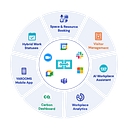 What Are the Best Meeting Room Booking Systems in 2026? | YAROOMShttps://www.yarooms.com/reports/best-meeting-room-booking-systems | 2.3% |
Best Meeting Room Booking Software for 2026: Features, Reviews & Comparisonhttps://www.deskflex.com/blog/best-meeting-room-booking-software-guide | 2.1% |
Choosing the "best" meeting room scheduling software depends heavily on your office size, budget, and whether you want hardware displays mounted outside the rooms. The top-rated platforms for office management vary by specific workplace needs: - **Skedda** — **Best for configuration and ease of use.** Highly praised…
Choosing the "best" meeting room scheduling software depends heavily on your office size, budget, and whether you want hardware displays mounted outside the rooms.
The top-rated platforms for office management vary by specific workplace needs:
To help narrow down the right fit, let me know:
If you're an Office Manager trying to eliminate **double bookings, no-shows, and the “which room is free?” problem**, I’d shortlist **Skedda, Robin, and Envoy**. The best choice depends mostly on how complex your office is. ### My picks for 2026 Software | Best for | Why I'd consider it
If you're an Office Manager trying to eliminate double bookings, no-shows, and the “which room is free?” problem, I’d shortlist Skedda, Robin, and Envoy. The best choice depends mostly on how complex your office is.
| Software | Best for | Why I'd consider it |
|---|---|---|
| Skedda | ⭐ Best overall for most offices | Excellent booking rules, interactive floor plans, calendar integrations, check-in/no-show controls, and pricing based on bookable spaces rather than employee headcount. Skedda Skedda |
| Robin | Larger/hybrid offices | Strong room + desk booking, floor plans, room displays, workplace analytics, and AI-assisted scheduling. Particularly compelling once you're managing multiple floors or locations. Skedda The Digital Project Manager |
| Envoy | Rooms + visitors/security | Excellent if conference-room scheduling needs to coexist with visitor management, access control, SSO, and workplace operations. Skedda The Digital Project Manager |
| Officely | Slack-centric teams | Booking happens inside Slack, which can make adoption very easy. Best suited to smaller teams. Skedda |
| OfficeSpace | Facilities/space planning | Better fit if room booking is just one piece of a broader space-planning and facilities-management problem. Skedda |
| Microsoft Places / Outlook | Microsoft 365 offices wanting simplicity | Worth evaluating before buying anything: Microsoft already provides native room/resource booking, though dedicated platforms add more sophisticated rules, analytics, occupancy and visitor capabilities. Skedda |
For a typical 50–500 person office, I'd start with Skedda. Its big advantage for an Office Manager is that it's not just a calendar: you can establish rules around who can book rooms, how far ahead they can book, maximum meeting lengths, buffers, approvals, and automatic release of rooms when people don't show up. It also supports interactive floor plans and two-way calendar integrations.
I'd choose Robin instead if your company is larger and you're trying to manage the whole hybrid workplace—conference rooms, desks, visitors, occupancy, multiple floors, etc.
I'd choose Envoy if visitor management and physical office security are nearly as important as room scheduling.
One important consideration: don't evaluate these solely on the booking calendar. For an Office Manager, I'd specifically test:
If you tell me roughly how many employees, how many conference rooms, whether you use Microsoft 365 or Google Workspace, and whether you need room-display tablets, I can narrow this down to the best 2–3 options for your office and compare their likely cost/features side-by-side.
For a typical 50–500 person office, I'd start with Skedda. Its big advantage for an Office Manager is that it's not just a calendar: you can establish rules around who can book rooms, how far ahead they can book, maximum meeting lengths, buffers, approvals, and automatic release of rooms when people don't show up. It also supports interactive floor plans and two-way calendar integrations.
I'd choose Robin instead if your company is larger and you're trying to manage the whole hybrid workplace—conference rooms, desks, visitors, occupancy, multiple floors, etc.
I'd choose Envoy if visitor management and physical office security are nearly as important as room scheduling.
The "best" meeting room scheduling software depends heavily on whether you just need a software calendar layer or if you plan to mount hardware screens outside your rooms.[](https://getjoan.com/conference-room-scheduling-software/) [[1]](https://getjoan.com/conference-room-scheduling-software/) Top-rated platforms for…
The "best" meeting room scheduling software depends heavily on whether you just need a software calendar layer or if you plan to mount hardware screens outside your rooms.
Top-rated platforms for office managers solving room reservation chaos feature distinct advantages:
To help narrow down the best fit, let me know:
If you're an Office Manager looking specifically to **fix conference-room booking chaos**, I’d shortlist **Skedda, Envoy Rooms, and Robin**. The best choice depends on whether you mainly need simple room booking or a broader workplace-management system. ### My top picks Software | Best for | Standout strengths | My…
If you're an Office Manager looking specifically to fix conference-room booking chaos, I’d shortlist Skedda, Envoy Rooms, and Robin. The best choice depends on whether you mainly need simple room booking or a broader workplace-management system.
| Software | Best for | Standout strengths | My take |
|---|---|---|---|
| Skedda | Most offices | Floor plans, booking rules, check-in, Outlook/Google/Teams integration | Best overall |
| Envoy Rooms | Offices that also need visitor management | Room displays, check-in, analytics, visitor management | Best all-in-one workplace platform |
| Robin | Larger/hybrid offices | Smart room suggestions, interactive maps, room displays, calendar integration | Best for sophisticated workplace teams |
1. Skedda — my first choice for most Office Managers. It combines real-time room availability, interactive floor plans, two-way Outlook/Google Calendar syncing, Teams integration, check-in/auto-release, and unusually strong booking rules. You can, for example, limit how far ahead people can book, require approval for certain rooms, add buffer time, or restrict particular rooms to certain groups.
Skedda currently says it has 7,000+ customers and 3.1 million users, and its 2026 comparison guide positions it as the strongest overall fit for mid-market hybrid offices.
2. Envoy Rooms — choose this if your office also needs visitor/facilities management. Envoy lets employees book from Outlook, Office 365, mobile, Teams, or a room display, with color-coded room availability and automatic release of unused rooms. Its bigger advantage is that room scheduling sits alongside visitor management, workplace analytics, access controls, and other workplace tools.
3. Robin — excellent for larger or more complex offices. Robin focuses heavily on helping employees find the right room based on capacity, equipment, and technology, with interactive maps and room displays. It works with Google Workspace and Microsoft 365.
Don't just look for a calendar that lets people reserve a room. The features that make the biggest operational difference are:
If you told me, "We're a normal corporate office and I need something employees will actually use without creating another administrative headache," I'd start with Skedda.
If you're also trying to manage visitors, desks, workplace access, and multiple offices, I'd look much harder at Envoy.
If you tell me roughly how many employees, how many conference rooms, whether you use Microsoft 365 or Google Workspace, and whether you need desk booking too, I can narrow this down to the best 2–3 options and compare pricing, room displays, integrations, and admin effort for your situation.
Finding the right meeting room scheduling software depends heavily on your office size, whether you operate a hybrid schedule, and what ecosystem (like Google Workspace or Microsoft 365) you already use. As an Office Manager, you want a system that stops "squatting," eliminates double-bookings, and integrates cleanly…
Finding the right meeting room scheduling software depends heavily on your office size, whether you operate a hybrid schedule, and what ecosystem (like Google Workspace or Microsoft 365) you already use.
As an Office Manager, you want a system that stops "squatting," eliminates double-bookings, and integrates cleanly with hardware like hallway tablets.
Top options are categorized below by office needs and infrastructure:
If you have a busy office, multiple floors, and want interactive office maps or hallway scheduling displays outside your rooms:
If you just want an easy, straightforward tool to reserve rooms without a heavy enterprise deployment:
If your company is already deep into a software ecosystem, you might already have a functional tool built-in:
To help narrow down the best fit, tell me:
For an Office Manager, the “best” conference room scheduling software usually comes down to your company size, calendar system (Microsoft 365 vs Google Workspace), and whether you need just room booking or a full workplace management platform. Modern systems typically solve the same pain points: double bookings,…
For an Office Manager, the “best” conference room scheduling software usually comes down to your company size, calendar system (Microsoft 365 vs Google Workspace), and whether you need just room booking or a full workplace management platform. Modern systems typically solve the same pain points: double bookings, unused reservations (“ghost meetings”), unclear room availability, and lack of usage data.
Here are the strongest options to consider:
| Software | Best for | Why it stands out |
|---|---|---|
| microsoft.com | Microsoft 365 companies | Native fit with Outlook/Teams environments; good if your organization already lives in Microsoft tools |
| Robin Powered | Mid-size and enterprise offices | Strong room booking, room displays, hybrid workplace features, analytics, and integrations |
| Envoy | Offices that also manage visitors | Combines room booking with visitor management and workplace operations |
| Skedda | Small-to-mid-size offices | Simple setup, flexible booking rules, and good value for teams that mainly need rooms/desks scheduled Capterra |
| Joan | Offices wanting room panels | Combines scheduling software with dedicated displays outside meeting rooms Joan Workplace |
| OfficeSpace | Larger facilities teams | Better when room scheduling is part of broader workplace management People Managing People |
| Eptura | Enterprise facilities | Useful for organizations needing deeper space planning and utilization reporting The Digital Project Manager |
Start by evaluating Microsoft’s native options first, then compare against dedicated room systems if you need advanced features like analytics, check-in rules, or physical room displays.
Look for:
G2If you tell me:
I can narrow this down to the top 2–3 choices for your office.
Finding the right room booking system depends heavily on your current tech stack, office size, and whether you are dealing with a hybrid work setup. The "best" software is usually the one that requires the least change management for your employees. The top-rated meeting room scheduling platforms on the market fall…
Finding the right room booking system depends heavily on your current tech stack, office size, and whether you are dealing with a hybrid work setup. The "best" software is usually the one that requires the least change management for your employees.
The top-rated meeting room scheduling platforms on the market fall into distinct categories based on your office's specific needs:
To help narrow down which option fits your office best, tell me:
If you're an Office Manager trying to get away from **double-bookings, ghost reservations, calendar confusion, and people wandering around looking for an empty room**, I’d shortlist these four. Software | Best for | Standout strengths --- | --- | ---
If you're an Office Manager trying to get away from double-bookings, ghost reservations, calendar confusion, and people wandering around looking for an empty room, I’d shortlist these four.
| Software | Best for | Standout strengths |
|---|---|---|
| skedda.com | ⭐ Best overall for most offices | Excellent booking rules, interactive floor plans, check-in/auto-release, Outlook & Google sync, utilization analytics |
| envoy.com | Offices wanting a broader workplace platform | Great room displays, mobile booking, auto-release, analytics, visitor/desk management |
| robinpowered.com | Tech-forward/hybrid workplaces | Smart room recommendations, Teams/Slack integration, room displays, sensors, analytics |
| microsoft.com | Companies already deep in Microsoft 365 | Rooms directly through Outlook/Teams, Microsoft ecosystem integration, intelligent room suggestions |
For an Office Manager specifically, I'd start with Skedda. It goes beyond simply putting rooms on calendars: you can establish policies such as who can book certain rooms, how far ahead they can book, maximum booking durations, buffers between meetings, quotas, approval requirements, and automatic release of rooms when nobody checks in.
The interactive floor plan is particularly useful for employees: they can see which rooms are available and filter by things like capacity or equipment rather than guessing from a calendar. Skedda also supports two-way synchronization with Microsoft 365/Outlook and Google Workspace.
Bottom line: Skedda = best dedicated room-booking system Envoy = best broader workplace-management system Robin = best smart/hybrid workplace experience Microsoft Places = best if you're already all-in on Microsoft 365
If you tell me (1) number of employees, (2) number of conference rooms, (3) Google Workspace vs. Microsoft 365, and (4) whether you need room tablets/displays, I can narrow this down to the best 2 options and compare their pricing/features for your office.
If you're an **Office Manager looking specifically to fix conference-room chaos**, my top pick is **Skedda**. But the right choice depends heavily on whether your company is already standardized on Microsoft 365 or Google Workspace. ### My shortlist Software | Best for | What stands out
If you're an Office Manager looking specifically to fix conference-room chaos, my top pick is Skedda. But the right choice depends heavily on whether your company is already standardized on Microsoft 365 or Google Workspace.
| Software | Best for | What stands out |
|---|---|---|
| Skedda | ⭐ Best overall for office managers | Excellent room rules, interactive floor plans, check-in/auto-release, utilization analytics |
| Microsoft Places | Companies on Microsoft 365 | Native Outlook/Teams integration and room booking without adding another major platform |
| Envoy Rooms | Larger/hybrid workplaces | Strong room booking + visitor management + workplace analytics |
| Robin Powered | Polished room-booking experience | Smart room suggestions, room displays, and workplace management |
| Accruent EMS | Large enterprises / complex scheduling | Powerful reservations, resources, approvals and event management |
For an Office Manager, Skedda is probably the most complete solution without making the system unnecessarily complicated.
It gives employees an interactive floor plan showing what's available, lets them book rooms from the web/mobile/Teams, and supports check-in with automatic release of rooms when someone doesn't show up.
The biggest advantage is the rules engine. You can establish policies such as:
Those rules are enforced automatically rather than requiring you to police the calendar.
It also has two-way synchronization with Microsoft 365/Outlook and Google, so you don't have to maintain a separate calendar universe.
If your organization is already heavily invested in Microsoft 365, Outlook and Teams, I'd seriously consider Microsoft Places before buying anything else.
Employees can book rooms directly through Outlook or Teams, and Places can match rooms based on capacity, equipment and availability.
It also goes beyond room reservations into desk booking, workplace planning, maps and space analytics.
I'd choose Places if: you want the lowest-friction option and your IT team already manages Microsoft 365.
I'd choose Skedda if: you want the Office Manager/facilities team to have substantially more control over booking policies and the employee experience.
Envoy Rooms is particularly compelling if room scheduling is part of a bigger workplace-management problem. It supports room displays, mobile booking, Teams/Slack booking, check-in, automatic release and room utilization analytics.
If you also need visitor management, employee workplace scheduling and broader office analytics, Envoy becomes much more interesting.
Don't choose based solely on "can employees reserve a room?" Almost all of these can.
I'd rank the requirements:
Bottom line: I'd demo Skedda, Microsoft Places, and Envoy. For a typical 50–500 person office where the primary pain is "people can't find/book rooms and rooms sit empty because of ghost reservations," Skedda would be my first demo.
If you tell me your employee count, number of conference rooms, whether you use Microsoft 365 or Google Workspace, and whether you need physical room-display tablets, I can narrow this to the best 2–3 options and compare pricing/features for your situation.
Employees can book rooms directly through Outlook or Teams, and Places can match rooms based on capacity, equipment and availability.
It also goes beyond room reservations into desk booking, workplace planning, maps and space analytics.
I'd choose Places if: you want the lowest-friction option and your IT team already manages Microsoft 365.
I'd choose Skedda if: you want the Office Manager/facilities team to have substantially more control over booking policies and the employee experience.
Envoy Rooms is particularly compelling if room scheduling is part of a bigger workplace-management problem. It supports room displays, mobile booking, Teams/Slack booking, check-in, automatic release and room utilization analytics.
If you also need visitor management, employee workplace scheduling and broader office analytics, Envoy becomes much more interesting.
Don't choose based solely on "can employees reserve a room?" Almost all of these can.
I'd rank the requirements:
The **best meeting room scheduling software** depends on your office size and tech setup, with top choices like [Envoy](https://envoy.com/products/conference-room-scheduling-software) for smart office check-ins,…
The best meeting room scheduling software depends on your office size and tech setup, with top choices like Envoy for smart office check-ins, OfficeSpace for large enterprises, and Skedda for simple, customizable booking.
Top Meeting Room Schedulers
| Software | Best For | Key Feature |
|---|---|---|
| Envoy | Hybrid offices & smart entry | Tablet displays & auto-release for ghost meetings |
| OfficeSpace | Large enterprise facilities | Detailed floor plans & asset tracking |
| Skedda | Flexible & mixed-use spaces | Highly customizable booking rules |
| Joan | Google/Outlook integration | Energy-efficient e-ink door displays |
Key Features to Look For
If you can tell me how many conference rooms you have and whether you use Google Workspace or Microsoft 365 , I can give you a precise recommendation and pricing estimate.